
Table of Contents
Some links on The Justifiable are affiliate links, meaning we may earn a small commission at no extra cost to you. Read full disclaimer.
Bluehost WordPress makes starting a site feel less intimidating, even if you’ve never touched a website before. Many beginners wonder: is Bluehost really the best place to launch your first WordPress site?
In this article, I’ll walk you through seven proven reasons why Bluehost WordPress hosting is such a strong choice for beginners who want simplicity, reliability, and support without breaking the bank.
1. Easy One-Click WordPress Installation
Starting a website can feel intimidating when you imagine downloading files, creating databases, and uploading everything manually. Bluehost WordPress takes away that headache with its one-click installation feature.
It’s like skipping a 10-step IKEA manual and opening the box to find your furniture already built.
How the One-Click Setup Removes Technical Barriers
Without Bluehost’s installer, you’d have to:
- Download WordPress from WordPress.org.
- Create a MySQL database in your hosting control panel.
- Upload WordPress files via FTP (a file transfer program).
- Manually configure your wp-config.php file.
For a beginner, that sounds like decoding a spaceship manual. With Bluehost, you log in, click “My Sites” on the dashboard, then hit “Create Site.” A guided setup walks you through naming your site, setting your admin credentials, and that’s it—you’re live within minutes.
This removes the steepest technical barrier: database creation. Beginners don’t need to know what a database even is—Bluehost automatically creates and links it behind the scenes.
Why Beginners Save Time With Automatic Configuration
The magic is in the automation. Bluehost not only installs WordPress but also applies sensible defaults. For instance:
- Your WordPress admin login is automatically connected to your Bluehost account.
- The system pre-configures file permissions so you don’t run into “cannot upload media” errors.
- Updates for WordPress core files can be automated, saving you from doing it manually later.
Instead of spending hours Googling “how to install WordPress,” you’re adjusting your site title and uploading your first blog post in under 10 minutes.
I believe that’s what makes Bluehost WordPress feel approachable—it lets you focus on your ideas, not your infrastructure.
Common Issues Avoided With Bluehost’s WordPress Install
Manual installs often trip beginners up. Here are a few pitfalls that Bluehost’s setup helps you sidestep:
- Database connection errors: Bluehost automatically matches credentials, so you don’t see the dreaded “Error establishing a database connection.”
- File permission errors: Proper defaults are applied, meaning you won’t be locked out of editing themes or uploading images.
- Wrong directory setup: WordPress is installed in the right folder, so your domain points correctly (no awkward “yoursite.com/wordpress” endings).
In short, Bluehost’s one-click installation isn’t just about speed—it’s about avoiding the common beginner mistakes that derail enthusiasm right at the start.
2. Beginner-Friendly Dashboard and Tools

Once your site is live, the real challenge begins: managing it day to day. This is where Bluehost’s dashboard shines, especially when paired with WordPress.
You don’t have to jump between five different tools—the essentials are laid out in one place.
How the Control Panel Simplifies Site Management
Most hosting providers give you a raw cPanel (control panel) that feels like cockpit controls of an old airplane—lots of switches, little context. Bluehost streamlines this by layering its own clean dashboard on top of cPanel.
From your Bluehost dashboard, you can:
- Manage domains (connect or register new ones).
- Set up professional email accounts linked to your site.
- Monitor site performance and traffic stats.
- Access your WordPress admin with one click.
For someone just getting started, the less time spent hunting around for settings, the better. Instead of opening cPanel and finding “phpMyAdmin” (which sounds like a Marvel villain), you’re clicking labeled buttons like “Security,” “Domains,” or “Performance.”
WordPress Starter Wizard for First-Time Users
Bluehost takes onboarding one step further with the WordPress Starter Wizard. Right after installation, a wizard asks you what type of site you’re building:
- Blog
- Business website
- Online store
- Portfolio
Based on your choice, it recommends themes and installs a few starter plugins. For example, if you choose “online store,” it will set up WooCommerce and a store-ready theme.
This feels less like wandering into an empty WordPress dashboard and more like walking into a furnished room—you still customize it, but the basics are ready.
I suggest new users lean into this feature instead of skipping it. It sets a strong foundation and avoids the “blank screen paralysis” that stops so many first-timers.
Built-In Tools That Eliminate the Need for Extra Plugins
WordPress beginners often fall into plugin overload, downloading dozens of tools because they don’t know what’s essential. Bluehost lightens the load by building in features you’d normally add with plugins:
- SSL certificates: Automatically installed and renewed—no need for a plugin like Really Simple SSL.
- Email accounts: Created directly from your dashboard—no need for third-party email plugins.
- Automatic updates: Handled by Bluehost, keeping your site secure without relying on update plugins.
This reduces clutter and lowers the chance of plugin conflicts (a nightmare for beginners). In my experience, a leaner WordPress site is always faster and easier to manage.
3. Affordable Pricing With Great Value
When you’re new to building a site, cost is always a concern. Bluehost WordPress stands out because it balances affordability with real value.
You’re not just paying for a hosting account—you’re getting a package designed to help beginners hit the ground running.
How Bluehost WordPress Plans Compare to Competitors
Hosting prices can be a minefield. Some providers lure you in with a dirt-cheap intro rate, only to double or triple the renewal fee after year one.
Bluehost does offer promotional pricing for your first term, but its renewals stay competitive compared to big players like HostGator, SiteGround, or GoDaddy.
For example, Bluehost’s basic WordPress plan often starts at just a few dollars per month, yet it includes essentials you’d normally pay extra for elsewhere.
GoDaddy, in comparison, might charge separately for SSL certificates or email accounts. That’s where Bluehost pulls ahead—the baseline plan already covers features beginners actually need.
If you’re just starting with one site, the “Basic” plan is usually enough. If you want to run multiple sites or expect higher traffic, upgrading to “Plus” or “Choice Plus” gives you more flexibility without blowing up your budget.
Why Transparent Pricing Helps Beginners Stay on Budget
I believe clarity matters as much as cost. Beginners often feel blindsided by surprise add-ons or hidden fees. Bluehost is upfront about what’s included in each plan, and you see the full total before checkout.
The most common upsells (like daily backups or advanced security) are optional, not forced. That means you can start lean, test the waters, and upgrade later if your site grows.
This kind of transparency makes budgeting easier. You’re not stuck with surprise charges halfway through the year. And for a beginner, that peace of mind means more focus on building your site, less on stressing about money.
Free Features That Stretch Your Hosting Dollars Further
What really sweetens the deal are the bundled extras:
- Free SSL certificate: Keeps your site secure and gives you the “https” padlock—no extra cost.
- Free domain for the first year: Saves you $10–15 right off the bat.
- Automatic WordPress updates: Cuts down on maintenance work and potential plugin conflicts.
- Custom email accounts: Use your domain name for professional emails without needing third-party services.
If you add up what those would cost separately, you’re easily saving $50–100 in your first year. That’s why I suggest beginners look beyond the monthly price tag.
It’s the total value that counts—and Bluehost WordPress makes sure you’re not nickel-and-dimed for essentials.
4. Reliable Performance and Speed
A slow website is a dealbreaker. People click away fast if a page takes more than a couple seconds to load, and search engines notice too.
Bluehost WordPress takes performance seriously, giving beginners a setup that’s optimized right out of the box.
How Bluehost Optimizes WordPress for Faster Loading
When you install WordPress on Bluehost, you’re not starting from scratch with performance tuning. They’ve already set up servers designed to handle WordPress efficiently.
For instance:
- SSD storage ensures faster data delivery compared to older hard drives.
- Built-in caching reduces page load times by serving pre-loaded content instead of rebuilding every request.
- Content Delivery Network (CDN) integration makes it easy to connect Cloudflare directly from your dashboard, so your site loads quickly for visitors around the world.
Instead of tinkering with complex caching plugins or server settings, Bluehost’s infrastructure does the heavy lifting.
Why Site Speed Matters for Beginners and SEO
Speed isn’t just a nice-to-have. It directly impacts how your site performs:
- User experience: Visitors expect fast pages. A delay of even one second can drop conversions by up to 7%.
- SEO ranking: Google uses page speed as a ranking factor. Faster sites are rewarded with better visibility.
- Beginner confidence: Nothing is more discouraging than pouring hours into your site only to find it drags when friends visit.
I’ve seen beginners light up when they load their first posts and the site responds instantly. It feels professional, and that confidence is motivating.
Tools and Features That Keep Your Site Running Smoothly
Beyond the initial setup, Bluehost gives you tools to maintain performance over time:
- Performance dashboard: Lets you monitor site health directly from your Bluehost account.
- Automatic WordPress updates: Keeps your site efficient with the latest improvements.
- Server-level caching: Already applied, so you don’t need to juggle plugin settings.
- 24/7 monitoring: Ensures your site stays up and responsive, even during traffic spikes.
If you want to go further, you can install lightweight themes and avoid plugin overload—but the good news is, even if you don’t know these tricks yet, Bluehost’s defaults put you in a strong starting position.
5. Strong Security Features Out of the Box

Security can feel like a scary, technical world when you’re just starting out. The good news is Bluehost WordPress handles most of the heavy lifting for you.
That means you don’t have to install five different plugins or understand cryptic server settings just to keep your site safe.
Free SSL Certificates for Every WordPress Site
SSL (Secure Sockets Layer) is what gives your site that reassuring padlock in the browser bar. It tells visitors that information they share—like emails or payment details—travels securely.
A lot of hosts still charge for SSL, but Bluehost includes it free on every WordPress plan. Even better, it activates automatically. You don’t have to go hunting for a certificate, paste it into some random box, or wait on approval.
From the dashboard, you just click “My Sites > Manage Site > Security,” and you’ll see SSL listed as active.
For a beginner, that one detail can make your site look instantly professional.
I suggest you take a moment to check that your URL shows “https” after setup—it’s a small win that builds visitor trust right away.
Automatic Updates and Backups for Peace of Mind
One of the easiest ways hackers break into sites is through outdated WordPress versions or plugins. Bluehost minimizes that risk by offering automatic updates. You can toggle this in your dashboard so your WordPress core and plugins update without you lifting a finger.
Backups are just as important. If you’ve ever accidentally deleted something or crashed your site trying a new theme, you’ll understand the relief of a one-click restore.
Bluehost includes backup solutions in its hosting plans, so you can recover your site in minutes. No scrambling, no begging developers for help.
I recommend beginners set automatic backups to daily. It’s like having an “undo” button for your entire website.
Built-In Malware Protection Without Extra Setup
Malware is malicious software that can quietly sneak into your site. Most beginners don’t even know it’s there until pages start redirecting to strange websites. Bluehost helps by scanning for threats at the server level. That means protection happens before malicious files even reach your WordPress dashboard.
Unlike some hosts, you don’t need to install a heavy plugin like Wordfence just to get basic malware defense. It’s already running in the background, quietly protecting you.
Think of it like moving into an apartment where the landlord already set up the locks and security cameras—you can focus on decorating your place, not hiring a guard.
6. 24/7 Expert Support for WordPress Users
Even with the best setup, questions come up. And when they do, having a support team that actually understands WordPress makes a big difference.
Bluehost gives you access to live chat and phone support around the clock, so you’re not left googling at midnight.
How Bluehost’s Support Team Helps New Users Quickly
From the Bluehost dashboard, you’ll see a “Help” button in the top right. Clicking it connects you with support in seconds. I’ve personally used their live chat, and the response time is usually under a couple of minutes.
Beginners often need help with simple but stressful issues—like connecting a domain or restoring a backup.
The team doesn’t just fix the problem for you; they’ll often walk you through the steps so you understand what’s happening. That way, you’re not stuck repeating the same mistakes later.
Why WordPress-Specific Expertise Matters for Beginners
Not all hosting support is equal. Some companies offer “general hosting” help but freeze when you ask a WordPress question.
Bluehost, however, is one of the few officially recommended by WordPress.org. That means their support team is trained specifically for WordPress troubleshooting.
If your theme breaks after an update, or if you’re struggling with a plugin install, they know what you’re talking about. For beginners, that’s huge. You don’t waste time explaining basic WordPress concepts—support speaks the same language.
Real Examples of Issues Support Can Solve Instantly
Here are a few real-world cases where Bluehost support shines:
- Domain connection issues: You buy a domain but it’s not showing your site. Support can adjust DNS records in minutes.
- Email setup: Unsure how to create an email like you@yourdomain.com? They’ll guide you step by step.
- Theme problems: Installed a theme and now your site is blank? Support can disable it and restore a working default.
- SSL errors: If your padlock isn’t showing, they’ll reissue and reinstall the certificate instantly.
I suggest you lean on support whenever you feel stuck. It’s not a sign of weakness—it’s part of the value you’re paying for.
7. Official WordPress Endorsement for Trust and Reliability
When you’re choosing a host, it’s easy to feel overwhelmed by marketing claims. One way to cut through the noise is to look at what WordPress itself recommends.
Bluehost is one of just three hosts officially endorsed by WordPress.org, and that badge isn’t handed out lightly.
Why WordPress.org Recommends Bluehost for Beginners
WordPress.org has been pointing beginners toward Bluehost for over a decade. That recommendation is based on factors like reliability, performance, and ease of use.
Essentially, it’s their way of saying: “If you’re new and don’t know where to start, this is a safe bet.”
For someone unsure about their first hosting choice, this endorsement is reassuring. It means you’re not just taking my word for it—you’re backed by the creators of WordPress itself.
The Significance of Being an Official Hosting Partner
There are thousands of hosting companies out there, but only a tiny handful earn WordPress.org’s seal of approval. That exclusivity matters. It signals that Bluehost has consistently met the standards WordPress sets for quality and beginner-friendliness.
It also means deeper integration. For example, Bluehost often rolls out WordPress updates faster and has tailored dashboards that sync smoothly with the WordPress admin panel.
How This Endorsement Reflects on Reliability and Trust
At the end of the day, what beginners want most is confidence. Confidence that their site won’t vanish overnight, that support will be there when needed, and that their host knows how to handle WordPress.
Being recommended by WordPress itself is like getting a personal introduction from a trusted friend. It removes a layer of doubt and lets you focus on creating content instead of second-guessing your hosting choice.
I believe that’s one of the strongest reasons Bluehost WordPress is so well-suited for beginners—it doesn’t just work well, it’s recognized by the very community that built WordPress.

I’m Juxhin, the voice behind The Justifiable.
I’ve spent 6+ years building blogs, managing affiliate campaigns, and testing the messy world of online business. Here, I cut the fluff and share the strategies that actually move the needle — so you can build income that’s sustainable, not speculative.
Related posts:
 Why InMotion Hosting WordPress Sites Run So Smooth
 Comparing All InMotion Hosting Plans (With Features)
 HostGator Reviews: Why Some Users Are Disappointed
 Hostinger Hosting Plans 2025: Best Value for Your Budget
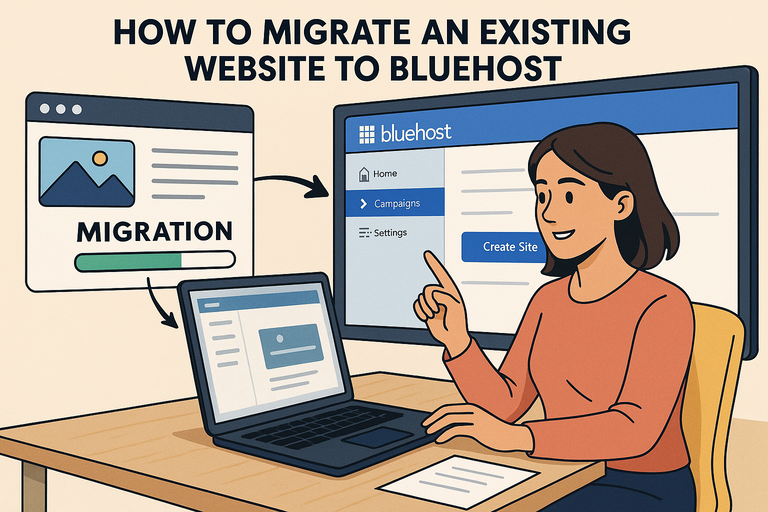 How To Migrate An Existing Website To Bluehost?
 WPEngine Cost: Why It’s More Expensive Than Other Hosts