
Table of Contents
Some links on The Justifiable are affiliate links, meaning we may earn a small commission at no extra cost to you. Read full disclaimer.
The Upwork website has become one of the biggest marketplaces for freelancers and clients worldwide—but is it really worth using?
Whether you’re a beginner searching for your first gig or a business owner trying to find reliable talent, Upwork promises efficiency and opportunity. Yet, many users wonder: does it truly deliver on that promise, or is it just another crowded platform with high fees and stiff competition?
In this review, I’ll unpack the real experience of using the Upwork website—from finding jobs to getting paid—so you can decide if it’s the right choice for your goals.
Understanding How The Upwork Website Works
The Upwork website is one of the largest freelance marketplaces, connecting businesses with professionals around the world.
Think of it as a virtual hiring hub—clients post jobs, freelancers submit proposals, and Upwork helps manage contracts, payments, and communication all in one dashboard.
Let’s break down how it actually works from the inside.
How Upwork Connects Freelancers And Clients
At its core, Upwork is a two-sided marketplace:
- Freelancers create profiles highlighting their skills, portfolios, and rates.
- Clients post jobs describing their project, timeline, and budget.
Here’s what usually happens in practice:
- Clients Post a Job: From the dashboard, click Jobs > Post a Job. They’ll fill in details like title, scope, and payment type (hourly or fixed-price).
- Freelancers Apply: Freelancers browse the job feed and submit proposals. Each proposal costs Connects—Upwork’s internal bidding tokens.
- Interview & Hire: Clients review proposals, check portfolios, and chat directly through the built-in messenger before hiring.
- Work & Payment: Once hired, work begins under an Upwork contract. Payments are handled automatically through the platform’s secure system.
From experience, this workflow feels smooth once you’ve set up your profile correctly. It’s structured enough to protect both sides, but flexible enough to allow creative freedom in projects.
The Role Of Profiles, Portfolios, And Proposals
Your Upwork profile is your storefront—it’s what convinces clients to click, read, and hopefully hire.
Here’s what matters most:
- Profile: This is where you introduce yourself. A strong title, compelling overview, and a professional photo make a big difference.
- Portfolio: Real examples of past work add credibility. Even if you’re new, showcase personal or mock projects that reflect your skills.
- Proposals: Think of proposals as mini cover letters. Each one should address the client’s needs directly.
Pro tip: I suggest tailoring every proposal. Generic ones rarely work. Mention specific parts of their job post, add a question to show engagement, and close with a short, confident call to action like, “Would you like me to share a quick outline before we start?”
That small detail increases response rates dramatically—especially for new freelancers competing for attention.
How Upwork’s Algorithm Matches You With Jobs
Upwork’s job feed isn’t random—it’s algorithm-driven. It learns from your skills, categories, and previous activity to show you the most relevant projects.
Here’s what influences it:
- Profile Keywords: The algorithm scans your title and skills to suggest matching jobs.
- Proposal Activity: If you apply for certain job types often, it assumes you prefer them.
- Job Success Score (JSS): A strong JSS improves visibility and builds client trust.
From what I’ve observed, updating your profile regularly helps the algorithm “relearn” your strengths. If you shift niches—say from copywriting to UX writing—revise your title and tags immediately. Within a week, your feed will adapt.
It’s not perfect, but once you understand how it behaves, you can guide it rather than fight it.
Pros Of Using The Upwork Website
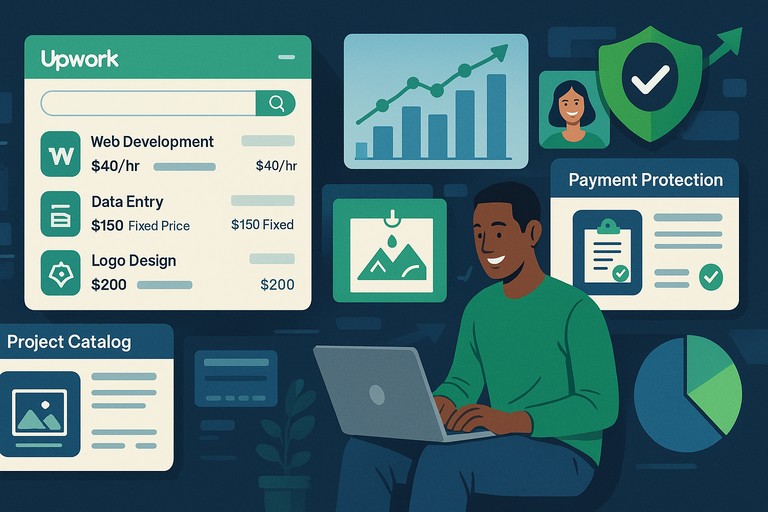
The Upwork website has a lot going for it, especially if you’re serious about freelancing or scaling a remote business.
Wide Range Of Freelance Opportunities
Upwork hosts over 10,000 new job posts daily, covering everything from web development to virtual assistance. Whether you’re a graphic designer, translator, or data analyst, there’s a category for you.
What I love most is how it caters to different experience levels:
- Beginners: Small one-off projects help you build reviews.
- Experienced freelancers: Larger contracts or long-term retainers are common.
The Projects Catalog is another feature worth exploring—it lets you sell predefined packages (like “Logo Design in 3 Days”) at a set price. This turns your skills into ready-to-buy products.
In short, there’s space for everyone—but the strategy you use determines how well you thrive.
Built-In Payment Protection And Secure Contracts
Upwork’s payment protection is one of its biggest strengths.
For hourly contracts, the Upwork Time Tracker app logs your work screenshots and time automatically. Clients are then billed weekly.
For fixed-price projects, funds go into an escrow account before you start—meaning you’re guaranteed payment if you deliver as agreed.
That system may sound rigid, but it’s the reason so many freelancers feel safe using the platform. In nearly every case I’ve seen, disputes are resolved fairly because both sides have documented records.
If you’ve ever freelanced through email and PayPal, you’ll appreciate just how much hassle this eliminates.
Flexible Work Options For Global Freelancers
One of Upwork’s greatest appeals is flexibility. You can:
- Set your own rates.
- Work with clients in any time zone.
- Choose projects that align with your schedule and interests.
Upwork also supports local currencies and international payment methods, so it’s accessible almost anywhere.
Many freelancers I know use Upwork as a stepping stone—they start there to build credibility and later expand into private clients or agencies.
It’s a great balance: structured enough for safety, flexible enough for freedom.
Cons Of The Upwork Website You Should Know
Upwork isn’t perfect. While it opens doors, it also comes with real challenges that can frustrate newcomers.
High Competition And Lower Starting Rates
The biggest complaint among freelancers is competition. With millions of users, new profiles often struggle to land their first few jobs.
It’s not unusual to see 50+ proposals per listing in popular categories like writing or design. This drives down initial rates.
My advice:
- Start with small projects to gain momentum.
- Focus on niche-specific jobs rather than broad ones.
- Build credibility fast by earning positive reviews.
Once you have a few satisfied clients, your visibility—and rates—improve naturally.
Freelancing here is a marathon, not a sprint.
Service Fees And Payment Deductions Explained
Upwork charges freelancers a sliding service fee:
- 10% on new contracts.
- 5% once you’ve billed $10,000+ with a client.
For example, if you earn $500 from a client, Upwork takes $50. You’ll also see small withdrawal or conversion fees depending on your payment method.
I believe the fees are fair considering the platform’s protection and exposure, but it’s still something you should budget for—especially early on when margins are thin.
If you land repeat clients, the percentage drop helps offset that cost over time.
Strict Verification And Account Limitations
Upwork’s verification process can be frustrating but necessary.
You’ll go through:
- ID Verification: Upload a government-issued ID and take a selfie.
- Video Verification: Sometimes required for extra security.
- Skill Review: Some categories require specialized approval.
Upwork occasionally limits new accounts if there’s an oversupply of freelancers in certain categories. It’s their way of maintaining balance in the marketplace.
While annoying, it does keep quality levels high—and that benefits serious professionals in the long run.
How To Get Hired Faster On The Upwork Website
Getting hired faster on the Upwork website isn’t just about luck—it’s about positioning, precision, and presentation.
The competition is intense, but when you understand how clients browse, evaluate, and decide, you can drastically improve your odds.
Crafting A Standout Profile That Gets Attention
Your Upwork profile is your personal storefront—it decides whether a client clicks or scrolls past. Think of it as your first handshake in the digital world.
Here’s how to make it stand out:
- Write a clear, specific title. Avoid “Freelance Writer” or “Graphic Designer.” Instead, use something like “Email Copywriter for SaaS Brands” or “Logo Designer Specializing in Modern Minimalist Styles.” This instantly communicates your niche.
- Use the first two lines wisely. The first 200 characters of your overview appear in search previews. Hook the client there. For example:
“Need engaging content that converts? I help B2B brands write clear, persuasive copy that drives action.” - Add a strong portfolio. If you’re new, create 2–3 example projects. For instance, design a sample logo set or write a mock blog post. Use the Add Portfolio Item option on your profile to showcase visuals or links.
- Use keywords naturally. Include terms clients actually search for—like “Shopify developer” or “SEO article writer.” But keep it conversational. Upwork’s algorithm (and human readers) prefer natural phrasing over keyword stuffing.
Pro tip: Regularly update your “skills” tags and overview. Every update prompts Upwork to reindex your profile, slightly boosting visibility in searches.
Writing Winning Proposals That Convert
A well-written proposal can make or break your success on the Upwork website. Clients typically skim dozens of them, so you’ve got about 15 seconds to catch attention.
Here’s my personal framework:
- Start with personalization. Mention the client’s name (if visible) and something specific about their project. Example: “I noticed you’re looking to redesign your Shopify homepage. I’ve helped three eCommerce stores do exactly that this year.”
- Focus on their goal, not your resume. Clients care about outcomes. Instead of saying, “I have five years of design experience,” say, “I can help increase your homepage conversion rate through clear, minimalist design.”
- Add proof quickly. Link to one relevant portfolio item or case study. If it’s private work, summarize the result: “I recently redesigned a startup’s landing page that increased sign-ups by 37%.”
- End with a question or call to action. This opens the conversation naturally: “Would you like me to share a short wireframe idea before we start?”
Pro tip: Save time with Proposal Templates, but always personalize them before submitting. Upwork tracks engagement rates, and customized proposals get significantly better visibility over time.
Building Client Relationships For Long-Term Success
Getting hired once is good. Turning that client into repeat work—that’s where the real stability is.
Here’s how to do it strategically:
- Communicate consistently. After submitting work, use Upwork Messages to check in professionally. Example: “I’ve uploaded the first draft for your review. Let me know if you’d like me to adjust the tone before finalizing.”
- Overdeliver early. If you promise delivery in 3 days, submit in 2. Those small moments create trust—and trust leads to long-term contracts.
- Ask for feedback and reviews. Once a project closes successfully, politely ask clients to leave a review. A consistent 5-star average significantly improves your visibility.
- Offer ongoing support. If your work lends itself to it (like content updates or maintenance), mention: “I can also help you keep this project optimized monthly if you’d like.”
Relationships, not one-off gigs, are the backbone of lasting success on the Upwork website.
Upwork Website For Clients: Finding The Right Talent
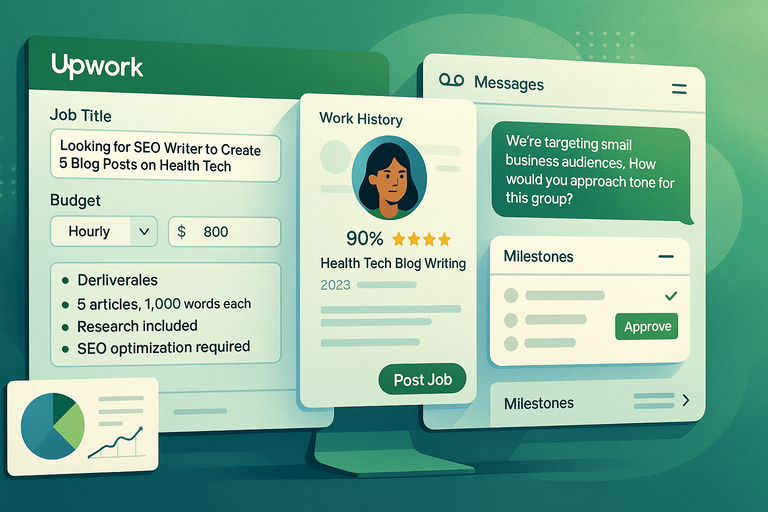
The Upwork website isn’t only for freelancers.
It’s an incredibly powerful tool for businesses too—especially if you know how to post clear job listings, evaluate candidates, and manage ongoing work efficiently.
How To Post Clear Job Descriptions That Attract Quality Bids
If you’ve ever received 50 vague proposals, you’re not alone. The trick is clarity.
Here’s a practical path: From your dashboard, click Jobs > Post a Job. Then follow these steps:
- Write a specific title. Instead of “Need a writer,” use “Looking for SEO Writer to Create 5 Blog Posts on Health Tech.”
- Set a realistic budget. Include either an hourly range or a fixed-price estimate. High-quality freelancers often skip posts that just say “Budget: Not Sure.”
- Mention tools or expectations upfront. Example: “We use Google Docs and Slack for communication.”
- Outline deliverables clearly. Use short bullet points, like:
- 5 articles, 1,000 words each
- Research included
- SEO optimization required
Clear, complete descriptions filter out unqualified freelancers and attract the best matches fast.
Vetting Freelancers Using Reviews And Work Samples
Once you start receiving proposals, it’s time to shortlist.
I suggest this workflow:
- Step 1: Open the freelancer’s profile in a new tab. Check their Job Success Score (JSS)—aim for 90% or higher.
- Step 2: Review their Work History. Look for projects similar to yours and consistent feedback.
- Step 3: Check their Portfolio or Attachments. If they’ve submitted samples, open them directly.
- Step 4: Message top candidates. Ask one practical question to test responsiveness and clarity.
For instance: “We’re targeting small business audiences. How would you approach tone for this group?”
Upwork’s review system is fairly reliable because feedback is two-sided, meaning both clients and freelancers rate each other.
Managing Projects Through Upwork’s Built-In Tools
Upwork makes project management easy if you use its built-in systems correctly.
For hourly contracts:
- Install the Upwork Time Tracker app. It captures work screenshots and activity levels automatically.
- You can review hours under My Jobs > Work Diary.
For fixed-price projects:
- Use Milestones to break the job into stages.
- Approve each milestone as it’s completed—funds are released from escrow upon approval.
Communication tools:
- The Messages tab allows instant chat, voice calls, and file sharing.
- You can even invite collaborators or add project notes directly.
Managing everything inside Upwork not only protects both parties but also keeps financial records clean and disputes minimal.
Comparing Upwork With Other Freelance Platforms
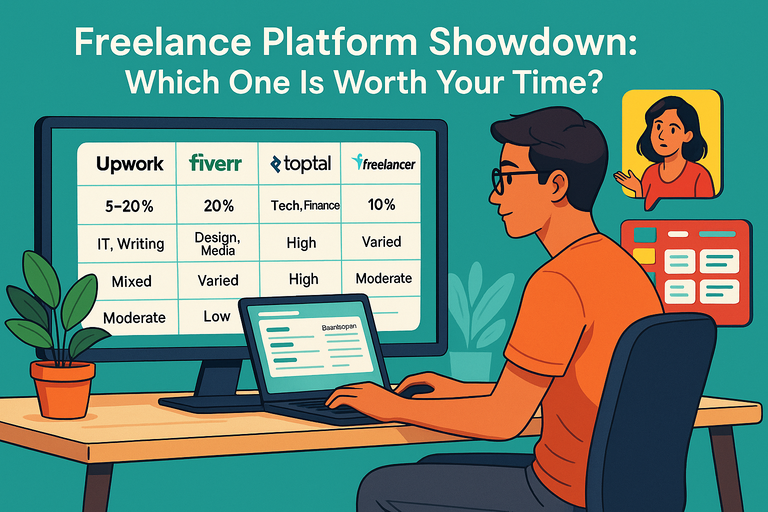
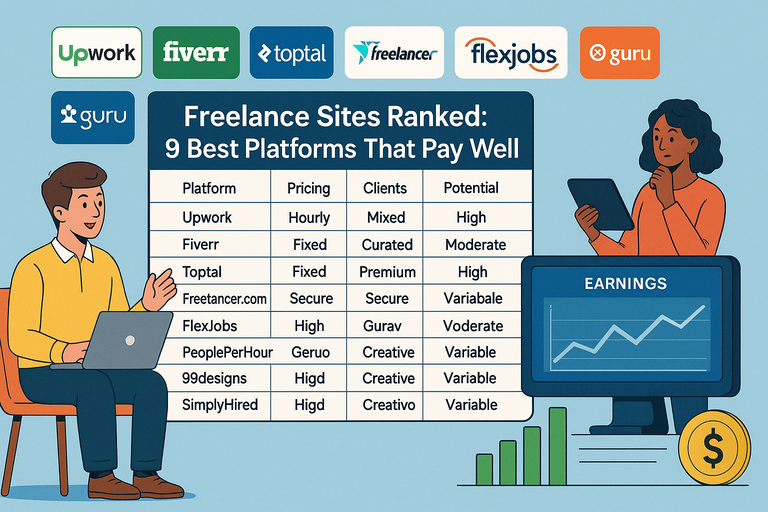
Now let’s see how the Upwork website stacks up against major competitors like Fiverr, Freelancer, and Toptal. Each platform attracts a different type of user and project.
Upwork vs Fiverr: Quality Versus Speed
Upwork is built for long-term, higher-quality projects. Freelancers apply to jobs posted by clients.
Fiverr, on the other hand, focuses on quick, predefined services (“gigs”) where freelancers set fixed prices.
Here’s a simple comparison table:
| Feature | Upwork | Fiverr |
| Project Type | Long-term or custom | Short-term or predefined |
| Payment | Hourly or fixed | Fixed-price only |
| Hiring Model | Client posts jobs | Freelancer lists gigs |
| Ideal For | Ongoing work | One-off tasks |
My take: If you need deep collaboration or custom work, Upwork wins. For quick logo designs or small copy edits, Fiverr’s instant purchasing is faster.
Upwork vs Freelancer: Platform Costs And User Experience
Freelancer.com looks similar to Upwork at first, but their bidding system is more competitive and less polished.
- Fees: Freelancer takes around 10% per project, similar to Upwork’s entry-level fee.
- User Interface: Upwork’s dashboard is cleaner and more intuitive, especially when tracking progress or messaging.
- Client Base: Upwork tends to attract more enterprise clients, while Freelancer caters to smaller, budget-conscious businesses.
If professionalism and user experience matter to you (and they should), Upwork’s platform feels smoother and more trustworthy overall.
Upwork vs Toptal: Premium Talent vs Accessibility
Toptal markets itself as the platform for the “top 3% of freelancers.” That means higher rates—but also a more exclusive vetting process.
- Entry Difficulty: Toptal only accepts a fraction of applicants after testing and interviews.
- Client Quality: Typically high-end, with budgets starting in the thousands.
- Upwork Advantage: Easier entry, broader project range, and flexibility for both new and seasoned freelancers.
If you’re aiming for luxury-tier projects with major clients, Toptal is ideal. But for accessibility, diversity of opportunities, and scalable growth, Upwork remains the more balanced ecosystem.
Common Mistakes Users Make On The Upwork Website
Even the most talented freelancers and thoughtful clients slip up on the Upwork website—usually because they underestimate how nuanced the platform is.
The system rewards attention to detail, consistency, and a bit of marketing psychology.
Here are three common mistakes that can quietly hold you back (and how to fix them).
Ignoring Profile Optimization And Skill Keywords
Your profile is your shop window—and too many freelancers leave theirs half-decorated. The Upwork algorithm heavily relies on keywords in your title, overview, and skill tags to recommend you for jobs. If you skip optimization, your visibility drops.
Here’s how to fix it quickly:
- From your dashboard, click Find Work > Profile > Edit.
- In your title, include both your main service and niche (e.g., “Social Media Manager for Real Estate Brands”).
- In your Skills section, select up to 15 relevant terms—but prioritize what clients search for, not what sounds fancy.
- Update your overview with natural keyword usage. Mention your niche, results, and how you help.
Example: “I help small businesses grow through targeted Facebook and Instagram campaigns that convert visitors into paying customers.”
Pro insight: I suggest refreshing your keywords every quarter. The freelance landscape shifts fast, and keeping your profile aligned with trending terms keeps you visible in search results.
Accepting Low-Paying Jobs That Hurt Long-Term Growth
It’s tempting—especially when you’re new—to grab the first job that pays, even if it’s for $5 or $10 an hour.
But here’s the hidden problem: low rates anchor your perceived value. Clients browse your previous contracts, and pricing patterns influence their offers.
Instead, start strategically:
- Take one or two small jobs to build reviews, but then raise your rate incrementally (e.g., from $10 → $20 → $35/hr).
- Use fixed-price projects for entry-level work so you control scope.
- Update your profile to reflect your growing expertise.
Example scenario: A friend of mine started at $15/hour writing blog posts. After five solid reviews, she repositioned as a “Tech Content Strategist” and tripled her rate—yet still got hired more often. The perception of quality attracts higher-paying clients.
I believe this is the turning point for most freelancers on Upwork: learning that saying “no” to the wrong job opens the door to the right one.
Not Following Up Or Building Repeat Clients
Many freelancers think of Upwork as a one-and-done gig marketplace. In truth, it rewards relationship building. Upwork’s algorithm gives higher visibility to freelancers with repeat clients because it signals reliability.
Practical follow-up tips:
- After completing a job, message the client: “It was great working with you! If you ever need ongoing updates or new content, I’d love to help again.”
- A week later, send a polite check-in if they haven’t responded.
- Offer a small incentive for long-term work—like discounted rates for monthly retainer projects.
Pro insight: Some of the most successful freelancers I know get 80% of their income from 3–4 long-term clients. Less chasing, more stability.
Upwork becomes easier (and more profitable) once you treat it like a relationship platform—not just a job board.
Is The Upwork Website Worth It In 2025?
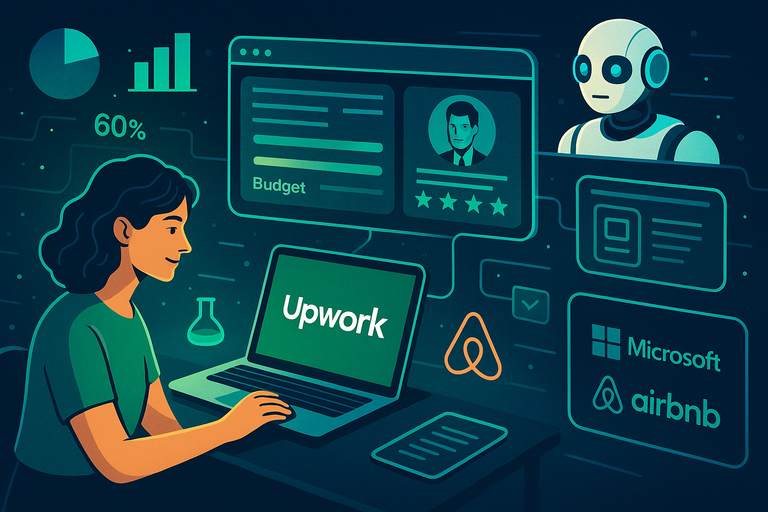
With AI tools, new marketplaces, and a flood of digital talent, it’s fair to ask: Is Upwork still worth it in 2025?
I’ll be honest—it depends on who you are and how you use it.
When Upwork Makes Sense For Freelancers
Upwork is still one of the best platforms for freelancers who want structure, payment security, and international exposure.
It’s perfect if you:
- Want predictable payments and verified clients.
- Enjoy remote work flexibility with reliable tools.
- Are ready to build a portfolio that markets itself.
Why it works: Upwork’s escrow and hourly protection systems make getting paid worry-free. Plus, the ability to filter jobs by budget, expertise level, and country means you can tailor your search efficiently.
Stat to note: According to Upwork’s 2024 report, over 60% of full-time freelancers earn more through Upwork than they did in their traditional jobs.
My advice: Use it as a launchpad. Build credibility here, then expand your client base off-platform once your reputation grows.
When Businesses Should Consider Other Options
Upwork works best for clients who value flexibility, not just cheap labor. If you’re a business owner or manager hiring through Upwork, it’s ideal when you need quick access to vetted talent.
However, there are cases where it’s not perfect:
- You need highly specialized, vetted experts (Toptal might be better).
- You require in-person collaboration.
- You plan to build a permanent in-house team.
In those cases, using a recruiting firm or niche agency might be smarter.
That said, for startups, small businesses, or marketing teams needing short-term projects, Upwork remains unmatched in affordability and speed.
The Future Of Freelancing And Where Upwork Fits In
The freelance economy is evolving. AI tools now handle repetitive tasks, but creativity, strategy, and human connection still reign supreme—and Upwork has leaned into that shift.
Here’s what’s changing:
- The platform now uses AI-powered job matching, improving visibility for skilled freelancers.
- The Project Catalog feature is growing—freelancers can sell prepackaged services, similar to Fiverr but within Upwork’s secure system.
- Upwork Enterprise continues to attract big clients like Microsoft and Airbnb.
In short: Upwork is moving upmarket, blending accessibility for beginners with premium options for experienced pros.
If you adapt—by niching down, presenting strong results, and keeping your profile active—it’s absolutely still worth using in 2025 and beyond.
Final Verdict And Expert Tip
After years of watching trends and working with freelancers who’ve built thriving careers through the Upwork website, here’s my honest conclusion.
My Honest Take On Whether Upwork Is Worth Using
Yes, the Upwork website is worth it—but only if you treat it like a business tool, not a shortcut.
If you log in, send five generic proposals, and wait, you’ll probably get frustrated.
But if you:
- Polish your profile,
- Learn how clients think, and
- Build consistent communication habits,
you can turn Upwork into a predictable source of income and professional growth.
I’ll be candid: Upwork has its flaws—fees, competition, and slow starts—but the trade-off is security, global reach, and automation that frees you to focus on doing great work.
For clients, it’s equally valuable. The ability to hire verified freelancers within hours—without legal headaches—is hard to beat.
So yes, in 2025, Upwork remains one of the most reliable ecosystems for digital collaboration.
Expert Tip: How To Build A Sustainable Freelance Career On Upwork
If you take only one thing from this review, let it be this: sustainability on Upwork comes from visibility, value, and relationships.
Here’s a simple framework I recommend:
- Visibility: Keep your profile fresh. Add new portfolio items every month. Update your tags based on trending job posts.
- Value: Don’t sell time—sell outcomes. Clients pay more for results, not hours. Include numbers (“helped increase conversions by 30%”) wherever you can.
- Relationships: Focus on repeat clients and consistent communication. Follow up, stay helpful, and treat every project as a long-term partnership.
Mini case example: One of my colleagues started on Upwork as a solo content writer. Within two years, she built an agency of three writers, all working through Upwork contracts. Her secret? She nurtured every client relationship like a partnership—asking for feedback, offering strategy advice, and delivering consistently ahead of deadlines.
That’s the kind of sustainable success anyone can achieve with the right habits.

I’m Juxhin, the voice behind The Justifiable.
I’ve spent 6+ years building blogs, managing affiliate campaigns, and testing the messy world of online business. Here, I cut the fluff and share the strategies that actually move the needle — so you can build income that’s sustainable, not speculative.
Related posts:
 Best Freelancing Sites for Experienced Professionals: Maximizing Earnings
 Starting and Running a Successful Freelancing Business
 Freelancing Websites: Top 10 Platforms to Kickstart Your Career
 Toptal Freelance Review: Is It Worth the Hype?
 Freelance Platform Showdown: Which One Is Worth Your Time?
 Freelance Sites Ranked: 9 Best Platforms That Pay Well