
Table of Contents
Some links on The Justifiable are affiliate links, meaning we may earn a small commission at no extra cost to you. Read full disclaimer.
If you’re wondering whether is surveymonkey enough for professional surveys is a real yes-or-no question, I think it is. And the honest answer is this: SurveyMonkey is enough for many professional surveys, but not all of them.
It works very well when you need fast setup, solid logic, usable reporting, and low friction for teams. Where it starts to fall short is in advanced research design, stricter governance, and workflows that need deeper customization.
Let me walk you through where SurveyMonkey shines, where it gets stretched, and how to decide whether it fits your level of work.
What “Professional Surveys” Actually Require
A professional survey is not just a nice-looking questionnaire.
It is a survey that produces trustworthy data, is easy for respondents to complete, and fits the business or research environment around it.
What Separates A Professional Survey From A Casual One
In my experience, this is where a lot of people get tripped up. They assume “professional” means polished branding and a logo at the top. That helps, but it is not the real test.
A professional survey usually needs five things: sound question design, clean skip logic, consistent respondent experience, reliable analysis, and enough governance to keep data organized and secure. If any one of those breaks, the survey can still launch, but the results often become shaky.
That matters more than most teams realize. A 2022 meta-analysis found the average online survey response rate in published research was 44.1%, and other methodological literature notes email survey response rates often land closer to 25% to 30% without strong follow-up.
In other words, you rarely get endless chances to ask bad questions. When people ignore, rush, or abandon a survey, the data problem starts before analysis even begins.
So when people ask whether SurveyMonkey is enough, I think the better question is this: enough for what stakes, what audience, and what level of rigor?
The Jobs SurveyMonkey Handles Very Well
SurveyMonkey covers a lot of the fundamentals that most professional teams need. On paid plans, it supports unlimited questions, skip logic, question and answer piping, randomization, custom variables, advanced branching, AI-assisted survey creation, and built-in analysis features.
It also supports team collaboration, shared assets, exports, and a sizable integration ecosystem.
That makes it a strong fit for many practical business use cases, such as:
- Customer satisfaction and NPS programs
- Employee pulse surveys
- Product feedback collection
- Lead qualification forms
- Event feedback
- Basic market validation
- Brand or content preference checks
For many small businesses, agencies, startups, and internal teams, that is already enough to call it professional. You can launch quickly, collect structured feedback, and make decisions without building a giant research stack.
The Real Limiting Factor Is Usually Complexity, Not Professionalism
I do not think the biggest divide is “professional” versus “non-professional.” The real divide is simple versus complex.
If you are sending a customer feedback survey to 2,000 users and need clean dashboards by next week, SurveyMonkey can absolutely be a professional solution.
If you are running a multi-country segmentation study with strict sampling requirements, advanced quotas, layered logic, respondent quality controls, and heavy statistical modeling, you will probably hit the ceiling much sooner.
That is why SurveyMonkey can be both enough and not enough depending on the project. The platform is mature. The question is whether your survey program has outgrown a platform designed to stay accessible.
SurveyMonkey itself positions Enterprise as the tier for stronger governance, admin control, SSO, and HIPAA-related needs, which tells you a lot about where the standard plans are aimed.
How SurveyMonkey Performs On Core Survey Design
This is the section that matters most if you care about day-to-day execution. A survey platform can look great in a feature list and still be annoying in actual use.
SurveyMonkey performs well on the basics, and that is a big reason it has stayed popular.
Survey Logic, Branching, And Personalization Are Good Enough For Most Teams
For a lot of professional work, logic is the line between a clunky survey and a smart one. SurveyMonkey offers skip logic, advanced branching, question and answer piping, advanced piping, carry-forward responses, custom variables, and randomization features on higher tiers.
That gives you plenty of room to create a smoother respondent journey. You can show follow-up questions only when they matter, personalize wording based on earlier answers, and reduce bias by randomizing items.
That is not just nice to have. It lowers drop-off and improves answer quality because people are not forced through irrelevant questions.
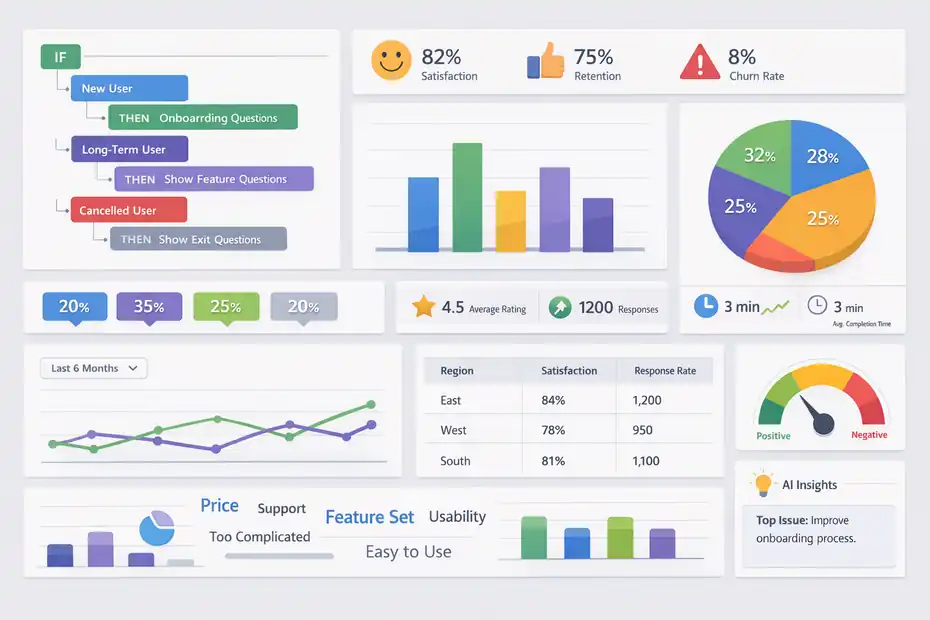
Here is a realistic example. Imagine you run a SaaS company and send a churn-risk survey. A new user should see onboarding questions. A long-term customer should see feature adoption questions. A canceled customer should see exit reasons. SurveyMonkey can handle that branching structure without becoming a mess.
Where I would be cautious is when logic becomes deeply nested across many audience segments and business rules. Once your survey starts behaving more like a full decision tree than a questionnaire, setup and QA get harder. SurveyMonkey still works, but the margin for mistakes gets smaller.
Templates And AI Speed Up Setup, But They Do Not Replace Research Judgment
SurveyMonkey includes templates and AI-assisted survey generation, which can save a lot of time when you need a draft quickly. Paid plans also include unlimited questions, while the free plan is capped at 10 questions per survey.
I think this is one of SurveyMonkey’s real strengths. It helps non-researchers move faster. If you are a marketing manager, HR lead, founder, or customer success director, you can get from blank page to usable draft without staring at a screen for an hour.
But this is where I would offer a blunt opinion: faster survey creation does not automatically mean better survey design.
A professional survey still depends on things like:
- Clear measurement goals
- Neutral wording
- Clean answer scales
- Reasonable survey length
- Thoughtful question order
SurveyMonkey’s own best-practices guidance emphasizes reducing bias and increasing participation through careful question design.
I agree with that completely. The tool can help you build faster, but it cannot fully protect you from vague questions, leading phrasing, or bad sequencing.
So yes, SurveyMonkey is enough for professional design workflows, as long as the person building the survey understands what good survey design actually looks like.
Reporting And Analysis Are Solid For Operational Decisions
SurveyMonkey has gone well beyond “collect responses in a spreadsheet.” Its paid plans include exports, AI analysis, sentiment analysis, thematic analysis, and features for flagging poor-quality responses such as gibberish, speeding, or straight-lining.
For many teams, that is more than enough.
If you run monthly customer satisfaction tracking, internal engagement surveys, or post-event reporting, built-in charts and summaries can get you to an answer quickly. You do not always need a data scientist.
Sometimes you just need to know which friction point is hurting onboarding, which product request keeps appearing, or whether regional satisfaction scores are slipping.
Where this becomes less sufficient is when reporting has to serve multiple layers of stakeholders at once. Executives may want trend dashboards, managers may want filtered breakouts, and analysts may want raw data pipelines feeding a BI environment.
SurveyMonkey can support parts of that workflow, especially with integrations and exports, but it is not the most natural home for highly customized analytics operations.
For operational insights, though, it does the job well.
Where SurveyMonkey Is Absolutely Enough
This is where I think people often overcomplicate things. A lot of professional survey programs do not need a heavyweight research platform.
They need consistency, speed, and data people can trust enough to act on.
Customer Feedback Programs Fit SurveyMonkey Very Naturally
SurveyMonkey is a practical choice for customer satisfaction, NPS, support follow-up, onboarding feedback, and feature-priority surveys.
The reason is simple. These programs usually need a straightforward workflow: create the survey, segment the audience, collect responses, review patterns, and share results.
SurveyMonkey supports that pretty well with logic, team plans, exports, and integrations with tools like Slack, HubSpot, Salesforce, Zendesk, and Zoho through its integration ecosystem.
SurveyMonkey also says its platform supports 100+ app directory integrations and highlights 200+ native integrations on its pricing page.
Imagine you are running a small e-commerce brand. You send a post-purchase survey seven days after delivery. Promoters get a referral prompt. Neutral customers get a question about missing information.
Detractors get a recovery question and an alert to support. That is the kind of professional feedback loop SurveyMonkey handles well.
You do not need extreme research sophistication there. You need action.
Internal Team Surveys Are A Strong Use Case
SurveyMonkey is also a good fit for employee pulse surveys, training feedback, internal process audits, and manager check-ins.
In many organizations, internal survey work is not held back by lack of features. It is held back by lack of momentum. Teams delay feedback collection because the process feels too heavy. SurveyMonkey lowers that barrier.
Its team plans include collaboration, shared asset libraries, commenting, tagging, and consolidated billing, which makes it easier to standardize survey work across departments.
Team Advantage starts at $30 per user per month with at least three users and includes 50,000 responses per year, while Team Premier starts at $92 per user per month with 100,000 responses per year.
That is useful when HR, operations, and department heads all need a repeatable way to gather structured feedback without reinventing the wheel each quarter.
For most internal survey programs, I would say SurveyMonkey is not just enough. It is often the more sensible choice than buying something much heavier.
Small Research Projects And Validation Work Are Well Within Its Range
If you are validating a product idea, testing messaging, gathering webinar feedback, or checking demand for a new service, SurveyMonkey is usually plenty.
This is especially true when you need speed over perfect methodological purity. SurveyMonkey Audience also gives access to paid respondent collection, and the platform includes design and analysis features within Audience projects.
I want to be careful here, though. “Research” can mean very different things. If your goal is directional learning, SurveyMonkey works well. If your goal is publishable research, highly controlled sampling, or executive-grade market modeling, the standards rise fast.
A simple rule I use is this: If the cost of a wrong conclusion is moderate, SurveyMonkey is often enough. If the cost of a wrong conclusion is very high, you may need stronger research controls than the platform is best known for.
Where SurveyMonkey Starts To Fall Short
This is the part many reviews dodge. SurveyMonkey is strong, but it is not infinitely flexible.
At a certain level of complexity or sensitivity, the cracks become more noticeable.
Advanced Market Research Can Outgrow The Platform
SurveyMonkey supports many useful design features, but advanced research teams often need more than skip logic and clean exports.
They may need tighter sample management, more specialized methodology controls, complex quota structures, advanced conjoint-style workflows, multilingual governance at scale, or highly customized analysis pipelines.
SurveyMonkey can cover some of that territory, but it is not the first platform I would reach for when the research operation itself becomes the business-critical engine.
This is the difference between “we need to hear from customers” and “we need a defensible research architecture.”
A practical example: If you are a B2B software company running a quick win-loss survey after sales cycles, SurveyMonkey can work. If you are a consumer brand running a multi-market segmentation project tied to media spend and product line decisions, I would be more cautious.The more expensive the downstream decision, the less I would want to rely on an accessible generalist tool alone.
Sensitive Data And Governance Needs May Push You To Enterprise Or Beyond
SurveyMonkey’s standard environment is not the same thing as enterprise-grade governance by default. The company clearly positions HIPAA compliance, advanced security, SSO, user controls, permissions, and admin governance as Enterprise-level capabilities.
It also states that respondent information is securely stored, transmitted over HTTPS, protected with TLS for logins, and encrypted at rest, with references to SOC 2-accredited data centers, ISO 27001, GDPR compliance, PCI DSS 3.2, and HIPAA-related support.
That means two things.
First, SurveyMonkey can absolutely support serious security and compliance requirements in the right plan configuration.
Second, if you are asking whether the product is enough for healthcare, heavily regulated, or tightly controlled enterprise environments, the answer depends heavily on the tier, legal review, and internal policies.
I would not treat the base experience and the Enterprise experience as interchangeable. They are not.
Deep Workflow Automation And BI-Centric Operations Need A Harder Look
SurveyMonkey offers integrations and API-related options, and it distinguishes between easier connect apps inside the survey flow and app directory integrations that connect surveys to outside business apps.
That is useful, but there is a difference between “has integrations” and “fits a deeply integrated data stack.”
If your workflow looks like this, SurveyMonkey may still fit:
- Send surveys
- Push results to CRM or collaboration tools
- Export reports
- Alert teams when a score dips
If your workflow looks like this, I would evaluate more carefully:
- Trigger surveys from product events
- Merge rich customer attributes dynamically
- Feed raw survey signals into warehousing and BI layers
- Maintain role-based access at scale
- Standardize taxonomy across many departments
- Run complex always-on measurement programs
At that point, the platform itself is only one piece of a larger operations problem. SurveyMonkey may still be serviceable, but it is no longer automatically enough.
How To Decide Whether SurveyMonkey Is Enough For Your Use Case
I think this section is the most useful one to act on.
Instead of asking whether SurveyMonkey is “professional enough” in the abstract, score it against your real workflow.
Use This Simple Decision Filter
Ask yourself these five questions:
- How expensive is a bad decision based on this survey?
- How complex is the logic and audience segmentation?
- How sensitive is the data?
- How many teams need access, governance, or standardization?
- How much downstream reporting or automation do you need?
If your answers are mostly low to moderate, SurveyMonkey is probably enough. If your answers are mostly high, it may still work, but only with the right paid plan or a more specialized stack.
Here is my personal shorthand:
- Low stakes + simple workflow = SurveyMonkey is usually enough
- Medium stakes + team collaboration = Paid team plans are often enough
- High stakes + compliance + complex reporting = Evaluate Enterprise or alternatives carefully
That may sound obvious, but it saves a lot of wasted time. People often compare platforms based on feature lists when they should be comparing risk levels.
Quick Comparison Table
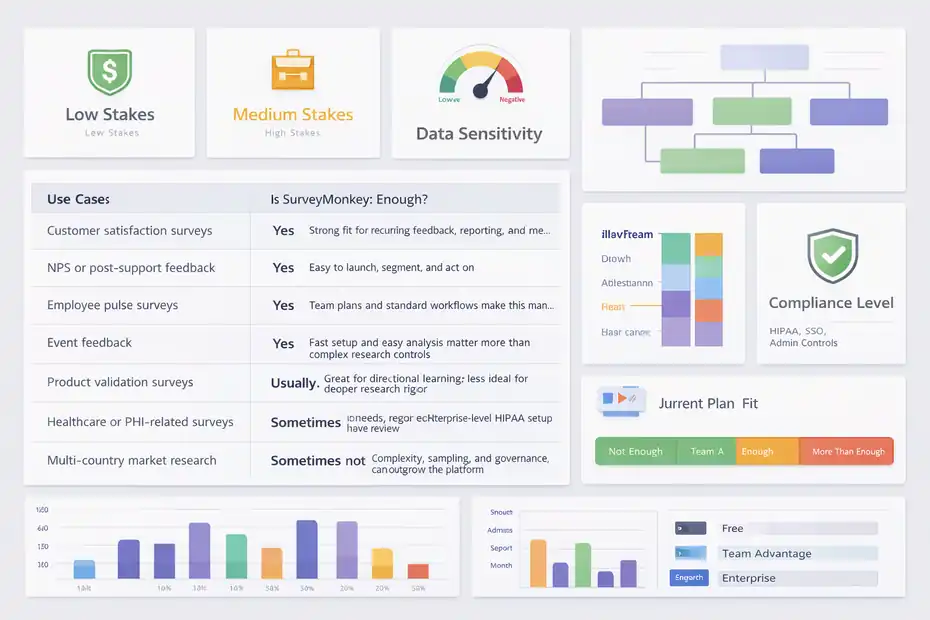
| Use Case | Is SurveyMonkey Enough? | Why |
|---|---|---|
| Customer satisfaction surveys | Yes | Strong fit for recurring feedback, reporting, and team sharing |
| NPS or post-support feedback | Yes | Easy to launch, segment, and act on |
| Employee pulse surveys | Yes | Team plans and standard workflows make this manageable |
| Event feedback | Yes | Fast setup and easy analysis matter more than complex research controls |
| Product validation surveys | Usually | Great for directional learning, less ideal for deeper research rigor |
| Healthcare or PHI-related surveys | Sometimes | Usually requires Enterprise-level HIPAA setup and review |
| Multi-country market research | Sometimes not | Complexity, sampling, and governance can outgrow the platform |
| Enterprise-wide research operations | Sometimes not | Stronger admin, reporting, and workflow needs may require more |
The key point is that SurveyMonkey is often enough for professional execution, but not always enough for professional complexity.
Pricing And Plan Fit Matter More Than People Expect
A lot of frustration with SurveyMonkey is really a plan mismatch problem.
The free plan allows up to 10 questions per survey, which is fine for testing but usually too limited for ongoing professional use.
Team Advantage and Team Premier add the features that make a survey operation feel professional in practice, including collaboration, unlimited questions, AI-assisted build support, larger response allowances, analysis help, and integrations.
Enterprise adds the governance, security, and compliance layer many larger organizations need.
So before deciding the platform is “not enough,” check whether you are actually judging it by the wrong tier.
I have seen teams dismiss SurveyMonkey after trying a limited setup, when the real issue was that they were expecting enterprise outcomes from an entry-level configuration.
How To Get Professional Results If You Stay With SurveyMonkey
Even if you decide SurveyMonkey is enough, that does not guarantee your surveys will feel professional.
The platform gives you the tools. You still have to use them well.
Design Shorter, Smarter Surveys
Survey fatigue is real. The average response-rate research tells us bluntly that participation is fragile, and better-targeted, more thoughtful outreach tends to beat simply blasting larger lists.
So keep the survey tight.
A practical workflow I recommend is this:
- Start with one decision you need to make
- Write only questions that support that decision
- Use logic to hide irrelevant follow-ups
- Cut any question that is merely “nice to know”
- Test the full respondent path before sending
This is where SurveyMonkey’s logic, piping, and randomization features help. They let you ask fewer but more relevant questions, which usually improves completion quality.
If you want your survey to feel professional, one of the best things you can do is make it shorter than you originally planned.
Improve Response Quality, Not Just Response Volume
More responses do not automatically mean better data. The meta-analysis result is useful here because it points out that larger sends alone do not necessarily improve response rates. More targeted populations and follow-up methods matter.
That changes how you should use SurveyMonkey.
Instead of asking, “How do I get more people into the survey?” ask, “How do I get the right people to finish thoughtfully?”
A few practical moves:
- Segment invitations instead of sending one generic email
- Match question wording to the respondent’s context
- Use clear answer scales consistently
- Time the send based on the event you are measuring
- Review low-quality response flags before final reporting
SurveyMonkey’s poor-quality response detection and sentiment or thematic analysis can help you clean up noisy data faster, especially in recurring feedback programs.
That is how you make the platform feel more professional without changing tools.
Build A Reporting Habit, Not Just A Survey Habit
This is the part many teams skip. They send surveys, glance at results, and move on. Then they decide the tool “wasn’t powerful enough” when the real problem was weak follow-through.
To get more value from SurveyMonkey, build a simple reporting rhythm:
- Weekly for operational feedback
- Monthly for trend tracking
- Quarterly for strategic review
Share one dashboard or summary for leaders, one action list for operators, and one raw-data review for whoever owns quality control.
If you use CRM or collaboration integrations, connect feedback to the team that can actually respond. SurveyMonkey supports that kind of workflow through its integration options and exports.
A survey becomes professional when its output changes behavior. Not when it just looks polished.
When To Upgrade, Replace, Or Expand Beyond SurveyMonkey
There is nothing wrong with outgrowing a tool. In fact, that usually means your survey program is becoming more valuable.
Signs You Have Outgrown SurveyMonkey
I would seriously reassess your stack if you notice any of these patterns:
- Your logic maps are becoming hard to QA
- Stakeholders keep asking for reporting the platform cannot easily deliver
- Compliance review slows every launch
- You need tighter permissions across departments
- Analysts spend too much time cleaning exports
- Surveys are becoming part of a larger product or BI system
None of those mean SurveyMonkey is bad. They mean your survey program is no longer a lightweight operation.
SurveyMonkey itself distinguishes standard plans from Enterprise by emphasizing governance, admin control, SSO, HIPAA-related capabilities, and broader security features. That is a pretty clear signal that larger organizations often need a more controlled environment.
A Smarter Upgrade Path Than “Rip And Replace”
I usually do not recommend replacing a survey tool overnight unless the pain is severe.
A better path often looks like this:
- Keep SurveyMonkey for quick-turn operational feedback
- Move high-stakes research into a more specialized process
- Standardize survey templates before expanding tool complexity
- Confirm that governance pain is real, not just team confusion
- Upgrade plan tier before changing vendors, if the core workflow still works
This matters because a lot of survey problems are actually process problems. Poor question design, unclear ownership, weak reporting habits, and messy audience targeting can make any platform look inadequate.
So before switching, ask whether the tool is truly the bottleneck. In many cases, it is only part of the issue.
Expert Verdict
So, is surveymonkey enough for professional surveys?
My verdict is yes, for many businesses and teams it absolutely is. It is enough for customer feedback, employee pulse work, product validation, event surveys, and many operational research needs. It offers the logic, collaboration, reporting, integrations, and paid-plan depth required for a genuinely professional workflow.
But here is the important part: it is enough for professional surveys when your survey program is practical, decision-focused, and reasonably contained. It becomes less enough when your work depends on advanced methodology, strict governance, highly sensitive data, or deeply embedded enterprise analytics.
If I were advising you directly, I would say this. Do not ask whether SurveyMonkey is good enough for “professionals” in general. Ask whether it is good enough for your level of complexity, risk, and scale.
For many of us, the answer will be yes.
For some teams, the answer will be yes, but only on the right paid tier.
And for the most demanding survey operations, the answer is that SurveyMonkey is a strong starting point, not always the final destination.
FAQ
Is SurveyMonkey enough for professional surveys?
Yes, SurveyMonkey is enough for many professional surveys, especially for customer feedback, employee insights, and product validation. It offers strong logic, reporting, and collaboration features. However, for complex research, advanced analytics, or strict compliance needs, more specialized tools may be required.
What are the limitations of SurveyMonkey for professional use?
SurveyMonkey can struggle with advanced market research, complex survey logic, and deep analytics workflows. It may also require higher-tier plans for security, compliance, and governance. For enterprise-level research or highly customized reporting, it may not fully meet all professional requirements.
Is SurveyMonkey suitable for market research projects?
SurveyMonkey works well for basic and mid-level market research, such as concept testing or customer insights. However, for large-scale studies, complex sampling, or statistically rigorous research, professionals may need more advanced platforms designed specifically for research methodologies.
Which SurveyMonkey plan is best for professional surveys?
Paid plans like Team Advantage or Team Premier are typically best for professional surveys. They include advanced logic, collaboration tools, and higher response limits. Enterprise plans are more suitable for organizations needing stronger security, compliance, and administrative control.
How can you make SurveyMonkey surveys more professional?
To make surveys more professional, focus on clear question design, logical flow, and concise structure. Use skip logic to personalize questions, keep surveys short, and review data quality. Consistent reporting and actionable insights also help ensure your surveys deliver real business value.

I’m Juxhin, the voice behind The Justifiable.
I’ve spent 6+ years building blogs, managing affiliate campaigns, and testing the messy world of online business. Here, I cut the fluff and share the strategies that actually move the needle — so you can build income that’s sustainable, not speculative.
Related posts:
 SurveyMonkey Pros And Cons For Freelancers: Smart Tool Or Overpriced?
 Is SurveyMonkey Worth It For Ecommerce Feedback: Real Value
 Building Your Team to Generate New Business Leads
 Niche Market Analysis: How to Identify Profitable Niches
 SurveyMonkey Review For Ecommerce Customer Feedback: Worth Using?
 SurveyMonkey Review For Affiliate Marketers: Can It Boost Conversions?