
Table of Contents
Some links on The Justifiable are affiliate links, meaning we may earn a small commission at no extra cost to you. Read full disclaimer.
If you’re wondering whether is surveymonkey better for surveys or forms is the right question to ask, I think the honest answer is yes—but only if you define your goal first.
SurveyMonkey now supports both surveys and forms inside the same platform, so the better choice is not about which tool is “best” overall. It is about whether you need feedback, data collection, or a bit of both.
In this guide, I’ll walk you through the real differences, where SurveyMonkey shines, where it can feel like overkill, and how to choose the right setup without wasting time or responses.
Understand What SurveyMonkey Means By Surveys And Forms
SurveyMonkey can build both surveys and forms, but they are not meant to do the exact same job. This is where most people get stuck.
Surveys Are Built To Measure Opinions, Satisfaction, And Patterns
When most people hear “SurveyMonkey,” they think of customer feedback, employee pulse checks, NPS, product research, or post-event questionnaires. That reputation still makes sense.
SurveyMonkey’s core platform is built around asking questions, collecting responses, and turning those responses into insights through logic, analysis, and reporting.
Its feature set includes a large template library, many question types, skip logic, analytics, and tools meant to help you spot trends instead of just gathering raw entries.
SurveyMonkey says it offers 25+ question types, question and page skip logic, AI-assisted creation, and action-oriented analysis features.
In plain English, a survey is for learning something. You want to understand what respondents think, prefer, feel, or need. That could mean asking customers whether support solved their problem, asking employees how engaged they feel, or asking website visitors why they did not buy.
I believe this is where SurveyMonkey is strongest. It was built for structured feedback long before “forms” became part of the marketing. So if your main goal is insight, not simple intake, the survey side usually wins.
A good rule is this: If you will analyze answers for decisions, trends, segmentation, or improvements, you are probably building a survey.
Forms Are Built To Collect Information, Requests, Files, And Transactions
SurveyMonkey’s forms product is aimed at operational data collection. On its official forms page, the company positions forms for contact collection, applications, registrations, requests, RSVPs, and payments.
Its help documentation also says forms are meant to capture information you need and then let you embed or send the form, review responses, and take action.
That sounds simple, but it matters. A form is usually about submission, not interpretation. You want someone to complete a task: register for an event, submit an application, upload a file, request a demo, fill out a consent form, or pay.
SurveyMonkey supports use cases like this with form templates, file upload support, payment collection, and response handling. File upload questions can accept formats like PDF, DOC/DOCX, PNG, JPG/JPEG, and GIF, which makes the platform more practical for intake-style workflows than many people assume.
In my experience, this is the easiest way to separate the two: surveys ask for perspective, forms ask for details. A survey might ask, “How satisfied were you?” A form might ask, “What is your name, email, preferred date, and attachment?”
When the goal is to collect information cleanly and move the person to the next step, forms make more sense.
The Real Answer: SurveyMonkey Is Better At Surveys, But Good Enough For Many Forms
SurveyMonkey’s own help center says forms and surveys are created in largely the same way, using the same guidance for creating, sending, and analyzing them.
That is useful because the learning curve stays low. But it also reveals something important: SurveyMonkey is not two totally separate products with completely different DNA. It is one platform extending into two use cases.
That is why the answer is nuanced. SurveyMonkey is usually better for surveys because its deepest strengths are feedback design, logic, templates, and analytics. But for many businesses, it is also very capable for forms, especially when you want one system for both feedback and intake.
Imagine you run a training company. You could use a form to collect workshop registrations and payments, then a survey to gather post-session feedback. Keeping both inside one platform makes reporting and workflow cleaner. You do not have to force two disconnected tools to work together.
So no, SurveyMonkey is not “only a survey tool” anymore. But yes, if you ask where it feels most naturally at home, I would still say surveys first, forms second.
Decide Based On Your Goal, Not The Label

This is the simplest way to choose well: forget the product category and focus on what you need the page to accomplish.
Choose A Survey When You Need Insight, Comparison, Or Decision Support
A survey makes sense when the end result is understanding. You are not just collecting a submission; you are trying to learn something that helps you make a decision.
SurveyMonkey is well suited for this because it combines question variety, branching logic, templating, and analysis features designed to make response data more useful.
The platform highlights 500+ templates, AI-assisted survey creation, advanced logic, and reporting-focused workflows.
Here are common cases where a survey is the better choice:
- Customer satisfaction after support or purchase
- Employee engagement or morale checks
- Market research before launching a product
- Product feedback after releasing a feature
- Course or event evaluations
- Polls where you want to compare opinions across groups
What ties all of these together is that you want patterns, not just records. You may segment responses by audience, compare scores over time, or use logic to ask different follow-up questions depending on earlier answers.
I suggest choosing survey mode anytime you care about the quality of the insight as much as the quantity of responses. That is where SurveyMonkey earns its reputation.
Choose A Form When You Need A Clean Submission Process
A form is the better option when success means completion. The person fills it out, submits it, and you use the information to take the next action.
SurveyMonkey positions forms for applications, event registrations, requests, payments, and contact data collection, which matches the real-world use cases most businesses deal with every week.
You should lean toward a form if you need to:
- Capture lead details
- Collect application information
- Let someone upload documents
- Process event sign-ups
- Gather payment alongside registration data
- Route operational requests to a team
In this setup, long reflective questions usually hurt completion. People do not want to “think deeply” while requesting time off, applying for a program, or submitting an intake request. They want clarity, fewer steps, and fast progress.
That is why the experience design matters. Even though SurveyMonkey offers logic and flexible question types, the smartest forms usually feel lighter than surveys. They ask only what is necessary and reduce friction.
A helpful mindset is this: surveys optimize for learning, forms optimize for completion.
Use Both When The Journey Has Two Separate Jobs
One of the biggest mistakes I see is trying to make one page do everything. Someone builds a registration form and adds ten feedback questions to it.
Or they build a customer survey and ask for document uploads, address details, and payment at the end. That usually creates a messy experience.
SurveyMonkey itself recommends understanding the difference between forms and surveys and using each for its intended purpose. In many situations, the best workflow is a form first and a survey later.
For example:
| Business Scenario | Better First Asset | Better Follow-Up Asset | Why |
|---|---|---|---|
| Event signup | Form | Survey | Registration and payment come first, feedback later |
| Job application | Form | Survey | Collect applicant data first, optional candidate experience survey after |
| Customer onboarding | Form | Survey | Intake details first, satisfaction survey after setup |
| Product launch research | Survey | Form | Learn preferences first, then capture demo or waitlist signups |
| Service request | Form | Survey | Get request details first, ask about experience after resolution |
I recommend splitting the experience whenever the respondent is trying to accomplish something practical first and reflect second. That keeps completion rates healthier and makes your data easier to interpret.
Compare SurveyMonkey’s Strengths For Surveys Vs Forms
At this point, the question becomes less theoretical. What does SurveyMonkey actually do well in each category?
Why SurveyMonkey Feels Naturally Stronger For Surveys
SurveyMonkey’s strongest differentiators still lean toward survey work: broad question type support, question bank content, logic, analysis, reporting, and audience/research capabilities.
Official product pages highlight 25+ question types, certified questions from the question bank, AI-generated creation, analytics, and access to a large audience panel for research-focused use cases.
That matters because survey quality is not just about publishing a page. It is about designing good questions, reducing bias, branching smartly, and reading results in a way that supports decisions.
Let me put it simply. If you only need names and email addresses, almost any form tool can work. But if you need reliable feedback on why churn is rising, which concept customers prefer, or how employee sentiment differs by team, SurveyMonkey gives you more structure.
I also think its brand trust helps. Many respondents recognize SurveyMonkey as a feedback tool, which can make a survey invitation feel more legitimate than a random generic form link.
So when people ask whether SurveyMonkey is better for surveys or forms, this is the core reason the answer tilts toward surveys: the platform’s most mature capabilities are built around learning from responses, not merely storing them.
Why SurveyMonkey Is More Practical For Forms Than Many People Expect
That said, SurveyMonkey is not a weak form builder. Its forms product supports operational use cases that many businesses need every day.
The official forms page emphasizes registrations, applications, requests, payments, and contact collection, while help content confirms forms can be embedded, sent, and analyzed like other assets in the platform.
SurveyMonkey also supports file uploads and payment collection on relevant plans.
This makes it more useful than people often assume, especially for teams that already use SurveyMonkey for feedback. You can keep branding, workflows, collaboration, and integrations under one roof instead of adding a separate form tool just because “forms belong elsewhere.”
Here is where I think SurveyMonkey forms are most attractive:
- Internal request forms for teams
- Basic intake forms for service businesses
- Event RSVP or registration forms
- Application forms with uploads
- Client information forms tied to downstream workflows
It may not always be the most specialized option in the market for complex conditional intake systems, but it is often good enough and much more unified than patching together multiple apps.
For many small teams, “good enough plus integrated” beats “best-in-class but fragmented.”
The Biggest Trade-Off: Analytics Depth Vs Submission Simplicity
The real tension inside SurveyMonkey is not that surveys and forms are wildly different products. It is that the best survey experiences and the best form experiences optimize for different outcomes.
Surveys benefit from rich question design, branching, scoring, and analysis. Forms benefit from speed, minimal friction, and straightforward data entry. SurveyMonkey can do both, but you still need to design for the goal you care about most.
Here is a quick comparison:
| Area | SurveyMonkey For Surveys | SurveyMonkey For Forms |
|---|---|---|
| Core purpose | Learn, evaluate, compare | Capture, submit, process |
| Best for | Feedback, research, sentiment | Registrations, requests, applications |
| Question style | Reflective, evaluative, branching | Direct, practical, required fields |
| Success metric | Insight quality | Completion rate |
| Useful features | Logic, analytics, templates, question bank | File upload, payments, contact fields, embed/send |
| Risk if overused | Too long or over-engineered | Too many fields reduce completions |
I believe this trade-off is the best lens for making the decision. Ask yourself what failure would look like. If failure means “we did not learn enough,” choose a survey. If failure means “people abandoned before submitting,” choose a form.
Set Up The Right Experience Inside SurveyMonkey
Once you know which direction to take, the next step is building it correctly. This is where a lot of decent ideas turn into weak execution.
How To Build A Survey That People Will Actually Finish
A good survey in SurveyMonkey starts with discipline, not features. Yes, the platform gives you many question types, logic tools, and templates.
But those are only helpful when the survey remains focused. SurveyMonkey’s question bank and template ecosystem are valuable because they reduce the temptation to write confusing or biased questions from scratch.
Here is the approach I recommend:
- Start with one decision you need to make.
- Write questions that directly support that decision.
- Remove anything “nice to know” but not necessary.
- Use logic only where it reduces irrelevant questions.
- End before respondent energy drops.
For example, if you are measuring customer onboarding satisfaction, do not also ask about future product roadmap ideas, support channel preferences, and referral willingness unless those genuinely matter to the same objective. That turns a focused survey into a junk drawer.
In my experience, the best SurveyMonkey surveys feel shorter than they are because each question clearly belongs. Respondents can sense when you respect their time.
Also, think about analysis before launch. If you cannot explain how you will use an answer later, that question probably does not need to be there.
How To Build A Form That Converts Better
Forms live or die on friction. SurveyMonkey gives you the building blocks, but completion depends on how thoughtfully you reduce effort. The forms product is meant for things like applications, requests, payments, and registrations, so your job is to make the path feel obvious and safe.
Here are a few practical rules I suggest:
- Ask for the minimum needed to process the request.
- Put the easiest fields first so momentum builds early.
- Save file uploads for the moment they are truly needed.
- Use required fields carefully instead of turning every field into a wall.
- Be clear about why you need sensitive information.
Imagine a lead form for a consulting agency. If you ask for full company history, budget range, team size, revenue band, technical stack, and three attachments before the person has even spoken to you, many will quit.
But if you ask for name, email, challenge, timeline, and one optional attachment, completion usually improves.
SurveyMonkey forms can feel polished, but the polish alone does not convert. Simplicity does.
I have seen many teams blame the platform when the real problem was that they built a six-minute form for a two-minute job.
When To Use Logic, Templates, And Integrations
SurveyMonkey offers 200+ integrations, template libraries, logic, and AI-assisted setup. Those features are useful, but only when they support the respondent experience instead of complicating it.
Templates are helpful when you want a strong starting point for standard use cases like event registration, customer feedback, or applications. Logic is useful when it removes irrelevant questions.
Integrations matter when response data needs to move somewhere else, such as Slack, HubSpot, Microsoft Teams, Salesforce, Tableau, or Power BI, depending on plan and setup.
The mistake is thinking every feature should be turned on because it exists.
I recommend this filter: only use a template if it saves time without bloating the form or survey. Only use logic if it shortens the experience or improves data quality. Only use integrations when a real workflow depends on them.
That mindset keeps the build lean. It also prevents the very common “smart but annoying” experience where a page technically does a lot but feels heavy to complete.
Avoid The Common Mistakes That Make The Wrong Choice Feel Worse
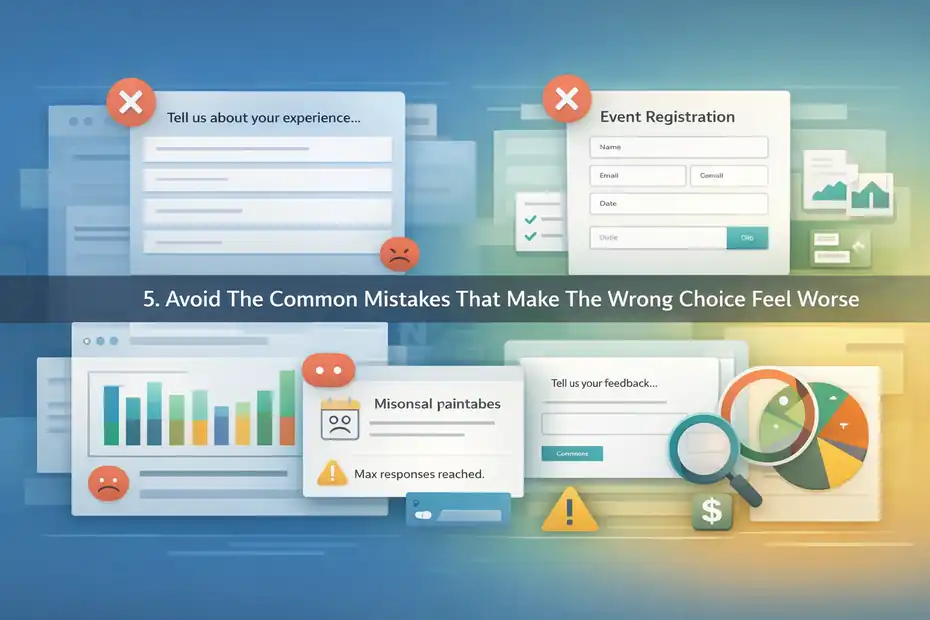
Sometimes SurveyMonkey gets blamed for problems that are really strategy mistakes. The platform matters, but the bigger issue is often using the wrong asset for the job.
Mistake 1: Using A Survey To Do A Form’s Job
This happens constantly. A business wants webinar registrations, so it builds a survey with unnecessary opinion questions. Or a school wants application details and uses open-ended survey prompts where standard fields would work better.
The result is predictable: lower completion, messy data, and more admin work later.
A form should produce clean, usable records. That means names, emails, dates, selections, uploads, and other operational inputs. SurveyMonkey supports these use cases directly through forms and contact-oriented question types.
On paid plans, it also supports unlimited surveys/forms, and official plan pages highlight contact information collection, payments, and workflow connections.
I suggest asking one question before you publish: “What will my team actually do with this response?” If the answer is “store it, process it, approve it, or follow up,” you probably want a form.
Trying to turn an operational submission into a mini research exercise usually hurts everyone involved.
Mistake 2: Using A Form To Chase Insight It Cannot Give You
The opposite problem is just as common. Someone creates a quick form because it feels faster, then expects it to answer deeper business questions. They ask one broad open text field like “Tell us your feedback” and hope meaningful patterns will magically appear.
That rarely works.
Surveys are better when you need consistent, analyzable answers across many respondents. SurveyMonkey’s survey-oriented capabilities are designed for this kind of structure through templates, standardized question types, logic, and analysis.
For example, if you want to know whether users struggle more with onboarding, pricing, or product navigation, a form with one comment box is not enough. You need defined questions that let you compare responses in a useful way.
I believe this is one of the biggest hidden costs of under-structuring feedback. It feels efficient at first, but later you have vague comments and no clear direction.
If insight matters, invest in a proper survey design from the start.
Mistake 3: Letting Plan Limits Surprise You Mid-Project
This is the boring mistake, but it is a real one. SurveyMonkey’s free and paid plans have important limits and feature differences.
Official pricing and plan documentation says the free Basic plan lets you create a survey or form with up to 10 questions and view up to 25 responses per survey or form, while paid plans unlock more advanced features and higher response allowances.
SurveyMonkey’s individual pricing page also lists paid options such as unlimited surveys/forms and higher monthly or annual response capacities, and pricing detail pages note overage billing in some cases.
If you are collecting registrations for a live event, running a customer survey to a large email list, or accepting applications at scale, this matters. Hitting a response cap in the middle of a campaign is not fun.
Here is the practical takeaway: before launch, estimate response volume, required features, and whether you need exports, logic, reports, payments, file uploads, or integrations. Then match that to the plan instead of assuming the free tier will stretch far enough.
This is one of those unglamorous checks that saves headaches later.
Optimize For Better Results And Better Data
Choosing correctly is only half the job. The next half is making the survey or form perform well once it is live.
Improve Survey Response Quality, Not Just Response Count
A survey that gets many low-quality responses is not necessarily a win. SurveyMonkey gives you tools to improve structure and analysis, but response quality still depends heavily on how you write and sequence questions.
Certified question bank content and well-matched question types help reduce bias and confusion.
Here are the optimization habits I trust most:
- Use specific questions instead of vague ones.
- Avoid asking two things at once in one question.
- Group similar topics together so the flow feels natural.
- Use logic to remove irrelevant branches.
- Keep open text questions limited and intentional.
For instance, “How satisfied are you with our onboarding and support?” is weaker than splitting onboarding and support into separate questions. You get cleaner data, and the respondent has less mental work.
I also recommend testing the survey yourself as if you were a busy respondent on a phone. If something feels repetitive or slow, it probably is.
Good survey optimization is not about squeezing in more questions. It is about protecting signal quality.
Improve Form Completion Rate Without Sacrificing What You Need
Form optimization is more operational. Your goal is usually to reduce drop-off while still gathering enough information to act. SurveyMonkey supports embedded and shareable forms, response review, file upload, and payment collection, so the structure can support real workflows.
A few conversion-minded improvements usually help:
- Remove optional fields that no one on your team uses.
- Explain why a file upload or payment is required.
- Keep field labels plain and obvious.
- Match the form length to the value of the offer or outcome.
- Send people to a clear next step after submission.
Imagine two demo request forms. One asks for twelve fields before promising “we’ll be in touch.” The other asks for five fields and explains that the team will respond within one business day. The second usually wins because it feels lower risk and more transparent.
From what I’ve seen, trust and clarity matter as much as design. People complete forms when they understand what happens next.
Use Integrations And Reporting Only Where They Create Action
SurveyMonkey’s integration ecosystem is genuinely useful. Official pages highlight 200+ integrations and connections with tools such as Slack, HubSpot, Microsoft Teams, Salesforce, Tableau, Power BI, and Power Automate.
But I would still be selective.
A survey should usually connect to reporting or customer systems when the response should trigger action, enrich a profile, or support recurring analysis. A form should connect when submission data needs to move instantly into operations, sales, or service workflows.
Examples that make sense:
- Push event registrations into a team notification channel
- Send lead form entries into a CRM
- Route support-related survey issues for follow-up
- Combine survey feedback with customer records for trend analysis
Examples that usually do not make sense:
- Integrating everything “just in case”
- Building a dashboard no one checks
- Sending every response to multiple tools without a workflow owner
My advice is simple: if no team is responsible for using the output, the integration is just decoration.
Know When SurveyMonkey Is The Right Choice And When It Is Not
This final step matters because the best answer is not always “use SurveyMonkey for everything.”
SurveyMonkey Is A Strong Choice When You Need Both Insight And Intake In One Platform
SurveyMonkey is compelling when your business needs both forms and surveys, and you want consistency across setup, branding, sharing, reporting, and integrations.
Its official product pages position the platform as a place to create surveys and forms, use AI-assisted creation, work with templates, analyze results, and connect data to other systems.
That makes it a practical choice for teams like:
- Marketing teams running feedback and lead capture
- HR teams managing employee feedback and internal forms
- Event teams handling registration and post-event surveys
- Education or nonprofit teams collecting applications and evaluations
- Service businesses balancing intake and customer satisfaction tracking
I think this is where SurveyMonkey quietly becomes more valuable than a cheaper single-purpose tool. One platform means less context switching and fewer messy workarounds.
If you want one environment that can handle both “collect the submission” and “understand the respondent,” SurveyMonkey is genuinely useful.
SurveyMonkey May Be Overkill If You Only Need A Very Simple Form
If all you need is a very basic contact form, RSVP page, or one-time internal request form, SurveyMonkey may be more than you need.
The platform’s strengths become most valuable when you use its logic, analytics, templates, integrations, or dual-purpose survey/form capabilities. If you are not using those, the extra structure and plan considerations may not feel worth it.
SurveyMonkey’s own plan documentation shows meaningful differences between free and paid tiers, especially around questions, responses, and advanced features.
This does not mean it is a bad option. It just means the match matters.
If you run a tiny workflow and only need simple data capture, you should at least ask whether you are benefiting from what SurveyMonkey does best. If the answer is no, a lighter setup might feel simpler.
I say this because “powerful” is not automatically the same as “right-sized.”
My Final Verdict On Whether SurveyMonkey Is Better For Surveys Or Forms
So, is SurveyMonkey better for surveys or forms?
My honest verdict is this: SurveyMonkey is better for surveys, but it is absolutely capable for forms. That is the cleanest answer.
It remains strongest when you need meaningful feedback, structured insights, logic, templates, and analysis. But it also works well for many form use cases like applications, registrations, requests, uploads, and payments. The smartest choice depends on whether your goal is to learn from people or collect something from them.
If your use case leans toward insight, choose a survey. If it leans toward submission, choose a form. If your process needs both, SurveyMonkey is actually one of the more sensible places to keep them together.
That is the part many articles miss. The best choice is not made by product label. It is made by job-to-be-done.
And if I had to simplify it into one sentence, it would be this: use SurveyMonkey surveys to understand people, and use SurveyMonkey forms to move people through a process.
FAQ
What is the difference between surveys and forms in SurveyMonkey?
Surveys in SurveyMonkey are designed to collect opinions, feedback, and insights, while forms are built to gather structured information like contact details, registrations, or applications. Surveys focus on analysis and trends, whereas forms focus on submission and data collection for practical use.
Is SurveyMonkey better for surveys or forms?
SurveyMonkey is generally better for surveys because it offers advanced question types, logic, and analytics. However, it also works well for forms like registrations and applications. The better choice depends on whether you need insights from responses or simple data collection.
When should I use a SurveyMonkey survey instead of a form?
You should use a survey when your goal is to understand opinions, measure satisfaction, or analyze patterns. Surveys are ideal for customer feedback, employee engagement, or research because they provide structured data that can be analyzed and used for decision-making.
Can SurveyMonkey forms handle payments and file uploads?
Yes, SurveyMonkey forms can handle both payments and file uploads on supported plans. This makes them useful for event registrations, applications, and service requests where users need to submit documents or complete transactions alongside their information.
Can I use both surveys and forms together in SurveyMonkey?
Yes, you can use both surveys and forms together in SurveyMonkey for different stages of a process. For example, you can collect registrations with a form and then send a follow-up survey to gather feedback, creating a complete workflow within one platform.

I’m Juxhin, the voice behind The Justifiable.
I’ve spent 6+ years building blogs, managing affiliate campaigns, and testing the messy world of online business. Here, I cut the fluff and share the strategies that actually move the needle — so you can build income that’s sustainable, not speculative.
Related posts:
 SurveyMonkey Real User Experience For Lead Generation: What To Expect
 Top Marketing for Business Tactics Every Entrepreneur Must Know
 ClickMagick Pricing: How to Get the Most for Your Money
 AI-Powered Ad Creative: Smarter Ads, Better ROI!
 Voluum Pricing: Which Plan Saves You the Most Money?
 Constant Contact Pricing: Which Plan Is Right for You?