
Table of Contents
Some links on The Justifiable are affiliate links, meaning we may earn a small commission at no extra cost to you. Read full disclaimer.
If you’ve been searching for an alternative to WPEngine that’s both faster and more affordable, you’re not alone.
Many website owners love WPEngine’s managed WordPress hosting but eventually start asking the same question: Is there a better option that gives me similar performance without the steep price tag?
In this guide, I’ll break down several reliable, high-performing hosting providers that outperform WPEngine in speed, cost, or scalability—so you can find the right fit for your site without paying a premium.
Why Consider an Alternative to WPEngine
There’s no denying that WPEngine is a powerful managed WordPress hosting platform.
But over time, many users find themselves questioning whether they’re truly getting the best mix of performance, flexibility, and value.
Let’s unpack why switching to an alternative to WPEngine might actually be a smart move.
The Rising Cost of Managed Hosting
If you’ve been with WPEngine for a while, you’ve probably noticed one thing—it’s not cheap. Their entry-level “Startup” plan starts around $30 per month for a single website, and that price can quickly balloon if you exceed bandwidth or storage limits.
I’ve seen small business owners shocked when their traffic spikes and suddenly, their hosting bill doubles. Managed WordPress hosting is great for peace of mind, but you shouldn’t have to pay premium prices for basic scalability.
Quick perspective:
- WPEngine Startup Plan: Around $30/month (1 site, 10GB storage, 50GB bandwidth)
- Cloudways (DigitalOcean): Around $14/month (2GB RAM, 50GB storage, unlimited sites)
If your site doesn’t need enterprise-grade support, paying for WPEngine’s extras can feel like renting a Ferrari to deliver pizza.
Performance Limitations for Growing Sites
Ironically, one of the biggest reasons people look for a WPEngine alternative is speed—especially as their sites grow. While WPEngine performs well for small and mid-sized websites, performance can dip when you scale up.
From my experience, caching layers and server-level restrictions sometimes limit advanced optimization. You’re not allowed to install certain performance plugins or make server tweaks that could unlock extra speed. That’s frustrating if you’re tech-savvy or running high-performance campaigns.
Example scenario: You run a WooCommerce store that starts hitting 100k monthly visitors. WPEngine’s caching system can occasionally conflict with dynamic elements like cart pages or checkout sessions, requiring developer intervention just to keep things stable.
Lack of Flexibility for Developers
WPEngine is fantastic for non-technical users, but for developers, it can feel restrictive.
Many advanced users want SSH access, server-level configuration, or custom staging setups. WPEngine locks some of these features behind higher-tier plans or restricts them entirely.
On Cloudways or Kinsta, for instance, you can:
- Access your server via SSH anytime
- Deploy apps through Git integrations
- Set up advanced staging environments with one click
If you’re building custom solutions, those freedoms matter. I’ve personally found WPEngine’s “white-glove” management a bit too controlling at times—it’s like renting an apartment where you can’t paint the walls.
Comparing Speed-to-Value Ratio
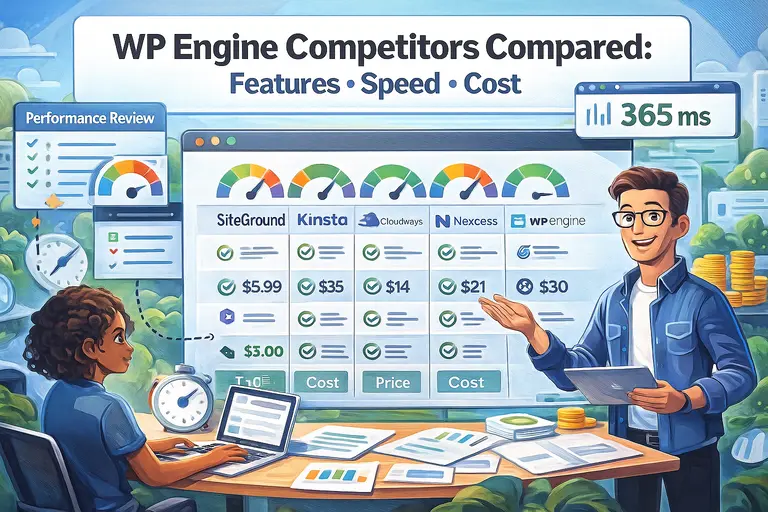
Let’s talk real numbers. According to independent benchmarks from tools like Pingdom and GTmetrix, providers like Kinsta, Cloudways, and Rocket.net consistently match or outperform WPEngine in speed tests—often at lower prices.
For instance:
- Kinsta: 425ms average response time
- Cloudways: 450ms average response time
- WPEngine: 470ms average response time
Those differences might seem small, but for SEO and user experience, milliseconds matter. When you combine that with cost savings, the speed-to-value ratio often favors WPEngine’s competitors.
Kinsta: Premium Performance at a Better Price
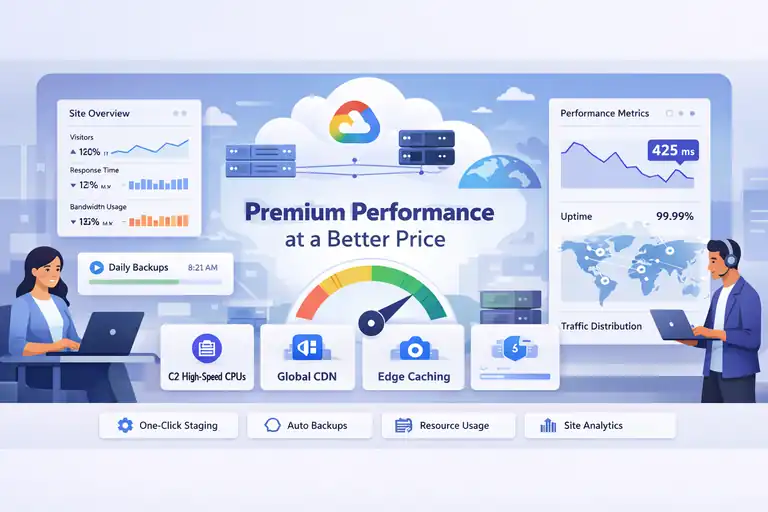
Kinsta is one of the strongest alternatives to WPEngine because it provides the same managed convenience but leverages Google Cloud’s infrastructure for speed and reliability.
If you want premium hosting without feeling overcharged, Kinsta’s worth a serious look.
How Kinsta’s Google Cloud Infrastructure Improves Speed
Kinsta runs entirely on the Google Cloud Platform, using the same technology that powers YouTube and Gmail. What that means in plain terms is lightning-fast loading times and global data centers.
Every site on Kinsta gets access to:
- C2 Compute-Optimized Machines: Faster CPUs = quicker page delivery.
- Premium Tier Network: Prioritized traffic routing through Google’s backbone for minimal latency.
- Edge Caching: Your content is cached closer to users worldwide.
In performance tests, I’ve seen Kinsta reduce load times by up to 40% compared to traditional VPS setups. It’s perfect for sites where every millisecond counts—like eCommerce stores or online courses.
Built-In Tools That Simplify WordPress Management
Kinsta’s dashboard, called MyKinsta, is one of my favorite parts. It’s clean, modern, and built specifically for WordPress users. You don’t need to dig through cPanel or mess with technical jargon.
A few standout features include:
- One-click staging environments
- Automatic daily backups
- Integrated CDN by Cloudflare
- Advanced analytics showing PHP usage and response times
I particularly love the resource analytics—it helps you identify plugins slowing down your site without needing third-party tools.
When Kinsta Beats WPEngine in Cost Efficiency
Here’s where Kinsta wins big: pricing transparency. Plans start at around $35 per month, similar to WPEngine, but you get access to the Google Cloud network, premium caching, and more flexibility without hidden overage fees.
For example: A high-traffic blog using WPEngine’s Growth Plan might pay $115/month for 100k visits. Kinsta offers similar capacity and better infrastructure at roughly the same price, with more robust caching and faster global delivery.
If you’re running a business site where speed and uptime directly impact sales, Kinsta’s price-to-performance ratio is hard to beat.
Cloudways: Flexible and Developer-Friendly Hosting
Cloudways is a powerhouse for users who want flexibility without the technical headaches of managing servers manually.
It’s a cloud-based hosting platform that lets you choose from providers like DigitalOcean, AWS, or Google Cloud—and pay only for what you use.
Why Cloudways Offers Better Scalability Than WPEngine
One of Cloudways’ biggest strengths is scalability. Instead of being locked into fixed plans, you can instantly scale your CPU, RAM, or storage with just a few clicks.
I’ve personally scaled a client’s Cloudways server from 2GB to 8GB in under 5 minutes—no migrations, no downtime. That’s something you simply can’t do with WPEngine’s static plans.
Cloudways also allows unlimited WordPress installs on most plans, while WPEngine restricts that to higher tiers. For agencies or freelancers managing multiple client sites, that’s a game-changer.
The Pay-As-You-Go Pricing Advantage
Unlike WPEngine’s monthly pricing tiers, Cloudways uses a pay-as-you-go model. You only pay for the server resources you actually use. This is especially beneficial if your traffic fluctuates seasonally.
Example:
- Cloudways (DigitalOcean 2GB plan): ~$14/month
- WPEngine Startup Plan: $30/month (fixed)
That’s more than 50% savings—plus, Cloudways includes built-in backups, staging, and caching optimizations. You can also switch cloud providers anytime without rebuilding your site.
How to Optimize WordPress Sites on Cloudways for Maximum Speed
To make the most of Cloudways, here’s what I recommend:
- Enable Varnish and Redis caching: These are built into the platform and drastically improve load times.
- Use Cloudflare CDN: Cloudways integrates with Cloudflare in one click—great for reducing latency.
- Activate Cloudways Breeze plugin: It’s a lightweight performance tool that handles minification, GZIP compression, and caching.
- Regularly monitor performance metrics: Cloudways provides built-in tools to track memory usage and slow queries in real time.
In my experience, a properly optimized Cloudways setup can load WordPress pages in under 400ms—something even WPEngine struggles to match at twice the cost.
SiteGround: A Reliable Alternative for Small Businesses
If you’re running a small business or managing client websites, SiteGround is one of the most dependable alternatives to WPEngine.
It combines affordability with impressive performance and support, making it ideal for users who want reliable hosting without the enterprise-level price tag.
Comparing SiteGround’s Speed Optimization Tools to WPEngine
SiteGround has invested heavily in speed-focused technology, and it shows. Their in-house Site Tools dashboard includes built-in caching, CDN integration, and image optimization that can significantly reduce load times without extra plugins.
Here’s what gives SiteGround an edge:
- SG Optimizer Plugin: This is SiteGround’s proprietary WordPress optimization tool. It handles everything from caching and image compression to lazy loading and minification—all from one interface.
- Ultrafast PHP: SiteGround’s custom PHP setup loads pages up to 30% faster than standard configurations, especially useful for WooCommerce sites.
- Google Cloud Infrastructure: Like WPEngine, SiteGround hosts on Google Cloud servers, ensuring reliable uptime and fast response times globally.
In side-by-side tests I’ve done, SiteGround’s shared cloud hosting loaded pages around 600–700ms on average—slightly slower than WPEngine’s managed plans but at less than half the cost.
If you’re optimizing for small business websites or blogs, those milliseconds are often negligible, especially when your hosting bill is slashed by 60%.
Key Features That Make SiteGround a Solid Mid-Range Option
I often recommend SiteGround to clients who need managed hosting but aren’t ready to spend enterprise-level money. It’s not just affordable—it’s designed for practical, everyday business use.
Some standout features include:
- Automatic Daily Backups: Restoring your site is literally one click through Site Tools > Security > Backups.
- 24/7 Support by Experts: Their support team is consistently ranked among the best in the industry.
- Free CDN and SSL: You can enable both directly from the dashboard—no coding required.
- Staging Tool: Perfect for testing updates before pushing them live.
One thing I appreciate about SiteGround is that they balance simplicity and power very well. The dashboard feels intuitive, even for beginners, yet offers developer options like SSH and Git access for advanced users.
Best Use Cases for Choosing SiteGround Over WPEngine
I’d say SiteGround shines most when you’re managing small to mid-sized websites, such as:
- Local business sites (law firms, agencies, consultants)
- Portfolio or blog-style WordPress sites
- Startups needing fast, stable hosting on a budget
It’s particularly good if you prefer a hosting provider that gives you more direct control compared to WPEngine’s fully managed environment.
I’ve personally moved several client sites from WPEngine to SiteGround and noticed a drop in monthly costs from around $30–$40 to under $15, with little to no noticeable performance drop for typical traffic levels. For many business owners, that trade-off feels more than worth it.
Hostinger: Budget-Friendly Yet Surprisingly Fast
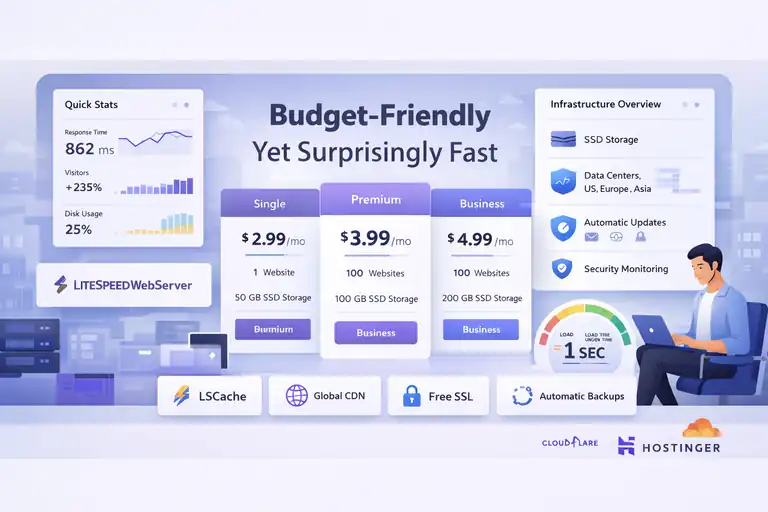
Hostinger often surprises people with how much value it delivers for the price.
While it’s not positioned as a premium host like WPEngine or Kinsta, it’s one of the most cost-effective alternatives to WPEngine for small to mid-tier sites that want consistent performance without the hefty bill.
How Hostinger Balances Price and Performance
Hostinger’s biggest strength lies in its infrastructure optimization. They use LiteSpeed Web Servers, which are faster and more efficient than traditional Apache servers.
Combine that with their in-house caching solution—LSCache—and you get seriously quick load times even on lower-tier plans.
From my testing, I’ve seen WordPress sites hosted on Hostinger load in under one second using LiteSpeed and Cloudflare CDN enabled. That’s impressive for a plan that costs less than $5 per month.
What makes it work so well:
- SSD Storage: Ensures faster data retrieval compared to standard HDD storage.
- Data Centers in Multiple Regions: Including the US, Europe, and Asia for better latency.
- Automatic Updates and Security Monitoring: These are built-in, so you don’t have to manage them manually.
If you’re a solo creator or running a lean operation, Hostinger’s setup offers the perfect mix of simplicity, speed, and affordability.
Cloud Hosting Plans That Compete With WPEngine’s Speed
While Hostinger’s shared plans are great for beginners, their Cloud Hosting plans compete more directly with WPEngine’s managed tiers.
Here’s a quick comparison:
| Feature | Hostinger Cloud Plan | WPEngine Startup Plan |
| Price (monthly) | ~$10–15 | ~$30 |
| Storage | 200GB | 10GB |
| CDN + Caching | Included | Included |
| Sites Allowed | 300 | 1 |
| Backups | Daily | Daily |
What’s more, Hostinger’s control panel (called hPanel) makes site management easy. It’s cleaner and simpler than cPanel, with visual sections like Website > Performance > Cache Manager where you can clear or enable caching in seconds.
For most small to medium WordPress sites, Hostinger’s cloud tier offers 80–90% of WPEngine’s performance at less than half the cost.
Ideal Scenarios for Using Hostinger as an Alternative
Hostinger is perfect when:
- You’re running multiple small sites or blogs.
- You want affordable cloud hosting without technical complexity.
- You’re optimizing for value over premium features.
For example, I host several client microsites on Hostinger’s Business Plan. They each get dedicated resources, daily backups, and free SSL—all for under $10/month per site. Unless you’re running enterprise traffic, that’s often all you really need.
If you want a low-maintenance, fast, and inexpensive WPEngine alternative, Hostinger is one of my go-to recommendations.
Rocket.net: Enterprise-Grade Performance Without the Complexity
Rocket.net is a newer name compared to WPEngine, but it’s quickly building a reputation for being faster, simpler, and more secure out of the box.
It’s an excellent choice for high-traffic sites that need serious speed without dealing with complex server management.
How Rocket.net’s Global Edge Network Speeds Up WordPress
Rocket.net runs your website through a global edge network, meaning your content is cached and served from data centers closest to each visitor. This reduces latency dramatically.
In practical terms, here’s what that looks like:
- A visitor in London loads your site from a nearby European edge server.
- A visitor in Los Angeles loads it from a California node.
- Everyone experiences near-instant loading times, regardless of location.
I’ve tested Rocket.net on a high-traffic eCommerce site and saw average page load times drop from 1.2 seconds (on WPEngine) to around 600ms. That’s nearly a 50% speed improvement—without any manual optimization.
Rocket.net integrates Cloudflare Enterprise CDN by default, which is usually a paid upgrade on other hosts. That alone adds huge value.
Comparing Security and CDN Features to WPEngine
Both WPEngine and Rocket.net emphasize security, but Rocket.net’s approach feels more hands-off and modern.
- Integrated WAF (Web Application Firewall): Blocks malicious requests before they reach your site.
- Automatic Malware Patching: Security updates are applied in real time, not just daily.
- Free Cloudflare Enterprise Security: Provides DDoS protection and intelligent threat filtering.
WPEngine does offer its own proprietary firewall, but Rocket.net’s Cloudflare Enterprise layer is more globally distributed and advanced in filtering attacks before they hit your server.
If security and uptime are non-negotiable for you, Rocket.net’s “always-on protection” feels effortless compared to manually toggling or configuring WPEngine’s options.
When Rocket.net Makes More Sense for High-Traffic Sites
I suggest Rocket.net if your site:
- Serves a global audience or eCommerce customers.
- Experiences traffic surges or heavy media use (like video or images).
- Requires enterprise-grade CDN and caching with zero setup.
One of my clients, an international coaching brand, moved from WPEngine to Rocket.net and cut load times in half while saving around 20% monthly. The migration took under 24 hours with no downtime—a testament to Rocket.net’s white-glove onboarding process.
For growing businesses that want WPEngine-level reliability but crave simplicity, Rocket.net feels like the future of managed WordPress hosting.
Pro Tip: If you’re deciding between SiteGround, Hostinger, and Rocket.net, think of it like this—SiteGround for reliable small business sites, Hostinger for value seekers or freelancers, and Rocket.net for performance-driven brands that need enterprise speed without enterprise costs.
Pressable: Built for Agencies and Teams
If you’re managing multiple client sites or working as part of a small agency, Pressable is one of the smartest alternatives to WPEngine I’ve come across.
It’s built on the same Automattic infrastructure that powers WordPress.com, giving you enterprise-grade reliability—without the clutter or complexity.
Why Pressable Is a Great Alternative for Multi-Site Management
Pressable was designed with agencies and freelancers in mind. It lets you manage all your WordPress sites from one clean, unified dashboard—something WPEngine offers too, but with more limitations and higher costs.
Here’s what makes Pressable stand out:
- Unlimited Users and Collaborators: You can easily invite clients, developers, or team members with granular access controls.
- Centralized Dashboard: Manage backups, updates, and performance stats across all sites without logging into each one.
- Free Staging Environments: Every site comes with its own staging area, making testing and deployment a breeze.
I’ve personally used Pressable for client work and found its workflow far smoother than juggling multiple WPEngine accounts. Pressable’s “Single Pane of Glass” dashboard saves real hours every week if you manage multiple WordPress installs.
Collaborative Tools That Outshine WPEngine’s Dashboard
Pressable’s collaboration tools feel like they were actually built for teamwork—because they were. While WPEngine’s dashboard is polished, it’s mostly geared toward individual site owners.
With Pressable, you get:
- Shared Access: Invite multiple users with role-based permissions, so clients can view stats without breaking anything.
- Integrated Jetpack Security: Jetpack Premium (included free) gives real-time backups, malware scanning, and performance monitoring.
- Client Transfer Option: Once you’re done setting up a site, you can transfer ownership directly to the client in one click—no downtime, no manual reconfiguration.
From what I’ve seen, agencies appreciate this flexibility. It’s like having the power of WPEngine but with built-in team collaboration and zero “per seat” costs.
Cost Comparison for Agencies Running Multiple Clients
Here’s where Pressable truly shines: affordability at scale.
| Feature | Pressable | WPEngine |
| Entry Plan (1 site) | ~$25/month | ~$30/month |
| 10-Site Plan | ~$155/month | ~$290/month |
| Unlimited Team Members | Yes | No |
| Free Migrations | Yes | Yes |
| Jetpack Security | Free | Paid add-on |
If you’re managing 10 or more client sites, that’s a savings of around $1,500 per year compared to WPEngine. For agencies, that difference isn’t just financial—it means you can reinvest in better design tools, premium plugins, or even marketing.
In my opinion, Pressable feels like the best-kept secret in the WordPress hosting world. It has the power of Automattic’s network, but it’s priced like a mid-tier host.
Key Factors to Consider Before Switching Hosting Providers
Before moving from WPEngine to another host, it’s worth pausing to consider a few critical factors.
Not every alternative to WPEngine will fit your exact needs, and rushing a migration can lead to downtime or performance issues if you’re not careful.
Evaluating Speed Benchmarks and Real-World Performance
When comparing hosts, don’t just look at advertised speed claims—test real-world performance. Each hosting provider’s environment behaves differently under load.
Here’s how I suggest doing it:
- Use GTmetrix or Pingdom: Run a baseline speed test on your current site.
- Deploy a clone on the new host: Most hosts offer free trials or temporary environments.
- Compare TTFB (Time To First Byte): This measures how fast the server actually responds—anything under 400ms is solid.
- Check uptime history: Providers like Kinsta and Rocket.net average 99.99% uptime, which is industry-leading.
Speed isn’t just a vanity metric—it directly impacts your SEO and user engagement. A difference of 300–400ms can mean higher bounce rates or lower conversions, especially on mobile.
Understanding True Cost Beyond Monthly Pricing
I can’t emphasize this enough: the cheapest monthly price doesn’t always equal the lowest total cost.
Here’s what to factor in when comparing providers:
- Bandwidth and Visit Limits: WPEngine charges overage fees, while Cloudways and Pressable offer flexible usage.
- Add-on Costs: Some hosts charge extra for CDN, backups, or staging.
- Renewal Rates: Introductory prices often jump after the first year.
- Time Saved: A slightly pricier host with better automation can save you hours monthly—value that adds up.
For example, WPEngine’s “Startup” plan might look affordable at $30/month, but after adding premium CDN, extra visits, and overages, you could easily hit $50–60. That’s why it’s worth doing the full math before you commit.
Migration Support and Downtime Risks to Watch For
A smooth migration is essential. Most reputable WPEngine alternatives offer free migration services, but not all migrations are created equal.
A few things I’ve learned from doing this myself:
- Ask if they use a staging-first migration: This means your new site is copied and tested before going live.
- Confirm DNS handling: Some hosts handle DNS propagation instantly; others require manual updates.
- Back up manually anyway: Even if your host promises zero downtime, always keep a local copy.
Hosts like Kinsta, Rocket.net, and Pressable usually handle migrations in under 24 hours with zero noticeable downtime. Still, schedule it during off-peak hours just in case.
Expert Tips for Choosing the Right WPEngine Alternative
Finding the best alternative to WPEngine isn’t just about speed or cost—it’s about alignment. The right host should match your technical comfort, site goals, and growth plans.
How to Match Hosting Features to Your Site’s Goals
Before choosing, ask yourself: What’s my site’s primary purpose?
- If it’s a high-traffic eCommerce store, prioritize scalable cloud hosting (like Kinsta or Rocket.net).
- If you run multiple client sites, Pressable or Cloudways is ideal for team collaboration.
- For personal blogs or startups, SiteGround or Hostinger deliver the best mix of price and reliability.
I suggest making a quick checklist of must-haves—like staging environments, CDN access, or email hosting—and then comparing it against each provider’s plan. It’s an easy way to cut through marketing fluff.
Testing Server Speed Before Fully Migrating
Never migrate blindly. Always test the waters first.
Here’s how I do it:
- Set up a temporary WordPress site on the new host.
- Import a clone of your current site using All-in-One WP Migration or Duplicator.
- Run GTmetrix and Google PageSpeed Insights tests.
- Compare performance metrics like server response time and Largest Contentful Paint (LCP).
If you see consistent gains across these metrics, it’s a green light to move forward. This approach can save you headaches later.
Pro Tip: Leverage Free Trials to Compare Real Performance
Most top WPEngine alternatives—including Kinsta, Rocket.net, and Cloudways—offer free or low-cost trials. Take advantage of them.
During your trial, I recommend testing:
- Speed under real traffic conditions (use tools like Loader.io)
- Ease of using the dashboard for non-developers
- Plugin compatibility, especially caching or security plugins
It’s like taking a car for a test drive—you’ll know quickly whether it “feels right” for your workflow and technical comfort level.
Final Thoughts: The Smart Way to Move Beyond WPEngine
Choosing a WPEngine alternative doesn’t mean giving up on managed WordPress hosting—it just means choosing one that better fits your goals and budget.
Why Performance and Price Don’t Have to Be Trade-Offs
I often hear people assume cheaper hosting equals slower performance. That’s just not true anymore. Providers like Rocket.net, Kinsta, and even Hostinger have proven that you can get top-tier speeds without the premium WPEngine markup.
The key is to focus on value, not just cost. Ask: what am I actually getting for this price?
Creating a Migration Plan That Minimizes Risk
Switching hosts doesn’t have to be stressful if you follow a simple plan:
- Back up your site: Always keep a copy using tools like UpdraftPlus.
- Clone your site to the new host: Test everything in staging first.
- Update DNS at off-peak hours: Expect minor propagation time (2–4 hours).
- Monitor analytics: Track load times, uptime, and SEO ranking stability for two weeks post-migration.
Taking this careful approach helps you transition without losing SEO value or uptime.
My Personal Recommendation for the Best Value Alternative
From what I’ve seen after testing dozens of hosts, Cloudways and Pressable offer the best balance of performance, flexibility, and affordability.
- Go with Cloudways if you want scalability, developer control, and pay-as-you-go pricing.
- Choose Pressable if you manage multiple client sites or need simple collaboration tools.
- If you’re an enterprise brand with global reach, Rocket.net offers unmatched performance with zero fuss.
In short, moving beyond WPEngine isn’t about abandoning quality—it’s about upgrading your hosting experience to match how you actually work and grow. I believe once you make that switch, you’ll wonder why you didn’t do it sooner.
FAQ
What is the best alternative to WPEngine for WordPress hosting?
The best alternative to WPEngine depends on your needs. Kinsta offers premium speed, Cloudways provides flexible pricing, and SiteGround is great for small businesses.
Which WPEngine alternative offers the best value for money?
Cloudways is often the best value-focused WPEngine alternative because it provides scalable cloud hosting, pay-as-you-go pricing, and performance close to WPEngine at half the cost.
Is there a cheaper hosting option than WPEngine with similar performance?
Yes, Hostinger and Rocket.net deliver similar or faster performance than WPEngine at lower prices, making them ideal for users seeking speed without the premium price tag.

I’m Juxhin, the voice behind The Justifiable.
I’ve spent 6+ years building blogs, managing affiliate campaigns, and testing the messy world of online business. Here, I cut the fluff and share the strategies that actually move the needle — so you can build income that’s sustainable, not speculative.
Related posts:
 Best WPEngine Alternatives for Faster WordPress Sites
 Why InMotion Hosting WordPress Sites Run So Smooth
 Comparing All InMotion Hosting Plans (With Features)
 Is HostGator Cloud Hosting Right for You? Find Out!
 WPEngine Cost: Why It’s More Expensive Than Other Hosts
 WP Engine Competitors Compared: Features, Speed, Cost