
Table of Contents
Some links on The Justifiable are affiliate links, meaning we may earn a small commission at no extra cost to you. Read full disclaimer.
InMotion VPS hosting is more than just a server upgrade—it’s a growth engine for your online business. Have you ever wondered how faster performance, better security, and more control could directly impact your bottom line?
This guide breaks down the key ways InMotion VPS hosting gives your business a competitive edge, with practical insights you can put into action.
Faster Website Performance That Drives Conversions
A fast website isn’t just nice to have—it’s the backbone of any online business. InMotion VPS hosting gives you the performance edge that can literally make or break a sale. Let me break it down for you.
Why Speed Is Non-Negotiable for Online Success
Think about the last time you clicked away from a slow website. You probably didn’t wait longer than a couple of seconds. You’re not alone—studies show that 53% of users leave a page if it takes longer than three seconds to load. That means slow hosting isn’t just frustrating—it’s costing you sales every single day.
Page speed also directly influences search engine rankings. Google factors load time into SEO, so if your site drags, you’re automatically at a disadvantage. Even if your content is great, search engines will rank faster competitors above you.
And here’s the kicker: speed isn’t just about keeping people from leaving—it’s about making it easier for them to buy. Faster websites remove friction. They make browsing smooth, checkout seamless, and user experience pleasant. That’s where InMotion VPS hosting changes the game.
How InMotion VPS Hosting Improves Load Times
Shared hosting spreads resources thin. Your site slows down when neighbors on the same server experience traffic spikes. VPS hosting fixes this by giving you your own dedicated slice of server power.
With InMotion VPS hosting, you’re getting:
- SSD storage: Solid-state drives process requests much faster than traditional hard drives.
- Dedicated RAM and CPU: Your site doesn’t fight for scraps with other websites.
- Optional NVMe storage: If you choose this upgrade, you’ll see even faster performance for data-heavy sites.
- Data center choices: Hosting closer to your audience reduces latency, shaving milliseconds off load times.
From my experience, even moving from shared hosting to a basic InMotion VPS can cut load times in half. That’s a measurable change your customers will notice immediately.
Upgrade Your Website Speed with InMotion VPS Hosting →
Power up your performance instantly with dedicated resources, SSD/NVMe storage, and optimized infrastructure proven to cut load times dramatically.
Real Impact of Faster Websites on Customer Behavior
Speed doesn’t just “feel good”—it changes behavior. Amazon once reported that every 100 milliseconds of added delay cost them 1% in sales. That’s millions in revenue just from a sliver of lag. While you may not run Amazon, the principle holds: speed equals money.
Here’s how I’ve seen faster sites impact customers:
- Higher conversion rates: A site that loads instantly makes people more confident to buy.
- Better engagement: Faster pages mean people stick around longer, read more, and explore deeper.
- Lower bounce rates: When a site doesn’t frustrate users, they don’t click away immediately.
In short, speed isn’t fluff—it’s the silent salesman that keeps customers moving smoothly toward checkout. InMotion VPS hosting provides the kind of performance foundation you simply can’t get with shared hosting.
Advanced Security Features That Protect Your Data

Security doesn’t usually make headlines until something goes wrong, but it’s one of the biggest factors in building trust online.
InMotion VPS hosting equips you with tools to lock down your business and reassure your customers their data is safe.
Why Shared Hosting Leaves Businesses Vulnerable
On shared hosting, your website is like an apartment in a crowded building. If someone breaks into one apartment, the whole building could be at risk. If another site on your server is hacked or infected with malware, your site could suffer too—even if you did nothing wrong.
That risk multiplies if you’re handling sensitive customer data like credit card numbers or personal information. One breach could damage your brand, cost you customers, and even trigger legal problems. Shared hosting simply doesn’t give you the isolation or resources to protect your business properly.
Built-In Security Tools with InMotion VPS Hosting
Here’s where InMotion VPS hosting steps up. You’re not left fending for yourself—it comes equipped with a suite of built-in security tools:
- Dedicated IP address: Keeps your reputation clean and your site less vulnerable to blacklisting.
- DDoS protection: Shields your site from traffic floods designed to knock it offline.
- Advanced firewall: Stops malicious traffic before it ever reaches your site.
- Automatic backups: Scheduled snapshots mean you can restore quickly if anything goes wrong.
- SSL certificates: Encryption for your site to keep data secure between you and your customers.
One thing I really like about InMotion is that many of these tools are integrated right from the control panel. You don’t have to hunt for third-party plugins—they’re ready to go from day one.
How Stronger Protection Builds Customer Trust
Customers may not see your firewall or know the details of your server configuration, but they can definitely sense when a site is secure. The small padlock in the browser bar, the fact that checkout feels smooth and encrypted, the lack of downtime—these all add up to trust.
Trust equals repeat business. If your site has even one incident where customer data is exposed, recovering that trust can take years. On the flip side, secure sites often see stronger loyalty and more word-of-mouth recommendations.
I believe this is where VPS hosting pays for itself. It’s not just about avoiding disasters—it’s about presenting your business as reliable, professional, and trustworthy from the very first click. And that’s the kind of foundation you want when you’re scaling online.
Scalable Resources to Support Business Growth
As your business grows, your website should grow with it. InMotion VPS hosting gives you scalable resources that expand as your traffic and demands increase, without forcing a painful migration down the line.
When to Upgrade From Shared Hosting to VPS
If you’re currently on shared hosting, you might be wondering when it’s time to make the jump. In my experience, the warning signs are pretty clear:
- Your site slows down during peak hours even though your design and plugins are optimized.
- You notice frequent “resource limit reached” errors in your cPanel or hosting dashboard.
- Customers complain about pages timing out during checkout or while submitting forms.
- Your traffic is steadily increasing and shared hosting just doesn’t keep up.
Here’s a simple rule of thumb I suggest: if your site is generating revenue, VPS hosting is no longer optional. Think of it like moving from a studio apartment to a house—you need more space, privacy, and freedom to expand.
Flexible Resource Allocation for Traffic Spikes
Business growth isn’t always a straight line. You might have sudden bursts of traffic—like a holiday sale, a viral social media campaign, or an email blast that really hits. With InMotion VPS hosting, you’re not boxed in by rigid resource caps.
From the InMotion Account Management Panel (AMP), you can scale up RAM, CPU, or storage with just a few clicks. It’s not like shared hosting where you’d have to submit a ticket and hope the server stabilizes. Here, you’re in control.
A practical example: one of my clients runs a small eCommerce shop. Every November, their traffic spikes by 3x because of Black Friday and Cyber Monday sales.
Instead of moving their entire site to a higher-tier plan permanently, they temporarily scale up resources for that month, then scale down again in December. That flexibility saves money while ensuring zero downtime during the busiest period.
Scale Your Hosting Resources Instantly with InMotion VPS →
Handle traffic surges without stress. Boost RAM, CPU, and storage as needed—no downtime, no tech headaches.
How Scalability Future-Proofs Your Business
The last thing you want is to rebuild your entire hosting setup because your business outgrew it. Scalability is like future-proof insurance for your online presence.
Here’s what I mean:
- Smooth growth curve: You don’t need to switch providers every time your traffic doubles.
- Reduced risk: No more outages when you suddenly get featured in the press or an influencer shares your site.
- Cost control: You only pay for the extra resources when you need them.
I believe the biggest hidden value of InMotion VPS hosting lies here. Scalability doesn’t just handle today’s needs—it positions your business for the growth you haven’t even imagined yet.
Full Root Access for Greater Control and Customization
Control is freedom, and VPS hosting gives you exactly that. With InMotion VPS hosting, full root access means you’re not locked into someone else’s default settings—you get to decide how your server works for your business.
What Root Access Really Means for Businesses
Root access is basically “administrator mode” for your server. If shared hosting is like renting a furnished apartment where you can’t move the furniture, root access is like owning your own home—you can knock down walls, repaint, or add an extension.
With root access, you can:
- Install custom software your business relies on.
- Configure server-level settings for performance optimization.
- Fine-tune security rules to match your industry’s requirements.
- Manage databases and caching with full flexibility.
If you’ve ever been frustrated because a plugin didn’t work on shared hosting due to restrictions, root access is the antidote. You make the rules.
Tailoring Your VPS to Meet Unique Needs
Different businesses have different demands. A content-heavy blog may need caching systems like Redis or Varnish. An eCommerce store might require PCI compliance with stricter firewall settings. A SaaS app could need specific database configurations.
With InMotion VPS hosting, you can set all this up without waiting on a support team to “allow” it.
For instance, you could:
- Optimize PHP settings to handle higher concurrent users.
- Allocate more RAM to MySQL for faster query handling.
- Set up Nginx as a reverse proxy for speed boosts.
- Create cron jobs for automated backups or tasks.
From my side, I always suggest keeping a changelog when making customizations. That way, if something goes sideways, you know exactly what to roll back.
Examples of Custom Configurations With InMotion VPS
Let me share a couple of practical setups I’ve seen in action with InMotion VPS:
- High-traffic WordPress site: Installed Nginx alongside Apache to serve static files faster. Configured object caching with Redis. This cut page load times by 40%.
- eCommerce business: Set up a dedicated staging environment directly on the VPS using root access. This allowed safe testing of new features without risking the live site.
- SaaS startup: Customized firewall rules and installed fail2ban to block repeated malicious login attempts. That reduced brute-force attack attempts by over 80%.
These aren’t just “nice-to-have” tweaks—they directly impact performance, security, and user experience. And they’re only possible when you have the keys to the kingdom: full root access.
Dedicated Resources That Eliminate Performance Bottlenecks

One of the biggest frustrations with shared hosting is unpredictability. Some days your site runs fine, and other days it crawls—usually because someone else on your server is hogging resources.
InMotion VPS hosting solves this problem by giving you dedicated resources that are reserved for your business alone.
Why Dedicated Resources Outperform Shared Environments
In shared hosting, you’re basically living in a crowded apartment complex where water, electricity, and internet are split among everyone. If one neighbor decides to throw a party, you’re stuck with low water pressure and slow Wi-Fi.
That’s exactly what happens when another site on your shared server gets a traffic spike—you feel the slowdown.
With dedicated resources on VPS, your CPU, RAM, and storage are ring-fenced. No other site can drain them. This consistency matters more than most people realize. A blog might tolerate a small lag, but an eCommerce checkout or SaaS app can’t afford delays—users abandon quickly.
I always tell clients: If you want stable performance without “noisy neighbors,” VPS is the upgrade you’ve been waiting for.
How InMotion VPS Ensures Consistent Performance
Here’s what InMotion does differently:
- Guaranteed RAM: Your memory is allocated to you and only you.
- Isolated CPU cores: Your processing power isn’t shared with other websites.
- SSD storage by default: Faster than traditional drives, with optional NVMe for an extra performance edge.
- Optional dedicated IP: Keeps your website reputation clean and avoids blacklists caused by others.
From the InMotion AMP dashboard, you can monitor real-time resource usage. This is incredibly helpful because you can see exactly how much CPU or RAM your site is using during peak times—and upgrade resources instantly if you’re hitting limits.
I’ve seen clients cut page load times by over 40% simply by moving to InMotion VPS with dedicated resources, without touching their site design. That’s the raw impact of performance allocation.
The Business Benefits of Reliable Resource Allocation
Dedicated resources don’t just make your site faster—they make your business more predictable. When you know your site will perform the same at 3 AM or 3 PM, you can confidently run campaigns, flash sales, or launches without worrying about downtime.
Some of the business advantages include:
- Higher customer satisfaction: Smooth browsing equals happy visitors.
- Better rankings: Google favors consistent, fast-loading sites.
- Operational reliability: You won’t lose sleep before a big product launch.
I believe the hidden benefit here is peace of mind. When your resources are guaranteed, you stop babysitting your site and start focusing on your business.
24/7 Expert Support That Simplifies Hosting Management
Even the best hosting setup isn’t “set it and forget it.” Questions pop up, technical issues happen, and sometimes you just want a second opinion.
This is where InMotion VPS hosting shines—its 24/7 expert support makes running your site far less stressful.
Why Reliable Support Matters for Growing Businesses
When you’re small, downtime might just be an annoyance. But as your business grows, even a 15-minute outage can mean lost sales, frustrated customers, and damage to your reputation.
I’ve learned that it’s not just about fixing problems quickly—it’s about knowing help is available the moment you need it. For many entrepreneurs, just having reliable support is what gives them the confidence to scale.
InMotion’s US-Based Support Team Advantages
One of InMotion’s standout features is its US-based support team. That means you’re talking to real humans who understand the platform inside and out, not just reading from a script.
Support channels include:
- Live chat: Great for quick troubleshooting.
- Phone support: Ideal when you need to explain complex issues.
- Ticket system: Perfect for non-urgent but detailed requests.
What I appreciate is that their team isn’t just reactive. They’ll walk you through solutions step-by-step.
I’ve even had techs suggest performance tweaks outside the original issue—like optimizing caching or adjusting PHP settings—to help prevent future problems.
Real-World Scenarios Where Expert Support Saves Time
Here are a few situations where 24/7 expert support really pays off:
- Website migration: Moving your site to InMotion VPS and hitting a snag at midnight? Support helps you fix DNS settings or database errors on the spot.
- Traffic surge: Suddenly went viral and your site feels sluggish? A quick chat gets you advice on scaling resources immediately.
- Security issue: Noticed suspicious activity in logs? Support can help you lock down your firewall and restore from a backup fast.
In my opinion, this support system is like having a safety net. It frees you up to focus on growth instead of firefighting server issues alone.
Cost-Effective Hosting Without Compromising Quality
A lot of people assume VPS hosting is too expensive, but that’s not really the case anymore.
InMotion VPS hosting strikes a balance between affordability and enterprise-level quality, making it a smart investment for growing businesses.
How VPS Balances Price and Performance
Shared hosting is cheap but limited. Dedicated servers are powerful but often overkill for small to mid-size businesses. VPS hosting sits right in the sweet spot—you get the power and control of dedicated resources without the massive price tag.
Here’s how it balances things out:
- Scalability: Pay only for the resources you need, when you need them.
- Predictability: No surprise costs caused by other users’ traffic spikes.
- Performance per dollar: Faster speeds and better uptime compared to shared plans.
In my experience, most businesses find VPS pays for itself in increased conversions and smoother operations.
Comparing InMotion VPS Costs to Other Hosting Options
If you’re on shared hosting, you might be paying $5–10/month. VPS with InMotion starts higher, but you’re getting far more than just “more space.” You’re buying speed, security, and reliability.
When compared to a dedicated server that can cost hundreds per month, VPS hosting is a fraction of the price. And unlike many budget VPS providers, InMotion includes SSD storage, free backups, and strong security tools out of the box. You’re not nickel-and-dimed for essentials.
I once did a side-by-side comparison for a client: their old shared host looked cheaper at first glance, but hidden add-ons (SSL, backups, priority support) actually made it more expensive than an entry-level VPS plan at InMotion.
Long-Term ROI of Investing in VPS Hosting
The return on investment is where VPS shines. Let’s say your site improves load time by just one second after switching. That could increase conversion rates by 5–10%. Over a year, that’s thousands in extra revenue compared to the small bump in hosting cost.
Other long-term gains include:
- Reduced downtime costs: Every hour offline can cost big money.
- Improved SEO traffic: Faster, more reliable sites rank better.
- Customer trust: Reliable hosting means fewer complaints and refunds.
I suggest thinking of VPS not as an expense but as infrastructure—like electricity for your store. Without it, you simply can’t operate effectively.
Seamless Website Migrations With Zero Downtime
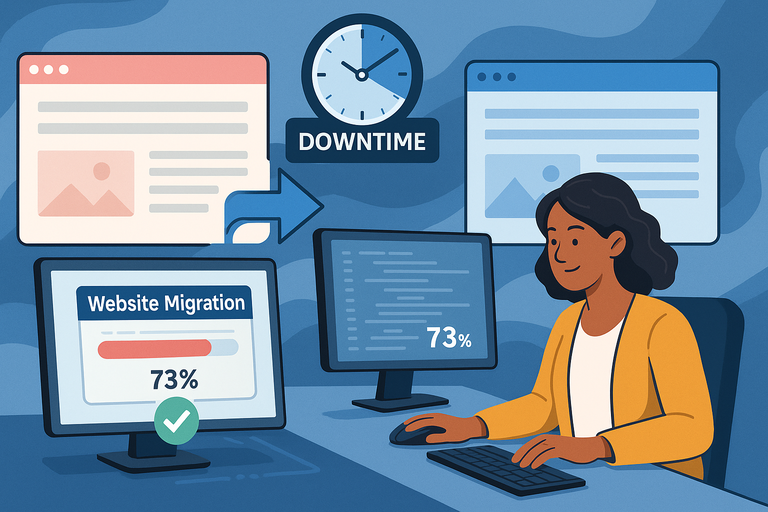
Migrating a website can feel like moving house—you’re worried about what might break, what might get lost, and whether anyone will notice the mess during the process.
InMotion VPS hosting makes this transition painless with free migration services designed to avoid downtime altogether.
Why Downtime During Migration Hurts Business
Downtime is more than a technical inconvenience. Every minute your site is unavailable is a lost opportunity for sales, leads, or customer engagement. For eCommerce stores, even 30 minutes offline during a peak sale can mean hundreds—or thousands—of dollars in lost revenue.
I’ve also seen the “trust” side of downtime hurt businesses. A customer who lands on your site and sees an error page is unlikely to come back.
Google also notices downtime, which can negatively affect search rankings if your site is unreliable. That’s why minimizing or eliminating downtime during migration is critical.
InMotion’s Free Migration Service Explained
Here’s where InMotion makes life easier. Their team handles most of the heavy lifting for you.
The free migration service includes:
- Full site transfer: Files, databases, email accounts, and settings are copied over.
- DNS assistance: Support helps you update DNS records properly, avoiding propagation delays.
- Pre-launch testing: Your site is set up on the new VPS and tested before going live.
From your InMotion Account Management Panel (AMP), you simply submit a migration request ticket. The team then communicates progress, performs the transfer, and coordinates the final DNS switch. This process drastically reduces human error, which is usually the main reason migrations go wrong.
How Smooth Transitions Boost Customer Confidence
Think about this: if your customers never notice you moved hosting, that’s the ideal scenario. A smooth migration signals professionalism—you’ve got your operations together, and you’re reliable.
I once worked with a client who switched to InMotion VPS while running a paid ad campaign. The migration was handled so cleanly that not a single ad click went to a broken page. Their campaign ROI stayed intact, and customers never had a clue the move was happening behind the scenes.
That invisible smoothness is exactly what boosts confidence. Customers trust businesses that “just work,” and a downtime-free migration is a big part of that.
Developer-Friendly Tools for Technical Teams
If you or your team are hands-on with development, the flexibility of InMotion VPS hosting is a big deal. It’s not just about running a site—it’s about having the tools and freedom to build, test, and deploy in ways that match your workflow.
Why Developers Benefit From VPS Hosting
Shared hosting often limits developers with restrictions on software installs, custom configurations, or advanced features. With InMotion VPS, you’re free to tailor the environment exactly how your project requires.
Some reasons developers thrive with VPS hosting:
- Ability to install any frameworks or libraries.
- Root access for deep server customization.
- Easier staging environments for testing new features.
- Greater control over performance optimization.
I recommend VPS to any development team that’s tired of hitting “permission denied” walls in shared environments.
Tools and Features That Empower Technical Teams
InMotion VPS hosting comes loaded with features developers actually use day-to-day:
- SSH access: Direct command-line control for precise management.
- Git integration: Deploy code straight from repositories.
- Choice of control panels: cPanel or Control Web Panel (CWP) depending on your preference.
- Multiple PHP versions: Quickly switch to match project requirements.
- Docker and Node.js support: For modern app development.
From the cPanel dashboard, for example, you can easily set up multiple PHP versions per domain. That’s handy when you’re hosting client sites with different requirements.
How InMotion VPS Streamlines Development Workflows
A smooth workflow is everything for developers.
Here’s how InMotion VPS makes life easier:
- Staging environments: Spin up a clone of your site to test updates safely.
- Automated backups: Restore quickly if an experiment goes wrong.
- Cron jobs: Schedule scripts to run automatically, like clearing cache or sending reports.
A real scenario: I once worked with a SaaS startup that needed to push daily updates to production. They used Git hooks with InMotion VPS to auto-deploy new code from GitHub straight onto their server. This saved them hours of manual deployment work and reduced mistakes.
In my opinion, this is where VPS shines—it doesn’t just run your site, it actively supports your workflow.
Eco-Friendly Hosting That Aligns With Modern Values
More and more customers care about the environmental impact of the businesses they support. Hosting is often overlooked in sustainability conversations, but data centers consume massive amounts of energy.
InMotion VPS hosting stands out by committing to eco-friendly practices that align with modern values.
Why Sustainability Matters in Online Business
Sustainability isn’t just a buzzword anymore—it’s a decision-making factor for customers. People want to support brands that take responsibility for their footprint. In fact, many buyers are willing to pay more for eco-friendly options.
For online businesses, choosing green hosting is a subtle but powerful signal. You’re showing customers you care about more than profits—you care about the planet. That can strengthen loyalty and enhance your brand image.
InMotion’s Commitment to Green Hosting
InMotion has invested in eco-friendly practices across its operations:
- Green data center: Their Los Angeles data center uses advanced cooling and power efficiency systems.
- Carbon reduction: Partnering with programs to offset energy use.
- Energy-efficient hardware: Using modern servers designed to reduce waste.
It’s not just marketing fluff—these initiatives directly cut energy consumption. If you’re running a business that markets itself as sustainable or ethical, this hosting choice becomes part of your brand story.
How Eco-Friendly Hosting Enhances Brand Reputation
A business’s reputation is shaped by the little details customers notice. Hosting with an eco-friendly provider might not be flashy, but it adds credibility when customers research who they’re buying from.
Here’s a practical way to use it: Highlight your hosting choice on your “About Us” page. A simple line like “We host our site on eco-friendly servers with InMotion” shows your commitment without being preachy.
I’ve seen this resonate especially well with younger audiences and conscious consumers. When your technical choices align with their values, it’s another reason they’ll stick with you over competitors.
I believe this is the future: businesses that make smart, responsible choices will win both performance and trust.

I’m Juxhin, the voice behind The Justifiable.
I’ve spent 6+ years building blogs, managing affiliate campaigns, and testing the messy world of online business. Here, I cut the fluff and share the strategies that actually move the needle — so you can build income that’s sustainable, not speculative.
Related posts:
 Is InMotion Cloud Hosting Right For Your Growing Business?
 Webhostingpad: Everything You Need to Know
 The Ultimate Guide to UltraWebHosting: Features, Benefits, and Pricing
 How to Host a Website: A Step-by-Step Guide for Beginners
 How to Navigate HostGator cPanel Like a Pro
 HostGator VPS Pricing: Pros, Cons & Cost Breakdown