
Table of Contents
Some links on The Justifiable are affiliate links, meaning we may earn a small commission at no extra cost to you. Read full disclaimer.
Moosend platform review for small business readers usually comes down to one honest question: Can this email marketing tool help you grow without making your life more complicated?
In my experience, small businesses do not need the flashiest software. They need something affordable, simple to learn, strong enough for automation, and flexible enough to support real sales growth.
In this guide, I’ll walk you through what Moosend does, how it works, where it shines, where it may feel limited, and how to decide whether it fits your business.
What Moosend Is And Who It Is Best For
Moosend is an email marketing and marketing automation platform built to help businesses create campaigns, collect subscribers, automate follow-ups, and track performance.
For small business owners, the real value is that it combines several growth tools into one place without requiring a large marketing team.
What Moosend Actually Does
Moosend helps you send newsletters, build email automation workflows, create signup forms, design landing pages, segment your audience, and review campaign analytics. In simple terms, it gives you a system for turning visitors, leads, and customers into repeat buyers through email.
That matters because email is still one of the few channels you truly own. Social media reach can change overnight. Paid ads can get expensive fast. But when someone joins your email list, you have a direct line to them, assuming you use it respectfully.
Moosend’s core feature set includes unlimited email campaigns on paid plans, marketing automation, landing pages, subscription forms, A/B testing, real-time reports, and an AI writer, according to its official site.
For a small business, this means you can run common growth campaigns such as welcome emails, abandoned cart reminders, event announcements, lead magnet delivery, customer reactivation emails, and promotional newsletters from one dashboard.
Who Should Consider Moosend
Moosend makes the most sense for small businesses that want strong email marketing features without paying premium enterprise prices. I would especially consider it if you run an online store, local service business, coaching brand, digital product business, small agency, blog, or membership community.
Imagine you run a small skincare shop. You might use Moosend to offer a 10% discount popup, send a welcome sequence, recommend products based on customer interest, and follow up with people who clicked your “dry skin routine” email but did not buy. That is where the platform becomes more than a newsletter tool.
It is also a good fit if you are moving beyond basic email blasts. If all you need is one monthly announcement, almost any email tool can do the job. But if you want behavior-based automation, audience segmentation, and landing pages without stitching together several tools, Moosend becomes more attractive.
Who May Not Love Moosend
Moosend may not be the best choice if you need a full customer relationship management system, complex sales pipelines, advanced multichannel messaging, or deep enterprise-level reporting from day one. It is an email-first platform, not an all-in-one sales operating system.
You may also feel limited if your team depends heavily on a specific app ecosystem and Moosend does not support your preferred direct integration. In that case, you would need to check whether a connector or API setup can bridge the gap.
From what I’ve seen, Moosend works best when you want focused email marketing power. It is less ideal when you expect it to replace your CRM, help desk, SMS platform, ad manager, and analytics stack all at once.
How Moosend Works For Small Business Marketing
Moosend works by connecting your audience data, email campaigns, forms, landing pages, and automation logic into a single marketing flow.
The goal is simple: Send the right message to the right person at the right time.
The Basic Moosend Workflow
At a high level, you start by creating or importing a mailing list. Then you add signup forms or landing pages so new people can join that list. After that, you send campaigns or build automations that respond to subscriber actions.
A simple workflow might look like this:
- Visitor Joins Your List: Someone fills out a form for a discount, checklist, quote request, or free guide.
- Moosend Stores Their Data: The subscriber enters your audience database with details like name, email, signup source, and custom fields.
- Automation Begins: A welcome email or nurture sequence starts automatically.
- Subscriber Behavior Is Tracked: Opens, clicks, purchases, or page visits can influence what happens next.
- You Optimize Over Time: Reports show what worked, what failed, and what needs testing.
This is why automation matters so much for small businesses. You may not have time to manually follow up with every lead. Moosend lets you create repeatable systems that keep working while you handle operations, sales calls, inventory, or client work.
Why Automation Is The Growth Engine
Email automation is where Moosend becomes more valuable than a basic newsletter sender. A newsletter is one message sent to many people at one time. An automation is a rule-based sequence that reacts to what a person does.
For example, if someone downloads a free pricing guide from your website, you can send them a helpful email immediately, follow up two days later with a case study, and send a final “book a consultation” message after a week. That is not pushy when done well. It is simply useful timing.
Moosend promotes marketing automation as one of its core features, alongside landing pages, subscription forms, audience management, and reporting.
I believe small businesses often underestimate this part. The biggest win is not “sending more emails.” The biggest win is reducing missed opportunities. A lead who forgets about you after downloading a guide is expensive. A lead who receives a thoughtful follow-up sequence is much more likely to return.
How Data Improves Personalization
Moosend lets you use subscriber data to make campaigns more relevant. This includes basic details like name and email, but the bigger value comes from behavior and custom fields.
A custom field is simply an extra piece of information you store about a subscriber. For example, a fitness coach might store “goal” as weight loss, strength, mobility, or nutrition. A pet store might store “pet type” as dog, cat, rabbit, or bird.
Once you have that data, you can avoid generic messaging. Instead of sending one email to everyone, you can send dog food promotions only to dog owners, beginner training tips only to new customers, or premium package offers only to warm leads.
In my experience, this is where small businesses start seeing better results. You do not need to sound clever. You need to sound relevant. Relevance usually beats fancy copy.
Moosend Features Review For Small Business Growth
Moosend’s strongest features are email campaigns, automation, segmentation, landing pages, forms, analytics, and A/B testing.
The platform is not perfect, but its feature balance is practical for small teams that need marketing systems without heavy technical work.
Email Campaign Builder
Moosend includes a drag-and-drop email editor, which means you can build emails visually instead of writing code. You can add sections, images, buttons, product blocks, text areas, and layout elements by moving pieces around the screen.
For small businesses, this matters because speed matters. You should not need a developer every time you want to announce a sale, send a monthly update, or promote a new service. A good email builder helps you create decent-looking campaigns quickly.
The key is not to overdesign. I suggest using clean layouts, short paragraphs, clear calls to action, and one main goal per campaign. If your email asks people to read a blog post, buy a product, book a call, follow you on social media, and watch a video, you are making the reader work too hard.
A strong campaign structure usually includes a clear subject line, a personal opening, one useful message, one primary button, and a short closing. Moosend gives you the tools, but your strategy still decides whether the email performs.
Marketing Automation Workflows
Moosend’s automation workflows let you build “if this happens, then do that” journeys. For example, if someone subscribes through a form, send Email A. If they click the link, wait two days and send Email B. If they do not click, send a different reminder.
This is useful for welcome sequences, abandoned cart recovery, post-purchase follow-ups, webinar reminders, review requests, birthday offers, and lead nurturing.
Let me break it down with a realistic example. Imagine you own a small online coffee brand. A visitor downloads your “home brewing guide.” Your automation could send the guide instantly, follow up with brewing tips, introduce your best-selling beans, offer a first-order discount, and later recommend a subscription plan.
That is a complete growth system. It educates, builds trust, and sells without feeling like a hard pitch.
The important part is to keep automations simple at first. Many small businesses build giant workflows too early and then cannot tell what is working. Start with one welcome sequence and one sales recovery sequence. Improve those before adding more complexity.
Segmentation And Audience Management
Segmentation means dividing your audience into smaller groups based on traits or behavior. Moosend supports segmentation using criteria such as subscriber data, signup method, clicks, and custom fields.
This is one of the most important features for small business growth because not every subscriber wants the same thing. New leads need education. Loyal customers may want exclusive offers. Inactive subscribers may need a re-engagement message. Recent buyers may need onboarding or care instructions.
Here are practical segments worth creating early:
- New Subscribers: People who joined in the last 30 days and need a strong first impression.
- Engaged Readers: People who open or click often and may be ready for a stronger offer.
- Recent Customers: Buyers who need support, education, or cross-sell recommendations.
- Inactive Subscribers: People who have not engaged recently and may need a win-back campaign.
I recommend starting with a few useful segments instead of trying to categorize everything. Segmentation should make decisions easier, not turn your account into a messy spreadsheet.
Landing Pages And Subscription Forms
Moosend includes landing pages and subscription forms, which are important because email growth starts before the email is sent. You need a way to turn website visitors, social media followers, or ad traffic into subscribers.
A landing page is a focused page designed for one action, such as downloading a guide, joining a waitlist, registering for an event, or claiming an offer. A subscription form is a smaller signup box or popup that can appear on your website.
For small businesses, these tools reduce the need to buy a separate landing page builder right away. You can create a lead capture page, connect it to an email list, and trigger an automation from the same platform.
The best landing pages are usually simple. Use one headline, one clear benefit, a short explanation, a form with minimal fields, and a clear button. Do not ask for ten pieces of information when name and email will do.
Reporting And Analytics
Moosend provides real-time reports and campaign analytics, helping you track opens, clicks, engagement, and campaign performance.
Analytics are not just for marketers who love charts. They help you make better business decisions. If your emails get opened but not clicked, your subject lines may be fine but your offer or email body needs work. If people click but do not buy, the issue may be your landing page, pricing, product fit, or checkout process.
The metrics I would watch most closely are click rate, conversion rate, unsubscribe rate, spam complaints, and revenue per campaign if you run e-commerce. Open rates are still useful, but privacy changes have made them less reliable than they used to be.
A practical habit is to review campaigns once a week. Ask yourself: What subject lines got attention? What links got clicked? Which segment performed best? What should we test next? That simple rhythm can improve your results over time.
Moosend Pricing And Value For Small Businesses
Moosend uses contact-based pricing, meaning your cost generally grows as your subscriber list grows. Its official pricing page currently shows a 30-day free trial, a Pro plan, Moosend+ custom options, and Enterprise for advanced needs.
Moosend Pricing Overview
Pricing can change, so always confirm the live price before buying. As of the current official pricing page, Moosend offers a 30-day free trial with no credit card required, then paid options based on business needs. The public pricing page lists Pro, Moosend+, and Enterprise plan categories.
| Plan Type | Best For | Key Inclusions Mentioned By Moosend | Small Business Takeaway |
|---|---|---|---|
| Free Trial | Testing before paying | Core features for 30 days | Good for building your first list, campaign, and automation before committing |
| Pro | Most small businesses | Unlimited email campaigns, automation, landing pages, forms, SMTP server | Best starting point if you want real email marketing features |
| Moosend+ | Growing teams with specific needs | Custom plan based on selected add-ons | Useful when you need extras without jumping straight to enterprise |
| Enterprise | Larger or advanced teams | Advanced features such as SSO/SAML and account management | Usually more than a typical small business needs at the beginning |
The value is strongest if you actually use the included features. If you only send one simple newsletter every few months, any paid platform may feel expensive. But if you use forms, landing pages, automations, segmentation, and testing, Moosend can replace several smaller tools.
How To Judge The Real Cost
The monthly price is only one part of the cost. You also need to think about setup time, learning curve, deliverability, integrations, and whether the tool helps you generate revenue.
For example, paying for software that saves you five hours per month and brings in ten extra customers may be a good investment. Paying for software that sits unused is not.
I suggest judging Moosend with three questions:
- Can It Replace Another Tool?: If Moosend replaces a landing page tool, form builder, or basic automation tool, the value improves.
- Can It Increase Revenue?: If automated follow-ups recover lost sales or convert leads faster, the cost becomes easier to justify.
- Can You Actually Use It?: A powerful platform only helps if your team can understand it.
Small businesses should avoid buying based on feature lists alone. Buy based on the workflows you will actually build in the next 90 days.
When Moosend Becomes Worth It
Moosend becomes worth it when email is part of your growth system, not just an occasional announcement channel. If you have website traffic, leads, customers, events, digital products, or repeat purchase potential, the platform has room to create value.
Let’s say a local service business collects 100 leads per month from its website. Without automation, many of those leads may go cold. With Moosend, the business could send an instant confirmation email, a helpful educational email, a testimonial email, and a booking reminder.
Even if that sequence converts only a few extra leads per month, it can pay for itself quickly. That is the mindset I recommend: Do not ask, “Is this tool cheap?” Ask, “Can this tool help me capture revenue I am currently losing?”
Step-By-Step Moosend Setup For Small Business Owners
The best way to start with Moosend is to build one simple email growth system before adding advanced workflows.
You want a clean foundation: One audience, one signup path, one welcome sequence, and one measurable goal.
Step 1: Define Your Email Goal
Before you touch the software, decide what your email marketing should accomplish. This sounds basic, but it prevents messy setup later.
Your goal might be to get more first-time purchases, book more consultations, increase repeat orders, promote events, nurture leads, or educate customers after purchase. Each goal needs a different email strategy.
For example, a bakery might use email to promote weekly specials and seasonal pre-orders. A tax consultant might use email to nurture leads before tax season. A SaaS startup might use email to onboard trial users.
I recommend choosing one primary goal for your first 30 days. Something like “turn new subscribers into first-time customers” is much clearer than “do email marketing.” Once the goal is clear, your forms, segments, automation, and reports become easier to plan.
Step 2: Create Your First Audience
Your audience is the list of people who have permission to receive your emails. In Moosend, this is where you store subscribers and their details.
Start clean. Do not import old, questionable contacts just because you have them in a spreadsheet. Poor list quality can hurt deliverability, which means more of your emails may land in spam or promotions folders.
Use clear fields such as first name, email address, source, interest, customer status, and signup date. Keep it simple at first. You can always add more custom fields later.
A good beginner setup might include:
- First Name: Used for light personalization.
- Email Address: Required for sending.
- Signup Source: Helps you know whether they came from your website, event, ad, or referral.
- Interest: Helps you segment future emails.
- Customer Status: Separates leads from buyers.
Think of your audience like a small database, not just a list. The cleaner your data, the better your automation and segmentation will be.
Step 3: Build A Signup Form Or Landing Page
Once your audience is ready, create a way for people to join it. This could be a website form, popup, embedded form, or landing page.
The offer matters more than the form design. “Join our newsletter” is usually weak because it focuses on you. A stronger offer gives the reader a reason to sign up.
Examples include:
- Retail Store: Get 10% off your first order.
- Consultant: Download the free pricing checklist.
- Fitness Coach: Get a 7-day beginner workout plan.
- Restaurant: Join the VIP list for weekly specials.
- Software Company: Get the implementation guide.
Keep your form short. For most small businesses, first name and email are enough. Asking for phone number, company size, budget, job title, and location may reduce signups unless the offer is very valuable.
Step 4: Write A Simple Welcome Sequence
Your welcome sequence is the first automated email experience a new subscriber receives. This is one of the highest-impact automations you can build because new subscribers are usually paying the most attention.
A simple three-email sequence works well:
- Email 1: Deliver The Promise: Send the discount, guide, checklist, or confirmation they requested.
- Email 2: Build Trust: Share your story, values, best resources, or helpful advice.
- Email 3: Invite Action: Recommend a product, consultation, demo, booking, or next step.
Do not overcomplicate this. The first email should arrive immediately. The second can arrive one or two days later. The third can arrive two or three days after that.
In my experience, the best welcome emails feel human. Write like you are speaking to one person who just raised their hand and said, “I’m interested.” Thank them, help them, and guide them.
Step 5: Send Your First Campaign
After your welcome sequence is live, send your first regular campaign. This could be a newsletter, promotion, product announcement, educational tip, customer story, or event invite.
Choose one goal for the campaign. If your goal is clicks to a product page, write everything around that. If your goal is event registration, make the event the center of the email.
Before sending, check the subject line, preview text, links, mobile layout, personalization fields, and unsubscribe footer. Send a test email to yourself. Open it on your phone. Click every link.
A small mistake in an email can feel bigger than it is, but prevention is still better than apologizing later. I always suggest creating a simple pre-send checklist, especially if more than one person works on campaigns.
Moosend Pros And Cons For Small Business Growth
Moosend has a strong mix of affordability, automation, and usability, but it is not the perfect fit for every business. The best review is not “good or bad”; it is whether the strengths match your needs and the limitations are acceptable.
Main Advantages
The biggest advantage of Moosend is that it gives small businesses access to features that used to feel more advanced: automation, segmentation, landing pages, forms, A/B testing, and reporting.
Users on third-party review sites often praise Moosend for ease of use and affordability, while some reviews mention limitations such as template selection or reporting preferences.
I also like that Moosend keeps its focus on email marketing. Some platforms try to become everything at once, which can make them bloated. Moosend’s appeal is that it helps you build practical email systems without requiring a full marketing department.
For small businesses, the top advantages are:
- Accessible Automation: You can build useful workflows without needing advanced technical skills.
- Strong Value Mix: Email campaigns, forms, landing pages, and reporting are combined in one platform.
- Beginner-Friendly Editing: The visual builder helps non-designers create campaigns faster.
- Useful Segmentation: You can send more relevant messages based on subscriber data and behavior.
Main Limitations
Moosend’s limitations depend on what you expect from it. If you expect a complete CRM, advanced omnichannel platform, or enterprise reporting suite, it may feel too narrow.
Some users also mention that template variety could be stronger, according to third-party review summaries.
That does not mean the platform is weak. It means you need to know what you are buying. Moosend is best viewed as an email marketing and automation platform. It can support serious growth, but it may not replace every sales, analytics, or customer support tool in your business.
Another possible limitation is integration depth. Before committing, check whether it connects smoothly with your e-commerce platform, website builder, CRM, payment processor, or booking tool.
My Honest Verdict
I believe Moosend is a strong choice for small businesses that want email automation without enterprise complexity. It is especially appealing if you care about affordability, ease of use, landing pages, forms, and automated customer journeys.
I would not choose it blindly, though. I would test it with one real business workflow during the free trial. Build a form, create a welcome sequence, send one campaign, and check the reporting. That will tell you more than any review.
My verdict: Moosend is worth considering if your small business is ready to treat email as a growth channel, not just a broadcast tool.
Moosend Compared With Other Email Marketing Options
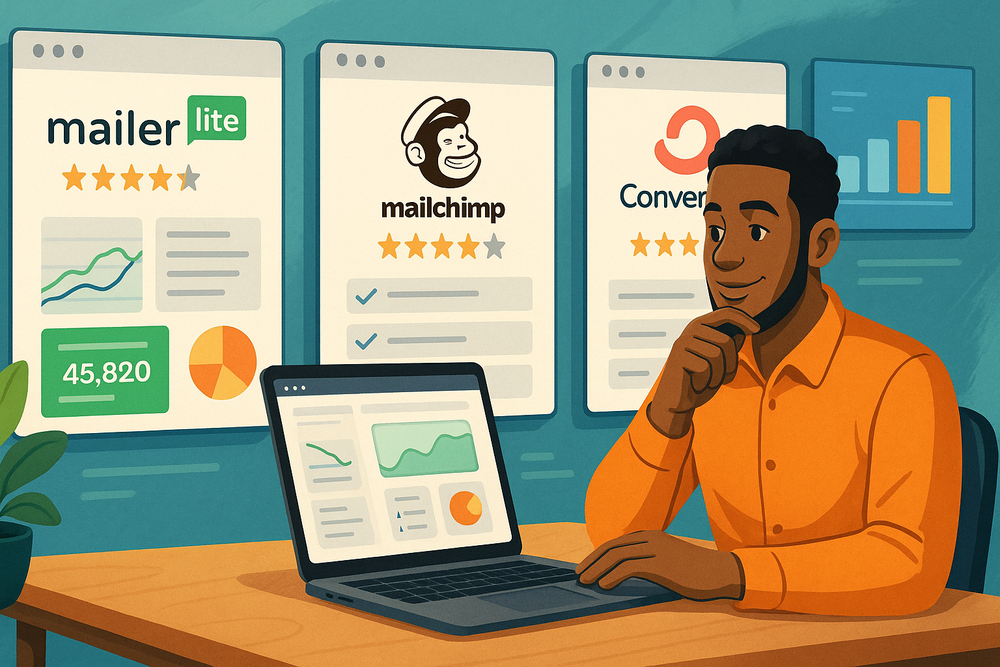
Moosend competes with platforms like Mailchimp, Brevo, MailerLite, ActiveCampaign, ConvertKit, and Constant Contact. The right choice depends on your budget, automation needs, audience size, and whether you prioritize simplicity or advanced control.
Moosend Vs Mailchimp
Mailchimp is one of the most recognized email marketing platforms, especially among beginners. It has broad brand awareness, many integrations, and a familiar interface for people who have used email tools before.
Moosend’s advantage is often value and automation access. For small businesses that want email marketing automation without feeling pushed into higher-cost tiers too quickly, Moosend may feel more straightforward.
Mailchimp may be better if you need its specific integrations, broader ecosystem, or more familiar templates. Moosend may be better if you want a leaner email automation platform with a strong feature-to-price balance.
The decision should come down to your workflow. If your business depends on one integration that Mailchimp handles better, that matters. If your priority is affordable automation and list growth tools, Moosend deserves a closer look.
Moosend Vs MailerLite
MailerLite is popular with creators, bloggers, and small businesses because it is simple and clean. It is often praised for ease of use, landing pages, and beginner-friendly email creation.
Moosend and MailerLite can both serve small businesses well. The difference is usually in the details: automation structure, pricing at your list size, templates, reporting preferences, and integrations.
If you are choosing between them, I suggest creating the same test in both tools: one form, one landing page, one welcome automation, and one newsletter. You will quickly feel which interface fits your brain.
The “best” platform is often the one you will actually use consistently. A tool with slightly fewer features but better fit can outperform a more advanced tool that your team avoids.
Moosend Vs ActiveCampaign
ActiveCampaign is known for advanced automation and CRM-style features. It can be powerful for businesses with complex sales funnels, lead scoring, and multi-step customer journeys.
Moosend is usually easier to approach for small businesses that do not need that level of complexity. If you want practical automation, newsletters, forms, landing pages, and segmentation, Moosend may be enough.
ActiveCampaign may be better for businesses with sales teams, longer buying cycles, and advanced customer journey mapping. Moosend may be better for lean teams that want results without spending weeks building complex systems.
Here is the simple way I see it: Choose Moosend when you want focused email growth. Consider ActiveCampaign when automation complexity itself becomes a competitive advantage for your business.
Best Moosend Use Cases For Small Businesses
Moosend works best when it supports repeatable marketing moments: first contact, nurture, purchase, follow-up, reactivation, and loyalty.
These use cases are where small businesses can turn email into steady growth.
E-Commerce Stores
For e-commerce, Moosend can support product promotions, abandoned cart reminders, post-purchase education, replenishment reminders, product recommendations, and customer win-back campaigns.
Imagine you sell handmade candles. Someone joins your list through a “scent finder” quiz or discount form. You send a welcome email, recommend scents based on their preference, follow up with social proof, and later send a seasonal collection email.
That type of flow feels personal because it connects to the customer’s interest. It also increases the chances that one visitor becomes a buyer, and one buyer becomes a repeat customer.
The important metrics for e-commerce are revenue per email, click rate, conversion rate, repeat purchase rate, and unsubscribe rate. Do not only chase opens. Revenue and retention matter more.
Local Service Businesses
Local businesses can use Moosend to turn website visitors into booked appointments or inquiries. This works well for salons, clinics, repair services, accountants, tutors, photographers, and home service providers.
A simple setup might include a quote request form, a service guide download, and an automated follow-up sequence. The first email confirms the request. The second explains what to expect. The third shares testimonials or answers common objections. The fourth invites the reader to book.
This is especially helpful because many leads compare several providers. A thoughtful email sequence keeps your business visible while competitors rely on one phone call or form reply.
I recommend keeping local service emails practical. Answer the questions people already have: How much does it cost? How long does it take? What happens first? Why should they trust you?
Coaches, Consultants, And Creators
Coaches and consultants can use Moosend to build trust before asking for a sale. This is important because people rarely buy high-trust services from one email.
A consultant might offer a free checklist, send a three-part educational sequence, share a client story, and invite the subscriber to book a discovery call. A creator might use email to launch a course, promote a membership, or nurture subscribers before a paid offer.
The key is to avoid turning every email into a pitch. Teach first. Share useful frameworks. Give readers a quick win. Then make the next step feel natural.
For many service-based businesses, email works because it creates familiarity. When someone feels like they understand your approach, they are more likely to trust your offer.
Common Moosend Mistakes To Avoid
Most Moosend problems are not caused by the platform itself. They come from weak strategy, poor list quality, unclear offers, and inconsistent optimization.
Importing A Low-Quality List
One of the fastest ways to damage email performance is importing a list full of old, cold, or unpermissioned contacts. Even if the list looks large, it may hurt more than it helps.
A small engaged list is better than a big uninterested one. If people did not clearly agree to hear from you, they may ignore your emails, unsubscribe, or mark them as spam.
Before importing contacts, ask yourself whether each person gave clear permission and whether they would reasonably expect your email. If the answer is no, do not add them.
If you have an older list, consider sending a re-permission campaign before fully using it. Ask people whether they still want updates. It may shrink your list, but it can improve quality.
Building Too Many Automations Too Soon
Automation is exciting, but it is easy to overbuild. I have seen small businesses create complicated workflows before they even know their best offer, best subject lines, or best audience segment.
Start with the basics. Build a welcome sequence. Build one sales or booking follow-up. Build one re-engagement campaign later. Measure each one.
Too many automations can create overlapping messages, confusing timing, and messy reporting. A subscriber should not receive five unrelated emails in one week because they triggered several workflows at once.
A simple rule: Every automation should have one clear purpose. If you cannot explain why it exists in one sentence, it probably needs simplifying.
Ignoring The Offer
Email tools cannot fix a weak offer. If subscribers do not care about what you are sending, better templates and automations will not solve the problem.
Your offer is the reason someone clicks. It could be a discount, guide, consultation, product launch, event, helpful resource, or exclusive update. The stronger and clearer the offer, the easier email marketing becomes.
For example, “Read our latest news” is vague. “Get the 5-step checklist we use before every kitchen renovation” is specific. Specific usually wins.
I suggest reviewing your emails from the reader’s point of view. What is in it for them? Why now? What should they do next? If those answers are not obvious, rewrite before sending.
Advanced Moosend Optimization Strategies
Once your foundation is working, you can improve results with testing, segmentation, lifecycle campaigns, and smarter reporting. This is where small changes can produce meaningful growth over time.
Use A/B Testing With A Clear Hypothesis
A/B testing means comparing two versions of something to see which performs better. Moosend includes A/B testing as part of its email marketing feature set.
The mistake many businesses make is testing random ideas. A better approach is to test one clear hypothesis at a time.
For example, you might test whether a benefit-driven subject line beats a curiosity-driven subject line. Or whether a short email gets more clicks than a longer story-based email. Or whether a product image increases conversion compared with a plain text recommendation.
Keep tests simple. Do not change the subject line, layout, offer, button text, and send time all at once. If the result changes, you will not know why.
A useful testing rhythm is one experiment per week or per campaign. Over six months, those small lessons can become a serious advantage.
Segment By Buying Stage
Not every subscriber is at the same stage. Some are new and curious. Some are comparing options. Some are ready to buy. Some already bought and need support.
When you segment by buying stage, your emails become more helpful. New subscribers may need educational content. Warm leads may need testimonials, demos, or FAQs. Customers may need onboarding, cross-sells, or loyalty rewards.
A simple lifecycle segmentation model looks like this:
- New Lead: Needs trust and orientation.
- Engaged Lead: Needs proof and a clear next step.
- First-Time Customer: Needs reassurance and onboarding.
- Repeat Customer: Needs loyalty, recommendations, and appreciation.
- Inactive Contact: Needs re-engagement or list cleaning.
This approach prevents you from sending the same promotion to everyone. It also helps you match your message to the reader’s current mindset.
Track Revenue And Business Outcomes
Email metrics are useful, but business outcomes matter most. A campaign with a lower open rate but higher sales may be more valuable than a campaign everyone opens but no one acts on.
For e-commerce, track revenue per campaign, conversion rate, average order value, and repeat purchase behavior. For service businesses, track inquiries, bookings, consultations, and closed deals. For creators, track course sales, membership signups, webinar registrations, or product downloads.
This is where I suggest being practical. You do not need a perfect analytics setup on day one. Start by tagging links, watching conversions, and comparing campaign activity to sales activity.
The goal is to understand which emails create movement. Once you know that, you can send fewer but better campaigns.
Troubleshooting Moosend Performance Problems
If your Moosend campaigns are not performing, do not panic. Most issues can be traced to list quality, message relevance, offer clarity, sending consistency, or measurement gaps.
Low Open Rates
Low open rates can happen when your subject lines are weak, your audience is cold, your sender name is unfamiliar, or your emails are landing in less visible inbox areas.
Start by checking your list quality. Are these people recent subscribers? Did they clearly opt in? Have you emailed them consistently? A cold list will usually underperform, no matter what platform you use.
Then review your subject lines. Make them clear, specific, and relevant. Avoid overhyping. “Our April sale is live” may beat “You won’t believe this amazing surprise” because it tells the reader what to expect.
Also check your sender name. People open emails from names they recognize. For many small businesses, “Anna from BrightSkin Studio” feels more personal than “Marketing Team.”
Low Click Rates
If people open but do not click, your email body or offer may not be compelling enough. This is a message problem more than a deliverability problem.
Look at your email structure. Is there one clear call to action? Is the benefit obvious? Is the button easy to find on mobile? Are you asking people to do too many things?
A good email should guide the eye. Start with the reason for the message, explain the benefit, reduce friction, and make the next step obvious.
For example, instead of saying “Check out our services,” say “Book a free 15-minute consultation to find the right package for your project.” The second version tells the reader exactly what happens next.
High Unsubscribe Rates
Unsubscribes are not always bad. Some people should leave your list if they are no longer interested. But a sudden spike usually means your content, frequency, or targeting is off.
Ask whether you changed something recently. Did you send too many promotions? Did you email an old list? Did the content fail to match the signup promise?
If someone joined for weekly business tips and then received daily product pitches, unsubscribes are predictable. The fix is to match expectation with delivery.
You can reduce unsubscribes by setting clear expectations on signup forms, segmenting your audience, and giving people useful content between promotions.
Final Verdict: Is Moosend Worth It For Small Business Growth?
Moosend is worth considering if you want an affordable email marketing platform with automation, segmentation, landing pages, forms, testing, and reporting in one place.
It is strongest for small businesses that want practical growth systems without enterprise-level complexity.
When I Recommend Moosend
I recommend Moosend when a small business has a clear need for email list growth, automated follow-up, customer nurturing, or repeat sales. It is especially useful when you want more than basic newsletters but do not want to manage a complicated marketing stack.
You should consider it if you are ready to build:
- A Welcome Sequence: To turn new subscribers into warmer leads or first-time buyers.
- A Lead Capture System: To convert website visitors into email subscribers.
- A Sales Follow-Up Flow: To recover interest after someone clicks, browses, or abandons a cart.
- A Customer Retention System: To encourage repeat purchases, reviews, referrals, or upgrades.
The platform gives you the pieces. Your growth comes from connecting those pieces into a clear customer journey.
When I Would Choose Something Else
I would look elsewhere if you need a deep CRM, advanced sales pipeline management, complex multichannel automation, or a very specific integration Moosend does not support.
I would also compare alternatives if template design variety is a top priority for your brand or if your team already works heavily inside another platform ecosystem.
That said, no email tool is perfect. The right question is whether Moosend’s strengths align with your next stage of growth. For many small businesses, they do.
My Practical Recommendation
My practical recommendation is to test Moosend with one real campaign during the 30-day trial. Do not just click around the dashboard. Build the exact system your business needs.
Create one signup form, one landing page, one welcome automation, and one campaign. Then ask: Was it easy enough? Did the emails look good? Could I understand the reports? Can I see this helping us grow?
That hands-on test will give you the clearest answer.
For this Moosend platform review for small business growth, my final take is simple: Moosend is a strong, focused, and cost-conscious email marketing option for small businesses that want to turn subscribers into customers through better automation and more relevant communication.
FAQ
What is Moosend platform review for small business?
Moosend platform review for small business helps owners understand whether Moosend is a good email marketing tool for growth. It covers features like automation, email campaigns, landing pages, forms, segmentation, analytics, pricing value, and practical use cases for small teams.
Is Moosend good for small businesses?
Yes, Moosend can be a good choice for small businesses that need affordable email marketing, automation, and lead capture tools. It works best for businesses that want to grow email lists, nurture leads, recover lost sales, and send targeted campaigns without complex software.
What are the main benefits of Moosend?
The main benefits of Moosend include easy email creation, automation workflows, audience segmentation, landing pages, signup forms, A/B testing, and reporting. These features help small businesses save time, communicate better with subscribers, and create more consistent marketing systems.
Can Moosend help small businesses grow?
Moosend can help small businesses grow by turning website visitors into subscribers, nurturing leads automatically, and encouraging repeat purchases. With the right setup, businesses can use welcome emails, promotional campaigns, and follow-up sequences to improve engagement and conversions.
Who should use Moosend?
Moosend is best for small business owners, e-commerce stores, consultants, coaches, creators, and local service providers that want simple email marketing with automation. It is especially useful for teams that need strong marketing features without managing several separate tools.

I’m Juxhin, the voice behind The Justifiable.
I’ve spent 6+ years building blogs, managing affiliate campaigns, and testing the messy world of online business. Here, I cut the fluff and share the strategies that actually move the needle — so you can build income that’s sustainable, not speculative.
Related posts:
 How to Integrate Aweber with ClickFunnels
 What Is MailerLite Used For? Powerful Features Explained
 How I Increased Signups With MailerLite WordPress Plugin
 GetResponse Duplicate Contacts Problem Solution: Clean Fast
 MailerLite Vs Aweber Comparison: Which Platform Is Better?
 Moosend Email Marketing Review: Powerful Yet Simple Tool?