
Table of Contents
Some links on The Justifiable are affiliate links, meaning we may earn a small commission at no extra cost to you. Read full disclaimer.
The Omnisend app isn’t just another email and SMS marketing tool—it’s the all-in-one growth engine that helps eCommerce brands scale faster.
If you’ve ever wondered how to send campaigns that actually convert, automate your customer journeys, and boost ROI without juggling multiple platforms, this guide has your answer.
You’ll see how the Omnisend app transforms complex marketing into something simple, smart, and profitable.
Discover What Makes The Omnisend App Different
If you’ve ever juggled multiple tools just to send a campaign, you’ll appreciate how the Omnisend app simplifies everything into one intuitive dashboard.
It’s designed for eCommerce brands that want speed, automation, and personalization—all without tech headaches.
Let’s break down what makes it truly stand out.
How Omnisend Simplifies ECommerce Marketing
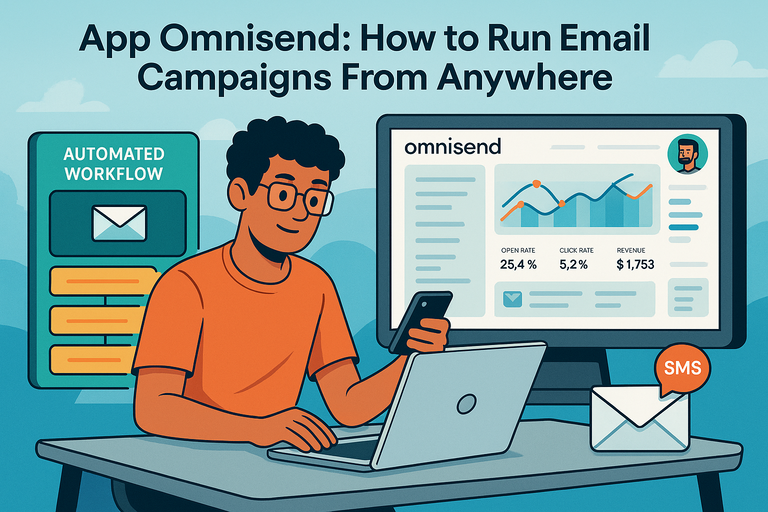
The Omnisend app streamlines marketing by combining email, SMS, and automation tools under one roof.
Instead of bouncing between different apps, you can manage all your marketing channels in one place.
Here’s what that looks like in practice:
- One login, one workflow: From Dashboard → Campaigns → New Campaign, you can launch an email or SMS message without switching tools.
- Pre-built workflows: Need to send a cart recovery message or welcome email? Omnisend’s templates are pre-automated, so all you do is plug in your content and hit start.
- ECommerce-focused analytics: Metrics like revenue per email or SMS ROI are visible right on your dashboard, not buried in reports.
I believe the real power lies in Omnisend’s focus on actionable simplicity—you spend less time learning the software and more time seeing results.
The Secret Behind Omnisend’s All-in-One Platform
What separates Omnisend from most ESPs (Email Service Providers) is its seamless omnichannel setup. You don’t just send emails—you orchestrate customer experiences.
A quick example: Imagine someone visits your Shopify store, adds a product to their cart, but doesn’t check out.
With Omnisend, you can automatically trigger:
- An email reminder 1 hour later.
- A SMS discount 6 hours later.
- A push notification the next day.
This all happens inside one workflow editor. No coding, no integrations, just drag-and-drop triggers.
In my experience, this “all-in-one” structure saves hours every week and drastically improves consistency across channels. You’re not repeating messages—you’re creating a synchronized customer journey.
Explore ready-made omnichannel workflows that run automatically. Build email + SMS + push sequences without touching code. 👉 Try Omnisend Free!
Why Omnisend Works Better Than Traditional ESPs
Traditional ESPs are fine for newsletters. But for serious eCommerce, they fall short on automation, segmentation, and integrations. Omnisend fixes that by aligning marketing with sales data.
Here’s how it outperforms classic ESPs:
- Native eCommerce integrations: Directly connects with Shopify, WooCommerce, Wix, BigCommerce, and more—pulling in real-time purchase data.
- Dynamic segmentation: Automatically groups customers by behavior, like “Viewed Product but Didn’t Buy.”
- Revenue attribution: Each campaign shows exactly how much money it generated, so you can double down on what’s working.
I recommend thinking of Omnisend less as an ESP and more as a growth engine. Instead of sending messages, you’re running an automated sales system that reacts to real customer actions.
Unlock Fast Results With Powerful Email Campaigns

The Omnisend app isn’t just about sending emails—it’s about building campaigns that engage and convert fast.
Whether you’re an experienced marketer or a beginner, Omnisend’s AI and automation tools help you go from blank page to full campaign in minutes.
Using AI Templates To Eliminate Blank-Page Anxiety
Starting from scratch is overrated. Omnisend’s AI-assisted templates make creating high-converting emails effortless.
When you open Campaigns → Create New → AI Templates, you can:
- Choose from 250+ ready-to-send templates built specifically for eCommerce.
- Use AI suggestions to write headlines, CTAs (calls-to-action), and product descriptions based on your store’s data.
- Preview on mobile instantly, ensuring every message looks perfect on any device.
I’ve found this especially useful for small teams that don’t have a full-time copywriter. The AI doesn’t just fill in text—it learns from your brand tone over time, giving you consistent quality across campaigns.
Optimizing Every Send For Maximum Impact
Omnisend’s optimization tools make sure every email you send performs at its peak.
You can A/B test subject lines, automate send times based on user behavior, and track conversion directly in your dashboard.
Here’s how to make the most of it:
- A/B Testing: Test two versions of your email; Omnisend automatically sends the winning version to the rest of your list.
- Send Time Optimization: Omnisend’s smart scheduler identifies when each contact is most likely to open your message.
- Click Heatmaps: Instantly see what parts of your email draw the most engagement.
One of my favorite features is the “Revenue per Email” metric.
Instead of just tracking opens or clicks, Omnisend tells you exactly how much revenue each campaign generates. That’s a game-changer for anyone tracking ROI.
Automating Campaigns To Engage Customers Instantly
This is where Omnisend shines brightest—automation. You can build workflows that respond to customer actions in real time, creating experiences that feel personal and immediate.
For example:
- Welcome Series: Automatically greet new subscribers with a multi-step sequence that builds trust.
- Cart Abandonment: Send reminders when shoppers leave without checking out—these can recover up to 30% of lost sales.
- Reactivation Flows: Win back inactive customers with time-based reminders or exclusive offers.
To set these up, just go to Automation → Create Workflow → Choose Template. I suggest starting with a simple welcome or abandoned cart flow. Once you see the lift in conversions, expanding to post-purchase or win-back campaigns is easy.
Automation isn’t about replacing you—it’s about giving you more time to focus on strategy while your system runs 24/7 in the background.
Build a welcome flow or abandoned-cart sequence that runs 24/7. Recover lost revenue and boost conversions with pre-built templates.
👉 Create Your First Automation!
Drive Conversions With Multi-Channel Marketing
The Omnisend app turns disconnected communication into one powerful, coordinated marketing engine. It combines email, SMS, and push notifications so you can reach customers wherever they are—and at just the right time.
This isn’t about sending more messages; it’s about sending smarter ones that work together.
Combining Email, SMS, and Push Notifications for Maximum Reach
What makes Omnisend truly shine is its ability to bring multiple channels under one campaign umbrella.
Instead of juggling three different tools, you can build a single workflow that sends personalized messages through email, SMS, and web push notifications—all from one dashboard.
Here’s a simple path to get started:
- Go to Automation → Create Workflow → Add Channel.
- Choose Email, SMS, or Push Notification from the sidebar.
- Define triggers like “Added to Cart” or “Signed Up.”
Each channel complements the others.
For example:
- Email delivers rich visuals, storytelling, and product details.
- SMS adds immediacy with short reminders or promo codes.
- Push notifications gently nudge users who haven’t opened their messages.
From what I’ve seen, brands using all three channels through Omnisend often report 30–40% higher engagement than those using email alone. It’s a simple formula—more visibility, better timing, consistent impact.
How Cross-Channel Syncing Saves You Time
The Omnisend app automatically keeps every channel in sync, which means no more duplicating content or manually updating customer lists.
When a shopper unsubscribes from emails, they’re also removed from SMS—instantly and automatically.
This feature isn’t just convenient; it prevents embarrassing mistakes like messaging customers who’ve opted out.
Omnisend’s syncing also saves hours each week with:
- Real-time updates: When someone buys, their automation flow stops immediately.
- Unified templates: You can design an email and instantly adapt it for SMS or push with one click.
- Smart segmentation: Customer data stays consistent across all campaigns.
I like to think of it as having a single “brain” behind all your communications. Everything works together seamlessly—so you can focus on strategy instead of admin work.
Real Benefits of Consistent Messaging Across Platforms
Consistency builds trust, and trust builds sales. With Omnisend, your tone, visuals, and timing stay aligned across every platform. This creates a smooth, professional experience for your customers.
Let’s take a real-world example.A customer views a skincare product on your site but doesn’t buy.
Omnisend automatically triggers:
- An email reminder with before-and-after images.
- A SMS follow-up six hours later offering 10% off.
- A push notification the next morning linking to the same product.
Each message feels connected, not repetitive. The customer experiences a single, cohesive conversation instead of fragmented reminders.
This simple level of alignment can increase conversion rates by up to 45%, according to Omnisend’s internal data.
Seamless Integrations That Make Selling Effortless

If you’re running an eCommerce store, integrating your platform with Omnisend is refreshingly simple.
It connects directly with Shopify, WooCommerce, Wix, and BigCommerce—without needing complex API setups or code.
Connecting Omnisend With Shopify for Smarter Sales
Shopify users get the deepest integration with the Omnisend app.
Once connected, Omnisend automatically pulls in your store data—products, customers, order history—so you can start automating in minutes.
Here’s the setup path:
- Go to Apps → Omnisend → Connect Store.
- Approve permissions and sync your product catalog.
- Access Omnisend directly from your Shopify dashboard.
Once connected, you can:
- Send product recommendation emails based on browsing behavior.
- Automate cart recovery workflows triggered by Shopify events.
- Track revenue directly within Omnisend’s reporting tab.
I recommend enabling “Product Picker” during setup—it lets you drop actual store items into emails or SMS messages with a single click. It’s a small feature, but it saves enormous time for busy store owners.
How Omnisend Integrates With WooCommerce, Wix, and BigCommerce
Omnisend’s integrations extend far beyond Shopify. Each platform syncs customer, order, and product data automatically so you can deliver hyper-personalized campaigns.
For example:
- WooCommerce: You can trigger an email when someone adds a product to their cart but doesn’t purchase.
- Wix: Set up SMS reminders for booking confirmations or event sign-ups.
- BigCommerce: Use cross-device abandoned cart recovery, unique to Omnisend, to re-engage shoppers from mobile or desktop seamlessly.
I believe what makes these integrations exceptional is how native they feel—you never leave your store dashboard, and your marketing stays perfectly in sync.
Syncing Customer Data for Personalized, Automated Campaigns
All customer interactions—purchases, clicks, opens—are logged automatically inside Omnisend’s unified customer profiles. This allows for laser-targeted automation.
You can build a segment like: Customers who viewed Product A, bought Product B, but haven’t purchased in 30 days.
That’s where Omnisend’s personalization tools shine.
You can then send:
- A personalized product recommendation email.
- A time-sensitive SMS offer.
- A follow-up push notification linking to their viewed item.
From my experience, this kind of real-time targeting can double repeat purchases without adding extra workload.
Boost Your ROI With Advanced Automation Tools
Automation in Omnisend isn’t just smart—it’s profit-driven. It helps you capture lost sales, re-engage inactive customers, and track what’s working with precision.
Creating Abandoned Cart and Checkout Recovery Workflows
Cart abandonment is a silent revenue killer. The Omnisend app makes recovery easy with drag-and-drop workflows that trigger automatically when a customer leaves items behind.
Example setup:
- Go to Automation → New Workflow → Cart Abandonment.
- Set triggers for “Cart Abandoned after 1 Hour.”
- Add follow-ups via Email → SMS → Push Notification.
Here’s why this works so well:
- Emails remind customers visually of what they left behind.
- SMS adds urgency with a discount code or limited-time offer.
- Push notifications gently close the loop if other channels are missed.
On average, Omnisend users recover 20–30% of abandoned carts with this simple workflow.
Setting Up Product Recommendations and Behavioral Triggers
Omnisend lets you create automated product recommendations based on browsing and purchase behavior.
You can access this through Content → Product Recommender → Choose Algorithm.
Options include:
- “Most viewed products”
- “Frequently bought together”
- “Recommended for you” based on personal browsing data.
When paired with behavioral triggers—like sending a recommendation after a second site visit—the engagement feels natural, not intrusive.
I suggest keeping these messages helpful and visual rather than salesy. The goal is to guide, not pressure, the shopper.
Measuring Performance With Smart Analytics
The Omnisend app gives you detailed analytics that go beyond open and click rates. You can track revenue, customer lifetime value, and even ROI per campaign.
In your dashboard, under Reports → Campaign Overview, you’ll find metrics like:
- Revenue per message
- Orders attributed to automation
- SMS vs email performance comparisons
These insights help you fine-tune campaigns quickly. For instance, if SMS is outperforming email for abandoned carts, you can shift more weight toward that channel.
I believe this real-time visibility is what transforms marketing from guesswork into growth. Omnisend doesn’t just send messages—it shows you exactly how those messages pay off.
Explore Omnisend’s Pricing Plans and Value

The Omnisend app is built to grow with you. Whether you’re just getting started or running a full-scale eCommerce business, its pricing model gives you room to expand without unnecessary costs.
What I like most is that you can start free, explore the platform, and upgrade only when you truly need more firepower.
Understanding the Free Plan and Its Full Capabilities
Omnisend’s Free Plan is surprisingly generous. It’s not one of those “free but limited to the point of frustration” deals. You get access to almost every essential feature to start sending campaigns right away.
Here’s what you can do on the Free Plan:
- Send up to 500 emails per month to 250 contacts.
- Access pre-built automation templates like welcome emails and abandoned cart flows.
- Use basic segmentation to group your audience by behavior or demographics.
- Send push notifications and get limited SMS credits for testing.
In real terms, this means you can fully automate a small store’s marketing before paying a cent.
I’d recommend this plan if you’re testing Omnisend for the first time or running a side business—it’s perfect for learning the ropes without financial pressure.
One thing I’ve noticed: Most users start with the Free Plan but move up quickly once they see results from automation. It’s that kind of “hooked by usefulness” progression that proves how practical Omnisend’s free tier really is.
When to Upgrade to the Standard or Pro Plan
Once you start sending consistent campaigns and growing your contact list, the Free Plan can feel a bit limiting. That’s where the Standard and Pro plans come in.
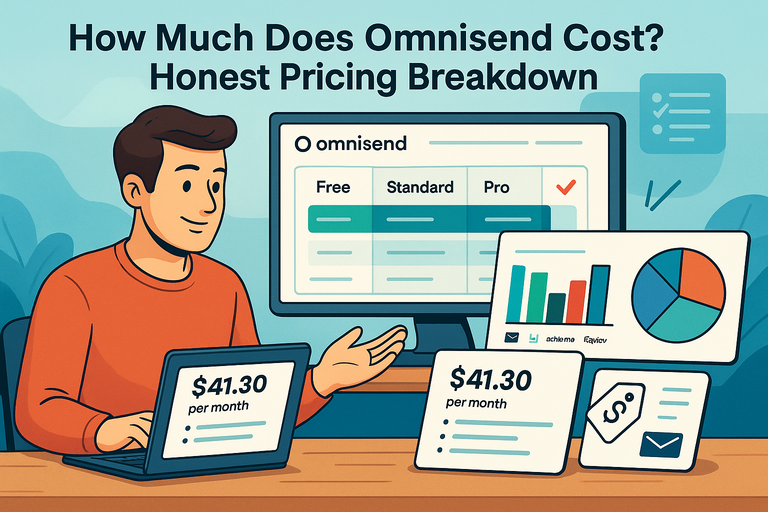
Standard Plan ($11.20/month)
- Ideal for small to mid-sized businesses.
- Includes 6,000 emails/month, up to 500 contacts.
- Unlimited web push notifications.
- 24/7 Priority Support.
- Option to add Personalized Content for $5/month.
This plan gives you the flexibility to scale without feeling rushed. I suggest upgrading once you’re sending weekly campaigns or if your email list crosses 300 contacts.
Pro Plan ($41.30/month)
- Designed for high-volume senders.
- Unlimited emails, web push notifications, and global SMS messaging.
- Includes Account Expert (personalized help from a specialist).
- Advanced reporting and analytics.
- Free personalized content add-on.
If you’re serious about maximizing ROI and running multiple automations at once, the Pro Plan is where Omnisend really shines.
I’ve seen businesses triple their automation-driven revenue just by switching to Pro—it’s not about sending more; it’s about sending smarter.
Why Omnisend’s Pricing Model Works for Growing Brands
Omnisend’s pricing isn’t just tiered—it’s strategic. The platform scales naturally with your business, so you never feel punished for growing. You pay for contacts and capabilities, not for features you don’t use.
A few things that make it stand out:
- Transparent structure: No hidden fees or confusing “per-user” charges.
- Free migration: Omnisend helps you import contacts, workflows, and segments without extra cost.
- Performance-first billing: You can easily calculate ROI since reports link every campaign to revenue.
I personally appreciate how Omnisend rewards loyalty. Their pricing encourages long-term use without fear of sudden hikes, which is refreshing in the SaaS world.
For eCommerce entrepreneurs looking for predictable costs and steady value, it’s a model that just makes sense.
Real-Time Support and Resources for Success
Having great tools is only half the battle; having access to real-time help makes all the difference. Omnisend stands out because it doesn’t leave you hanging once you sign up.
The platform provides around-the-clock support, tutorials, and community resources that help you keep learning and improving.
Accessing 24/7 Live Chat and Priority Support
Omnisend’s support system is fast, friendly, and available when you need it most. You can reach them through:
- The in-app Live Chat, available 24/7.
- Email support with a quick turnaround.
- Priority access for Standard and Pro users.
What sets it apart is the human touch—you’re not talking to bots or waiting days for answers. In my experience, I’ve gotten help in under two minutes during busy hours.
For Pro users, the Account Expert feature adds another layer of personalized support. You get a dedicated specialist who can audit your automations, improve deliverability, and suggest optimizations. It’s like having a marketing consultant built right into your subscription.
Learning From Omnisend’s Knowledge Base and Tutorials
Omnisend’s Knowledge Base is a goldmine for hands-on learning. You’ll find:
- Step-by-step tutorials on setting up workflows.
- Guides for integrations with platforms like Shopify, Wix, and WooCommerce.
- Tips on improving open rates, segmentation, and automation timing.
One thing I like to do is bookmark their Video Tutorials section. It’s perfect when you need a visual walkthrough of setting up a campaign or exploring a new feature.
If you’re new to automation, the Knowledge Base gives you practical examples instead of abstract advice. It’s written by people who clearly understand how marketers think.
How Continuous Support Helps You Scale Confidently
When your marketing system runs smoothly, you can focus on growing your business instead of fixing problems. That’s exactly what Omnisend’s ongoing support ecosystem provides.
Here’s how it impacts scaling:
- Reduced downtime: Fast support keeps campaigns running.
- Data-driven advice: Account Experts often share insights based on your actual performance metrics.
- Community feedback: Omnisend’s blog and webinars offer strategies from real brands succeeding with the app.
I believe that consistent, proactive support like this is rare in marketing tools. Omnisend doesn’t just answer questions—they guide you toward becoming a more confident, data-savvy marketer.
Get Started Fast—Experience the Omnisend Advantage
The beauty of the Omnisend app is how quickly you can start seeing real results.
You don’t need technical knowledge or marketing experience—just a clear goal and a few minutes to set things up.
Step-by-Step: Setting Up Your First Campaign in Minutes
Getting started is refreshingly simple. Once you log into your Omnisend dashboard:
- Click Campaigns → Create New Campaign.
- Choose Email or SMS.
- Select a pre-built template or start from scratch.
- Add your product images, copy, and call-to-action buttons.
- Schedule or send immediately.
That’s it. You’ve launched your first campaign. I’ve seen small businesses go from sign-up to sending their first automated email in less than 30 minutes—it’s genuinely beginner-friendly.
Customizing Templates to Match Your Brand
Omnisend’s templates are easy to customize with drag-and-drop tools. No coding required.
You can:
- Change colors, fonts, and logos to match your store’s aesthetic.
- Insert dynamic product blocks using the Product Picker.
- Preview how your design looks on mobile and desktop instantly.
I suggest creating one branded master template you can reuse for future campaigns. It keeps your visuals consistent and saves tons of time down the road.
Measuring Results and Seeing Growth From Day One
Omnisend’s built-in analytics give you a complete picture of your performance. Inside Reports → Campaign Overview, you can track:
- Open rates and click-throughs.
- Revenue generated per email or SMS.
- Conversion rates by workflow type.
You’ll start spotting trends fast—like which campaigns drive repeat purchases or which products get the most clicks. I always encourage reviewing these insights weekly; it’s how you turn simple marketing actions into consistent, measurable growth.

I’m Juxhin, the voice behind The Justifiable.
I’ve spent 6+ years building blogs, managing affiliate campaigns, and testing the messy world of online business. Here, I cut the fluff and share the strategies that actually move the needle — so you can build income that’s sustainable, not speculative.
Related posts:
 Top 5 Automated Sales Funnel Hacks for Explosive Growth!
 How Omnisend Email Can Boost Your Conversions
 How Omnisend WooCommerce Integration Performs
 How Much Does Omnisend Cost? Honest Pricing Breakdown
 Omnisend Marketing: How to Drive More Sales Fast
 App Omnisend: How to Run Email Campaigns From Anywhere