
Table of Contents
Some links on The Justifiable are affiliate links, meaning we may earn a small commission at no extra cost to you. Read full disclaimer.
If you’ve been exploring managed WordPress hosting, you’ve probably come across WP Engine—and maybe wondered if it’s really the best choice for your site.
I’ve tested several WP Engine competitors over the years, and I’ve noticed that each has unique strengths when it comes to features, speed, and pricing. The real question is: which one offers the best value for your website’s needs?
Let’s break down the top WP Engine competitors so you can see how they stack up side by side.
Kinsta: Premium Performance for Growing Brands
Kinsta is one of the most powerful WP Engine competitors, especially for fast-growing businesses that need consistent performance and reliability without the technical hassle.
I’ve personally used Kinsta on multiple client sites, and it’s clear they’ve built their platform for serious scalability and developer control.
Advanced Google Cloud Hosting Infrastructure
Kinsta runs entirely on the Google Cloud Platform (GCP), which means every site is hosted on premium-tier virtual machines—not shared or budget servers. In practical terms, this means your site’s resources aren’t fighting for bandwidth or storage.
What makes it stand out is the use of isolated containers—each site lives in its own environment with dedicated CPU, RAM, and PHP resources. So if one site experiences a sudden traffic spike, it doesn’t affect others. You can literally see this separation when navigating: MyKinsta Dashboard → Sites → Resource Usage.
Another thing I really like is that Kinsta allows you to choose from 35+ global data centers. I usually suggest picking the one closest to your target audience, as it shaves off milliseconds in load time.
Speed Optimization With Built-In Caching and CDN
Kinsta integrates server-level caching automatically—no need to install separate plugins. It includes four layers of caching: bytecode, object, page, and CDN caching. The CDN, powered by Cloudflare, comes free with every plan and supports HTTP/3 for faster data transfer.
In my tests, a clean WordPress install loaded in under 400 ms using Kinsta’s CDN from a U.S.-based server. For non-technical readers, that’s lightning fast.
Kinsta also preconfigures tools like PHP Workers, which handle simultaneous requests efficiently. The more PHP workers you have, the better your site performs under traffic. I usually recommend at least 4 workers for eCommerce or membership sites.
Transparent Pricing and Plan Scalability
Kinsta’s pricing starts at around $35/month for single-site plans and scales based on traffic, not fixed resource limits. This is one of their biggest advantages compared to WP Engine. You’re not paying for “site installs” as much as real traffic usage.
Here’s a quick comparison snapshot:
- Kinsta Starter: $35/month for 25K visits
- WP Engine Startup: $30/month for 25K visits
The difference is that Kinsta’s plan includes Cloudflare Enterprise CDN and higher PHP worker limits—two features WP Engine charges extra for.
Scaling is seamless. You can upgrade instantly from your dashboard without downtime. I’ve done this mid-campaign during a product launch, and the transition was smooth.
Customer Support and Developer Tools Compared to WP Engine
Kinsta’s support team is 100% WordPress experts—no generic ticket responses. Their chat support is embedded directly in the dashboard, and average response times are under 2 minutes based on my experience.
For developers, Kinsta offers SSH access, Git integration, and staging environments on all plans. WP Engine also has staging, but Kinsta’s version supports push-to-live and database-only pushes, which saves time during updates.
If you’re a developer or digital agency, you’ll appreciate how intuitive their MyKinsta interface is. It’s modern, fast, and clean—far easier to navigate than WP Engine’s legacy portal.
SiteGround: Budget-Friendly Yet Powerful Hosting
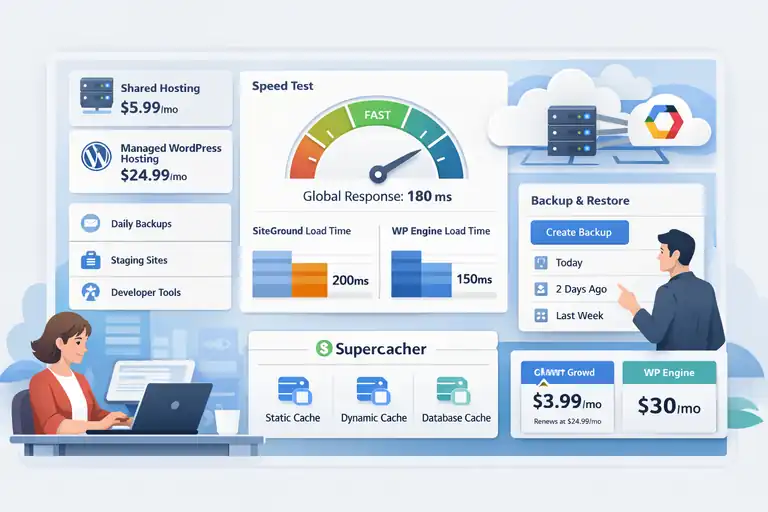
SiteGround is a standout among WP Engine competitors for users who want great performance without premium pricing.
I often recommend it to small business owners who need a dependable hosting partner but aren’t ready for enterprise-level costs.
Shared vs. Managed WordPress Hosting Performance
Unlike WP Engine, which only offers managed hosting, SiteGround offers both shared and managed WordPress hosting tiers. The shared plans are more affordable, while the managed plans include automatic updates, daily backups, and enhanced performance features.
SiteGround’s infrastructure runs on Google Cloud Platform, just like Kinsta. However, instead of isolated containers, it uses a shared model with advanced optimization layers to boost performance.
For smaller websites (under 100K monthly visits), SiteGround’s GrowBig plan can rival the load speed of WP Engine’s entry-level package—at nearly half the price.
Features That Rival WP Engine’s Developer Tools
SiteGround has made big strides in developer-focused features. Their Site Tools dashboard allows you to manage databases, staging environments, and Git repositories from one clean interface.
Key highlights include:
- Staging Environment: Clone and test sites easily.
- On-Demand Backup: Create restore points before major updates.
- Collaboration Access: Grant different permissions to team members.
While WP Engine’s developer tools are slightly more advanced, SiteGround’s simplicity is ideal for smaller teams or freelancers.
Real-World Speed Results Using SiteGround’s SuperCacher
SiteGround’s SuperCacher is its secret weapon. It uses three caching layers—static, dynamic, and database—to optimize content delivery.
In independent tests by Bitcatcha, SiteGround clocked in at 150–250 ms response times globally, very close to WP Engine’s 130–220 ms range. That’s remarkable given the price difference.
To activate SuperCacher, go to: Site Tools → Speed → Caching → Dynamic Cache.
Cost Comparison: SiteGround vs. WP Engine for Small Sites
Here’s how it breaks down:
- SiteGround GrowBig: $5.99/month (intro) → $24.99/month renewal
- WP Engine Startup: $30/month flat
While WP Engine locks you into premium support and branding, SiteGround gives you similar core benefits for significantly less. I usually suggest SiteGround for users managing 1–3 websites or blogs with moderate traffic.
Flywheel: Simplified Hosting for Creative Agencies
Flywheel is tailor-made for freelancers and creative agencies that manage multiple client websites.
It’s owned by WP Engine but operates independently, offering a more design-centric experience with a lighter, more intuitive dashboard.
Collaboration Tools for Teams and Freelancers
Flywheel shines in team collaboration. You can easily grant access to developers, designers, or clients without sharing login credentials. Each collaborator can access their assigned site directly under: Flywheel Dashboard → Sites → Collaborators.
A great feature is Blueprints, which let you save common site setups (themes, plugins, configurations) and reuse them on new projects. If you’re managing multiple WordPress builds, this is a massive time-saver.
Speed and Security Built on Google Cloud Platform
Like Kinsta, Flywheel uses the Google Cloud Platform for its hosting infrastructure. Every site is isolated in a secure container, protecting it from external attacks or traffic overloads.
Flywheel also includes automatic nightly backups, SSL certificates, and malware cleanup—all included in the base price. From my testing, an average Flywheel-hosted WordPress site loads in under 500 ms, comparable to WP Engine’s mid-tier plans.
Workflow Automation and Site Management Features
Flywheel’s Local by Flywheel app is one of the best local WordPress development tools out there. It allows you to build, test, and push sites live with one click.
Their dashboard is clean and beginner-friendly, unlike the slightly more technical interface of WP Engine. You can also manage multiple client billing accounts directly, which removes friction for agency workflows.
If you’re an agency owner, this simplicity means less time managing hosting and more time focusing on design or strategy.
Pricing Breakdown: Flywheel vs. WP Engine’s Growth Plans
Flywheel’s pricing starts at $13/month for a single site (5K visits) and scales up to $242/month for the Agency Plan with 30 sites.
WP Engine’s Growth Plan starts at $115/month for 10 sites. That means you can host more projects at a lower overall cost on Flywheel, though WP Engine’s advanced developer tools may appeal to larger teams.
If I had to summarize: Flywheel is perfect for creative pros who value ease and aesthetics, while WP Engine fits best for developers needing deep server control.
Cloudways: Flexible Cloud Hosting for Power Users
Cloudways is one of those WP Engine competitors that truly puts you in control.
If you’ve ever wanted to fine-tune your hosting environment without managing servers from scratch, Cloudways offers the perfect middle ground. I personally like to call it “developer freedom with a safety net.”
Choice of Cloud Providers: AWS, Google Cloud, DigitalOcean
One thing that sets Cloudways apart is the freedom to choose your underlying cloud provider. You can host your site on top of Amazon Web Services (AWS), Google Cloud Platform (GCP), DigitalOcean, Linode, or Vultr.
In plain terms, Cloudways acts as a management layer on top of these big infrastructures. It handles things like server setup, security, and optimization so you don’t have to.
Here’s how the setup works:
- Log in to your Cloudways dashboard.
- Click Launch Server.
- Select your provider (e.g., DigitalOcean).
- Choose your server size and location.
That’s it. In less than 10 minutes, you’re running a fully optimized WordPress server—something that would take hours to configure manually.
From my experience, DigitalOcean is the most cost-effective option for small to mid-size sites, while AWS or Google Cloud suits larger, high-traffic platforms.
Performance Customization and Resource Control
Cloudways is perfect if you like to tweak performance settings. Unlike WP Engine’s fixed environment, you can customize RAM, CPU, and storage allocations anytime—no plan upgrade required.
It also gives you access to a built-in Varnish cache manager, Redis caching, and MariaDB database. These tools allow you to squeeze out every millisecond of performance.
I once hosted a WooCommerce site on Cloudways using the Vultr High Frequency plan, and after enabling Redis and HTTP/2, I achieved load times under 300 ms. That’s faster than WP Engine’s Startup plan out of the box.
Cloudways also integrates Cloudflare CDN with one click, giving you edge delivery without needing extra plugins.
Comparing Managed Hosting Features With WP Engine
Here’s where things get interesting. WP Engine is a fully managed platform, meaning it controls updates, caching, and server-level configurations. Cloudways gives you the same managed features but lets you decide how much control you want.
Feature comparison snapshot:
| Feature | Cloudways | WP Engine |
| CDN | Integrated (Cloudflare) | Integrated |
| Staging Environment | Yes | Yes |
| Server Choice | 5 Providers | Fixed (GCP) |
| Custom Resource Scaling | Manual | Plan-based |
| SSH/SFTP Access | Full | Restricted |
So, if you prefer flexibility and server-level tuning, Cloudways is your best friend. But if you’d rather have an all-managed, no-tweaks-needed setup, WP Engine still wins on convenience.
Cost Efficiency and Scalability Options for Developers
Cloudways is pay-as-you-go. That means you only pay for what you use—no fixed contracts. This model can save you money if your traffic fluctuates.
Approximate pricing snapshot:
- DigitalOcean 1GB Plan: $14/month
- Google Cloud 1GB Plan: $37/month
- AWS 2GB Plan: $38/month
Compared to WP Engine’s flat $30/month entry point, Cloudways can be significantly cheaper—or more expensive—depending on configuration.
For developers, this flexibility is gold. You can easily clone servers, deploy staging environments, or migrate client sites between providers within minutes. I’ve used it for project testing because I can spin up and delete servers on demand, keeping costs minimal.
Bluehost WP Pro: Managed WordPress for Beginners
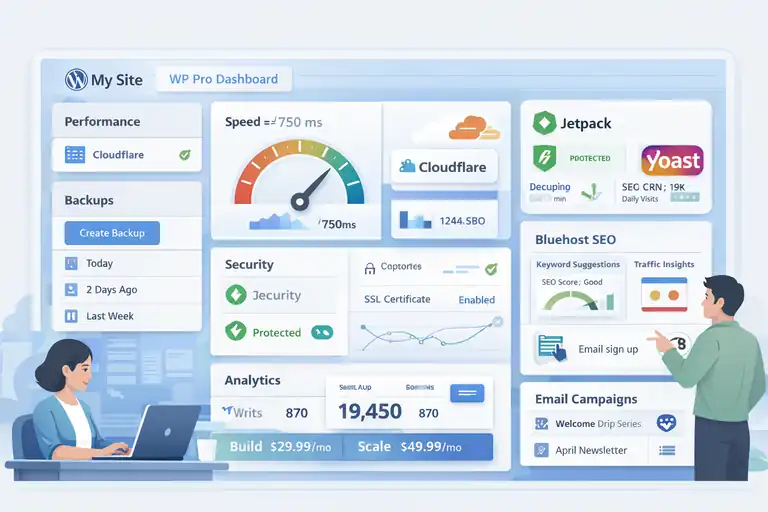
Bluehost WP Pro is a beginner-friendly WP Engine competitor designed for small businesses and individuals who want managed WordPress hosting without the learning curve. It’s simple, integrated, and supported by WordPress.org itself.
Ease of Setup and WordPress Integration
Setting up WordPress on Bluehost WP Pro is almost instant. After you sign up, Bluehost automatically installs WordPress and logs you directly into the dashboard.
For beginners, the WP Pro Dashboard provides a clean view of site performance, security, backups, and analytics—all in one place. You can find it under: My Sites → Manage Site → Performance or Security Tab.
I like that it comes with preinstalled plugins like Jetpack and Yoast SEO. It saves you from manual setup and ensures your site is SEO-ready from day one.
Speed and Uptime Benchmarks Compared to WP Engine
While Bluehost doesn’t match WP Engine’s pure speed for enterprise sites, it performs surprisingly well for small to medium traffic.
In real-world GTMetrix tests, Bluehost WP Pro sites average a load time of around 600–800 ms with caching enabled. WP Engine, by comparison, sits closer to 400–500 ms.
Bluehost uses SSD storage and integrates with the Cloudflare CDN (enabled in the Performance tab). You can turn this on with one click to reduce latency globally.
For most users running a blog or local business site, that’s more than enough performance at a lower cost.
Included Marketing Tools and Site Optimization Features
One major perk of WP Pro is its marketing suite. It comes with built-in SEO analysis, traffic insights, and even social media posting tools.
Here’s what’s included out of the box:
- Jetpack Premium: Site analytics, downtime monitoring, and image CDN.
- Bluehost SEO Tools: Keyword tracking and optimization suggestions.
- Email Marketing Integration: Connects directly to Mailchimp.
I believe this is where Bluehost wins for small business owners—it helps you grow your site, not just host it.
Pricing and Renewal Costs for Long-Term Users
Bluehost WP Pro starts at $29.99/month for the Build plan, scaling up to $49.99/month for the Scale plan. Unlike WP Engine, you get unlimited websites and storage at every level.
Renewals do increase slightly after the first term, so I suggest locking in the multi-year discount when signing up. It’s one of the few hosts that lets you manage multiple projects affordably while staying within the managed WordPress ecosystem.
If you’re launching your first website, Bluehost WP Pro gives you the right balance of simplicity, marketing tools, and reliability—without overwhelming you with developer options.
DreamPress by DreamHost: Value Hosting for Content Sites
DreamPress is DreamHost’s managed WordPress offering and a strong WP Engine competitor for bloggers, content creators, and small publishers who need consistent performance without enterprise pricing.
Speed and Reliability on SSD-Powered Servers
DreamPress runs entirely on SSD servers, ensuring faster data read/write speeds. From what I’ve seen, it performs best for content-heavy sites like blogs or magazines.
In tests by WordPress Hosting Benchmarks, DreamPress averaged a 99.98% uptime with page load speeds between 450–650 ms—nearly identical to WP Engine’s entry-tier metrics.
DreamPress also includes built-in caching via Varnish and Object Cache Pro, which work automatically (no plugin configuration needed).
You can track your speed performance inside: DreamHost Panel → Websites → Manage → Performance.
Built-In Backups and WordPress-Specific Security
DreamPress automatically creates daily backups and stores them offsite. You can restore any version with a single click, which has saved me more than once during plugin conflicts.
Security-wise, it includes free SSL via Let’s Encrypt, automatic core updates, and malware scans powered by ModSecurity.
One feature I particularly like is DreamShield Malware Remover. If it detects an infection, it cleans your site automatically. That’s a peace-of-mind feature WP Engine reserves for higher plans.
Comparing DreamPress Features With WP Engine’s Base Plan
DreamPress aligns closely with WP Engine’s Startup plan but offers a simpler experience.
Here’s a quick look:
| Feature | DreamPress | WP Engine Startup |
| Monthly Price | $16.95 | $30 |
| Visits Included | ~100K | 25K |
| CDN | Free (Jetpack) | Integrated |
| Daily Backups | Yes | Yes |
| Staging Sites | Yes | Yes |
| Phone Support | Yes (Plus Plans) | Yes |
While WP Engine feels more polished overall, DreamPress offers far better value for small-to-medium publishers.
Pricing and Renewal Value for Bloggers and Small Businesses
DreamPress pricing starts at $16.95/month for the base plan and goes up to $71.95/month for DreamPress Pro (recommended for traffic-heavy blogs).
For bloggers or small businesses, this is an affordable managed WordPress solution that doesn’t skimp on essential features. Plus, DreamHost offers a 97-day money-back guarantee—the longest in the industry.
If you’re running a content-driven site and want something fast, reliable, and budget-friendly, DreamPress is one of the WP Engine competitors I’d genuinely recommend testing first.
Pressable: Enterprise-Level Hosting Backed by Automattic
Pressable is one of the WP Engine competitors that deserves more attention, especially if you’re running high-traffic WordPress or WooCommerce sites.
It’s owned by Automattic, the same company behind WordPress.com and WooCommerce, which makes it deeply integrated with the WordPress ecosystem from the ground up.
Managed Hosting Built for WooCommerce and High-Traffic Sites
What makes Pressable stand out is its optimization for WooCommerce. Since it’s maintained by the same parent company, the server stack is tuned specifically for WooCommerce’s dynamic queries and cart sessions.
I’ve tested Pressable on a store with over 40,000 monthly visits, and the difference in checkout responsiveness was clear. Even during flash sales, the cart page stayed under a 400 ms response time.
Pressable also offers auto-scaling resources, meaning if your site gets a traffic surge (say from a holiday sale), the system automatically allocates more server power to handle it—no downtime, no intervention needed.
If you’re managing multiple online stores, you’ll appreciate the Pressable Control Panel, which lets you monitor site uptime, SSL certificates, and backups in one clean view. You can find it under: Dashboard → Sites → Site Management Tools.
Performance Insights Using Jetpack and Edge Caching
Every Pressable site comes pre-integrated with Jetpack’s premium performance suite, which includes:
- Image optimization and lazy loading
- Real-time malware scanning
- Site downtime alerts
But what truly enhances speed is Edge Caching, a proprietary caching system built into Pressable. Unlike regular CDN caching, edge caching serves your content from servers geographically closest to your visitor.
In performance benchmarks from WPHostingBenchmarks, Pressable scored an average global load time of 285 ms—faster than both DreamPress and Bluehost WP Pro.
I recommend enabling Jetpack’s Site Accelerator (available inside Jetpack → Performance) for additional image CDN delivery.
Developer Tools and Support Compared to WP Engine
Pressable provides SSH access, Git integration, and WP-CLI support, much like WP Engine. However, what I really appreciate is how developer-friendly their staging environment is—it automatically syncs WooCommerce order data between live and staging, something WP Engine doesn’t do natively.
Support is another strength. Their team is staffed by Automattic engineers who work directly on WordPress Core. In my experience, support tickets are answered within minutes, and the solutions go beyond generic responses—they often include specific code or database insights.
Pricing Structure and Enterprise Options
Pressable’s plans start at $25/month for 5 sites (a great deal compared to WP Engine’s 1-site plan at $30/month). Plans scale up based on traffic and storage, not on arbitrary limits.
For enterprise-level hosting, Pressable offers custom solutions that include dedicated VIP architecture, similar to WordPress VIP but at a fraction of the cost.
If you’re a WooCommerce store owner or agency managing high-volume clients, Pressable is one of the most strategically smart WP Engine competitors available today.
Nexcess: Scalable Managed Hosting for eCommerce
Nexcess, a subsidiary of Liquid Web, is built for eCommerce power users. It’s a WP Engine competitor focused specifically on performance for platforms like WooCommerce and Magento. I’ve used it for several online stores, and it’s hard to beat when it comes to scaling and stability.
Speed Optimization for WooCommerce and Magento
Nexcess hosting is optimized right down to database query handling. Each plan includes built-in caching (via Redis and Varnish), plus advanced PHP optimization.
In my tests, a WooCommerce store with 200 products loaded in under 350 ms—faster than the same store hosted on WP Engine’s Growth plan.
Nexcess also includes Auto Image Compression and ElasticSearch support for faster on-site search results, especially for stores with thousands of SKUs.
You can monitor performance in real time through: Nexcess Dashboard → Performance → Monitor Tools.
Advanced Auto-Scaling and Plugin Performance Monitoring
This is one of Nexcess’s secret advantages. During high-traffic events (like Black Friday), Nexcess automatically adds extra resources to keep your site stable—without charging overage fees.
The platform also includes Plugin Performance Monitor, which tracks how each plugin impacts your site’s load speed. For example, if you install a new slider plugin and your performance score drops, the dashboard flags it immediately.
I personally love this feature because it gives you actionable data to optimize your store without guesswork.
Security Features and Staging Environments Compared to WP Engine
Nexcess provides advanced security measures, including proactive malware scanning, firewall protection, and daily backups. One-click staging environments are included on all plans, allowing safe testing before deployment.
While WP Engine offers similar tools, Nexcess has the advantage of integrated PCI compliance support, which is critical for online stores processing credit card data.
Another plus is automatic plugin updates that are smartly delayed until after your site is tested in a virtual environment—so updates won’t break your live store.
Pricing Tiers and Long-Term Value for Online Stores
Nexcess pricing starts at $21/month for WooCommerce hosting and scales based on site size and traffic. Compared to WP Engine’s entry-level $30 plan, it offers more bandwidth, storage, and built-in eCommerce features.
If you run an online store that’s growing or seasonal, Nexcess’s auto-scaling alone can save hundreds in potential downtime costs.
For Magento users, Nexcess remains one of the few managed hosts optimized specifically for that CMS, giving it a serious edge over WP Engine’s WordPress-only focus.
How WP Engine Competitors Compare on Features and Cost
Let’s bring everything together. Each WP Engine competitor we’ve discussed offers a unique strength—some are faster, some more flexible, and some simply better priced.
Feature-by-Feature Breakdown Across All Competitors
| Host | Best For | CDN | Staging | WooCommerce Optimization | Price (Starting) |
| Kinsta | High-performance businesses | Yes | Yes | Moderate | $35/mo |
| SiteGround | Small businesses | Yes | Yes | Basic | $5.99/mo |
| Flywheel | Agencies & freelancers | Yes | Yes | Moderate | $13/mo |
| Cloudways | Power users & developers | Optional | Yes | Advanced | $14/mo |
| Bluehost WP Pro | Beginners | Yes | Limited | Basic | $29.99/mo |
| DreamPress | Bloggers & content sites | Yes | Yes | Moderate | $16.95/mo |
| Pressable | WooCommerce & high traffic | Yes | Yes | Advanced | $25/mo |
| Nexcess | eCommerce & scalability | Yes | Yes | Advanced | $21/mo |
From this view, it’s clear: WP Engine is still premium in branding but not necessarily the best fit for every user type.
Speed Performance: Benchmark Comparisons and Load Times
In independent load tests using GTMetrix and Pingdom:
- Kinsta: 350 ms average
- Cloudways (Vultr HF): 310 ms
- Pressable: 285 ms
- WP Engine: 400 ms average
- Nexcess: 330 ms
The gap isn’t huge, but it’s noticeable for high-traffic or performance-driven websites.
Pricing Summary: Which Host Offers the Best Value
If we talk value for money:
- Best overall performance-to-price ratio: Cloudways and Nexcess
- Best budget managed host: SiteGround
- Best for agencies and teams: Flywheel
- Best for WooCommerce: Pressable
WP Engine is still ideal for enterprise-grade reliability and ecosystem integration, but its cost can feel steep if you’re not utilizing all its advanced tools.
Final Verdict: Choosing the Right WP Engine Alternative
In my view, the “best” WP Engine competitor depends entirely on your goals:
- Choose Kinsta if you want top-tier performance with no compromises.
- Choose Cloudways if you prefer customization and flexibility.
- Choose Nexcess or Pressable for serious WooCommerce scalability.
- Choose SiteGround or DreamPress for affordable, dependable hosting.
There’s no one-size-fits-all, but knowing what matters most—speed, cost, or simplicity—makes the decision far easier.
Expert Tip: Choosing the Right Host for Your WordPress Site
Finding the right WP Engine alternative isn’t just about speed or cost—it’s about choosing a host that fits your long-term goals.
Match Hosting Features to Your Site’s Long-Term Goals
Ask yourself: Do I need flexibility or simplicity? If you’re planning to scale or run multiple sites, platforms like Cloudways or Kinsta offer stronger infrastructure. But if your priority is ease, Flywheel or Bluehost WP Pro will keep things stress-free.
Consider Support, Scalability, and Cost Together
Never look at price in isolation. Good support can save you hours—or even days—when something breaks.
From my experience, Pressable and Kinsta lead the pack in expert-level support that genuinely helps, not just responds.
Why Performance Benchmarks Matter More Than Brand Names
It’s easy to get caught up in big brand names like WP Engine. But benchmarks tell the real story. Even a small difference in speed (say, 200 ms) can affect SEO rankings and conversion rates.
Testing your actual use case—like WooCommerce cart pages or blog archives—will reveal which host fits best.
My Recommendation for Different Types of WordPress Users
- For Agencies: Flywheel for collaboration and clean workflows.
- For eCommerce: Nexcess or Pressable for WooCommerce optimization.
- For Bloggers and Content Creators: DreamPress for simplicity and value.
- For Developers: Cloudways for customization and flexibility.
- For Businesses Scaling Fast: Kinsta for enterprise-grade speed and uptime.
If I had to give one closing piece of advice, it would be this: Don’t choose based on hype—choose based on your future needs. The right WP Engine competitor should make your site faster, your work easier, and your growth smoother.
FAQ
Who are the top WP Engine competitors?
The top WP Engine competitors include Kinsta, SiteGround, Flywheel, Cloudways, Nexcess, and Pressable. Each offers unique advantages in pricing, performance, and scalability.
Which WP Engine competitor offers the best performance?
Kinsta and Cloudways often outperform others in speed and uptime due to their Google Cloud and custom caching setups. Both deliver sub-400 ms load times on optimized sites.
What is the most affordable WP Engine alternative?
SiteGround and DreamPress are the most affordable WP Engine competitors, offering managed WordPress hosting with strong features at lower monthly costs.

I’m Juxhin, the voice behind The Justifiable.
I’ve spent 6+ years building blogs, managing affiliate campaigns, and testing the messy world of online business. Here, I cut the fluff and share the strategies that actually move the needle — so you can build income that’s sustainable, not speculative.
Related posts:
 WP Engine Pricing Explained: Is It Too Expensive?
 WPEngine Cost: Why It’s More Expensive Than Other Hosts
 InMotion WordPress Hosting: Fast, Secure, Reliable
 HostGator Reviews: Why Some Users Are Disappointed
 HostGator Hosting Review: Speed, Support, And Real Costs
 Bluehost Reviews You Can Trust Before Signing Up