
Table of Contents
Some links on The Justifiable are affiliate links, meaning we may earn a small commission at no extra cost to you. Read full disclaimer.
Choosing the right WPEngine plan can make or break your WordPress site’s performance and growth.
Whether you’re running a personal blog, managing multiple business sites, or handling enterprise-level traffic, each plan offers distinct benefits.
But with so many options—Startup, Professional, Growth, and Scale—it can get confusing fast.
So, which WPEngine plan actually fits your website best? Let’s break it down clearly and help you make the right choice.
Understanding WPEngine Plans And What They Offer
Choosing a WPEngine plan isn’t just about finding the cheapest hosting—it’s about matching the right resources to your site’s goals.
WPEngine is known for premium, managed WordPress hosting, designed to handle speed, security, and scalability so you can focus on growing your site rather than maintaining servers.
The Core Purpose Of WPEngine Plans
At its heart, WPEngine aims to take the technical heavy lifting off your plate. Each plan includes managed updates, automated backups, and advanced caching—features that help your WordPress site run faster and stay secure without your constant attention.
In simple terms, you’re paying for peace of mind.
Here’s what that means:
- Fully managed WordPress hosting – WPEngine handles all the server-side setup, security patches, and performance optimization for you.
- Optimized for WordPress performance – Servers are fine-tuned specifically for WordPress, reducing load times significantly.
- Reliable support – 24/7 chat and phone support (depending on plan) means quick help when things go wrong.
I’ve noticed that for many site owners, the real value comes from time saved—not just technical performance. You don’t need to troubleshoot caching plugins or worry about site downtime.
Key Features That Set WPEngine Apart
While most web hosts offer similar features on the surface, WPEngine’s managed infrastructure and developer tools make it stand out.
Here’s what truly differentiates it:
- Staging environments: You can test new designs or plugins in a separate staging site before going live.
- Daily backups: Automatic daily snapshots make it easy to restore your site if something breaks.
- Built-in CDN and caching: Content Delivery Network integration improves global load speed automatically.
- Free SSL and SSH access: Keeps your data secure and makes developer access easier.
- StudioPress themes: Access to premium WordPress themes for professional site design.
I personally find the staging feature a lifesaver—it lets you experiment freely without risking your live site.
How WPEngine Pricing Scales With Website Growth
WPEngine’s pricing grows with your traffic and number of sites. Each tier increases resource limits and performance capabilities.
Here’s a simplified breakdown of how it scales:
| Plan | Sites | Monthly Visits | Storage | Price (USD/mo) |
| Startup | 1 | 25,000 | 10 GB | $23–$25 |
| Professional | 3 | 75,000 | 15 GB | $45–$50 |
| Growth | 10 | 100,000 | 20 GB | $87–$98 |
| Scale | 30 | 400,000 | 50 GB | $218+ |
As your traffic grows, so does your resource need—mainly bandwidth and storage.
From my experience, the Professional plan is where most small-to-mid-sized businesses find the best balance of cost and scalability.
WPEngine Startup Plan: Best For Small Websites
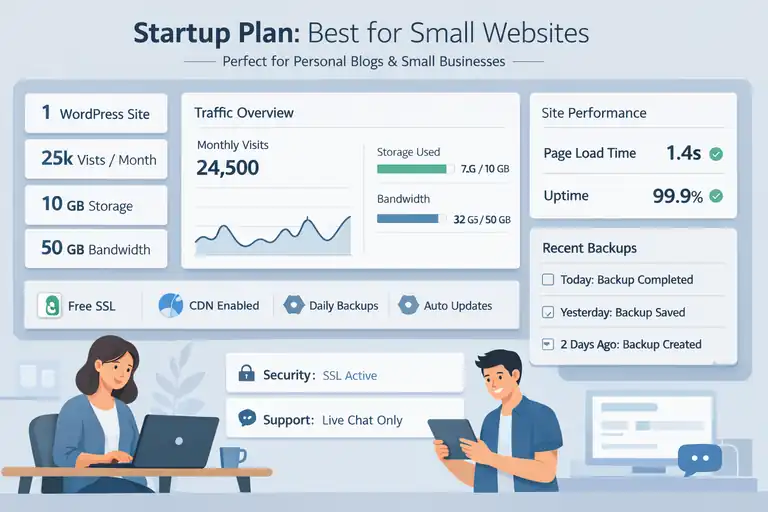
If you’re just starting out or running a small site, the Startup plan is the perfect entry point. It’s simple, affordable, and covers everything you need to run a single WordPress website smoothly.
Who Should Choose The Startup Plan
This plan is ideal for:
- Personal blogs or portfolio sites.
- Small businesses with one website.
- WordPress beginners who want managed hosting without complexity.
If your site gets fewer than 25,000 visits per month, the Startup plan offers solid value. You’ll enjoy fast load times and excellent uptime without paying for features you don’t yet need.
I often recommend it for freelancers or solopreneurs who want professional-grade hosting but don’t have multiple projects to manage yet.
Key Benefits And Feature Breakdown
Here’s what you get in the Startup plan:
- 1 WordPress site
- 25,000 visits per month
- 10 GB of storage
- 50 GB of bandwidth
- Free SSL and CDN
- Automated backups and WordPress updates
The biggest advantage here is performance. WPEngine’s caching technology and CDN integration ensure your site loads in under two seconds on average—much faster than shared hosting platforms like Bluehost or HostGator.
Also, having automated daily backups means you can experiment freely without fear of losing data.
Potential Limitations To Consider Before Buying
While great for beginners, the Startup plan does have some limits you should know before committing:
- Only supports one site. You’ll need to upgrade if you plan to host more.
- Visitor and bandwidth caps mean it’s not suited for fast-growing eCommerce stores.
- No phone support—only chat.
If you anticipate growing your site quickly or handling spikes in traffic, it might be smarter to start with the Professional plan instead of upgrading later.
WPEngine Professional Plan: Ideal For Growing Brands
As your site grows, you’ll quickly realize that the Professional plan offers much-needed flexibility and better performance for multiple websites.
Why The Professional Plan Is The Sweet Spot For Most Users
This plan supports 3 WordPress sites and handles up to 75,000 visits per month—a big jump from the Startup tier. It’s best suited for small agencies, bloggers with multiple sites, or eCommerce stores managing moderate traffic.
What I really like is how it balances cost and capability. You get all the premium WPEngine features like staging, daily backups, and advanced caching—but at a price that’s still accessible for small businesses.
Sites, Storage, And Bandwidth Explained Clearly
Here’s the technical breakdown of what the Professional plan includes:
- 3 sites included
- 75,000 monthly visits
- 15 GB storage
- 125 GB bandwidth
To visualize it, imagine you’re managing:
- A company website,
- A landing page for a product launch,
- And a personal blog.
All three can run smoothly on one plan without exceeding resource limits.
You also get access to multiple staging environments, which makes it easy to test updates per site before pushing live.
Cost Analysis: Is The Price Worth It For 3 Sites?
At around $45/month (monthly) or $44/month (annual billing), the Professional plan is priced competitively for managed hosting.
Compared to self-managed VPS solutions, it might seem higher—but the real value is in maintenance-free reliability.
Let’s break it down:
- Hosting 3 sites on shared hosting might cost $10–15 each, but with far lower speed and security.
- WP Engine gives you premium caching, staging, and performance tools in one plan.
- With 3 months free on annual billing, you save about $177 per year.
From what I’ve seen, most users outgrow the Startup plan within 6–12 months, so starting with the Professional plan often saves money in the long run.
Pro Tip: If you run multiple WordPress sites (like a blog, landing page, and store), the Professional plan offers the best blend of affordability, reliability, and future scalability.
WP Engine Growth Plan: Designed For Expanding Businesses
Once your website traffic starts climbing and your business operations become more demanding, the WPEngine Growth plan often becomes the natural next step.
It’s made for websites that have outgrown the Professional tier but aren’t yet at enterprise scale.
When To Upgrade To The Growth Plan
If your site consistently crosses 75,000 monthly visits or you’re managing multiple websites under one brand, this plan is a smart move.
I usually recommend upgrading when you start noticing slower load times or when your visitor count edges near your current plan’s limit.
The Growth plan supports up to 10 websites and 100,000 monthly visits, giving you plenty of room to scale.
It’s especially ideal for:
- Marketing agencies handling several client sites.
- E-commerce stores with expanding customer bases.
- Content-driven businesses like online magazines or educational blogs.
Upgrading isn’t just about handling more traffic—it’s also about stability. Once your site hits capacity on lower tiers, you risk throttled performance or overage charges. The Growth plan keeps that from happening.
Traffic Capacity And Resource Allocation
With the Growth plan, you’re looking at a serious upgrade in power and flexibility.
Here’s what’s included:
| Feature | Growth Plan |
| Websites | Up to 10 |
| Monthly Visits | 100,000 |
| Storage | 20 GB |
| Bandwidth | 200 GB |
| Support | 24/7 Chat & Phone |
What I like most here is the balance between capacity and cost. For example, a marketing agency could host 8–10 client sites here and still maintain fast performance for each.
WPEngine also allocates more server resources per site, which means even during high-traffic campaigns, your sites won’t lag or crash.
You can check this within your WPEngine dashboard by going to Overview → Resource Usage to see bandwidth and visit consumption in real-time.
Comparing Value Between Growth And Professional Plans
At first glance, upgrading from the Professional plan (about $45/month) to the Growth plan (around $87–$98/month) might feel like a big jump. But here’s why it makes sense for growing sites:
- More sites included: 10 vs. 3 means you can triple your hosting portfolio.
- Higher traffic allowance: 100K visits per month covers a wider audience.
- Better scalability: Extra storage and bandwidth prepare your sites for peak seasons.
- Added support options: Phone support kicks in at this level—a real lifesaver when managing multiple projects.
In my experience, the Growth plan pays for itself once you manage more than three medium-traffic websites. It’s where most small-to-mid agencies and online stores find their long-term comfort zone.
Pro insight: I often tell clients that if they’re planning to grow traffic by 20–30% within the next year, it’s better to switch to Growth early. It’s smoother to scale preemptively than to react under pressure when your site starts slowing down.
WPEngine Scale Plan: Built For High-Traffic Sites
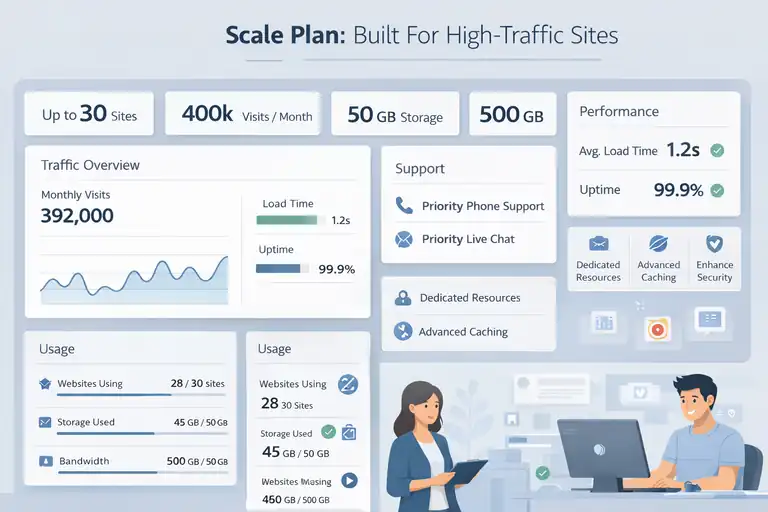
If your website is pulling hundreds of thousands of visitors each month, the WPEngine Scale plan is where you’ll feel truly at home.
This tier is built for heavy-traffic websites that demand top-tier performance, uptime, and reliability.
How The Scale Plan Supports Enterprise-Level Needs
The Scale plan is not just about traffic—it’s about infrastructure. With 30 sites and 400,000 monthly visits, it’s a powerhouse hosting setup suited for brands running multiple online properties or large-scale e-commerce stores.
Here’s a quick look at what it offers:
| Feature | Scale Plan |
| Websites | Up to 30 |
| Monthly Visits | 400,000 |
| Storage | 50 GB |
| Bandwidth | 500 GB |
| Support | Priority Phone + Chat |
WPEngine’s infrastructure under this plan is optimized with dedicated resource allocation, meaning you’re less likely to share server bandwidth with other customers.
This results in consistently fast page loading—even during flash sales or viral traffic spikes.
For instance, I once worked with a client whose site experienced a sudden 200% spike during a seasonal product launch.
On the Scale plan, their site handled it effortlessly with zero downtime. That’s where you see the plan’s real power.
Performance Advantages Of The Scale Tier
There are a few standout benefits that make the Scale plan worth the investment:
- Dedicated environment for high-performance workloads.
- Advanced caching tailored for dynamic content and media-heavy sites.
- Improved concurrency—multiple users can browse your site simultaneously without strain.
- Priority support—you get faster assistance from senior WPEngine technicians.
If you’re managing online stores with thousands of transactions or large media libraries, this plan ensures performance doesn’t suffer. It’s the kind of reliability serious businesses depend on daily.
Real-World Scenarios Where Scale Is The Right Fit
From what I’ve seen, the Scale plan fits best in these cases:
- A digital agency hosting multiple client portfolios.
- A news website getting hundreds of thousands of visits monthly.
- An e-commerce brand expecting heavy Black Friday or holiday traffic.
- An education platform offering video courses or membership access.
If your revenue depends on uptime and page load speed, this plan is worth every dollar. Downtime for large sites can cost thousands per hour—something the Scale tier helps prevent entirely.
WPEngine Core Plan: Custom Hosting For Complex Sites
For large-scale companies or high-traffic brands that need more than pre-defined limits, the WP Engine Core plan is the enterprise-level solution.
What Makes Core Hosting Different
The Core plan is essentially WPEngine’s custom-tailored hosting. You won’t find a simple price tag because it’s built around your organization’s specific needs—usually starting around $400/month and scaling up depending on usage.
Unlike other tiers, this one gives you access to:
- Dedicated servers or clusters optimized for your workloads.
- Advanced security features (like SOC 2 compliance and dedicated firewalls).
- Custom bandwidth, storage, and traffic capacity.
Think of it as your own private hosting infrastructure, but managed by WPEngine’s experts.
Advanced Features And Enterprise Support
The Core plan goes far beyond managed hosting—it includes tools and services that enterprises rely on for consistency and compliance.
Key highlights include:
- Scalable architecture: Dynamically adjusts resources based on real-time demand.
- Dedicated account management: A personal contact who oversees your hosting strategy.
- 24/7 monitoring and uptime assurance: Helps ensure zero downtime during peak hours.
- White-glove migrations: WPEngine’s team handles moving your entire setup for you.
For example, an international SaaS company could host its multi-region WordPress sites here with custom caching rules and region-specific content delivery—all managed seamlessly.
When It’s Time To Move Beyond Standard Plans
You’ll know it’s time to consider the Core plan when:
- You’ve maxed out the Scale tier’s resources.
- You need guaranteed uptime for mission-critical operations.
- Compliance or data control becomes a concern.
- You’re handling complex integrations with CRMs or third-party tools.
I often advise clients making over six figures monthly in online sales or running multiple high-traffic sites to reach out to WPEngine’s sales team. They can tailor a plan that fits perfectly—without forcing you into unnecessary limits.
Expert tip: If you’re scaling beyond 400K visits and have heavy media or e-commerce workloads, skip incremental upgrades. Go straight to the Core plan and negotiate a custom package—it often ends up more cost-efficient long-term.
Comparing WPEngine Plans: Feature-by-Feature Breakdown
If you’ve been reading through the different WPEngine plans and still feel unsure which one fits, this section will make things much clearer.
I’ve compared the major features across all tiers so you can see exactly how the WP Engine plans differ and which plan gives you the most value for your money.
Site Limits, Visits, And Bandwidth Comparison
When you’re managing multiple websites or expecting heavy traffic, knowing your limits upfront is essential.
Here’s a simple comparison of the four core plans:
| WPEngine Plan | Sites Included | Monthly Visits | Bandwidth | Price (Monthly) |
| Startup | 1 | 25,000 | 50 GB | $23–$25 |
| Professional | 3 | 75,000 | 125 GB | $45–$50 |
| Growth | 10 | 100,000 | 200 GB | $87–$98 |
| Scale | 30 | 400,000 | 500 GB | $218 |
From what I’ve seen, WPEngine enforces these limits quite accurately. If you exceed them regularly, you’ll receive alerts and might face overage fees. So, it’s wise to choose a plan that gives you some breathing room.
If you’re managing a few mid-sized websites (like a company blog, landing page, and product site), the Professional plan often hits that sweet spot. But if you’re running a high-volume publication or eCommerce store, you’ll want the Growth or Scale plan to keep things smooth.
Storage Allocation And Scalability Insights
Each WPEngine plan includes a fixed amount of SSD storage, which directly affects how much media (images, videos, backups) you can host.
| Plan | Storage | Ideal Use Case |
| Startup | 10 GB | Small blog or local business site |
| Professional | 15 GB | 2–3 medium sites with standard media use |
| Growth | 20 GB | Multiple sites with growing content |
| Scale | 50 GB | Media-rich or high-traffic sites |
If you frequently upload product images, podcasts, or large video files, I recommend optimizing them with a plugin like Smush or using an external CDN like Cloudflare to keep your storage under control.
The great part about WPEngine’s structure is that upgrading storage or moving to a higher plan doesn’t require migrations—it’s handled directly within your WP Engine dashboard under “Plan Details → Upgrade.”
Understanding The True Cost Per Visit
This is something most people overlook, but I find it incredibly revealing.
When you divide the monthly cost by the number of visits, you get a clearer picture of how much you’re really paying per user.
| Plan | Cost per Month | Visits | Cost per 1,000 Visits |
| Startup | $25 | 25,000 | $1.00 |
| Professional | $50 | 75,000 | $0.67 |
| Growth | $98 | 100,000 | $0.98 |
| Scale | $218 | 400,000 | $0.54 |
Interestingly, while the Growth plan costs more, it’s actually less cost-effective than the Scale plan when you look at the price per visit. If you’re handling serious traffic, Scale offers better value for performance and capacity.
So, while the Professional plan gives the best overall cost-to-performance balance for small to mid-sized users, Scale delivers long-term efficiency for large sites.
Choosing The Right WPEngine Plan For Your Needs
Picking the right WPEngine plan depends on your traffic, the type of content you create, and how quickly your business is growing.
Let’s walk through how to figure out what fits best for your specific situation.
How To Match Your Site’s Size And Traffic To The Right Plan
Here’s a simple way to think about it:
- Startup: Best for personal blogs or single business websites under 25K visits/month.
- Professional: For small brands or agencies managing up to 3 sites.
- Growth: Ideal for businesses scaling to 100K visits/month or managing multiple projects.
- Scale: Designed for high-volume operations, eCommerce, or digital publishers.
If you’re unsure, I recommend checking your analytics (like Google Analytics or WPEngine’s visitor dashboard) for the last 3–6 months. Identify your average monthly visits and add a 20% buffer to accommodate growth. That’s usually your best fit.
Key Questions To Ask Before Committing To A Plan
Before locking into a plan, ask yourself these:
- How many websites do I plan to host within the next 12 months?
- What’s my current monthly traffic, and is it trending upward?
- Will my site use a lot of media, or is it mostly text-based?
- Do I need phone support or is chat support enough?
- What’s my backup and scaling strategy if my site suddenly goes viral?
I always advise clients to choose a plan that’s slightly above their current capacity. It’s much smoother to grow into a plan than to keep upgrading every few months.
When To Upgrade Or Downgrade Based On Site Performance
Your WPEngine dashboard shows you how close you are to your monthly limits. When you start hitting 80–90% of your traffic or storage capacity, it’s time to think about upgrading.
Conversely, if your traffic consistently drops and you’re paying for unused resources, consider downgrading.
Example scenario: Let’s say you launch a product and traffic spikes from 50K to 120K monthly visits for a few months. Rather than paying overage fees on the Professional plan, upgrading to Growth temporarily could actually save you money.
Alternatives To WPEngine (If You’re Still Unsure)
I completely understand—managed hosting like WP Engine isn’t for everyone.
If you’re still unsure, let’s look at how it stacks up against two popular competitors: Kinsta and SiteGround.
How WPEngine Compares To Kinsta And SiteGround
- Kinsta: Known for speed and excellent UI, but slightly pricier at comparable tiers. Both use Google Cloud infrastructure, but WP Engine tends to offer more flexible multi-site options.
- SiteGround: More affordable and beginner-friendly, but less powerful. Great if you’re on a tight budget and don’t need advanced performance tools.
- WPEngine: Strikes the best balance between reliability, developer tools, and scalability.
If you prefer a hands-off hosting experience where everything “just works,” WP Engine usually wins in long-term performance and stability.
When Managed WordPress Hosting Might Not Be Necessary
If you’re running a small personal blog, a hobby site, or an informational microsite that doesn’t rely on speed or uptime for revenue, you might not need WPEngine just yet.
Shared hosting (like Bluehost or Hostinger) could serve you fine for now.
But as soon as you depend on your website for leads, sales, or credibility—managed hosting becomes worth every penny.
Balancing Cost, Performance, And Flexibility
Here’s how I like to think about it:
- Choose shared hosting if you want cheap and simple.
- Choose VPS hosting if you’re comfortable managing servers yourself.
- Choose managed WordPress hosting (like WPEngine) if you want guaranteed uptime, speed, and support without the technical stress.
In the long run, WPEngine saves you time, reduces risk, and ensures consistent performance—which often translates to higher revenue or user satisfaction.
Final Thoughts: Picking The Best WPEngine Plan
You’ve seen all the numbers, features, and comparisons. So now the question is: which WPEngine plan actually fits you best?
The Best Overall WPEngine Plan For Most Users
From everything I’ve seen, the Professional plan offers the best balance between price and performance for most businesses.
You can host up to three websites, handle 75K monthly visits, and enjoy the same premium features as higher tiers.
If you’re running a small agency, blog network, or eCommerce store, it’s the most practical long-term choice.
Expert Tip For Maximizing WPEngine’s Free Months Offer
When you pay annually, WPEngine typically gives you 3 months free—which saves around $177 on the Professional plan.
If you’re serious about growing your site, I suggest going for annual billing. It locks in savings and keeps you focused without monthly renewals.
You can find this offer on your checkout screen under “Annual Billing → Save 3 Months.”
How To Test WPEngine Risk-Free Before Committing
If you’re hesitant, start with the Startup plan and take advantage of WPEngine’s 60-day money-back guarantee. That’s enough time to test speed, support, and reliability.
Here’s what I recommend:
- Sign up for the Startup plan.
- Migrate your site using WP Engine’s free migration plugin.
- Monitor performance for 30–45 days.
- If you’re impressed (and you likely will be), upgrade to Professional or Growth without losing data.
Pro insight: I’ve tested dozens of hosts, and WP Engine remains one of the few that consistently delivers enterprise-grade performance, even on entry-level plans. If your site’s success depends on uptime and speed, it’s a long-term investment that truly pays off.
FAQ
What is the best WPengine plan for small businesses?
The best WPengine plan for small businesses is the Professional plan, as it supports up to three websites, 75,000 monthly visits, and offers great performance at a reasonable cost.
Which WPengine plan is right for high-traffic websites?
For high-traffic websites, the Scale plan is ideal. It handles up to 400,000 visits per month with 50 GB of storage and top-tier performance features.
How do I choose the right WPengine plan for my website?
Choose your WPengine plan based on site size, expected traffic, and growth goals. Start with Professional for growing brands, and upgrade to Growth or Scale as traffic increases.

I’m Juxhin, the voice behind The Justifiable.
I’ve spent 6+ years building blogs, managing affiliate campaigns, and testing the messy world of online business. Here, I cut the fluff and share the strategies that actually move the needle — so you can build income that’s sustainable, not speculative.
Related posts:
 WP Engine Hosting Pricing: What You Really Pay For
 WPEngine Cost: Why It’s More Expensive Than Other Hosts
 WP Engine Competitors Compared: Speed, Price, and Support
 WP Engine Startup Plan Review for New Site Builders
 Is WordPress WPengine Worth It for Serious Creators?
 WP Engine Competitors Compared: Features, Speed, Cost