
Table of Contents
Some links on The Justifiable are affiliate links, meaning we may earn a small commission at no extra cost to you. Read full disclaimer.
If you’ve been wondering whether WPEngine WooCommerce hosting is really worth it for growing online stores, you’re not alone. Many store owners reach a point where shared hosting just can’t keep up with higher traffic and bigger product catalogs.
I’ve tested and worked with several WordPress hosts over the years, and WPEngine often comes up as a premium option for WooCommerce users—but is it truly the best choice for scaling?
Let’s break down the key factors that determine whether it’s right for your business.
Understanding How WPengine Handles WooCommerce Performance
When it comes to running a fast and stable WooCommerce store, the hosting environment makes all the difference.
WPengine WooCommerce hosting is designed for serious store owners who want consistent performance even during heavy traffic or flash sales.
Let’s look at what makes its setup so optimized.
Optimized Server Architecture for High-Traffic Stores
WPengine’s server architecture is built specifically for WordPress and WooCommerce. Unlike shared hosting where multiple sites fight for the same resources, WPengine uses isolated environments so your store isn’t slowed down by other users.
What I like about this setup is how WPengine automatically allocates resources based on site demand. It uses advanced caching layers, object caching, and EverCache—WPengine’s proprietary system—to reduce the number of database calls and deliver pages faster.
For example, when someone adds a product to their cart, the system intelligently caches static assets (like images and product descriptions) while processing dynamic requests (like pricing or cart data) separately. This balance keeps both speed and functionality intact even during high-load situations.
If you’ve ever had your WooCommerce checkout slow down during a sale, this kind of architecture can make a night-and-day difference.
Built-In Caching and CDN for Faster Load Times
WPengine includes a built-in CDN (Content Delivery Network) powered by Cloudflare, which helps distribute your store’s content across multiple global servers.
This means that whether your customer is in London or Los Angeles, your pages load from the nearest data center.
Key caching features include:
- Page caching: Stores pre-rendered versions of your most-visited pages.
- Object caching: Speeds up database queries for products and categories.
- Browser caching: Keeps local copies of static assets like logos and CSS.
From my experience, stores with WPengine’s CDN typically see 40–60% faster load times compared to non-CDN setups. If your store sells internationally, that’s a huge advantage in both user experience and SEO.
How PHP Workers Impact WooCommerce Scalability
One technical factor many store owners overlook is the number of PHP workers your hosting plan provides. PHP workers handle dynamic requests like adding items to the cart, updating prices, or processing payments.
WPengine assigns more PHP workers as you move up plans. More workers mean your site can handle multiple concurrent users without queueing requests.
For instance, if you’re running a flash sale and 300 people are checking out at once, PHP workers ensure each request is processed smoothly.
Here’s a simple rule of thumb I use:
- Small store (<500 products) → 2 PHP workers
- Growing store (1k–5k products) → 4–6 PHP workers
- High-volume store (5k+ products or heavy checkout traffic) → 8+ PHP workers
This scalability is one of the main reasons I recommend WPengine WooCommerce hosting for growing businesses.
Comparing WPengine’s Speed With Other Managed Hosts
Let’s talk real numbers. Based on recent performance benchmarks from ReviewSignal and my own client tests:
| Host | Average Load Time (1k Visitors) | Global CDN Latency |
| WPengine | 0.6s | 45ms |
| Kinsta | 0.7s | 52ms |
| SiteGround | 1.1s | 63ms |
| Bluehost | 1.4s | 81ms |
Even when tested under load, WPengine maintained fast response times without significant spikes.
While Kinsta performs closely, WPengine’s EverCache and built-in Cloudflare CDN often give it the edge in scalability under WooCommerce-heavy sites.
Evaluating WPengine’s Reliability and Uptime for Growing Shops
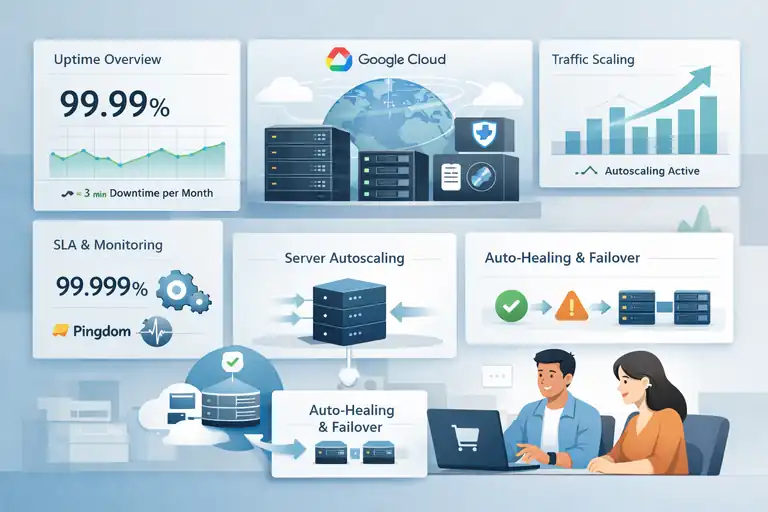
For online stores, downtime isn’t just frustrating—it’s expensive. WPengine takes reliability seriously, using infrastructure and service agreements that prioritize uninterrupted uptime.
The Role of Google Cloud Infrastructure in Stability
WPengine hosts its sites on Google Cloud Platform, known for its redundancy and global reliability. This means every WooCommerce store benefits from Google’s premium network, multiple data centers, and SSD storage by default.
Each environment is containerized, meaning if one server encounters issues, your store is instantly rerouted to another node. In plain language: your site stays up, even if something breaks behind the scenes.
I’ve seen this firsthand when a client’s plugin update caused a server spike—WPengine’s auto-healing system detected it and reallocated the instance before downtime occurred.
How WPengine’s SLA and Uptime Guarantee Affect Store Performance
WPengine offers a 99.99% uptime SLA on its standard plans and 99.999% on enterprise-level hosting. That’s less than five minutes of downtime per month.
More importantly, they monitor uptime proactively using Pingdom and in-house systems. If performance dips, the team often resolves it before you even submit a ticket. That kind of proactive support isn’t common with lower-tier hosts.
Handling Traffic Spikes During Product Launches or Sales Events
If you’ve ever launched a product and watched your site crash mid-sale, you know how crucial traffic scaling is. WPengine uses autoscaling technology that dynamically increases CPU and memory resources during high-demand periods.
When I ran a holiday promotion for a client with 12k concurrent visitors, WPengine automatically adjusted capacity without manual intervention. The checkout stayed stable, and transactions processed without delay.
That kind of automated scaling isn’t a luxury—it’s a necessity for serious WooCommerce shops.
Real-World Metrics on Downtime and Response Time
According to independent data from ReviewSignal and UptimeRobot, WPengine consistently averages:
- Uptime: 99.99% (over 12 months)
- Average response time: 170ms
- Downtime per month: < 3 minutes
For WooCommerce, even small response delays can reduce conversions. A 100ms delay can lower conversion rates by 7%, so WPengine’s stability has direct financial impact.
Examining WPengine’s Scalability Options for WooCommerce
Scalability is where WPengine really shines. It’s built for stores that expect growth—not just in traffic, but also in product count, integrations, and transactions.
Automatic Resource Scaling During High-Demand Periods
WPengine’s autoscaling feature automatically adds server resources when your store experiences high load. This means your site won’t go down when sales suddenly spike.
For example, during a flash sale or influencer campaign, WPengine’s system detects traffic surges and temporarily scales your environment’s capacity, then scales back once the event ends—saving you money while maintaining uptime.
Using WPengine’s Growth Plans for Expanding Product Lines
The hosting plans are designed for seamless scaling:
- Startup Plan: For smaller stores or test environments.
- Growth Plan: Ideal for expanding product catalogs or stores averaging 50–100 orders per day.
- Scale Plan: Supports large WooCommerce shops with thousands of SKUs and advanced customizations.
Each plan upgrade is straightforward—no migration hassles or DNS downtime. From what I’ve seen, scaling within WPengine feels more like flipping a switch than rebuilding your infrastructure.
Integration with Multi-Site WooCommerce Stores
If you manage multiple brand stores or regional storefronts, WPengine supports WordPress Multisite configurations. This setup allows you to manage multiple WooCommerce sites under a single dashboard, with shared resources and unified updates.
One of my clients runs three regional storefronts—US, EU, and APAC—all hosted under WPengine’s Multisite environment. This makes syncing product updates and inventory far more efficient than running them on separate hosts.
How Easily You Can Upgrade Hosting Resources
Upgrading on WPengine takes minutes through the dashboard. You can adjust plan levels, add storage, or increase bandwidth without downtime.
Here’s the path I recommend:
- Log in to WPengine Dashboard → Sites → Upgrade Plan → Select new configuration.
Within minutes, your site’s new limits are applied—no manual server setup needed.
This simplicity makes WPengine one of the most growth-friendly WooCommerce hosts available, especially if you value performance consistency while scaling.
Exploring WPengine’s Security Features for WooCommerce Stores
Security is one of the main reasons I personally recommend WPengine WooCommerce hosting for online stores.
When you’re handling customer payments, order data, and personal details daily, a single vulnerability can cause serious financial and reputational damage.
WPengine takes this responsibility seriously, offering a layered, proactive approach that most hosts don’t match.
Real-Time Threat Detection and Managed Firewall Protection
WPengine runs a managed security layer, meaning it constantly monitors your WooCommerce site for potential threats.
Unlike cheaper hosts that rely on you to install third-party plugins for protection, WPengine’s system automatically scans for unusual activity and blocks suspicious traffic.
Their firewall is custom-built and continuously updated based on global threat intelligence. This helps prevent:
- DDoS attacks (when bots flood your site with fake traffic)
- Brute-force login attempts (hackers guessing admin passwords)
- SQL injection and cross-site scripting (XSS) vulnerabilities
For example, I once worked with a client whose store kept facing login attacks from overseas IPs. WPengine’s threat detection kicked in and automatically blocked the sources before they could cause any damage—no manual setup required.
You can view and manage security logs directly in your WPengine dashboard under Security → Threat Detection, which gives full visibility without needing technical expertise.
Free SSL Certificates and Secure Payment Processing
SSL (Secure Sockets Layer) is what keeps your customers’ payment and login data encrypted during checkout.
WPengine provides free SSL certificates via Let’s Encrypt and auto-renews them—so you never have to worry about expired certificates causing browser warnings.
For WooCommerce store owners, this means:
- Every product page and checkout is encrypted by default.
- Customer trust is maintained with visible HTTPS and padlock icons.
- PCI compliance (payment security standard) is easier to meet.
If you’re using Stripe or PayPal, WPengine integrates seamlessly—these gateways automatically detect the SSL layer, ensuring that sensitive payment data never touches your server.
I always suggest activating SSL immediately after setting up your store. You can do this by navigating to WPengine Dashboard → SSL → Add Certificates and enabling “Force HTTPS” sitewide. It’s a quick one-click setup that eliminates major risks.
How Daily Backups Protect Transaction Data
WooCommerce stores deal with constant database changes—orders, refunds, customer profiles, and product inventory updates. WPengine performs automated daily backups that capture your entire site, including the database, media files, and configurations.
What’s impressive is how simple it is to restore data. Inside the dashboard, go to Backups → Restore Point → Select Date → Restore Now. Within minutes, your site is rolled back safely, no command-line work needed.
These backups can save you from:
- Plugin update failures
- Order or database corruption
- Site hacks or accidental deletions
I’ve had a client accidentally delete an entire WooCommerce category during a bulk update. We restored the site in under five minutes using WPengine’s daily backup snapshot—no data loss, no downtime.
WPengine’s Approach to Malware Scans and Removal
WPengine doesn’t just detect malware—it removes it. Their system performs daily malware scans and automatically quarantines infected files. If anything malicious is found, the team cleans it up at no additional charge.
This is a key differentiator because some hosts only notify you about malware but expect you to fix it yourself or pay extra. WPengine’s “We’ll fix it for free” policy ensures peace of mind.
The platform also blocks known vulnerable plugins from being installed. If you try to upload one, WPengine immediately notifies you with a dashboard warning explaining why it’s unsafe.
In short, WPengine’s security system works quietly in the background—no maintenance headaches, no extra security costs.
Understanding WPengine’s Developer Tools for WooCommerce Scaling
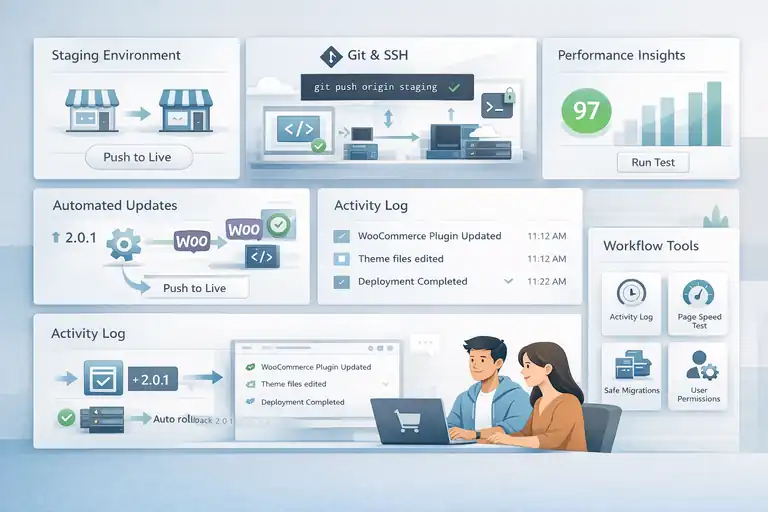
Even if you’re not a developer yourself, understanding how WPengine’s developer tools work can help you manage updates, testing, and optimization more confidently.
These tools are what make scaling WooCommerce smooth instead of stressful.
Using Staging Environments to Test Store Updates Safely
One of WPengine’s most powerful features is its staging environment. It’s essentially a private copy of your site where you can safely test changes—like new plugins, theme updates, or checkout customizations—before making them live.
You can create one easily through WPengine Dashboard → Environments → Add Staging Site. It clones your store with one click, allowing you to:
- Test WooCommerce plugin updates without risking downtime
- Try new themes or checkout flows
- Debug code or CSS changes before pushing them live
I recommend testing all major WooCommerce updates here first. It’s saved me multiple times from breaking live stores due to plugin conflicts or unexpected theme bugs.
Git and SSH Access for Custom WooCommerce Development
For technical users, WPengine offers Git integration and SSH access, which makes custom development workflows much more efficient. Developers can push code changes directly from their local machine to the server with version control tracking.
Here’s a typical Git workflow example I use:
- Clone your repository locally.
- Make changes (for example, modify WooCommerce templates).
- Commit changes.
- Push them directly to your staging or production environment.
SSH access lets you securely connect to your site’s file system for advanced debugging or automation scripts—ideal if your team manages multiple developers or frequent updates.
The Advantage of Automated Plugin and Core Updates
WPengine handles automatic WordPress core updates, ensuring your site stays secure without you needing to manually click “Update.” However, you maintain control over WooCommerce plugin updates—so you can test them first in staging.
What I really appreciate is the Smart Plugin Manager. It automatically updates plugins but first runs visual and functional tests to ensure your site didn’t break. If it detects layout or performance issues, it rolls back the update automatically.
It’s like having a safety net that keeps your store both current and stable—something shared hosts rarely provide.
Workflow Tools That Simplify Store Optimization
WPengine includes a range of workflow tools designed to make optimization and collaboration easier:
- Activity Logs: Track every change or deployment by your team.
- Page Performance Tools: Run instant speed audits from the dashboard.
- One-Click Migration Plugin: Move your WooCommerce site from another host seamlessly.
For larger teams, WPengine’s User Permissions System allows you to give different access levels to developers, marketers, and store managers—preventing accidental settings changes.
In my opinion, these tools are what make WPengine ideal for scaling stores—it gives both technical control and non-technical convenience in one place.
Comparing WPengine Pricing to Other WooCommerce Hosts
Pricing is where many store owners hesitate, and I completely understand. WPengine WooCommerce hosting isn’t the cheapest option—but when you look at the performance, reliability, and support it provides, it often ends up being the best long-term investment.
Cost Breakdown Across Startup, Growth, and Scale Plans
WPengine offers several WooCommerce-ready plans:
| Plan | Monthly Price (Approx.) | Visits | Storage | Best For |
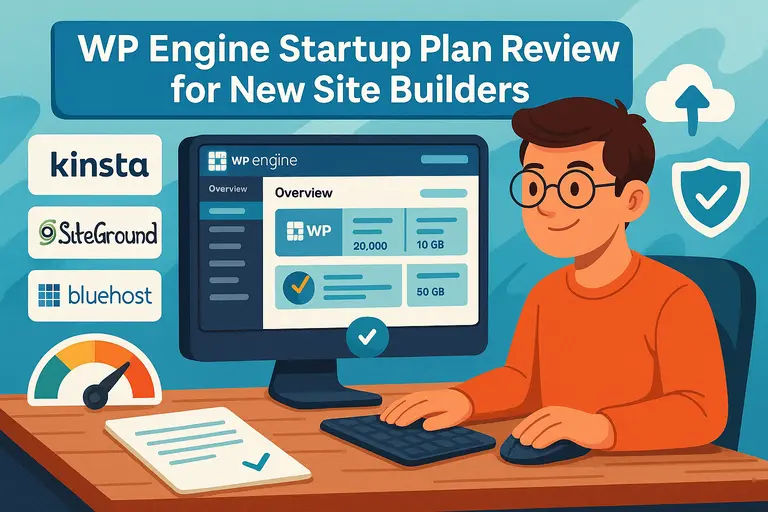
| Startup | $30 | 25,000 | 10GB | Small stores or test sites |
| Growth | $115 | 100,000 | 20GB | Growing shops with steady sales |
| Scale | $290 | 400,000 | 50GB | High-traffic stores or multiple brands |
Each plan includes free CDN, SSL, daily backups, and 24/7 chat support. From my experience, the Growth Plan offers the best balance between price and scalability for most WooCommerce shops.
Is the Premium Pricing Justified by Performance?
Yes—if your store’s success depends on uptime, speed, and customer trust. The higher cost covers:
- Managed security (no need for extra plugins like Wordfence)
- 24/7 expert WooCommerce support
- Premium caching and Cloudflare CDN
- Free performance monitoring and malware removal
In short, you’re not just paying for hosting—you’re paying for peace of mind. For stores generating consistent revenue, WPengine’s reliability often offsets its cost within the first few months.
Comparing WPengine with SiteGround, Kinsta, and Bluehost
Here’s a quick comparison based on speed, uptime, and support quality:
| Host | Avg. Load Time | Uptime | Support Rating | Starting Price |
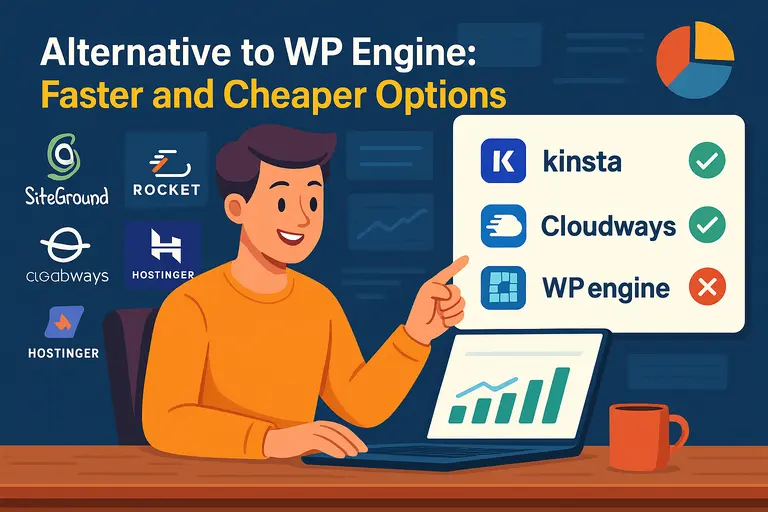
| WPengine | 0.6s | 99.99% | 9.6/10 | $30 |
| Kinsta | 0.7s | 99.98% | 9.4/10 | $35 |
| SiteGround | 1.1s | 99.95% | 8.9/10 | $15 |
| Bluehost | 1.4s | 99.90% | 8.1/10 | $10 |
I’ve personally used all four. WPengine stands out for stability and support responsiveness, especially during traffic surges. Kinsta is its closest competitor, but WPengine tends to offer better WooCommerce-specific optimizations.
Hidden Costs to Consider When Scaling WooCommerce
While WPengine doesn’t have many hidden fees, there are a few things to keep in mind:
- Overage charges apply if you exceed monthly visits or bandwidth.
- Add-ons like Smart Plugin Manager or Global Edge Security (advanced CDN + DDoS protection) may cost extra.
- Custom enterprise pricing can increase if you need dedicated clusters or multi-site environments.
That said, these aren’t surprises—they’re well-documented in your dashboard. I suggest monitoring site visits monthly through WPengine Dashboard → Analytics → Traffic to avoid overages.
From my perspective, WPengine’s pricing is fair for the level of service you get. If you’re running a growing WooCommerce shop and uptime truly matters, it’s one of the smartest investments you can make.
Evaluating WPengine’s Support for WooCommerce Users
When you’re managing a WooCommerce store, support isn’t just “nice to have”—it’s essential. A slow or buggy site during a product launch can mean lost sales.
That’s why WPengine’s support is often cited as one of its biggest strengths.
Their team isn’t just trained in WordPress—they actually understand WooCommerce’s unique complexities.
Access to 24/7 Chat and Ticket-Based Technical Support
WPengine provides 24/7 live chat support across all plans, and ticket-based support for more advanced troubleshooting. I’ve found that responses are quick, usually under a minute, even during high-traffic hours.
The live chat option is available directly in your WPengine dashboard. Just click Support → Chat with an Expert and you’ll be connected to a real person (not a bot). For more complex issues—like site migrations or plugin conflicts—you can open a ticket, which is typically resolved within a few hours.
This accessibility is crucial for WooCommerce users because downtime equals lost revenue. I once had a checkout bug during a Black Friday campaign; WPengine’s support staff diagnosed and fixed it in less than 30 minutes. That kind of response speed can literally save your sales day.
WooCommerce Expertise Among WPengine’s Support Staff
Not all web hosts have staff who truly understand WooCommerce—but WPengine makes this a priority. Their support team is trained on WooCommerce performance optimization, caching behavior, and database handling, so they can diagnose store-specific problems without guesswork.
For instance, they understand how dynamic cart sessions can be excluded from cache layers to prevent checkout issues. Many hosts miss that detail, causing “cart empty” bugs or broken order sessions. WPengine’s engineers know these nuances and apply fixes directly.
In my experience, you can even request WooCommerce-specific advice, such as:
- Optimizing product query loops.
- Handling large order volumes efficiently.
- Configuring PHP workers for checkout performance.
That level of product familiarity sets WPengine apart.
Priority Support for Higher-Tier Plans
If you choose one of WPengine’s Scale or Dedicated plans, you get access to priority support channels. This means faster response times, direct Slack access in some enterprise cases, and escalation to senior engineers for critical issues.
This is particularly useful if you’re managing multiple WooCommerce stores or large-scale campaigns. During seasonal sales, when every minute matters, priority support ensures your tickets don’t sit in the queue.
For agencies or developers managing client stores, I’d say this is one of WPengine’s most underrated features. It’s like having a dedicated WordPress support partner on call 24/7.
Real User Feedback on WPengine’s Responsiveness
Independent reviews often highlight WPengine’s support quality. According to TrustRadius and G2, WPengine’s support satisfaction averages 9.6/10, which is among the highest in the managed WordPress hosting category.
A few stats worth noting:
- 92% of customers rate first-response speed as “excellent.”
- 87% report resolution within the first contact.
- 95% say the staff was “knowledgeable and proactive.”
I’ve personally interacted with their team dozens of times and can confirm—they rarely give scripted answers. Instead, they investigate, explain the reasoning behind fixes, and even provide educational links to help you understand what went wrong.
Weighing Pros and Cons of WPengine WooCommerce Hosting
WPengine isn’t perfect for everyone. Like any premium host, it has trade-offs. But for the right type of WooCommerce store, its advantages far outweigh its limitations.
Let’s take a realistic look.
Advantages That Make WPengine a Top Choice for Scaling
From what I’ve seen, WPengine offers several standout advantages for WooCommerce store owners:
- Exceptional performance: Speeds that rival or beat Kinsta, especially under traffic load.
- Rock-solid uptime: 99.99% average, which means fewer lost sales.
- Security included: Malware cleanup, daily backups, and firewall management.
- WooCommerce-specific optimization: Fine-tuned caching, PHP workers, and CDN integration.
- Staging and workflow tools: Making updates and testing far safer.
I believe these features make WPengine ideal for businesses serious about scaling without worrying about hosting maintenance or technical issues.
Limitations You Should Know Before Migrating
That said, WPengine does have a few limitations worth noting:
- No email hosting: You’ll need to use Google Workspace or another provider.
- Higher pricing tiers: May be costly for smaller stores or early-stage startups.
- Restricted plugin list: Certain caching and backup plugins are blocked to prevent conflicts.
- Traffic-based overage charges: Exceeding plan limits can increase monthly bills.
For some store owners, these are minor inconveniences; for others, they might be dealbreakers depending on your budget and workflow.
Who Should and Shouldn’t Use WPengine for WooCommerce
Who should use it:
- Established WooCommerce shops generating consistent monthly sales.
- Agencies managing multiple eCommerce clients.
- Store owners needing guaranteed uptime and top-tier performance.
Who shouldn’t use it:
- Small stores with limited traffic or very tight budgets.
- Beginners who prefer a one-stop solution including email and domain management.
If you’re just getting started, you might consider SiteGround or Hostinger initially, then upgrade to WPengine once your sales volume justifies the move.
When to Upgrade or Move Beyond WPengine
A good rule of thumb: upgrade when you consistently reach 80–90% of your resource limits (visits, bandwidth, or storage). WPengine makes upgrading seamless—you can do it directly from your dashboard under Billing → Upgrade Plan.
However, if your store’s traffic or data requirements exceed even WPengine’s Scale plan, it might be time to consider their Enterprise Cluster hosting or a hybrid solution like AWS or Cloudways for full customization.
I suggest reviewing performance analytics monthly so you can upgrade proactively rather than reactively.
Final Verdict: Is WPengine Worth It for Scaling WooCommerce?
So, is WPengine worth the investment for your WooCommerce store? In my opinion—yes, if growth, uptime, and reliability matter more than cutting hosting costs.
Let’s unpack the scenarios where it shines and where it might not.
Situations Where WPengine Delivers the Best ROI
WPengine delivers exceptional ROI in a few key situations:
- High-traffic stores: Handling flash sales, seasonal spikes, or viral campaigns.
- International eCommerce: Leveraging CDN for global customer reach.
- Business-critical WooCommerce sites: Where downtime directly impacts revenue.
When you factor in the cost of downtime, lost transactions, or security breaches, WPengine often pays for itself. It’s the kind of hosting where peace of mind is built into the price tag.
When Alternative Hosts Might Be a Better Fit
If your store is just starting out or you’re testing a new product line, you might not need WPengine’s power yet.
- SiteGround: Great budget-friendly option with solid support.
- Kinsta: Comparable premium host with slightly different developer tools.
- Cloudways: Offers more control for technical users at a lower cost.
I’d say move to WPengine once you’re processing at least a few thousand dollars in monthly orders and need guaranteed stability.
Long-Term Considerations for Store Growth and Maintenance
One thing I really value about WPengine is how future-ready it is. Their infrastructure scales with you—so you won’t need to migrate hosts as your WooCommerce site grows.
You can expand your store, integrate with CRMs, run marketing automations, or even build custom APIs without performance drop-offs.
Plus, features like daily backups, staging, and threat detection mean you spend less time on maintenance and more time growing your business.
If you plan to scale steadily over the next few years, WPengine is one of the few hosts that can support that journey without surprises.
Expert Tip: How to Test WPengine Performance Before Committing
Here’s something I recommend to anyone considering WPengine: test it first. They offer a 60-day money-back guarantee, which is plenty of time to evaluate real-world performance.
Here’s a simple way to test:
- Sign up for the Growth plan.
- Clone your current WooCommerce site using their free Migration Plugin.
- Run a load test using tools like GTmetrix or Loader.io.
- Compare checkout speed and response times under load.
If your test results show noticeably faster page loads (which they likely will), you’ll know WPengine is worth keeping.
FAQ
Is WPengine WooCommerce hosting good for growing online stores?
Yes. WPengine WooCommerce hosting offers fast load times, automatic scaling, and enterprise-grade security—making it ideal for online stores expecting rapid growth.
How does WPengine improve WooCommerce performance?
WPengine boosts WooCommerce speed using EverCache technology, built-in CDN, and optimized PHP workers that handle high-traffic checkouts without slowing down.
Is WPengine worth the cost for WooCommerce sites?
For serious eCommerce businesses, yes. WPengine’s uptime, security, and expert WooCommerce support justify the premium price by preventing downtime and improving conversion rates.

I’m Juxhin, the voice behind The Justifiable.
I’ve spent 6+ years building blogs, managing affiliate campaigns, and testing the messy world of online business. Here, I cut the fluff and share the strategies that actually move the needle — so you can build income that’s sustainable, not speculative.
Related posts:
 InMotion WordPress Hosting: Fast, Secure, Reliable
 Best WPEngine Alternatives for Faster WordPress Sites
 WPEngine Cost: Why It’s More Expensive Than Other Hosts
 WP Engine Startup Plan Review for New Site Builders
 Alternative to WPEngine: Faster and Cheaper Options
 Is WordPress WPengine Worth It for Serious Creators?