
Table of Contents
Some links on The Justifiable are affiliate links, meaning we may earn a small commission at no extra cost to you. Read full disclaimer.
Getting a HostGator domain can look cheaper upfront, but are you really saving compared to other providers? Prices, renewals, and hidden costs can make a huge difference over time.
This guide will break down HostGator domain pricing against top competitors and show you proven ways to save money while still getting the right domain for your brand.
HostGator Domain Pricing Explained Clearly
When you look at HostGator domain pricing, the numbers on the screen can seem like a bargain at first. But the real trick is understanding the difference between the “introductory” rate, the renewal cost, and the add-ons that sneak into your bill.
Let me break each of these down so you know exactly what you’re signing up for.
How HostGator Introductory Pricing Works
HostGator grabs attention with eye-catching intro offers.
For example:
- .site domains can start at $0.99 for the first year.
- .com usually runs around $12.99 for the first year.
- .online sometimes dips as low as $1.99 in special promos.
The catch? These prices are “introductory.” That means they apply only for your first year. Once you hit year two, renewal prices jump significantly.
For instance, that $0.99 .site jumps to $39.99/year. The .com renewal is $22.99/year — still reasonable compared to some providers, but almost double the first-year rate.
I like to think of these intro deals as a trial run. If you’re building a test project or want to grab a domain while you brainstorm, the first-year deal is excellent. But if you’re thinking long term, you need to plan around the renewal costs.
Renewal Rates You Need to Watch Out For
Here’s where a lot of people get stung. HostGator domains often renew at rates that can surprise you if you weren’t paying attention to the fine print.
A few examples:
- .com: $22.99/year
- .org: $20.99/year
- .online: $49.99/year
- .tech: $69.99/year
When you compare those renewals to the intro rates, you’re looking at jumps of 200–500%. If you’re managing several domains, that adds up quickly.
I always advise setting a calendar reminder 30 days before renewal so you’re not caught off guard. That gives you time to decide if you want to keep the domain at HostGator or transfer it to a cheaper registrar.
Extra Fees and Add-Ons That Affect Your Bill
Beyond the sticker price, HostGator likes to suggest add-ons during checkout.
You’ll see options like:
- Domain Privacy Protection: Around $14.95/year. It hides your personal info in the WHOIS database. I’d recommend keeping this — without it, your email and address can get spammed.
- Email Hosting: Sometimes pitched during checkout, but honestly, you can get email free through Gmail or bundled into hosting. Skip unless you really need it.
- Website Security Add-ons: SSL certificates are often promoted. HostGator offers free SSL with most hosting plans, so don’t double-pay here.
In my experience, the only must-have is privacy protection. Everything else is nice-to-have but not essential if you’re looking to keep costs lean.
Comparing HostGator With Top Competitors

Knowing HostGator’s domain pricing is only half the picture. To figure out if you’re actually saving money, you need to put it side by side with other popular registrars.
Let’s look at Bluehost, Hostinger, GoDaddy, and Namecheap, and see where the better deals really are.
Bluehost vs HostGator: Which Domain Saves More?
Bluehost and HostGator are often mentioned in the same breath because they’re both owned by the same parent company. You’d think their prices would be identical, but they aren’t.
- Bluehost usually charges $12.99 for a .com for the first year — almost identical to HostGator.
- Renewal rates on Bluehost hover around $19.99 for a .com, which is actually a little lower than HostGator’s $22.99 renewal.
If you’re buying just one domain, Bluehost might give you a small edge over time. But HostGator sometimes offers deeper promos on less common extensions (.site, .online).
Personally, I’d say HostGator is better for snatching up cheap first-year domains, while Bluehost wins for long-term .com renewals.
Hostinger vs HostGator: Budget-Friendly Domain Options
If you’re truly budget-conscious, Hostinger often outshines HostGator.
- Hostinger runs promos where you can grab a .com for $9.99/year (intro).
- Renewals usually land around $13.99–$15.99, much cheaper than HostGator’s $22.99 renewal.
Here’s the kicker: If you buy hosting with Hostinger, they sometimes throw in a free domain for the first year. That combo is hard to beat if you’re starting from scratch. If price is your only concern, I’d suggest Hostinger over HostGator for domain management.
GoDaddy vs HostGator: Renewal Pricing Breakdown
GoDaddy is infamous for cheap first-year prices and expensive renewals.
- You can often find .com domains at GoDaddy for as low as $0.01 for the first year if you bundle with other products.
- But renewals shoot up to around $21.99–$23.99 for .com — roughly the same ballpark as HostGator.
The real difference is upsells. GoDaddy’s checkout page feels like walking through a carnival — email hosting, SEO services, website builders — it all adds up fast. If you’re not careful, you’ll spend way more than intended.
HostGator is simpler, though still not immune to upsells. Between the two, I’d lean HostGator for a cleaner buying process, but not necessarily for savings.
Namecheap vs HostGator: Affordable Alternatives
If I had to pick one competitor that consistently beats HostGator on domain pricing, it’s Namecheap.
- .com intro price is usually $8.98/year.
- Renewals are around $13.98 — way below HostGator’s $22.99.
- Free privacy protection is included for life.
That last part matters. With HostGator, privacy costs extra. With Namecheap, you get it free forever. For long-term domain ownership, Namecheap almost always wins.
The only time HostGator makes sense is if you’re already using them for hosting and want everything under one dashboard.
How to Spot Hidden Domain Costs Early
If you’re buying a HostGator domain for the first time, the price you see isn’t always the price you’ll pay in the long run.
I’ve learned the hard way that there are hidden costs tucked away in renewals, fees, and optional extras. Spotting them early can save you from an unpleasant surprise when your first-year discount runs out.
The Truth About Renewal Price Increases
The biggest hidden cost is renewal pricing. That $0.99 .site you picked up feels like a steal until you realize it renews at $39.99/year. It’s not a scam — every registrar does this — but it’s sneaky because the jump is so steep.
Here’s a quick snapshot of how some popular HostGator domain extensions change after the first year:
| Domain Extension | Intro Price (Year 1) | Renewal Price (Year 2+) | % Increase |
| .com | $12.99 | $22.99 | +77% |
| .site | $0.99 | $39.99 | +3950% |
| .online | $1.99 | $49.99 | +2400% |
| .org | $14.99 | $20.99 | +40% |
If you own multiple domains, these increases can snowball. I always suggest setting reminders in your calendar for 11 months after purchase so you have time to decide whether to keep the domain or transfer it to a cheaper provider.
Understanding ICANN Fees and Transfer Charges
Another cost that can sneak in is the ICANN fee. ICANN is the global organization that regulates domains, and registrars pass their small fee (usually $0.18 per year) on to you. It’s not huge, but it’s worth knowing about so you’re not confused by the extra line item.
Transfers are another spot where costs appear. If you move a domain away from HostGator after your first year, you’ll usually need to pay for an additional year of registration at the new registrar.
For example, if you transfer to Namecheap, you’ll pay their standard renewal price to complete the transfer. It’s not really a penalty — it’s just how the system works — but many new buyers don’t realize this until they’re in the middle of moving a domain.
Upsells You Might Not Actually Need
HostGator likes to bundle extras during checkout, and I’ve learned that most of them aren’t essential. Some common ones include:
- Privacy Protection: This one is worth keeping. Without it, your personal info is exposed in public WHOIS records.
- Professional Email Hosting: You don’t need to pay extra for this if you’re already using Gmail or Microsoft 365.
- SiteLock Security: If you’re hosting elsewhere with free SSL and a decent firewall, you can skip this.
- Website Builder Add-ons: Tools like WordPress are free and much more flexible.
Think of these upsells as menu extras. You don’t need to order everything to get a good meal. In fact, skipping unnecessary add-ons is one of the easiest ways to keep your domain costs under control.
Proven Tips to Save on HostGator Domains
Here’s where you flip the script and actually make HostGator’s system work in your favor. With a little planning, you can lock in great deals upfront and avoid paying inflated renewal prices later.
Using Introductory Offers Without Overpaying Later
The intro offers are genuinely good if you treat them like a coupon. For example, grab a $0.99 .site domain to test an idea, but don’t keep it at $39.99/year.
I often use intro offers for short-term projects, landing pages, or brand experiments. Before the renewal comes up, I either let them expire or transfer them somewhere cheaper.
Think of it like getting a free sample. Enjoy it, use it, and then decide if it’s worth the full price.
Bundling Domains With Hosting for Bigger Discounts
If you’re also buying hosting, HostGator sometimes includes a free domain for the first year. From the dashboard, when you’re setting up your hosting plan, you’ll see an option to “Choose a free domain.” This is a great way to avoid paying even the intro fee.
I suggest bundling only if you’re sure you want to stick with HostGator hosting for at least 12 months. If you’re unsure about the hosting, it might be smarter to keep your domain separate so you can switch providers more easily later.
Transferring Domains to Cheaper Registrars After Year One
This is my favorite long-term strategy. Use HostGator for the first year to get the low intro price, then move your domain to a registrar with better renewals like Namecheap or Hostinger.
The process is straightforward:
- Go to your HostGator control panel and unlock the domain.
- Request the authorization (EPP) code.
- Start a transfer at the new registrar and enter the code.
- Pay for one year of registration at the new registrar’s rate.
In practice, you might save $7–$10 per domain per year by doing this. If you own multiple domains, those savings add up quickly. I know people who run portfolios of 50+ domains, and this strategy literally saves them hundreds every year.
When HostGator Domains Are the Smart Choice
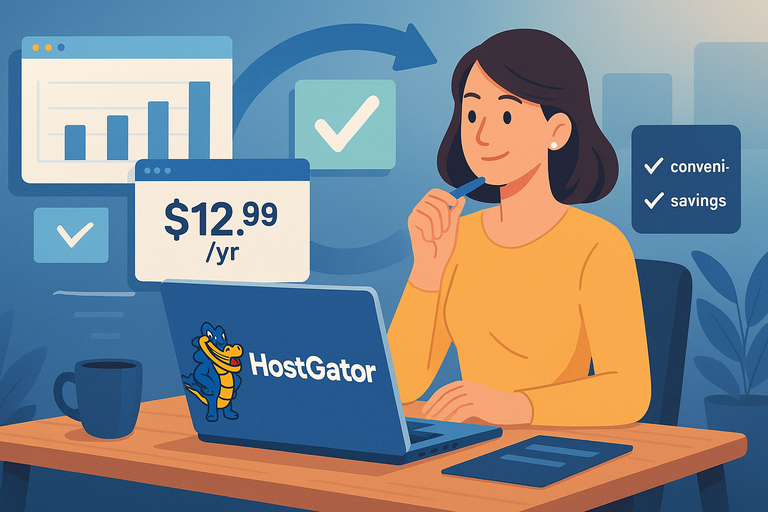
HostGator domains aren’t always the cheapest, but there are times when choosing them makes sense. It comes down to convenience, specific situations, and how you plan to manage your domains long term.
Best Situations to Choose HostGator for Domains
I believe HostGator domains are a solid pick when you’re already using their hosting. From your HostGator dashboard, you can manage your hosting plan and your domain under the same login, which saves time. For beginners, this simplicity can be worth paying a few extra dollars per year.
Another smart use case is when you want to test a project for less than 12 months. HostGator’s intro offers — like $0.99 for .site or $1.99 for .online — are unbeatable if you’re just experimenting.
I’ve personally used these deals for short-term campaigns where I didn’t care about the renewal.
Finally, if you’re buying only one domain and want everything bundled, HostGator makes life easier. You won’t have to jump between providers or figure out domain pointing.
When You’re Better Off Registering Elsewhere
There are clear situations where HostGator isn’t the best option.
For example:
- If you’re building a domain portfolio, renewal rates will eat into your budget fast. Namecheap is much cheaper long term.
- If privacy protection matters, HostGator charges extra, while Namecheap includes it for free.
- If you want bulk discounts, registrars like Dynadot or Porkbun are better suited.
From my experience, if you’re serious about long-term domain ownership, HostGator rarely wins on pure cost.
Balancing Convenience vs Long-Term Savings
Here’s the trade-off: HostGator gives you convenience, but it comes at a price. The question you need to ask yourself is simple: “Do I value saving time or saving money more?”
- If time is your priority, stick with HostGator. You’ll enjoy the all-in-one setup.
- If money is your priority, grab the intro deal at HostGator and then transfer out before the renewal.
I’ve done both depending on the project, and I can tell you there’s no one-size-fits-all. It’s about balancing your goals with what you’re comfortable managing.
Expert Strategies for Long-Term Domain Savings
Buying a domain isn’t just about getting it cheap today. It’s about making sure you don’t overpay for years to come.
Here are strategies I recommend that can keep your domain costs lean without losing reliability.
Locking in Multi-Year Registrations at Lower Rates
Some registrars allow you to register domains for multiple years upfront. HostGator’s intro discounts are usually only for one year, but competitors sometimes let you lock in a better rate for 2–3 years.
For example, if a .com is $12.99 the first year and $22.99 afterward, registering for multiple years at a registrar with lower renewals (like Namecheap at $13.98) can save you over $100 across a decade. I always suggest checking if multi-year discounts are available before committing.
Setting Reminders to Avoid Surprise Renewals
The single most powerful money-saving tactic I use is simple: reminders. Put a reminder in your phone or Google Calendar at least 30 days before a domain renews.
This gives you time to:
- Decide if you still need the domain.
- Compare renewal prices with other registrars.
- Start a transfer if you want to move.
I’ve had friends lose hundreds because they let renewals hit their card automatically without noticing the price increase. A 2-minute reminder setup saves you from that headache.
Mixing and Matching Registrars for Maximum Value
Here’s a little trick I use: Don’t put all your domains with one registrar. Instead, mix and match based on what each provider does best.
- Use HostGator for intro deals and bundled domains with hosting.
- Use Namecheap for long-term .com ownership and free privacy protection.
- Use Hostinger if you’re pairing hosting with a free first-year domain.
Yes, it means logging into a few different dashboards, but the savings are real. For example, I saved over $70 in one year by moving five domains from HostGator to Namecheap after the first-year discount expired.
Final Breakdown: HostGator vs Competitors
At the end of the day, it comes down to comparing the numbers side by side. Let’s lay it all out clearly.
Cost Comparison Across Popular Domain Extensions
Here’s a quick comparison of first-year vs renewal rates (approximate averages):
| Registrar | .com (Year 1) | .com Renewal | Privacy Protection |
| HostGator | $12.99 | $22.99 | $14.95/year |
| Bluehost | $12.99 | $19.99 | $11.88/year |
| Hostinger | $9.99 | $13.99 | Free (1st year) |
| GoDaddy | $0.99–$2.99 | $21.99–$23.99 | $9.99/year |
| Namecheap | $8.98 | $13.98 | Free for life |
The table makes it obvious: HostGator is decent for year one but more expensive long term, especially when you add privacy protection.
Who Wins on Affordability and Reliability
- Affordability: Namecheap usually wins hands down for renewals.
- Reliability: HostGator and Bluehost both provide a solid dashboard and support if you like everything in one place.
- Promos: GoDaddy and HostGator compete for the cheapest intro deals, but GoDaddy’s upsells can make checkout messy.
From my perspective, the sweet spot is using HostGator for an intro grab and then moving to Namecheap or Hostinger for renewals.
Smartest Overall Strategy for Domain Buyers
If I had to give you one clear strategy, it would be this:
- Buy your domain at HostGator if they’re offering a killer intro price.
- Use it for the first year while you get your site up and running.
- Transfer it to a registrar with lower renewals before the second year.
This way, you get the best of both worlds: HostGator’s discounts upfront and long-term savings elsewhere.
Conclusion and Pro Tip
A HostGator domain can be a smart buy if you treat the first-year price as a launchpad rather than a lifelong commitment.
I advise you to take advantage of the deals, but plan ahead with transfers and reminders to avoid paying more than you need to.
Pro tip: If you’re juggling multiple domains, keep a spreadsheet of purchase dates, intro rates, and renewal costs. It sounds nerdy, but it will save you hundreds over time and help you stay in control of your digital assets.

I’m Juxhin, the voice behind The Justifiable.
I’ve spent 6+ years building blogs, managing affiliate campaigns, and testing the messy world of online business. Here, I cut the fluff and share the strategies that actually move the needle — so you can build income that’s sustainable, not speculative.
Related posts:
 Hostinger Free Domain Guide: Register Without Paying
 Webhostingpad: Everything You Need to Know
 The Ultimate Guide to UltraWebHosting: Features, Benefits, and Pricing
 How to Host a Website: A Step-by-Step Guide for Beginners
 How to Navigate HostGator cPanel Like a Pro
 HostGator VPS Pricing: Pros, Cons & Cost Breakdown