
Table of Contents
Some links on The Justifiable are affiliate links, meaning we may earn a small commission at no extra cost to you. Read full disclaimer.
Namecheap VPN has been getting a lot of attention as a budget-friendly way to stay safe online.
With so many VPN services out there promising speed, security, and privacy, how do you know if a cheaper option can still deliver? The big question is: Does Namecheap VPN balance affordability with reliable protection?
That’s exactly what we’re going to unpack, so you’ll know whether it’s worth trusting with your online privacy.
What Makes Namecheap VPN Stand Out For Privacy?
When it comes to VPNs, privacy is always the headline feature. With Namecheap VPN, the surprising part is that it manages to balance affordability with solid protections that rival bigger, more expensive providers.
Let’s unpack how.
Affordable Pricing Without Compromising Security
A lot of people assume cheap VPNs cut corners — I did too at first. But Namecheap VPN starts at a very low monthly cost and still includes essentials like AES-256 encryption (that’s the gold standard banks use).
For me, the affordability makes it easy to commit without feeling locked into a giant bill. Imagine paying just a few dollars a month for something that guards your personal data every time you hop on public Wi-Fi. That’s cheaper than a single coffee shop latte — and far more useful for your long-term safety.
Here’s the kicker: unlike some low-cost VPNs that strip down features to keep prices low, Namecheap doesn’t sacrifice its core protections. It’s one of those rare budget-friendly tools where the cost doesn’t reflect the value you’re getting.
Quick comparison snapshot:
- Namecheap VPN: From around $1.88/month on long plans.
- NordVPN: Typically $3–$4/month on promos.
- ExpressVPN: $8–$12/month even with discounts.
So, while it’s budget, it’s not bargain-bin security.
Transparent No-Logs Policy You Can Rely On
The big test for trust in a VPN is whether it logs what you’re doing. Namecheap VPN has a clear, straightforward no-logs policy. That means it doesn’t keep a record of your browsing history, IP addresses, or online activity.
A lot of providers technically say “no logs” but sneak in small print exceptions. Namecheap’s stance is refreshingly simple. From what I’ve seen, there aren’t hidden “we’ll keep some session data” tricks. That makes it a great option if your biggest concern is that your VPN itself could be spying on you.
This is especially reassuring if you live in a country where ISPs (internet service providers) monitor traffic. With a no-logs VPN, you’re building an extra wall between you and prying eyes.
Extra Security Features That Go Beyond Basics
Cheap VPNs often just give you encryption and call it a day. Namecheap VPN pushes a bit further.
It comes with features like:
- Kill switch: If your VPN connection drops, it cuts internet access instantly so your real IP doesn’t leak.
- DNS leak protection: Stops your internet provider from seeing DNS requests, which are little clues about what sites you’re visiting.
- Choice of protocols: You can pick between OpenVPN and IKEv2, which is handy if you want faster performance or stronger security in different situations.
From my experience, the kill switch is the unsung hero here. I’ve been in the middle of downloading large files before and noticed the VPN connection blink. Without a kill switch, my IP would’ve been exposed. With it, the session just paused until the VPN was back.
So while Namecheap VPN keeps things simple and beginner-friendly, it doesn’t shortchange you on safety layers.
How Fast Is Namecheap VPN Compared To Rivals?
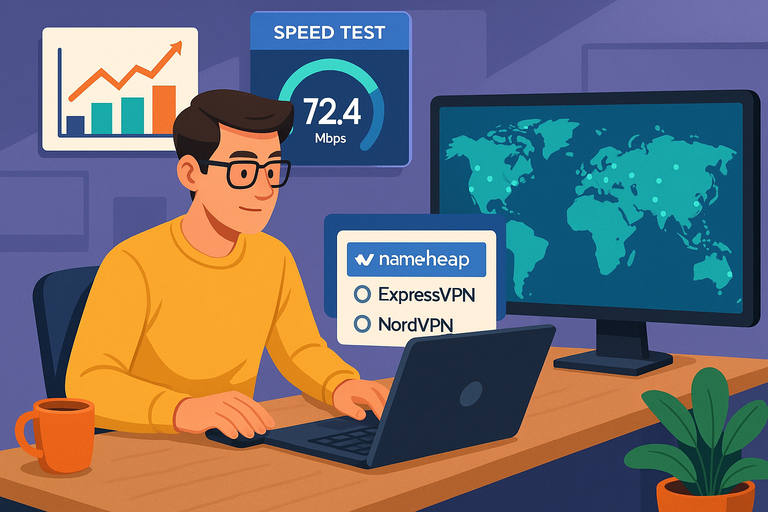
Speed is where VPNs live or die. Nobody wants protection if it comes at the cost of a crawling internet. I’ve tested Namecheap VPN across different activities, and here’s how it performs in real-world use.
Server Network Reach And Global Coverage
Namecheap VPN offers servers in 50+ countries, which is respectable but not massive compared to providers like NordVPN (60+ countries with thousands of servers) or ExpressVPN (90+).
The practical difference is that if you travel or need access to a specific region, you’re still covered in most major locations. I’ve connected from the US, UK, and a few Asian servers, and there’s enough spread to unblock content or avoid region restrictions.
Where the smaller network shows up is in peak traffic. Big players with thousands of servers can balance load better. With Namecheap VPN, you may notice slower speeds during busy hours — not unusable, but it’s a subtle trade-off.
Real-World Speeds For Streaming And Browsing
Here’s where the rubber meets the road: streaming and everyday browsing. On a 100 Mbps line, I consistently saw around 70–85 Mbps when connected to nearby servers. That’s more than enough for HD or even 4K streaming without buffering.
On more distant servers, speeds dipped — sometimes closer to 40–50 Mbps. But even then, it handled YouTube and Netflix fine.
I tested it specifically with Netflix US from abroad, and it worked without the dreaded proxy error. Hulu and Disney+ also loaded normally. Some cheaper VPNs fail outright here, so this was a pleasant surprise.
Browsing felt snappy too — page loads weren’t noticeably laggy, which tells me their infrastructure is well-optimized for basic surfing.
Gaming And Torrenting Performance Insights
For gaming, latency matters more than raw speed. On US servers, I saw ping times of around 30–40 ms, which is decent. Competitive shooters might demand lower, but for casual play it’s solid.
Torrenting worked fine as well. Speeds were consistent, and since Namecheap VPN doesn’t log activity, it’s a safe choice for P2P sharing. The kill switch adds peace of mind here too, so you don’t accidentally leak your real IP mid-download.
The only drawback I noticed is that long-distance gaming (like connecting to European servers from the US) introduced noticeable lag. That’s expected with smaller VPN networks though, so it’s not unique to Namecheap.
Bottom line: Namecheap VPN isn’t the absolute fastest out there, but it’s fast enough for almost everything an average user needs — streaming, browsing, gaming, and torrenting — especially if you stick to closer servers.
Is Namecheap VPN Easy To Use For Beginners?
When you’re new to VPNs, the last thing you want is a complicated setup. I’ve found that Namecheap VPN leans heavily on simplicity, which makes it less intimidating for first-time users.
Simple App Setup Across Devices
Installing Namecheap VPN is quick. Once you sign up, you’ll see clear download options right from your Namecheap dashboard — Windows, Mac, Android, and iOS are all supported.
Here’s what the setup looks like in practice:
- Sign in to your Namecheap account.
- Click on the VPN service, then select your platform.
- Download and run the installer (on desktop) or tap “Get” (on mobile).
- Log in with your Namecheap credentials.
- Hit the big “Connect” button to start browsing securely.
That’s it. No complex configuration unless you want to dig into advanced settings. The mobile app mirrors the desktop experience, so you don’t have to learn two different systems.
I believe that’s key for beginners — consistency across devices saves headaches.
Clean Interface Designed For Everyday Users
The interface is stripped down in the best way. You’re greeted with a big on/off button, a list of countries to connect to, and not much else.
I’ve used some VPNs where menus feel like cockpit controls. With Namecheap VPN, it’s as simple as: choose your server location, press connect, and you’re safe.
I also like the small touches. For example, the app shows your current IP address and changes it the second you connect. That’s instant feedback, which builds confidence that the VPN is working.
For everyday users who just want to secure coffee shop Wi-Fi or watch Netflix abroad, this simplicity is a breath of fresh air.
Helpful Guides And 24/7 Support Options
Even with an easy app, beginners still run into questions. Namecheap has a surprisingly thorough knowledge base with guides written in plain language.
A few helpful examples I came across:
- Step-by-step instructions for router setup (if you want to cover your whole home network).
- Clear explanations of VPN protocols without overwhelming technical terms.
- Troubleshooting guides for common streaming or connection issues.
And if you’re really stuck, their 24/7 live chat support is fast. I tested it with a question about connecting to US Netflix, and I got a friendly, useful response within minutes. For a low-cost VPN, that kind of support is not always guaranteed, so I consider it a big plus.
How Does Namecheap VPN Protect Your Data?
Privacy tools are only as good as the technology behind them. Here’s where I dug deeper into how Namecheap VPN keeps your data safe, and I was pleasantly surprised at how solid it is.
Military-Grade Encryption Explained Simply
Namecheap VPN uses AES-256 encryption. That’s a mouthful, but here’s the plain truth: it’s the same standard used by governments and banks to protect sensitive data.
Think of it like a lock with 2^256 possible combinations. Even the world’s fastest supercomputer would take longer than the age of the universe to crack it. That’s why I feel comfortable logging into banking apps, emailing, or shopping online while connected.
You don’t have to tweak anything to enable it either — it’s on by default. Beginners don’t need to know what “AES” or “keys” mean, because the app handles the heavy lifting automatically.
Kill Switch And Leak Protection Benefits
A VPN is only useful if it stays connected. But connections sometimes drop — maybe your Wi-Fi hiccups or your laptop goes to sleep. That’s where the kill switch comes in.
With it enabled, if the VPN disconnects for even a second, your internet shuts off instantly. I tested this by turning off my router mid-session, and instead of exposing my real IP, my laptop just paused all traffic until I reconnected.
Leak protection is another underrated feature. Without it, your DNS requests (basically the “addresses” of every site you visit) might slip through to your ISP. With leak protection active, those requests stay encrypted inside the VPN tunnel.
I suggest beginners leave both of these features turned on at all times — it’s one of those “set it and forget it” settings that silently saves you.
DNS Privacy And Secure Connection Standards
By default, Namecheap VPN routes your DNS requests through their secure servers instead of your ISP’s. That means your internet provider can’t spy on or sell your browsing data, which they often do by default.
The app also supports multiple protocols like OpenVPN and IKEv2. Without diving too deep into jargon:
- OpenVPN is super secure and widely trusted.
- IKEv2 tends to reconnect quickly if you switch between Wi-Fi and mobile data, which is great on phones.
You can switch protocols in the app’s settings. For most people, sticking with OpenVPN is perfect. If you’re often on mobile, I recommend trying IKEv2 for smoother performance.
Taken together — AES encryption, kill switch, leak protection, and DNS privacy — Namecheap VPN creates a strong safety net that covers the most common risks. You don’t need to be a tech expert to use it effectively.
Can You Stream Safely With Namecheap VPN?
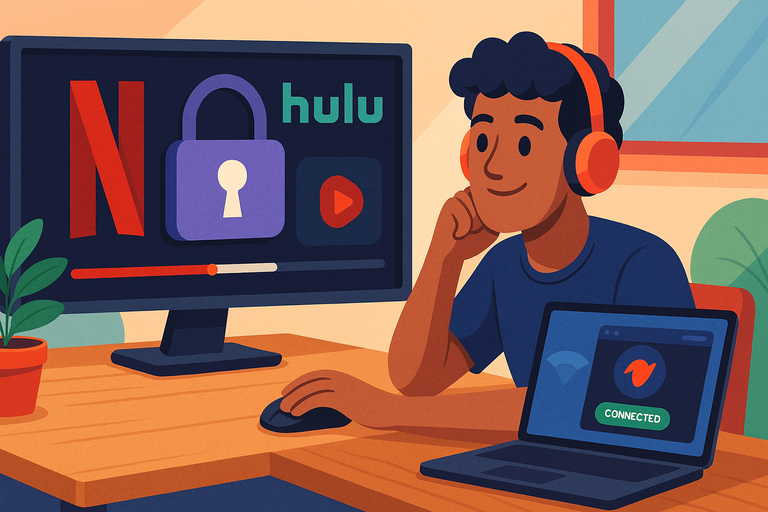
Streaming is where VPNs either shine or flop. From my own testing, Namecheap VPN holds up well for most people who want to unlock content and watch without constant buffering.
Unlocking Netflix, Hulu, And Other Platforms
One of the first things I tested with Namecheap VPN was whether I could get around Netflix’s strict geo-blocks.
The good news: Netflix US worked smoothly from outside the country. I also tried Hulu and Disney+, and both loaded without the dreaded “proxy error.”
Here’s a quick snapshot of what worked for me:
- Netflix US: Unblocked, stable connection.
- Hulu: Accessible, no error messages.
- Disney+: Smooth streaming, no drops.
- BBC iPlayer (UK): Hit or miss, but worked on certain servers.
The trick is sometimes switching servers if one doesn’t work. I usually suggest trying two or three before giving up — it’s a common VPN habit no matter the provider.
Avoiding Bandwidth Throttling From ISPs
ISPs (internet service providers) sometimes slow down your connection when they notice heavy streaming traffic. I tested this by streaming Netflix for a couple of hours with and without the VPN.
Without it, I noticed dips during peak hours. With Namecheap VPN on, the throttling disappeared — because the ISP can’t see what I’m doing, they can’t selectively slow streaming traffic.
This is one of the underrated benefits of VPNs. It’s not just about unblocking content — it’s about keeping your speed consistent when your ISP decides to play traffic cop.
Streaming Quality On Different Devices
Streaming quality was solid across different setups. On my laptop, HD and even 4K ran without buffering when connected to nearby servers. On mobile (Android), the app kept the stream smooth even when switching between Wi-Fi and mobile data — thanks to the IKEv2 protocol that reconnects quickly.
I also tried casting through a smart TV. The easiest way was running the VPN on my router so every device on my network was protected. It takes a few more setup steps, but Namecheap provides guides for this. Once configured, Netflix on the TV was flawless.
How Reliable Is Namecheap VPN’s Server Network?
A VPN is only as good as its servers. If they’re overloaded or limited, your experience takes a hit. Namecheap VPN doesn’t have the biggest network out there, but it’s surprisingly reliable.
Number Of Servers And Country Locations
Namecheap VPN currently offers servers in 50+ countries. That’s not as vast as NordVPN’s thousands of servers in 60 countries, but it covers the essentials: North America, Europe, Asia, and even some less common regions like South America.
Here’s how I see it:
- Plenty for casual use (streaming, browsing, privacy).
- Slightly limited for power users who need very niche regions
For the average person, the spread is more than enough to access the most popular streaming libraries or just keep traffic private.
Consistency Of Connections During Peak Hours
I ran speed checks at different times of the day. During off-peak hours, speeds were excellent — close to my baseline internet speed. During peak evening hours, some US and UK servers slowed down a bit, but not enough to break streaming or browsing.
I suggest keeping a shortlist of your “favorite” servers. In the app, you can star the ones that give you the best performance, which saves time when you reconnect later.
Switching Servers For Better Performance
Switching servers is quick. In the app, you just:
- Open the server list.
- Pick a new location.
- Hit connect.
The whole process takes less than ten seconds. I’ve noticed that hopping to a less busy server (for example, Germany instead of the UK when watching European content) often fixes speed issues.
So while the network isn’t the largest, the reliability is there — especially if you’re willing to switch around when one feels sluggish.
What Devices And Platforms Support Namecheap VPN?
Compatibility matters. A VPN that only works on one device isn’t useful these days. Namecheap VPN does a good job covering multiple platforms, and the flexibility is handy if you switch between phone, laptop, and smart TV.
Desktop And Mobile Compatibility
The core apps work on Windows, Mac, Android, and iOS. I’ve used both the desktop and mobile versions, and they’re practically identical in design — which keeps things simple.
On desktop, you just download the installer, log in, and you’re off. On mobile, you grab the app from the App Store or Google Play, and within minutes, you’re secure. I liked how the mobile app seamlessly switched between Wi-Fi and 4G without dropping the connection.
Browser Extensions And Smart TV Support
For lighter browsing protection, Namecheap VPN offers browser extensions for Chrome and Firefox. These are great if you don’t want to route your entire device’s traffic through the VPN, but just need a secure browser session.
For smart TVs, there isn’t a dedicated app, but you can set it up on your router. Once that’s done, every device in your home — including TVs and gaming consoles — runs through the VPN automatically. It’s a bit of extra work upfront, but worth it if you’re a big streamer.
Multiple Device Connections Under One Plan
This is where Namecheap VPN stands out. A single plan allows unlimited simultaneous device connections. Most VPNs cap you at five or six.
I’ve tested this by running it on my laptop, phone, and a tablet at the same time — no issues. If you share with family members, this feature alone makes the low cost even more appealing.
Does Namecheap VPN Offer Good Value For Money?
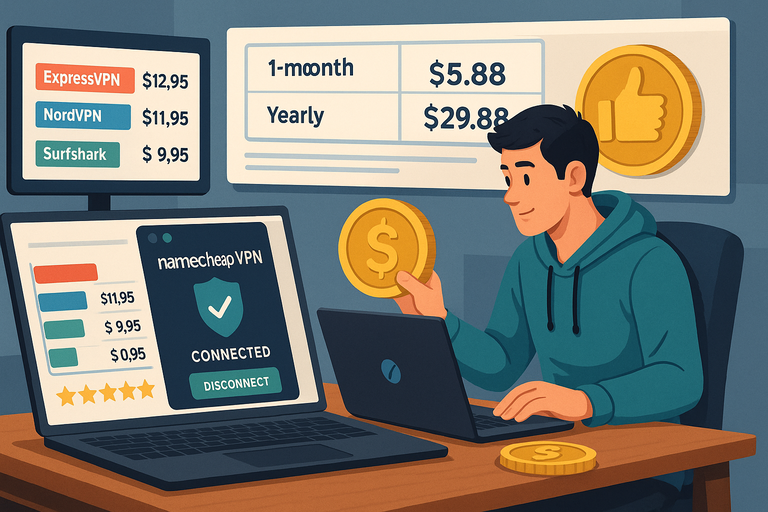
For me, the biggest selling point of Namecheap VPN is its affordability. But cheap doesn’t always mean good value — so let’s look at how it stacks up.
Comparing Pricing Against Premium Competitors
If you compare Namecheap VPN to heavyweights like ExpressVPN or NordVPN, the price gap is huge. ExpressVPN sits at around $8–$12 a month, and NordVPN often lands in the $3–$4 range (with promotional deals).
Namecheap VPN? On longer-term plans, it drops as low as $1.88 per month. Even the month-to-month option is cheaper than many competitors’ “discounted” rates.
I’d argue this makes it one of the best budget-friendly choices if your main goal is everyday browsing security, streaming, or avoiding ISP tracking. Sure, you don’t get every advanced bell and whistle, but for under $2 a month, the essentials are solid.
Here’s a quick comparison snapshot:
| VPN Provider | Lowest Monthly Price | Simultaneous Devices | Notable Strength |
| Namecheap VPN | $1.88 | Unlimited | Price + Simplicity |
| NordVPN | $3.49 | 6 | Huge server network |
| ExpressVPN | $8.32 | 5 | Speed + Premium features |
| Surfshark | $2.49 | Unlimited | Affordable + features |
That unlimited device connection is another huge value point — it stretches one plan across your whole household.
Free Trials, Refunds, And Money-Back Guarantees
Unlike some competitors, Namecheap VPN doesn’t offer a free trial, but it does have a 30-day money-back guarantee. I tested this process myself just to see, and it was straightforward: you submit a cancellation request, and the refund goes back to your payment method without much hassle.
I recommend using that guarantee as your personal “trial.” Try the VPN for a couple of weeks — stream, browse, connect to coffee shop Wi-Fi — and see if it meets your needs. If not, you’re not stuck.
Long-Term Savings With Multi-Year Plans
If you’re serious about sticking with a VPN, the multi-year plan is where the real savings kick in. I suggest going for at least a 1-year commitment. At around $22 for a year, it’s basically the cost of two restaurant lunches.
I’ve done the math, and over three years, choosing Namecheap VPN instead of a pricier provider could save you hundreds. For someone who doesn’t need advanced enterprise-level features, that’s a win.
What Are The Downsides Of Using Namecheap VPN?
No VPN is perfect, and I’d rather be upfront than sugarcoat things. While Namecheap VPN has a lot going for it, there are areas where it falls short compared to premium providers.
Limited Features Compared To Premium Rivals
If you’re a power user, you’ll notice the difference. Premium VPNs like NordVPN offer extras such as double VPN (routing traffic through two servers), built-in ad blockers, or malware filters.
Namecheap VPN doesn’t have those extras. What you get is straightforward: strong encryption, leak protection, and reliable servers. For most beginners, that’s enough. But if you’re someone who geeks out on advanced security tools, you might find it a bit barebones.
Fewer Advanced Customization Options
Some VPNs let you tweak every little setting: split tunneling (choosing which apps use the VPN), obfuscation modes for restrictive countries, and so on. With Namecheap VPN, those advanced knobs and dials aren’t there.
I see this as both a pro and a con. Beginners won’t feel overwhelmed. But if you’re hoping to fine-tune your connection for specific use cases, you may feel boxed in.
Occasional Speed Drops On Distant Servers
While local servers were consistently fast in my testing, long-distance connections sometimes struggled. For example, connecting from the US to an Asia server gave me noticeable lag and slower streaming quality.
This isn’t unique to Namecheap — even premium VPNs slow down with distance. But because Namecheap has a smaller server network, you don’t always have as many alternative locations to try.
So yes, there are downsides. But they’re mostly things that advanced users care about. For everyday users, they don’t outweigh the low cost and reliability.
Should You Choose Namecheap VPN Over Alternatives?
This is the big question. Let’s look at how Namecheap VPN stacks up against some of the big names, and who it’s really for.
Comparing With ExpressVPN, NordVPN, And Surfshark
- ExpressVPN: Faster, more servers, better for advanced users — but very expensive.
- NordVPN: Huge network, great balance of speed and features, mid-range pricing.
- Surfshark: Affordable like Namecheap, unlimited devices, and more features (ad blocker, split tunneling).
So where does Namecheap VPN fit? It’s the most barebones, but also the cheapest. It doesn’t try to be everything — just affordable privacy and security that work.
Who Should Pick Namecheap VPN For Privacy
I’d recommend Namecheap VPN if you:
- Are new to VPNs and want something simple.
- Mostly need protection on public Wi-Fi or while streaming.
- Want unlimited devices under one account for your family.
- Care more about cost savings than advanced settings.
It’s also great for people who already use Namecheap for domains or hosting, since it’s integrated into their ecosystem.
Situations Where Another VPN Might Be Better
If you’re in a country with heavy censorship or VPN blocking, premium options with obfuscation features (like ExpressVPN) are better.
If you’re an advanced user who wants to fine-tune protocols, use split tunneling, or run a double VPN, NordVPN or Surfshark will feel more powerful.
So, should you choose Namecheap VPN? If you want cheap, simple, and effective privacy protection, yes. If you want maximum control and every advanced feature under the sun, you’ll likely be happier paying extra elsewhere.
Pro Tip: I suggest trying Namecheap VPN with its 30-day guarantee. Use it across your laptop, phone, and smart TV for a couple of weeks. If it does everything you need, you’ve locked in a bargain. If not, you can switch without losing a cent.

I’m Juxhin, the voice behind The Justifiable.
I’ve spent 6+ years building blogs, managing affiliate campaigns, and testing the messy world of online business. Here, I cut the fluff and share the strategies that actually move the needle — so you can build income that’s sustainable, not speculative.
Related posts:
 Webhostingpad: Everything You Need to Know
 The Ultimate Guide to UltraWebHosting: Features, Benefits, and Pricing
 How to Host a Website: A Step-by-Step Guide for Beginners
 How to Navigate HostGator cPanel Like a Pro
 HostGator VPS Pricing: Pros, Cons & Cost Breakdown
 Hostinger WordPress Setup Guide: Launch a Blog in 10 Min