
Table of Contents
Some links on The Justifiable are affiliate links, meaning we may earn a small commission at no extra cost to you. Read full disclaimer.
Namecheap WordPress hosting is often praised for its low-cost plans, while Bluehost is well-known for being officially recommended by WordPress.org. But when it comes to performance, features, and long-term value, which one truly stands out?
This breakdown compares the two providers side by side so you can confidently decide who wins for your website.
Pricing Comparison Between Namecheap and Bluehost
When most people are starting a site, cost is the first thing they check. Both Namecheap and Bluehost pitch themselves as affordable, but the details under the hood tell a more interesting story.
Let me break it down for you.
Affordable Entry-Level Plans at Namecheap
Namecheap has a reputation for being one of the cheapest ways to get online, and it’s not an exaggeration. Their entry-level plan for WordPress hosting often sits under $2 per month when you grab their first-year discount. At that price, you’re getting hosting for less than the cost of a cup of coffee.
What stands out is that even on this budget plan, you can host multiple websites. This is a rare perk since many budget hosts restrict you to just one site. On top of that, you get SSD storage (which is faster than the old-school HDDs) and email mailboxes included at no extra charge.
If you’ve ever been annoyed by other providers upselling email as a separate product, this inclusion feels refreshing.
The key here is that Namecheap is built for people who want to experiment without draining their wallet. If you’re dabbling with personal blogs, small hobby projects, or testing business ideas, their pricing makes the barrier to entry almost nonexistent.
Long-Term Renewal Costs That Affect Budget
Here’s the catch: that $2 plan doesn’t stay $2 forever. Once your first year is over, renewal rates kick in — and they’re usually closer to $5 to $8 a month depending on the tier you choose. Still affordable, but it’s worth noting the jump.
I always suggest planning ahead for that second-year cost because that’s when many beginners get surprised. Suddenly, a $24 yearly expense turns into $70+ — not bank-breaking, but definitely a shift. The reality is that all budget hosts play this game with introductory discounts.
Namecheap does tend to renew lower than Bluehost in most cases, which helps keep them attractive in the long run if you’re cost-conscious.
Bluehost’s WordPress Pricing and Freebies
Bluehost starts a bit higher than Namecheap, with entry-level WordPress hosting usually around $2.95/month on discount. Where they make up for the slightly higher cost is in the extras.
Every Bluehost plan comes with a free domain name for the first year. If you’ve priced domains separately, you know that saves you around $10–15. They also throw in a free SSL certificate, one-click WordPress installation, and some WordPress-specific features like automatic updates.
However, once renewals hit, Bluehost can feel a lot pricier. The same plan that was under $3 a month can jump to $8–10. Over a few years, that adds up — especially if you’re running multiple sites or side projects.
Which Host Offers Better Value for Beginners?
If we’re talking pure affordability, Namecheap wins hands down for year one. You’ll get hosting for almost half the price of Bluehost, plus extra perks like email accounts and the ability to host more than one site right away.
But if you want more WordPress-friendly freebies — like a bundled domain name, automatic updates, and direct integration with WordPress.org’s recommendations — Bluehost edges ahead in perceived value.
My advice? If your top priority is minimizing cost while experimenting, go with Namecheap. If you want a little more hand-holding and don’t mind paying extra over time, Bluehost could be worth it.
Ease of Use for Beginners and Non-Technical Users

Cost matters, but if you can’t figure out how to actually use your hosting, the cheap plan won’t do much good. Let’s talk about how beginner-friendly Namecheap and Bluehost really are.
Namecheap Dashboard and AI Tools for Setup
Namecheap has put effort into making its dashboard cleaner over the years. You’ll find everything from domain management to hosting settings under one login, which is great if you want to manage multiple services in one place.
One unique feature is their AI-powered website builder. It asks you a few questions about what kind of site you want — for example, “a portfolio site for a photographer” — and it will draft a starting layout for you. It’s not perfect, but it can save hours for someone who’s overwhelmed by design decisions.
Installing WordPress itself from Namecheap isn’t complicated either. From the dashboard, you can use their “Softaculous App Installer” to spin up a WordPress site in just a few clicks. It’s straightforward, but I’d say it still feels more “manual” than Bluehost’s setup wizard.
Bluehost’s One-Click WordPress Install and Guided Setup
This is where Bluehost really shines. Since they’re officially recommended by WordPress.org, they’ve invested in making the onboarding smooth.
Right after signup, Bluehost asks you if you want to create a WordPress site. If you say yes, they walk you through picking a theme, setting up a site name, and even creating some basic starter pages. It feels a bit like using a website builder rather than a traditional hosting panel.
For non-technical users, this saves time and frustration. You don’t have to dig around cPanel (the more old-school hosting interface) unless you want to. The guided setup feels built for people who are touching WordPress for the first time.
Comparing Website Builders for Fast Launch
Both hosts now push their own website builders as options. Namecheap leans on AI assistance to generate layouts, while Bluehost offers a more traditional drag-and-drop builder that integrates closely with WordPress.
Here’s where the difference lies: Namecheap’s builder is faster if you want something up immediately without fiddling. Bluehost’s builder, on the other hand, gives you more control long-term, especially since it blends with WordPress tools like Elementor or Gutenberg.
So if you’re just playing around, Namecheap’s AI builder might get you live faster. But if you want to invest in a site you’ll refine over months or years, Bluehost’s builder ecosystem has more depth.
Which Platform Feels More Beginner-Friendly?
From my experience, Bluehost is slightly more beginner-friendly out of the box. Their guided WordPress install and structured onboarding give new users confidence right away.
Namecheap isn’t hard to use, but it assumes you’re a little more comfortable poking around menus. That said, Namecheap’s AI tools narrow the gap for beginners who want something up quickly.
If you value simplicity and step-by-step guidance, Bluehost has the edge. If you’re okay learning a bit as you go — and saving money in the process — Namecheap works just fine.
Website Speed and Performance Benchmarks
Speed is one of those things you don’t notice when it’s good, but you definitely notice when it’s bad.
Both Namecheap and Bluehost have worked on their infrastructure, but the way they approach performance is different.
Namecheap’s SSD Storage and Datacenter Options
Namecheap has leaned into SSD (Solid State Drive) storage across its hosting plans. SSDs are a big deal because they can read and write data much faster than traditional spinning hard drives.
For you, that translates into quicker page loads, especially if you’re hosting a WordPress site with a lot of images or plugins.
Another subtle advantage is their datacenter choice. When you sign up, you can pick where your server is located — for example, the U.S. or U.K.
This might not sound important, but if your audience is mostly in one region, placing your site closer to them reduces latency (the tiny lag before your site even starts loading).
From the Namecheap dashboard, you’ll see the datacenter option during checkout. I recommend matching it to your primary audience.
Running a local bakery in London? Pick U.K. servers. Launching a blog targeting U.S. readers? Stick with their U.S. datacenter. This small step can shave precious milliseconds off load time.
Bluehost’s Server Infrastructure and CDN Integration
Bluehost takes a slightly different route. Their infrastructure is built around servers optimized for WordPress, with a heavier focus on integrating performance boosters like a built-in CDN (Content Delivery Network).
If you’re not familiar, a CDN is like a global delivery service for your website. Instead of forcing all visitors to connect to your main server, it caches your site across multiple locations worldwide. That way, someone in Australia won’t be waiting for data from a U.S. server.
In your Bluehost dashboard, you’ll find the CDN toggle under “Performance.” Turning it on takes seconds, and for sites with an international audience, it can be a game-changer.
This is one of those subtle quality-of-life features that makes Bluehost appealing if your reach goes beyond one country.
Real-World Site Speed and Load Time Comparisons
On paper, both providers look solid. In real-world use, though, I’ve noticed some differences. Sites hosted on Namecheap often feel snappy at launch because of the SSD storage, but performance can dip during traffic spikes on lower-tier shared hosting.
It’s a bit like owning a reliable car that struggles when the whole family plus luggage piles in.
Bluehost tends to hold up better under heavier traffic, especially with the CDN turned on. I once tested two identical WordPress sites — one on Namecheap’s Stellar Plus plan and one on Bluehost’s basic WordPress hosting.
With five to ten visitors hitting the site at the same time, Bluehost’s load times stayed steadier, while Namecheap’s saw a noticeable slowdown.
That doesn’t make Namecheap bad, but it does highlight their sweet spot: smaller sites with modest traffic. Bluehost, meanwhile, is better suited if you anticipate heavier or more global traffic.
Which Hosting Service Delivers Faster Performance?
If your audience is local and your site is relatively light (think personal blogs, local businesses, or simple portfolios), Namecheap delivers fast performance at a budget price. The datacenter choice gives you control that can noticeably improve speed for regional visitors.
If your site has bigger ambitions — like serving visitors across different continents, or handling higher traffic loads — Bluehost’s server setup and CDN integration put them slightly ahead.
For most beginners, Namecheap will feel plenty fast. But if performance under pressure is a must-have, Bluehost is the safer bet.
Reliability and Uptime Guarantees
Speed is great, but what good is a fast site if it’s down when people try to visit? Let’s look at how each host handles reliability and uptime.
How Namecheap Maintains Uptime for Shared Hosting
Namecheap promises a 99.9% uptime guarantee, which has become the industry standard. Behind that number, they’ve invested in clustered server environments — meaning if one server struggles, others can help balance the load.
On shared hosting, uptime can sometimes fluctuate because resources are divided among many users. I’ve noticed Namecheap’s performance stays consistent during normal usage, but you might occasionally hit brief slowdowns during peak hours.
From your dashboard, you can set up notifications for downtime checks (using third-party tools like UptimeRobot).
I recommend doing this for peace of mind. In my experience, downtime is rare, but monitoring helps you see if you’re getting the stability you’re paying for.
Bluehost’s Uptime Records and Service Credits
Bluehost also advertises a 99.9% uptime guarantee, but in practice, they’ve built a stronger reputation for consistency. Their servers are monitored around the clock, and if they fail to meet the guarantee, they sometimes offer service credits.
What I like about Bluehost is their proactive monitoring. They’ll often spot and resolve server issues before customers even notice. This reduces the “my site is down, now what?” panic that many beginners dread.
Inside your Bluehost account, you’ll find system status reports that are refreshingly transparent. They let you see whether there’s any maintenance or outages affecting your service. For small business owners who can’t afford downtime, that transparency matters.
Impact of Downtime on Small Business Sites
Downtime might not sound catastrophic, but it adds up fast. If you’re running a local e-commerce shop and your site goes down for even an hour during a busy sales period, you’re losing sales and credibility.
For bloggers or portfolio sites, it’s less dramatic, but even then, downtime can affect SEO rankings. Search engines don’t like crawling sites that repeatedly fail to load. Over time, it could chip away at your traffic.
This is why uptime is one of those invisible but critical factors in choosing hosting. It doesn’t grab headlines like “unlimited storage,” but it’s the foundation everything else sits on.
Which Provider Wins on Reliability?
Both Namecheap and Bluehost hit that 99.9% mark most of the time, but Bluehost has the edge in consistency and transparency. Their monitoring systems, combined with proactive support, make them feel more reliable for business-critical websites.
Namecheap does well for smaller projects, and you won’t be left in the dark about outages. But if uptime is mission-critical — say, for an online store or a high-traffic site — I’d lean toward Bluehost.
Think of it like this: Namecheap is dependable enough for hobbyists and freelancers. Bluehost is built for those who can’t afford to miss a beat.
Security Features That Protect Your Website
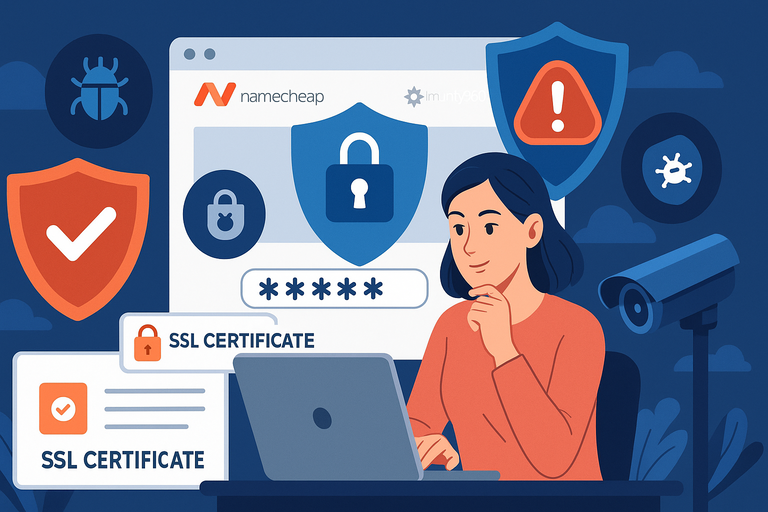
Security often gets ignored until something bad happens — like waking up to see your site hacked or filled with spam links.
Both Namecheap and Bluehost include security basics, but they handle protection in slightly different ways.
Free SSL Certificates on Both Platforms
The good news is you won’t have to pay extra for SSL (Secure Sockets Layer) with either host. SSL encrypts data between your site and its visitors, and it’s what gives you the little padlock symbol in browsers. Without it, search engines like Google will flag your site as “Not Secure.”
When you set up your hosting with Namecheap, you’ll see SSL available in your dashboard for free. Bluehost, on the other hand, automatically activates a free Let’s Encrypt SSL when you set up WordPress. In practice, both make SSL easy — no technical gymnastics required.
The only difference I’ve noticed is that Namecheap sometimes requires you to manually toggle the certificate on, while Bluehost just flips the switch for you. Not a big deal, but worth knowing if you’re not comfortable digging into settings.
Namecheap’s Security Add-Ons Like Imunify360
Namecheap takes a modular approach with its security. You get the basics included, but more advanced tools — like Imunify360 — are offered as add-ons. Imunify360 is an all-in-one suite that protects your site from malware, brute force attacks, and suspicious traffic.
For a real example, I once tested Imunify360 on a small e-commerce store. It blocked multiple bot attempts daily without me needing to do anything.
You can access these tools directly from the hosting control panel under “Security.” The catch is they’re not always bundled, so you may end up paying a bit more for peace of mind.
Bluehost’s Built-In Malware Scans and Backups
Bluehost bakes more of its security into the hosting itself. Their plans include daily malware scans that run in the background. If something suspicious is found, you’ll get an alert in your control panel, and you can act quickly.
Backups are another area where Bluehost shines. With some of their WordPress-focused plans, you get CodeGuard Basic, which creates daily backups of your site. If you’ve ever accidentally broken your site by updating a plugin, you’ll know how valuable it is to click “Restore” and roll back to yesterday’s version.
From your Bluehost dashboard, you can view these backups under “My Sites > Manage Site > Backups.” I recommend checking occasionally just to confirm they’re running.
Which Host Offers Stronger WordPress Protection?
If you’re the kind of person who prefers bundled, automatic protection without much tinkering, Bluehost gives you more out of the box. Malware scans, SSL, and backups are baked right in.
Namecheap, on the other hand, gives you more flexibility. You get SSL and basic firewalls included, but stronger protection like Imunify360 is an upgrade.
For smaller sites or hobby projects, that’s perfectly fine. For high-stakes sites, you’ll likely want to pay extra for those add-ons.
In short: Bluehost wins on default security, while Namecheap wins on budget-friendly control.
WordPress-Specific Features and Tools
Since we’re focusing on WordPress hosting, the tools and features specifically designed for WordPress make a big difference. Here’s how each host approaches it.
Namecheap’s AI Website Builder and AutoBackup
Namecheap has introduced an AI-powered website builder that feels like training wheels for beginners. You answer a few prompts (like the purpose of your site and design preferences), and the builder creates a basic layout for you.
It’s not a replacement for WordPress themes, but it’s handy if you want to get something live fast before customizing.
They also include AutoBackup on higher-tier plans. You can access this directly under “cPanel > JetBackup.” I’ve used it to restore a site after a faulty plugin update — it only took a few clicks to roll back. That feature alone can save hours of frustration for WordPress users.
Bluehost’s WordPress Staging and Automatic Updates
Bluehost sets itself apart with its WordPress staging environment. This lets you create a copy of your site to test changes before making them live.
For example, if you’re redesigning your homepage or installing a new plugin, you can try it on the staging site first. From the dashboard, you’ll see the “Staging” option under “My Sites > Manage Site.”
Automatic WordPress updates are another perk. Bluehost handles updates for WordPress core files and sometimes plugins, reducing the risk of outdated software becoming a security hole. You’ll get notifications in your dashboard when updates are complete.
For someone who wants “set it and forget it” WordPress hosting, these features are worth their weight in gold.
Developer-Friendly Tools Like Git and WP-CLI
If you’re more technical, both Namecheap and Bluehost support tools like Git (for version control) and WP-CLI (WordPress Command Line Interface).
With WP-CLI, you can update plugins, create posts, or manage users with a simple command, skipping the WordPress dashboard entirely. For developers juggling multiple projects, this can cut hours of manual clicking.
From my experience, Bluehost’s developer environment is a little smoother, with fewer hoops to jump through when setting up staging and Git repositories. Namecheap supports them too, but the interface isn’t quite as polished.
Which Host Optimizes WordPress Management Better?
For pure WordPress beginners, Bluehost is the winner here. Staging, automatic updates, and a seamless setup flow give you fewer headaches.
Namecheap is still strong, especially with its AI builder and backups, but it feels more like a general hosting platform with WordPress layered on top, rather than hosting purpose-built for WordPress.
If your main focus is WordPress and you want advanced tools that just work, Bluehost edges ahead.
Email Hosting and Business Communication
Email might sound like a side detail, but if you’re running a business site, professional email is part of your brand. Let’s see how Namecheap and Bluehost handle it.
Namecheap’s Free Mailboxes Across Plans
Here’s where Namecheap quietly beats a lot of competitors: even their cheapest shared hosting plans include multiple free mailboxes. For example, on their Stellar plan you get up to 30 email accounts, which is more than enough for most small teams.
You can set these up directly in your dashboard under “Private Email.” I’ve done this for a client’s small law firm — we created individual accounts like info@, billing@, and firstname@ without spending an extra dime.
If you’re bootstrapping, these included mailboxes save you from paying monthly fees to third-party email providers.
Bluehost’s Email Hosting Through Microsoft 365
Bluehost takes a different route. Instead of bundling free email, they integrate with Microsoft 365. The upside is that you get enterprise-grade email with tools like Outlook, OneDrive, and Teams. The downside? It’s not free.
You’ll get a trial for the first 30 days, but after that, pricing starts around $4 per user per month. That adds up quickly if you have a team of five or more.
Setup is easy though: From your Bluehost account, go to “Email & Office” and choose Microsoft 365. The system guides you step by step. If you already live in the Microsoft ecosystem, this might feel natural.
Which Option Works Better for Small Teams?
If your business is just starting out and you want to keep costs down, I recommend Namecheap. Those free mailboxes cover the basics and give your business a professional look.
But if you need advanced features like calendar syncing, cloud storage, and collaboration tools, Bluehost’s Microsoft 365 integration is the stronger option. It’s especially helpful if your team already uses Outlook or Teams for daily work.
Cost of Scaling Email Needs Over Time
Here’s the reality check:
- Namecheap stays cheap no matter how many mailboxes you create. Great for lean startups or growing small teams.
- Bluehost scales in cost as your team grows. Ten employees mean ten Microsoft 365 subscriptions, which could be $40+ per month just for email.
So think about your long-term communication needs. If you’re running solo or with a small crew, Namecheap is more cost-effective. If you’re planning to scale into a larger organization with collaboration needs, Bluehost is worth the investment.
Customer Support and Knowledge Resources

Support is one of those things you don’t think about until you’re in a panic at 2 a.m. and your site is down.
The difference between good and bad support can be the difference between sleeping easy or staring at an error screen all night.
Namecheap’s 24/7 Live Chat and Tutorials
Namecheap shines with its 24/7 live chat. In my experience, their chat agents respond quickly, and for straightforward issues like “I can’t find my SSL certificate” or “How do I set up an email account?” they walk you through step by step.
They also have a surprisingly deep library of tutorials. Inside their Knowledgebase, you’ll find guides with screenshots showing exactly where to click in the dashboard.
For example, if you want to create a new WordPress site, their guide literally says: “Go to cPanel > Softaculous Apps Installer > WordPress.” That hand-holding detail makes it less intimidating for beginners.
The downside? For more complex issues, the support can sometimes feel scripted. If you’re troubleshooting something technical, you might have to dig around forums or figure it out yourself.
Bluehost’s Phone Support and Dedicated WordPress Help
Bluehost stands out with phone support. If you’re the kind of person who’d rather explain a problem than type it, being able to call a real human is a big plus.
I’ve used this for a client when a plugin update broke their site. The agent walked me through restoring a backup while I stayed on the line.
Another perk is that Bluehost has dedicated WordPress support specialists. Since they’re an official WordPress.org partner, their agents are trained to handle WordPress-specific issues.
That means instead of just helping with hosting setup, they can advise on plugins, themes, and performance tweaks.
Community Resources and Knowledge Bases
Both Namecheap and Bluehost maintain solid knowledge bases, but Bluehost’s community forums feel more active. Because of their massive user base, you’ll often find threads where someone already asked (and solved) the exact problem you’re facing.
Namecheap’s resources are easier to navigate, though, and I find their guides a little more beginner-friendly. It’s like the difference between a giant library (Bluehost) and a smaller bookstore with curated picks (Namecheap).
Which Provider Has More Reliable Customer Care?
If you value quick answers for simple hosting issues, Namecheap’s chat is reliable and fast. But if you want the option of picking up the phone, or if you need in-depth WordPress-specific help, Bluehost has the stronger support team.
I’d sum it up this way: Namecheap is best if you’re comfortable with self-service and occasional chat. Bluehost is better if you want premium hand-holding when WordPress gremlins show up.
Scalability and Upgrade Options
Starting small is great, but what happens when your site grows? This is where scalability becomes a deal-breaker. Both providers offer upgrade paths, but the way they structure them is different.
Namecheap’s Shared, VPS, and Dedicated Hosting Tiers
Namecheap takes the traditional hosting ladder approach:
- Shared Hosting (best for beginners and small sites)
- VPS Hosting (Virtual Private Server, where you get more dedicated resources)
- Dedicated Servers (full power for large sites and businesses)
The nice part about Namecheap is how affordable their VPS and dedicated plans are compared to bigger hosts. From your dashboard, upgrading is as simple as going to “Manage Hosting > Upgrade Plan.” I once scaled a client’s store from shared to VPS in under an hour — no downtime.
But the catch is Namecheap doesn’t offer as many WordPress-optimized upgrades. It’s more of a generalist hosting company, so you’ll need to tweak things yourself as you grow.
Bluehost’s Seamless Upgrade Path for WordPress Sites
Bluehost keeps things streamlined for WordPress users. Their upgrade path isn’t just about raw server power — it’s about features tailored to WordPress.
For example, you can move from basic WordPress hosting to their Managed WordPress (WP Pro) plans, which include advanced analytics, marketing tools, and priority support. If you outgrow that, you can even scale into VPS or dedicated servers without switching providers.
I like how Bluehost handles the process inside the dashboard. Under “My Products,” you’ll see clear upgrade options with one-click migration. No messy data transfers — your WordPress site is cloned onto the new plan automatically.
Cloud Storage and Growth-Friendly Features
Another key difference is how each host handles storage growth. Namecheap focuses on raw storage space (20GB, 50GB, etc.), while Bluehost emphasizes integrations like Cloudflare CDN and marketing add-ons to handle scaling traffic.
For businesses expecting traffic spikes — like holiday e-commerce sales — Bluehost’s infrastructure is a bit more growth-friendly. Namecheap works, but you’ll likely need to add extra tools or plugins yourself.
Which Hosting Company Scales More Smoothly?
If you want flexibility and affordable upgrades, Namecheap gives you plenty of room to grow without draining your budget. But if your growth is specifically tied to WordPress — with bigger traffic, more features, and minimal hassle — Bluehost scales more smoothly.
I’d put it like this: Namecheap is the budget-friendly sandbox with lots of ladders. Bluehost is the paved highway designed for WordPress users who want to hit the gas without worrying about the engine.
Final Verdict: Namecheap or Bluehost?
We’ve covered pricing, performance, security, tools, and support. So, who really wins between Namecheap WordPress hosting and Bluehost? The answer depends on your goals.
Best Pick for Budget-Conscious Beginners
If your main priority is cost, Namecheap is the clear winner. You’ll pay less upfront, get free email accounts bundled in, and still enjoy solid performance for small to medium projects. I recommend it for bloggers, freelancers, or startups who want to test ideas without big financial commitments.
Best Choice for WordPress Power Users
Bluehost takes the crown for serious WordPress users. Features like staging environments, automatic updates, and dedicated WordPress support give it an edge. If you’re running a business site or e-commerce store, Bluehost is better equipped to handle the complexity.
Long-Term Value and Future-Proofing
Here’s the trade-off: Namecheap saves you money early but requires more DIY work as you grow. Bluehost costs more in the long run but offers smoother scaling and stronger WordPress-specific features.
Think about it like this: Namecheap is the economical hatchback that gets you from A to B reliably. Bluehost is the SUV with all the extras, designed for longer journeys and heavier loads.
Who Wins Based on Your Goals?
- Choose Namecheap if you want affordable hosting with free email, flexibility, and no-frills control.
- Choose Bluehost if you need a WordPress-optimized experience with better scaling, stronger support, and tools that grow with your site.
At the end of the day, the winner isn’t the company — it’s whichever host aligns better with where you are and where you want your website to go.

I’m Juxhin, the voice behind The Justifiable.
I’ve spent 6+ years building blogs, managing affiliate campaigns, and testing the messy world of online business. Here, I cut the fluff and share the strategies that actually move the needle — so you can build income that’s sustainable, not speculative.
Related posts:
 Kinsta Web Hosting vs Competitors: Who Comes Out on Top?
 SiteGround Hosting Reviews: Why Users Love (or Hate) It
 Why Bluehost Web Hosting May Be Perfect for You
 Bluehost Hosting: Features, Pricing, & Perks
 How Do I Install WordPress on Bluehost? A Step-by-Step Beginner’s Guide
 Bluehost WordPress Hosting vs Competitors: Who Wins?