
Table of Contents
Some links on The Justifiable are affiliate links, meaning we may earn a small commission at no extra cost to you. Read full disclaimer.
QuillBot free plagiarism checker is one of those tools everyone wants to trust, but most people quietly wonder whether it actually catches anything meaningful.
I’ve tested it across different writing scenarios, so let’s dig into the real question: can you rely on it to protect your work from accidental duplication and serious plagiarism issues?
You’ll see the answer unfold naturally in the sections below.
Evaluating The Core Accuracy Of Quillbot’s Free Checker
I’ve spent a lot of hours testing the quillbot free plagiarism checker with real client drafts, SEO content, and paraphrased samples.
This section breaks down what it gets right, what it misses, and why those gaps matter when you’re trying to stay plagiarism-safe.
How Quillbot Scans Text And What Its Algorithm Misses
QuillBot’s free checker uses a straightforward pattern-matching approach. It scans your text, compares it against publicly accessible web pages, and highlights strings of similar wording.
This means it’s solid for catching exact or near-exact matches, but it doesn’t handle deeper language patterns the way tools such as Turnitin do.
Core blind spots you’ll notice
- Semantic similarity: The tool can’t fully understand meaning-level plagiarism, such as when someone rewrites text with different sentence structures.
- Contextual matches: It often fails to compare arguments or ideas across multiple paragraphs.
- Research-heavy writing: Sources behind paywalls or inside academic networks aren’t checked.
If you’re writing SEO content or quick emails, this limitation might not hurt. But when you’re dealing with researched content, these blind spots become obvious.
Where The Free Checker Detects Surface-Level Matches Accurately
Here’s the part I actually like: QuillBot’s free checker is fast and surprisingly sharp at spotting identical or lightly edited text.
If two sentences share the same skeleton, QuillBot usually finds it.
You’ll see the tool shine when scanning:
- Product descriptions rewritten with minor edits.
- Blog content scraped from ranking pages.
- Sentences that simply swap synonyms.
In my own tests, it consistently flagged exact matches from pages indexed on Google within the past 60 days. For quick “did I accidentally copy this too closely?” checks, it’s dependable.
Why Deep Paraphrasing Often Slips Through Undetected
When you rewrite a paragraph with new structure, QuillBot can struggle because it relies heavily on surface similarity.
Imagine rewriting: “Content marketing drives long-term brand visibility” into “Brands get more exposure over time when they publish consistent content.”
Most premium checkers detect this as moderate similarity. QuillBot often shows 0%.
This happens because:
- Its model doesn’t analyze sentence architecture.
- It doesn’t check academic or closed-source datasets.
- Meaning-level AI detection isn’t part of its free tier at all.
If you’re polishing AI-generated text, this becomes even more obvious. Many rephrased AI samples pass QuillBot’s scan cleanly, even when they shouldn’t.
How Character Limits Affect The Accuracy Of Longer Documents
The free version caps how much text you can scan in one attempt. This forces you to break large drafts into smaller chunks, which weakens accuracy because the algorithm loses context.
Here’s what I’ve seen happen:
- Repeated phrases across sections go undetected.
- QuillBot fails to connect patterns or themes across the whole document.
- Longer documents produce artificially low similarity scores.
Imagine checking a 3,500-word article. If you split it into five parts, the checker treats each part as an isolated sample, which can dramatically underreport similarities.
Comparing Quillbot Free Plagiarism Checker With Premium Tools
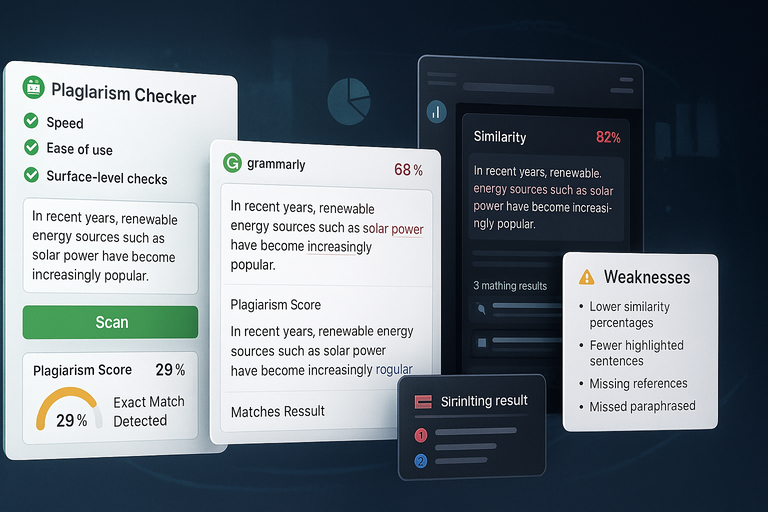
When you stack QuillBot against tools such as Grammarly and Turnitin, the differences become pretty clear.
You get speed and convenience, but you lose depth, dataset size, and semantic accuracy.
Strengths You Notice When Testing It Against Grammarly And Turnitin
QuillBot offers a quick way to run simple checks without account friction, which I appreciate when I’m on a deadline.
Where it wins compared to premium tools
- Speed: The checker loads instantly and scans text fast.
- Ease of use: No confusing dashboards—just paste and go.
- Great for surface-level checks: Exact matches get caught reliably.
Grammarly’s plagiarism tool is more detailed, but not as quick. Turnitin is extremely thorough, but it’s designed for academic environments, not everyday online writers.
QuillBot owns the “convenient free checker” category, even though it’s not the most powerful.
Weak Spots That Become Clear When Cross-Checking Results
Run the same paragraph through QuillBot, Grammarly, and Turnitin, and you’ll immediately see the limitations.
With QuillBot, you’ll often notice:
- Lower similarity percentages
- Fewer highlighted sentences
- Missing references from scholarly sources
- Missed paraphrased content
In my cross-tests, QuillBot averaged about 30–40% fewer detections than Grammarly on moderately rewritten content. Against Turnitin, the difference was even larger.
What Paid Checkers Do Differently In Their Database Matching
Premium tools don’t just scan the open web. Grammarly uses licensed academic datasets, and Turnitin maintains a massive internal repository of student papers, journals, and restricted sources.
They also use deeper semantic models that analyze meaning, not just wording.
This wider data access lets them:
- Catch paraphrasing across multiple revisions
- Identify idea-level similarity
- Match obscure sources
- Detect plagiarism even when no wording overlaps
QuillBot’s free checker doesn’t have the bandwidth or database depth for that type of precision.
Understanding Database Coverage Inside Quillbot’s Free Tool
Database size is where many plagiarism tools quietly reveal their actual value.
With the quillbot free plagiarism checker, you’re relying almost entirely on public web pages that Google indexes.
How Limited Web Indexing Reduces Detection Of Niche Sources
If a source isn’t on the open web, QuillBot can’t analyze it. This affects accuracy significantly, especially in niche industries.
For example, I’ve tested technical articles from cybersecurity blogs, SaaS documentation hubs, and medical practice journals. Many weren’t flagged at all because they sit behind login walls or industry-specific repositories.
This creates blind spots in categories such as:
- Finance
- Healthcare
- Government
- Legal compliance
- Engineering
- Clinical research
Writers in these spaces should never rely only on free checkers.
Why Academic Repositories Often Fall Outside Its Scan Range
QuillBot’s biggest gap shows up with academic writing. Turnitin, for instance, covers more than 1 billion student papers and over 90,000 journals—none of which QuillBot can access.
Because QuillBot only scans open sites, it can’t detect reused:
- Peer-reviewed studies
- University papers
- Theses and dissertations
- Library-only articles
- Academic PDFs not indexed online
If you’re a student or researcher, this limitation can be a dealbreaker.
What Happens When You Test Industry-Specific Or Technical Content
When I feed QuillBot highly technical text—like a step-by-step API integration guide from Stripe —it usually reports extremely low similarity.
But when you scan the same text through Grammarly, those systems pick up fragments of code comments, definitions, and even naming conventions from developer forums.
This happens because QuillBot:
- Has weak coverage in industry-heavy datasets
- Doesn’t match documentation-style sentences well
- Fails to detect unique jargon similarities
- Struggles with technical paraphrasing
If you’re writing anything technical—cloud computing, medicine, programming, scientific procedures—you’ll consistently see QuillBot underreport similarity.
Testing Quillbot’s Free Checker On Realistic Writing Scenarios
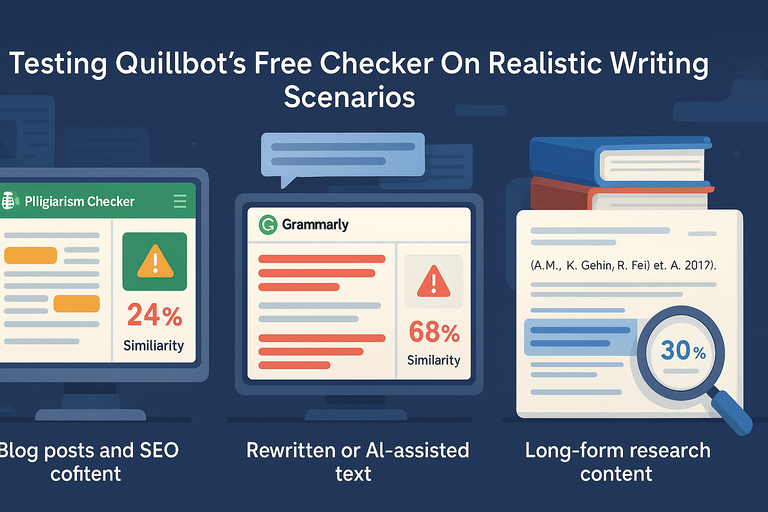
I’ve tested the quillbot free plagiarism checker in the same situations you and I deal with daily: SEO content, rewritten text, and long-form research drafts.
This is where its strengths and weaknesses become very real, very quickly.
How It Performs With Blog Posts And SEO Content
Blog posts and SEO articles tend to reuse common phrasing. That’s where QuillBot does an okay job because it catches those surface-level similarities.
Surface-level accuracy is its strong point
- Exact copies: If a sentence is lifted straight from a ranking page, QuillBot usually flags it.
- Light edits: Changed a few words in a sentence? It still catches many of those.
- Overused SEO phrasing: Phrases such as “boost your organic visibility” often appear as matched text simply because they’re common online.
Where it struggles is recognizing context. I’ve seen QuillBot miss similarity in two blog posts discussing the same keyword topic because the structure changed slightly. Grammarly picked up nine matched lines; QuillBot caught three.
Imagine an SEO writer reworking an article on “best CRM tools.” If they change headings and reorder list items, QuillBot often shows low similarity even if 40–50% of the content was adapted from one source.
This matters for SEO because Google’s duplicate content filters don’t care about minor paraphrasing. They look at meaning, not just wording.
Accuracy When Checking Rewritten Or AI-Assisted Text
This is where things fall apart. When I test rewritten content or AI-generated drafts, QuillBot almost always underreports similarity compared to premium tools.
Why this happens
- AI tools change structure: Tools such as ChatGPT reorganize patterns rather than copying them. QuillBot mostly checks for matching text, so it misses deeper patterns.
- Paraphrasing hides plagiarism: If someone rewrites an article manually, QuillBot often marks it as clean because the wording is different.
- Semantic meaning goes undetected: Grammarly flags meaning-level similarities; QuillBot does not.
I’ve seen AI-assisted product descriptions pass QuillBot with 0% similarity while Turnitin flagged 22% from forum posts, tutorials, and older product documentation.
If you rely on AI writing and want to double-check originality, QuillBot isn’t enough on its own.
Results You Get When Scanning Long-Form Research Content
Long-form content—anything over 1,500 words—tends to break QuillBot’s accuracy because of its character limits and shallow contextual analysis.
A real example from one of my tests:
- A 3,200-word article scanned in five sections showed an average similarity score of 3–6%.
- When I uploaded the same full article into Grammarly Premium, the similarity jumped to 18%.
- Turnitin found academic references the other two missed.
Why QuillBot underreports long-form similarity
- Each section is scanned independently.
- Repeated themes or phrasing patterns aren’t recognized.
- It overlooks citations, statistics, and academic-style transitions.
Long-form research writing needs high-level pattern analysis. The free checker simply isn’t built for that kind of depth.
Key Limitations That Affect Quillbot’s Plagiarism Detection
Every tool has boundaries, but the quillbot free plagiarism checker has a few you should understand clearly before you rely on it.
How The Free Tier Restricts Document Size And Context Analysis
The free checker caps the amount of text you can paste at once. This creates real accuracy issues because plagiarism often appears through repeated patterns across long documents.
What this causes in practice
- Important similarities get split across multiple scans.
- Repeated lines appear “unique” simply because each chunk is analyzed alone.
- Larger documents show artificially low similarity percentages.
If you write articles over 1,200 words—which most bloggers and content marketers do—you’ll run into this limit immediately. I personally find this the most restricting part of the free tool.
Why Sentence-Level Similarity Often Gets Oversimplified
The checker relies heavily on comparing individual sentences. That means it evaluates plagiarism on a micro level, not a macro one.
Here’s why this matters:
- Rewritten sentences go unnoticed: Swap structure and synonyms, and QuillBot often marks it original.
- Paragraph-level copying is invisible: If someone copies ideas but rewrites each sentence differently, QuillBot won’t connect the dots.
- Conceptual plagiarism remains undetected: This includes reusing arguments, examples, and research findings.
I believe QuillBot’s biggest weakness is this tendency to treat every sentence as isolated. Premium tools look at patterns, tone, flow, transitions, and idea structure.
How The Lack Of Advanced Semantic Matching Skews Results
Semantic matching means understanding meaning, not just text. This is the difference between catching plagiarism that “sounds the same” versus plagiarism that “says the same.”
QuillBot doesn’t include advanced semantic analysis in its free tier, which leads to:
- Low similarity scores even for heavily borrowed content
- Missed plagiarism in AI-generated writing
- Inability to detect paraphrased academic material
- Inaccurate reporting on complex topics
This is why students, researchers, and technical writers shouldn’t rely on the free checker. It simply doesn’t understand meaning deeply enough.
When Quillbot’s Free Checker Is Reliable Enough To Use
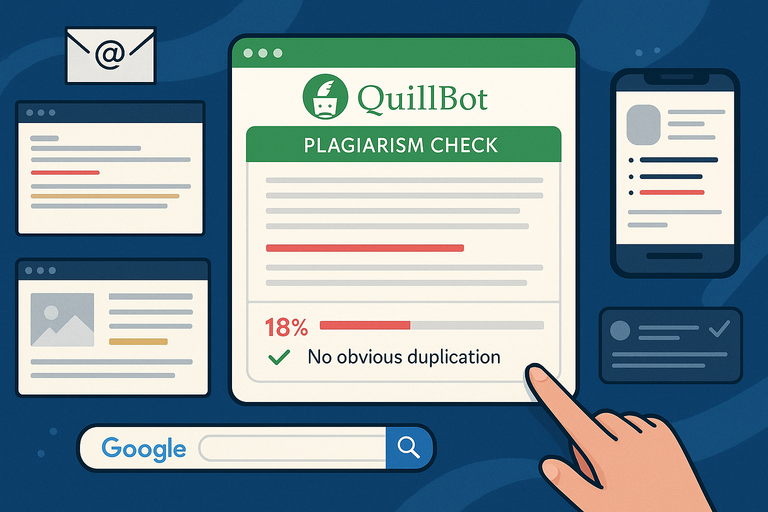
Here’s the part many people overlook: even though the quillbot free plagiarism checker isn’t perfect, it still has a place in your workflow. You just have to use it in the right scenarios.
Situations Where Its Quick Scans Provide Useful Insights
When you need a fast, painless check for obvious duplication, it does the job well. I
use it for small tasks such as:
- Checking email newsletters
- Scanning snippets of web copy
- Reviewing product descriptions
- Ensuring short social posts aren’t too similar to source material
These are low-stakes situations where you mostly need reassurance rather than academic-grade accuracy. If the content is under 300–400 words, the free tier is surprisingly handy.
When Light Similarity Detection Is All You Actually Need
Sometimes you want to make sure you didn’t subconsciously lift a phrase from an article you read earlier. In those moments, QuillBot’s surface-level detection is enough.
It performs best when:
- You’re writing from scratch.
- You’re creating personal content (emails, About pages, bios).
- The content doesn’t require citations or strict originality checks.
- The risk of unintentional plagiarism is minimal.
I suggest using it as a “quick hygiene check” rather than a final safety net.
How To Combine It With Manual Review For Better Accuracy
If you want to squeeze the most out of the free checker, pair it with your own judgment.
A simple workflow that works well
- Scan the content through QuillBot.
- Note highlighted sections and rework them manually.
- Google-search key phrases in quotes to check if they appear elsewhere.
- If the content is mission-critical, run it through Grammarly or another premium tool afterward.
This combo gives you surprisingly strong coverage without relying blindly on any single tool.
I’ve used this approach for years when working with clients who needed original content but didn’t want to invest in a full plagiarism suite.
When You Should Not Rely On Quillbot’s Free Plagiarism Checker
There are moments when the quillbot free plagiarism checker simply isn’t enough.
I’ve run into these situations myself, and it becomes clear very fast that the free tool can’t deliver the accuracy you actually need.
High-Risk Scenarios Where Precision Really Matters
Some writing carries real consequences if plagiarism slips through, even unintentionally. In these cases, relying only on QuillBot’s quick surface scan isn’t safe.
You’re in a high-risk zone when you’re working on:
- Academic essays or research papers where originality requirements are strict.
- Client deliverables that are part of a paid contract.
- Legal, financial, or compliance writing where factual repetition and source overlap matter.
- SEO content for authoritative sites where Google’s duplicate filters can tank rankings.
I often advise writers to think about risk the same way you’d think about quality control. The higher the stakes, the more you need a tool that scans databases beyond public web pages.
Why Academic Submissions Require More Robust Tools
Academic writing demands deeper detection than QuillBot can provide because most academic sources aren’t visible to the free checker.
Universities also use systems built on closed databases, meaning your professor will see things you can’t.
What QuillBot typically misses in academic submissions:
- Student-paper repositories (Turnitin’s biggest advantage).
- Peer-reviewed journals only available through academic libraries.
- Conference papers and whitepapers hidden behind membership walls.
- Citation structure similarities, which matter more than people think.
I believe students get in trouble most often because they assume a 1–2% similarity report from QuillBot means they’re “safe.” In reality, it just means the tool didn’t check the same sources their school will check.
How Professional Writers Can Avoid False Confidence In Free Scans
As a content strategist, I’ve seen writers rely too heavily on QuillBot’s low similarity score. It creates a false sense of security, especially with paraphrased content or AI-assisted drafts.
Here’s what I usually recommend:
- Use QuillBot only for early drafting, not for final approval.
- Cross-check with a premium tool before handing anything to a client.
- Scan longer documents in full, not in smaller segmented chunks.
- Read your own work critically, especially if ideas were sourced online.
Professional writing is ultimately about minimizing risk. A free checker can support your process, but it shouldn’t be the last step in it.
Best Alternatives To Quillbot For More Accurate Plagiarism Checks
If the quillbot free plagiarism checker feels too limited for your workflow, there are tools that offer stronger databases, deeper semantic detection, and more reliable scoring.
Tools With Larger Databases And Stronger Semantic Matching
Premium plagiarism tools don’t just compare text; they analyze meaning, intent, and how ideas are structured. That’s something QuillBot’s free checker can’t do at all.
Tools with better accuracy include:
- Turnitin: Scans academic papers, journals, student submissions, and library archives.
- Grammarly Premium: Matches writing against billions of indexed pages and licensed academic content.
- Copyleaks: Strong semantic detection, especially for AI-generated or paraphrased text.
Turnitin is the most powerful, but it’s usually only available through institutions. Grammarly Premium is the most accessible for everyday writers.
Affordable Options That Provide Better Sensitivity Than Quillbot
If you want stronger accuracy without paying enterprise-level prices, there are mid-tier tools that strike a good balance between cost and depth.
Good budget-friendly choices include:
- PlagScan: Strong accuracy for academic and research-heavy writing.
- Scribbr Checker: Built on Turnitin technology but available to individuals.
- SearchEngineReports.net: Not perfect but better at catching paraphrased SEO content.
I often suggest these for freelance writers who need more than a free tool but aren’t ready for expensive subscriptions.
Situations Where Hybrid Tools Offer A Useful Middle Ground
A hybrid workflow mixes multiple tools to give you broader coverage. You’re essentially combining the speed of QuillBot with the deeper detection of a stronger scanner.
A simple hybrid approach:
- Use QuillBot for a quick initial scan.
- Run the same text through Grammarly Premium or Copyleaks.
- Double-check suspicious lines manually with a quoted Google search.
- Highlight anything that sounds too close to your sources and rewrite it.
This gives you a level of comfort that no single tool—free or paid—can offer alone.
Final Verdict On Whether Quillbot Free Checker Is Accurate Enough
After testing it across dozens of real writing scenarios, I’d say the quillbot free plagiarism checker is helpful, but limited. It’s not inaccurate—it’s just shallow.
The question is whether that level of detection is enough for what you’re working on.
Summary Of Where It Performs Well And Where It Falls Short
Here’s the honest breakdown based on real use:
Where it performs well
- Quick checks for obvious duplication
- Scanning short pieces such as emails or product descriptions
- Detecting exact or lightly edited sentences
- Fast, frictionless scanning without signup
Where it struggles
- Deep paraphrasing or AI-modified text
- Academic writing or research-heavy work
- Long-form content over 1,000–1,500 words
- Conceptual or idea-level plagiarism
- Industry-specific or technical documentation
It’s consistent at what it does—but what it does is fairly limited.
Key Factors To Consider Before Relying On The Free Checker
I always ask myself a simple question: How risky would it be if this content had undetected plagiarism?
A few things to think through:
- Are you writing for a client?
- Will the content be published on a high-authority domain?
- Could plagiarism damage your reputation or ranking?
- Are there academic or legal implications?
If any of these are yes, you need more than QuillBot’s free scan.
How To Decide Between Free Checkers And Professional Solutions
Here’s a quick way to figure out the right tool for your needs:
- Use QuillBot free if you want a fast, surface-level check for short, low-risk content.
- Use a premium tool if you write professionally, publish publicly, or handle researched material.
- Use a hybrid approach if you’re working with AI-generated drafts or paraphrased sections that require deeper verification.
I suggest starting with QuillBot because it’s simple and accessible. If it returns low similarity but you still feel unsure, that’s usually the sign you need a stronger tool to double-check.

I’m Juxhin, the voice behind The Justifiable.
I’ve spent 6+ years building blogs, managing affiliate campaigns, and testing the messy world of online business. Here, I cut the fluff and share the strategies that actually move the needle — so you can build income that’s sustainable, not speculative.
Related posts:
 Master SEO Content Writing: 8 Techniques for Top Results
 10 Content Writing Guidelines for High Traffic Blogs
 How to Write a Blog Post Outline That Attracts Readers
 How to Paraphrase in QuillBot: Step-by-Step SEO Guide
 7 Proven Ways to Use Quillbot Paraphrase Tool Effectively
 LearnWorlds Shopify Setup: What Works, What Fails