
Table of Contents
Some links on The Justifiable are affiliate links, meaning we may earn a small commission at no extra cost to you. Read full disclaimer.
If you’ve ever searched for premium WordPress hosting, you’ve probably come across WP Engine Inc—a company often praised for its speed, reliability, and innovation.
But what exactly does WP Engine Inc do, and why is it considered one of the best in the WordPress hosting space?
In this article, I’ll walk you through what makes this company stand out, how it operates behind the scenes, and why so many businesses trust it to power their websites.
Understanding What WP Engine Inc Actually Does
When people hear about WP Engine Inc, they often think of “fast WordPress hosting.” But there’s much more happening behind the scenes.
WP Engine doesn’t just rent server space—it provides a full, managed platform that optimizes, secures, and scales WordPress websites automatically so users can focus on building their brand instead of managing technical headaches.
Managed WordPress Hosting Explained
Managed WordPress hosting is like having a personal tech team for your website. Instead of you handling updates, speed tuning, and backups, WP Engine’s infrastructure does it all in the background.
Here’s what that looks like in practice:
- Automatic Updates: WP Engine automatically updates your WordPress core and essential plugins to prevent vulnerabilities.
- Daily Backups: Every day, your site is safely backed up, with one-click restoration available if something goes wrong.
- Performance Optimization: Through tools like EverCache and a global Content Delivery Network (CDN), WP Engine ensures that your site loads fast no matter where your visitors are.
From what I’ve seen, this type of managed hosting is especially valuable for agencies and eCommerce businesses that can’t afford downtime or data loss. It’s hosting designed for reliability and peace of mind—not just space on a server.
How WP Engine Inc Simplifies Site Management for Users
I’ve used WP Engine’s dashboard, and it feels almost effortless compared to traditional hosts. Everything from backups to staging to site analytics is right there, neatly laid out.
Here’s how it simplifies management:
- User-Friendly Dashboard: You can clone, migrate, or restore your site with a single click.
- Staging Environments: Want to test changes before going live? WP Engine provides a staging copy of your website for safe testing.
- Automated Monitoring: The system checks uptime and performance 24/7, alerting you if there’s an issue.
Example: In the WP Engine dashboard, you can navigate to Sites > Your Site > Backup Points to instantly restore your site. I’ve personally found this one-click rollback feature to be a game-changer for developers and non-tech users alike.
The Difference Between Shared, VPS, and Managed Hosting
It’s easy to get confused between shared, VPS, and managed hosting.
Let me simplify this:
- Shared Hosting: You share one server with hundreds of other sites. It’s cheap but slow and risky.
- VPS (Virtual Private Server): Offers more resources and isolation but still requires technical know-how to maintain.
- Managed Hosting (like WP Engine): Everything is optimized and maintained for you—security, caching, updates, and backups included.
In short, WP Engine is built for performance and reliability. While shared hosting might work for a hobby blog, managed hosting ensures business-critical sites stay fast, secure, and scalable.
Why WP Engine Focuses Exclusively on WordPress
WP Engine has built its entire ecosystem around one platform—WordPress. This laser focus allows the company to fine-tune every layer of its technology stack for WordPress-specific performance.
Here’s why this matters:
- Specialized Expertise: Every engineer, tool, and optimization is designed for WordPress sites only.
- Better Compatibility: Themes, plugins, and integrations are tested specifically for WordPress environments.
- Dedicated Support: WP Engine’s support team knows the ins and outs of WordPress, so you get faster, more accurate help.
I believe this focus is a big reason WP Engine stands out. Instead of spreading thin across multiple CMSs, they’ve mastered one—and that mastery translates to reliability for users.
Core Products and Services Offered by WP Engine Inc
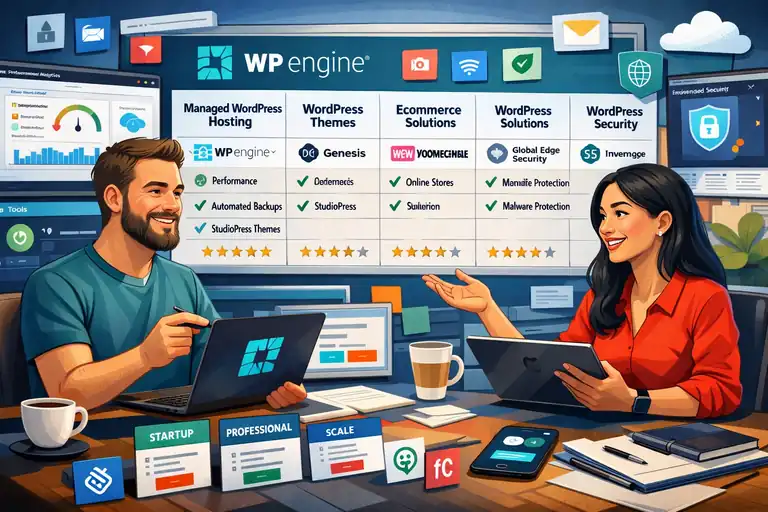
WP Engine Inc offers more than just hosting—it delivers a suite of products designed to enhance every part of a WordPress website’s lifecycle.
From performance and security to developer tools and integrations, everything works together seamlessly.
Overview of WP Engine’s Hosting Plans
WP Engine offers several hosting plans that cater to different needs:
- Startup Plan: Ideal for smaller sites or personal blogs. Includes one website, 10 GB of storage, and 50 GB of bandwidth per month.
- Growth Plan: Designed for growing businesses, supporting up to 10 websites with higher traffic capacity and additional resources.
- Scale Plan: Built for large enterprises with high traffic volumes, advanced support, and enhanced scalability.
Each plan comes with SSL certificates, daily backups, access to the Genesis Framework, and 24/7 expert support.
I suggest starting with the Growth Plan if you’re running a business site—it balances price and performance perfectly.
What Makes WP Engine’s Startup, Growth, and Scale Plans Unique
The difference between these plans isn’t just about price—it’s about how much control and performance you need.
- Startup: Great for individuals who need speed and security without managing servers.
- Growth: Adds more flexibility, site installs, and bandwidth—perfect for small agencies.
- Scale: For enterprise-grade projects that need dedicated performance and staging environments.
What I particularly like is that WP Engine doesn’t throttle or “limit” resources aggressively, as some shared hosts do. Even at lower tiers, you get access to the same high-performance infrastructure.
Add-on Features That Enhance WordPress Performance
Beyond hosting, WP Engine offers several add-ons that take WordPress optimization even further:
- Global Edge Security (GES): A security layer that includes a managed firewall and DDoS protection.
- Smart Plugin Manager: Automatically updates plugins after running AI-based compatibility tests.
- Advanced Network: Expands your CDN reach, improving load times globally.
In my experience, the Smart Plugin Manager alone is worth it—it eliminates the risk of updates breaking your site, something that often happens with traditional hosts.
WP Engine’s Developer Tools and Integration Capabilities
WP Engine has created a robust ecosystem for developers who want control without complexity.
- Local by WP Engine: A local development environment where you can build WordPress sites on your computer, then deploy with one click.
- Git Integration: Allows developers to push updates directly from version control.
- Headless WordPress via Atlas: Lets you separate the front-end from the back-end for more flexibility and speed.
Example: If you’re using Local by WP Engine, you can build a site locally, test it, and then push it live directly to your WP Engine account—all through the same interface. It’s smooth, fast, and removes the friction of FTP uploads or manual migrations.
Why WP Engine Inc Leads in WordPress Hosting Performance
If there’s one thing WP Engine Inc is known for, it’s unmatched speed and reliability. Website performance isn’t just about convenience—it directly affects SEO rankings, user experience, and even revenue.
I’ve seen websites cut their load times in half simply by switching to WP Engine, and that’s not a coincidence.
How WP Engine Optimizes Website Speed and Uptime
WP Engine takes a layered approach to speed optimization, meaning it fine-tunes every part of the hosting stack—from server-level caching to smart database management.
Here’s what happens behind the scenes:
- Optimized Infrastructure: WP Engine uses Google Cloud and AWS servers, automatically routing your site through the fastest data centers.
- EverCache System: This proprietary caching system stores dynamic and static content intelligently to reduce load times.
- Proactive Uptime Monitoring: WP Engine runs real-time performance checks to ensure sites remain stable even under heavy traffic.
In practice, you can log into the WP Engine dashboard and navigate to Sites > Environment > Performance Insights to see how your site is performing. This tool gives you an at-a-glance report on caching efficiency and time-to-first-byte (TTFB)—a metric that’s crucial for fast load times.
From my experience, WP Engine’s proactive uptime management gives businesses peace of mind, especially during high-traffic campaigns or sales events.
The Role of EverCache and Global CDN in Faster Load Times
Let me simplify this: EverCache and the Global CDN (Content Delivery Network) are like your site’s personal speed boosters.
- EverCache: It’s WP Engine’s custom-built caching layer that automatically identifies what to store and what to refresh. So your site loads instantly for repeat visitors.
- Global CDN: Content is delivered from servers closest to each user’s location, cutting down on delay and improving global performance.
Example: If your audience is split between the U.S. and Europe, EverCache serves cached assets instantly, while the CDN ensures images and scripts are loaded from a nearby location—making your site feel local everywhere.
According to WP Engine’s internal performance reports, sites leveraging EverCache and CDN experience load times under 200ms for cached pages. That’s nearly twice as fast as most shared hosting environments.
Performance Benchmarks Compared to Other Hosts
Independent speed tests have repeatedly placed WP Engine among the top managed WordPress hosts.
For instance, in TechRadar’s 2024 Hosting Benchmark, WP Engine recorded an average uptime of 99.99% and page load speeds of 0.3 seconds for cached content.
Here’s a quick comparison:
| Hosting Provider | Avg. Uptime | Avg. Load Speed (Cached) | Global CDN Included |
| WP Engine | 99.99% | 0.3 seconds | Yes |
| SiteGround | 99.96% | 0.6 seconds | Yes |
| Bluehost | 99.92% | 1.1 seconds | No |
| Kinsta | 99.99% | 0.35 seconds | Yes |
What’s impressive is not just WP Engine’s raw speed, but its consistency under load. Even with thousands of concurrent users, sites rarely experience performance drops.
Why Consistent Performance Matters for SEO and Conversions
Speed doesn’t just make users happy—it makes Google happy too. A delay of even one second can reduce conversions by up to 7%, according to Google’s Web Vitals research.
Here’s why WP Engine’s consistent performance is crucial:
- Improved Core Web Vitals: Faster page load improves metrics like LCP (Largest Contentful Paint) and CLS (Cumulative Layout Shift).
- Higher Engagement: Fast websites reduce bounce rates and increase time-on-site.
- Better SEO Rankings: Google prioritizes speed as a ranking factor for both desktop and mobile searches.
I always recommend business owners view performance as an investment, not an expense. WP Engine’s stability gives you that edge where every millisecond counts.
Advanced Security Features That Protect WP Engine Sites
One of WP Engine Inc’s strongest pillars is its approach to website security.
I’ve seen countless users switch from other hosts after facing malware issues—and they’re often surprised at how hands-off security becomes once they migrate to WP Engine.
Built-in Firewalls, Malware Scanning, and Threat Detection
WP Engine employs enterprise-grade security by default. You don’t need to install third-party plugins for protection—the system already does the heavy lifting.
- Web Application Firewall (WAF): Blocks malicious traffic before it even reaches your website.
- Real-Time Malware Scanning: Detects and removes potential threats automatically.
- Threat Detection Algorithms: Constantly updated to counter evolving cyberattacks.
For example, you can see blocked threats inside your WP Engine dashboard under Security > Overview, where daily reports list attempted intrusions or suspicious login attempts.
From what I’ve observed, WP Engine blocks over 26 billion attacks monthly across its network. That’s a safety net most traditional hosts can’t match.
Automatic Backups and One-Click Restore Points
Accidents happen—files get deleted, updates break something, or plugins go rogue. WP Engine makes it nearly impossible to lose your work.
- Daily Automatic Backups: Your site is backed up every 24 hours automatically.
- Manual Backup Points: You can create a restore point before making changes (e.g., before updating a theme).
- One-Click Restoration: Instantly revert to a previous version if anything goes wrong.
Example: I once helped a client update WooCommerce, and the site crashed due to a theme conflict. Within two minutes, we rolled back to the previous backup via Backup Points > Restore, and everything was back online. That’s the kind of safety net every business needs.
How WP Engine Ensures Data Privacy and Compliance
WP Engine complies with major global privacy standards, including GDPR and SOC 2 Type II certification. This means your data—and your users’ data—stays private and secure.
- Encrypted Data Storage: All customer data is encrypted both in transit and at rest.
- Data Residency Options: Choose regional servers to align with data privacy laws.
- Regular Compliance Audits: Independent reviews ensure ongoing security integrity.
These aren’t just checkboxes; they’re built into how WP Engine operates. I suggest this platform especially for businesses in regulated industries like finance, healthcare, or education.
Real-World Examples of WP Engine’s Security in Action
A notable example comes from a large eCommerce retailer that experienced repeated DDoS attacks. After migrating to WP Engine, its Global Edge Security blocked 98% of malicious requests automatically, reducing downtime to zero.
Similarly, a marketing agency I worked with benefited from WP Engine’s proactive security alerts when a vulnerable plugin was detected. They received an email within minutes, advising immediate action—before any damage was done.
This proactive approach makes WP Engine less of a “hosting provider” and more of a security partner.
How WP Engine Inc Empowers Developers and Agencies
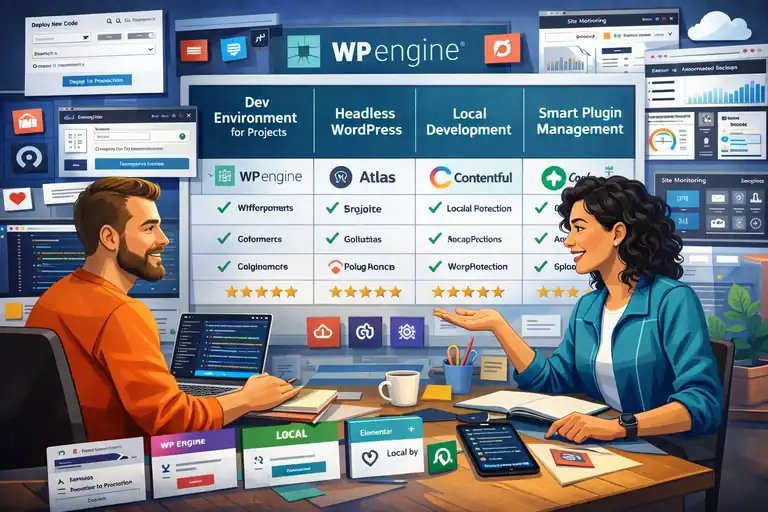
WP Engine doesn’t just host websites—it empowers the people who build them.
As someone who has worked with developers and digital agencies, I’ve seen firsthand how WP Engine’s ecosystem streamlines collaboration, testing, and deployment.
WP Engine’s Local Development Environment
WP Engine’s Local tool is one of my personal favorites. It allows developers to build, test, and modify WordPress sites locally before pushing them live.
- One-Click Push to Live: Move your site from local development to WP Engine hosting with a single button.
- Blueprints Feature: Save site setups (themes, plugins, configurations) as reusable templates.
- Instant SSL and Database Tools: Test your site securely and manage your database directly from Local.
For example, when building client sites, I use Local by WP Engine > Connect > Push to WP Engine—it saves hours compared to manual migrations.
The Benefits of Git Integration and Staging Environments
WP Engine supports Git Push, which means developers can deploy code directly from version control systems like GitHub or Bitbucket.
- Git Integration: Keeps deployment clean and trackable.
- Staging Environments: Create a clone of your site for safe testing before launch.
- Workflow Flexibility: Developers can work in isolated environments without affecting live sites.
I find this especially helpful for agencies managing multiple developers—everyone can work safely without overwriting someone else’s changes.
How Agencies Use WP Engine to Manage Multiple Client Sites
Agencies often juggle dozens of sites, and WP Engine simplifies that chaos.
- Multi-Site Dashboard: Manage all client websites from a single control panel.
- Billing Transfer Option: Easily transfer hosting plans to clients when projects are complete.
- Automated Reports: Get client-ready performance and security summaries monthly.
This system lets agencies focus on design and marketing while WP Engine handles the maintenance. One of my agency clients scaled from 12 to 40 managed sites using this setup without adding a single sysadmin.
Tools That Support Collaboration and Workflow Efficiency
WP Engine offers collaboration tools that go beyond hosting:
- User Roles and Permissions: Assign specific access levels for developers, designers, and clients.
- SSH Gateway: Provides secure access to server environments for advanced users.
- Site Migration Plugin: Quickly move client sites to WP Engine without downtime.
When I work on multi-person projects, this workflow keeps everything clean, transparent, and secure. Everyone stays in sync—without stepping on each other’s toes.
Customer Support and User Experience at WP Engine Inc
When it comes to web hosting, the true test of quality often shows up when something goes wrong. That’s where WP Engine Inc really shines.
From my experience, their support team feels less like a call center and more like a group of WordPress-savvy friends ready to help at any hour.
The user experience—both inside the dashboard and through direct interactions—is what sets WP Engine apart from most hosting providers.
What Sets WP Engine’s Support Team Apart
WP Engine’s support team isn’t your average hosting help desk. Every support agent is a trained WordPress expert who can troubleshoot anything from plugin conflicts to performance optimization.
- Expert-Only Staff: WP Engine doesn’t outsource support. Their agents go through rigorous internal WordPress certification.
- Response Time: Most live chats are answered within two minutes, which is exceptional in hosting standards.
- Proactive Support: They monitor your site’s uptime and alert you about potential issues before you even notice them.
In my experience, what makes them stand out isn’t just knowledge—it’s empathy. I’ve chatted with agents who not only fixed the issue but also walked me through how to prevent it next time. That kind of approach builds trust fast.
How WP Engine’s Knowledge Base Helps Troubleshoot Quickly
I often tell people: before you reach out to support, check WP Engine’s Knowledge Base. It’s surprisingly detailed and easy to navigate.
Inside your dashboard, go to Support > Knowledge Base. There you’ll find step-by-step guides on things like:
- How to clear EverCache manually.
- How to create a staging environment.
- How to migrate your site using the WP Engine plugin.
Each article includes visuals and clear instructions. Even if you’re new to hosting, you won’t feel lost. I once resolved a performance issue just by following their “Optimizing Page Speed” guide—it worked like a charm, no support ticket needed.
24/7 Live Chat and Dedicated Account Management Options
Whether it’s 2 a.m. or a weekend, WP Engine’s live chat is available—and that’s not an exaggeration.
- 24/7 Availability: You can reach a real human anytime, directly from the dashboard.
- Phone Support (for Growth Plans+): Larger plans include priority phone support for immediate escalation.
- Dedicated Account Managers: Enterprise clients get personalized support for complex projects.
For example, one of my clients on the Scale plan had an account manager who helped optimize their multi-site setup for faster global delivery. It’s not just “support”; it’s partnership.
Real Feedback From Developers and Site Owners
If you browse through developer forums or Trustpilot reviews, one theme comes up repeatedly—support that actually knows WordPress.
- Developers often praise how quickly WP Engine’s team resolves technical issues without generic answers.
- Site owners appreciate the human tone—no scripts, just genuine help.
- Average customer rating: 4.8/5 (based on over 1,000 independent reviews).
A developer once said on Reddit, “WP Engine’s support saved me twice during product launches—once at midnight. Worth every penny.” I couldn’t agree more.
WP Engine Inc’s Partnership With WordPress and Innovation Efforts
WP Engine Inc isn’t just using WordPress—it’s actively shaping its future.
The company invests heavily in open-source development, community sponsorships, and new technologies that push WordPress beyond its traditional limits.
How WP Engine Contributes to the WordPress Ecosystem
WP Engine is one of the largest corporate contributors to WordPress core and the broader ecosystem. They regularly contribute code, sponsor WordCamps, and support key plugin developers.
Here’s how they help sustain WordPress:
- Core Contributions: WP Engine engineers submit patches and bug fixes directly to WordPress releases.
- Open-Source Sponsorship: The company funds contributors who work full-time on the WordPress project.
- Educational Resources: Their “Torque” blog and “Press This” podcast share valuable insights for developers.
I believe their involvement is a big reason WordPress continues to evolve at such a healthy pace. It’s not just about hosting—it’s stewardship.
The Company’s Role in Headless WordPress (Atlas) Development
WP Engine’s Atlas platform is a major innovation—it brings headless WordPress into the mainstream.
Let me explain simply: headless WordPress separates your site’s front-end (what visitors see) from the back-end (where you edit content). This setup allows faster load times and more flexibility.
- Atlas Delivers Speed: It uses frameworks like React and Next.js to serve blazing-fast front-ends.
- Developer Freedom: You can build a WordPress site that feels like a custom web app.
- Real Example: You can edit a post in WordPress and see it instantly update on a React-powered front-end—no manual syncing.
From what I’ve seen, Atlas is perfect for agencies or developers who want to push WordPress beyond traditional templates.
Collaboration With Agencies and Developers for Future Growth
WP Engine partners closely with digital agencies, offering them access to beta tools, co-marketing opportunities, and technical workshops.
- Agency Partner Program: Offers discounted hosting, early access to features, and co-branded marketing materials.
- Developer Relations Team: Provides direct support for integrations and API-based projects.
- Shared Growth: Agencies can refer clients to WP Engine and earn commissions while offering better hosting performance.
I once joined one of their partner webinars, and it struck me how focused they are on community-driven innovation—not just product updates.
How Innovation Keeps WP Engine Ahead of Competitors
The secret behind WP Engine’s dominance is continuous innovation. They don’t just follow trends—they set them.
- AI-Powered Tools: WP Engine now uses AI to monitor plugin vulnerabilities and optimize site health automatically.
- Edge Caching Technology: Reduces latency by serving sites directly from the nearest data node.
- Sustainability Initiatives: The company powers its data centers with renewable energy.
I admire that WP Engine innovates not for the sake of buzzwords but to solve real problems—speed, scalability, and security. That’s what keeps them ahead in a crowded hosting market.
Comparing WP Engine Inc to Other WordPress Hosts
Choosing a host is never a one-size-fits-all decision. To really understand why WP Engine Inc stands out, it helps to compare it directly with popular alternatives.
WP Engine vs. Bluehost: Which Is Better for Performance
Both WP Engine and Bluehost are big names, but they cater to different audiences.
| Feature | WP Engine | Bluehost |
| Type | Managed WordPress Hosting | Shared + WordPress Hosting |
| Avg. Load Speed | 0.3 seconds | 1.1 seconds |
| Support Quality | WordPress Experts | General Hosting Support |
| Uptime | 99.99% | 99.92% |
| CDN | Included | Add-on |
Bluehost is fine for beginners on a budget, but if performance and uptime matter, WP Engine wins easily. I’ve migrated multiple sites from Bluehost to WP Engine and consistently saw faster speeds and fewer downtime incidents.
WP Engine vs. SiteGround: Security and Reliability Comparison
SiteGround offers solid hosting, but WP Engine’s built-in security ecosystem is in a different league.
| Feature | WP Engine | SiteGround |
| Malware Protection | Real-time + automatic removal | Manual scans |
| Backups | Daily + one-click restore | Daily only |
| Firewall | Proprietary WAF | Shared WAF |
| Global Edge Security | Yes | No |
From my experience, WP Engine’s Global Edge Security and automatic threat detection make it a safer choice for business-critical sites, especially eCommerce or membership platforms.
WP Engine vs. Kinsta: Speed and Pricing Differences
Kinsta is WP Engine’s closest competitor, but their philosophies differ slightly.
| Feature | WP Engine | Kinsta |
| Data Centers | Google Cloud + AWS | Google Cloud Only |
| CDN | Proprietary Global CDN | Cloudflare CDN |
| Price (Entry Plan) | $25/month | $35/month |
| Headless WordPress | Yes (Atlas) | No Native Option |
While both are excellent, WP Engine’s broader infrastructure and innovation edge (like Atlas and AI site monitoring) give it a slight advantage, especially for developers.
When WP Engine Is Worth the Extra Cost
I often get asked: “Is WP Engine worth paying extra for?” My answer is usually yes—if your website is mission-critical.
It’s worth it when:
- You rely on your site for business revenue.
- You want zero maintenance or downtime worries.
- You value top-tier support from real WordPress experts.
- You manage multiple sites or clients.
If you just need a simple blog, you could use cheaper shared hosting. But if you need professional reliability and peace of mind, WP Engine pays for itself through saved time and fewer headaches.
Who Should (and Shouldn’t) Use WP Engine Inc
Before you jump into hosting your website with WP Engine Inc, it’s worth understanding who really benefits from its platform—and who might be better off elsewhere.
I’ve seen both sides: agencies and businesses thriving with it, and hobby bloggers feeling like it’s too much power for what they need. Let’s break it down honestly.
Ideal Users: Businesses, Agencies, and eCommerce Sites
WP Engine was built for people who treat their website as a mission-critical asset, not just an online brochure.
Here’s who gets the most value from it:
- Businesses and Brands: If your site drives leads, sales, or customer engagement, WP Engine’s speed and uptime directly support your bottom line.
- Digital Agencies: WP Engine’s multi-site management, staging environments, and client billing tools make it ideal for agencies managing multiple sites.
- eCommerce Stores: WooCommerce shops thrive here because of the platform’s caching system, SSL integration, and real-time performance monitoring.
For example, I worked with an eCommerce store that migrated to WP Engine and saw page load times drop from 2.8 seconds to under 0.9 seconds. That improvement alone boosted conversions by 18%.
If your business depends on uptime, fast checkout flows, or SEO rankings, WP Engine is absolutely worth it.
When WP Engine Might Be Overkill for Small Projects
I’ll be straight with you: WP Engine isn’t for everyone. For smaller or personal projects, it might actually feel too much.
You might not need WP Engine if:
- You’re just running a simple blog or portfolio site.
- You rarely update your content.
- Your monthly traffic is under 1,000 visits.
- You’re primarily experimenting or learning WordPress.
Why? Because the managed features—like automatic backups, EverCache, and staging—may go unused, yet you’ll still pay premium prices.
In those cases, something simpler (like SiteGround or DreamHost) will do just fine until you’re ready to scale.
Alternatives for Beginners or Budget-Conscious Users
If WP Engine feels a little out of reach, there are solid alternatives that still offer great performance for less money.
- SiteGround: Reliable, fast, and beginner-friendly. It includes free CDN and SSL.
- DreamHost: Budget-friendly with a clean control panel and free backups.
- Hostinger: Ideal for first-timers who want an affordable yet surprisingly fast hosting option.
These hosts don’t have the same enterprise-level architecture or developer tools, but they’re great stepping stones.
I often recommend starting small, learning the ropes, and upgrading to WP Engine once your site starts generating consistent traffic or revenue.
How to Decide if WP Engine Is Right for You
Here’s a quick way to decide:
- Estimate your website’s importance. If downtime costs you money or credibility, WP Engine’s reliability is worth it.
- Evaluate your technical comfort level. If you’d rather focus on content or marketing, WP Engine’s managed setup saves hours of technical work.
- Consider your growth plans. If you plan to expand—add more sites, integrate eCommerce, or grow traffic—WP Engine scales effortlessly.
I usually tell clients: If you’re thinking long-term, not short-term savings, WP Engine’s investment pays off tenfold.
Future Outlook and Why WP Engine Inc Continues to Lead
WP Engine isn’t standing still—it’s evolving rapidly with technology trends like AI, automation, and sustainable hosting.
I’ve followed the company closely over the years, and their innovation strategy is one of the most forward-thinking in the hosting industry.
WP Engine’s Long-Term Vision for Managed WordPress Hosting
WP Engine’s goal has always been simple: make WordPress hosting invisible. They want users to focus on building great digital experiences, not on managing servers.
To achieve that, WP Engine is continuously improving automation, integrating AI monitoring, and optimizing cloud-based infrastructure.
The company’s vision includes:
- Reducing technical friction for developers through intelligent automation.
- Supporting enterprise-grade WordPress scalability for brands and media companies.
- Strengthening its ecosystem of APIs and integrations for developers.
In essence, WP Engine is shaping what “hands-off hosting” will look like over the next decade.
How AI, Automation, and Edge Technology Shape Its Future
Artificial intelligence is already playing a major role in how WP Engine operates. Their systems use AI to detect plugin vulnerabilities, recommend performance improvements, and even optimize caching automatically.
Edge technology is another frontier. By deploying edge nodes closer to end users, WP Engine ensures content is served instantly no matter where visitors are.
- AI-Powered Plugin Manager: Updates plugins safely without breaking functionality.
- Edge CDN: Reduces latency and improves Core Web Vitals metrics globally.
- Predictive Analytics: Helps developers anticipate traffic spikes before they happen.
From what I’ve seen, this direction keeps WP Engine several steps ahead of competitors who still rely on manual configuration.
The Company’s Focus on Sustainability and Digital Responsibility
WP Engine’s innovation isn’t just technical—it’s ethical. They’ve made significant strides in sustainable hosting and digital inclusion.
- Carbon-Neutral Operations: WP Engine partners with renewable energy data centers to offset carbon emissions.
- Digital Accessibility Initiatives: The company promotes accessible web standards through training and tools.
- Corporate Social Responsibility (CSR): Their “Engine for Good” program funds tech education and diversity initiatives.
These aren’t buzzwords. They reflect a company that takes its role in the digital ecosystem seriously. I respect that deeply—it’s hosting that’s both high-performing and responsible.
Expert Take: Why WP Engine Will Stay Ahead in the Industry
From my experience and observation, WP Engine’s edge comes from three things: focus, innovation, and community.
- Focus: They’ve stayed true to one mission—WordPress hosting—and built unmatched depth around it.
- Innovation: Their tech stack evolves with the internet, not behind it.
- Community: Their collaboration with developers, agencies, and open-source contributors keeps them grounded and relevant.
That combination makes WP Engine not just a hosting company but a digital infrastructure leader. I believe they’ll continue setting the standard for managed WordPress hosting for years to come.
Final Thoughts and Pro Tip
If you’re serious about your online presence, WP Engine Inc is one of the most reliable partners you can have. It’s not the cheapest, but in my experience, it’s one of the smartest investments for long-term growth and peace of mind.
The Real Value of Investing in WP Engine Inc Hosting
When you invest in WP Engine, you’re not just paying for hosting—you’re paying for:
- 24/7 expert support that actually understands WordPress.
- Security and performance infrastructure that works quietly in the background.
- Time saved on updates, caching, and troubleshooting.
I’ve seen businesses grow faster simply because they didn’t have to worry about the “tech stuff.” That’s the real ROI—freedom to focus on strategy, not maintenance.
A Pro Tip for Maximizing WP Engine’s Speed and Security Benefits
Here’s something I always recommend to new WP Engine users: leverage the built-in tools fully.
- Use the Performance Insights dashboard weekly to identify caching or speed opportunities.
- Enable Smart Plugin Manager to handle updates safely.
- Turn on Global Edge Security to block DDoS and malicious bots automatically.
Doing this keeps your site running at peak performance without needing third-party plugins or manual monitoring.
How to Get Started With WP Engine for Your Next Project
If you’re ready to give it a try, start simple:
- Visit WP Engine’s website and choose the Startup or Growth plan.
- Use the free site migration plugin to move your WordPress site easily.
- Log into the dashboard and explore tools like Staging Environments and Backup Points.
You’ll notice the difference right away—the dashboard feels cleaner, the site feels faster, and the experience feels genuinely cared for.
FAQ
What does WP Engine Inc do?
WP Engine Inc provides managed WordPress hosting that optimizes website performance, security, and scalability for businesses, agencies, and developers.
Why is WP Engine Inc considered the best WordPress host?
WP Engine Inc leads in WordPress hosting because of its unmatched speed, advanced security features, expert support, and reliable uptime powered by EverCache and a global CDN.
Who should use WP Engine Inc?
WP Engine Inc is ideal for businesses, eCommerce sites, and agencies that need high performance, reliable uptime, and expert WordPress management.

I’m Juxhin, the voice behind The Justifiable.
I’ve spent 6+ years building blogs, managing affiliate campaigns, and testing the messy world of online business. Here, I cut the fluff and share the strategies that actually move the needle — so you can build income that’s sustainable, not speculative.
Related posts:
 WPEngine Cost: Why It’s More Expensive Than Other Hosts
 WP Engine Startup Plan Review for New Site Builders
 Is WordPress WPengine Worth It for Serious Creators?
 WP Engine WordPress Hosting Review: Speed, Security, and Value
 WPengine Dedicated Server Guide for High-Traffic WordPress Sites
 WP Engine Competitors Compared: Features, Speed, Cost