
Table of Contents
Some links on The Justifiable are affiliate links, meaning we may earn a small commission at no extra cost to you. Read full disclaimer.
Choosing between Brevo vs Mailchimp for small business can feel overwhelming when both platforms promise powerful email marketing tools.
One focuses on affordability and transactional messaging, while the other leans heavily into automation, integrations, and brand recognition.
If you’re a small business owner trying to balance budget with functionality, the real question isn’t which platform is bigger — it’s which one actually delivers the best value for your stage of business.
Brevo Vs Mailchimp Pricing Comparison For Small Businesses
When comparing brevo vs mailchimp for small business, pricing is usually the first thing owners care about.
For most small businesses, the difference comes down to how each platform charges you: Brevo charges based on email volume, while Mailchimp charges based on subscriber count.
Brevo Pricing Structure And Monthly Cost Breakdown
Brevo uses a send-based pricing model, which means you pay based on how many emails you send each month rather than how many subscribers you store in your list. For small businesses trying to grow a large audience, this pricing structure can become a huge advantage.
Here’s a simplified overview of Brevo’s typical pricing structure in 2026:
| Plan | Monthly Cost | Email Sends | Key Features |
|---|---|---|---|
| Free | $0 | ~300 emails/day | Email campaigns, basic automation |
| Starter | ~ $25/month | 20,000 emails/month | No daily limit, basic reporting |
| Business | ~ $65/month | 20,000+ emails/month | Advanced automation, A/B testing |
| Enterprise | Custom | Unlimited | Advanced integrations & support |
A few important things to understand about this model:
- Unlimited contacts: Brevo does not charge for storing large contact lists.
- Predictable scaling: Your cost grows based on campaigns, not audience size.
- SMS and transactional email support: This becomes important if you run ecommerce.
Imagine you run a small online store with 25,000 subscribers but only send two campaigns per month. With Brevo, your cost might still stay under $65/month because pricing depends on send volume.
In my experience, this model is especially appealing for:
- bloggers growing large email lists
- SaaS startups collecting leads
- ecommerce stores with large audiences but moderate email frequency
For businesses focused on audience growth, Brevo often feels financially safer.
Mailchimp Pricing Plans And Subscriber-Based Costs
Mailchimp uses a subscriber-based pricing model. That means your monthly cost increases as your list grows — even if you don’t email those subscribers often.
Here is a simplified breakdown of Mailchimp pricing tiers in 2026.
| Plan | Monthly Cost | Subscriber Limit | Key Features |
|---|---|---|---|
| Free | $0 | ~500 contacts | Limited templates, basic email |
| Essentials | ~ $13/month | 500+ contacts | A/B testing, scheduling |
| Standard | ~ $20+/month | Scales with list size | Automation builder |
| Premium | $350+/month | Large audiences | Advanced segmentation |
Where Mailchimp gets expensive is when your list grows.
Example scenario:
- 500 subscribers → about $13/month
- 5,000 subscribers → about $75/month
- 20,000 subscribers → often $200+/month
For small businesses scaling their email lists, the cost can climb quickly.
I’ve seen many creators hit this moment:
You start with a free plan, grow your audience quickly, and suddenly your email software becomes one of your biggest monthly expenses.
That’s the biggest pricing tension when evaluating brevo vs mailchimp for small business.
Free Plan Limitations: Brevo Vs Mailchimp Reality Check
Both platforms offer free plans, but they work very differently.
Here’s a quick comparison:
| Feature | Brevo Free Plan | Mailchimp Free Plan |
|---|---|---|
| Contacts | Unlimited | ~500 contacts |
| Email Sends | ~300/day | 1,000/month |
| Automation | Basic | Very limited |
| Branding | Brevo logo | Mailchimp logo |
| Support | Email support | Limited support |
The key difference is how growth is treated.
With Brevo:
- You can store unlimited contacts.
- Your sending limit is daily.
With Mailchimp:
- Your contact list is capped.
- Pricing increases once you exceed the limit.
For many small businesses, the free version of Mailchimp works well for testing email marketing. But once you start building a real audience, those limits appear quickly.
If you’re building a newsletter, community, or content business, Brevo’s free plan tends to last longer.
Hidden Costs Small Businesses Often Miss In Mailchimp
One thing I often tell small business owners is that Mailchimp’s pricing looks simple on the surface — but there are several hidden cost factors.
Here are the ones people usually discover too late.
1. Paying for inactive subscribers
Mailchimp counts every contact stored in your list:
- unsubscribed users
- inactive contacts
- duplicates
Even if someone hasn’t opened an email in a year, they still count toward your pricing tier.
For example:
If your list has 10,000 contacts but only 6,000 active subscribers, you still pay for all 10,000.
2. Automation limits
Some automation features are only available on higher plans. That means upgrading earlier than expected if you want advanced workflows.
3. Contact tier jumps
Mailchimp pricing increases in tiers. If you move from:
- 5,000 → 5,001 subscribers
you may jump into a higher monthly payment bracket.
4. Add-on features
Advanced reporting, multivariate testing, and advanced segmentation often require upgrading to higher plans.
From what I’ve seen, these costs are what push many small businesses to explore alternatives later.
When Brevo’s Pricing Model Becomes More Cost-Effective
Brevo tends to become more cost-effective once your email list begins growing rapidly.
Here’s a simple way to think about it.
Brevo favors businesses that:
- collect large numbers of leads
- send fewer campaigns
- prioritize transactional emails
Mailchimp favors businesses that:
- maintain smaller lists
- send frequent campaigns
- want built-in templates and integrations
Let’s look at a practical example.
Imagine a content creator with:
- 30,000 subscribers
- 4 newsletters per month
With Mailchimp, that could cost $200–$300/month depending on plan features.
With Brevo, the same email volume might cost under $100/month.
That’s why many bloggers, SaaS startups, and creators switch once their lists reach 10k–20k subscribers.
In the debate of brevo vs mailchimp for small business, pricing often becomes the deciding factor once growth accelerates.
Email Marketing Features Comparison: Brevo Vs Mailchimp
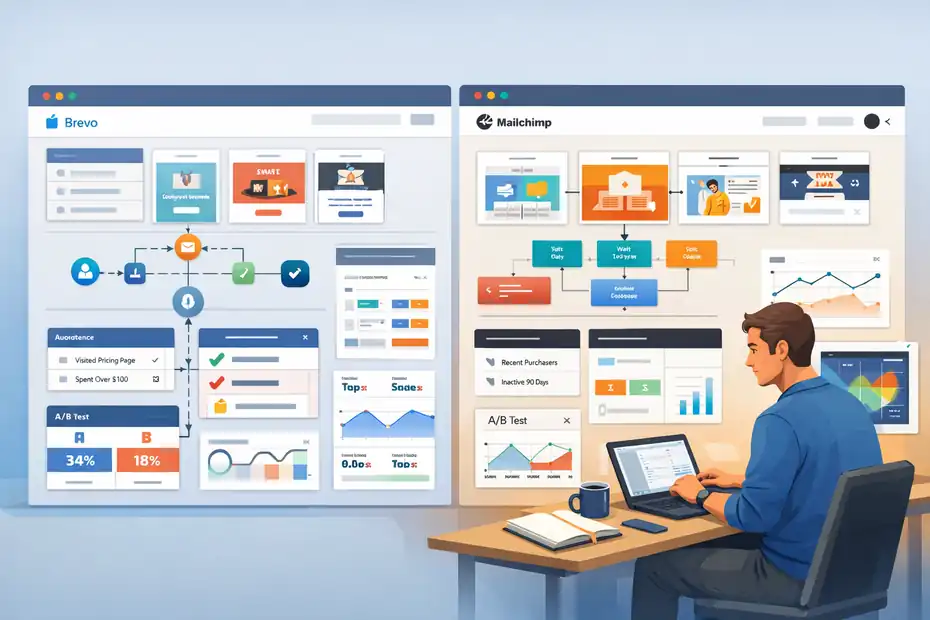
Price matters, but features determine how effective your campaigns become.
When comparing brevo vs mailchimp for small business, the real difference shows up in automation, segmentation, and campaign optimization.
Email Campaign Builder And Template Flexibility
Both platforms offer drag-and-drop email builders, but the experience feels different depending on how you design campaigns.
Mailchimp is widely known for its polished design editor. It includes:
- hundreds of pre-built templates
- drag-and-drop content blocks
- brand style customization tools
For beginners, this makes email creation extremely fast.
Example workflow:
- Choose a template.
- Drag in text blocks, images, or product sections.
- Customize colors and fonts.
In many cases, a complete newsletter can be built in under 10 minutes.
Brevo’s email editor is also drag-and-drop but slightly more streamlined. It offers:
- responsive email templates
- HTML editing options
- reusable content blocks
Where Brevo shines is flexibility for marketers who want more control.
For example:
You can create reusable modules for things like:
- product sections
- CTA banners
- event announcements
This allows teams to build email templates that scale across campaigns.
If you’re focused on visual design and branding, Mailchimp tends to feel more polished. If you prefer simplicity and modular campaign building, Brevo works extremely well.
Automation Capabilities And Workflow Customization
Automation is where email marketing becomes powerful.
Instead of manually sending emails, automation allows campaigns to trigger automatically when a user takes action.
Both platforms support common workflows such as:
- welcome sequences
- abandoned cart emails
- onboarding campaigns
- re-engagement emails
However, their approach differs.
Mailchimp’s automation system uses a visual workflow builder where you map customer journeys.
Example: User subscribes → welcome email → wait 3 days → send product recommendation.
Brevo focuses more on event-based automation triggers. You can create workflows triggered by actions like:
- email opened
- link clicked
- purchase completed
- webpage visited
In practice, both systems work well, but Mailchimp feels slightly easier for beginners designing multi-step funnels.
Brevo, on the other hand, offers excellent flexibility for technical workflows and transactional messaging.
Contact Management And Audience Segmentation Tools
Segmentation is one of the most important features in email marketing.
Sending the same message to everyone rarely performs well.
Both platforms allow segmentation based on factors such as:
- location
- engagement history
- purchase behavior
- signup source
Mailchimp uses something called Audience Tags and Segments.
Example segmentation rules:
- subscribers who opened the last 3 campaigns
- customers who purchased in the last 30 days
- inactive subscribers for 90 days
Brevo uses attributes and behavioral events for segmentation.
Example rules:
- contacts who clicked a specific link
- users who visited a pricing page
- customers who spent over $100
In my experience, Brevo’s segmentation becomes powerful when combined with automation triggers.
It allows extremely targeted campaigns, especially for ecommerce or SaaS businesses.
A/B Testing And Campaign Optimization Features
A/B testing helps marketers determine which version of an email performs better.
Both platforms support common testing experiments.
Examples include:
- subject line testing
- sender name variations
- email content layouts
- call-to-action buttons
Mailchimp offers a slightly more advanced testing environment, including:
- multivariate testing
- subject line optimization suggestions
- send-time optimization
These features are especially useful for marketers running large campaigns.
Brevo supports standard A/B testing, which is usually enough for most small businesses.
Example workflow:
- Create two subject lines.
- Send version A to 20% of your audience.
- Send version B to another 20%.
- Automatically deliver the winning version to the remaining subscribers.
This allows campaigns to improve performance without manual analysis.
Even simple testing can increase open rates by 10–20%, according to multiple email marketing studies.
Reporting Analytics And Campaign Performance Insights
Analytics help you understand what’s working and what isn’t.
Both platforms provide standard campaign metrics such as:
- open rate
- click-through rate
- unsubscribe rate
- bounce rate
Mailchimp’s reporting dashboard includes visual charts and engagement tracking that many marketers find easier to interpret.
It also offers:
- click heatmaps
- engagement comparisons
- audience growth reports
Brevo provides detailed performance tracking with strong transactional reporting.
This includes:
- delivery tracking
- link performance data
- automation performance analytics
For ecommerce campaigns, both platforms can track revenue generated from emails.
If you’re heavily focused on campaign analytics and marketing insights, Mailchimp’s dashboards tend to feel slightly more advanced.
But for most small businesses, Brevo provides all the reporting needed to optimize campaigns effectively.
Automation Power: Brevo Vs Mailchimp Workflow Capabilities
Automation often becomes the deciding factor when choosing an email marketing platform.
When evaluating brevo vs mailchimp for small business, the biggest difference isn’t just price — it’s how easily you can create automated customer journeys that run without constant manual work.
Automation Triggers Available In Brevo
Brevo’s automation system is built around event-based triggers, which means emails or actions are launched when a specific user behavior happens. For small businesses trying to personalize communication, this type of trigger-based system can be extremely powerful.
Let me break down how it typically works.
A trigger is simply an action that starts an automation workflow. In Brevo, common triggers include:
- Email opened
- Link clicked inside a campaign
- Contact added to a list
- Purchase completed
- Webpage visited
- Custom API events
Imagine you run a small ecommerce store. A typical automation could look like this:
- Automation Example: Abandoned cart recovery
- Step 1: Customer adds a product to cart but doesn’t complete checkout.
- Step 2: Brevo waits one hour.
- Step 3: An automated reminder email is sent with a product image and checkout link.
- Step 4: If the user still doesn’t purchase, a second email with a discount code is triggered after 24 hours.
This type of automation can recover 10–20% of abandoned carts, which is why ecommerce brands rely heavily on it.
In my experience, Brevo’s automation works particularly well for:
- ecommerce transactional messaging
- onboarding sequences
- SaaS user activation flows
- behavior-based email triggers
Another advantage is that Brevo integrates email, SMS, and transactional notifications inside the same workflow. This makes it easier for businesses to create multi-channel automation without juggling separate tools.
Mailchimp Customer Journey Builder Explained
Mailchimp takes a slightly different approach with something called the “Customer Journey Builder”. Instead of building automation around events alone, Mailchimp uses a visual journey map where you can design complete customer paths.
Think of it like building a flowchart for your marketing.
Inside the builder, you place blocks representing steps such as:
- starting trigger
- email message
- wait time
- branching conditions
- goal completion
Here’s a simple welcome sequence example using Mailchimp’s journey builder:
- Step 1: A user signs up for your newsletter.
- Step 2: Mailchimp sends a welcome email immediately.
- Step 3: The system waits two days.
- Step 4: A second email introduces your most popular product.
- Step 5: If the subscriber clicks the product link, they enter a “hot lead” segment.
The visual layout makes it easy to understand how customers move through the funnel.
This system is especially helpful for beginners because you can see the entire automation structure on one screen.
Mailchimp also includes built-in templates for common journeys such as:
- welcome series
- re-engagement campaigns
- abandoned cart recovery
- product recommendation flows
For many small business owners who are new to marketing automation, this visual builder lowers the learning curve significantly.
Behavioral Targeting And Personalization Differences
Personalization is one of the biggest performance drivers in modern email marketing. Studies from Campaign Monitor suggest that personalized emails can increase revenue by up to 760%, especially when combined with behavioral triggers.
Both Brevo and Mailchimp allow marketers to personalize emails, but they approach it slightly differently.
Mailchimp focuses heavily on audience data and segmentation. You can personalize campaigns using subscriber attributes such as:
- first name
- purchase history
- location
- engagement level
- product preferences
For example, a clothing store could send different product recommendations based on a customer’s past purchases.
Brevo leans more toward behavior-driven personalization. Instead of focusing only on stored data, Brevo emphasizes what users do.
Examples of behavioral triggers include:
- visiting a pricing page
- clicking a product link
- downloading a guide
- opening multiple emails in a campaign
This allows businesses to react quickly to user behavior.
Imagine a SaaS company offering project management software. If a user repeatedly visits the pricing page but doesn’t upgrade, Brevo could trigger a personalized email offering a demo or limited-time discount.
In my experience, behavioral personalization tends to produce stronger engagement because messages feel timely and relevant.
Ecommerce Automation Workflows Comparison
If you run an online store, automation workflows can directly impact revenue. Many ecommerce businesses generate 20–30% of their total sales from automated email flows.
Both Brevo and Mailchimp support essential ecommerce automations, including:
- abandoned cart reminders
- order confirmations
- product recommendations
- customer reactivation campaigns
However, their strengths differ slightly.
Mailchimp integrates deeply with ecommerce platforms, allowing it to automatically generate workflows based on purchase data. This makes it easy to create campaigns such as:
- post-purchase upsell emails
- replenishment reminders
- customer loyalty campaigns
For example, a skincare store might send a replenishment email 30 days after a moisturizer purchase.
Brevo focuses more heavily on transactional messaging infrastructure, which means it handles automated emails tied directly to actions inside your store.
These can include:
- order confirmations
- shipping updates
- account notifications
- purchase receipts
Because of this infrastructure focus, Brevo is often favored by ecommerce stores that need reliable high-volume transactional emails alongside marketing campaigns.
If your business relies heavily on order notifications and real-time transactional emails, Brevo’s system tends to perform extremely well.
Automation Limits On Lower-Tier Pricing Plans
One detail many small businesses overlook when comparing brevo vs mailchimp for small business is how automation features change depending on the pricing tier.
Most email marketing platforms limit advanced automation in entry-level plans.
For example, on lower-tier plans you may encounter restrictions such as:
- limited number of automation workflows
- restricted trigger types
- reduced segmentation capabilities
- limits on customer journey complexity
Mailchimp’s free and entry plans allow basic automations like welcome emails or abandoned cart reminders. However, advanced features such as multi-step journeys or advanced segmentation usually require upgrading to higher plans.
Brevo tends to include automation earlier in its pricing structure, though certain advanced capabilities may still require a higher tier.
From what I’ve seen, small businesses usually hit these automation limits once they begin running:
- multi-step onboarding funnels
- ecommerce lifecycle campaigns
- lead nurturing sequences for sales funnels
That’s often the point where owners realize email marketing software is no longer just a newsletter tool — it becomes a full customer lifecycle platform.
CRM, SMS, And Multichannel Tools Comparison
When evaluating brevo vs mailchimp for small business, many people focus only on email marketing. But modern marketing rarely happens through just one channel. Most businesses now communicate with customers through email, SMS, websites, and even chat tools.
That’s where CRM and multichannel communication features become important. The real question is not just which platform sends emails better, but which one helps you manage customer relationships across multiple touchpoints.
Built-In CRM Capabilities Inside Brevo
Brevo includes a built-in CRM system, which is one of its most underrated features. CRM stands for Customer Relationship Management, and it simply means a system that stores customer information, tracks interactions, and helps you manage leads or buyers.
In Brevo, contacts are not just email addresses. Each contact can store detailed attributes such as:
- name and company
- purchase history
- last email engagement
- custom tags and fields
- activity timeline
One feature I personally find useful is the contact timeline view. It shows every interaction a user has had with your brand, including emails opened, links clicked, or transactions completed.
Example scenario: Imagine you run a consulting business. A lead downloads a free guide from your website. Brevo automatically creates a contact profile and logs the event.
Later, if that person clicks a pricing page link, the CRM records that interaction too. You can then move that lead into a “high-intent prospects” pipeline.
Brevo also supports basic sales pipelines where you can track leads moving through stages such as:
- new lead
- contacted
- proposal sent
- deal closed
For small businesses without a dedicated CRM tool, this built-in system can replace separate software entirely.
In my experience, this is especially useful for:
- freelancers managing client inquiries
- service businesses tracking leads
- SaaS startups nurturing trial users
It keeps everything centralized instead of scattered across multiple tools.
Mailchimp CRM Features And Contact Management
Mailchimp also offers contact management features, but its system focuses more on audience segmentation for marketing rather than traditional sales pipelines.
Inside Mailchimp, contacts are organized into something called an Audience. Each contact record stores useful information such as:
- subscriber activity
- email engagement history
- purchase behavior
- demographic data
Where Mailchimp excels is segmentation. You can easily build groups of contacts based on behavior or engagement.
Example segmentation rules might include:
- subscribers who opened the last three campaigns
- customers who purchased in the past 60 days
- users who clicked a specific product link
These segments allow you to send targeted campaigns rather than broadcasting the same email to everyone.
For instance, imagine you run an online fitness store. You could create separate email segments for:
- customers who purchased supplements
- customers who purchased workout gear
- subscribers who have not purchased anything yet
Each group can receive different campaigns tailored to their interests.
However, Mailchimp’s CRM features are not as focused on sales pipelines or deal tracking. Businesses that rely heavily on lead management often pair Mailchimp with a dedicated CRM system.
For marketing-focused teams, though, Mailchimp’s contact segmentation remains extremely powerful.
SMS Marketing Capabilities In Brevo
SMS marketing has become one of the fastest-growing marketing channels. Studies from multiple marketing platforms show SMS open rates often exceed 90%, which is significantly higher than typical email open rates.
Brevo includes SMS marketing as part of its communication platform. This means businesses can send both email and text messages from the same dashboard.
SMS campaigns in Brevo can be used for several purposes:
- promotional offers
- appointment reminders
- shipping updates
- event notifications
- limited-time sales alerts
Example scenario: Imagine you run a local restaurant. You could send an SMS message to customers announcing a weekend promotion: “Get 20% off dinner this Friday.” Because text messages are typically read within minutes, they work extremely well for time-sensitive promotions.
Brevo also allows SMS to be integrated into automation workflows.
Automation Example: After a customer places an order, they receive an order confirmation email. Once the package ships, Brevo automatically sends a text message with the tracking link.
This kind of multichannel communication improves the overall customer experience while increasing engagement.
For small businesses looking to combine email and SMS marketing in one system, Brevo offers a strong advantage.
Multichannel Messaging Options Mailchimp Provides
Mailchimp focuses heavily on email marketing but has gradually expanded into other communication channels.
Today, Mailchimp supports several marketing channels including:
- email campaigns
- SMS messaging (in selected regions)
- social media advertising
- landing pages and forms
One feature Mailchimp promotes is its ability to connect email campaigns with social media ads. For example, you can create an audience segment of engaged subscribers and then run targeted advertising campaigns to that same group.
Example scenario: A clothing brand sends a new product launch email. Subscribers who click but don’t purchase can be automatically added to a retargeting audience for social media ads.
This creates a combined marketing funnel across email and advertising platforms.
Mailchimp also supports marketing landing pages, which allow businesses to collect leads without using a separate website builder.
While these tools are useful, Mailchimp still centers most of its features around email marketing campaigns rather than full multichannel communication.
Omnichannel Marketing Advantage For Growing Businesses
As businesses grow, relying on just one communication channel becomes limiting. Customers today interact with brands through multiple touchpoints such as:
- SMS
- websites
- ads
- support channels
This approach is called omnichannel marketing, meaning your marketing efforts stay connected across different platforms.
Let me break this down with a simple example.
Imagine someone discovers your brand through a blog article. They join your email list and receive a welcome series. A week later they receive a promotional email but don’t purchase. Later, they receive an SMS with a limited-time discount. Finally, they see a retargeting ad reminding them about the product.
All of these interactions work together to guide the customer toward a purchase.
Businesses that implement omnichannel marketing often see higher conversion rates because the customer journey feels more consistent and personalized.
In my experience, the most effective systems are the ones where:
- customer data stays centralized
- messages adapt to behavior
- automation connects multiple communication channels
When comparing brevo vs mailchimp for small business, the real difference here is how each platform approaches multichannel marketing and customer relationship management.
Ecommerce Integrations And Platform Compatibility

If you run an online store, email marketing software must integrate smoothly with your ecommerce platform. Without these integrations, it becomes much harder to automate campaigns, track purchases, or personalize emails.
This is another key area where brevo vs mailchimp for small business reveals meaningful differences.
Shopify Integration Performance: Brevo Vs Mailchimp
Shopify is one of the most widely used ecommerce platforms in the world. Because of this, both Brevo and Mailchimp offer integration options designed specifically for Shopify stores.
Once connected, these integrations allow the email platform to automatically access store data such as:
- customer profiles
- purchase history
- product catalog
- abandoned carts
With this data, marketers can create automated campaigns triggered by customer behavior.
Example workflow for a Shopify store:
- Step 1: A customer browses products but does not complete checkout.
- Step 2: The system detects the abandoned cart.
- Step 3: An automated reminder email is sent with product images and checkout links.
Mailchimp’s Shopify integration is particularly strong when it comes to building marketing automations based on purchase data. Store owners can create customer segments such as:
- repeat buyers
- first-time customers
- high-value customers
Brevo’s integration focuses more on transactional messaging and behavioral triggers, which can be useful for sending order confirmations, shipping notifications, and purchase follow-ups.
For many ecommerce businesses, both platforms integrate well with Shopify. The difference usually comes down to whether you prefer marketing-focused automation or a more communication-focused messaging system.
WooCommerce Marketing Automation Comparison
WooCommerce powers millions of WordPress-based ecommerce stores, and both Brevo and Mailchimp support integrations with it.
When connected to WooCommerce, email platforms gain access to store activity such as:
- completed purchases
- abandoned carts
- product browsing behavior
- order value and frequency
This data enables several powerful marketing automations.
Common WooCommerce email automations include:
- Automation 1: Abandoned cart reminder encouraging customers to complete checkout.
- Automation 2: Post-purchase emails recommending related products.
- Automation 3: Customer reactivation campaigns targeting inactive buyers.
In many ecommerce stores, these automated sequences generate a significant percentage of total email revenue.
For example, abandoned cart recovery emails alone can recover 10–15% of lost sales.
Mailchimp tends to emphasize marketing workflows built around product recommendations and promotions.
Brevo performs particularly well with transactional email flows such as:
- order confirmations
- delivery updates
- account notifications
Both approaches are useful, but the best choice depends on how your store communicates with customers after a purchase.
API Flexibility And Custom Integration Possibilities
For businesses with custom systems or complex workflows, API flexibility becomes extremely important.
An API, or Application Programming Interface, allows different software systems to communicate with each other automatically.
Both Brevo and Mailchimp provide developer APIs that allow businesses to build custom integrations.
Examples of API use cases include:
- connecting a CRM system to email campaigns
- triggering emails when users perform specific actions in an app
- synchronizing customer data across multiple platforms
- sending transactional emails directly from a website
For instance, imagine you run a SaaS application. When a user signs up for a free trial, your software could automatically trigger a welcome email sequence through the email platform’s API.
Developers can also use APIs to update subscriber attributes, add tags, or trigger automation workflows.
From a technical perspective, both platforms offer flexible APIs that support modern integration environments.
However, Brevo is often recognized for strong transactional email APIs, which are widely used by developers building SaaS products or applications that require reliable email delivery.
Third-Party App Ecosystem Differences
The strength of an email marketing platform often depends on how well it connects with other tools.
Mailchimp has one of the largest integration ecosystems in the email marketing space. It connects with hundreds of third-party apps across categories such as:
- ecommerce platforms
- CRM systems
- website builders
- analytics tools
- advertising platforms
This ecosystem makes it easier for businesses to connect marketing tools without building custom integrations.
Brevo also supports many integrations but focuses more on core marketing functionality and communication tools.
For many small businesses, the difference becomes noticeable when integrating marketing stacks that include multiple specialized tools.
Example scenario: A growing ecommerce business may use tools for customer support, analytics, and advertising. Integration compatibility can determine how easily data flows between these systems.
In general, Mailchimp’s long history in the market has allowed it to build a broader integration network.
Ecommerce Data Tracking And Customer Insights
Email marketing becomes significantly more powerful when connected to ecommerce data.
Once integrated with an online store, both Brevo and Mailchimp can track key performance metrics such as:
- revenue generated from email campaigns
- average order value from email subscribers
- customer lifetime value
- repeat purchase behavior
This type of data helps businesses understand which campaigns are actually generating sales.
For example, a store owner might discover that:
- abandoned cart emails generate 18% of recovered sales
- post-purchase upsell emails increase order value by 12%
- loyalty campaigns drive repeat purchases within 30 days
These insights allow marketers to refine their email strategies and focus on the campaigns that produce the highest return on investment.
In my experience, businesses that actively track ecommerce performance metrics tend to scale their email marketing much faster than those who rely on simple newsletters.
Deliverability Rates And Email Infrastructure Reliability
Deliverability is one of the most important factors in email marketing, yet many small businesses overlook it when comparing platforms.
When analyzing brevo vs mailchimp for small business, deliverability often determines whether your emails actually reach the inbox or disappear into spam folders.
Brevo Email Infrastructure And Sending Reputation
Brevo is widely recognized for its strong email infrastructure, particularly in transactional email delivery.
Email infrastructure refers to the technical systems responsible for sending, routing, and verifying email messages. This includes servers, sending domains, authentication protocols, and reputation monitoring.
Brevo’s infrastructure was originally designed to support large-scale transactional email systems. These are emails triggered by real-time events such as:
- account registrations
- password resets
- order confirmations
- shipping notifications
Because these messages are time-sensitive, the infrastructure must be highly reliable.
Brevo maintains strong sending reputation practices by monitoring:
- spam complaint rates
- bounce rates
- sender behavior patterns
If an account begins sending suspicious or spam-like emails, the platform automatically restricts activity to protect overall deliverability.
From what I’ve seen, Brevo performs particularly well for businesses that rely on high-volume transactional email systems.
Mailchimp Deliverability Performance Benchmarks
Mailchimp has long been known for maintaining strong deliverability standards across its platform.
Deliverability refers to the percentage of emails that successfully reach recipients’ inboxes rather than being filtered into spam folders or rejected entirely.
Mailchimp actively monitors sending activity across its platform to maintain sender reputation and protect inbox placement.
Typical deliverability benchmarks often include:
- bounce rates under 2%
- spam complaint rates under 0.1%
- high sender engagement rates
Mailchimp also provides deliverability guidance inside its reporting dashboards. For example, it alerts users if:
- campaigns generate unusually high bounce rates
- subscriber engagement drops significantly
- spam complaints increase
These alerts help businesses identify problems early before they damage sender reputation.
In practice, both platforms maintain strong deliverability systems, but results often depend more on email quality and list hygiene than the platform itself.
Dedicated IP Options And Sender Reputation Control
Some businesses eventually require a dedicated IP address for email sending.
A dedicated IP means your emails are sent from a unique server address that belongs only to your account. This allows you to build your own sender reputation rather than sharing one with other users.
Shared IP addresses are commonly used on entry-level plans because they reduce costs and simplify infrastructure management.
However, large businesses or high-volume senders sometimes prefer dedicated IPs because they offer:
- greater control over sender reputation
- consistent email sending patterns
- reduced risk from other senders on shared servers
Both Brevo and Mailchimp offer dedicated IP options on higher-tier plans.
Example scenario: Imagine a company sending hundreds of thousands of emails each month. A dedicated IP allows them to gradually build a strong reputation with email providers like Gmail and Outlook.
For small businesses, shared IP infrastructure is usually sufficient. Dedicated IPs typically become relevant once sending volumes reach very large scales.
Email Authentication Tools: SPF, DKIM, And DMARC
Authentication protocols play a major role in modern email deliverability.
These protocols verify that an email message truly comes from the domain it claims to represent.
The three most common authentication methods are:
SPF (Sender Policy Framework): Verifies that the sending server is authorized to send emails for a domain.
DKIM (DomainKeys Identified Mail): Adds a digital signature to emails, confirming the message hasn’t been altered during transmission.
DMARC (Domain-based Message Authentication Reporting and Conformance): Combines SPF and DKIM to help email providers detect fraudulent messages.
Both Brevo and Mailchimp support these authentication methods, allowing businesses to verify their sending domains.
Proper authentication helps improve inbox placement because email providers trust verified senders more than unverified ones.
Setting up these protocols usually involves updating DNS records within your domain hosting account.
How Deliverability Impacts Small Business Revenue
Deliverability directly affects revenue for businesses that rely on email marketing.
If emails land in spam folders, even the best marketing campaign becomes ineffective.
Let me illustrate this with a simple scenario.
Imagine a business sends a promotional campaign to 10,000 subscribers.
If deliverability is high:
- 9,000 emails reach inboxes
- 20% open rate generates 1,800 readers
- 5% click rate leads to 450 visitors
Now imagine poor deliverability reduces inbox placement to 6,000 recipients.
Even if engagement rates stay the same, the campaign produces far fewer visitors and sales.
Over time, these small differences compound into significant revenue gaps.
Ease Of Use And Learning Curve For Beginners
Ease of use matters more than most people expect. When you compare brevo vs mailchimp for small business, the best platform is often the one you can understand fast enough to actually use well, not the one with the longest feature list.
Brevo Dashboard And User Interface Experience
Brevo’s interface is built around the idea of an all-in-one customer platform, so the dashboard brings together email, SMS, CRM, automation, chat, and transactional messaging in one place.
On its main product pages, Brevo positions itself as an “all-in-one customer engagement platform,” and its pricing page also emphasizes that the platform is designed with simplicity in mind, even for beginners.
In practical terms, that means the dashboard can feel slightly broader on day one because you are not just seeing “email campaign” tools. You are also seeing contact management, live chat, and automation options.
For a beginner, that creates a small trade-off: Brevo gives you more business functions in one account, but the menu can feel more operational than Mailchimp’s more marketing-first layout.
I’d describe Brevo’s learning curve like this: the basics are approachable, but the platform makes the most sense once you realize it is not only an email sender.
If you are a service business, freelancer, or local company that wants email plus CRM plus SMS without stitching tools together, that broader interface starts to feel efficient pretty quickly.
A realistic beginner scenario helps here. Imagine you run a small home-services business. In Brevo, you can collect a lead, store it in the CRM, send a follow-up email, and text an appointment reminder without leaving the same ecosystem.
That is why some beginners find Brevo more “serious” at first, but more streamlined once they move beyond basic newsletters.
Mailchimp Interface And Campaign Builder Usability
Mailchimp’s interface is usually easier for true beginners who mainly want to build campaigns, manage a small audience, and send newsletters without thinking much about backend workflows.
Its pricing and plan pages position the platform around email marketing, automation flows, and guided onboarding, which reflects that beginner-friendly direction.
The biggest usability advantage is focus. Mailchimp tends to present the work in a cleaner marketing sequence: create audience, build campaign, choose template, review, send.
For someone launching a first newsletter or simple promotional campaign, that feels intuitive. You are less likely to wonder where to start because the interface nudges you toward a campaign-first workflow.
Its campaign builder is also one of the reasons many small businesses stick with it. The visual builder is polished, and the plan comparison pages clearly center features like marketing automation flows and onboarding support for getting the first campaigns live.
That matters because a smoother first send often determines whether a business keeps using email marketing at all.
In my experience, Mailchimp feels less intimidating if your mental model is simple: “I need to send attractive emails and maybe add automations later.”
That does not automatically make it the better long-term choice, but it does make it easier for many beginners to publish the first campaign without feeling like they’ve opened cockpit software.
Email Campaign Setup Time Comparison
For a first campaign, both tools are fast enough, but Mailchimp usually gets a beginner from signup to sent campaign a little faster because its interface is more narrowly centered on campaign creation.
Brevo can be quick too, but some users spend more time understanding the broader workspace before hitting send. This difference is more about interface philosophy than raw capability.
Let me break it down in a practical way. A beginner campaign setup usually involves five steps: import contacts, choose a template, write copy, set subject line, and send or schedule.
Mailchimp’s onboarding materials and plan positioning strongly support that first-campaign flow, especially on Standard and Premium where onboarding help is included. Brevo, by contrast, points users toward tutorials, Academy training, and support resources when they need guidance.
That means the time difference often looks like this in real life. Mailchimp is faster when you want a newsletter out today. Brevo catches up once you also want lists, pipelines, SMS, chat, or automation connected to the same customer record. So the “faster” platform depends on whether you are sending one email or building a system.
I suggest thinking about setup time in two layers. Layer 1: First campaign speed. Layer 2: Time to build your real workflow. Mailchimp usually wins Layer 1 for beginners. Brevo often wins Layer 2 for owners who want more than email within the same account.
Onboarding Process For First-Time Users
Mailchimp has a more formal onboarding structure for paying users. Its official onboarding page says Standard plans include one onboarding consultation, while Premium plans include up to four one-hour consultations in the first 90 days.
Mailchimp also says an onboarding specialist can help users set up the account, import contacts, and prepare the first campaign.
That gives Mailchimp a real advantage if you are brand-new and want guided setup rather than self-serve learning. It is especially useful for business owners who do not want to troubleshoot list imports, audience structure, or first-campaign settings on their own. The support is not just documentation; it is live onboarding for eligible plans.
Brevo takes a more self-serve education approach. Its pricing page highlights tutorials and resources for beginners, and Brevo Academy offers free courses, certifications, and guided lessons on tasks like welcome workflows and abandoned cart sequences.
That is a strong training system, but it is different from having a dedicated onboarding call included with your plan.
So here is the honest take. If you want a human to help you get started, Mailchimp is easier to ramp up on eligible paid plans. If you are comfortable learning by doing and following training modules, Brevo gives you enough structure to learn the platform without paying for a separate onboarding service.
Which Platform Requires Less Technical Knowledge
For pure beginner usability, Mailchimp generally requires less technical knowledge. Its layout, campaign-first workflow, and paid-plan onboarding reduce the number of decisions a new user has to make up front. That does not mean Mailchimp is “simple” forever, but it usually feels simpler at the start.
Brevo is not difficult, but it asks you to understand a slightly wider business system earlier. If you only want newsletters, that can feel like extra surface area. If you want email plus CRM plus SMS plus live chat, then the broader setup becomes a benefit rather than a burden.
Here is the cleanest way I would frame it for a small business owner. Choose Mailchimp if you want the lowest-friction path to creating marketing emails. Choose Brevo if you are willing to spend a bit more time learning one platform that can cover more customer communication functions.
For many of us, the right answer is not “Which one is easier?” but “Which one stays easy when the business gets more complex?” That is where Brevo often becomes more attractive after the beginner phase, even though Mailchimp usually wins the first-week usability test.
Customer Support And Help Resources Comparison
Support quality matters a lot more once something breaks, billing changes, or a campaign deadline is staring at you. In the brevo vs mailchimp for small business decision, support is one of those boring details that suddenly becomes very exciting when you need a real answer fast.
Brevo Support Channels And Response Times
Brevo’s official support documentation says users can contact the support team by creating a ticket from داخل their account, and non-account holders can use the contact form on the site. Its support pages do not promise a universal fixed response-time SLA on the public help article, instead saying a team member will respond “as soon as possible.”
That wording matters because it means Brevo clearly offers ticket-based support, but businesses should not assume instant live help on every plan just from the public help article. For some owners, that is totally fine. If you are comfortable using help docs, Academy tutorials, and support forms, Brevo’s support model can work well.
Brevo also provides a fairly broad resource ecosystem around support. The main contact page points users to the Help Center, Community, and partner agencies, while the Academy offers product training and certifications. In practice, that creates a blended model: self-serve documentation first, ticket help when needed, and educational resources for implementation.
I believe this works best for practical operators who do not mind solving 80% of issues independently. If your team likes to learn from tutorials and only escalates when something is truly stuck, Brevo’s support structure feels cost-efficient. If you want more hands-on, real-time guidance by default, it can feel lighter than Mailchimp’s upper-tier support promises.
Mailchimp Support Availability By Pricing Tier
Mailchimp is more explicit about support by plan. Its official support-options page says technical support via chat or email is included with Essentials or higher, while Premium includes dedicated Premium support via chat, email, and phone. Mailchimp also notes that phone support is currently only available in English.
That tier-based structure makes planning easier. You know upfront that support improves as you move up plans, and Mailchimp’s pricing materials also highlight priority support for Premium and onboarding help for Standard and Premium. For a small business comparing costs, that is useful because support becomes part of the value equation, not a vague extra.
The downside is obvious too: better support is tied to higher pricing. If you stay on lower plans, you should not expect the same level of hand-holding a Premium customer gets. That is one reason Mailchimp can feel excellent for supported growth, but expensive when you need those extras consistently.
From what I’ve seen, Mailchimp’s support setup fits founders who want a clearer ladder: start small, then unlock stronger help as revenue and complexity increase. Just keep in mind that the support advantage is most noticeable when you are paying for the plans that include it.
Knowledge Base, Tutorials, And Community Resources
Both companies invest heavily in self-serve help, but they package it differently. Mailchimp has a large Help Center with articles covering pricing, contacts, SMS, and setup topics. Brevo combines a Help Center with Academy courses, community resources, and implementation tutorials.
Mailchimp’s documentation feels broad and searchable. If you want straightforward answers to “How do I import contacts?” or “What does this pricing feature mean?” the help center is easy to navigate. That makes it strong for quick problem solving, especially for common beginner tasks.
Brevo’s advantage is that its learning resources go beyond documentation. Brevo Academy offers free training, interactive lessons, and certifications, including workflow-specific tutorials such as welcome automations and abandoned cart setups. That can be more helpful than static documentation when you are trying to learn how to actually use the platform strategically, not just fix a menu problem.
I’d summarize it this way: Mailchimp has the more traditional help-center experience, while Brevo does a better job turning education into part of the product experience. If you like structured learning, Brevo’s resources are stronger than many people expect.
Live Chat And Ticket Support Differences
There is an important distinction here: Brevo offers a live chat product for businesses to use with their own customers, but that is different from guaranteed live support from Brevo’s internal support team. The public support article specifically emphasizes ticket creation and contact forms, while the live chat feature page is about adding chat to your own website.
Mailchimp, by contrast, clearly states on its support-options page that chat and email technical support are included with Essentials or higher, and that Premium adds phone support. So if you are asking, “Can I chat with support?” Mailchimp gives a more direct yes for eligible plans.
That distinction is easy to miss. A lot of business owners see “live chat” on a feature page and assume it means fast access to vendor support. In Brevo’s case, the live chat feature is a customer-facing communication tool, not the same thing as public promise of live support response for every account.
So for support delivery, the practical difference is simple. Brevo is more ticket-and-resource centered publicly. Mailchimp is more explicit about live support channels by plan. If fast chat access to vendor support matters to you, Mailchimp’s documentation is clearer and more reassuring.
Which Platform Offers Better Help For Beginners
For beginners specifically, Mailchimp has the stronger support hand-holding on paid plans because it combines Help Center resources, chat/email support on Essentials+, and personalized onboarding on Standard and Premium. That is a very beginner-comfortable stack.
Brevo is still good for self-starters. Its Help Center, Academy, tutorials, and ticket support give beginners enough to succeed, especially if they do not mind learning independently. In some ways, Brevo feels more “teach yourself with good materials,” while Mailchimp feels more “we’ll guide you if you’re on the right plan.”
If you are the kind of owner who watches a course, follows steps, and enjoys figuring tools out, Brevo is more than workable. If you want reassurance, live help options, and guided setup built into higher plans, Mailchimp is easier on nervous beginners.
That is why I would not call this a universal win. It is a style fit. Mailchimp usually offers better beginner help. Brevo often offers better self-serve learning value. Those are not the same thing, and the right one depends on how you prefer to learn.
Best Platform Based On Small Business Growth Stage
The smartest choice changes as your business changes. In the brevo vs mailchimp for small business debate, a startup with 200 contacts has very different needs from an ecommerce brand sending order updates, automations, and SMS at scale.
Best Choice For Startups With Tight Marketing Budgets
For cash-conscious startups, Brevo is usually the stronger pick. Its pricing materials emphasize a free plan, email and SMS campaigns, transactional messaging, and contact storage that is not tied to the same kind of subscriber-cost escalation Mailchimp uses on marketing plans.
Mailchimp’s official pricing makes clear that contact limits and send limits are central to plan structure, with Free capped at 250 contacts and 500 sends per month.
That matters because early-stage businesses often collect leads faster than they monetize them. In that stage, paying more every time your list grows can feel painful. Brevo’s broader all-in-one setup also reduces tool sprawl because it bundles email, CRM, SMS, automation, and transactional features in one platform.
Imagine a two-person startup validating an offer. You need signup forms, a welcome flow, basic CRM, and maybe a few SMS alerts later. Brevo covers more of that stack without forcing you into multiple subscriptions right away. That is usually a better fit when every monthly bill gets side-eyed in a spreadsheet.
I suggest Mailchimp instead only when the startup’s first priority is fast campaign creation, polished templates, and guided onboarding rather than cost control. Otherwise, Brevo tends to be the smarter early-stage budget play.
Best Option For Ecommerce Stores Scaling Fast
For ecommerce brands scaling quickly, the answer depends on what “scaling” actually means. If you mean more campaigns, more product marketing, and more audience segmentation, Mailchimp is very compelling. If you mean more operational messaging, order notifications, and multichannel customer communication, Brevo becomes more attractive.
Mailchimp’s plan comparison pages highlight marketing automation flows, SMS add-ons on paid plans in select countries, and ecommerce performance claims around automation-driven revenue and orders. Those signals show a strong focus on revenue-oriented campaign automation.
Brevo, on the other hand, is built heavily around transactional email, CRM, SMS, WhatsApp support, and customer engagement tooling. For an ecommerce business that needs order confirmations, shipping communication, and marketing under one roof, that structure can simplify operations as volume rises.
My take is this: Choose Mailchimp for marketing-led ecommerce growth, especially if your team cares most about campaigns, testing, and conversion workflows. Choose Brevo for operationally complex ecommerce, where marketing and transactional communication need to live closer together.
Best Platform For Advanced Marketing Automation
Mailchimp has the stronger case for advanced marketing automation inside a marketing-centric workflow. Its official materials now refer to the old Customer Journey Builder as Marketing Automation Flows, and the plan comparison page notes that functionality varies by plan but positions automation as a core differentiator. Mailchimp also cites internal ecommerce revenue and order multipliers tied to these flows.
Brevo absolutely supports automation, and its Academy includes tutorials for welcome workflows and abandoned cart sequences, but the platform’s automation value is often tied to its broader communication stack rather than just sophisticated marketing journeys.
That difference is subtle but important. Mailchimp feels like a platform where advanced automation is part of the growth-marketing identity. Brevo feels like a platform where automation is one layer inside a wider customer engagement system. Neither is wrong; they simply optimize for different business styles.
If you are a founder asking, “Which one helps me build better lifecycle marketing?” I would lean Mailchimp. If you are asking, “Which one helps me automate communication across channels and customer stages?” I would lean Brevo.
Best Tool For Multichannel Marketing Strategies
Brevo is the clearer winner for multichannel strategy. Its product positioning explicitly combines email marketing, SMS, automation, CRM, live chat, transactional email, and even WhatsApp capabilities. That breadth matters when your business wants one customer record powering multiple touchpoints.
Mailchimp supports more than email too, including SMS add-ons in select countries and other marketing functions, but its own plan and solution pages still position email and marketing automation as the center of gravity. SMS is also an add-on on paid plans, not a core all-in-one identity in the same way Brevo presents it.
For a growing business, multichannel matters because customers do not all behave the same way. Some respond to email. Some respond to text. Some need chat before they buy. When those tools are unified, your team spends less time duct-taping systems together and more time improving the customer journey.
So if your future plan includes lifecycle messaging beyond email, I believe Brevo is the stronger long-term platform. It is built for that wider communication model from the start, not as an afterthought.
Long-Term Scalability For Growing Small Businesses
Long-term scalability is not just about feature ceilings. It is also about pricing pressure, support depth, onboarding, and whether the platform still fits when your team gets busier and your communication becomes more complex.
Mailchimp scales well for mature marketing teams that are willing to pay more for advanced automation, guided onboarding, and stronger support options on higher plans. Its structure makes sense for businesses that view email as a strategic growth channel and can justify the rising cost as the audience expands.
Brevo scales well for businesses that want to keep communication infrastructure consolidated. Because it combines CRM, SMS, chat, transactional messaging, and automation, it often remains practical as the business moves from “simple newsletters” to “full customer lifecycle communication.”
I would frame scalability like this. Mailchimp scales marketing sophistication. Brevo scales communication breadth. Your business may need one more than the other. That is why the best platform at $0 to $50 per month may not be the same platform that feels smartest two years later.
Final Verdict: Brevo Vs Mailchimp For Small Business
At this point, the real answer is not “Which platform is better?” It is “Which trade-off fits your business right now?”
In brevo vs mailchimp for small business, Brevo usually wins on cost efficiency and multichannel breadth, while Mailchimp usually wins on beginner polish, guided onboarding, and marketing-first usability.
When Brevo Is The Smarter Choice For Budget-Focused Teams
Brevo is the smarter choice when budget control matters more than brand familiarity. Its official materials emphasize free entry, email and SMS campaigns, transactional messaging, CRM, chat, and broader customer engagement capabilities inside one platform. That combination reduces the need to buy extra software early.
It is especially strong for teams that do not want to be punished too quickly for growth. Small businesses often hit an awkward stage where the audience is growing, revenue is uneven, and the software stack starts acting like it deserves venture funding. Brevo usually feels more forgiving in that stage.
I recommend Brevo for startups, service businesses, local businesses, SaaS teams, and ecommerce brands that want email plus CRM plus operational messaging without building a patchwork stack. If you are resourceful and comfortable using tutorials and help docs, the value proposition is hard to ignore.
When Mailchimp Is Worth The Higher Monthly Cost
Mailchimp is worth the premium when ease, onboarding, and marketing workflow quality matter enough to justify the price. Its official documentation makes clear that paid plans can include chat/email support, personalized onboarding, advanced plan ladders, and marketing automation features that many growing brands value.
This makes Mailchimp a strong fit for founders who want less friction at the start and more guided growth later. It is also a solid choice for teams where the person running email marketing is not highly technical and needs a more polished environment to build campaigns confidently.
In my experience, Mailchimp tends to feel worth the extra cost when the business sees email as a primary revenue engine, not just a communication channel. In that case, usability, support access, and structured automation can make the higher price easier to defend.
Feature-To-Price Ratio Comparison For Small Businesses
On raw feature-to-price ratio, Brevo usually comes out ahead for small businesses that need more than newsletters. The reason is simple: its product stack includes CRM, SMS, live chat, transactional email, and automation in a single ecosystem. Even if a business does not use every feature immediately, the expansion room is there.
Mailchimp’s value is more concentrated. You are often paying for a smoother email-marketing experience, stronger plan-based support options, and guided onboarding. That is real value, but it is a narrower kind of value than Brevo’s all-in-one positioning.
So the ratio depends on your lens. If you price by “How many business functions can this replace?” Brevo often wins. If you price by “How quickly can this help a small team launch polished email marketing?” Mailchimp makes a better case.
Migration Considerations Before Switching Platforms
Before switching, I suggest auditing four things: your list size, automation complexity, support expectations, and channel needs. Those four variables usually reveal whether a migration will genuinely help or just create six weeks of avoidable chaos.
Mailchimp’s official materials mention migration services on Premium for eligible accounts, which shows the company expects some users to move serious setups.
Here is the practical migration lens. If you are leaving Mailchimp because cost is climbing as contacts grow, Brevo is the obvious place to evaluate first.
If you are leaving Brevo because your team wants easier campaign production and more guided onboarding, Mailchimp becomes more attractive.
Also be honest about hidden migration work. Rebuilding automations, cleaning contact fields, reconnecting store integrations, and warming up sending infrastructure all take time.
A platform switch is worth it when it solves a real structural problem, not when it merely promises a prettier dashboard.
Which Platform Delivers The Best ROI In 2026
For most small businesses in 2026, Brevo delivers the better ROI when the business is cost-sensitive, needs multichannel communication, or wants to consolidate tools.
Mailchimp delivers the better ROI when the business prioritizes email marketing execution quality, onboarding, and support enough to justify the higher spend.
That may sound like a careful fence-sit, but I think it is the most honest conclusion. ROI is not just about monthly price. It is about what the platform saves you in time, software overlap, campaign efficiency, and support frustration.
My final recommendation is simple. Choose Brevo if you want the best all-around value for a growing small business. Choose Mailchimp if you want the smoother marketing-first experience and you are comfortable paying more for it. For many small businesses, Brevo is the smarter buy. For some, especially beginner teams that want more guidance, Mailchimp will still feel easier to justify.
FAQ
Which is cheaper, Brevo or Mailchimp for small businesses?
Brevo is usually cheaper for small businesses because it charges by email sends, while Mailchimp often charges by contact count. If your list grows fast but you send fewer campaigns, Brevo typically gives you better value and more predictable costs.
Is Brevo better than Mailchimp for beginners?
Mailchimp is usually easier for complete beginners because its dashboard and campaign builder feel more intuitive at first. Brevo is still beginner-friendly, but it includes more tools like CRM and SMS, so it can take slightly longer to learn.
Does Brevo have better features than Mailchimp?
Brevo offers stronger multichannel features like SMS, CRM, and transactional email in one platform. Mailchimp stands out for polished email design, beginner usability, and marketing-focused automation. The better option depends on whether you value lower cost or smoother campaign management.
Which platform is better for ecommerce, Brevo or Mailchimp?
Mailchimp is strong for ecommerce marketing campaigns, product recommendations, and customer segmentation. Brevo is better when you need transactional emails, SMS, and broader customer communication. For many growing stores, the right choice depends on marketing needs versus operational messaging.
Is Mailchimp worth the higher price for small businesses?
Mailchimp can be worth the higher price if you want a cleaner interface, easier onboarding, and strong email marketing tools. But for small businesses focused on budget and feature value, Brevo often delivers a better feature-to-price ratio over time.

I’m Juxhin, the voice behind The Justifiable.
I’ve spent 6+ years building blogs, managing affiliate campaigns, and testing the messy world of online business. Here, I cut the fluff and share the strategies that actually move the needle — so you can build income that’s sustainable, not speculative.
Related posts:
 Top 10 Email Service Providers: Powerful Tools for Businesses
 How to Integrate Aweber with ClickFunnels
 What Is MailerLite Used For? Powerful Features Explained
 How I Increased Signups With MailerLite WordPress Plugin
 Brevo Review For Small Business: Honest Pros, Cons, Results
 How To Migrate From Klaviyo Without Losing Data Or Revenue