
Table of Contents
Some links on The Justifiable are affiliate links, meaning we may earn a small commission at no extra cost to you. Read full disclaimer.
How to migrate from Klaviyo usually sounds harder than it really is. The stressful part is not moving contacts from one platform to another.
It is protecting the things that actually make you money: consent data, segmentation logic, automations, deliverability, and the reporting history you rely on to make decisions.
If you treat migration like a data project first and a design project second, you can move cleanly without breaking flows or hurting revenue.
Let me walk you through the process the way I would handle it for a real brand.
Why migrating from Klaviyo needs a revenue-first plan
A Klaviyo migration is rarely just a software switch. In most accounts, Klaviyo stores not only profiles and lists, but also subscription state, custom properties, flow logic, templates, and event history tied to purchases or behavior.
Klaviyo’s own data model centers heavily on profiles, metrics, and events, which means a sloppy move can leave you with contacts in the new tool but no reliable way to target or personalize them.
What you are really moving when you leave Klaviyo
When people say they want to leave Klaviyo, they often think they are moving “an email list.” In practice, you are moving five separate layers of value, and each one needs its own checklist.
Klaviyo keeps one profile per person, even if that person belongs to multiple lists, so your migration should think in terms of unified customer records rather than isolated list exports.
Here is the simplest way to break it down:
- Layer 1: Contact records including email, phone, names, location, and custom properties.
- Layer 2: Consent status such as who is subscribed, suppressed, unsubscribed, or SMS-opted in.
- Layer 3: Segmentation logic including VIP groups, engaged audiences, and buyers by category.
- Layer 4: Automations and templates like welcome flows, abandoned cart, browse abandonment, win-back, and post-purchase.
- Layer 5: Behavioral and revenue data such as placed orders, viewed products, and campaign performance history.
I believe this framing matters because many failed migrations technically “finish” while quietly losing the parts that made the old setup profitable. Contacts import easily. Revenue logic does not.
Why rushed migrations hurt more than most teams expect
Email still delivers unusually strong ROI compared with many channels, with Litmus reporting that many companies see returns between 10:1 and 36:1 from email programs.
That is exactly why migration errors hurt so much: even a short interruption in welcome flows, cart recovery, or segmentation can show up in revenue fast.
The real risk is usually not “data loss” in the dramatic sense. It is softer damage:
- Missed triggers: A cart flow stops because the new platform is not receiving the event.
- Bad mapping: A VIP flag or country field imports into the wrong property, so campaigns target the wrong people.
- Consent confusion: Unsubscribed contacts get re-added incorrectly, creating compliance and deliverability risk.
- Deliverability shocks: Sending too broadly from a fresh setup can reduce inbox placement. Deliverability is about reaching the inbox, not just being accepted for delivery.
In my experience, migrations go wrong when teams obsess over pixel-perfect templates before they lock the data model and sending rules. The order should be the opposite.
Decide what needs to move and what should be left behind
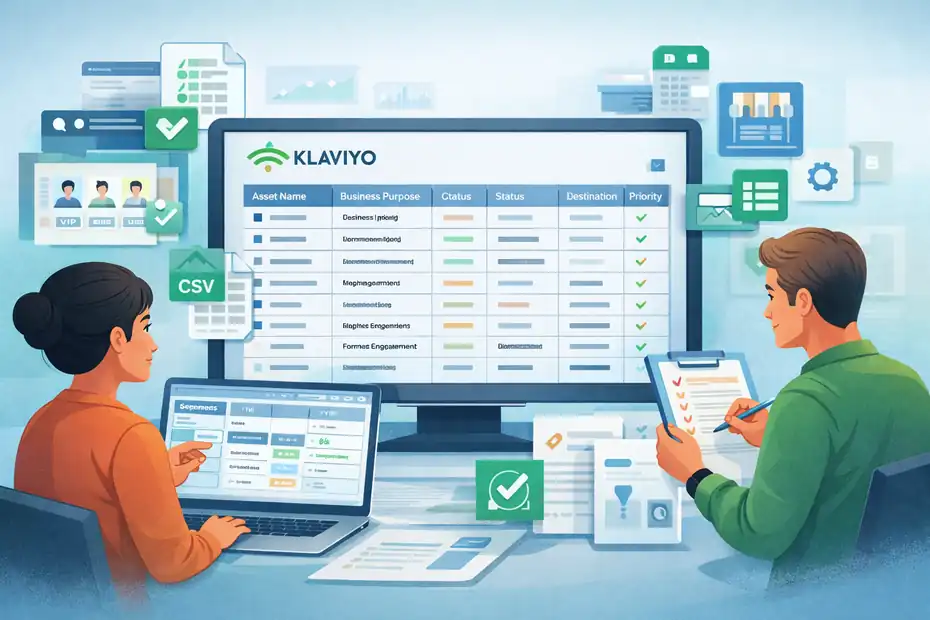
Before you export anything, decide what deserves a clean transfer and what should stay in the past.
This step saves time, reduces import errors, and often improves deliverability after the move. Several platform guides also recommend cleaning data before import rather than dumping everything in blindly.
Audit your Klaviyo assets before you touch a CSV
Start by listing every asset in Klaviyo that currently affects revenue or customer experience.
I suggest using a simple sheet with columns for asset name, business purpose, owner, status, destination, and priority. That turns migration from a vague project into a controlled inventory.
At minimum, audit these items:
- Contacts and suppression groups: Active subscribers, unsubscribes, bounced contacts, and SMS consent states.
- Lists and segments: Newsletter, VIP, recent buyers, product interest groups, and high-engagement segments.
- Custom profile properties: Loyalty tier, preferred category, lifetime value bucket, lead source, and any sales-assist fields.
- Flows: Welcome, browse abandonment, abandoned cart, post-purchase, cross-sell, replenishment, and win-back.
- Templates and forms: Signup popups, embedded forms, footer forms, transactional-style layouts, and reusable modules.
- Integrations and event sources: Ecommerce platform, review tool, loyalty system, quiz app, customer support tool, and custom API events.
This audit usually reveals clutter. Many brands have segments nobody uses, duplicate templates, and flows that were paused six months ago and never removed. Do not pay to recreate junk.
Choose what to keep, merge, rebuild, or archive
Not every asset deserves a one-to-one transfer. Some things should be rebuilt because the destination platform handles them differently. For example, one tool may rely more on tags, another on lists, and another on custom properties or source tagging.
Mailchimp supports tag import via a dedicated Tags column, Omnisend uses source tags and custom properties, and ActiveCampaign leans heavily on tags plus custom fields.
A simple decision framework helps:
- Keep as-is: Core subscribers, suppression status, high-value custom fields, and proven flow content.
- Merge: Duplicate segments that exist only because your old setup grew messy.
- Rebuild: Event-triggered automations, because trigger logic and naming often differ by platform.
- Archive: Dead lists, old campaign-only tags, stale test profiles, and ancient properties nobody uses.
I recommend being ruthless here. A migration is one of the few moments when cleaning house is easier than maintaining the mess forever.
Export Klaviyo data the right way
This is the part most people think of first, but it should only start after your audit. Klaviyo allows exports of lists and segments as CSV files, and if you want all people in the account, Klaviyo advises creating a segment with all profiles and exporting that segment.
For event and historical behavior data, Klaviyo exposes APIs for exporting data objects and event records.
Export contacts, lists, and segments without breaking context
The mistake I see most often is exporting one giant file and assuming you can sort out the logic later. You can, but it becomes messy fast. A cleaner approach is to create a controlled export set.
Use this sequence:
- Export your master audience: Create an all-profiles segment in Klaviyo and export it. This becomes your baseline contact file.
- Export revenue-critical segments separately: VIPs, recent buyers, high-engagement subscribers, SMS subscribers, and suppressed contacts.
- Document the purpose of each export: Do not rely on filenames like
segment-final-final2.csv. - Preserve mapping notes: Write down what each field means before someone on the team “cleans” the spreadsheet and strips context.
Klaviyo notes that exports can take several minutes depending on list size, and completed exports are accessible in Downloads for a limited period. That sounds minor, but during migration week it matters because teams often misplace the latest file and import an older one by mistake.
My advice is simple: Version every file with date and purpose, such as
2026-03-17_recent-buyers_90d.csv.
Export event history, revenue signals, and reporting snapshots
Contact data alone is not enough if your flows or reporting depend on behavioral events.
Klaviyo’s developer docs make clear that events are tied to metrics and profiles, and those events can be retrieved through the Events API; broader data can also be exported through Klaviyo REST APIs.
Here is where you need to be practical. Most destination platforms do not need every historical event imported in raw form. What they usually need is one of these:
- Historical summary fields: Last order date, order count, total revenue, last viewed category.
- Recent conversion data: Enough to power basic segmentation and win-back logic.
- Proof records for validation: Snapshot reports from Klaviyo so you can compare results after launch.
I suggest exporting or recording these benchmarks before cutover:
- Last 30, 60, and 90 days of campaign revenue
- Flow revenue by major automation
- Open, click, unsubscribe, and spam-complaint trends where available
- Top segments by size and by revenue contribution
That benchmark file becomes your “did we hurt performance?” answer sheet after migration.
Prepare your destination platform before importing anything
A good migration does not begin with import. It begins with a blank account that is ready to receive data correctly. Different platforms structure data differently, so your job is to build the destination schema first, then load contacts into it.
Official docs across major platforms show this clearly through contact field creation, CSV mapping, tagging, and import settings.
Build your field map before the first import
A field map is the backbone of the migration. It tells you where every important Klaviyo property will live in the new platform. Without it, you risk turning structured customer data into a pile of half-usable text fields.
A practical field map should include:
| Klaviyo field/property | Meaning | New platform field | Type | Keep? | Notes |
|---|---|---|---|---|---|
| Primary identifier | Standard | Yes | Must match exactly | ||
| Phone number | SMS identifier | Phone | Standard | Yes | Normalize format |
| First Name | Personalization | First Name | Standard | Yes | Clean blanks |
| Accepts Marketing | Email consent | Subscription status | Compliance | Yes | Verify logic |
| SMS Consent | SMS marketing permission | SMS opt-in field | Compliance | Yes | Do not guess |
| Total Orders | Buyer depth | Order Count | Numeric | Yes | Great for segments |
| Last Order Date | Recency | Last Order Date | Date | Yes | Needed for win-back |
| VIP Tier | Loyalty level | VIP Tier | Custom field/tag | Maybe | Depends on strategy |
| Source | Acquisition tracking | Source tag/property | Tag/custom field | Yes | Very useful |
Mailchimp’s import guidance covers tags via a dedicated Tags column, ActiveCampaign allows custom fields from the import workflow, and Omnisend maps imported CSV columns to custom properties.
That is why you should decide in advance whether each data point belongs as a tag, list membership, or custom field.
My rule is simple: Use custom fields for stable attributes, tags for flexible labeling, and segments for live logic.
Recreate core architecture before you move traffic
Before you import your full audience, configure the pieces that define how the account works day to day. This includes sender domains, compliance settings, key custom fields, list structure, and the minimum segmentation framework.
Focus on this order:
- Step 1: Create standard and custom fields so imported data has a correct destination.
- Step 2: Define your list and tagging structure based on your audit, not based on habit.
- Step 3: Set automation import behavior carefully because some systems can trigger automations when contacts are imported. ActiveCampaign, for example, provides a setting to turn those automation triggers on or off during import.
- Step 4: Prepare forms and tracking plan so new leads and events do not start entering the old system while you are testing the new one.
- Step 5: Warm up your internal process with a sample import before you touch the full audience.
I strongly suggest a small pilot import of 100 to 500 records first. It is much easier to fix one broken date format there than across 180,000 contacts later.
Migrate automations, templates, and forms without losing performance

This is where revenue protection becomes real. Contacts matter, but automated revenue usually depends on triggers, timing, suppression logic, personalization, and creative.
Klaviyo lets you clone flows and templates inside the platform, but moving to a different tool usually means rebuilding them in the destination environment.
Rebuild flows based on intent, not on identical screens
Do not try to recreate every screen exactly. Recreate the business logic. That is the better question: what job is this flow doing, and what data does it need to do it well?
For most brands, the first flows to rebuild are:
- Welcome flow: Captures first-purchase intent and sets expectations.
- Abandoned cart: Recovers buyers with direct revenue impact.
- Browse abandonment: Useful when product-view events are available.
- Post-purchase: Confirms, educates, cross-sells, and builds repeat purchase behavior.
- Win-back: Reactivates lapsed customers based on recency.
For each one, write a one-page migration brief:
- Trigger
- Entry rules
- Exclusions
- Timing delays
- Content blocks needed
- Personalization fields
- Goal metric
I like this method because it stops you from rebuilding weird legacy decisions that no longer make sense. Sometimes a migration is the perfect excuse to reduce a bloated 14-email welcome flow to a tighter 5-email sequence that converts better.
Move templates and signup forms with a clean conversion lens
Templates are easier to obsess over than they deserve. Most of the time, 80% of performance comes from offer, segmentation, timing, and inbox placement, not from whether a button radius is 6 or 8 pixels.
Mailchimp’s template builder docs, for instance, emphasize flexible block-based design rather than literal one-to-one duplication.
When moving templates, prioritize:
- Brand styling basics
- Reusable header and footer blocks
- Product modules or dynamic content support
- Compliance links and preference access
- Mobile readability
For forms, do not just port the design. Review the conversion intent. Imagine you run a small ecommerce store and your old Klaviyo popup asked for email, phone, birthday, and favorite category on first touch.
That probably looked “data-rich,” but it may have depressed conversion. A migration gives you a chance to simplify the first ask, then collect more data later through progressive profiling.
That one decision alone can improve list growth without adding any new software.
Protect deliverability and validate everything before cutover
This is the step people skip because it feels less exciting than design or automation. It is also the step that protects revenue the most.
Deliverability is about inbox placement, not merely accepted sends, and mailbox providers pay attention to engagement and sending patterns.
Keep consent, suppression, and engagement intact
The fastest way to damage a migration is to send broadly from the new platform without carrying over suppression and engagement logic.
Klaviyo’s exports can include all profiles regardless of subscription status if you export all people, which is useful for data retention but dangerous if you treat that file like a “safe to email” audience.
I recommend separating your data into these groups before import:
- Marketable active contacts
- Unsubscribed or suppressed contacts
- Inactive contacts for later re-permission or cautious warming
- SMS-only or email-only contacts
Mailchimp’s migration checklist also recommends archiving inactive contacts rather than pushing them straight into active sending. That aligns with good migration hygiene because lower-quality recipients can drag down engagement exactly when your new sending setup needs a clean start.
In practical terms, your first sends after migration should go to recent engagers and proven buyers. Earn trust again before expanding volume.
Run a full QA checklist before the switch goes live
A migration should have a deliberate cutover day, but not a surprise cutover day. Before flipping forms, automations, or campaign sends to the new platform, run structured QA.
Here is the checklist I use:
- Step 1: Test field mapping with real contact records across multiple use cases.
- Step 2: Test automation entry rules using dummy profiles and controlled actions.
- Step 3: Verify suppression logic so unsubscribed contacts stay out.
- Step 4: Check personalization tokens for missing values and fallback text.
- Step 5: Confirm tracking events are arriving for purchases, views, or signups where relevant.
- Step 6: Compare counts between Klaviyo exports and destination imports by audience type.
- Step 7: Send internal rendering tests across mobile and desktop clients.
- Step 8: Freeze changes briefly during cutover so your team is not editing flows in two places at once.
I also suggest taking screenshots of key Klaviyo reports before the final switch. That way, if someone says, “Revenue looks down,” you can compare like for like instead of debating memory.
Cut over carefully and monitor revenue after launch
The launch is not the end of the migration. It is the beginning of verification. A smart cutover protects both customer experience and reporting clarity, especially during the first seven to fourteen days when small issues reveal themselves.
Klaviyo’s reporting and event-export docs are useful here because they remind you that event timing and UI reporting logic may not match perfectly across systems.
Use a phased cutover instead of a dramatic overnight switch
In many cases, the best approach is a phased migration. That does not mean dragging the project out forever. It means changing the highest-risk pieces in a controlled order.
A practical sequence looks like this:
- Import and validate contact data.
- Rebuild and test forms.
- Rebuild and test top revenue flows.
- Switch data/event feeds to the new platform.
- Move campaigns last, after core automations are stable.
This order matters because flows like welcome and abandoned cart often have the clearest revenue tie. Campaigns can usually survive a short delay more easily than an abandoned cart trigger can.
I have seen brands switch campaigns first because that felt easier, then forget that their cart recovery still pointed to the old event logic. The result looked fine from the outside and expensive on the revenue sheet.
Track the right post-migration metrics for 30 days
Do not judge the migration on one dashboard screenshot after 24 hours. Judge it on operational health and trend stability. Your post-launch dashboard should include:
- Send volume by audience type
- Open and click trends
- Unsubscribe and complaint signals
- Flow entry counts
- Flow conversion rate
- Campaign revenue
- Placed-order event count
- List growth by source
If a destination tool calculates attribution differently than Klaviyo did, that does not automatically mean performance dropped. Klaviyo’s own reporting docs note that some API-based metric queries do not align directly with UI reporting because they can be grouped by event time rather than send date.
That is why I recommend comparing both platform-native numbers and your ecommerce backend revenue. Revenue truth should not depend on one attribution model.
Common migration mistakes and how to avoid them
By this point, you know the mechanics. Now let me save you from the mistakes that waste the most time and create the most stress. Most of them are not technical. They are process mistakes.
The errors that usually cause hidden data loss
The biggest hidden-loss problem is assuming every field in Klaviyo has a one-click equivalent in the new platform. It often does not. Some systems want a tag. Some want a custom property. Some want you to create the field first. Official docs across Mailchimp, Omnisend, and ActiveCampaign all show that import structure matters.
Watch for these issues:
- Mistake 1: Importing before field creation which forces messy default mappings.
- Mistake 2: Reusing old tags without a naming standard so reporting becomes chaotic.
- Mistake 3: Ignoring automation-trigger settings and accidentally firing flows on import.
- Mistake 4: Treating all profiles as marketable contacts instead of separating suppressions.
- Mistake 5: Forgetting historical benchmark exports so you cannot prove whether migration helped or hurt.
I suggest maintaining one migration dictionary that defines every field, tag, segment, and automation in plain language. It sounds boring, and it saves projects.
When to rebuild instead of replicate
Not everything should come over exactly. I would rebuild when:
- The old flow exists only because of platform limitations
- Segment rules are redundant or confusing
- Template structure is outdated
- Data is dirty enough that a fresh model is cleaner than translation
- Reporting names are inconsistent and hurting decision-making
For many of us, the temptation is to preserve everything because we fear breaking something. But migration is one of the rare times when simplification can increase both clarity and performance. If a segment has not driven a send, a test, or a decision in six months, it probably does not deserve a meticulous rebuild.
Advanced tips to make your new setup stronger than the old one
A successful migration should not end with “we moved.” It should end with “we now have a better operating system for email and SMS.” This is where you turn a necessary platform change into a measurable upgrade.
Turn raw historical data into smarter lifecycle fields
Instead of trying to recreate every old event forever, convert the most useful history into durable customer attributes. This makes segmentation faster and more portable in the future.
I recommend building fields like:
- Last order date
- First order date
- Total order count
- Lifetime value bucket
- Preferred product category
- Last engagement date
- Acquisition source
That approach works well because most lifecycle strategy depends on customer state, not on reading every old event row individually. Klaviyo’s event structure is powerful, but if your new platform does not use that history the same way, summarized fields often give you more useful control.
This is also future-proofing. The cleaner your field model now, the easier your next platform decision will be later.
Build a migration process you can reuse later
The best brands treat migration as a system, not a one-off scramble. Once you finish, keep the assets you created:
- Field map
- Data dictionary
- Cutover checklist
- QA checklist
- Benchmark report
- Automation briefs
- Template inventory
I believe this is one of the most overlooked wins. Even if you stay with the new platform for years, these documents improve onboarding, audits, and troubleshooting. And if you ever migrate again, you will not be starting from memory and scattered screenshots.
A clean migration is not glamorous. It is disciplined. But that discipline protects the channel that often drives some of the most efficient revenue in your marketing mix.
Final thoughts on how to migrate from Klaviyo
If you are serious about learning how to migrate from Klaviyo without losing data or revenue, the big idea is simple: migrate the business logic, not just the contact file.
Export cleanly, map fields before import, rebuild only the flows that matter most, preserve consent and suppression, and validate everything against a benchmark before and after cutover. Klaviyo gives you ways to export profiles, lists, and event data, but the quality of the outcome depends on the process you build around that data.
In my experience, the safest path is also the most practical one: start with a full audit, move the smallest viable set of revenue-critical assets first, and keep your first sends focused on engaged contacts. Do that, and your migration becomes less of a risky leap and more of a controlled handoff.
FAQ
What is the safest way to migrate from Klaviyo without losing data?
The safest way to migrate from Klaviyo is to start with a full data audit, export clean contact and consent data, and map fields before importing into the new platform. Testing small data batches first helps prevent mapping errors and ensures nothing critical is lost during the transition.
How do I migrate Klaviyo flows without losing revenue?
To migrate Klaviyo flows without losing revenue, rebuild core automations like welcome and abandoned cart flows based on their purpose, not design. Test triggers, timing, and personalization before going live to ensure flows continue generating conversions without interruption.
Can I transfer Klaviyo customer data and segmentation?
Yes, you can transfer Klaviyo customer data and segmentation by exporting profiles, lists, and custom properties, then recreating segments in your new platform. However, segmentation logic often needs to be rebuilt manually to match how the new system handles data and targeting rules.
Will migrating from Klaviyo affect email deliverability?
Migrating from Klaviyo can affect deliverability if you send to unengaged contacts or fail to carry over consent data. To protect inbox placement, start by emailing your most engaged subscribers first and gradually increase volume while maintaining clean suppression lists.
How long does it take to migrate from Klaviyo completely?
Migrating from Klaviyo typically takes one to three weeks depending on list size, complexity of automations, and integrations. A phased migration approach with proper testing helps reduce risks and ensures all systems work correctly before fully switching platforms.

I’m Juxhin, the voice behind The Justifiable.
I’ve spent 6+ years building blogs, managing affiliate campaigns, and testing the messy world of online business. Here, I cut the fluff and share the strategies that actually move the needle — so you can build income that’s sustainable, not speculative.
Related posts:
 Top MailerLite Integrations for Automating Sales
 Omnisend Forms: How to Capture More Leads Instantly
 What Is MailerLite Used For? Powerful Features Explained
 Aweber Email Automation Examples: Templates & Pro Insights
 How I Increased Signups With MailerLite WordPress Plugin
 GetResponse Vs Omnisend: Best Ecommerce Email Flow Builder