
Table of Contents
Some links on The Justifiable are affiliate links, meaning we may earn a small commission at no extra cost to you. Read full disclaimer.
If your GetResponse emails going to spam how to fix question has turned into a daily headache, you are definitely not the only one.
I’ve seen this happen to good senders with solid offers, clean designs, and real subscribers, and the frustrating part is that the problem usually is not just “bad copy.” It is normally a mix of domain setup, sending habits, list quality, and mailbox-provider trust signals.
The good news is that you can fix most of it fast once you know where to look, and that is exactly what this guide will walk you through.
Why GetResponse emails go to spam in the first place
Spam placement is rarely caused by one single mistake. In most cases, mailbox providers look at your technical setup, your sender reputation, your engagement history, and the content of each message before deciding whether you belong in the inbox, promotions tab, or spam folder.
The real issue is trust, not just “spam words”
A lot of people assume spam filtering is mostly about using words like “free,” “buy now,” or too many exclamation marks. That can matter, but it is only one layer. The bigger issue is trust.
When Gmail, Yahoo, and other providers receive your email, they ask a few quiet questions behind the scenes. Does this domain look authenticated? Have recipients engaged with this sender before? Do people complain? Is this sender acting like a legitimate business or like a shortcut marketer blasting cold lists?
That is why two emails with nearly the same copy can get very different results. One sender lands in the inbox because their domain is authenticated, complaint rates are low, and subscribers regularly open and click.
Another lands in spam because the domain is weak, the list is stale, and the mailbox provider sees risk.
From what I’ve seen, this is the biggest mindset shift that helps. You are not trying to “beat” spam filters. You are trying to earn enough trust that filters stop worrying about you.
GetResponse can send the email, but your domain still carries the reputation
GetResponse gives you the sending infrastructure, templates, automation, and deliverability tools. But your brand domain still matters a lot. If you send from a weak or unauthenticated domain, GetResponse cannot magically override that.
GetResponse itself advises senders to use their own private domain, authenticate it, and avoid public free-domain sender addresses because they are more likely to land in spam.
Their help documentation also points users to SpamScore checks inside the message editor so you can catch content issues before sending.
This matters even more now because Gmail and Yahoo tightened sender requirements beginning February 1, 2024. For larger-volume senders, SPF, DKIM, and DMARC are no longer “nice to have.” They are table stakes, and spam complaint rates must stay low.
Spam placement usually comes from one of five buckets
I like to simplify the diagnosis into five buckets:
- Authentication problems: SPF, DKIM, and DMARC are missing, broken, or not aligned.
- List quality problems: Too many inactive, old, or non-consenting contacts.
- Reputation problems: Complaint rate, bounce rate, and low engagement are damaging trust.
- Content problems: Links, formatting, image-heavy layouts, and misleading copy raise flags.
- Sending-pattern problems: Sudden volume spikes or inconsistent sends look risky.
Imagine you run a small ecommerce store and switch from sending 2,000 emails per month to 40,000 in one week because of a sale.
Even if your offer is legitimate, that sudden jump can look suspicious. Pair that with an unauthenticated domain and a stale list, and spam placement becomes very likely.
That is why the fastest fix is not one hack. It is a structured cleanup.
Start with the fastest diagnosis first
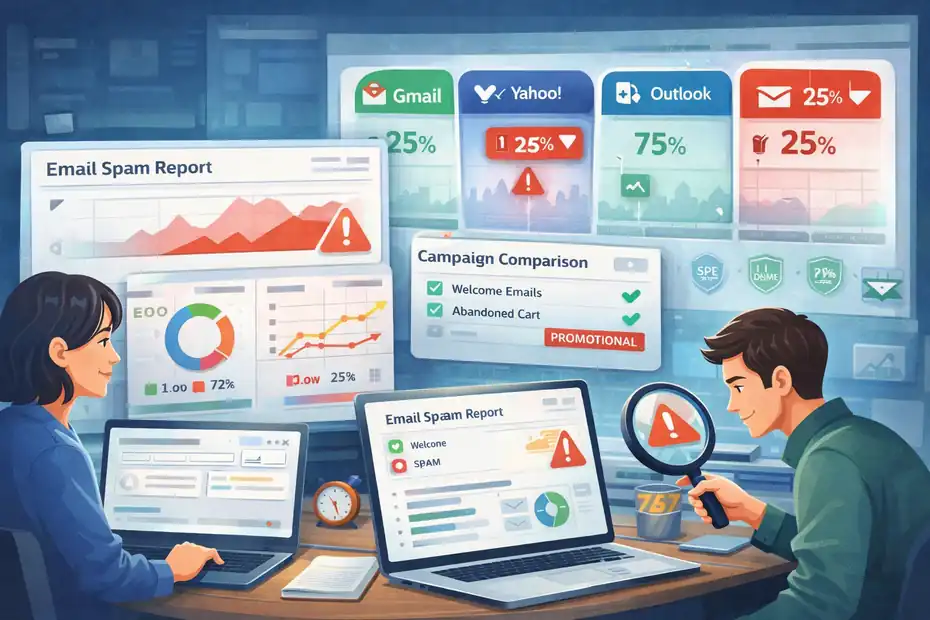
Before you rewrite every email and redesign every template, find out where the real problem is.
A quick diagnosis can save you days of random guessing.
Check whether the issue is all emails or only certain campaigns
The first thing I suggest is this: do not assume every GetResponse email has the same problem.
Look at your recent campaigns and ask:
- Are only promotional campaigns going to spam?
- Are automations also affected?
- Is the issue happening mostly at Gmail, or across all mailbox providers?
- Did the problem start after changing your domain, sender name, template, or frequency?
This matters because a broad inboxing problem usually points to domain authentication or reputation. A campaign-specific problem often points to content, links, segmentation, or a weak subject line that triggered complaints.
A realistic example: Your welcome emails may land fine because new subscribers expect them and engage quickly. But your weekly sales campaigns may hit spam because you kept mailing older subscribers who have not opened in six months. Same platform, same business, very different engagement signals.
If you can isolate where the issue shows up, the fix gets much easier.
Use GetResponse spam checking before you send again
GetResponse specifically recommends reviewing message content with its SpamScore or Spam Check tool inside the email editor.
Their help center notes that this check can help identify elements that may cause a message to be classified as spam, and their blog explains that many filters start paying attention when a spam score gets too high.
This is one of the fastest wins because it helps you catch obvious issues such as:
- Too many links
- Poor text-to-image balance
- Missing plain-text version
- Suspicious phrases
- Content blocks that increase the score
I would not treat the score as the final truth, because inbox placement is more complicated than one test. But it is a great first filter. If your score is high, strip the email back to basics and test again.
In practice, I often recommend creating a “plain” version of the campaign first: simple subject line, one offer, one main link, clear sender identity, and a natural text-heavy body.
If that version performs better, the problem is probably in your design or content structure rather than your domain.
Look for timing clues that reveal the cause
One overlooked trick is checking when the problem began. Timing tells a story.
If spam placement started immediately after switching to a new sending domain, authentication or warm-up is likely the issue. If it began after importing a big list, list quality is the likely culprit. If it happened after increasing send frequency, reputation and complaints may be involved.
I suggest mapping the last 30 to 60 days:
- Volume changes
- New lists added
- Domain changes
- Template redesigns
- New automations
- Offer-heavy campaigns
- Complaint spikes
- Open-rate drops
You are looking for correlation, not perfection. In my experience, one of those changes usually lines up with the beginning of the problem.
That gives you a smarter recovery plan than just “try different copy.”
Fix your sending domain first
If your domain setup is weak, almost everything else becomes harder. This is the technical foundation, and it is where I would start if you want the fastest meaningful improvement.
Stop sending from Gmail or other free email addresses
This is a big one. If you are sending marketing emails from a Gmail, Yahoo, or other public free-domain address, change that first.
GetResponse explicitly states that public email domains are not recommended for sending because they cannot be authenticated in the same way as your own domain, which makes messages more likely to land in spam.
Their help content also says Gmail, Yahoo, and similar free domains should not be used for sending with GetResponse, and they recommend switching to your own domain with SPF, DKIM, and proper DMARC.
A branded sender like hello@yourstore.com is not just better for trust. It is better for control. You can authenticate it, align it, and build a reputation on it over time.
This one change alone can move you from “constantly filtered” to “at least technically credible.”
Set up SPF, DKIM, and DMARC correctly
Gmail now requires all senders to set up SPF or DKIM at minimum, and bulk senders need SPF, DKIM, and DMARC.
Yahoo’s guidance is similar, and for bulk senders it requires both SPF and DKIM plus a valid DMARC policy and easy unsubscribe support. Both providers also expect spam complaint rates to stay below 0.3%.
GetResponse provides domain authentication options and says automatic authentication can add a custom DKIM key, DMARC policy with p=none if needed, and an SPF record. Their help center also shows where to retrieve SPF and DKIM details in your account.
Here is the simple version of what each record does:
- SPF: Tells receiving servers which senders are allowed to send mail for your domain.
- DKIM: Adds a cryptographic signature so the email can be verified as genuine.
- DMARC: Tells inbox providers how SPF and DKIM should align with your visible From domain and how to report failures.
I recommend starting with DMARC at p=none if you are unsure, because that lets you monitor without immediately rejecting mail. Once everything is stable, you can consider a stronger policy.
Make sure domain alignment is clean
This is where many senders think they are authenticated when they are not fully aligned.
Mailbox providers do not just want SPF or DKIM somewhere in the background. They want the visible From domain to align with the authenticated identity, especially for DMARC.
Yahoo’s sender requirements specifically call out alignment between the From header and either the SPF or DKIM domain.
GetResponse also notes that domain alignment matters, including matching the From address, mailing domain, and domains used inside the message content when possible.
That means if you send from news@brand.com but your links point all over unrelated domains, or your authenticated signing domain is something mismatched, trust weakens.
A clean setup usually looks like this:
- From address uses your brand domain
- DKIM signs with your brand or aligned domain
- SPF authorizes your sender
- DMARC exists and passes alignment
- Main links in the email point to your own site or a small number of trusted domains
This is less glamorous than copywriting, but it fixes a surprising amount.
Clean your list before you send again
A dirty list can ruin even a technically perfect setup. In fact, list quality is one of the fastest ways to tank reputation.
Remove cold and unengaged subscribers aggressively
I know this part feels painful. Nobody likes shrinking a list they worked hard to build. But a smaller healthy list usually outperforms a larger weak one.
If a big chunk of your subscribers has not opened or clicked in months, mailbox providers notice. They start seeing your emails as less wanted. Over time, that pushes more campaigns into spam, even for people who might have engaged.
I suggest creating engagement segments like this:
- Opened or clicked in the last 30 days
- Engaged in the last 31 to 90 days
- No engagement for 91 to 180 days
- No engagement for 180+ days
Then send your next campaigns only to the most engaged segments first. This protects your reputation while you recover.
A mini scenario: let’s say your full list is 25,000 contacts, but only 6,500 clicked or opened in the last 60 days. Start there. If open rates rise and complaints stay low, you can gradually test broader segments.
If you blast the full 25,000 while reputation is already shaky, you may dig the hole deeper.
Never use purchased or loosely collected contacts
Yahoo’s best-practices page is blunt on this point: do not purchase mailing lists or auto-check opt-in boxes for users.
They also stress sending only to people who specifically requested your mail and respecting the expected frequency of the list.
I agree with that completely. Purchased lists almost always create one or more of these problems:
- High complaint rates
- Spam traps
- Hard bounces
- Low opens
- Fast reputation damage
Even “partner lists” and “lead-gen lists” can be risky if people do not clearly remember opting into your emails. Consent needs to be real and recent enough that the subscriber recognizes you.
If you are recovering from spam placement, this is not the time to gamble on questionable contacts.
Run a re-engagement pass before deleting everyone
I do not think every inactive contact should be deleted immediately. Sometimes a simple re-engagement sequence is worth trying first, especially if the list was originally clean.
Keep it simple:
- Send one honest “Still want these emails?” message.
- Send one reminder a few days later.
- Remove non-responders from future promotional sends.
This works best when the email is short and direct. No fancy pitch. No ten different links. Just a quick explanation and one clear action.
For example: “We noticed you have not opened in a while. If you still want weekly email tips and offers from us, click here to stay subscribed.”
Anyone who ignores that sequence should not stay in your core sending pool. I know that sounds strict, but protecting inbox placement is more valuable than carrying dead weight.
Fix the email content that triggers filters
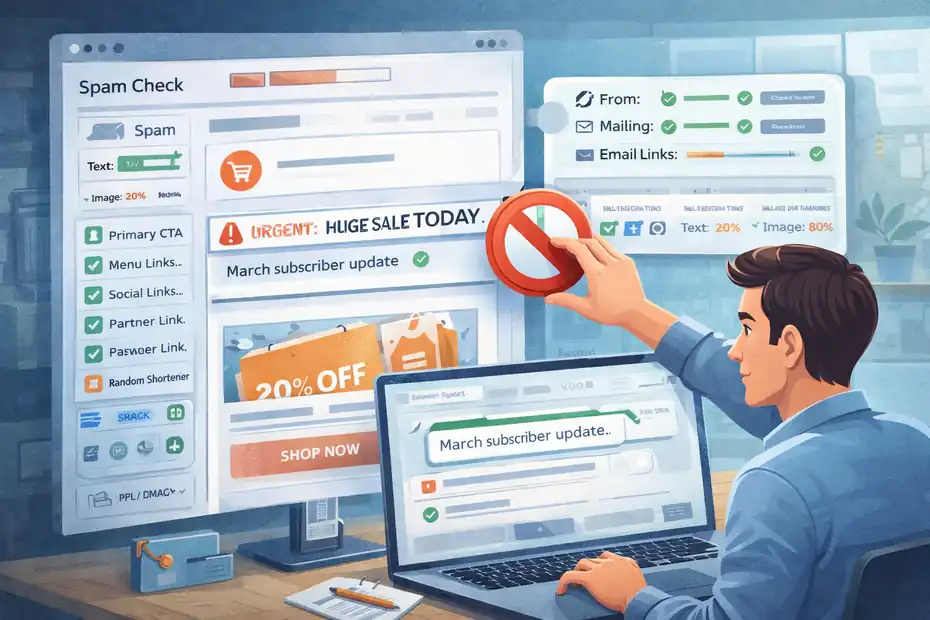
Once your domain and list are under control, move to the actual campaign content. This is where many “inbox mysteries” become very practical.
Reduce link clutter and keep domains consistent
GetResponse’s blog points out several link-related issues that can increase spam risk, including linking to low-reputation websites, using suspicious link shorteners, using too many different domains, and having a poor text-to-link ratio.
They also note that it is ideal when the domains in your From address, mailing domain, and email content align.
This is one of the most common mistakes I see in promotional emails. Marketers add:
- A logo link
- A menu bar with five links
- Two buttons
- Social links
- Footer links
- Tracking redirects
- Partner links
- A calendar link
- A coupon link
- A help-center link
Technically, that email may still be valid. But it starts looking messy and riskier.
I suggest using one primary CTA and a small number of total links, especially while fixing deliverability. Also avoid random shorteners or affiliate-style redirects unless they are truly necessary.
A cleaner email usually gets better trust signals and often better clicks too.
Improve your text-to-image balance
Image-heavy emails can look polished, but they often perform worse for deliverability if there is very little real text around them.
Mailbox providers want context. A giant hero image with one button and almost no readable copy can feel low-information or overly promotional. Add to that blocked-image scenarios, and the message becomes harder to evaluate.
I usually recommend a balanced structure:
- A plain, recognizable sender
- A natural subject line
- A few short paragraphs of real text
- One main image at most
- One clear CTA
- A visible unsubscribe link
- A plain-text version enabled
GetResponse specifically suggests adding a plain-text version if you want to reduce spam score further. That is a small step, but it helps send a stronger legitimacy signal.
If your current template is beautifully designed but underperforming, try a lighter text-first version for the next few sends. You may be surprised by how much better it lands.
Remove manipulative subject lines and misleading copy
This part is more about tone than rules. Subject lines do not need to sound boring, but they do need to sound honest.
Risky patterns include:
- Fake urgency
- Misleading “RE:” or “FWD:”
- ALL CAPS
- Overhyped promises
- Vague clickbait that disappoints after the open
A better approach is clarity with a little curiosity. For example:
- “Your March subscriber update”
- “A quick fix for abandoned carts”
- “Our new spring collection is live”
- “3 changes we made after customer feedback”
These feel credible. They match what is inside. And that alignment matters, because when people feel tricked, they complain or ignore you next time.
In my experience, deliverability and conversion are more connected than people think. Honest emails usually get better engagement over time, and better engagement helps placement.
Repair your sender reputation with smarter sending
After spam placement starts, reputation recovery is usually about sending less recklessly, not more aggressively.
Warm up again if volume jumped too fast
If you recently increased send volume sharply, slow down and rebuild trust. Gmail’s guidance specifically distinguishes higher-volume senders and expects stronger compliance for those sending more than 5,000 messages per day to Gmail accounts.
Mailbox providers like consistency. Sudden spikes can look like account compromise, a list purchase, or risky behavior.
A simple recovery pattern looks like this:
- Start with your most engaged segment
- Send smaller batches first
- Watch opens, clicks, bounces, and complaints
- Increase gradually only when engagement stays healthy
For example, if you used to send to 50,000 contacts weekly and started hitting spam, do not keep hammering the full list. Send to your top 5,000 to 10,000 engaged contacts first. Then expand carefully.
I know it feels slower, but this is often the fastest path back to stable inbox placement.
Send at a frequency subscribers actually expect
Yahoo’s sender guidelines say not to violate the frequency people originally signed up for. In plain English, if someone joined for a weekly newsletter and you suddenly email them daily promos, complaints go up.
That creates a hidden deliverability problem. Even if people do not formally unsubscribe, they may start ignoring you or marking you as spam.
I recommend reviewing the promise attached to every signup source:
- Newsletter form
- Lead magnet form
- Checkout opt-in
- Webinar registration
- Free trial signup
Each source creates a different expectation. Your sends should match that context.
A good test is simple: if a subscriber saw this email and the send frequency on the same day they signed up, would they feel surprised? If yes, you are probably over-mailing or misaligned.
Watch complaint rate like a hawk
This metric deserves more attention than it usually gets. Gmail says spam rates reported in Postmaster Tools should stay below 0.3%, and Yahoo uses the same threshold in its requirements.
That number sounds tiny, but it matters a lot. Three complaints per 1,000 emails can already create deliverability pressure.
I suggest watching complaint rate campaign by campaign, not just monthly. If one segment, offer type, or subject line style consistently drives more complaints, cut it.
Common complaint drivers include:
- Sending too often
- Unclear opt-ins
- Poor segmentation
- Hard-sell offers to cold subscribers
- “Who are you?” brand confusion
The earlier you catch complaint patterns, the easier it is to recover.
Optimize the parts inside GetResponse that help deliverability
This is where platform-specific action actually matters. GetResponse does have features that can help, but they work best when paired with good sending habits.
Configure your domain inside GetResponse the right way
GetResponse provides both automatic and manual domain authentication workflows. Their official help content says automatic authentication can assign a custom DKIM key, add a DMARC record set to p=none when needed, and add an SPF record.
They also provide SPF and DKIM values in the account area under Emails and Domains.
The practical workflow is:
- Add your branded From address in GetResponse.
- Go to Profile, then Emails and Domains.
- Authenticate the domain using the provided method.
- Add or verify SPF, DKIM, and DMARC in your DNS.
- Confirm the status shows properly in the account.
GetResponse also labels public/free domains as “not recommended,” which is a useful warning to take seriously.
If your sender domain status is anything less than clearly authenticated, fix that before trying to scale campaigns again.
Use segmentation and automation to protect engagement
One thing I genuinely like about platforms like GetResponse is that automation can improve deliverability when used thoughtfully.
For example, instead of blasting every subscriber the same way, you can create logic such as:
- Send campaign A only to contacts active in the last 60 days
- Suppress people who ignored the last 8 campaigns
- Move buyers into a lower-frequency post-purchase flow
- Trigger re-engagement after 90 days of inactivity
This is not just smarter marketing. It is reputation management.
Mailbox providers pay attention to engagement patterns. When your sends are better targeted, subscribers are more likely to open, click, and stay subscribed. That helps inbox placement over time.
You do not need complicated automation to start. Even two basic segments, “engaged” and “inactive,” can make a visible difference.
Test simpler templates before blaming the platform
Sometimes the easiest way to isolate the problem is to stop sending pretty emails for a moment.
Create one stripped-down version of your campaign with:
- Plain layout
- Minimal branding
- One image or none
- One CTA
- Mostly text
- No extra columns or decorative blocks
Then compare the result to your regular template.
If the plain version lands better, the issue may be template complexity, too many links, code bloat, or design choices that make the email look overly promotional. GetResponse’s built-in spam check can help flag some of this, but direct A/B comparison gives you cleaner evidence.
I have seen brands improve inbox placement simply by moving from polished catalog-style emails to more editorial-looking messages that feel like a helpful note from a real company.
Common mistakes that keep GetResponse emails in spam
This is the section I wish more people read first. A lot of deliverability damage comes from repeating the same avoidable habits.
Treating deliverability like a copy problem only
Good copy matters. But if you focus only on rewriting subject lines while your domain is unauthenticated and your list is stale, you are fixing the wallpaper while the roof leaks.
I believe this is one of the biggest reasons people waste time. They keep tweaking phrasing instead of checking the foundation:
- Is the domain authenticated?
- Is the sender branded?
- Is the list engaged?
- Are complaints rising?
- Did volume spike too fast?
Start there. Then improve copy.
Sending to everyone just because they are on the list
This is a silent killer. Many senders keep dead subscribers in rotation because they are afraid smaller audience numbers will look worse on paper.
But mailbox providers do not care how big your list is. They care whether recipients want your mail.
If 40% to 60% of your list is unengaged, your “reach” is not really reach. It is drag. It can lower open rates, increase complaint risk, and push future campaigns into spam.
A smaller high-intent segment nearly always gives you cleaner signals.
Ignoring unsubscribe visibility
Some marketers hide the unsubscribe link because they want to reduce list churn. I think that is almost always a mistake.
If people cannot leave easily, they complain instead. And complaint signals hurt more than unsubscribes.
Yahoo’s bulk sender requirements specifically call for easy unsubscribe, including a visible unsubscribe link in the email body and functioning list-unsubscribe support.
Make it easy to leave. It protects your list quality and your reputation.
A fast recovery plan you can follow this week
If you want the shortest practical version of this guide, follow this order.
Day 1: Fix the technical foundation
Check your sender domain first.
- Use a branded domain, not Gmail or Yahoo
- Authenticate SPF, DKIM, and DMARC
- Confirm alignment with your visible From address
- Review domain status inside GetResponse
If this step is weak, do not skip ahead.
Day 2: Cut your list to engaged contacts only
Create a segment of subscribers who opened or clicked recently. Pause broad sends to older inactive contacts.
Then remove or suppress:
- Hard bounces
- Complainers
- Clearly inactive subscribers
- Any questionable imported contacts
This one move can improve your next send more than most template changes.
Day 3: Rebuild the email itself
Create a simpler campaign:
- Clear subject line
- Natural sender name
- Mostly text
- One main CTA
- Fewer links
- Plain-text version
- Visible unsubscribe
Run GetResponse Spam Check before sending.
Day 4 to Day 7: Rewarm with the best segment
Send only to your strongest engaged audience first. Watch:
- Open rate
- Click rate
- Bounce rate
- Complaint rate
- Spam placement across major providers
Then expand gradually if the signals improve.
Advanced tips if you want stronger inbox placement long term
Once the urgent spam problem is under control, the next goal is stability.
Build engagement-based sending rules
Do not wait for reputation damage before segmenting. Make engagement part of your default sending strategy.
For many brands, a simple policy works well:
- Highly engaged users get regular campaigns
- Moderately engaged users get lower frequency
- Inactive users enter re-engagement
- Non-responders are suppressed
This protects your reputation before it dips.
Keep brand identity consistent across every email signal
Consistency helps trust more than most people realize.
Try to keep these aligned:
- From name
- From address
- Reply-to address
- Link domains
- Landing page branding
- Offer style
- Sending cadence
When everything matches, the email feels more legitimate to both humans and filters.
Treat inbox placement as an ongoing metric, not a one-time fix
The biggest mistake after recovery is assuming the problem is solved forever.
Deliverability is dynamic. Lists age. offers change. acquisition sources change. complaint patterns change.
I recommend reviewing your sending health at least monthly:
- Authentication status
- Complaint rate
- Bounce rate
- Engaged-segment size
- Win-back performance
- Spam-check issues in new templates
That rhythm helps you catch small cracks before they become spam-folder emergencies.
Final thoughts on fixing GetResponse emails going to spam
If your GetResponse emails going to spam how to fix issue feels messy, that is normal. Deliverability problems usually look complicated from the outside because several small issues stack together at once.
The encouraging part is that the fix is usually practical. Use a branded authenticated domain. Clean the list hard. Send to engaged people first. Simplify your templates. Reduce link clutter. Watch complaint rates closely. Then scale carefully.
I would start there before trying anything fancy.
In most cases, the fastest fix is not a clever trick. It is getting the basics cleaner than most senders bother to do. And honestly, that is good news, because it means you can improve results without reinventing your whole email strategy.
FAQ
What causes GetResponse emails to go to spam?
GetResponse emails usually go to spam due to poor domain authentication, low engagement rates, or sending to inactive contacts. Mailbox providers also evaluate complaint rates, content quality, and sending behavior. If your domain lacks SPF, DKIM, or DMARC setup, your emails are more likely to be filtered as spam.
How do I fix GetResponse emails going to spam fast?
To fix GetResponse emails going to spam fast, start by authenticating your domain with SPF, DKIM, and DMARC. Then clean your email list by removing inactive users, simplify your email content, and send only to engaged subscribers. Gradually rebuild your sending reputation with smaller, targeted campaigns.
Does email content affect spam placement in GetResponse?
Yes, email content plays a role in spam placement. Too many links, misleading subject lines, or image-heavy emails can trigger filters. Keeping your emails simple, text-focused, and aligned with your brand domain improves trust and helps mailbox providers classify your messages correctly.
Should I remove inactive subscribers to improve deliverability?
Yes, removing inactive subscribers is one of the fastest ways to improve deliverability. Sending to users who never open or click signals low engagement to mailbox providers. This can hurt your sender reputation and push future emails into spam, even for active subscribers.
How long does it take to fix email deliverability issues?
Fixing deliverability issues can take a few days to a few weeks depending on the severity. If you clean your list, authenticate your domain, and send to engaged users, you may see improvements within a few campaigns. Full reputation recovery typically requires consistent sending behavior over time.

I’m Juxhin, the voice behind The Justifiable.
I’ve spent 6+ years building blogs, managing affiliate campaigns, and testing the messy world of online business. Here, I cut the fluff and share the strategies that actually move the needle — so you can build income that’s sustainable, not speculative.
Related posts:
 How To Improve Email Deliverability In GetResponse: Proven Tips
 Email Marketing Tips: Improve Email Marketing Results
 The Ultimate Guide to Using Templates for Email Marketing
 Lead Generation Magic: 6 Steps to Double Your Sales
 How To Use Email Marketing For Small Business
 How To Create An Email Marketing Campaign