
Table of Contents
Some links on The Justifiable are affiliate links, meaning we may earn a small commission at no extra cost to you. Read full disclaimer.
Freshworks platform review for businesses gets interesting once you look past the homepage promises and ask a more practical question: does this platform actually make day-to-day work easier, or does it just bundle a lot of software under one logo?
I’ve gone through the current Freshworks product stack, pricing pages, platform materials, and recent company updates, and my view is simple: Freshworks often wins when a growing business wants modern service, sales, and IT tools without dragging itself into enterprise-level complexity too early.
The hidden wins are real, but so are the tradeoffs.
Freshworks Platform Review For Businesses: What You’re Actually Buying
Freshworks is not just one app. That matters, because many businesses think they are evaluating a single product when they are really evaluating a platform made up of customer service, CRM, IT service, AI, integrations, and customization layers.
The Platform Is A Business System, Not A Single Tool
When most people hear “Freshworks,” they think of Freshdesk. That is only part of the picture. The broader Freshworks platform is built around a few major product families: customer service, IT and employee service, and CRM.
On top of that, Freshworks positions its platform as the layer that lets you customize workflows, add integrations, use custom objects, and create a more unified operating environment across teams.
That distinction matters because the value of Freshworks changes depending on what you need. If you only want a ticketing system, your review will look very different from a business trying to connect support, sales, and internal service requests.
In my experience, this is where many software reviews go wrong: they judge a platform by one team’s use case.
A more accurate way to think about it is this:
- Customer-Facing Operations: Freshdesk, Freshchat, Freshcaller, and omnichannel support.
- Revenue Operations: Freshsales and related CRM workflows.
- Internal Operations: Freshservice for IT and employee service.
- Extension Layer: Marketplace apps, developer tools, workflows, and custom objects.
That makes Freshworks appealing for businesses that are outgrowing disconnected tools but are not ready for the cost and complexity of heavier enterprise suites. I believe that is one of its clearest hidden wins.
Where Freshworks Sits In The Market Right Now
Freshworks presents itself as software that is powerful but easier to implement than many traditional enterprise systems.
Across its product pages, that positioning stays consistent: modern UI, faster deployment, simpler administration, and AI built into service and sales workflows.
The company also says it serves 74,000+ businesses worldwide, and recent investor updates show Freddy AI and other platform-adjacent offerings continuing to grow.
That does not automatically mean it is best for every company. What it does suggest is maturity. You are not buying into a tiny niche vendor with an uncertain future.
You are buying into a platform that has enough customer scale, app ecosystem depth, and product breadth to support real business growth.
Freshworks also highlights more than 1,200 apps in its marketplace, which is a useful signal for extensibility.
From what I’ve seen, Freshworks sits in a strong middle ground:
- It is usually more approachable than heavyweight enterprise stacks.
- It is usually broader than single-purpose help desk or CRM tools.
- It can be a better fit than patchwork software for teams that want shared context.
That middle-ground positioning is exactly why so many mid-market businesses end up looking at it.
Who Freshworks Is Best For
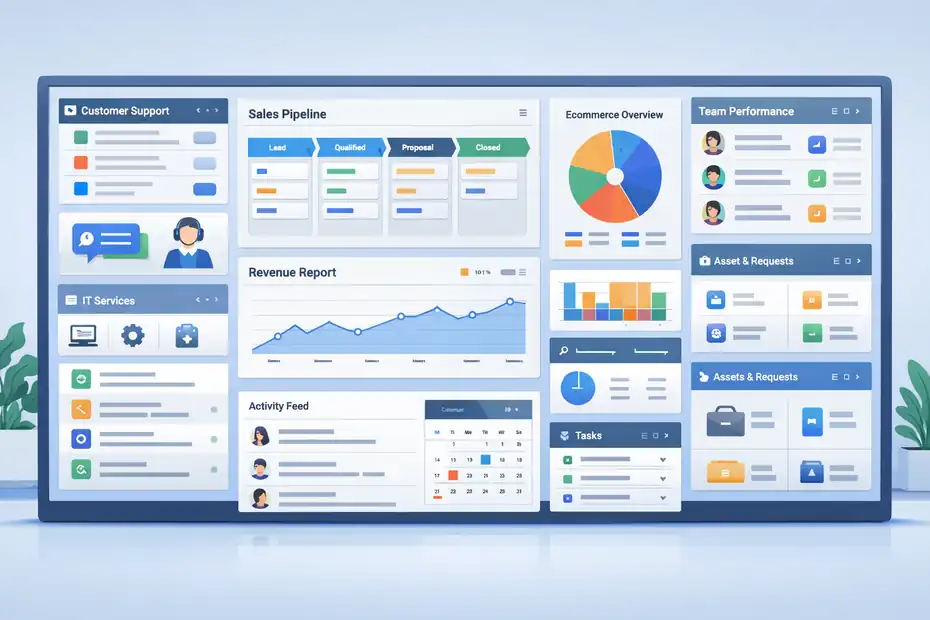
Not every platform wins by being universally perfect. The better question is whether it is a strong match for your business stage, workflow complexity, and team habits.
Best-Fit Business Profiles
If you run a growing company with between one and several operational teams that already depend on customer communication, internal requests, and reporting, Freshworks makes a lot of sense.
I especially like it for businesses that want structured workflows without hiring a full-time systems architect in month one.
A few examples where it tends to fit well:
- Support-Heavy SaaS Companies: You need tickets, chat, a knowledge base, SLAs, and reporting without a long rollout.
- Ecommerce Brands With Growing Service Volume: You want fast triage, omnichannel support, and cleaner customer history.
- B2B Teams Building A Repeatable Sales Process: You need lead tracking, pipelines, contact records, and sales automation.
- IT Teams In Mid-Sized Organizations: You need incident, request, asset, and employee service workflows in one place.
- Multi-Team Organizations: You want support, IT, and customer data to feel less fragmented.
Imagine you run a 120-person software company. Support is in one tool, IT requests live in email, and sales uses a CRM that no one fully trusts. That setup creates friction everywhere.
Freshworks becomes attractive because it can reduce the number of disconnected systems your team has to maintain.
In my opinion, Freshworks is strongest when the business problem is operational sprawl, not just “we need one more app.”
When Freshworks May Not Be The Right Choice
A balanced freshworks platform review for businesses has to include the cases where it may not be ideal.
It may be a weak fit if your company falls into one of these camps:
- Very Small Teams With Minimal Process Needs: If you have two or three people and low ticket volume, you may never use enough of the platform to justify the switch.
- Highly Complex Enterprises With Deep Legacy Systems: You may need more specialized enterprise architecture, industry compliance layers, or custom governance than Freshworks is designed to provide out of the box.
- Teams That Only Need One Narrow Feature: If all you need is live chat or a basic CRM, a smaller focused product could be cheaper.
- Businesses With Heavy Custom Development Requirements: Freshworks has developer tooling, but some companies will still want a more open or deeply customizable enterprise environment depending on internal standards.
I also think there is a psychological mismatch to watch for. Some buyers want enterprise power but expect startup simplicity and startup pricing at the same time. That usually ends badly with any platform, including this one.
How The Freshworks Platform Works Across Teams
One of the less obvious strengths of Freshworks is that the platform story is not only about features. It is about shared context across teams that normally work in silos.
Customer Service, CRM, And IT Service Are The Core Pillars
Freshworks currently organizes its major commercial offering around customer service, IT service, and CRM.
In practical terms, that means a business can choose one category or gradually expand into others instead of replacing everything at once.
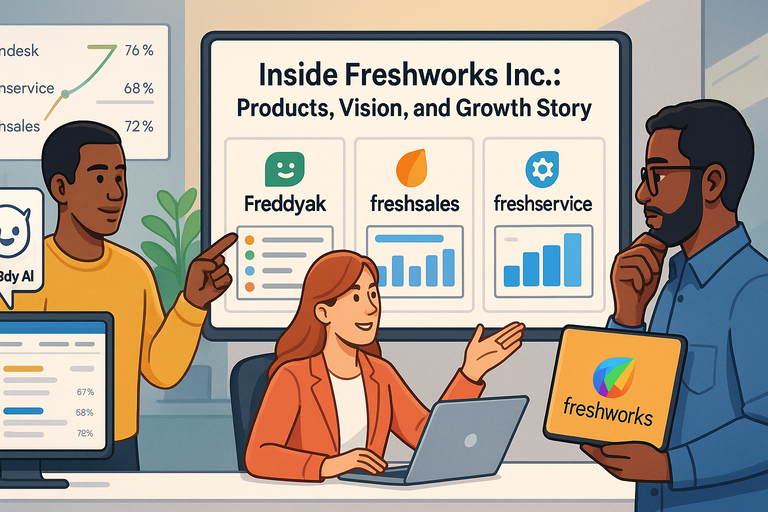
Freshdesk handles customer support, Freshsales handles CRM and pipeline workflows, and Freshservice covers internal IT and employee service management.
That modular structure is useful. A company can start with support, then add sales or IT later as operational needs mature. This is one hidden win people underestimate. You do not necessarily need to commit to a full-stack transformation on day one.
There is also a practical reporting benefit. Even when businesses do not fully unify teams, they often want common logic across them:
- Ticket ownership
- Workflow automation
- Service-level targets
- Knowledge base usage
- AI-assisted responses
- Role-based administration
Those patterns repeat across departments. Freshworks seems to understand that well.
If you are trying to build repeatable operations rather than heroic manual effort, that consistency can save a lot of time.
The Hidden Win Is Operational Consistency
Here is the part I think many review articles miss: the hidden win is not just that Freshworks has multiple products. It is that the products share a “modern operations” style.
That shows up in several ways:
- The interfaces are generally designed for faster adoption.
- Admins can extend workflows rather than start from scratch.
- Teams can use marketplace apps and platform extensions instead of forcing awkward manual workarounds.
- AI is framed as embedded assistance rather than a separate futuristic side project.
If you have ever rolled out software that looked powerful but intimidated every non-technical manager, you know how valuable this is. Software only delivers ROI when people actually use it.
I suggest thinking about Freshworks as a “consistency engine.” It helps businesses standardize how requests, conversations, records, and workflows move through the company.
That is not as flashy as a big AI headline, but it is often where the real money is saved.
Freshworks Features That Matter Most For Businesses
This is where the review becomes more practical.
Features are only useful when they solve operational pain. So let’s focus on the ones that tend to matter in real buying decisions.
Omnichannel Support, Ticketing, And Service Workflows
On the customer service side, Freshworks leans heavily into AI-boosted ticketing and omnichannel support.
Freshdesk and Freshdesk Omni are positioned around email, chat, phone, widgets, knowledge base support, and agent productivity features.
Freshservice also emphasizes multiple service channels for internal support.
What does that mean in plain English? It means customer questions and employee requests are less likely to get trapped in random inboxes or scattered chat threads.
For many businesses, the biggest value is not a fancy feature. It is reliable intake and routing. A healthy support system should do four things well:
- Capture requests from the channels people already use.
- Route them to the right queue or person.
- Preserve context so agents do not repeat questions.
- Measure what is happening so managers can improve it.
That sounds basic, but it is where a lot of companies fail.
Freshworks appears strong for teams that need a quick path from “chaotic inbound requests” to “visible and manageable workflows.” If your current process is shared inboxes, Slack messages, and spreadsheets, this shift alone can feel dramatic.
CRM, Pipeline Management, And Revenue Visibility
Freshsales gives Freshworks a real advantage for businesses that care about the handoff between marketing, sales, and service.
The CRM positions itself around lead capture, pipeline tracking, communication history, and productivity tools, with a free plan for up to three users and paid expansion paths.
I like this part of the stack most when a business has a simple but growing revenue operation.
Not every company needs an ultra-custom enterprise CRM. Many just need a system that sales reps will actually update.
Useful CRM value usually comes from:
- Clear pipeline stages
- Reliable contact and account records
- Task and activity tracking
- Better visibility into deal progress
- Shared context between pre-sale and post-sale teams
Picture a B2B agency with five sales reps and two account managers. Before CRM discipline, every rep tracks deals their own way. Forecasts are guesswork. Follow-ups slip.
After adopting a more structured CRM process, management finally sees bottlenecks. That is not glamorous, but it is operational gold.
Freshworks is not only selling CRM features here. It is selling the chance to replace messy selling habits with a more dependable revenue workflow.
AI, Automation, And Extensibility
Freshworks has clearly put major focus on Freddy AI and platform-level extensibility.
Recent company results said Freddy AI surpassed $25 million in annual recurring revenue in late 2025, while earlier updates highlighted Freddy AI Copilot, AI Agent growth, and no-code AI agent tooling.
The platform also supports custom objects, workflows, marketplace apps, and developer extensions.
That matters because many businesses no longer want “AI” as a vague promise. They want practical use cases:
- Deflect simple repetitive requests
- Assist agents with response drafting
- Speed up internal service workflows
- Surface suggestions and insights
- Reduce admin effort
I would still advise caution here. AI value depends heavily on your content quality, process discipline, and governance. If your help center is weak and your workflow logic is messy, AI often magnifies confusion instead of solving it.
Still, Freshworks seems to be moving in the right direction by attaching AI to everyday tasks rather than presenting it as a separate innovation theater product.
Pricing And Value: Where Businesses Quietly Win Or Overspend
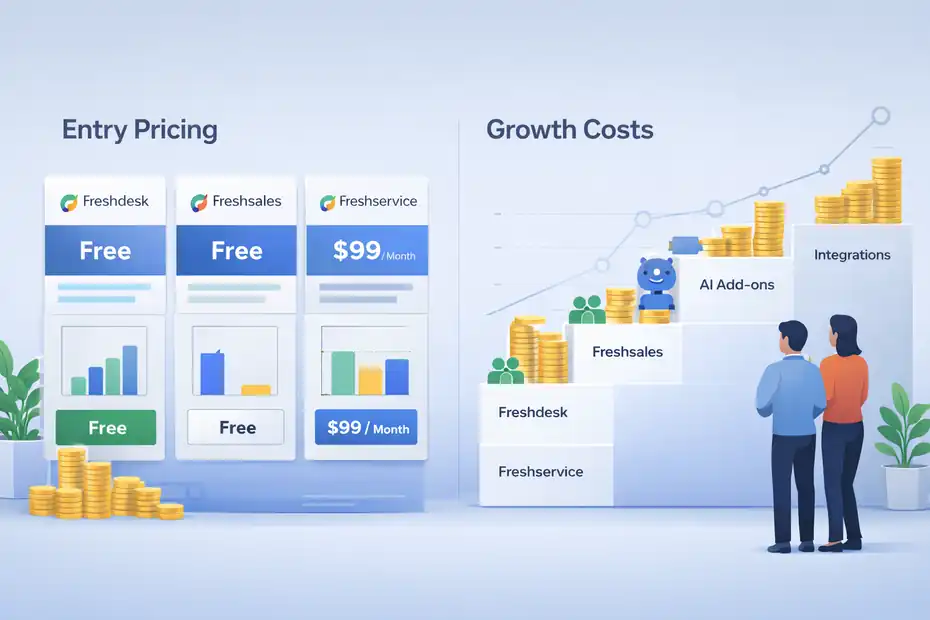
Pricing is where software decisions become real.
Freshworks has some appealing entry points, but platform sprawl can also raise costs if you do not plan carefully.
Entry Pricing Looks Friendly, But Scope Matters
Freshworks currently lists a free Freshdesk option for 1–2 agents for six months, a free Freshsales plan for up to 3 users, and Freshservice plans that range upward into enterprise territory, including a published $99 per agent per month annual tier for more advanced service management and custom enterprise pricing above that.
Freshworks also notes AI-related session rules and add-ons in some product areas.
That creates a common buying pattern:
- Start with one team on a low-friction plan.
- Expand seats.
- Add another Freshworks product.
- Add AI usage or premium features.
- Add integrations and admin overhead.
There is nothing wrong with that. It is normal. But the hidden cost in any platform is not the first invoice. It is expansion without governance.
I recommend modeling your software cost in three layers:
- Core licenses for the team using the tool.
- Premium feature upgrades you will likely need in 6–12 months.
- Cross-functional expansion once another department wants in.
That simple exercise prevents the classic mistake of buying based on “starting at” pricing when your real operating scenario is far bigger.
The Better Value Story Is Time-To-Value
I think Freshworks wins less on “cheapest possible software” and more on time-to-value. If a platform helps you launch faster, train people faster, and reduce admin friction, the business case can be better even if the sticker price is not the lowest.
Let’s use a realistic example. A 40-agent support team spends months trying to customize a more complex enterprise product.
In that same period, a similar team on Freshworks launches faster, gets reporting earlier, and starts improving resolution workflows sooner. Even if the software line item looks similar, the operational ROI may be very different.
Freshworks also supports thousands of marketplace integrations and platform extensions, which can lower integration friction for many common workflows.
That is why I suggest evaluating Freshworks with these value questions:
- How quickly can we go live?
- How much admin expertise will we need?
- How likely are teams to adopt it?
- How much process cleanup can it help us enforce?
- How expensive is the alternative in lost productivity?
Those answers usually matter more than headline pricing alone.
Setup Experience And Day-To-Day Usability
Software reviews often obsess over feature lists. I care more about whether teams can use the system consistently after the first month.
Getting Started Is Usually Easier Than Traditional Enterprise Tools
Freshworks repeatedly positions its products as easier to deploy and easier to use than more complex alternatives, especially in service management and customer service. The interfaces, trial access, and free-entry plans support that lower-friction onboarding model.
In a practical rollout, the setup path usually looks like this:
- Define your core use case first.
- Build only the essential queues, fields, and workflows.
- Import records carefully.
- Assign owners and permissions.
- Train managers before training everyone else.
- Review reports after the first 2–4 weeks.
I strongly recommend resisting the urge to build every automation at launch. Businesses often sabotage software rollouts by over-configuring too early. Start with the operational bottlenecks you already know are real.
For example, in support that might be SLA routing, canned replies, knowledge base structure, and escalation rules. In CRM it might be lifecycle stages, deal pipelines, contact ownership, and follow-up tasks. In IT it might be request categories, approval logic, and asset visibility.
Simple first deployments almost always outperform clever but bloated ones.
Usability Is One Of The Quiet Advantages
This is one of the biggest hidden wins in my view. Many business tools fail not because they lack power, but because average employees avoid using them. Freshworks’ product positioning consistently leans into simplicity, speed, and intuitive workflows, and that is not a trivial marketing line.
Usability compounds. When a system is easier to understand:
- Agents document more consistently.
- Reps update pipelines more often.
- Managers trust reporting more.
- Admins spend less time policing behavior.
- New hires ramp faster.
That operational effect is huge.
I have seen businesses spend far too much time trying to force adoption through policy when the real issue was poor user experience. Freshworks seems designed to reduce that problem. Not eliminate it, because no software can do that alone, but reduce it.
Common Freshworks Mistakes Businesses Make
Even strong platforms underperform when implementation logic is weak. These are the mistakes I would watch most closely.
Buying The Platform Before Defining The Process
The most common mistake is assuming software will create process clarity by itself. It will not.
If your business cannot answer these questions, you are not ready for a clean rollout:
- What counts as a qualified lead?
- What triggers escalation?
- Who owns renewals or internal approvals?
- What response times matter most?
- Which service categories need separate workflows?
Freshworks can support these decisions, but it cannot make them for you.
I suggest documenting your core lifecycle first. Not every edge case. Just the big flow. That keeps configuration tied to reality instead of team opinions.
A simple internal worksheet often helps:
- Intake source
- Record owner
- Next-step rule
- Escalation trigger
- Success metric
That exercise is boring, but it saves weeks of cleanup later.
Expanding Too Fast Across Teams
The second mistake is trying to roll out support, sales, IT, AI, and automation all at once. Because Freshworks has a broad product family, it can tempt buyers into oversized implementations.
I believe the better path is phased adoption:
- Phase 1: Fix the most painful workflow.
- Phase 2: Standardize reporting and ownership.
- Phase 3: Add automation where it clearly saves time.
- Phase 4: Expand to adjacent teams when the first use case is stable.
This matters because every new workflow adds governance needs. Permissions, field logic, naming conventions, reporting rules, and change management all get harder as scope expands.
Freshworks gives you room to grow. That is a strength. But growth without discipline is still chaos.
Advanced Optimization Tips After You’re Live
Once the basics are working, this is where a Freshworks investment can really start paying off.
Use Reporting To Fix Workflow Friction, Not Just Track Volume
Many managers open dashboards and look only at counts: tickets, deals, requests, response time. Those numbers matter, but they are only the beginning.
The better optimization questions are:
- Where are requests stalling?
- Which queues generate repeat contacts?
- Which pipeline stage leaks conversion?
- Which agents or teams are overloaded?
- Which automations reduce manual touch without hurting quality?
Freshworks also promotes reporting and pre-built reports in support contexts, which makes this kind of review easier to start even for teams that are not analytics-heavy.
A useful operating rhythm is a weekly review with three lenses:
- Volume: What happened?
- Friction: Where did work slow down?
- Quality: Did the customer or employee experience improve?
That framework turns your software from a logging tool into a management tool.
Add AI Only Where It Has A Clear Job
AI should have a job description. That is the cleanest way I know to explain it.
Do not add AI because competitors did. Add it where you can define a measurable gain:
- Deflect repetitive questions
- Draft standard responses
- Route common requests
- Surface likely next actions
- Summarize long conversations
Freshworks is clearly investing in Freddy AI, AI agent experiences, and AI-assisted service delivery. The company’s own updates point to meaningful commercial traction in that area.
Still, I would start small. For many businesses, the smartest AI rollout is not a giant transformation. It is one narrow workflow that saves real labor every day.
For example, if 18% of support tickets are password resets, shipping questions, or billing status checks, that is a clean place to test self-service or AI-assisted handling. If those interactions drop from agent queues, your human team gets more time for complex issues.
That is a real hidden win. Not flashy. Very profitable.
Final Verdict: Is Freshworks Worth It For Businesses?
Freshworks is worth serious consideration if your business wants modern service, CRM, or IT operations without jumping straight into bloated enterprise complexity.
Its strongest advantage is not one isolated feature. It is the combination of easier usability, broad product coverage, extensibility, and a platform approach that can grow with you.
The marketplace depth, platform customization options, and cross-functional product lineup support that broader value story.
My honest take is this:
- Freshworks is a strong fit for growing businesses that need structure.
- It is especially useful when multiple teams need better workflow consistency.
- It can quietly deliver big ROI through adoption speed and operational cleanup.
- It is less ideal when your needs are extremely narrow or extremely enterprise-specific.
The hidden wins are real. Faster time-to-value. Better adoption. Easier cross-team standardization. A platform that feels broad without immediately feeling unbearable.
The catch is that you still need clear process thinking. Freshworks can sharpen a business. It cannot rescue a business from undefined ownership, messy workflows, or wishful implementation.
If you evaluate it with that mindset, this freshworks platform review for businesses lands in a strong place: not perfect, not magic, but often a smart, modern platform choice for companies that want practical progress instead of software drama.
FAQ
What is Freshworks platform used for in businesses?
Freshworks platform is used to manage customer support, sales processes, and internal IT services in one system. It helps businesses organize workflows, automate tasks, and improve communication across teams while maintaining a consistent and easy-to-use interface.
Is Freshworks good for small and mid-sized businesses?
Freshworks is well-suited for small and mid-sized businesses because it offers scalable tools with simple setup and user-friendly design. It allows teams to start small and expand features as they grow without needing complex technical resources.
How much does Freshworks cost for businesses?
Freshworks offers free plans for limited users and paid plans that scale based on features and team size. Pricing can increase as businesses add more products, users, or advanced tools, so total cost depends on how extensively the platform is used.
What are the main advantages of using Freshworks?
The main advantages of Freshworks include fast setup, strong usability, integrated tools for multiple departments, and built-in automation features. Businesses benefit from better workflow organization and improved team collaboration without dealing with overly complex systems.
What are the limitations of Freshworks platform?
Freshworks may not be ideal for very large enterprises or companies needing deep custom development. Costs can also increase as more features and teams are added, and some advanced workflows may require careful setup to avoid unnecessary complexity.

I’m Juxhin, the voice behind The Justifiable.
I’ve spent 6+ years building blogs, managing affiliate campaigns, and testing the messy world of online business. Here, I cut the fluff and share the strategies that actually move the needle — so you can build income that’s sustainable, not speculative.
Related posts:
 Freshworks CRM And Support Software Review: Best Value?
 Project Management Tools Monday: Complete Beginner’s Guide
 Inside Freshworks Inc: Products, Vision, and Growth Story
 Why Businesses Love Freshworks Freshdesk for Service
 How to Grow an Online Business That Scales While You Sleep
 How Do You Grow Online Business Without Big Marketing Budgets?