
Table of Contents
Some links on The Justifiable are affiliate links, meaning we may earn a small commission at no extra cost to you. Read full disclaimer.
Namecheap hosting review for beginners is really about one practical question: can you launch your first site cheaply without creating problems you will regret later? I think that is the right way to judge Namecheap.
It is well known as a domain registrar, and its shared hosting is clearly built to attract beginners with low entry pricing, cPanel access, free migration, and a 30-day refund window. But low-cost hosting always comes with tradeoffs.
In this guide, I’ll walk you through what Namecheap does well, where it feels limited, and who should actually start with it.
What Namecheap Hosting Is And Why Beginners Notice It First
If you are brand new to hosting, Namecheap usually shows up for one simple reason: it combines domains and hosting in one account, and the entry price looks very beginner-friendly.
That matters when you are trying to launch a blog, portfolio, local business site, or first WordPress project without overspending.
What You’re Actually Buying With Namecheap Shared Hosting
Shared hosting means your website lives on a server that also hosts other websites. In plain English, you are renting a smaller slice of a larger machine instead of paying for a whole server yourself. Namecheap’s beginner-facing shared lineup has three main plans: Stellar, Stellar Plus, and Stellar Business.
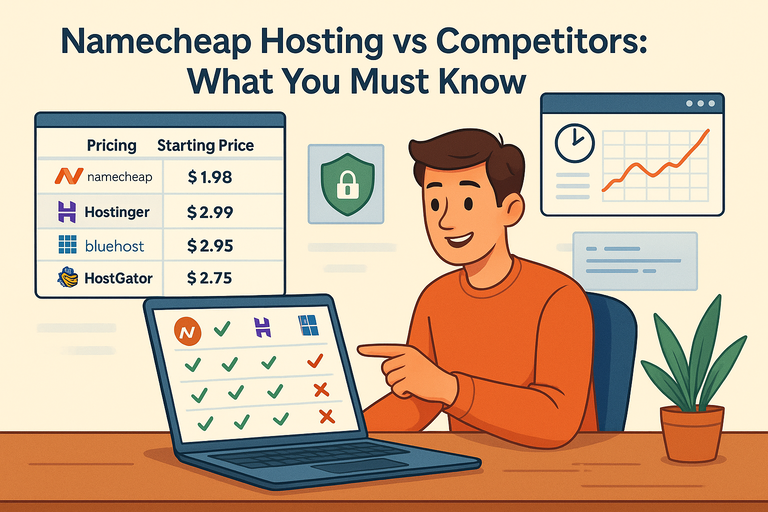
On the current shared hosting page, Stellar starts at $1.98 per month billed annually for the first term, renews at $48.88 per year, and includes 3 websites, 20 GB SSD storage, unmetered bandwidth, and 30 mailboxes.
Stellar Plus is priced at $2.98 per month initially and shifts to $74.88 per year on renewal, while Stellar Business starts at $4.98 per month and renews at $112.88 per year.
For a beginner, that plan ladder is pretty easy to understand. The basic plan is for a few small sites, the middle plan is for people who want more freedom, and the business plan adds stronger security and more storage. I actually like when hosting companies keep this simple, because confusing plan structures often lead beginners to buy way more than they need.
Here is the practical takeaway: Namecheap is not selling “premium performance first.” It is selling accessibility first. The low upfront price, included cPanel, one-click app installs, and bundled beginner tools make the first setup less intimidating than it would be on a more technical platform.
Why Namecheap Feels Beginner-Friendly Right Away
One reason beginners tend to stick with Namecheap early is that the setup path is familiar and centralized. You can buy a domain, connect hosting, open cPanel, install WordPress through Softaculous, and manage email from the same ecosystem.
Namecheap’s setup guide shows that beginners can reach cPanel directly from the account panel, and the shared plans include a website builder plus Softaculous for one-click installs of WordPress and other apps.
That matters more than many reviews admit. When you are new, reducing account sprawl is a real benefit. If your domain is in one place, hosting in another, email somewhere else, and DNS in a fourth dashboard, mistakes happen fast. I’ve seen beginners lose hours just trying to figure out which login controls what.
Namecheap also leans hard into beginner extras. Its shared hosting page highlights free website migration, free automatic SSL installation, LiteSpeed webserver support, SSH access, and a 30-day money-back guarantee across the shared plans.
The company also gives a 30-day free trial entry point on the shared plans, which lowers the risk of testing it.
Still, “easy to start” does not automatically mean “best long-term host.” That is where this review gets more interesting.
How The Plans, Pricing, And Included Features Compare
Before you buy hosting, the smartest thing you can do is look beyond the teaser price. Hosting companies love attractive first-year pricing because beginners often focus on the checkout total and ignore the renewal bill.
Namecheap is affordable, but you should understand exactly what changes after year one.
Plan Breakdown For Beginners
Here is a quick comparison of the current shared hosting structure:
| Plan | Best For | Intro Price | Renewal Price | Websites | Storage | Backups |
|---|---|---|---|---|---|---|
| Stellar | First site, blog, portfolio | $1.98/mo billed yearly | $48.88/year | 3 | 20 GB SSD | Twice weekly, not guaranteed |
| Stellar Plus | Multiple small sites | $2.98/mo billed yearly | $74.88/year | Unlimited | Unmetered SSD | AutoBackup with daily/weekly/monthly access |
| Stellar Business | Small business, more protection | $4.98/mo billed yearly | $112.88/year | Unlimited | 50 GB SSD | AutoBackup with daily/weekly/monthly access |
The difference that jumps out to me is backups. Stellar includes internal backups performed ideally twice a week, but they are not guaranteed, while Stellar Plus and Stellar Business include the AutoBackup tool with daily, weekly, and monthly restore points.
For beginners, that is not a small detail. It is one of the biggest practical reasons I would push many people toward Stellar Plus over Stellar.
A beginner usually does not think about backups until something breaks. Then suddenly, backups become the most important feature in the world.
The Features That Matter Most In Real Use
A lot of plan comparison pages throw in flashy extras that sound important but are not the real decision-makers. For a first site, I think these are the features that actually matter:
- Storage And Site Limits: Stellar gives you 20 GB SSD storage and support for 3 websites, while Stellar Plus gives unlimited websites and unmetered SSD under acceptable use limits.
- WordPress Setup: Softaculous can install 200+ apps, including WordPress, in a few clicks.
- Email: Stellar includes 30 mailboxes, while higher plans offer unlimited mailboxes.
- Migration: Namecheap offers free website migration and specifically mentions fast cPanel-to-cPanel transfers.
- Security Basics: Free automatic SSL installation is included, with up to 50 first-year SSL certificates referenced across shared hosting materials.
For many beginners, this is enough. A local service business, niche blog, resume site, or starter affiliate site can run just fine on a shared stack like this. The catch is that you are paying for “good enough” infrastructure, not category-leading speed.
The Pricing Trap Beginners Often Miss
This is where I think you need to be careful. The first-year pricing is strong, but renewal pricing is meaningfully higher. That is normal in hosting, not a Namecheap-only issue, but it changes the long-term value calculation.
Namecheap’s support article also notes that it adjusted shared pricing, added monthly billing, and extended the money-back period from 14 to 30 days.
My advice is simple: Do not buy based only on the homepage savings percentage. Buy based on whether the renewal price still feels fair for the performance level you expect. For a tiny site, it often does. For a growing business, maybe not.
How Easy It Is To Set Up Your First Website
A beginner host should make basic tasks obvious. You should be able to connect your domain, install WordPress, set up SSL, and create email without feeling like you need a system administrator.
On that front, Namecheap does a pretty solid job.
What The First-Time Setup Looks Like
Here’s the normal beginner path inside Namecheap:
- Step 1: Buy the hosting plan and connect your domain. If you bought both at Namecheap, this is easier because everything sits in one account.
- Step 2: Wait for activation and DNS updates. Namecheap says a new hosting account may take up to 30 minutes to activate, while nameserver changes can take up to 48 hours to fully propagate.
- Step 3: Open cPanel from your account dashboard. Namecheap’s own setup tutorial walks through going from the account panel directly into cPanel.
- Step 4: Choose your site-building path. You can use the website builder or install WordPress through Softaculous.
That is not revolutionary, but it is clean. In my experience, that matters more than fancy branding. Most beginners do not need a dazzling control panel. They need a predictable one.
The biggest advantage here is familiarity. cPanel is still one of the most common hosting dashboards in the market, so tutorials are everywhere. If you get stuck, there is a high chance someone else has already solved that exact problem.
Installing WordPress And Managing The Basics
Namecheap explicitly supports WordPress through Softaculous, and its shared hosting page says WordPress sites can be launched quickly with the one-click installer. It also mentions cPanel support for tasks like SSL management, webmail, and general site administration.
For a beginner, that means you are not wrestling with command-line setup or manual database creation unless you want to. You can get the core system live fast, then spend your time on design, pages, and content instead of server work.
A realistic beginner scenario looks like this: You buy a domain for a new freelance design business, open cPanel, install WordPress in five minutes, activate SSL, create hello@yourdomain.com, and launch a simple five-page website the same weekend. That is exactly the kind of use case where Namecheap makes sense.
Where it starts to feel less ideal is when your site becomes resource-hungry. A WooCommerce store, a plugin-heavy membership site, or a media-heavy blog will stress low-cost shared hosting faster than beginners usually expect.
Performance, Reliability, And What You Should Expect In Practice
This is the section most beginner reviews either overhype or oversimplify. Hosting performance is not just about whether your homepage eventually loads.
It affects user experience, conversions, SEO, and how much room you have to grow before you need to migrate.
What Namecheap Promises On Paper
Namecheap’s shared hosting pages list LiteSpeed webserver support, unmetered bandwidth, SSD storage, and a monthly uptime guarantee.
The shared hosting tech specs section also displays 100% uptime for the shared plans, while the broader hosting page says customers receive a monthly uptime guarantee with service-cycle compensation if Namecheap fails to deliver under its own terms.
There is also a cloud storage angle worth noting. Namecheap says Cloud Storage is included with Stellar Business in the US data center and all Stellar shared plans in EU and Singapore data centers. That can matter for stability depending on where you host your site.
On paper, this sounds strong. And for small websites, the setup can absolutely feel fast enough.
Where Real-World Expectations Should Stay Grounded
Independent reviewers are less enthusiastic than the marketing pages. Cybernews’ 2026 review says Namecheap is a good fit if you need a cheap plan for a personal or low-traffic site, but recommends avoiding it if performance, uptime, and ease of use are your top priorities.
HostingStep’s 2026 benchmark roundup favored faster alternatives in its testing, including Hostinger with 99.99% uptime and stronger speed metrics in its review set.
That does not mean Namecheap is bad. It means you should frame it correctly. I would describe it like this: respectable for budget-first beginner projects, but usually not the host I would pick when speed is the main goal.
That distinction matters for SEO too. Google does not rank sites just because of hosting brand, but slow pages can hurt user experience signals and conversion rates.
If you are building a content site and your pages are lightweight, Namecheap may be completely fine. If you are building something more demanding, the value equation changes fast.
My Honest Beginner Performance Verdict
I believe Namecheap is best understood as “starter hosting with sensible convenience,” not “best-in-class shared hosting.” If your site is simple, your traffic is low, and your budget matters more than shaving every millisecond off load times, it is a fair option.
If you already know your project will need stronger performance, I would treat Namecheap as a short-term starting point, not a forever host.
That sounds less exciting than hypey affiliate reviews, but it is more useful. A beginner does not need hosting perfection. A beginner needs hosting that is affordable, understandable, and good enough to launch without getting trapped.
Support, Security, And Beginner Safety Nets
A hosting company is easy to love on signup day.
The real test comes when your SSL breaks, your DNS does not propagate, or WordPress throws a white screen.
Beginners need support and safety nets more than advanced users do.
What Support Looks Like For New Users
Namecheap’s public materials emphasize constant support availability. Its about page includes a message from the Director of Customer Support about helping clients “24 hours a day, every day,” and the page also prominently links to live chat support.
For beginners, live chat matters because most first problems are not deeply technical. They are account problems. Things like:
- Why is my domain still showing the old site?
- Where do I install SSL?
- Why is WordPress not loading after installation?
- How do I create a business email address?
In those moments, quick chat support is usually more useful than a dense knowledge base.
That said, support quality is not just about being available. It is about how fast and how accurately issues get resolved. I would not assume “24/7 support” automatically means premium-level hand-holding. It usually means someone is reachable, which is good, but not magical.
Security Features Beginners Actually Benefit From
Namecheap includes several beginner-friendly security basics in shared hosting.
These include free automatic SSL installation, a free CDN plan with basic DDoS protection and 50 GB monthly traffic on that CDN tier, and for Stellar Business, Imunify360 security with website protection features like proactive defense and a built-in firewall.
cPanel also supports two-factor authentication, according to Namecheap’s shared hosting specifications.
Here is what that means in plain language:
- SSL: Encrypts the connection between your site and visitors, so browsers show HTTPS.
- CDN: Stores copies of your files closer to visitors and can help with speed and basic protection.
- Firewall/Malware Protection: Helps block some common attacks before they become disasters.
For a beginner, having these pieces bundled is helpful because you are less likely to miss something essential. I especially like automatic SSL for first-time users. One less manual task means one less way to break your site on day one.
Why Backups Deserve More Attention Than Beginners Give Them
If I had to choose one overlooked hosting feature, it would be backups. Stellar’s backups are twice weekly and not guaranteed, while Stellar Plus and Business include AutoBackup with daily, weekly, and monthly copies.
That difference is huge in real life. Imagine you update a theme, your layout collapses, and you do not notice for three days. On Stellar Plus, you have a much better chance of restoring a clean recent version. On basic Stellar, your recovery path is less comfortable.
I recommend beginners think of backups like insurance. You hope you never need them. You absolutely notice when they are weak.
Who Should Use Namecheap And Who Should Skip It
A good review should not end with “it depends” and walk away. Let me make this practical.
Namecheap is a fit for some beginners, but not all beginners. The best choice depends on what you are building and how much performance headroom you need.
Namecheap Is A Good Starting Point If Your Needs Are Simple
I would recommend Namecheap shared hosting for beginners in situations like these:
- You’re launching a first blog or niche content site. Low upfront cost, cPanel familiarity, and simple WordPress setup are enough.
- You need a portfolio or brochure site. A designer, consultant, photographer, or local service business can start small without much server complexity.
- You want your domain and hosting together. Namecheap’s all-in-one convenience is genuinely helpful when you are new.
- You’re price-sensitive. The entry pricing is still attractive compared with many better-known competitors.
In these cases, the beginner friction is low enough that the platform’s convenience can outweigh its performance limitations.
You Should Probably Skip It If Growth Or Speed Is A Priority
I would hesitate to start on Namecheap if any of these are true:
- You expect high traffic early. Shared budget hosting is rarely the best place for aggressive growth.
- You’re building a serious store or membership site. Heavy plugins, frequent database calls, and logged-in users can expose shared hosting limits quickly.
- You care deeply about top-tier performance. Independent reviews are clear that faster options exist.
- You hate future migrations. Starting on a low-cost host and moving later can be smart, but only if you accept that migration may become necessary.
This is where I think beginners often get bad advice. People are told to “buy the cheapest thing now and upgrade later” as if migration is effortless. It is not always hard, but it is still a task. If you already know your site will outgrow entry-level shared hosting soon, skipping that step can save time.
How To Make Namecheap Work Better If You Decide To Start There
Even if Namecheap is not the fastest host in the category, you can still get better results by using it intelligently.
Most hosting disappointments happen because beginners overload a cheap plan, ignore optimization, and then blame the provider for everything.
The Smartest Plan Choice For Most Beginners
If your budget allows it, I think Stellar Plus is the sweet spot for many beginners. The jump from Stellar to Stellar Plus is not huge on the intro price, but you get unlimited websites, unmetered SSD storage, unlimited mailboxes, and much better backup coverage through AutoBackup.
That makes Stellar Plus easier to live with. You are less boxed in, and you get stronger recovery options if something breaks. For someone building one site today and maybe a second project later, it usually feels more flexible than the base plan.
I would reserve Stellar Business for beginners who have a real business site and want the extra storage and Imunify360 protection, especially if they know security and stability are bigger priorities.
Practical Optimization Tips That Matter More Than Fancy Tricks
You do not need advanced sysadmin skills to make Namecheap perform better. Start with the basics:
- Keep your site lightweight. Use a lean theme and avoid plugin bloat.
- Use caching and image compression. These often produce bigger gains than people expect.
- Turn on SSL immediately. It helps trust and avoids browser warnings.
- Use the included CDN when appropriate. Even a basic CDN can help with asset delivery and simple protection.
- Choose the right data center where possible. Namecheap offers US, EU, and Singapore data center options in shared hosting contexts, though EU has billing restrictions noted on the shared hosting page.
One realistic example: imagine you run a local landscaping website with ten pages, compressed images, one contact form, and no bloated page builder stack. On Namecheap, that kind of site can feel perfectly acceptable.
But if you install thirty plugins, load giant images, and add animations everywhere, no budget shared host will feel amazing.
My Final Verdict: Is Namecheap Worth Starting With?
Yes, for the right beginner, Namecheap is worth starting with. I would not call it the strongest shared host for speed-first users, and I would not pretend it is the ideal long-term home for every growing website.
But I do think it is a reasonable beginner option when your priorities are low upfront cost, familiar tools, simple setup, bundled basics, and a low-risk trial/refund path.
My honest bottom line is this: Namecheap is a good starter host, not a perfect host. If you are launching your first small site and want to learn without overspending, it can do the job. If you already know performance is mission-critical, start higher.
And in hosting, that is usually the decision that matters most: not “Is this host good?” but “Is this host good for the site I’m actually building right now?”
FAQ
What is Namecheap hosting and is it good for beginners?
Namecheap hosting is a budget-friendly shared hosting service designed for simplicity. It’s good for beginners because it offers easy setup, cPanel access, and one-click WordPress installs. While performance is decent for small sites, it may not be ideal for high-traffic or resource-heavy projects.
Is Namecheap hosting reliable for a first website?
Namecheap hosting is generally reliable for small personal or business websites. It includes basic uptime guarantees and essential features like free SSL and backups on higher plans. However, performance can vary under heavier loads, so it’s best suited for low to moderate traffic websites.
How easy is it to set up a website on Namecheap?
Setting up a website on Namecheap is straightforward. You can connect your domain, access cPanel, and install WordPress using a one-click tool. Most beginners can launch a basic website within an hour without needing technical knowledge or advanced configuration skills.
Does Namecheap hosting include free backups and security?
Namecheap includes basic backups on entry plans, but they are not guaranteed. Higher plans offer automated backups with more frequent restore points. Security features include free SSL, basic CDN protection, and optional advanced security tools for better protection.
Is Namecheap hosting worth it compared to other providers?
Namecheap hosting is worth it if your priority is affordability and simplicity. It’s a solid choice for beginners launching small websites. However, if you need faster performance or plan to scale जल्दी, other hosting providers may offer better long-term value.

I’m Juxhin, the voice behind The Justifiable.
I’ve spent 6+ years building blogs, managing affiliate campaigns, and testing the messy world of online business. Here, I cut the fluff and share the strategies that actually move the needle — so you can build income that’s sustainable, not speculative.
Related posts:
 Namecheap Hosting vs Competitors: What You Must Know
 AccuWebHosting: The Ultimate Solution for Your Web Hosting Needs
 Webhostingpad: Everything You Need to Know
 The Benefits of Turnkey Web Hosting for Your Online Business
 The Ultimate Guide to UltraWebHosting: Features, Benefits, and Pricing
 Bluehost Cost Explained: What You’ll Really Pay 2025