
Table of Contents
Some links on The Justifiable are affiliate links, meaning we may earn a small commission at no extra cost to you. Read full disclaimer.
An ecommerce website builder review for beginners usually starts with one big question: will this save you time, or quietly drain your budget before you make real sales?
I think that is the right question to ask, because most first-time store owners do not fail from lack of effort. They fail from choosing a platform that looks easy on day one but becomes limiting, expensive, or frustrating by month three.
In this guide, I’ll walk you through how ecommerce website builders actually work, what beginners should look for, where hidden costs show up, and how to choose a builder that fits your stage.
What An Ecommerce Website Builder Really Does
Before you compare platforms, it helps to understand what you are actually buying. An ecommerce website builder is not just a page editor.
It is your storefront, checkout system, product manager, and often your first marketing stack.
How Website Builders Simplify Selling Online
Most beginners want one thing: a fast way to launch without touching code. That is exactly why ecommerce builders became so popular. Instead of stitching together hosting, design, payments, security, and checkout on your own, a builder puts those pieces into one dashboard.
In practical terms, that means you can usually do the following from a single place:
- Add products with photos, prices, and descriptions
- Choose a theme or template
- Set shipping rules
- Connect payment methods
- Publish your store on your own domain
- Track orders and customer details
That sounds simple, and often it is. But simplicity can be misleading. A beginner-friendly interface does not always mean beginner-friendly growth. Some platforms make setup easy but charge more as your store expands. Others give you freedom later but require more work upfront.
I suggest thinking of an ecommerce builder like renting a shop inside a managed retail center. The basics are already handled for you, which is great when you are new. The tradeoff is that your design freedom, app choices, and costs may be shaped by the platform’s rules.
For many of us, that trade is worth it in the beginning. You get momentum. You stop overthinking. You launch faster. That alone can be a huge advantage when your real goal is validating a product idea instead of building the perfect site.
The Core Features Beginners Actually Need
A lot of platform comparison pages overwhelm beginners with long feature grids. In real life, you do not need fifty features on day one. You need the right small set of features that make selling possible without unnecessary confusion.
The essentials usually come down to these areas:
- Product management: Can you easily add variants like size, color, or bundle options?
- Payment setup: Does it support common methods such as Stripe and PayPal?
- Mobile design: Does your storefront look clean on a phone without extra editing?
- Shipping controls: Can you set flat-rate, free, or location-based shipping?
- SEO basics: Can you edit titles, meta descriptions, image alt text, and URLs?
- Order handling: Can you manage inventory, refunds, and shipping updates without headaches?
I believe beginners often overvalue visual design and undervalue checkout quality. A beautiful homepage does not matter much if the cart feels clunky or payment setup gets confusing. In my experience, the first sales usually come from clarity and trust, not flashy design.
Imagine you are selling handmade candles. You do not need enterprise-level automation on day one. You do need fast checkout, clear product pages, reliable inventory tracking, and a site that feels credible. That is the level of thinking that leads to good platform decisions.
Why Beginners Often Choose The Wrong Builder
The wrong platform usually does not look wrong at first. It often looks polished, friendly, and full of promises. The problem appears later, when your store starts doing real work.
Easy Setup Can Hide Long-Term Friction
A drag-and-drop editor feels wonderful when you are building your first homepage. You can move sections around, upload product images, and publish something that looks real in a weekend. That early win matters. But what happens after that is what most reviews leave out.
Some builders are optimized for getting you launched, not for helping you operate smoothly. You may run into friction like this:
- Product variant limits that make catalog growth messy
- Limited checkout customization
- Higher transaction costs on lower-tier plans
- Dependence on paid apps for basic functions
- Weak blog or SEO structure
- Hard migrations when you outgrow the platform
This is where beginners get caught. They judge a builder by setup speed alone. I understand why. Starting an online store can feel intimidating, so anything that reduces friction feels like the right choice.
But I recommend asking a better question: What becomes annoying after 90 days of real use?
For example, a beginner selling ten products might love a simple site builder. But once that same store adds bundles, discount logic, abandoned cart emails, and international shipping, the “simple” platform can become rigid. What looked easy at the start turns into a patchwork of paid add-ons and workarounds.
A good beginner platform should still feel stable after your first 50 orders, not just your first 5.
Hidden Costs That Turn “Affordable” Into Expensive
This is where the phrase “costly mistake” becomes very real. Builders are often marketed with low monthly prices, but the true cost of ownership includes much more than the base plan.
Common hidden costs include:
- Transaction fees beyond payment processor fees
- Premium themes
- Paid integrations or apps
- Advanced email marketing tools
- Extra staff accounts
- Higher plans for reporting or automation
- Domain renewal and branded email costs
Here is a simple comparison table to frame the issue:
| Cost Area | What Beginners Expect | What Often Happens |
|---|---|---|
| Monthly Plan | One flat fee | Price increases as features unlock |
| Payments | Standard processor fee | Extra platform fee on some plans |
| Design | Free theme is enough | Better theme costs extra |
| Marketing | Built-in tools handle it | Email, popups, and automation need apps |
| SEO | Included by default | Deeper controls may be limited |
| Scaling | Same setup keeps working | You upgrade sooner than expected |
I have seen new sellers budget for a $29 platform and end up closer to $80 to $150 per month once real needs show up. That does not mean the builder is bad. It means the entry price was only part of the story.
When you review a platform, do not stop at the homepage pricing page. Map the total cost of what you actually need to operate for the next six months.
How To Evaluate An Ecommerce Website Builder As A Beginner
A useful ecommerce website builder review for beginners should help you judge fit, not just features. The best platform is the one that matches your products, your skill level, and your likely growth path.
Match The Builder To Your Store Type
Not every store has the same operational needs. A person selling digital templates has a very different workflow from someone shipping skincare products, custom furniture, or print-on-demand apparel.
Here is a practical way to think about fit:
- Small curated product store: Simplicity and clean design matter most
- Large catalog store: Filtering, inventory, and category structure matter more
- Subscription store: Recurring billing and customer account management matter
- Content-led store: Blogging and SEO become more important
- Service plus product brand: Flexibility in page layout matters more than deep inventory tools
This is why beginner advice that says “just use the easiest platform” can be incomplete. Easy for whom, and for what?
Let me give you a realistic example. Imagine you sell digital planners. You do not need complex shipping rules, but you do need instant delivery, clean checkout, and trust-building pages. A visually polished builder may work beautifully. Now imagine you sell custom pet tags with multiple size, color, engraving, and shipping combinations. Suddenly product options and operational flexibility matter much more.
I suggest writing down three things before choosing any builder:
- How many products you expect to launch with
- Whether your items have variants or customization
- What type of marketing will bring traffic, such as search, social, or email
That short exercise often makes the right choice much clearer than any generic “best platform” list.
Judge The Learning Curve, Not Just The Interface
A pretty dashboard can fool you. What matters is not only whether a platform looks simple, but whether you can confidently use it without constantly looking up tutorials.
The learning curve includes more than design editing. It includes:
- Understanding taxes and shipping rules
- Managing discounts and promo codes
- Editing product pages correctly
- Connecting your domain
- Configuring email notifications
- Reading reports and sales data
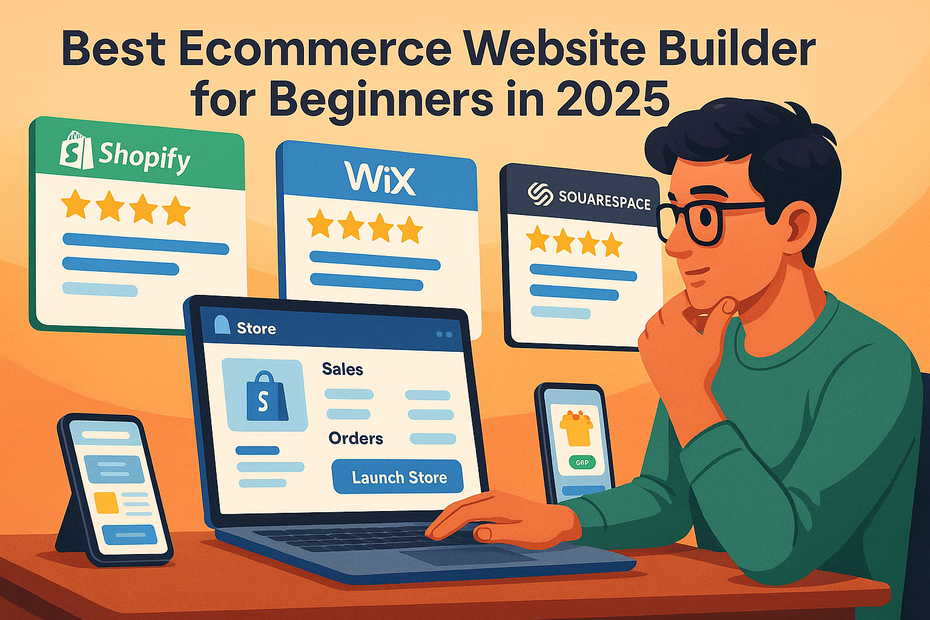
I believe this is where Shopify, Wix, and Squarespace often appeal to beginners. They generally reduce the technical burden and guide you through setup in a more structured way. On the other hand, WooCommerce can offer more control, but that flexibility usually comes with more setup decisions and maintenance responsibility.
That does not make one category better than the other. It just means you need to be honest about your comfort level.
If the thought of handling hosting, plugins, updates, and troubleshooting makes your stomach drop, a managed builder is probably the safer choice. If you already know your way around WordPress and want more control over design and SEO structure, a more open setup may be worth the extra work.
The right beginner platform should feel teachable. You should be able to understand what is happening, not just click through setup and hope for the best.
The Main Types Of Ecommerce Builders Beginners Will Encounter
Most beginners run into the same few categories. Understanding the difference can save you from comparing platforms that are built for very different users.
All-In-One Hosted Platforms
Hosted platforms are the easiest entry point for most beginners. These are services where hosting, security, checkout, updates, and much of the technical maintenance are handled for you.
Examples include Shopify, BigCommerce, Square Online, and Ecwid. Their big appeal is convenience. You log in, follow the setup prompts, add products, connect payments, and start building.
The advantages are easy to understand:
- Faster launch time
- Less technical maintenance
- Centralized support
- Strong ecommerce-specific features
- Easier payment and shipping setup
The disadvantages usually show up later:
- Monthly costs stack up
- Customization may be limited
- Some features depend on paid apps
- Migration away from the platform can be annoying
For many first-time store owners, this category is still the best starting point. You are paying partly for simplicity. If your biggest risk is never launching at all, that simplicity has real value.
I often recommend hosted builders to readers who want to validate a product idea quickly. They reduce setup friction and let you focus on product photos, offers, messaging, and customer service. Those things usually matter more at the beginner stage than perfect technical control.
Website Builders With Ecommerce Add-Ons
This category includes platforms that began as website builders first and ecommerce tools second. They are often ideal for smaller stores, service brands with a few products, or creators selling a compact catalog.
Wix, Squarespace, and Hostinger often fit here. Their strength is presentation. If your brand depends on visual storytelling, polished templates, or a simple hybrid of content and commerce, they can feel more intuitive than heavier ecommerce platforms.
That said, ecommerce depth varies. A stylish storefront is great, but you still need the backend to support real operations. Some limitations can appear when you need:
- More advanced inventory controls
- Large product catalogs
- Deep discount logic
- Sophisticated automation
- Complex shipping workflows
Imagine a photographer selling presets, prints, and a small merch line. A visually strong builder could be a great fit. Now imagine a fast-growing accessories brand with 300 SKUs and multi-channel inventory needs. The same builder may start to feel narrow.
I think beginners should treat this category as ideal for small-to-medium stores that value simplicity and presentation over deep ecommerce engineering. That is not a weakness. It is just a different use case.
Open-Source Or Flexible Commerce Setups
The third category includes flexible systems such as WooCommerce on WordPress or more advanced setups built for heavier customization. This route gives you more control, but it also gives you more responsibility.
The benefits are attractive:
- Greater ownership and flexibility
- Broad plugin ecosystem
- More control over content structure
- Potentially lower software cost in some cases
- Easier customization for unique workflows
The tradeoffs are equally real:
- You manage more moving parts
- Performance depends on hosting and setup quality
- Plugin conflicts can create headaches
- Security and updates need attention
- Support is less centralized
This is often where beginners make the classic mistake of choosing “flexible” when what they really need is “managed.” Flexibility is only valuable if you can use it without getting stuck.
If you already run a content-heavy site on WordPress or have technical help available, this route can be very powerful. If not, it can feel like assembling furniture without instructions while customers wait outside the shop.
Step-By-Step: How Beginners Should Choose A Platform
You do not need a perfect platform. You need a practical platform that helps you start, learn, and grow without creating unnecessary friction.
Step 1: Define Your Real Needs Before Looking At Features
Start with your business model, not the feature list. This sounds obvious, but it saves a surprising amount of confusion.
Ask yourself:
- What am I selling?
- How many products will I launch with?
- Do I need physical shipping, digital delivery, or both?
- Will customers need variants, bundles, or personalization?
- Am I relying on search traffic, social traffic, or repeat buyers?
These questions shape everything. A beginner selling one digital course and a few templates has different needs from someone launching a 50-product skincare catalog. Once you know your operational basics, the comparison becomes more realistic.
I recommend creating a “must-have” list and a “nice-to-have” list. Your must-haves might include mobile-friendly checkout, product variants, and simple coupon codes. Nice-to-haves might include advanced segmentation, subscriptions, or custom checkout fields.
This step prevents one of the most common beginner mistakes: choosing the platform with the longest feature list instead of the one that solves the actual job.
Step 2: Test The Store Setup Flow Like A Real User
Do not choose based only on reviews, screenshots, or influencer recommendations. Open a free trial when possible and try building an actual store skeleton.
Here is the setup flow I suggest testing:
- Add three sample products
- Create one category or collection
- Upload a logo and homepage banner
- Edit product page text
- Set one shipping rule
- Connect a test payment method if possible
- Preview the mobile version
- Go through checkout as if you were a customer
This hands-on test reveals more than feature pages ever will. You will quickly notice whether the dashboard feels logical, whether the editor gets in your way, and whether product setup is smooth or awkward.
In my experience, checkout testing is especially important. Some platforms look amazing until you hit the buying process. Then the flow feels cluttered, slow, or oddly disconnected from the rest of the site.
A beginner should not have to guess where basic store settings live. If you feel lost during a simple trial setup, that confusion usually multiplies later when you are managing real orders.
Step 3: Estimate The Six-Month Cost, Not Just The Monthly Price
This one step can save you from a bad decision. Instead of asking, “What does this plan cost today?” ask, “What will this realistically cost once I am operating normally?”
Your six-month estimate should include:
- Platform plan
- Payment processing fees
- Domain cost
- Theme or template upgrades
- Essential app or plugin costs
- Email marketing needs
- Any extra tools for reviews, popups, or analytics
Here is a realistic beginner budgeting mindset. If a platform costs more but includes better native tools, it may actually be cheaper than a lower-priced builder that depends on several paid add-ons.
For analytics and store improvement, you may also want to connect Google Analytics 4. For email marketing later, platforms like Klaviyo or Mailchimp may enter the picture, depending on the builder and your goals. You do not need every tool immediately, but you should understand what your likely stack looks like.
I suggest giving yourself a budget ceiling before you fall in love with a platform. That keeps your decision grounded in reality.
Beginner-Friendly Platform Comparisons That Actually Matter
This is the part many readers want most, but I think it only helps once you understand your own needs. Platform quality is contextual.
Best Fits By Beginner Scenario
Rather than declaring one universal winner, I prefer matching platform type to beginner situation.
| Beginner Scenario | Usually Best Fit | Why It Works |
|---|---|---|
| Fastest launch with strong ecommerce focus | Shopify | Smooth setup, mature app ecosystem, strong checkout |
| Design-first small store or personal brand | Squarespace | Clean templates, polished visual presentation |
| Flexible visual builder with moderate ecommerce needs | Wix | User-friendly editing and approachable setup |
| Existing WordPress user who wants control | WooCommerce | More flexibility and ownership |
| Small local seller tied to offline payments | Square Online | Convenient if already using Square ecosystem |
| Store that may need more native scaling features | BigCommerce | Strong built-in commerce capabilities |
I do not think beginners should obsess over finding the absolute “best” platform. A better goal is finding the least wrong platform for your current stage.
For example, if you want minimal technical headaches and you are okay paying for convenience, Shopify is often a safe starting point. If your store is visually driven and relatively simple, Squarespace can be a very comfortable fit. If you value flexibility and already understand WordPress, WooCommerce may be the smartest long-term choice.
Where Each Option Can Go Wrong For Beginners
No platform is beginner-proof. Each one has a trap that can catch the wrong user.
Shopify can get expensive once apps pile up. Wix and Squarespace can feel limiting if your store becomes more operationally complex. WooCommerce can become stressful if you are not prepared to manage plugins, hosting, and maintenance. BigCommerce can feel like more platform than a tiny beginner store needs. Square Online may be too basic for brands that want more design freedom or advanced growth features.
I think the smartest beginner move is to choose a platform based on the pain you most want to avoid.
- Hate technical setup? Avoid flexible DIY-heavy systems.
- Hate recurring app costs? Look closely at what is included natively.
- Need design freedom? Do not choose a platform that locks layout too tightly.
- Need strong content and SEO flexibility? Make sure the content side is not an afterthought.
That tradeoff thinking is what turns a generic review into a useful buying decision.
Common Mistakes Beginners Make After Choosing A Builder
Choosing the builder is only half the story. A decent platform can still underperform if the setup strategy is weak.
Mistaking Design Completion For Store Readiness
Many beginners spend weeks perfecting colors, fonts, and homepage layouts while ignoring the actual buying journey. I get it. Design feels productive and fun. But it is easy to confuse a pretty storefront with a conversion-ready store.
Your store is not ready just because it looks finished. It needs:
- Clear product pages
- Basic trust signals
- Simple navigation
- Transparent shipping and returns
- A smooth mobile checkout
- Fast loading images
Imagine a visitor lands on your site from Instagram. They like the product photo, tap through, and then cannot quickly tell when the item will ship or whether returns are allowed. That is where sales disappear.
I recommend focusing on the money path first: homepage to product page to cart to checkout. If that path is clean, your early store has a much stronger foundation than one with fancy animation and weak purchase clarity.
Adding Too Many Apps, Features, Or Plugins Too Early
This is one of the most common beginner problems. You start with good intentions, then add popups, review widgets, upsells, countdown timers, chat tools, bundle tools, loyalty tools, and three different email automations before your store has real traffic.
More tools do not always mean a better store. Often they mean:
- Slower performance
- Messier design
- Higher monthly costs
- More maintenance
- Conflicting scripts or functionality
I believe beginners should earn complexity. Add tools when a specific problem appears, not because the feature sounds exciting.
A simple rule helps here: If a tool does not improve conversion, retention, measurement, or operational efficiency right now, it can probably wait.
Your first goal is not to build a fully optimized ecommerce machine. Your first goal is to prove that people want what you are selling and can buy it without friction.
How To Optimize Your Builder Choice After Launch
The best platform decision is not made once. It is refined as your business grows and your real needs become visible.
Measure What Matters In The First 90 Days
After launch, beginners often watch vanity metrics like page views or social likes. Those can be useful signals, but they do not tell you whether the builder is helping your store function well.
For the first 90 days, I suggest tracking:
- Conversion rate
- Cart abandonment rate
- Mobile usability issues
- Average order value
- Refund or support complaint patterns
- Time spent managing routine store tasks
If customers keep abandoning checkout, the issue may be trust, shipping surprise, or payment friction. If you are spending too much time on simple product updates, the platform may be slowing your operations. If mobile conversion is weak, the theme or page structure may need cleanup.
This is where a builder review becomes real. The platform is no longer an idea. It is now part of your daily workflow.
A beginner-friendly builder should reduce your workload, not create hidden admin labor you did not expect.
Know When To Stay, Upgrade, Or Migrate
Not every limitation means you chose wrong. Some friction is normal. But there are signs that tell you whether to stay put, upgrade plans, or consider moving later.
Stay when the platform is handling your current sales volume well and the issues are minor. Upgrade when the limitations are feature-based and clearly solved by the next plan level. Migrate only when the platform blocks core business needs such as catalog growth, checkout performance, content flexibility, or operational efficiency.
Migration sounds dramatic, but sometimes it is simply part of growth. The mistake is not migrating. The mistake is choosing a platform as if you will never evolve.
I suggest planning your first store around the next 12 months, not the next 5 years. That keeps your decision practical. You can outgrow a builder and still have made the right initial choice if it helped you launch, learn, and generate revenue.
Final Verdict: Easy Start Or Costly Mistake?
For most beginners, an ecommerce website builder is an easy start, not a costly mistake, as long as you choose with clear expectations. The real problem is not website builders themselves. It is picking one based on surface-level simplicity, low entry pricing, or hype without thinking about your store model and likely growth.
If you want my honest take, the best beginner platform is usually the one that helps you launch quickly, manage orders calmly, and avoid technical overwhelm during your first stage of selling. That often points beginners toward hosted solutions like Shopify, while visually focused brands may prefer Squarespace or Wix, and more technical users may do better with WooCommerce.
I would not chase perfection here. I would chase clarity. Choose the builder that supports your current business model, keeps the total cost realistic, and lets you focus on products, positioning, and customer experience. That is what turns a beginner store into a real business.
If your goal is to stop overthinking and start selling, a builder can absolutely be the right move. You just need to pick one with your eyes open.

I’m Juxhin, the voice behind The Justifiable.
I’ve spent 6+ years building blogs, managing affiliate campaigns, and testing the messy world of online business. Here, I cut the fluff and share the strategies that actually move the needle — so you can build income that’s sustainable, not speculative.
Related posts:
 Best Ecommerce Website Builder for Beginners in 2025
 How To Start With Ecommerce Website Builder in 10 Simple Steps
 Ecommerce Platform Mistakes Beginners Make That Kill Momentum Fast
 How To Start A Dropshipping Business With No Money
 Ecommerce Website Builder Pricing Explained: What You Really Pay
 How To Make Money With Ecommerce Website Builder: 11 Proven Methods