
Table of Contents
Some links on The Justifiable are affiliate links, meaning we may earn a small commission at no extra cost to you. Read full disclaimer.
An ecommerce builder integrations review should save you from one expensive mistake: connecting too many apps just because your platform makes it easy.
Most stores do not fail because they lack integrations. They struggle because the wrong connections add cost, slow the site, create messy data, and make simple work harder.
In this guide, I’ll walk you through which integrations usually earn their place, which ones are often overrated, and how to choose a setup that fits your builder, margin, and stage of growth.
My goal is simple: Help you build a lean stack that actually improves sales.
What Ecommerce Builder Integrations Actually Do
Before you decide which connections are worth it, it helps to get very clear on what integrations are supposed to solve. In most cases, the best ones remove friction, improve visibility, or automate work you would otherwise do by hand.
Integrations Are Not Valuable Just Because They Exist
A lot of store owners treat integrations like features on a checklist. If the builder supports email, shipping, reviews, analytics, subscriptions, loyalty, SMS, marketplaces, accounting, and automation, it feels smart to turn everything on. I think that is where the trouble starts.
An integration is only useful when it improves one of four outcomes: conversion rate, average order value, retention, or operational efficiency. If it does not clearly support one of those, it is probably decoration. That sounds blunt, but I have seen too many stores pay for five to ten apps they barely use, while their actual bottleneck was something simple like a weak checkout or poor follow-up email flow.
Here is the easiest way to judge any connection:
- Revenue impact: Does it help you sell more now or later?
- Labor savings: Does it remove repetitive manual work?
- Decision quality: Does it give you cleaner reporting or better customer insight?
- Technical cost: Does it slow the store, conflict with other apps, or add maintenance?
If a tool scores low on the first three and high on the fourth, I would leave it out. In most cases, fewer integrations lead to better data hygiene, faster troubleshooting, and less monthly waste.
I believe the smartest ecommerce stack is rarely the biggest one. It is the smallest stack that still gives you clear data, smooth checkout, and repeatable growth.
Native Integrations Usually Beat Patchwork Setups
Your builder matters because every platform has a different tolerance for complexity. Shopify is usually strongest when you want fast setup, polished checkout extensions, and a huge app ecosystem. WooCommerce gives you flexibility, but it can become plugin-heavy fast. Wix and Squarespace are easier for smaller catalogs, though their ecosystems are usually tighter and less customizable.
This is why I suggest starting with native capabilities before you install anything else. Many builders already cover product management, discounting, basic email capture, order notifications, shipping labels, and simple analytics. If your core needs are already handled inside the builder, adding a third-party app can create duplicate functions rather than new value.
A classic example is reviews. If your builder already offers basic product reviews, you may not need a premium review stack on day one. The same goes for popups, simple bundles, or abandoned cart emails. The external tool only becomes worth it when you outgrow the native version in a measurable way.
Think of integrations as upgrades, not defaults. You do not need them because they are available. You need them when your current setup creates a visible ceiling.
The Real Cost Of Integrations Is Usually Hidden
Most people look at the monthly app bill and stop there. That misses the bigger cost. Integrations also create what I call management drag. Every new connection means one more dashboard, one more billing cycle, one more support team, one more sync issue, and one more place where tracking can break quietly.
Let me make that practical. Imagine you run a mid-sized apparel store. You install a popup app, an email platform, an SMS platform, a loyalty tool, a reviews app, and an analytics connector.
On paper, each tool solves one job. In reality, each one may inject scripts, duplicate customer profiles, collect data differently, and compete for attribution credit. Now your reports do not match, your site feels heavier on mobile, and your team loses hours every month just reconciling what is true.
That is why a real ecommerce builder integrations review cannot be only about features. It also has to ask whether the integration keeps your store simpler or makes your operation harder to trust.
A good connection should reduce complexity. If it adds more moving parts than value, it is not a growth tool. It is a future cleanup project.
The Integrations That Are Usually Worth It First
If you forced me to prioritize integrations for most ecommerce stores, I would start with the ones closest to money movement and measurement. These create the clearest return and help every later decision make more sense.
Payment Integrations Almost Always Deserve Priority
Payment integrations are rarely glamorous, but they matter more than most marketing apps. If customers cannot pay the way they expect, nothing else you installed matters. This is where I usually tell store owners to stop thinking like marketers and start thinking like checkout engineers.
A good payment stack should do three things well: support trusted methods, reduce checkout friction, and approve legitimate orders consistently. For many stores, that means starting with Stripe and PayPal, then expanding only if there is a clear geographic or customer preference reason to do more.
For example, a store selling lower-priced impulse products in the US may benefit from accelerated checkout options more than it benefits from adding a deep loyalty platform. A store selling internationally may need local payment methods sooner because trust and familiarity affect conversion.
Here is a simple rule I use:
| Integration Type | Usually Worth It? | Why |
|---|---|---|
| Core card processing | Yes | Required for revenue |
| Wallet or express checkout | Yes | Reduces friction |
| Alternative local methods | Sometimes | Valuable for global or regional demand |
| Buy now, pay later | Sometimes | Useful for higher average order value products |
| Multiple overlapping gateways | Rarely | Adds complexity without clear gain |
I recommend reviewing failed payments, checkout abandonment, and regional sales before expanding payment options. You want the smallest payment setup that matches how your customers already prefer to buy.
Analytics Integrations Are Worth It Only If They Stay Clean
Analytics is where many stores accidentally create confusion instead of clarity. A clean integration with Google Analytics 4, your builder’s native reporting, and your ad platform signals can be very valuable. A messy analytics setup can waste months.
The first goal is not “track everything.” It is “track the few events that matter reliably.” In ecommerce, that usually means product views, add to cart, begin checkout, purchase, and revenue by channel. If those are accurate, you already have enough to diagnose major leaks.
Where people get into trouble is layering too many connectors at once. They send events from the builder, a tag manager, an app, and an ad platform all at the same time. Suddenly purchases double count, attribution models disagree, and nobody trusts the dashboard.
I suggest one source of truth for commerce data and one validation routine. Check orders against platform revenue. Check checkout starts against analytics events. Check that your ad platform is not claiming conversions that do not exist inside the store.
If analytics is noisy, every optimization decision becomes shaky. If analytics is clean, you can spot the difference between a traffic problem, a product page problem, and a checkout problem much faster.
Email And SMS Integrations Earn Their Place When They Replace Guesswork
I am almost always in favor of email integration once a store has enough traffic to build a list. SMS can be valuable too, but I would not rush into it just because everyone talks about omnichannel. Email usually gives you more room for education, segmentation, and margin-friendly follow-up.
Platforms like Klaviyo, Omnisend, and Mailchimp become worth it when your builder’s native email features start feeling thin. The real test is not whether they can send campaigns. It is whether they can automate useful customer journeys based on store behavior.
The most valuable flows are usually straightforward:
- Welcome flow: Turns new subscribers into first-time buyers
- Abandoned cart flow: Recovers high-intent visitors
- Browse abandonment: Re-engages shoppers before checkout
- Post-purchase flow: Builds repeat purchase behavior
- Win-back flow: Brings back lapsed customers
Imagine you sell skincare. A generic newsletter might drive some sales, but a segmented post-purchase flow that recommends complementary products 21 days later is far more strategic. That is where an email integration starts paying for itself.
I suggest adding SMS only after email flows are already working. Otherwise, you are just creating another channel without fixing your core messaging system first.
The Integrations That Are Worth It In Specific Situations
After payments, analytics, and lifecycle marketing, the next layer depends more on your catalog, fulfillment model, and average order value. These integrations can be powerful, but they are not universally necessary.
Reviews And Social Proof Integrations Are High Value For Most Stores
Reviews matter because they reduce buyer hesitation. That is especially true when you are selling products that need reassurance around quality, fit, durability, or results. In those cases, a dedicated review platform can absolutely be worth it.
Tools like Yotpo and Judge.me are useful when you need more than basic star ratings. The real value usually comes from automation, photo reviews, Q&A, review requests tied to delivery timing, and stronger display options on product pages.
That said, I would not overbuild this. You do not need every social proof widget available. In fact, too many badges, popups, and notifications can make a store feel noisy or low-trust. I prefer a cleaner setup: product reviews on the page, selective user-generated content where relevant, and maybe one trust layer during checkout if it solves a real concern.
Here is when a review integration tends to be worth it:
- High-consideration purchases: Apparel, supplements, beauty, furniture, electronics
- Products with fit or usage questions: Customers want reassurance from other buyers
- Stores with repeat purchase potential: Reviews improve both acquisition and retention trust
If your product is simple and your traffic is still low, a premium reviews stack may not be urgent. But once product pages become a conversion bottleneck, social proof usually deserves a real system.
Shipping Integrations Are Worth It When Fulfillment Starts Eating Time
Shipping is one of those areas where manual processes feel manageable until they suddenly are not. At low order volume, printing labels inside the builder may be enough. Once volume increases, fulfillment speed, rate comparison, tracking communication, and exception handling become more important.
That is when tools like ShipStation, Shippo, or AfterShip can make sense. But I only recommend them when they solve a visible operational problem, not as a “nice to have.”
A shipping integration is usually worth it when:
- You use multiple carriers: Rate shopping saves real money
- You fulfill from more than one location: Order routing matters
- You need better tracking communication: Fewer support tickets
- You handle meaningful order volume: Manual label work becomes a bottleneck
A realistic scenario: you are processing 30 orders a day, and your team spends 90 minutes manually creating labels, copying tracking numbers, and answering “where is my order?” emails. In that case, a shipping platform is not just a convenience tool. It is an operations upgrade.
On the other hand, if you ship five orders a week, the extra platform might be more dashboard than benefit. This category becomes valuable fast, but mostly after a store has real movement.
Tax And Accounting Integrations Matter More Than People Want To Admit
I know this is not the exciting part of an ecommerce builder integrations review, but it is one of the most important. Tax and accounting integrations tend to be ignored until they become painful. By then, cleanup is much more expensive.
If you are selling across multiple states or countries, a tax engine like Avalara or TaxJar can be worth serious consideration. If you are dealing with refunds, discounts, shipping revenue, and channel sales across multiple systems, accounting sync becomes equally important.
These integrations are not usually “growth” tools in the visible sense. They are risk-reduction tools. They protect time, reporting accuracy, and compliance. I would not install them too early for a tiny single-region store, but I would not delay them once complexity starts rising.
A practical way to judge urgency:
| Business Situation | Priority |
|---|---|
| Single-region starter store | Low |
| Multi-state US sales with growing nexus concerns | Medium to High |
| International selling | High |
| Multiple channels plus returns and discounts | High |
| Manual spreadsheet bookkeeping every week | High |
In my experience, stores often underestimate how much bad finance data damages decisions. You cannot scale confidently if your numbers feel slippery.
The Integrations That Are Usually Overrated
This is the part most reviews skip. Not every popular connection deserves a place in your stack. Some integrations sound strategic but create little measurable return unless your business model is already ready for them.
Loyalty Integrations Are Often Installed Too Early
I like loyalty programs in the right context. I do not like them as a reflex. Many stores install points and rewards systems long before they have product-market fit, a healthy repeat purchase cycle, or enough customers to make the program feel alive.
If your retention problem is really weak product experience, poor follow-up, or low reorder urgency, a loyalty app will not fix it. It may even distract you. Customers do not come back for points alone when the core product and post-purchase experience are still average.
Loyalty tends to work best when all three are true:
- You already have repeat purchase behavior
- Your margins can support incentives
- Your catalog gives customers a reason to return regularly
For example, a consumable brand with a 45-day reorder cycle may benefit. A store selling occasional gift items probably will not see the same payoff. I suggest treating loyalty as an enhancer, not a rescue plan.
Before you add it, ask a harder question: would improving replenishment reminders, subscriptions, bundles, or customer service move retention faster? Often the answer is yes.
Marketplace Integrations Can Spread You Thin
Connecting your builder to Amazon, Etsy, or other external channels can open reach, but it can also fracture your focus. Marketplace integrations are not automatically bad. They are just easy to overestimate.
The promise sounds great: more visibility, more demand, more sales channels. The tradeoff is usually lower control, thinner margins, more customer service complexity, and inventory synchronization risk. If your product is highly discoverable and marketplace-native, the connection may be worth it.
If your brand depends on storytelling, bundles, subscriptions, or strong owned retention, marketplaces can become a side road with a lot of operational baggage.
I recommend asking two questions before expanding:
- Does this channel strengthen the brand or just add volume?
- Can your inventory and support process handle cross-channel complexity?
A marketplace integration is usually strongest when it supports a deliberate channel strategy. It is weak when it is just an attempt to “be everywhere.” In most cases, I would rather see a store improve its onsite conversion and retention before opening three more fronts to manage.
Automation Middleware Is Powerful But Easy To Misuse
Zapier and similar middleware tools can be incredibly helpful. They connect systems that do not naturally talk to each other. But they also tempt people into building fragile automation webs before the business process itself is stable.
I like automation when it replaces a repeated task with a clear trigger and a clear outcome. I do not like it when it becomes a patch for poor platform choices or messy team operations. If your order tagging, customer segmentation, or lead routing is inconsistent at the human level, automation may simply scale the inconsistency.
A good automation use case looks like this: when a VIP customer places a high-value order, tag the order, notify support, and trigger a concierge follow-up. A bad use case looks like this: seven connected zaps trying to reconcile products, inventory, discount logic, and notifications because the base stack does not fit your business.
Use automation after you simplify the process. Not before.
I suggest treating automation like wiring behind the walls. You want clean, stable connections you barely think about, not a tangle of quick fixes you are afraid to touch.
How To Review Integrations Like An Operator, Not A Shopper
The difference between a smart stack and a bloated one usually comes down to decision process. If you review integrations with a simple operating framework, you avoid most expensive mistakes.
Start With One Business Problem, Not One App Category
This is the best filter I know: choose the problem first. Not the marketplace category, not the trending app list, and not what another founder posted about. Start with the bottleneck.
Your bottleneck might be low email capture, low checkout completion, expensive shipping workflows, weak reorder rates, or poor reporting. Once you name the problem clearly, the right integration choices usually get smaller and more obvious.
For example:
- Problem: Too many abandoned carts
Likely integration category: Checkout optimization, payment acceleration, lifecycle email - Problem: Support team buried in shipping questions
Likely integration category: Tracking and shipping communication - Problem: Cannot trust ad attribution
Likely integration category: Clean analytics implementation, not another reporting dashboard
This sounds simple, but it changes everything. Without a problem-led review, you end up installing tools that are technically impressive and strategically irrelevant.
I recommend writing the target metric before you test any integration. That could be checkout completion rate, repeat purchase rate, support ticket volume, or average order processing time. If the tool does not move that number, it does not stay.
Score Integrations On Impact, Ease, Risk, And Cost
I like using a lightweight scoring model because it keeps emotion out of the decision. You do not need a fancy spreadsheet. A simple 1 to 5 score across four factors is enough.
| Factor | Question To Ask |
|---|---|
| Impact | Will this meaningfully improve revenue, retention, or efficiency? |
| Ease | How quickly can we install and use it well? |
| Risk | Could it break tracking, slow the site, or conflict with the stack? |
| Cost | Is the monthly price justified by likely return? |
An integration that scores high on impact and ease, with low risk, is a strong candidate. One that scores high on risk and low on measurable impact should probably wait.
This method is especially useful when you are choosing between tools that seem similar. Instead of getting stuck on feature lists, you compare them based on what your business actually needs right now.
I also suggest reviewing integrations every quarter. Not every year. Ecommerce stacks get bloated quietly. Quarterly reviews catch dead subscriptions, unused features, and overlapping systems before they turn into habit.
Test New Integrations In Layers, Not All At Once
One of the fastest ways to create chaos is installing several integrations in the same month and then trying to interpret what changed. Was revenue up because of the email flow, the review app, or the new checkout wallet? Was conversion down because of traffic quality or because one script slowed product pages?
Layered testing solves this. Add one meaningful integration at a time, define the expected result, and measure it over a reasonable window. This is not perfect science, but it is much better than stack roulette.
A clean rollout sequence might look like this:
- Fix analytics accuracy first
- Improve payment and checkout options
- Add lifecycle email flows
- Strengthen reviews or shipping operations
- Add advanced retention or automation layers later
This order matters because it builds from measurement to revenue to efficiency. You learn faster and avoid masking the effect of each change.
If you install five tools at once, you are not really optimizing. You are guessing in a more expensive environment.
Builder-Specific Advice: What Fits Different Store Types
Not every builder should be evaluated the same way. The right integration approach depends on how much flexibility you need, how much technical tolerance you have, and how quickly you want to move.
Shopify Works Best When You Stay Selective
Shopify’s biggest strength is also its biggest trap. The ecosystem is deep, polished, and easy to install. That is fantastic when you need fast functionality. It is dangerous when every minor need feels one click away from a new subscription.
For most Shopify stores, I recommend prioritizing four areas: payments, clean analytics, lifecycle marketing, and one trusted social proof or shipping layer if needed. Beyond that, every app should justify its script weight, cost, and operational footprint.
Shopify is excellent for merchants who want speed without a heavy development cycle. But because apps are so accessible, it is easy to confuse availability with necessity. I have seen stores with 20 apps doing what six carefully chosen integrations could handle better.
If you are on Shopify, be extra disciplined about overlap. You do not need three apps for upsells, two apps for reviews, and another one for popups if your conversion basics are still weak. Use the ecosystem as leverage, not as clutter.
WooCommerce Rewards Control But Demands Restraint
WooCommerce is powerful because it is flexible. You can shape almost anything if you have the patience and technical support to do it well. The tradeoff is that plugin accumulation can become a maintenance issue faster than many store owners expect.
I like WooCommerce for stores that need deeper customization, content integration, or ownership over the full WordPress environment. But I also think WooCommerce users need the strictest plugin standards of all.
Every added plugin should be screened for update quality, compatibility, performance impact, and support reliability. It is not enough that it “works.” It has to keep working after updates, theme changes, and checkout modifications.
If your WooCommerce store feels unstable, I would simplify before adding more. In many cases, perceived feature gaps are really architecture problems. Clean core setup beats plugin stacking every time.
Simpler Builders Need Tighter Priorities
Wix and Squarespace are often the right choice for smaller stores, service-plus-product brands, creators, and businesses that want less technical overhead. The integration review here is different because the ecosystems are usually narrower and the stores themselves are often simpler.
That is not a weakness. In many cases, it is an advantage. You have fewer distractions and a lower chance of overbuilding. The main question becomes whether the builder supports your next stage of growth without forcing awkward workarounds.
If you are on a simpler builder, I would focus on these first:
- Reliable payments
- Basic analytics accuracy
- Email capture and follow-up
- A clean review system if social proof is important
Once you start needing heavy subscription logic, advanced B2B workflows, large-scale automation, or deep backend customization, you may be pushing beyond what a simpler builder is best at. At that point, the right move may be a platform change rather than another integration layer.
Common Mistakes That Make Integrations Feel Useless
Sometimes the problem is not the tool. It is the way the store owner implemented it. A strong integration can still disappoint when the surrounding setup is weak.
Mistake 1: Installing Tools Before Fixing The Offer
I have to say this because it comes up constantly: no integration can rescue a weak offer. If the product is poorly positioned, the page is unclear, the pricing feels off, or the customer does not trust the brand, adding more software will not solve the real issue.
A lot of store owners reach for new apps because apps feel actionable. It feels productive to install something. But if your product pages lack clarity, your images are weak, and your promise is muddy, the best email, review, or upsell app in the world will struggle.
I suggest fixing foundational conversion problems first:
- Clear product positioning
- Better product page hierarchy
- Trustworthy shipping and return messaging
- Stronger images and copy
- Smoother checkout experience
Once those are in place, integrations have something solid to amplify. Before that, they are often just expensive accessories.
Mistake 2: Letting Too Many Tools Touch The Same Data
This is one of the most frustrating problems in ecommerce stacks. Multiple tools update customer profiles, track purchases, tag events, manage discounts, or sync orders. Eventually something disagrees, and your team stops trusting the systems.
A common example is attribution. The builder says one thing, analytics says another, the email platform claims extra revenue, and the ad dashboard takes credit for almost everything. None of those tools is necessarily lying. They are just measuring from different angles. The mistake is letting them operate without a hierarchy.
You need clear ownership:
- The builder owns order truth
- The analytics layer owns behavioral reporting
- The email platform owns campaign and flow performance
- Ad platforms inform optimization, not absolute truth
When too many tools try to be the authority, decision-making gets muddy fast. I recommend documenting which platform answers which question. That alone can reduce a lot of reporting chaos.
Mistake 3: Never Removing Underperforming Integrations
Some stores treat app installation as permanent. It should be the opposite. Every integration should be on probation until it proves its value, and even strong ones should be reviewed regularly.
I like a simple retention question: if this tool disappeared tomorrow, what would break, what would slow down, and what revenue would we realistically lose? If the answer is “not much,” you may not need it anymore.
It is completely normal for an app to be useful for one stage and unnecessary later. Maybe you needed a migration helper, a one-time page feature, or a temporary promotional widget. That does not mean it deserves to live in your stack forever.
Good operators prune. They do not just add.
Which Connections Are Actually Worth It?
If you want the clearest answer from this ecommerce builder integrations review, here it is: the best integrations are the ones that make buying easier, measurement clearer, follow-up smarter, and operations lighter. Everything else is secondary.
The Best Core Stack For Most Stores
For most ecommerce businesses, the highest-value integration stack is surprisingly small. I would usually build around this sequence first:
- Payments: Trusted, fast checkout options
- Analytics: Clean ecommerce event tracking and revenue visibility
- Email: Essential automated flows before fancy campaigns
- Reviews: Social proof when product pages need reassurance
- Shipping: Only when operational load justifies it
- Tax or accounting: As complexity increases
That is the backbone. It covers money flow, data clarity, customer recovery, and operational sanity. For many stores, that is enough to drive meaningful growth without drowning the business in software overhead.
The moment you feel tempted by loyalty, subscriptions, advanced personalization, or automation sprawl, pause and ask whether the core stack is already performing well. In my experience, advanced layers work best after the basics are genuinely healthy.
The Final Rule I Would Use Before Installing Anything
If you remember one thing from this article, let it be this: an integration is worth it when it solves a current problem in a measurable way and fits the builder without making the store harder to manage.
That sounds simple because it is. But it saves a lot of pain.
So before you click install, ask yourself:
- What problem am I solving?
- What metric should improve?
- What extra complexity am I accepting?
- What happens if I do nothing for 30 days and fix the basics instead?
Sometimes the right answer is a new integration. Sometimes the right answer is better copy, cleaner analytics, fewer apps, or a platform that fits your stage more naturally.
If I were reviewing a store today, I would choose fewer connections, better implementation, and stronger discipline over a flashy tech stack every time. That is usually where the real gains are.

I’m Juxhin, the voice behind The Justifiable.
I’ve spent 6+ years building blogs, managing affiliate campaigns, and testing the messy world of online business. Here, I cut the fluff and share the strategies that actually move the needle — so you can build income that’s sustainable, not speculative.
Related posts:
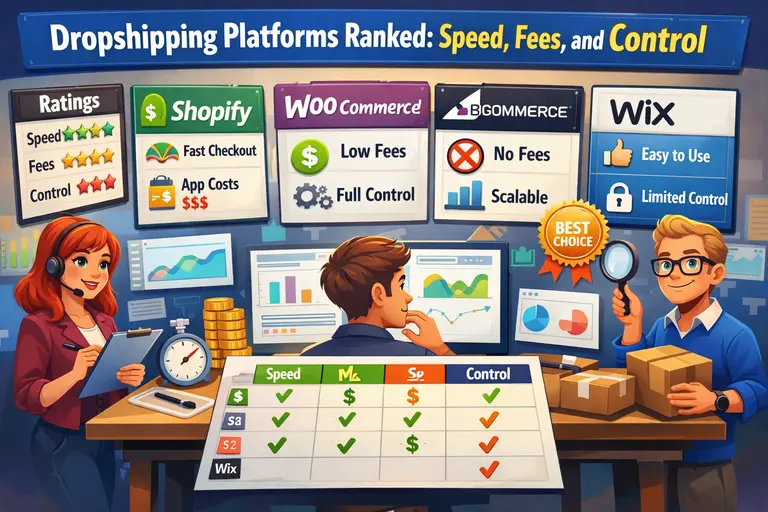 Dropshipping Platforms Ranked: Speed, Fees, and Control
 Lightspeed Ecommerce vs Others: Which Helps You Earn Faster?
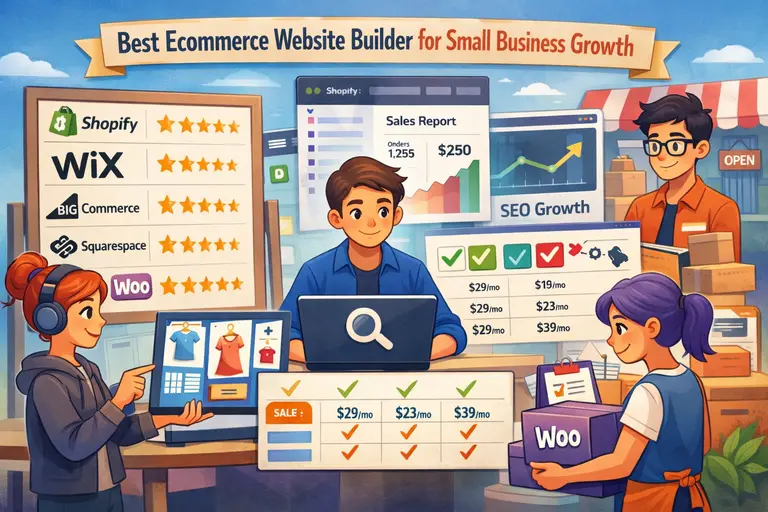 Best Ecommerce Website Builder for Small Business Growth
 Doba Dropshipping Explained: Is It Worth Starting Today?
 How To Start With Ecommerce Analytics Without Feeling Overwhelmed
 Dropshipping Marketing Strategies That Actually Drive Sales