
Table of Contents
Some links on The Justifiable are affiliate links, meaning we may earn a small commission at no extra cost to you. Read full disclaimer.
Finding the cheapest ecommerce website builder that doesn’t compromise on real sales power can feel like chasing a myth.
Many low-cost platforms promise everything—beautiful designs, easy setup, “unlimited” products—but the moment you start selling, hidden fees and weak marketing tools show their true colors.
I’ve tested and compared dozens of platforms to help you skip the hype and find affordable builders that actually drive conversions, not just clicks. Here’s the strategic breakdown.
Wix: The Best Balance of Price and Selling Power
If you’re hunting for the cheapest ecommerce website builder that still feels like a full-featured powerhouse, Wix is usually the first real contender.
It offers one of the smoothest blends of affordability, flexibility, and sales functionality for small to medium-sized stores.
Affordable Plans That Scale With Your Store
Wix’s pricing starts around $17/month for its entry-level Business Basic plan, which gives you full ecommerce features—no hidden “transaction fees” beyond payment processing.
The real advantage here is scalability. You can begin small, then gradually upgrade to Business Unlimited or Business VIP as your store grows. Instead of migrating platforms later, Wix grows with you.
Why it works:
- You can start selling with minimal investment.
- Your upgrade path is seamless—no need to rebuild your store.
- You get unlimited bandwidth from the start, avoiding slowdowns as traffic grows.
From my experience, this flexibility makes Wix ideal for creators or small businesses that want to validate a store idea before committing big money.
Built-In Marketing and Automation Tools
Wix doesn’t just help you launch a store—it helps you sell. With Wix Ascend, you get email marketing, chatbots, and workflow automations built right in. It even integrates with Google Ads and Facebook Ads without needing extra apps.
A few highlights worth mentioning:
- Email automation: Automatically send welcome or abandoned cart emails.
- SEO tools: Wix walks you through optimizing titles and metadata, even if you’re not an SEO expert.
- Social selling: Connect directly with Instagram and Facebook Shops.
I’ve seen clients triple conversions simply by setting up automated emails and abandoned cart reminders—both easy wins within Wix.
Conversion-Optimized Templates for Every Niche
Wix offers over 800 templates, and a good chunk of them are designed specifically for online stores. What makes them stand out isn’t just looks—it’s how they perform.
Most ecommerce templates are mobile-first, meaning your store looks sharp on every device. Wix also includes built-in upsell sections and clear CTA (call-to-action) placements.
Pro Tip: Start with a niche-specific template (like “handmade crafts” or “tech gadgets”)—they’re already optimized for the kind of buyer behavior you want to capture.
Limitations to Watch for Before You Commit
While Wix is incredibly user-friendly, it does have limits:
- You can’t switch templates once your site is live.
- Page load speeds can lag slightly compared to Shopify or WooCommerce.
- App integrations, though robust, can add to costs if you need advanced features.
If your store grows past a few hundred products, you might eventually find Wix a bit restrictive. But for most sellers starting small, it’s one of the most affordable and functional options you’ll find.
Shopify Starter: The Cheapest Way to Sell Anywhere
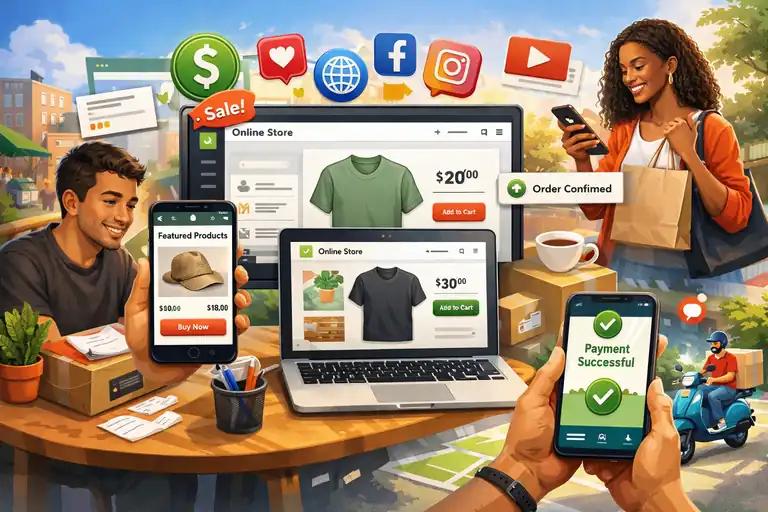
Shopify Starter is often overlooked, but it’s a hidden gem for people who want to start selling fast without paying for a full-blown Shopify store.
It’s not just the cheapest ecommerce website builder in the Shopify family—it’s one of the easiest ways to monetize your products on social media or existing sites.
Why Shopify Starter Is Ideal for Budget Entrepreneurs
At just $5/month, Shopify Starter lets you create product links you can share anywhere—Instagram, TikTok, email, or even WhatsApp. You don’t get a full storefront, but that’s not the point here.
You get the power of Shopify’s backend—secure payments, inventory tracking, and order management—for a fraction of the price.
It’s perfect if you:
- Already have a blog, website, or strong social presence.
- Want to test products before building a full store.
- Need a trusted payment solution without tech headaches.
This plan feels like Shopify stripped down to its most practical form: lightweight, fast, and reliable.
Integrating Shopify With Social Media and Existing Sites
This is where Shopify Starter shines. You can embed “Buy” buttons or direct checkout links anywhere.
For example, if you’re a creator posting on Instagram, you can share your product directly in your bio with checkout links powered by Shopify.
You can also add the system to an existing website—whether that’s WordPress, Squarespace, or even a basic HTML site. I
t integrates with tools like Linkpop, Shopify’s free link-in-bio service, so your customers can buy directly from your social profiles.
Using Shopify Payments to Avoid Extra Fees
Shopify Payments is built in, meaning you won’t pay additional transaction fees beyond the standard credit card rate (usually around 2.9% + 30¢).
That may not sound exciting, but trust me—it matters. Many “cheap” ecommerce platforms add 2–3% extra transaction fees unless you use their payment processor. Shopify Starter skips that nonsense.
Bonus tip: Pair Shopify Payments with PayPal for broader buyer trust. Having both options can boost conversions by up to 15%.
When to Upgrade From Starter to a Full Plan
The right time to upgrade is when you outgrow your simple sales channels. If you start managing multiple product variants, advanced shipping options, or need a branded storefront, moving to the Shopify Basic plan ($29/month) makes sense.
You’ll get access to a full online store, analytics dashboard, and more apps. The transition is smooth—you won’t lose any product data or customer info.
For testing, small launches, or side hustles, though, Shopify Starter remains one of the smartest budget-friendly ways to sell online.
Squarespace: The Cheapest Ecommerce Builder for Creatives
If design and aesthetics matter to you as much as affordability, Squarespace might hit that sweet spot.
It’s the go-to for artists, photographers, and lifestyle brands that want to look high-end even on a small budget.
Elegant Templates That Convert Visual Products
Squarespace templates are visually stunning, but what makes them powerful is how they help convert. Every product page design is crafted to highlight visuals—large images, clean typography, and minimal distractions.
For creative sellers, like jewelry or print shops, this style sells. In fact, stores with strong imagery see conversion rates up to 30% higher, according to Adobe’s ecommerce research.
Quick tip: Choose a template under the “Online Store” or “Portfolio” category—these come pre-optimized for sales flow and checkout simplicity.
Simple Setup With Strong Built-In SEO
Squarespace is a dream for non-techies. Everything—domain, hosting, SSL, and email integration—is built into one package.
It also handles SEO surprisingly well. You can edit meta titles, alt text, and URLs easily, and it auto-generates structured data for Google. That means better search visibility without needing plugins.
If you’re coming from WordPress, you’ll love the simplicity. I’d say you can launch a store in a single weekend, even if you’ve never built a site before.
Limitations of Squarespace Commerce at Lower Tiers
The cheapest Commerce plan starts at $27/month, which includes zero transaction fees and unlimited products—but you’ll lose access to certain advanced marketing tools unless you upgrade.
Some limitations to note:
- No abandoned cart recovery on the lowest tier.
- Limited integrations compared to Shopify or Wix.
- Slightly less flexibility in checkout customization.
If you’re running a creative store that relies on visual branding more than technical flexibility, these limits might not matter much.
When Squarespace Becomes Worth the Upgrade
Upgrading to the Commerce Advanced plan unlocks powerful features like:
- Abandoned cart emails (a must for higher conversions).
- Advanced discounting and gift cards.
- Real-time shipping and product subscriptions.
If you’re seeing consistent monthly sales or repeat customers, upgrading is an investment that quickly pays off.
In my view, Squarespace stands out as the cheapest ecommerce website builder for people who care deeply about aesthetics but still want genuine sales power beneath the surface.
Big Cartel: Cheapest Ecommerce Platform for Artists
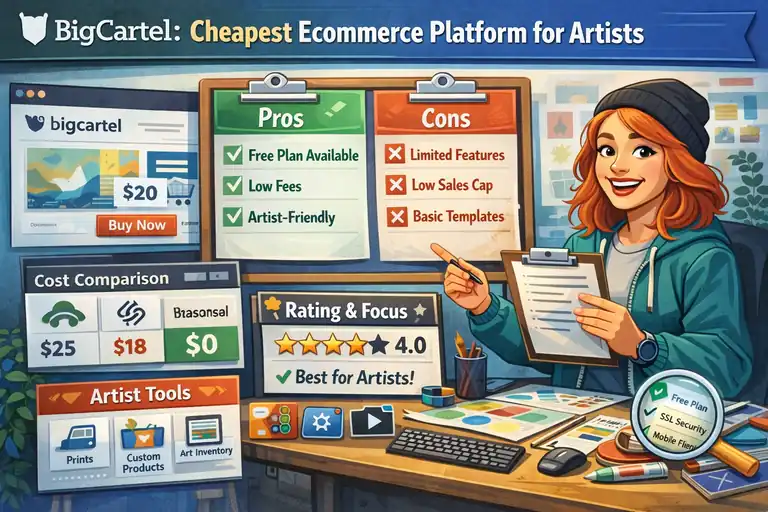
Big Cartel is one of those platforms that knows exactly who it’s for—artists, crafters, and small makers who want to sell their work without feeling like they’re running a “corporate” store.
Free and Low-Cost Plans for Handmade and Small-Batch Sellers
Big Cartel offers a free plan for up to 5 products, which is rare among ecommerce builders. Even its paid plans start at just $9.99/month, making it one of the most budget-friendly options for independent creators.
The free plan includes:
- A simple storefront with secure checkout.
- Sales tax automation.
- Customizable design templates.
For handmade product sellers testing the waters—like jewelry makers or digital artists—this low barrier to entry makes Big Cartel especially attractive.
Customization and Inventory Simplicity
The customization process in Big Cartel is refreshingly simple. You can edit your design through an intuitive visual editor, or use a bit of HTML/CSS if you want more control.
Inventory management is equally straightforward. It’s not built for massive catalogs, but if you’re selling limited editions or one-of-a-kind products, it’s perfect.
A practical example: if you sell small art prints in batches of 10, you can easily mark them as “sold out” automatically when inventory runs out—no manual updates needed.
Built-In Marketing vs. Manual Promotion Needs
Here’s where Big Cartel shows both its charm and its limitation. It doesn’t come with fancy built-in marketing automation like Wix or Shopify.
You’ll need to do more manual work—sharing products on social media, sending out email updates yourself, or connecting third-party tools.
However, for many artists, that personal touch is part of their brand. Big Cartel gives you the freedom to keep marketing authentic and handcrafted, just like your products.
Quick tip: Integrate Google Analytics or Meta Pixel to track which marketing efforts actually lead to sales.
Who Big Cartel Is (and Isn’t) Right For
Big Cartel is perfect for:
- Artists and makers selling handmade or digital products.
- Sellers who prefer simplicity and low costs.
- People who don’t want complex integrations or heavy maintenance.
It’s not ideal for:
- Businesses with large inventories.
- Sellers who need deep marketing automation or complex shipping setups.
In short, Big Cartel is the cheapest ecommerce website builder if your goal is to sell limited, creative products with minimal fuss.
WooCommerce: Cheapest for WordPress Users With Hosting
WooCommerce isn’t a standalone ecommerce builder—it’s a WordPress plugin.
But for anyone who already uses WordPress (or doesn’t mind a little setup), it’s one of the most powerful and cost-effective options available.
Why WooCommerce Is Technically Free—And What You’ll Still Pay For
The WooCommerce plugin itself is completely free, which makes it incredibly appealing.
But you’ll still need to pay for:
- Web hosting (typically $3–10/month).
- A domain name (around $10–15/year).
- Optional paid themes or plugins (depending on features you want).
Even with these costs, WooCommerce can be cheaper long-term than hosted platforms like Shopify. You have full ownership and control—no subscription or revenue-based fees eating into your profits.
Essential Plugins That Add Real Sales Power
One of the best parts of WooCommerce is how modular it is. You can add exactly what you need and nothing more.
Some must-have plugins I recommend:
- CartFlows: For creating high-converting checkout flows and upsells.
- MailPoet: For integrated email marketing directly from WordPress.
- Rank Math: To optimize your product pages for Google.
- Stripe for WooCommerce: For easy, fee-free payment integration.
Using these plugins strategically can turn WooCommerce into a true sales powerhouse, even on a budget.
How to Keep Hosting and Plugin Costs Low
It’s easy to overspend on hosting and plugins if you’re not careful.
Here’s how to keep it lean:
- Start with a reliable shared host like Hostinger, SiteGround, or Bluehost.
- Use a lightweight theme like Astra or GeneratePress.
- Only install plugins you truly need—each one affects site speed.
This setup keeps your store fast, secure, and cost-effective. I’ve run fully functional WooCommerce shops for under $10/month total.
When WooCommerce Outperforms Paid Builders
WooCommerce shines when you want freedom and scalability. You can customize every detail, from checkout pages to product filtering, without paying extra.
It’s also unbeatable for SEO since WordPress remains the most search-friendly platform around.
The catch? It requires a bit more tech comfort. If you’re okay managing updates and plugins, WooCommerce can outperform any “cheap” builder long-term—both in flexibility and cost control.
For WordPress users especially, it’s not just the cheapest ecommerce website builder—it’s the most empowering one.
Ecwid by Lightspeed: Cheapest Add-On Store Builder
Ecwid is one of those hidden gems that doesn’t get enough credit. It’s not a full website builder like Shopify or Wix—it’s a lightweight tool that turns your existing website into an online store.
If you already have a blog, WordPress site, or portfolio, Ecwid lets you start selling right from there without rebuilding everything from scratch.
How Ecwid Lets You Turn Any Website Into an Online Store
Ecwid works as a plugin or add-on that embeds your shop directly into your current website. Whether your site is built on WordPress, Squarespace, or even a simple HTML template, Ecwid integrates seamlessly.
Here’s how it works in real life:
- You add Ecwid’s “store widget” to your existing site.
- Your visitors can browse products, add items to their cart, and check out—all without leaving your site.
- Ecwid handles the backend—inventory, orders, payments—while your original website handles the branding.
It’s ideal for people who already have a website but don’t want to start over or migrate platforms.
I’ve used it for clients who wanted to test ecommerce before committing to a major rebuild—and it performed surprisingly well.
Pricing Structure Compared to Shopify and Wix
Ecwid’s pricing model is one of its biggest advantages. It starts with a genuinely free plan that allows you to sell up to 5 products—no trial period, no expiration.
Paid plans include:
- Venture ($14.08/month): Up to 100 products, plus social selling on Facebook and Instagram.
- Business ($29.08/month): Adds more automation and marketplace integrations (like Amazon or eBay).
- Unlimited ($82.50/month): For large catalogs with priority support.
If you compare that to Shopify’s $29 starter plan or Wix’s $17 business tier, Ecwid gives you a much cheaper way to start—especially if you’re only selling a handful of products.
Selling Across Multiple Channels With Minimal Cost
Ecwid isn’t just about website integration—it’s built to sell everywhere. You can connect your catalog to Facebook, Instagram, TikTok, and even POS systems in physical stores.
What’s impressive is that these integrations don’t require coding or extra plugins. Once connected, your product inventory stays in sync across all platforms automatically.
For example, if someone buys a handmade necklace through Instagram, Ecwid will update your website’s inventory instantly—no manual adjustment needed. That’s the kind of automation that saves you hours every week.
Ecwid’s Free Plan Limitations to Consider
The free plan is great for testing, but it does come with trade-offs:
- No access to SEO features (custom meta tags and URLs).
- You can’t connect to marketplaces like Amazon.
- Limited design flexibility.
Still, for a small hobby store or side project, those limits aren’t dealbreakers. Once you start generating steady sales, upgrading is smooth—you don’t need to rebuild your store or migrate data.
For anyone who already has a website and just wants to add ecommerce, Ecwid is one of the cheapest, smartest paths to real online sales.
Weebly by Square: Cheapest Builder With Payment Integration
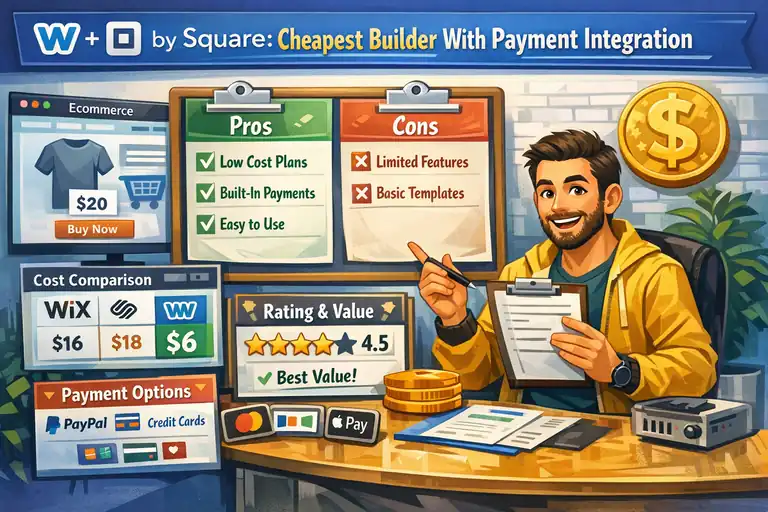
Weebly (owned by Square) is another strong contender for people who want simplicity and low costs. It’s especially useful for small and local businesses that also sell offline.
Why Weebly Works for Small and Local Businesses
Weebly focuses on making ecommerce accessible to everyone. Its pricing starts at $13/month for ecommerce features, which includes hosting, templates, SSL, and unlimited products.
If you already use Square for in-person payments, Weebly fits naturally into your workflow. For example, a local bakery can sell pastries in-store using Square and accept online orders through Weebly—all synced automatically.
It’s built for ease, not complexity. You can launch a store in under an hour, even with zero tech experience.
Square Integration for Simple POS and Online Sales
This is Weebly’s real selling point. Because it’s powered by Square, everything from inventory to payments to taxes is unified.
Here’s what that means for you:
- Unified dashboard: Manage online and offline sales in one place.
- Automatic syncing: When you sell an item in-store, your online stock updates instantly.
- Easy checkout: Square handles secure payments, so there’s no need for third-party gateways.
This integration is what makes Weebly such a natural choice for small business owners who want one ecosystem for everything.
Weebly’s Hidden Limitations on Growth
Weebly does have its limits. It’s great for starting small, but it lacks some of the advanced marketing and customization tools found in Shopify or Wix.
A few notable drawbacks:
- No advanced SEO controls beyond basic titles and descriptions.
- Limited design flexibility—you’re working within preset templates.
- Fewer app integrations compared to major competitors.
If your business scales quickly or you plan to build a brand-heavy online presence, you might eventually outgrow it. But for local service providers, cafés, or small retailers—it’s plenty.
Ideal Scenarios for Choosing Weebly Over Others
Choose Weebly if you:
- Run a small business and already use Square POS.
- Want a simple, cheap ecommerce builder with minimal setup.
- Need to manage both physical and online sales easily.
Skip it if you want deep customization or plan to run heavy online ad campaigns. But for most local entrepreneurs, Weebly’s simplicity and price are hard to beat.
How to Choose the Cheapest Ecommerce Website Builder for You
The “cheapest” ecommerce builder isn’t just about the sticker price—it’s about what you get for what you pay. Choosing the right one depends on your goals, store size, and growth plans.
Match Your Store’s Stage With the Right Pricing Tier
Start small, then scale up. For example:
- If you’re just testing the market, Ecwid’s free plan or Big Cartel’s free tier is perfect.
- If you’re growing consistently, Wix or Squarespace gives you more control and branding power.
- If you’re established and need flexibility, WooCommerce wins in long-term cost savings.
Don’t pay for features you won’t use yet. Most builders make it easy to upgrade later.
Understand Hidden Costs That Kill “Cheap” Plans
Low monthly fees can be misleading. Watch out for:
- Transaction fees (especially on platforms that require specific payment gateways).
- Paid apps or themes that add up fast.
- Higher renewal prices after promotional discounts expire.
I’ve seen people start with a “$10 plan” that ballooned to $40/month once they added basic marketing tools. Always check what’s included before committing.
Evaluate Tools That Actually Drive Sales (Not Just Design)
A beautiful store doesn’t guarantee sales. The real power comes from tools like:
- Email automations (Wix, Shopify).
- Abandoned cart recovery (Squarespace, Shopify).
- SEO and blogging features (WooCommerce, Squarespace).
Focus on the tools that directly help you convert browsers into buyers—not just the ones that make your site pretty.
My Quick Formula for Balancing Cost and Conversion Potential
Here’s how I usually evaluate platforms:
- Start cheap (free or under $10/month).
- Test your first 10–20 sales.
- Upgrade only when a missing feature starts slowing growth.
That way, you protect your budget and learn what actually matters for your business.
Expert Tip: Cut Costs Without Cutting Conversion
Saving money doesn’t mean cutting corners—it’s about being smarter with the tools you use and focusing on what really drives revenue.
Use Free Tools for Email, Analytics, and Abandoned Cart Recovery
Many great tools are free or have generous plans:
- Brevo (formerly Sendinblue) for email marketing and automation.
- Google Analytics for tracking traffic and sales sources.
- Shopify Starter or Wix Automations for basic abandoned cart emails.
You don’t need a $50/month app to build strong customer relationships.
Optimize Product Pages for SEO and Mobile Speed
A few simple tweaks can dramatically boost your store’s performance:
- Compress product images (TinyPNG is great).
- Write unique product descriptions instead of copying manufacturer text.
- Use short, keyword-rich URLs.
- Test your mobile load time with Google PageSpeed Insights.
Fast sites convert better—Amazon once reported that every 100ms delay cost them 1% in sales.
Focus on Retention—Repeat Buyers Cost Less Than Ads
Getting new customers is expensive. Keeping them is where profits grow. Offer loyalty rewards, small discounts for returning customers, or even simple thank-you emails.
I’ve seen stores double revenue just by focusing on retention instead of pouring money into ads.
The “One Change Rule” to Improve Sales Without Spending More
Whenever you tweak your store—like changing a headline, layout, or price—track that single change for a week. Don’t change ten things at once.
This approach helps you see what actually works, so you improve steadily without wasting time or money.
In short, the cheapest ecommerce website builder isn’t always about paying less—it’s about choosing tools that earn more for you with less effort. If you start smart, test continuously, and upgrade strategically, you’ll build a store that’s both affordable and powerful.

I’m Juxhin, the voice behind The Justifiable.
I’ve spent 6+ years building blogs, managing affiliate campaigns, and testing the messy world of online business. Here, I cut the fluff and share the strategies that actually move the needle — so you can build income that’s sustainable, not speculative.