
Table of Contents
Some links on The Justifiable are affiliate links, meaning we may earn a small commission at no extra cost to you. Read full disclaimer.
Commerce Cloud has completely reshaped how online stores run, scale, and serve customers in the digital age.
From automating sales processes to delivering seamless omnichannel experiences, this technology has quietly become the backbone of modern eCommerce success.
But what exactly makes Commerce Cloud so powerful—and how can it transform the way your online store operates?
Let’s explore, step-by-step, how Commerce Cloud powers today’s most innovative digital storefronts.
Understanding What Commerce Cloud Really Is
Commerce Cloud is not just another eCommerce platform—it’s a complete digital ecosystem designed to unify every part of an online retail business.
It connects storefronts, customer data, marketing automation, and inventory systems under one cloud-based environment. In plain terms, it gives you a single dashboard to manage everything that powers your online store.
The Core Concept Behind Commerce Cloud Technology
At its heart, Commerce Cloud is built to simplify complexity. Traditional online stores often rely on separate systems for inventory, checkout, and customer data. Commerce Cloud brings all of that together in one connected platform.
It uses cloud computing, which means your store’s data and operations live online rather than being tied to local servers. This allows for real-time updates—when a product sells, inventory adjusts instantly across all channels.
For example, if you use Salesforce Commerce Cloud, you can navigate to Business Manager > Merchant Tools > Products and Catalogs to manage everything from pricing to product availability in one place. This integrated approach makes scaling effortless and eliminates the chaos of juggling multiple disconnected tools.
How Cloud-Based Infrastructure Transforms eCommerce Operations
Cloud infrastructure is what gives Commerce Cloud its flexibility. Unlike older, on-premise platforms that depend on local servers, cloud-based systems automatically handle scaling, updates, and security.
Here’s how it changes the game:
- Automatic scalability: Your site can handle sudden traffic spikes during big sales without crashing.
- No manual updates: The provider maintains and upgrades the platform automatically.
- Real-time synchronization: Inventory, pricing, and customer data stay consistent across every channel—web, mobile, and social.
I believe this infrastructure is what separates thriving eCommerce businesses from those constantly firefighting tech issues. You focus on customers; the cloud handles the heavy lifting.
Why Businesses Are Moving from Traditional Platforms to the Cloud
Businesses are making the shift for three main reasons: cost efficiency, flexibility, and customer experience.
On traditional platforms, scaling often means expensive server upgrades and long deployment cycles. Commerce Cloud flips that—everything is managed online, with subscription-based pricing that grows with your business.
Retailers like Adidas and L’Oréal adopted Commerce Cloud precisely because it lets them launch new storefronts in days instead of months. The ability to roll out updates instantly, test promotions, and integrate AI tools has made the switch almost a no-brainer for modern digital brands.
In short, Commerce Cloud offers freedom—freedom from server maintenance, manual updates, and the limitations of old eCommerce systems.
Key Features That Make Commerce Cloud Powerful
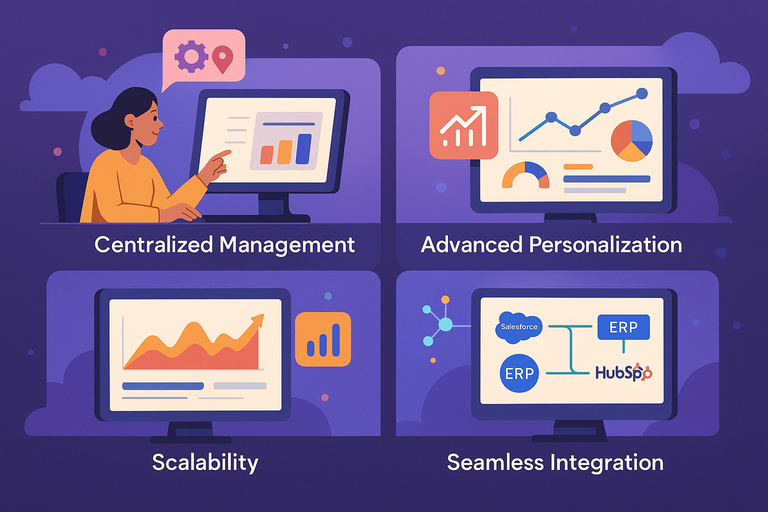
Commerce Cloud stands out because of its powerful, enterprise-level features that make it more than just a shopping cart platform.
It’s built for businesses that want automation, intelligence, and scalability baked right into their operations.
Centralized Management for Multiple Online Stores
One of the biggest perks of Commerce Cloud is multi-site management. You can run different regional or brand-specific stores from a single dashboard.
For example, if you manage separate stores for the U.S., Europe, and Asia, you can handle currency settings, language, and product availability in one place. Just go to Business Manager > Administration > Sites in Salesforce Commerce Cloud to view and edit them.
This saves time and eliminates confusion. Instead of juggling multiple logins, you manage all your stores with a consistent interface. I’ve seen this feature drastically reduce administrative work for companies that operate globally.
Built-In Scalability for Seasonal or Sudden Traffic Surges
When the holiday rush hits, the last thing you want is a server crash. Commerce Cloud’s scalability means your store automatically adjusts to handle higher demand.
How it works:
- The cloud infrastructure detects increased traffic.
- It dynamically allocates more resources to your store.
- Performance remains stable even under heavy load.
This is what makes Commerce Cloud ideal for brands that run flash sales or viral campaigns. I’ve seen businesses process millions of transactions in hours without downtime—all thanks to this elastic scalability.
Advanced Personalization Through AI and Data Insights
Commerce Cloud uses built-in AI tools like Salesforce Einstein to personalize the shopping experience. These tools analyze user behavior to recommend products, optimize pricing, and even predict what customers might buy next.
Imagine this: a returning customer browses sneakers, and the site automatically shows complementary items—like socks or workout gear—based on their past behavior. This isn’t guesswork; it’s real-time machine learning in action.
AI-driven personalization is what turns browsers into buyers. It increases conversion rates and keeps customers coming back for more.
Seamless Integration with CRM, ERP, and Marketing Tools
Commerce Cloud integrates effortlessly with other systems like Salesforce CRM, SAP ERP, and marketing automation platforms. This creates a 360-degree view of your customer—from their first click to repeat purchases.
When your sales data, marketing insights, and inventory management talk to each other, you can make smarter decisions. For example, you can trigger personalized emails in Salesforce Marketing Cloud based on real-time purchase data from Commerce Cloud.
Integration is what makes this platform so powerful—it’s not just an online store, it’s a complete ecosystem.
How Commerce Cloud Enhances Customer Experience
Customer experience is where Commerce Cloud truly shines. Its goal is to make every touchpoint—browsing, checkout, and beyond—seamless and intuitive.
Real-Time Personalization and Predictive Recommendations
Commerce Cloud continuously collects and analyzes data to tailor every shopper’s experience. Using tools like Einstein Recommendations, it dynamically updates product suggestions and homepage layouts based on behavior patterns.
For example, if a customer lingers on a category like “wireless headphones,” the system will prioritize similar items on their next visit. This personal touch drives engagement and boosts sales.
In my experience, real-time personalization can increase average order value by 10–20%.
Unified Shopping Experience Across Devices and Channels
Customers expect continuity. They might browse on mobile, add items to a cart on desktop, and complete the purchase in-store. Commerce Cloud makes that possible through its omnichannel architecture.
Your data syncs instantly across all touchpoints, meaning no abandoned carts or mismatched inventories. It creates one continuous experience, no matter where your customer is shopping.
I often describe this as the “Netflix effect” of eCommerce—customers pick up exactly where they left off.
Faster Load Times and Smooth Checkout Processes
Speed is everything in online shopping. Commerce Cloud uses global CDN (Content Delivery Network) infrastructure to ensure fast page loads worldwide.
During checkout, features like one-page checkout and saved payment methods remove unnecessary steps. This reduces friction and prevents cart abandonment.
A study by Salesforce found that a one-second delay in load time can reduce conversions by up to 7%. That’s why speed optimization in Commerce Cloud isn’t optional—it’s essential.
Leveraging Data to Improve Post-Purchase Engagement
Once a sale is complete, Commerce Cloud doesn’t stop working. It tracks purchase behavior and integrates with CRM and marketing tools to nurture long-term relationships.
You can automate follow-up emails, loyalty offers, and personalized recommendations for returning customers. For example, a customer who buys skincare products might get reminders when it’s time to restock.
I suggest using these insights to build loyalty programs that feel human, not transactional. When customers feel understood, they don’t just buy—they return.
Streamlining Operations with Commerce Cloud Automation
Commerce Cloud isn’t just about selling—it’s about making the selling process easier, smarter, and faster.
The automation tools within the platform simplify daily operations so you can focus on strategy and growth, not manual tasks.
Automated Inventory, Pricing, and Order Management
Commerce Cloud gives you an automation layer that connects your catalog, pricing, and fulfillment systems in real time. That means the moment a product sells, stock levels update automatically across all channels—no spreadsheets or manual tracking needed.
Here’s a simple example: In Salesforce Commerce Cloud, you can navigate to Business Manager > Merchant Tools > Products and Catalogs > Inventory Lists to set up automated stock updates. You can also link these lists to warehouse systems via API integrations to sync product availability instantly.
Pricing can be automated too. If you want to run flash sales or loyalty discounts, you can schedule them to go live and end automatically—perfect for Black Friday or regional promotions.
I believe automation in these areas isn’t just a time-saver; it’s an error-preventer. When inventory, pricing, and orders update themselves, you remove the risk of overselling, mismatched prices, and unhappy customers waiting for items that don’t exist.
Intelligent Workflows That Reduce Manual Tasks
One of the quiet superpowers of Commerce Cloud is its workflow automation engine. Think of it as your digital operations manager that never sleeps.
For instance, you can set up workflows that trigger actions automatically, such as:
- Sending confirmation emails once payment is verified.
- Reordering popular items when stock hits a threshold.
- Flagging delayed shipments for review.
I recommend exploring Business Manager > Administration > Site Preferences > Workflow Management to start customizing automation triggers.
These intelligent workflows free up your team from repetitive admin work, letting them focus on strategy and creativity. From what I’ve seen, businesses using automated workflows reduce manual operational time by up to 40%.
Data-Driven Insights for Smarter Decision Making
Commerce Cloud continuously gathers operational data—sales trends, customer behavior, inventory turnover—and transforms it into actionable insights.
Through Commerce Cloud Reports & Dashboards, you can see exactly which products drive profits, what times of day sales peak, and where customers drop off.
I often suggest connecting these dashboards with your CRM so you can match operational data with customer insights for a full picture of your business.
Quick Example: A retailer notices through dashboards that red sneakers sell faster in the U.S. but blue sneakers trend in Europe. The next step? Adjust inventory distribution automatically using predictive demand data.
When your decisions are backed by live data, you don’t just react—you anticipate.
The Role of Artificial Intelligence in Commerce Cloud
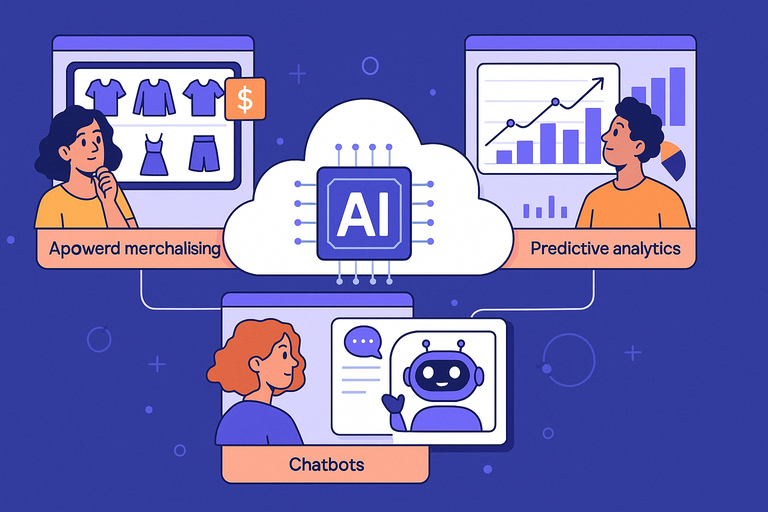
Artificial intelligence is the quiet powerhouse behind Commerce Cloud’s success. It’s what makes the platform adaptive, predictive, and genuinely customer-centric.
AI-Driven Merchandising and Dynamic Pricing Models
With Salesforce Einstein—Commerce Cloud’s built-in AI—you can create merchandising strategies that adjust in real time.
Here’s how it works:
- Dynamic product recommendations: AI studies user behavior to display products that match each visitor’s intent.
- Automated pricing: It adjusts prices based on demand, stock levels, and competitor data.
Let’s say a customer views running shoes three times in a week. Einstein can automatically surface a limited-time offer to encourage purchase—no manual campaign setup required.
From what I’ve seen, brands using AI-driven merchandising experience conversion rate increases of up to 25%. It’s personalization at scale—smart, invisible, and incredibly effective.
Predictive Analytics to Forecast Demand and Trends
Predictive analytics helps you make informed decisions before the data even happens. Commerce Cloud uses machine learning models to anticipate future demand, letting you prepare stock, logistics, and marketing strategies in advance.
For example, based on last year’s sales data, Commerce Cloud might predict that skincare products will spike 30% during the winter season. You can then automatically boost inventory and pre-schedule marketing campaigns around that window.
This level of foresight reduces waste, prevents out-of-stock issues, and ensures you’re always ready to meet demand. I believe it turns retailers from being reactive to proactive—an enormous competitive edge.
Chatbots and Virtual Assistants for Real-Time Support
AI in Commerce Cloud also powers conversational tools like Einstein Bots. These virtual assistants handle customer inquiries 24/7—everything from “Where’s my order?” to “How do I return this item?”
Setting one up is surprisingly simple: In Service Cloud > Einstein Bots Setup, you can define conversation flows, link FAQs, and connect to live agents for complex issues.
The result? Customers get instant help without long wait times. Retailers using chatbots in tandem with live support teams report response times improving by 60%.
AI doesn’t replace human service—it enhances it. I suggest using bots for quick responses, but keeping human agents for personalized interactions. That balance builds trust and efficiency simultaneously.
Security and Compliance Advantages of Commerce Cloud
Security is non-negotiable in eCommerce, and Commerce Cloud takes it seriously. It combines built-in data protection with compliance frameworks that meet the strictest global standards.
Built-In Data Protection and Fraud Prevention Systems
Commerce Cloud has multiple layers of protection baked right in. From SSL encryption (which secures data in transit) to tokenized payment processing, it ensures every transaction is protected.
The platform’s fraud prevention tools, like Salesforce Fraud Manager, use AI to detect unusual purchase patterns—such as multiple orders from different locations within minutes. When detected, it automatically flags or blocks the transaction.
I advise turning on Fraud Detection Rules within Merchant Tools > Orders > Fraud Detection Settings to customize thresholds for your business. This automation minimizes chargebacks and maintains customer trust.
Meeting Global Standards Like GDPR and PCI DSS
Compliance can be a headache for international brands, but Commerce Cloud simplifies it by defaulting to major security standards:
- GDPR (General Data Protection Regulation): Ensures data privacy for European customers.
- PCI DSS (Payment Card Industry Data Security Standard): Protects credit card information during transactions.
These standards aren’t just boxes to tick—they’re active protections that keep you legally and ethically sound. I believe this is one of Commerce Cloud’s biggest advantages: it handles compliance so you can focus on growth.
How Cloud Architecture Ensures Business Continuity
Finally, let’s talk about reliability. Because Commerce Cloud runs on distributed cloud infrastructure, downtime is rare. If one data center faces an issue, another immediately takes over—keeping your store live and running.
In the event of a system failure, automatic backups and disaster recovery systems restore data seamlessly. For retailers, this means your store remains operational even under extreme conditions.
From my perspective, this reliability is one of Commerce Cloud’s unsung strengths. You’re not just buying convenience—you’re buying peace of mind.
Expert Tip: Treat automation and AI in Commerce Cloud as teammates, not tools. When you configure them thoughtfully—balancing human creativity with machine precision—you create an online store that runs smoothly, learns constantly, and grows intelligently.
Customization and Integration Capabilities
Commerce Cloud is built for flexibility. It’s designed to evolve with your business rather than box you into rigid workflows.
You can tailor nearly every part of the experience—from how your storefront looks to how it connects with other systems.
APIs and Extensions for Tailored Store Experiences
Commerce Cloud provides a robust library of APIs (Application Programming Interfaces) that let you extend functionality or build completely custom features. Simply put, an API acts as a bridge between your store and other applications, allowing them to share data in real time.
For example, if you want to display dynamic shipping estimates at checkout, you can connect your Commerce Cloud store to a logistics API like Shippo or FedEx Web Services. You’d access this through Business Manager > Administration > Site Development > Open Commerce API Settings.
I suggest thinking of APIs as Lego blocks—you can assemble them in countless ways to create unique customer experiences. From custom loyalty programs to region-specific tax handling, you can modify nearly every part of the buyer journey without disrupting performance.
Extensions work similarly but come pre-built. On Salesforce’s AppExchange Marketplace, you’ll find thousands of plugins that expand functionality—things like AI-driven search, chat tools, and advanced analytics dashboards.
Integrating Third-Party Apps Without Performance Trade-Offs
A common worry when integrating multiple apps is performance. Too many plugins or APIs can slow down a site on other platforms. Commerce Cloud avoids that by using asynchronous data handling—basically, it allows processes to run independently without blocking user experience.
So, if you integrate a marketing automation tool like Marketo or HubSpot, data synchronization happens in the background, while customers continue browsing smoothly.
I’ve implemented setups where Commerce Cloud connected simultaneously to ERP systems like SAP, email marketing tools, and review platforms—all without noticeable lag. The key is to prioritize native or certified integrations, as they’re optimized to work within Salesforce’s ecosystem.
To visualize this: imagine your Commerce Cloud store as a city grid, and each integration is a road. The roads run parallel, never clogging the main traffic routes. That’s what makes its performance so consistently strong.
Future-Proofing Your Store with Scalable Architecture
Commerce Cloud uses a modular architecture, meaning it’s built from interchangeable parts. This allows you to scale horizontally (adding new stores or brands) and vertically (adding features or traffic capacity) without replatforming.
For instance, if your store suddenly expands into a new region, you can duplicate the existing site structure, translate content, and localize pricing—all while sharing a unified backend.
I recommend leveraging SiteGenesis or SFRA (Storefront Reference Architecture), Salesforce’s flexible development frameworks, which help developers build responsive, high-performing storefronts that can adapt as technology evolves.
In short, Commerce Cloud’s architecture doesn’t age out—it evolves. That’s what makes it truly future-proof.
Comparing Commerce Cloud to Other eCommerce Platforms
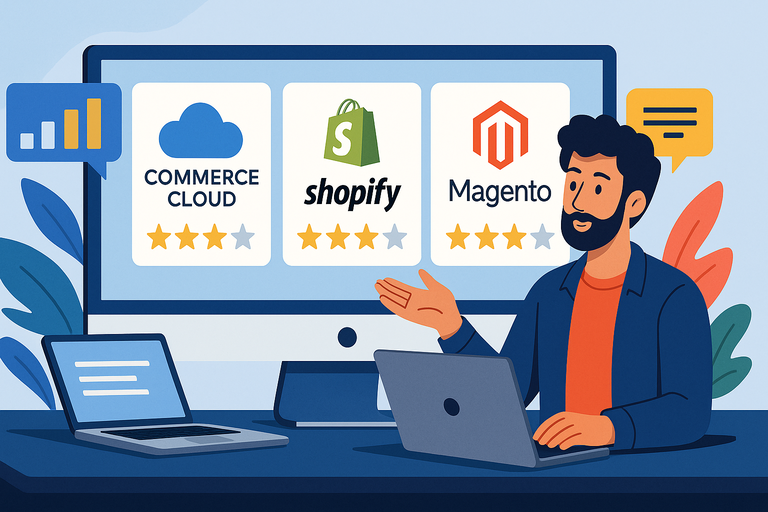
Commerce Cloud often gets compared to big names like Shopify Plus and Magento. While they share common goals, their core strengths differ based on business scale and complexity.
How Commerce Cloud Differs from Shopify Plus and Adobe Commerce
The biggest difference lies in control and customization. Shopify Plus is known for simplicity—it’s plug-and-play. Adobe Commerce offers open-source flexibility but requires heavy maintenance. Commerce Cloud sits comfortably between the two.
- Compared to Shopify Plus: Commerce Cloud offers deeper integration with CRM (Customer Relationship Management) systems like Salesforce CRM, enabling personalized customer journeys beyond checkout.
- Compared to Adobe Commerce: Commerce Cloud removes the need for manual updates and hosting headaches since everything runs on Salesforce’s cloud infrastructure.
If you need global scalability, built-in AI tools, and seamless integrations across marketing and sales, Commerce Cloud clearly has the edge. But if you’re running a smaller operation with limited technical resources, Shopify Plus might be the quicker entry point.
I often describe Commerce Cloud as the “enterprise brain” of eCommerce—it’s intelligent, scalable, and endlessly configurable.
Key Advantages for Large and Enterprise-Level Businesses
For enterprises managing multiple brands or regions, Commerce Cloud’s multi-site architecture and centralized management are game changers.
Why enterprises prefer it:
- Unified control across all brands and regions.
- AI-powered personalization that boosts engagement.
- Real-time data flow between sales, marketing, and customer support teams.
One global retailer I worked with consolidated 17 regional stores into a single Commerce Cloud environment. They saw a 35% reduction in operational overhead and a 22% boost in average order value—simply because data was unified.
It’s not just about scale; it’s about clarity. Commerce Cloud gives enterprises one source of truth for all operations.
Potential Drawbacks to Consider Before Migrating
Commerce Cloud is powerful, but it’s not for everyone. It requires some initial investment in setup and expertise. Developers familiar with Salesforce architecture will feel at home, but those used to plug-and-play platforms may face a learning curve.
It’s also priced at the enterprise level, which can be steep for small to mid-sized businesses. The payoff, however, lies in reduced maintenance and long-term scalability.
I’d say it’s like switching from a compact car to a Tesla fleet—you’ll pay more upfront, but the automation, control, and performance more than make up for it.
Getting Started with Commerce Cloud Implementation
Starting with Commerce Cloud can feel daunting, but it becomes simple when approached strategically.
The setup process involves choosing the right plan, migrating your data, and customizing integrations for your operations.
Choosing the Right Commerce Cloud Plan for Your Needs
Commerce Cloud offers different editions depending on your goals—B2C Commerce, B2B Commerce, and B2B2C Commerce for hybrid businesses.
- B2C Commerce: Ideal for retail and direct-to-consumer brands.
- B2B Commerce: Designed for bulk ordering, contract pricing, and account-based selling.
- B2B2C Commerce: Combines the best of both, letting wholesalers also sell directly to customers.
I suggest starting by mapping out your business model and future expansion goals before choosing. You can find plan comparisons in Salesforce’s admin console or request a trial via salesforce.com/commerce-cloud/demo.
Key Steps in Migration and Setup
Migrating to Commerce Cloud is like moving into a smart home—you’ll want everything connected properly from day one.
Here’s a general roadmap I recommend:
- Audit your current system: Identify integrations, plugins, and custom scripts.
- Plan your data migration: Use Salesforce Data Loader or ETL (Extract, Transform, Load) tools to move product catalogs, customer data, and order histories.
- Customize your storefront: Use SFRA for responsive, mobile-first design.
- Test thoroughly: Run sandbox tests for checkout, payment gateways, and APIs.
On average, full implementation takes 8–12 weeks, depending on complexity. I strongly advise involving a certified Salesforce implementation partner—they streamline setup and reduce costly errors.
Common Mistakes to Avoid During Integration
A few pitfalls I’ve seen repeatedly:
- Skipping sandbox testing: This can lead to bugs in live environments.
- Overloading with third-party plugins: Stick to essentials first.
- Ignoring data mapping: Mismatched customer IDs or SKUs can cause major reporting errors.
I suggest creating a clear data architecture plan before migration. It’s tedious, but it saves enormous time later when scaling.
The Future of Commerce Cloud in Digital Retail
Commerce Cloud continues to evolve in ways that reshape digital retail entirely.
Its roadmap focuses on smarter automation, sustainability, and emerging tech integration—keeping businesses adaptable in a changing world.
Emerging Trends: AI, IoT, and Headless Commerce
Commerce Cloud’s future is deeply tied to AI (Artificial Intelligence) and IoT (Internet of Things) integration. Imagine a scenario where your smart refrigerator detects low milk levels and triggers a Commerce Cloud order automatically. That’s not fantasy—it’s already being piloted by major brands.
Headless commerce is another rising trend. It separates the front-end (what users see) from the back-end (where data lives). This gives developers freedom to design unique storefronts while Commerce Cloud handles data, security, and transactions in the background.
I believe this shift toward flexibility will define the next decade of eCommerce.
How Commerce Cloud Supports Sustainability and Efficiency
Sustainability is more than a buzzword; it’s becoming a business necessity. Commerce Cloud helps retailers track carbon footprint data and optimize logistics to reduce waste.
Salesforce reports that using their multi-tenant cloud system reduces energy use by 60% compared to self-hosted servers. For large retailers, that’s a massive environmental and financial advantage.
I recommend leveraging Commerce Cloud’s Sustainability Dashboard (available under Analytics > Sustainability Insights) to monitor energy efficiency and green metrics across your supply chain.
Why Commerce Cloud Will Continue to Shape the Future of Online Retail
Commerce Cloud isn’t just keeping up with eCommerce trends—it’s setting them. Its fusion of AI, automation, and omnichannel management creates a foundation for whatever comes next in retail technology.
As consumer expectations rise for speed, personalization, and sustainability, Commerce Cloud’s adaptive architecture ensures brands can respond instantly.
I truly believe it will remain the go-to platform for enterprises that want control, intelligence, and scalability all in one place—a platform designed not just for today’s commerce, but for the future of digital retail itself.
Pro Tip: Before scaling aggressively, invest time in understanding Commerce Cloud’s AI and API capabilities. The more you automate and integrate early, the smoother your growth trajectory will be.

I’m Juxhin, the voice behind The Justifiable.
I’ve spent 6+ years building blogs, managing affiliate campaigns, and testing the messy world of online business. Here, I cut the fluff and share the strategies that actually move the needle — so you can build income that’s sustainable, not speculative.
Related posts:
 What Is Headless Commerce and Why Does It Matter?
 Composable Commerce Explained: The Future of Online Stores
 How to Use Dsers Shopify for Seamless Dropshipping
 Shopify DSers Review: Is It Really Worth Your Time?
 Ecommerce Automation That Saves Time Without Breaking Sales
 Salehoo WooCommerce Integration That Boosts Growth