Table of Contents
Some links on The Justifiable are affiliate links, meaning we may earn a small commission at no extra cost to you. Read full disclaimer.
I know how overwhelming it can feel when you’re trying to make a blog website and build a brand that actually stands out online.
There are so many steps, tools, and decisions—and it’s easy to wonder if you’re doing any of it the right way.
What if you had a clear roadmap that shows you exactly how to build a blog that people trust and remember?
Step-By-Step Guide To Make A Blog Website Effectively
When you’re trying to make a blog website, I’ve learned it helps to follow a simple, structured process so you don’t get lost in endless choices.
This section walks you through the essential steps to build a solid foundation.
Choosing a Platform That Supports Long-Term Brand Growth
If you’re just starting out, picking the right platform can feel intimidating. I always suggest choosing based on long-term needs, not short-term convenience.
For example, WordPress.org gives you full control and scalability, while Squarespace or Wix may feel simpler in the beginning but limit flexibility as your blog grows.
When I’m advising people, I recommend thinking about how much customization you’ll want later. If you plan to expand into courses, memberships, or advanced SEO, you’ll likely outgrow all-in-one builders.
WordPress, on the other hand, supports everything from advanced plugins to custom designs.
Here’s a quick way to decide:
- If you want your blog to be a true brand hub, choose WordPress.
- If you want something beautiful without much setup, Squarespace is a great fit.
- If you want a simple drag-and-drop interface and don’t plan on heavy SEO, Wix works fine.
The table above shows this comparison in a clean layout so you can pick what fits your long-term goals.
Setting Up Hosting and Domain for a Strong Online Identity
Once you pick your platform, the next step is hosting and your domain name. I always say: your domain is the front door to your brand, so choose something clean, memorable, and easy to spell. A good example is something like: yourname.com or yourbrandblog.com.
Hosting affects your site’s speed, uptime, and search rankings. Google has stated that fast-loading websites consistently earn higher visibility, and from what I’ve seen, slow hosting can hurt your brand from day one.
The simplest hosting setup path looks like this:
- Domain search: Go to Namecheap → Search for your domain → Purchase.
- Hosting: Log into Hostinger → Create new website → Install WordPress.
- Connect domain: In Hostinger dashboard, click Websites → Site Tools → Domain → Point DNS.
It sounds technical, but once you’ve done it once, it feels surprisingly manageable.
Installing Essential Frameworks and Themes for Branding
When you’re trying to make your blog look polished, the theme and framework matter more than most people think. I suggest themes like Astra, Kadence, or GeneratePress because they load fast, integrate beautifully with page builders, and have enough options for brand styling.
Let me break down why this matters:
- Frameworks: These control the structure of your website and help keep everything fast and stable.
- Themes: These control styling, layout, typography, and how “premium” your blog feels.
For example, if you install Astra on WordPress, you can instantly apply starter templates that match brand personality—minimal, bold, editorial, or colorful.
To install one: WordPress Dashboard → Appearance → Themes → Add New → Search for “Astra” → Install → Activate.
This gives you a visual head start before writing your first article.
Structuring Core Pages That Shape First Impressions
Your core pages become the pillars of your brand. I’ve seen bloggers skip these steps and lose conversions. You only need a few pages to start, but each should be intentional.
Here are the must-have pages:
- Home Page: Explains who you are and what your blog helps people achieve.
- About Page: Shares your story and why your blog matters.
- Blog Page: Displays all your posts in a clean, scannable layout.
- Contact Page: Lets readers or brands reach out easily.
Try thinking like a visitor: What would you want to see to trust a new blog? That’s the same logic your readers will use.
Optimizing Your Website Layout for Reader Experience
A blog website lives or dies by user experience. I believe simple layouts always win because people scan, not read. Even small adjustments can double your readability.
Here’s what I recommend:
- Use a single-column layout so readers stay focused.
- Make fonts at least 16–18px for comfortable reading.
- Add plenty of white space to reduce cognitive load.
- Keep the navigation clean: Home, About, Blog, Contact, Resources.
With a solid layout, readers stay longer, explore deeper, and return more often. That’s how brands grow naturally.
Proven Strategies To Build A Memorable Blog Brand Online
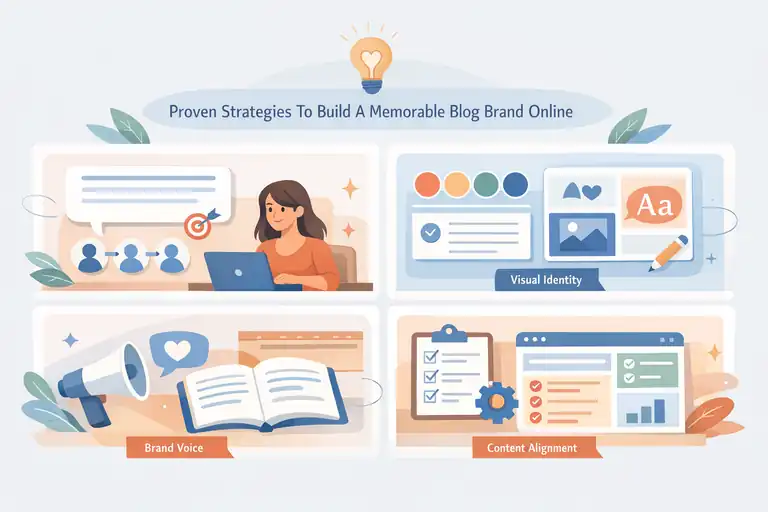
A strong brand isn’t just visuals—it’s how your blog makes people feel. Let’s walk through the branding strategies that truly set a blog apart.
Crafting a Clear Brand Message That Sets You Apart
Your brand message tells readers what you stand for and who you help. It’s the heartbeat of your blog. I always advise writing a simple one-sentence message that captures your identity.
A simple formula that works well:
“I help [audience] achieve [specific transformation] through [content focus].”
For example: “I help beginner bloggers build confident online brands through step-by-step tutorials.”
Once you define this, everything else becomes easier—design, tone, content, and growth.
Developing a Visual Identity That Readers Immediately Recognize
Visual branding is how your website becomes memorable. Readers should recognize your posts on social media instantly. I believe even minimal effort here pays off massively.
Your visual identity usually includes:
- Colors: Choose 2–3 main colors that reflect emotion.
- Fonts: Pick one heading font and one body font for consistency.
- Logo: Keep it simple—text-based logos work perfectly for new blogs.
- Images: Use consistent style (light, bold, minimal, colorful).
Tools like Canva make this simple. Go to Canva Brand Kit → Upload logo → Choose colors → Select fonts. This creates automatic visual consistency across your graphics.
Creating a Distinctive Voice That Builds Reader Trust
Your voice is what makes your blog feel human. It’s also what turns casual readers into loyal fans. I’ve noticed that people return not because of the topic—but because of the personality behind the writing.
Ask yourself:
- Do you want to sound friendly, expert, humorous, or direct?
- Do you prefer short sentences or more expressive writing?
- Do you use personal stories or keep things strictly educational?
Once you choose your voice, stick with it. Consistency builds trust faster than any design or SEO trick.
Aligning Every Content Element With Your Brand Positioning
If your brand positioning says you help beginners, your content should be simple, encouraging, and step-by-step. If your positioning is expert-level, your articles should be deeper, data-driven, and more advanced.
Every blog element contributes to brand positioning:
- Post formatting
- Headlines
- Examples
- Images
- Tone
- Social media captions
I always suggest creating a short internal “brand guide” so you remember what your blog stands for and ensure every part matches that identity.
Key Content Foundations Every New Blog Website Needs
When you’re trying to make a blog website that actually grows, your content foundation is what carries the entire brand.
These are the pieces that help readers trust you and help Google understand what your blog is really about.
Researching Blog Topics That Support Brand Authority
I’ve noticed that most new bloggers either write whatever comes to mind or copy what everyone else is doing. But real authority comes from choosing topics that connect your expertise with what your audience genuinely searches for.
Start with keyword research, but keep it human. Tools like Google’s “People Also Ask,” AnswerThePublic, and low-competition keyword sections in tools like Keysearch or Ahrefs help you uncover what beginners in your niche struggle with.
If your brand is about teaching photography, for example, search phrases like “beginner photography mistakes,” “camera settings explained,” or “how to shoot in low light” give you both direction and intent.
Try this workflow:
- Search a broad term: For example, “start a garden” → Look at PAA questions.
- Check difficulty: Use Keysearch to see which long-tail versions are easier to rank.
- Map user intent: Identify whether the searcher wants a tutorial, explanation, or checklist.
- Choose the angle: Align the topic with your brand promise so your content stays cohesive.
Over time, these topics become the backbone of your authority and help you rank faster, even with a new blog.
Mapping Out Cornerstone Articles That Drive Visibility
Every strong blog has 3–6 powerhouse articles I like to call cornerstone pieces. These are in-depth guides that cover your main topics so thoroughly that other pieces can link back to them.
Think of cornerstone content as your “brand-defining” articles. If someone lands on them, they should immediately understand what you stand for.
For a travel blog, this might be something like “How to Travel Europe on a Budget.” For a fitness blog, it could be “The Complete Beginner’s Guide to Strength Training.”
A good cornerstone article usually includes:
- A broad topic broken into clear sections.
- Internal links to smaller, more specific posts.
- Evergreen advice that will stay relevant for years.
If you build these early, they give you a structure for future posts and make internal linking much easier. Google also loves these because they help your entire site build topical relevance.
Building Category Structures That Improve Content Discoverability
Categories aren’t just for organization—they help search engines map your topical authority. I always recommend choosing categories that reflect how users naturally think rather than forcing strict labels.
A simple example:
If your blog is about home cooking, categories might be “Beginner Basics,” “Quick Meals,” “Healthy Recipes,” and “Baking.” Notice how they reflect distinct content paths your readers will actually follow.
Here’s how to build categories with purpose:
- Limit yourself to 3–6 categories. This keeps things clean.
- Assign each new post to one category only. This avoids index bloat.
- Use category descriptions. In WordPress: Dashboard → Posts → Categories → Edit → Add short description.
Clear categories make your site easier to navigate, keep your content clustered, and improve how search engines understand your niche.
Creating an Editorial Process That Boosts Consistency
I believe every blogger needs at least a simple editorial workflow. Not because it looks professional, but because it keeps your blog alive when motivation dips.
A simple editorial process looks like this:
- Create a content calendar: A Google Sheet with columns for topic, keyword, category, and target publish date.
- Outline every article before writing: This cuts writing time in half.
- Draft → Edit → Add media → SEO optimize → Publish.
- Schedule posts weekly so your blog maintains rhythm.
In my experience, blogs that publish consistently—even if it’s just twice a month—grow significantly faster than blogs that publish in random bursts.
Effective SEO Essentials To Boost Your Blog Website Traffic
SEO can feel confusing when you’re new, but once you break it into simple steps, it becomes one of the easiest ways to grow organic traffic.
Conducting Smart Keyword Research That Matches Intent
Keyword research is not about chasing high search volume—it’s about understanding what people want. When you match their intent, you increase your chances of ranking and building trust.
Try this approach:
- Use Google autocomplete: Type your topic and see what phrases appear.
- Check search intent: If top results are list-style posts, write a list. If they’re guides, write a comprehensive guide.
- Prioritize low competition: New blogs grow faster when targeting long-tail keywords like “how to clean a DSLR camera sensor safely.”
If your brand focuses on step-by-step tutorials, prioritize keywords that start with “how to,” “beginner guide,” or “best way to.” These help Google understand your expertise early.
Structuring SEO-Friendly Articles That Rank Naturally
The structure of your article can influence how well it performs. I recommend using a simple, reader-first approach that search engines also appreciate.
Here’s what helps:
- Use short paragraphs for better readability.
- Include your main keyword in the intro naturally.
- Use H2 and H3 headings that match user questions.
- Add internal links and simple media (images, charts, tables).
One thing I personally do: I search my target keyword on Google and scan the top 3 articles. Not to copy, but to see what’s missing. Then I fill those gaps in my article. This method alone can significantly improve your rankings.
Improving Technical SEO for a Faster, Stronger Blog
Technical SEO sounds intimidating, but you only need a few basics to get strong early results.
Here are the essentials I recommend:
- Fast hosting: Slow hosts can kill rankings, especially mobile.
- Image compression: Tools like ShortPixel reduce file sizes without losing quality.
- Caching plugins: WP Rocket or SiteGround Optimizer can speed up your site dramatically.
- Clean permalinks: WordPress → Settings → Permalinks → Post name.
Small improvements like reducing image size or removing unnecessary plugins can make a noticeable difference in page speed and user experience.
Using Internal Links To Maximize Topic Authority
Internal links help search engines understand how your content connects. They also keep users reading longer, which boosts engagement metrics.
A simple internal linking system might look like this:
- Cornerstone posts link to supporting posts.
- Supporting posts link back to cornerstone posts.
- Related posts link to each other only when contextually natural.
If you publish a new article, revisit older posts and add links where they make sense. This creates a strong network of content pathways and helps new content rank faster.
Practical Tools To Make A Blog Website Run Smoothly
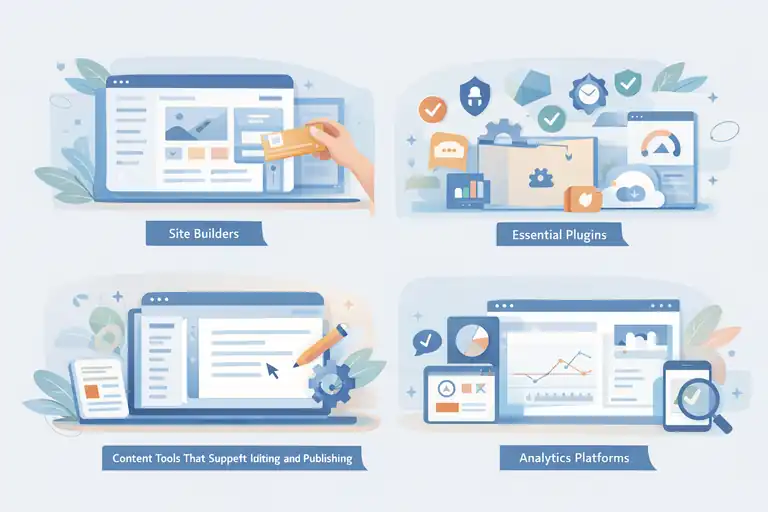
Tools won’t make or break a blog, but the right ones can simplify your workflow and improve your brand’s performance dramatically.
Using Site Builders That Speed Up the Setup Process
Site builders help you design pages quickly even if you have zero design experience. In WordPress, page builders like Elementor and Kadence Blocks give you a drag-and-drop interface.
To build a page in Elementor: WordPress Dashboard → Pages → Add New → Edit with Elementor → Drag widgets onto the canvas.
If simplicity matters to you, I’d suggest starting with Kadence Blocks because it integrates directly into the WordPress block editor and keeps your site fast.
Essential Plugins That Improve Performance and Security
Plugins extend your website’s capabilities, but you only need a few essential ones.
Here are the ones I recommend to beginners:
- Rank Math: For SEO optimization and schema.
- SiteGround Optimizer: For speed improvements if you use SiteGround hosting.
- UpdraftPlus: For automatic backups.
- Wordfence: For security and firewall protection.
Try to keep plugins under 15 whenever possible. Too many plugins can slow your site, conflict with each other, or create security vulnerabilities.
Content Tools That Support Writing, Editing, and Publishing
When you make a blog website, your writing process becomes a huge part of daily life. Tools can make this easier and help you stay consistent.
A few I personally use:
- Google Docs: For drafting articles without distractions.
- Grammarly: For grammar and clarity improvements.
- Hemingway Editor: For simplifying long sentences.
- Canva: For graphics like Pinterest pins, blog banners, and social posts.
Using these tools isn’t about perfection. It’s about making your writing feel clean, clear, and enjoyable for your readers.
Analytics Platforms That Help You Track Brand Growth
If you don’t track your data, it’s hard to improve. Thankfully, you only need a couple of analytics tools to understand what’s working.
Here are the ones that matter most:
- Google Analytics: Shows traffic, user behavior, and growth patterns.
- Google Search Console: Shows keyword performance and indexing issues.
- Microsoft Clarity: Records user sessions so you can see where people get stuck.
A simple routine I advise: check GSC once a week, Analytics twice a month, and Clarity once a month. This keeps your blog growing without overwhelming you with data.
Expert Techniques To Promote Your Blog Website Authentically
When you make a blog website, promotion can feel like the hardest part.
What I’ve learned over time is that authentic promotion—not loud or spammy tactics—is what builds an audience that actually sticks around.
Leveraging Social Media to Boost Brand Reach
Social media is one of the easiest ways to get your blog in front of new readers, but only if you use it intentionally.
I always tell people to choose one or two platforms where their audience already hangs out instead of trying to be everywhere at once.
Start with platform-specific strengths:
- Instagram: Great for visuals, behind-the-scenes storytelling, and Reels.
- Pinterest: Perfect for blog traffic because each pin links directly back to your articles.
- TikTok: Ideal for quick educational tips or personal branding.
- X (Twitter): Works well for sharing insights, threads, and networking in your niche.
One thing I suggest is repurposing your articles into micro content. For example, if you publish a tutorial about “How to Start a Fitness Routine,” you could create:
- A 30-second TikTok explaining the first step.
- A Pinterest pin summarizing the entire guide.
- A short Instagram caption that links back to the blog.
This multiplies your reach without multiplying your workload.
Building Email Lists That Strengthen Reader Loyalty
Email marketing still has one of the highest engagement rates across all digital channels. I believe every blogger—even beginners—should build an email list early because platforms rise and fall, but your email list is something you own.
To make it easy, try using platforms like MailerLite. The setup process goes like this:
MailerLite Dashboard → Forms → Embedded Forms → Create Form → Add to your site via HTML block.
The key is offering a small incentive. Some of the best-performing ones I’ve seen include:
- A cheat sheet or PDF
- A 5-day mini email course
- A starter toolkit or checklist
- A swipe file (templates or examples)
When readers subscribe, send a friendly welcome email that introduces your blog mission and lets them know what to expect. This builds trust from day one.
Using Guest Posts and Collaborations to Expand Authority
If you want to grow faster, getting your name in front of established audiences can accelerate your brand. Guest posting is one of the most underrated ways to build authority, especially when your blog is new.
Here’s a simple approach:
- Search your niche + “write for us.”
- Pitch a unique, practical topic that hasn’t been covered.
- Include a short sample of your writing.
- Offer actionable insights, not fluff.
I also suggest collaborating with creators who have similar audiences.
This can look like:
- Podcast guest appearances
- Co-written posts
- Newsletter swaps
- Joint Instagram Lives
These help build trust because you’re borrowing the authority of someone your audience already values.
Repurposing Content to Grow Your Audience Efficiently
Repurposing content isn’t about copying—it’s about transforming one piece of content into multiple formats so it reaches different types of learners.
Here’s how I do it with a typical blog post:
- Pull out 5–10 key insights and turn them into short-form social videos.
- Convert the blog post into a Pinterest carousel.
- Create a downloadable PDF summary.
- Use parts of the article as an email newsletter.
This saves time and ensures every article you write continues working for you long after publishing.
Advanced Branding Tips To Elevate Your Blog’s Reputation
Growing your blog is one thing, but elevating your brand identity is what takes you from “just another site” to a respected voice in your niche.
Positioning Yourself as a Recognized Expert in Your Niche
Positioning begins with deciding exactly what you want to be known for. I suggest narrowing your niche enough that you can stand out but not so narrow that you run out of topics.
One strategy I’ve used is creating “expert-level” content alongside beginner-friendly posts. This shows depth and experience. Another tip is publishing original insights—things like personal experiments, data-driven comparisons, or unique methods.
You can also position yourself by showcasing:
- Interviews you’ve done
- Mentions in other blogs
- High-value resource pages
- Unique frameworks or methods you’ve built
Over time, this becomes part of your brand identity.
Creating Signature Content That Defines Your Brand
Signature content is what people remember you for. It’s the type of content that showcases your unique perspective, your teaching style, or your storytelling ability.
Examples might include:
- A recurring series (like “Monday Motivation Lessons”)
- A unique method (e.g., “The 15-Minute Writer’s Workflow”)
- A personal story thread you return to
- An interactive tool or resource guide you created
I’ve found that when you have one signature series or idea, it becomes your brand anchor. Readers start recognizing your work instantly.
Building Community Spaces Readers Want To Return To
Community is what turns casual readers into long-term fans. Even a small community can make your blog feel alive and interactive.
Your community options might include:
- A private Facebook group
- A Discord community
- A subreddit
- A forum directly on your site
What truly makes a community strong is consistency. I suggest showing up weekly with prompts, questions, or small challenges. When people know you’re present, they build loyalty naturally.
Strengthening Brand Credibility Through Social Proof
People trust what they see others trust. Social proof is a psychological shortcut that reassures new readers they’re in the right place.
Here are common types of social proof to add to your blog:
- Testimonials from readers
- Screenshots of comments or emails
- Logos of brands you’ve collaborated with
- Article shares or social media mentions
- Stats like monthly readers or newsletter subscribers
You can include these on your About page, your homepage, and even in the footer of your blog.
Long-Term Growth Strategies To Scale Your Blog Website
Once your blog becomes stable, the next step is scaling. I’ve noticed this is where many bloggers plateau—not because they lack skill, but because they lack systems. This section helps you build those systems.
Implementing Systems That Automate Content Operations
Automation keeps your blog running even when life gets busy. You don’t need anything complicated. A few simple tools can save hours of work.
Some automations I suggest:
- Schedule blog posts inside WordPress.
- Use Later to schedule social content.
- Set up MailerLite automations for new subscribers.
- Use Trello or Notion for content planning workflows.
These small systems keep your content consistent and free up mental space for creativity.
Diversifying Revenue Streams to Support Brand Expansion
When your blog starts getting traffic, it’s smart to diversify your income. This doesn’t just stabilize your revenue—it strengthens your brand’s long-term potential.
Popular revenue streams include:
- Affiliate marketing
- Digital products
- Online courses
- Sponsored posts
- Coaching or consulting
If you’re new to monetization, start with affiliate marketing. For example, if you write a tutorial about setting up WordPress, you can include an affiliate link to SiteGround or Namecheap. It feels natural and helpful to readers.
Developing Content Funnels That Convert Readers into Fans
A funnel is simply the path people take from discovering your blog to becoming loyal followers. I like to keep funnels simple so they’re easy to manage.
Here’s an example funnel:
- Visitor lands on a blog post.
- They see a content upgrade related to that post.
- They join your email list.
- They receive a welcome sequence with your best content.
- They later receive product or service recommendations.
This format builds trust, nurtures readers, and gently guides them toward your offerings.
Continuously Improving Site Performance as Traffic Grows
As your traffic increases, your site needs optimization to stay fast and reliable. Slow sites frustrate readers, and Google has confirmed that user experience factors into ranking.
Here’s what I recommend:
- Regularly compress old images.
- Remove outdated plugins.
- Update your theme, plugins, and core WordPress.
- Check mobile performance in Google PageSpeed Insights.
Even small improvements—like deleting unused CSS from Elementor pages—can speed up your site noticeably.
FAQ
How long does it take to make a blog website?
You can make a blog website in one day if you use a platform like WordPress with managed hosting. Building content, branding, and SEO usually takes a few weeks.
Do I need coding skills to make a blog website?
No. Most modern blog platforms use visual editors and themes, so you can create, customize, and publish content without writing any code.
What is the best platform to make a blog website for branding?
WordPress.org is the most flexible option for building a long-term online brand because it supports SEO, customization, and scalable growth.

I’m Juxhin, the voice behind The Justifiable.
I’ve spent 6+ years building blogs, managing affiliate campaigns, and testing the messy world of online business. Here, I cut the fluff and share the strategies that actually move the needle — so you can build income that’s sustainable, not speculative.