
Table of Contents
Some links on The Justifiable are affiliate links, meaning we may earn a small commission at no extra cost to you. Read full disclaimer.
Monday software has become one of the go-to platforms for businesses aiming to streamline workflows and accelerate results. But how do you move beyond the basics and actually use Monday software as a growth engine?
In this guide, I’ll walk you through five smart ways you can take advantage of its features to improve productivity, align teams, and drive measurable business outcomes.
1. Streamline Project Management for Faster Execution
When you’re running multiple projects at once, small inefficiencies pile up quickly.
Monday software can act like a central nervous system for your projects, helping you move from idea to execution without constant back-and-forth or wasted time.
Use Custom Workflows to Eliminate Bottlenecks
One of the most underrated features in Monday software is how easy it is to design custom workflows. Instead of forcing your team to adapt to rigid templates, you can create boards that reflect the exact way your business runs.
Here’s how I usually set it up:
- Start from the Projects board and click “+ Add Column.”
- Choose “Status” to mark stages like To Do → In Progress → Review → Done.
- Add “People” columns so each task has a clear owner.
- Layer in dependencies (e.g., Task B can’t start until Task A is complete).
This setup alone can cut down hours of confusion. If one step stalls, you’ll see immediately which task is holding everything up. I suggest using color codes — green for ready-to-go, red for blocked — so bottlenecks stand out visually.
Think of it like creating your own assembly line: once the design matches your team’s reality, work flows more naturally without bottlenecks hiding under the radar.
Automate Repetitive Tasks to Free Up Time
If you’re spending time moving tasks manually, you’re losing momentum. Automations in Monday software are like having a personal assistant quietly cleaning up your digital workspace.
For example:
- Set up a rule so that when a task status changes to “Done,” it automatically moves to the “Completed” group.
- Assign new leads automatically to the right salesperson by territory.
- Trigger Slack notifications when deadlines are approaching.
To create one, click “Automate” on your board, then choose from the “When this happens → Do this” recipes. I recommend starting small — automate just one or two common tasks, then add more as your team gets comfortable.
Over time, you’ll notice fewer reminders, fewer missed updates, and less copy-pasting. The small wins stack up, and suddenly your day feels lighter because the platform is carrying the boring load.
Track Progress With Dashboards for Better Oversight
Dashboards turn raw data into clarity. Instead of juggling spreadsheets or nagging your team for updates, Monday software lets you see everything at a glance.
Here’s a simple but powerful setup:
- Add a workload widget to see who’s overloaded and who has capacity.
- Use the Gantt view to spot overlapping timelines.
- Track KPIs (like tasks completed vs. pending) directly from your dashboard.
I believe dashboards aren’t just for managers. They’re also motivational for teams, since progress becomes visible. Watching the “Done” column grow week by week is like watching your business breathe and move forward.
And because dashboards pull data from multiple boards, you can connect Marketing, Sales, and Operations all into one unified view. It’s not just oversight — it’s alignment.
2. Improve Team Collaboration and Communication

Even the best-planned projects fail if communication breaks down.
Monday software helps your team cut through the noise of endless emails and meetings, replacing them with context-rich updates directly tied to work.
Centralize Conversations to Reduce Email Overload
The average employee spends nearly three hours a day dealing with email. That’s madness. Monday’s built-in communication tools let you move discussions directly onto tasks.
Here’s what I do:
- Open a task, scroll to the updates section, and start a thread there.
- Mention teammates with “@Name” so they’re instantly notified.
- Attach files or screenshots directly to the task so nothing gets lost.
The beauty here is context. Instead of searching your inbox for “Draft V3,” all conversations, attachments, and decisions live where the work lives. You never wonder, “What’s the latest version?” again.
It’s a small change, but the shift from email chaos to centralized conversations makes your team feel less scattered.
Share Real-Time Updates Across Departments
Transparency kills miscommunication before it starts. Monday software lets you broadcast updates instantly, without long meetings.
For example, when Marketing publishes a new campaign, they can update the “Campaigns” board and tag Sales. Suddenly, Sales has real-time visibility and can adjust their outreach immediately.
To set this up:
- Use “Board Permissions” so different teams can see what’s relevant to them.
- Turn on notifications for key milestones.
- Use automations to share updates across boards (e.g., when Marketing changes a campaign to “Live,” Sales gets notified).
This kind of visibility keeps departments aligned without endless status reports. It feels like pulling back the curtain so everyone sees the same reality.
Use Integrations to Connect Tools Your Team Already Uses
Collaboration only works if your tools actually talk to each other. Monday software integrates with Slack, Teams, Google Drive, Outlook, and dozens of other platforms.
A practical example:
- Connect your Gmail so new client emails automatically create tasks in Monday.
- Sync Google Drive so documents attached in Monday always stay updated.
- Use Slack integration so a project update instantly pings the right channel.
From what I’ve seen, integrations reduce the “double work” problem — copying data between systems, re-uploading files, or juggling logins. I advise starting with one integration that removes your team’s biggest frustration, then expand from there.
Over time, Monday becomes less of “another tool to manage” and more of a hub that unites everything your business runs on.
Now that you’ve seen how Monday software handles both project management and collaboration, you can already imagine the compounding effect: fewer bottlenecks, clearer communication, and a smoother path to growth.
3. Optimize Sales and CRM Processes in Monday Software
Sales is all about momentum, and monday software gives you a way to keep that momentum visible, measurable, and scalable.
Instead of juggling spreadsheets and inboxes, you can manage your entire pipeline right from one place.
Build Custom Sales Pipelines to Track Every Lead
One of the first things I suggest is setting up a custom pipeline board. From your dashboard, click “+ New Board” → “Choose from Templates” → “CRM & Sales.” From there, tweak it so it fits your exact process.
A simple structure looks like this:
- Lead In → new prospects enter the funnel.
- Contacted → outreach has started.
- Qualified → decision-makers identified, budget confirmed.
- Negotiation → details in motion.
- Closed/Won or Closed/Lost → final outcome.
Add a “Deal Value” column so you can instantly see pipeline worth, and a “Close Date” column to forecast revenue. What I love about this setup is you’re not boxed into a rigid CRM. You can create multiple pipelines for different markets or product lines.
Every time I’ve set this up for a team, they breathe easier because nothing slips through the cracks — you literally see every lead marching forward (or stalling) in one place.
Automate Follow-Ups for Consistent Outreach
Missed follow-ups cost deals. Monday’s automations prevent that from happening. From your pipeline board, click “Automate” → choose recipes like:
- When status changes to Contacted → notify owner in 2 days if no update.
- When Close Date is 3 days away → send reminder to assigned rep.
- When deal is marked Won → create new onboarding task in Client Success board.
I recommend setting reminders that balance persistence with professionalism. Too many notifications create noise, but the right automations give your sales team a safety net.
Imagine a rep juggling 50 leads — the system quietly nudges them, “Hey, it’s time to call John back.” That’s real leverage, and it removes human error from the equation.
Analyze Sales Data With Reporting Tools for Smarter Decisions
Once the pipeline is humming, data becomes your compass. Monday software makes it simple to pull meaningful insights without exporting to Excel.
Here’s a practical setup:
- Use a Dashboard with a Chart Widget to show conversion rates from stage to stage.
- Add a Numbers Widget to track total deal value per salesperson.
- Create a Timeline View to forecast revenue by month.
I’ve seen teams realize their bottleneck isn’t closing deals but actually qualifying leads. That kind of discovery only happens when you’re measuring the right things.
The numbers aren’t just pretty graphs — they let you ask sharper questions like, “Why does Rep A close faster than Rep B?” Once you know, you can replicate success across the team.
4. Enhance Marketing Campaign Management
Marketing lives in details — deadlines, assets, approvals, metrics. Monday software ties all those threads together so campaigns run smoothly instead of fraying at the edges.
Plan Campaign Timelines With Gantt and Calendar Views
I recommend starting with a Campaigns board. Add your initiatives as items, then switch to Gantt View. Suddenly, you can see overlaps, dependencies, and deadlines like a visual story.
Practical steps:
- Add “Start Date” and “End Date” columns.
- Click “Views” → “Gantt” to watch your timeline unfold.
- Toggle to “Calendar View” when you want a traditional schedule.
The Gantt is ideal for spotting when your product launch and webinar collide. The Calendar is perfect for seeing the flow of deliverables over the month.
Having both views is like flipping between a zoomed-out map and a day-to-day itinerary.
Coordinate Content Production With Clear Ownership
Content chaos kills campaigns. Monday helps by assigning every task a clear owner. From the Campaigns board, add a “People” column for writers, designers, and approvers.
What I usually do:
- Assign each blog, ad, or asset to a single owner (no “shared” tasks).
- Add a “Status” column with stages like Draft → Review → Approved → Published.
- Use file attachments so the latest version always lives on the task.
This way, if someone asks, “Who’s working on the landing page copy?” you don’t guess — you just check the board.
A marketing team I worked with cut their revision cycles in half by centralizing comments inside monday software. No more “Which Google Doc link is current?” headaches.
Measure ROI Using Advanced Reporting and Analytics
Marketing without measurement is guesswork. Dashboards give you campaign clarity:
- Track spend vs. conversions with a numbers widget.
- Compare planned vs. actual deadlines to see where bottlenecks happen.
- Add a chart widget to visualize engagement by campaign type.
You can even connect Google Analytics or Facebook Ads integrations so the data flows in automatically. I advise starting small — measure one or two KPIs that matter most, like cost per lead or time-to-publish.
The goal isn’t to track everything. It’s to see if your campaigns are actually moving the business forward.
5. Scale Business Operations With Automation and Integrations

Growth creates complexity, and monday software helps you handle it without drowning in manual processes. The secret is combining automation with integrations to make your operations scalable.
Automate Recurring Business Processes Across Teams
Every business has repetitive workflows — onboarding, invoicing, approvals. Automating these keeps your team focused on high-value work.
Examples I’ve used:
- New hire onboarding: when HR marks “Hired,” monday creates a checklist for IT setup, payroll, and training.
- Invoicing: when a deal is marked “Closed/Won,” an invoice task generates for Finance.
- Approvals: when design uploads a file, automation notifies Marketing Manager to approve.
Think of it as building invisible helpers. They don’t just save time — they also standardize quality because the process runs the same way every time.
Connect Monday Software With Third-Party Apps for Efficiency
The real magic happens when monday doesn’t just sit alone but connects to your other tools.
- Connect Slack or Teams for instant notifications.
- Sync with Google Drive so files always update.
- Use Zapier to link monday to niche tools your business already relies on.
When everything flows into monday, you get a single source of truth. No more chasing data across five platforms.
I believe this is where businesses feel the biggest productivity jump — less context switching, more actual doing.
Standardize Workflows to Ensure Consistency as You Grow
Scaling isn’t just about doing more — it’s about doing more consistently. Monday software lets you turn your best practices into templates.
From any board, click the three dots → “Save as Template.” Now, whether it’s a campaign launch or client onboarding, every new project follows the same structure.
This helps new team members ramp up faster. Instead of asking “How do we do this?” they open the board and the process is already mapped out.
Consistency builds trust, both inside your team and with your clients. Growth feels less like chaos and more like a system working in harmony.
Pro Tip for Growth
Don’t try to rebuild your entire business inside monday software all at once.
Pick one area — maybe sales follow-ups or campaign timelines — and refine it until it feels natural.
Once your team sees the value, momentum builds and adoption spreads on its own.

I’m Juxhin, the voice behind The Justifiable.
I’ve spent 6+ years building blogs, managing affiliate campaigns, and testing the messy world of online business. Here, I cut the fluff and share the strategies that actually move the needle — so you can build income that’s sustainable, not speculative.
Related posts:
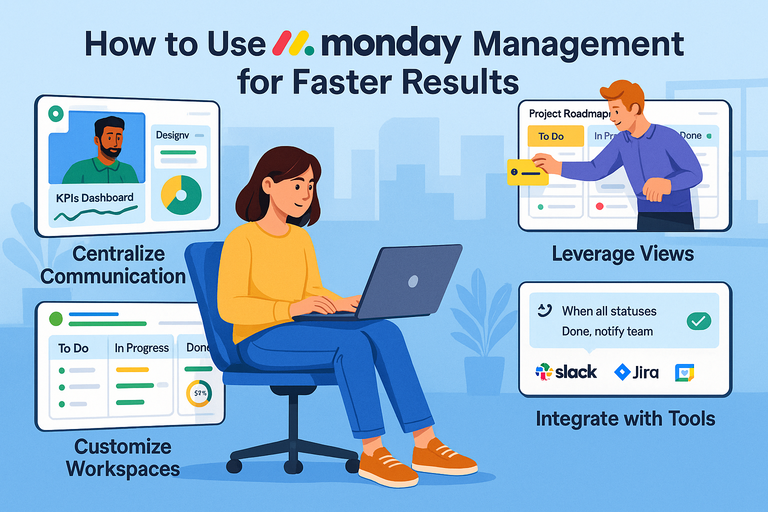 How to Use Monday Project Management for Faster Results
 Monday App Explained: How It Helps You Organize Projects
 Monday Project Tips That Make Work Easier
 Online Business Courses: Start Your Entrepreneurial Journey Today
 How to Integrate Aweber with ClickFunnels
 9 Brand Marketing Solutions for Long-Term Success