
Table of Contents
Some links on The Justifiable are affiliate links, meaning we may earn a small commission at no extra cost to you. Read full disclaimer.
If you’ve been searching for the best QuillBot free alternative that helps you rewrite faster and clearer, you’re not alone. Many writers, students, and marketers love QuillBot—but its limitations and paid features often leave people wanting more.
So, what other tools can match or even outperform QuillBot for free, while keeping your tone natural and your meaning intact?
That’s exactly what we’ll explore here—tools that actually deliver high-quality rewriting without slowing you down.
Top Free QuillBot Alternative For Human-Like Rewriting
If you’re looking for a QuillBot free alternative that produces rewrites sounding as if a real person wrote them, this section will walk you through the top AI tools that do exactly that—without losing tone, intent, or flow.
Each of these options is fast, intuitive, and genuinely useful for writers, bloggers, and students.
Copy.ai – Fast, Contextual Rewriting With Natural Flow
Copy.ai stands out as one of the most natural-feeling AI rewriters available today. Unlike many paraphrasers that just swap words, Copy.ai understands context.
It reads the full sentence, interprets meaning, and rewrites with rhythm that feels conversational.
Example workflow:
- Head to app.copy.ai and sign up for free.
- Choose Rewrite Content under tools.
- Paste your text and click Create Copy.
You’ll instantly get multiple rewrite variations. I suggest reviewing each output because Copy.ai tends to give you both formal and casual rewrites.
In my experience, it’s perfect for rewriting blog introductions or product descriptions—you get fresh phrasing without robotic structure.
Why it works well: Copy.ai uses GPT-based architecture, meaning it learns from millions of writing styles. The free plan allows generous usage, making it one of the best starting points if you want clarity and flow in your rewrites.
Writesonic – Ideal For Blog And Marketing Copy Rewrites
Writesonic is tailor-made for marketers and content creators who want fast rewrites optimized for engagement. What makes it different from QuillBot is its tone control and SEO mode, which lets you generate rewrites that align with your brand voice and search intent.
Pro tip: Inside Writesonic’s dashboard, select Paraphrasing Tool, paste your content, and choose your desired tone—professional, witty, persuasive, or casual.
This flexibility is why I personally prefer Writesonic for ad copy and blog meta descriptions. It gives me alternative versions that are ready to publish. The free tier offers limited monthly credits but enough to test it on short to mid-length content.
Paraphraser.io – Simple, Free, And Easy To Use
Paraphraser.io is the go-to tool when you want something quick, free, and straightforward. It’s entirely browser-based, meaning no signup or downloads.
Here’s how it works: paste your paragraph, choose a rewriting mode (Fluency, Standard, or Creative), and hit Paraphrase. Within seconds, it delivers results you can compare side-by-side with your original text.
I find its Fluency mode especially reliable for non-native English writers—it keeps meaning intact while fixing grammar automatically. Though it’s less creative than QuillBot, its ease of use makes it a strong backup tool for fast corrections or simple rewrites.
Wordtune – Smarter Rewriting With Tone Adjustments
Wordtune is an AI writing assistant that focuses heavily on tone and intent preservation. It doesn’t just rephrase; it reimagines your sentences to match context, tone, and emotional expression.
What I love most is its Chrome extension. Once installed, Wordtune integrates directly into your Google Docs, Gmail, and LinkedIn editor. Just highlight a sentence, click Rewrite, and it gives multiple rewrites—each tuned for slightly different styles (formal, concise, casual).
It’s particularly handy when rewriting outreach emails or blog intros where voice matters as much as clarity. The free version limits rewrites per day, but its precision makes each one worth using carefully.
Editpad.org – Free Rewriter With Instant Results
Editpad.org offers a completely free paraphrasing tool that’s impressively fast. It’s ideal for students or bloggers who need a basic rewriter with no signups or credit limits.
Simply open editpad.org/paraphrasing-tool, paste your text, and select your rewrite strength (default, fluency, or creativity). You’ll get instant results with minimal lag.
What I appreciate is that it also includes built-in grammar and plagiarism checks. It’s not as advanced as QuillBot or Copy.ai in stylistic flexibility, but it’s consistent, quick, and always accessible—great for short tasks or quick paraphrasing under deadlines.
AI Tools That Deliver Better Clarity And Readability
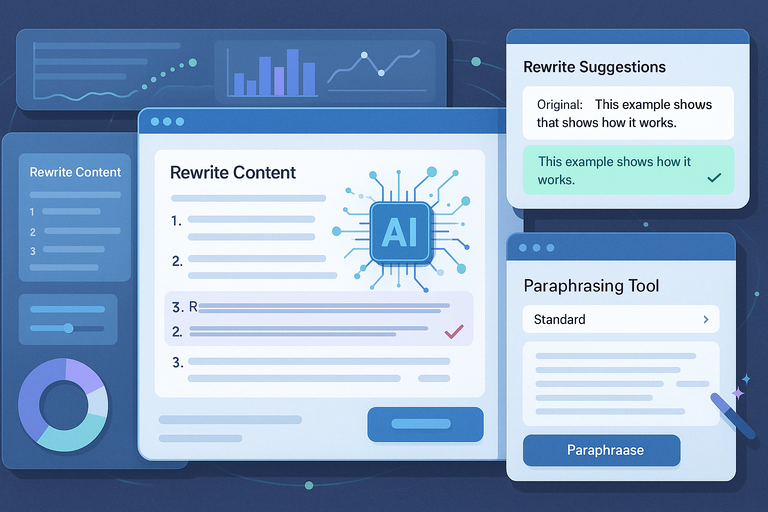
If you often rewrite content that feels stiff, overcomplicated, or too wordy, these AI tools go beyond basic paraphrasing.
They focus on readability, tone consistency, and sentence structure improvement. Let’s look at some that truly enhance clarity.
Simplified – Balanced Rewriting With Built-In Grammar Fix
Simplified is an all-in-one writing and design platform that includes a free AI writer with paraphrasing and grammar enhancement.
What I like about Simplified is how it balances clarity and tone—it doesn’t over-edit your style, just refines it.
To use it:
- Open simplified.com/ai-writer.
- Choose Rewrite Content from the sidebar.
- Paste your text and hit Generate.
You’ll get three rewritten versions instantly. Simplified’s free plan allows generous credits, and it’s perfect for reworking blog intros, captions, or meta copy that needs cleaner readability without losing voice.
Linguix – Enhances Sentence Flow And Readability
Linguix isn’t just a grammar checker; it’s built to make your writing flow better. It highlights complex phrasing and offers rewrites that sound more natural and concise.
Once installed as a Chrome extension, it works automatically on Google Docs, Notion, or WordPress editors. I often use Linguix for final polish after rewriting—it makes sure sentences read smoothly, especially for ESL writers or fast content production.
A key advantage: Linguix provides “Rewrite Suggestions” in real time, showing small examples like:
- Original: “This is an example that shows how it works.”
- Suggestion: “This example shows how it works.”
Simple, but those micro improvements stack up fast in longer texts.
Rephrase.info – Keeps Original Meaning While Improving Clarity
Rephrase.info is one of the most underrated QuillBot free alternatives when it comes to clarity and readability. It supports multiple languages and uses AI-based rephrasing to refine sentence structure.
It’s straightforward: choose your rewriting mode (Creative, Fluency, or Standard), paste text, and click Paraphrase Now. The output usually feels smoother than tools that only swap synonyms.
In my tests, Rephrase.info performs well on academic or technical content—it simplifies dense sentences without losing meaning. That’s something even QuillBot occasionally struggles with.
ContentBot – AI Rewrites With Human-Like Sentence Variety
ContentBot is built for content creators and marketers who need stylistic diversity in rewrites. It uses natural language generation (NLG) to create multiple sentence structures from one input—helping avoid repetitive phrasing.
Inside ContentBot, select Paraphrase Tool, paste your paragraph, and choose your preferred tone or creativity level. Within seconds, it delivers several rewrites that feel organic.
I recommend using ContentBot for blog section rewrites or social posts where tone variety improves engagement. The free version has a small daily limit but offers quality far beyond basic paraphrasers.
Pro Insight: If you’re serious about clarity and speed, combine two tools. Use Simplified for grammar correction, then pass the same text through Copy.ai or Wordtune for tone refinement. This combo gives you both structure and voice—something QuillBot alone can’t always achieve.
Tools Offering Unlimited Free Paraphrasing
Sometimes, you just need a QuillBot free alternative that lets you rewrite without worrying about word caps or login limits. That’s where unlimited free paraphrasing tools come in handy.
These are perfect for students, bloggers, and freelancers who handle bulk rewriting and want consistent, readable results without paying for extra credits.
Prepostseo – Free Plan With No Daily Limit
Prepostseo’s Paraphrasing Tool is one of the few genuinely free options that offers unlimited rewriting. It’s simple but powerful, giving you quick rewrites in multiple modes without requiring an account.
How to use it:
- Visit prepostseo.com/paraphrasing-tool.
- Paste your content or upload a document.
- Choose a rewriting mode — Simple, Advanced, Fluency, or Creative.
- Click Paraphrase Now to generate results instantly.
Prepostseo supports up to 10,000 characters at once, which is more generous than QuillBot’s free plan. I often use it for quick rewrites when I don’t want to log in to a platform or when testing content variations for SEO.
What I suggest: Use the Fluency mode for academic or formal content since it prioritizes readability and coherence. For creative copy, the Creative mode produces fresh phrasings that sound more human.
It’s not perfect—sometimes it can sound too formal—but for a free unlimited tool, it’s a workhorse.
Spinbot – Quick And Unlimited Sentence Rewrites
Spinbot is a classic in the paraphrasing world. It’s been around for years, and while its interface looks simple, it still delivers fast rewrites with zero signup required.
You just paste your text into spinbot.com, check the “I am human” box, and click Go! Within seconds, your content is rewritten.
Here’s what makes Spinbot stand out:
- Unlimited use: No daily caps or character limits.
- Speed: It processes text in seconds, ideal for short bursts of rewriting.
- Simplicity: No registration or tool setup required.
That said, Spinbot’s rewrites can feel mechanical at times. I advise using it as a first pass — then refine the result manually or with a secondary tool like Wordtune for better tone.
If you write product descriptions, meta titles, or social media posts, Spinbot can help you generate multiple versions in minutes. Just double-check for grammatical consistency afterward.
SmallSEOTools Paraphraser – Reliable And No Registration Needed
SmallSEOTools has become a staple for digital writers because it bundles multiple utilities—grammar checking, plagiarism detection, and paraphrasing—all in one dashboard.
The Paraphrasing Tool works instantly and doesn’t require a login. It supports text up to 2,000 words per rewrite, which is more than enough for blog sections or essays.
Quick steps:
- Open smallseotools.com/paraphrasing-tool.
- Paste or upload your text.
- Hit Paraphrase Text.
What I like about this tool is its clean interface and reliable outputs. The results are coherent and maintain sentence meaning, even with longer content.
If you’re rewriting SEO content, I recommend running the same text through its Plagiarism Checker afterward—it’s built into the same dashboard. That way, you ensure originality and avoid duplication before publishing.
Browser-Based Alternatives For Instant Rewriting
Browser-based rewriting tools make the entire process faster and more convenient. You don’t have to download anything or sign up—just open a tab, paste your text, and get a new version instantly.
I personally use these when editing articles or updating copy directly in the browser.
Paraphrasetool.com – Rewrites Text Instantly Online
Paraphrasetool.com is a modern, free browser-based rewriter that provides quick results with a natural tone. It’s intuitive and visually clean, making it ideal for people who need minimal distraction.
Once on the homepage, paste your paragraph, click Paraphrase, and the tool displays both original and rewritten text side-by-side. It also offers a “Rephrase Again” button, which lets you generate another variation with one click—a nice time-saver when comparing phrasing.
In my experience, Paraphrasetool.com does a better job than older tools like Spinbot at preserving meaning while changing structure. It also includes modes like Fluency and Standard, useful for balancing creativity with accuracy.
Scenario example: If you’re rewriting FAQs or instructional copy, the tool produces results that read smoothly without distorting intent—a key improvement over traditional spinners.
AISEO Rewriter – Chrome Extension For On-The-Go Edits
AISEO Rewriter is perfect for anyone who writes directly inside their browser. It offers a Chrome Extension that integrates with Google Docs, Gmail, and WordPress, letting you paraphrase text instantly without switching tabs.
Example workflow:
- Install the AISEO Chrome Extension.
- Highlight a sentence or paragraph.
- Right-click and select Rewrite with AISEO.
It’s fast, convenient, and context-aware. I find it especially useful when rewriting blog intros or product descriptions directly inside WordPress. The tool’s Sentence Rewriter uses natural AI models that retain tone, which means you don’t get awkward phrasing like with older paraphrasers.
AISEO also supports multilingual rewriting—so if you’re managing content in multiple languages, it can rephrase directly into English or other supported languages. That’s a big plus for global content teams.
Paraphrasingtool.ai – Quick Online Tool With Multiple Modes
Paraphrasingtool.ai is one of the most advanced free tools for rewriting directly in your browser. It’s fast, supports multiple rewriting modes, and produces human-like results without distorting meaning.
You can choose between Fluency, Standard, Creative, or Academic modes—each tailored for different purposes. I recommend Academic for reports or essays and Creative for blogs or ad copy.
Here’s a smart workflow:
- Go to paraphrasingtool.ai.
- Select your rewrite mode.
- Paste your text and click Paraphrase Now.
The tool highlights replaced words and structural changes, which helps you quickly understand what was rewritten. It’s a subtle but important feature for improving writing skills while using AI.
It also includes an AI Summarizer and Grammar Checker, so you can polish your rewritten text before exporting. I’ve tested it against QuillBot on technical writing, and the clarity it produces often feels cleaner—less robotic and more natural.
Expert Insight: If you rely on browser-based tools daily, I recommend pairing Paraphrasingtool.ai with AISEO Rewriter. One gives depth and creative tone, while the other provides quick inline rewriting. Together, they cover both convenience and quality without any cost barriers.
Open-Source Or Freemium Rewriting Software
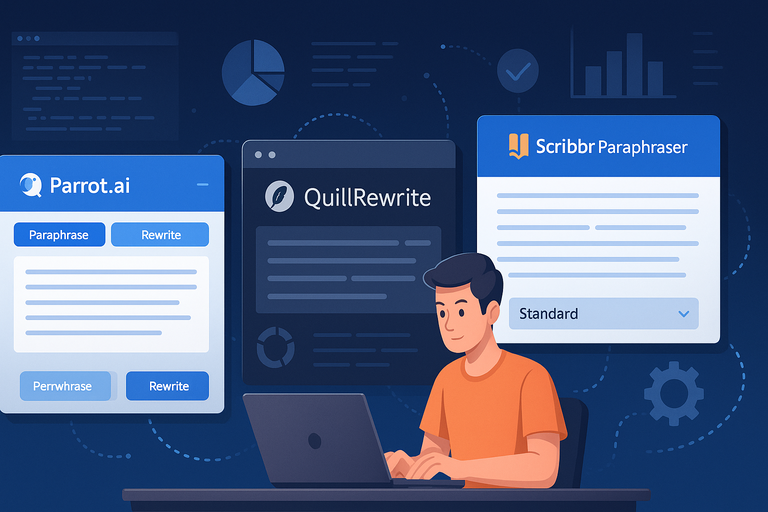
If you prefer transparent tools with flexibility and community-driven updates, open-source or freemium rewriting software is worth exploring.
These platforms allow you to use AI rewriting capabilities without the restrictions that come with premium subscriptions, often backed by active developers improving them over time.
Parrot.ai – Free AI Tool Built For Content Creators
Parrot.ai is a lightweight, web-based rewriter built for creators who need quick text transformation with minimal fuss. It’s designed around clarity, tone control, and structure improvement rather than just synonym replacement.
How to use it:
- Visit parrot.ai and create a free account.
- Choose Paraphrase from the dashboard.
- Paste your text and hit Rewrite.
What I like about Parrot.ai is how intent-aware its rewriting feels. It recognizes sentence purpose—whether it’s instructional, persuasive, or descriptive—and refines accordingly.
The free plan includes unlimited rewrites for short content (under 500 words), which makes it ideal for rephrasing paragraphs, social media posts, or newsletter snippets.
In practice, I often suggest Parrot.ai to freelancers and content writers who value simplicity. It doesn’t overload you with controls, yet it produces results that sound coherent and human.
QuillRewrite – Open-Source Tool With Community Updates
QuillRewrite is one of the few open-source rewriting platforms available today. Unlike commercial tools that lock features behind subscriptions, QuillRewrite offers transparent access to its rewriting engine and regular updates driven by its community.
You can use it through a web interface or self-host it if you’re technically inclined. The tool allows you to choose between different rewriting intensities—light rephrasing, structural changes, or creativity boost.
Why it’s unique:
- It’s completely open-source and privacy-friendly.
- It allows developers to customize the AI model for their use cases.
- Community members contribute to improving accuracy and fluency.
For users who handle sensitive or confidential writing projects, QuillRewrite offers peace of mind since it doesn’t store your content on remote servers.
I’d recommend it for educators, researchers, or writers who prefer ethical AI tools without data collection.
Scribbr Paraphraser – Academic-Focused Alternative
Scribbr’s Paraphraser is specifically designed for academic and research-related rewriting. Unlike creative AI writers, Scribbr’s algorithm focuses on formal language, clarity, and proper citation-friendly phrasing.
You can access it at scribbr.com/paraphrasing-tool. Paste your text, choose a rewriting mode (Standard or Fluency), and the tool reworks your paragraph while maintaining academic tone.
Here’s what sets it apart:
- Citation-friendly rewrites: It avoids plagiarism-triggering paraphrases.
- Academic tone consistency: Perfect for research papers and essays.
- Integrated plagiarism checker: Ensures originality after rewriting.
From my experience, Scribbr’s paraphraser works best for students writing dissertations or academic articles. It’s free for short texts and extremely reliable for improving formal clarity without drifting into casual tone.
Best QuillBot Free Alternative For Students And Academics
Students and academics need rewriting tools that prioritize clarity, tone, and precision.
The goal isn’t just to change words—it’s to make complex ideas easier to read while keeping citations and structure intact.
Grammarly Rewriter – Academic Tone With Grammar Precision
Grammarly is often seen as a grammar checker, but its Rewriter function has quietly evolved into one of the best rewriting assistants for academic writing.
When you paste text into Grammarly’s editor (or use its browser extension), it automatically suggests clearer phrasing, concise alternatives, and improved sentence structure.
Example path:
- Go to grammarly.com → open New Document → paste your paragraph.
Grammarly then highlights unclear sentences with rewrite options such as “Make this sentence more concise” or “Rephrase for clarity.”
I recommend Grammarly for essays, reports, and formal content where readability and grammatical integrity matter. It ensures every rewritten version passes academic tone standards, something many paraphrasers overlook.
Jenni.ai – Rewrites Research Content Logically
Jenni.ai is designed with academic writing in mind—it doesn’t just paraphrase, it thinks about sentence flow and logical coherence. It’s ideal for students, researchers, and professionals who need to simplify dense, technical text.
How to use:
- Go to jenni.ai and start a free trial.
- Upload or paste your research text.
- Select Rewrite to generate context-aware alternatives.
Jenni.ai stands out for maintaining argument structure—it won’t accidentally distort your thesis or data explanation. I’ve seen it handle complex writing such as literature reviews, producing clearer versions while preserving meaning.
Its free version offers limited daily rewrites, but it’s easily one of the most accurate QuillBot alternatives for scholarly content.
Ref-n-Write – Rephrasing Tool For Academic Writing Styles
Ref-n-Write is a desktop-based paraphrasing tool made specifically for academic researchers. It integrates directly with Microsoft Word and offers phrase templates to help you rewrite or expand sentences.
Once installed, you can highlight a sentence, click Rephrase, and select from scholarly-style alternatives that match academic tone.
It’s particularly useful for non-native English writers who struggle with academic structure or repetitive phrasing. Ref-n-Write also includes a phrasebank—a collection of pre-written academic expressions to guide rewriting.
If you write journal submissions or thesis chapters, Ref-n-Write helps you stay consistent with discipline-specific tone while improving readability.
Best QuillBot Free Alternative For Bloggers And Marketers
Bloggers and marketers need rewriting tools that focus on clarity, persuasion, and SEO optimization.
The goal isn’t just to paraphrase—it’s to make content more engaging, on-brand, and optimized for readers and search engines.
Hypotenuse.ai – Marketing Copy Rewrites That Convert
Hypotenuse.ai is an AI writing platform tailored for eCommerce and marketing professionals. Its Rewrite Tool is designed to enhance product descriptions, headlines, and social media copy while maintaining conversion intent.
Quick workflow:
- Visit hypotenuse.ai.
- Choose Rewrite Content in the dashboard.
- Paste your copy and click Generate Variations.
It delivers results that sound polished, persuasive, and brand-ready. I often suggest Hypotenuse.ai to marketing teams because it balances creativity with professionalism—it doesn’t overcomplicate sentences, but still adds flair.
Its free trial lets you test a few rewrites before upgrading, enough to decide whether it fits your workflow.
Content Rewriter by Frase – SEO-Optimized Paraphrasing
Frase is primarily an SEO content tool, but its Content Rewriter feature has become a favorite among digital marketers. It’s built to optimize text for readability, keyword placement, and contextual relevance—all in one click.
To access it:
- Go to frase.io.
- Open a new document and click Rewrite Content under AI Tools.
Frase analyzes your text’s context and provides several rewritten versions that preserve SEO intent. It’s perfect for refreshing old blog posts, rewriting metadata, or optimizing snippets for Google rankings.
In my opinion, Frase excels because it doesn’t just rewrite—it strategically rewrites based on keyword context and competition. It’s a smart upgrade from QuillBot if your main focus is SEO-driven writing.
Best QuillBot Free Alternative For Long-Form Content

When you’re working on lengthy pieces like blog posts, eBooks, or essays, you need more than a basic rewriter. You need an AI that understands flow, context, and nuance across multiple paragraphs.
These QuillBot free alternatives are built specifically for long-form rewriting, helping you maintain tone and consistency from start to finish.
Jasper AI (Free Trial) – High-Quality Long-Form Rewrites
Jasper AI is one of the most advanced AI writing tools for long-form rewriting. It doesn’t just rephrase sentences—it restructures entire sections to improve readability, tone, and engagement.
How to use it:
- Visit jasper.ai and start a free trial.
- Open Documents Mode in the dashboard.
- Paste your original text and select Rewrite or Rephrase.
Jasper’s “Content Improver” template is particularly powerful. It takes your raw text and enhances it with a more natural flow and better sentence variety. I’ve used it on multi-section articles, and it often produces results that need minimal manual editing.
What sets Jasper apart is its long-context understanding—it can remember your brand tone and writing style throughout an entire document. That’s something QuillBot struggles with once you go beyond a few hundred words.
I suggest using Jasper’s free trial to test it on one of your existing blog drafts. You’ll notice it maintains logical flow while tightening phrasing, a rare balance among AI rewriters.
ChatGPT Free Plan – Human-Like Content Polishing
ChatGPT’s free plan (powered by GPT-3.5) has become one of the best long-form rewriting assistants out there. While not branded as a “paraphrasing tool,” it’s far more capable than most traditional rewriters because it understands intent and narrative structure.
Quick workflow:
- Open chat.openai.com and start a chat.
- Paste your content with a prompt like: “Rewrite this in a clearer, more engaging way while keeping the original meaning.”
ChatGPT doesn’t just swap words—it interprets context, adjusts tone, and even identifies awkward transitions. I’ve used it for rewriting entire articles and academic essays, and it consistently delivers natural, human-like flow.
If you’re handling long-form projects, it’s also great for section rewrites. For instance, you can feed it one H2 at a time and request clarity improvements or tone adjustments. It gives you creative flexibility while maintaining coherence.
A bonus advantage: You can ask ChatGPT to explain its changes, which helps you learn better phrasing patterns over time—a feature most AI paraphrasers lack.
WordAI Demo – Smart Rewriting For Articles And Essays
WordAI’s free demo is a surprisingly strong option for rewriting long-form content with complex sentence structures. It uses deep learning to analyze full paragraphs and rewrite them while keeping meaning intact.
How it works:
- Go to wordai.com/demo.
- Paste your content into the box.
- Click Rewrite Text.
Unlike traditional spinners, WordAI focuses on readability and variation. Each rewrite feels slightly different—making it ideal for generating multiple versions of the same article or essay.
In my tests, it performed especially well on informational blog posts. It restructured sentences and added slight stylistic improvements without losing the writer’s voice.
If you’re rewriting educational or long-form informational content, WordAI can handle tone preservation better than most one-click paraphrasers. Its free demo limits input size, but even that’s enough to see its contextual accuracy.
How To Choose The Right QuillBot Free Alternative
Choosing the best QuillBot free alternative depends entirely on what you’re writing and what level of control you need. The perfect tool for blog rewrites isn’t necessarily ideal for research papers or social media posts.
Match Your Writing Needs (Academic, Blog, Marketing)
Every writing goal requires a different rewriting approach.
- Academic writing: Tools like Grammarly Rewriter, Jenni.ai, or Scribbr preserve tone and citation accuracy.
- Blog or marketing content: Writesonic, Hypotenuse.ai, and Frase help optimize for engagement and SEO.
- Creative or general rewrites: ChatGPT and Copy.ai provide flexibility with tone and structure.
If I were to simplify this, I’d say: match your intent first, not the features list. A technically advanced tool is useless if it doesn’t align with your style and goals.
Check Speed, Accuracy, And Tone Preservation
Fast tools are convenient, but accuracy and tone matter more. I always recommend testing how a tool handles meaning retention—does it rewrite your idea or distort it?
For instance:
- Wordtune and ChatGPT excel at tone preservation.
- Spinbot and Prepostseo offer speed but may require manual fixes.
Before fully switching to a tool, try rewriting one section of your own article. Then compare it side by side with your original version. If it sounds human and keeps your intended emotion, you’ve found your match.
Test Free Limits And Output Quality Before Committing
Most tools offer free tiers or demos—use them wisely before upgrading. Test how they handle both short and long content.
I suggest comparing three elements:
- Character limits: How much can you rewrite per session?
- Fluency: Does the output read smoothly?
- Variety: Are rewrites unique enough or repetitive?
A quick workflow: Take the same paragraph, run it through Paraphraser.io, ChatGPT, and Frase Rewriter, then compare the tone, accuracy, and clarity. You’ll instantly spot which aligns best with your writing needs.
Expert Tip: Combine Tools For The Best Rewriting Results
The secret to producing high-quality rewrites isn’t using one tool—it’s combining a few strategically. Think of it as building a rewriting workflow rather than relying on a single platform.
Use One Tool For Drafting And Another For Refining
I often suggest using a two-step system:
- Step 1: Generate or rewrite your main content with Jasper AI or ChatGPT.
- Step 2: Refine it with Grammarly or Wordtune for flow and grammar precision.
This approach mimics how professional editors work—first restructuring, then polishing. It keeps your output clean and natural without sounding “AI-written.”
Mix AI Rewriting With Human Editing For Authentic Tone
No matter how advanced a rewriting tool is, it can’t fully replicate your unique voice. After using any AI tool, read your rewritten text out loud. You’ll instantly hear where it sounds off or robotic.
Make light manual edits—adjust phrasing, add transitions, or rewrite intros in your natural voice. I believe this small step transforms good AI-generated content into genuinely engaging writing.
Keep Original Intent Clear To Avoid Over-Rewriting
A common mistake is overusing AI tools until the meaning blurs. When rewriting, always preserve your core intent.
Here’s a quick rule: If your rewritten paragraph no longer sounds like something you’d actually say, it’s gone too far.
To fix that, keep your original text nearby and compare after every rewrite. Choose the version that’s clearest and most aligned with your goal—whether that’s explaining, persuading, or storytelling.
Final Insight: AI rewriting tools are incredible allies, but they shine brightest when combined thoughtfully. Whether you’re rewriting essays, blogs, or long-form guides, treat these tools as your co-writers—not replacements. Use them to refine your clarity, not erase your personality. That’s how you create content that reads both clean and human.

I’m Juxhin, the voice behind The Justifiable.
I’ve spent 6+ years building blogs, managing affiliate campaigns, and testing the messy world of online business. Here, I cut the fluff and share the strategies that actually move the needle — so you can build income that’s sustainable, not speculative.
Related posts:
 10 Best Websites Similar To QuillBot For Better Writing
 Paraphrasing Tool Quillbot Reviewed on 10 Texts
 Best QuillBot Alternative Free Tools For Writers
 Quillbot Pricing Explained: Honest Breakdown of All Plans
 Free QuillBot Alternative: Top AI Tools For Writers
 QuillBot Website Guide: How To Use Every Tool Feature