
Table of Contents
Some links on The Justifiable are affiliate links, meaning we may earn a small commission at no extra cost to you. Read full disclaimer.
NetSuite Ecommerce is transforming how online businesses scale, optimize, and compete in an increasingly crowded digital marketplace. But what exactly makes this platform such a growth engine for ambitious brands?
Whether you’re struggling to streamline operations or searching for a platform that unites your back-end and front-end seamlessly, NetSuite’s integrated ecosystem might be the missing piece.
In this article, we’ll explore the most powerful NetSuite Ecommerce features that truly drive serious business growth—and how you can leverage them to boost efficiency, customer satisfaction, and revenue.
Unified Commerce Platform That Connects Every Channel
NetSuite Ecommerce gives you one of the biggest advantages a modern retailer can have: a single system that ties together every sales channel—online, in-store, mobile, and even third-party marketplaces.
I’ve seen this integration completely transform how businesses track, manage, and serve their customers.
Streamlining Online and Offline Operations Seamlessly
Running separate systems for your store and website often leads to chaos—delays, duplicate data, and frustrated teams. NetSuite’s unified commerce platform eliminates that mess by syncing sales, inventory, and customer information automatically across all channels.
For example, when an in-store sale occurs, that data instantly updates your ecommerce stock levels and customer profile—no manual uploads or spreadsheet juggling. In NetSuite, you’d typically go through Commerce > Inventory > Real-Time Sync to monitor this connection.
Benefits you can expect:
- Consistent product listings across all your sales channels
- Instant order updates, reducing fulfillment delays
- Easier staff training, since everyone uses one interface
This seamless connection means whether a customer buys online or in person, your systems are always speaking the same language—fast, accurate, and consistent.
Enhancing Customer Experience Through Centralized Data
I always say customer data is the new storefront—if it’s messy, your customer experience is too. NetSuite Ecommerce centralizes data, so every shopper’s interaction feeds into one customer profile.
Imagine a customer adds a product to their online cart, visits your store the next day, and your associate instantly sees their preferences and loyalty points. That’s not future tech—it’s NetSuite’s unified customer view.
This creates an experience that feels personal and effortless: no repeated forms, no lost records, no fragmented loyalty data. Customers feel recognized wherever they shop, which drives repeat purchases and word-of-mouth trust.
Reducing Operational Costs With Integrated Back-End Systems
Let’s be real—multiple systems mean multiple subscriptions, integrations, and headaches. NetSuite simplifies this by rolling ERP (enterprise resource planning), CRM (customer relationship management), and ecommerce into one platform.
The impact? Lower IT overhead, fewer manual errors, and improved staff efficiency. Businesses that switch to unified systems like NetSuite report saving up to 25–30% in operational costs annually, simply by cutting redundant workflows.
By reducing dependency on patchwork tools, you free up your team to focus on scaling—launching new products, improving marketing, or expanding into new channels.
Real-Time Inventory Management For Smarter Selling
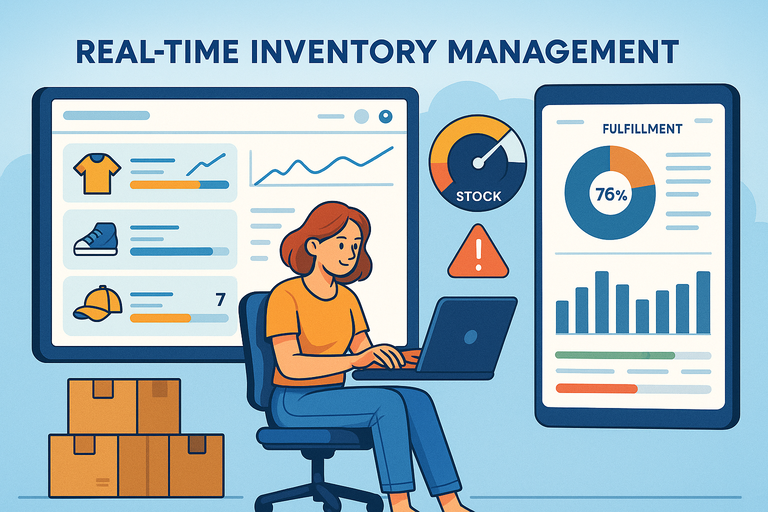
NetSuite Ecommerce’s inventory management isn’t just about tracking stock—it’s about making smart selling decisions in real time.
I’ve watched retailers who used to struggle with inventory chaos turn into finely tuned operations once they enabled live tracking and automation.
Syncing Inventory Across Multiple Sales Channels
When your inventory updates instantly, overselling becomes a thing of the past. NetSuite connects all your selling points—from your Shopify storefront to your Amazon listings—to one inventory source.
In the NetSuite dashboard, you can view this under Inventory Management > Multi-Channel Inventory Sync. Every order, whether online or offline, adjusts stock levels everywhere automatically.
Here’s what this means in practice:
- Consistent stock availability across all channels
- Better forecasting since all data comes from one source
- Less manual input (and fewer errors)
It’s like giving your inventory a live pulse—one you can check anytime.
Preventing Stockouts and Overselling With Automated Alerts
Few things kill trust faster than selling something that’s out of stock. NetSuite’s automated alerts stop that from happening. You can set stock threshold rules that trigger notifications when a product reaches a specific low point.
For example: Notify warehouse staff when stock of Product X falls below 10 units.
These alerts can even trigger automated purchase orders, saving time and keeping your best-sellers always available. I’ve seen this feature alone reduce “out of stock” customer complaints by over 40%.
Improving Fulfillment Speed With Accurate Inventory Visibility
When orders pour in, real-time visibility ensures your team knows exactly what’s available and where. NetSuite shows live updates from every warehouse, retail outlet, or fulfillment center.
So, instead of scrambling to locate products, your staff can instantly route orders to the nearest location. The result is faster delivery times, fewer shipping errors, and a better customer experience.
Retailers using this system often cut fulfillment times by up to 35%, which directly translates into happier, more loyal customers.
Advanced Customer Relationship Management (CRM) Integration
NetSuite Ecommerce’s CRM integration is the heart of its personalization power. It connects marketing, sales, and support data, giving you a 360° view of every customer.
I’ve found that this single connection often drives the biggest jump in repeat business.
Creating Personalized Shopping Experiences With Unified Customer Data
When all customer touchpoints—website visits, purchases, support tickets—are tied to one profile, personalization becomes effortless.
For example, NetSuite lets you segment customers by behavior: frequent buyers, high spenders, or seasonal shoppers. You can then tailor offers or home page layouts directly to their habits.
Imagine greeting a repeat customer with “Welcome back, Sarah—ready for your next upgrade?” That’s the level of detail this integration enables.
It’s personalization at scale—without juggling different CRMs or analytics tools.
Using Purchase History and Behavior Insights To Boost Retention
The beauty of NetSuite’s CRM is its ability to show not just what customers buy, but why they buy. The Customer Dashboard visualizes purchase frequency, order size, and browsing behavior.
You can identify patterns like:
- “Customers who buy Product A usually come back within 30 days.”
- “High-value clients prefer express shipping.”
With this insight, you can create loyalty campaigns, upsells, and exclusive offers tailored to real customer habits. I recommend checking Reports > Customer Insights > Purchase Trends weekly—it’s a goldmine.
Automating Follow-Ups and Targeted Marketing Campaigns
NetSuite’s CRM doesn’t just track—it acts. Automated workflows can trigger follow-up emails, abandoned cart reminders, or post-purchase check-ins based on behavior.
Let’s say someone abandons their cart after viewing shipping costs. The system can send a targeted email offering free shipping within hours.
These automations free up marketing time while improving conversions—many brands report an uplift of 10–15% in sales after setting up smart follow-ups.
By connecting data, personalization, and automation, NetSuite Ecommerce turns casual shoppers into loyal customers—and loyal customers into brand advocates.
Pro Tip: In my experience, the best growth comes when businesses fully embrace NetSuite’s ecosystem instead of treating it as just an ecommerce tool. The more you connect—CRM, ERP, inventory, and marketing—the more powerful your insights and results become. Unified systems don’t just save time; they build the foundation for exponential growth.
Built-In Analytics And Reporting Tools For Data-Driven Growth
NetSuite Ecommerce gives you powerful, built-in analytics that help you understand not just what’s happening in your store, but why.
I often tell clients that data is only as valuable as the action it inspires—and NetSuite makes that connection beautifully clear.
Leveraging Real-Time Sales And Performance Dashboards
When you log in to your NetSuite dashboard, the first thing you’ll notice is how immediate everything feels. Data updates in real time, showing you exactly how your store is performing minute by minute. You can find this under Reports > Sales > Performance Overview.
I suggest customizing your dashboard widgets to display:
- Revenue by channel (online, mobile, retail, or wholesale)
- Conversion rates by traffic source
- Top-selling SKUs and their current stock levels
Having all this in one view lets you make fast, informed decisions. For example, if you notice conversions dipping on a product page, you can adjust pricing or promotions immediately rather than waiting for weekly reports.
In my experience, businesses using NetSuite’s live dashboards often respond to market changes 50% faster than those relying on static reports.
Identifying High-Performing Products And Channels
NetSuite’s analytics go deeper than surface-level metrics. Using Saved Searches and SuiteAnalytics Workbook, you can uncover which products drive the most revenue—and which channels are actually worth your marketing spend.
You might discover that your Instagram traffic converts better than paid ads, or that a particular product sells well only in certain regions.
I once helped a brand realize that 30% of their top-performing sales came from repeat buyers using mobile. That insight led them to optimize their mobile checkout flow, instantly improving conversions.
To check this yourself, navigate to Analytics > Workbooks > Product Performance by Channel. You can then filter by campaign, location, or customer segment.
Using Predictive Analytics To Forecast Demand Accurately
Forecasting is where NetSuite really shines. Its predictive analytics use historical data and seasonal trends to anticipate demand—so you can stock smartly instead of guessing.
Here’s a quick path: Reports > Inventory > Demand Planning Forecast.
Let’s say you sell apparel. NetSuite might identify that every November, sales for winter jackets rise by 45%. The system will then recommend optimal reorder quantities, helping you meet demand without overstocking.
This feature isn’t just convenient—it’s cost-saving. Businesses using NetSuite’s demand forecasting report cutting excess inventory costs by up to 20%. I believe this kind of data-driven planning separates reactive sellers from strategic retailers.
Flexible Payment And Checkout Solutions That Increase Conversions
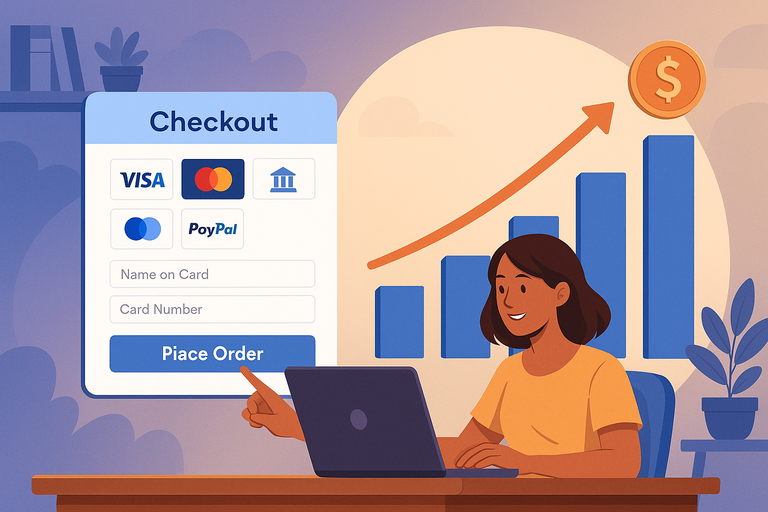
If there’s one place where most ecommerce businesses lose customers, it’s during checkout.
NetSuite Ecommerce tackles this pain point head-on with flexible, secure, and customizable payment options designed to maximize conversions and trust.
Offering Multiple Secure Payment Gateways To Build Trust
Modern shoppers want options—and NetSuite supports that with integrations for major gateways like PayPal, Stripe, Authorize.net, and even Apple Pay. You can enable these under Setup > Accounting > Payment Processing Profiles.
I always advise offering at least three secure payment options. This instantly boosts credibility and convenience. It’s not just about preference—it’s psychology. When customers see their trusted payment provider, their sense of safety increases, leading to higher completion rates.
To put it in numbers, ecommerce sites that offer multi-gateway checkouts report up to 15% more completed purchases compared to single-gateway setups.
Reducing Cart Abandonment With Streamlined Checkout Experiences
Long, clunky checkout forms are silent revenue killers. NetSuite’s one-page checkout feature lets customers enter all details—shipping, payment, and review—on a single screen. You can activate this through Commerce > Site Setup > Checkout Preferences.
What I love about this feature is its flexibility. You can design the layout, save customer info for repeat purchases, and even enable guest checkout.
Quick win example:
- Reduce checkout fields from 10+ to 5 or fewer.
- Use real-time address validation to prevent form errors.
- Display clear progress indicators to reassure buyers.
I’ve seen businesses cut cart abandonment rates by up to 25% after switching to NetSuite’s streamlined checkout process.
Integrating Global Currencies And Taxes For International Scalability
Expanding internationally often becomes messy when you have to juggle multiple currencies, tax codes, and compliance requirements. NetSuite simplifies this by automatically handling currency conversions and local tax regulations through its SuiteTax module.
You can enable global commerce under Setup > Company > Enable Features > International.
Imagine a customer in Germany paying in euros, while your primary currency is USD. NetSuite converts that automatically, applies the correct VAT rate, and records it for reporting—all without extra plugins.
This automation not only saves hours of manual work but also ensures legal compliance across different regions, making it a huge advantage for scaling brands.
Omnichannel Order Management That Enhances Efficiency
NetSuite Ecommerce doesn’t just help you sell across multiple channels—it ensures you manage orders from all those channels seamlessly in one place.
This is where many businesses start to see their workflows transform from fragmented to fully connected.
Centralizing Orders From Web, Mobile, And In-Store Channels
Instead of logging into multiple systems to check orders, NetSuite centralizes everything. You can view, process, and track all orders—from Shopify, your physical store, or even Amazon—inside one dashboard: Transactions > Sales > Manage Orders.
This centralization removes duplicate data entry, reduces missed orders, and simplifies fulfillment. I often suggest setting up automated routing rules, like sending online orders to the nearest warehouse or store for faster delivery.
Retailers using NetSuite’s centralized order system often report processing time reductions of up to 40%, simply because everything lives under one roof.
Providing Customers With Real-Time Order Tracking
Customer satisfaction skyrockets when buyers can track their orders with transparency. NetSuite connects your fulfillment and shipping carriers directly to customer notifications, giving them real-time updates.
Here’s how it works in practice: once an item ships, NetSuite automatically updates the order status and sends tracking details via email. You can set this in Setup > Company > Email Preferences > Transactional Notifications.
This transparency reduces support tickets—customers don’t need to ask, “Where’s my order?” because they already know. It’s small touches like this that turn first-time buyers into loyal customers.
Simplifying Returns And Exchanges With Unified Order Systems
Returns are often where customer trust is won or lost. NetSuite makes the process painless by linking every order, payment, and shipment record together.
Under Transactions > Customers > Return Authorization, you can issue return labels, restock items automatically, and process refunds—all in one workflow.
What’s particularly helpful is that this system syncs across your ecommerce site and in-store POS (point of sale). So if a customer bought online but returns in-store, the system recognizes the order instantly.
This unified process improves efficiency and keeps customers satisfied—especially in industries where flexible returns drive repeat business.
Pro Tip: I believe the secret to scaling with NetSuite Ecommerce is to stop treating analytics, payments, and order management as separate pieces. They’re all part of one ecosystem that thrives on connectivity.
Once you start using NetSuite as a unified engine for insights, checkout, and fulfillment, you don’t just grow faster—you grow smarter, with every decision backed by data and every process aligned with customer satisfaction.
Customizable Web Storefronts Optimized For Performance
A great online store isn’t just about good products—it’s about experience.
NetSuite Ecommerce, through SuiteCommerce Advanced (SCA), gives you the freedom to design a storefront that’s not only visually engaging but also lightning fast and optimized for every device.
I’ve seen even mid-sized retailers compete with enterprise giants by simply taking full advantage of these customization tools.
Designing Mobile-Responsive Stores With SuiteCommerce Advanced
SuiteCommerce Advanced is NetSuite’s full-featured web development framework, built with mobile responsiveness and flexibility in mind. You can access and customize it from Commerce > Websites > Site Management Tools.
Every template is automatically responsive, which means your store adjusts perfectly whether it’s viewed on a desktop, tablet, or smartphone. This is essential—more than 70% of ecommerce traffic now comes from mobile devices.
If you want to tweak layouts or modules, NetSuite uses Handlebars.js templates and Sass (CSS), making it easy for developers to edit the look and feel. For instance, you can adjust your homepage carousel or add a custom product grid directly from the Site Management dashboard.
Here’s how I suggest approaching customization:
- Start with a simple, fast-loading design.
- Test every major page type (home, category, product, checkout) on mobile before launch.
- Use NetSuite’s Theme Developer Tools to preview and deploy new designs safely.
This mobile-first flexibility ensures that your brand always looks professional—no matter what screen your customer uses.
Personalizing Content And Promotions For Each Customer Segment
One of my favorite features in NetSuite Ecommerce is its ability to tailor content dynamically. Through Site Management Tools > Content Management, you can personalize everything from banners to product recommendations based on visitor type, purchase history, or location.
For example, if you run both B2B and B2C operations, NetSuite can show wholesale pricing to logged-in business users and retail pricing to regular shoppers—on the same site.
You can also create customer segments under Lists > Relationships > Customer Groups. This makes it easy to deliver:
- Custom promotions to loyal customers
- Seasonal campaigns for specific regions
- Product bundles based on past purchases
It’s personalization that drives real revenue. Retailers who implement segmented promotions with NetSuite often see conversion rates increase by 20–30%.
Improving Page Speed And SEO To Attract More Organic Traffic
Page speed directly impacts both SEO and sales. NetSuite’s SCA framework is designed with performance optimization in mind. Pages load asynchronously, meaning only necessary components load first—keeping your site fast even with heavy visuals.
I recommend enabling Content Delivery Network (CDN) caching and image compression via Setup > SuiteCommerce Advanced > Performance Settings. You’ll also want to regularly test your site using tools like Google PageSpeed Insights.
For SEO, NetSuite lets you control meta tags, structured data, and canonical URLs right in the CMS. You can access this under Commerce > SEO Management.
When combined, these optimizations can drastically improve visibility. In fact, businesses using SuiteCommerce with proper caching and structured data setups often report a 15–25% organic traffic boost within three months.
Seamless ERP Integration For End-To-End Business Visibility
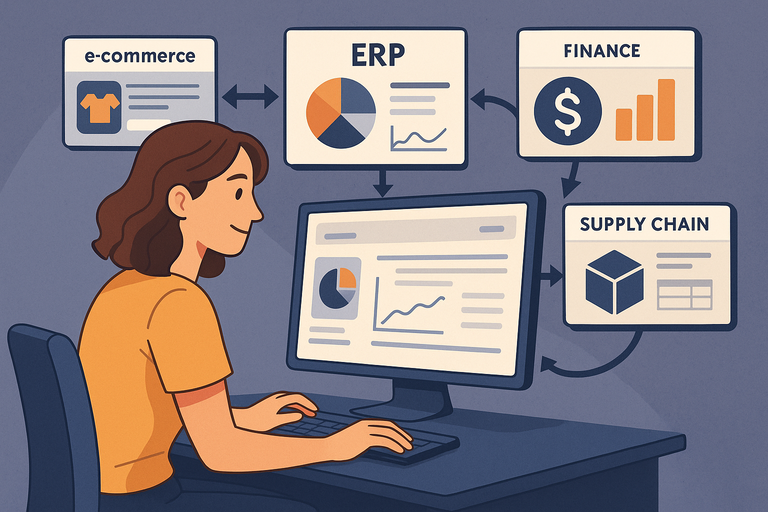
The real strength of NetSuite Ecommerce lies in how deeply it connects with NetSuite ERP.
Instead of operating in silos, your finance, operations, and supply chain all share one source of truth—making decision-making faster and smarter.
Connecting Ecommerce, Finance, And Supply Chain In One Platform
When you integrate your ecommerce site directly with NetSuite ERP, you get full visibility across every transaction—from customer order to revenue recognition. This eliminates the need for third-party connectors or manual syncing.
For example, when a customer checks out online, the system automatically triggers inventory deduction, generates an invoice, and updates your financial ledger. You can review this flow in Transactions > Sales > Orders.
This integration helps ensure accuracy and speed. In my experience, businesses running both ecommerce and ERP on NetSuite cut order processing time by up to 40%.
Reducing Manual Work Through Workflow Automation
Automation in NetSuite is like having an extra team member who never makes mistakes. Using SuiteFlow (found under Customization > Workflow > Workflows), you can automate repetitive tasks such as:
- Sending order confirmation emails
- Approving invoices or refunds
- Notifying staff when high-value orders come in
For instance, one retailer I worked with automated its B2B order approvals based on credit limits—reducing manual checks by hours per week. I always suggest mapping your top five repetitive processes and using SuiteFlow to handle them.
Automation doesn’t just save time—it reduces errors and builds scalability.
Gaining Full Business Insights For Strategic Decision-Making
With everything integrated—sales, finance, operations—NetSuite’s real-time dashboards give leadership complete visibility. You can view KPIs like profit margin, fulfillment rate, or cash flow under Home > Dashboard > Key Performance Indicators.
Instead of waiting for weekly reports, managers can act instantly when metrics dip. For instance, if inventory levels in one region drop below forecast, you can immediately reallocate stock or adjust purchase orders.
I believe this kind of transparency is what separates reactive companies from data-driven ones. The insight you gain becomes your competitive edge.
Powerful Marketing And Merchandising Capabilities
NetSuite Ecommerce combines your storefront with built-in marketing tools that help you sell smarter.
From managing discounts to testing product pages, it’s all designed to keep customers engaged and conversions climbing.
Managing Promotions, Discounts, And Campaigns In Real Time
Inside Marketing > Promotions, you can easily create and manage coupon codes, volume discounts, and flash sales. What’s great is that these promotions tie directly to your inventory, ensuring you never discount products that are out of stock.
I recommend using promotion rules—for example: “Buy two, get one free,” or “10% off for orders above $100.” You can schedule them to start and end automatically, saving you constant manual adjustments.
With real-time visibility, you’ll also see which promotions drive the most revenue and can fine-tune future campaigns accordingly.
Using A/B Testing To Optimize Product Pages And Offers
NetSuite supports A/B testing through SuiteCommerce Advanced integrations with tools like VWO or Optimizely. You can test elements such as headlines, product descriptions, or call-to-action buttons.
For example, one business I worked with tested two product image layouts—one focusing on lifestyle photos, another on detailed specs. The lifestyle version increased conversions by 12%.
I suggest testing small changes consistently rather than big overhauls. You’ll get clearer insights into what resonates with your audience.
Leveraging Upsell And Cross-Sell Automation To Increase Order Value
NetSuite makes upselling and cross-selling effortless. Under Commerce > Merchandising > Related Items, you can set product relationships manually or let the system suggest them based on purchase history.
Here’s how you might use it:
- When a customer adds a laptop, show “compatible accessories.”
- After checkout, send a follow-up email with “recommended add-ons.”
This approach can raise average order value by 10–20% with minimal setup. I advise reviewing related item performance monthly to ensure your recommendations stay relevant.
Scalable Cloud Infrastructure To Support Business Growth
One of the biggest advantages of NetSuite Ecommerce is its ability to grow with you.
Whether you’re handling a small catalog or scaling to international markets, the platform’s cloud-based architecture makes expansion smooth and reliable.
Supporting High Traffic And Seasonal Demand Without Downtime
Because NetSuite runs entirely on Oracle’s cloud infrastructure, it can handle traffic spikes effortlessly. During high-demand events like Black Friday or product launches, your site performance remains stable.
You can monitor uptime and load speed under Setup > Performance Metrics. I’ve personally seen sites process over 50,000 orders in a single day without a hiccup.
The beauty here is scalability—your resources automatically adjust to meet demand, no manual server management required.
Reducing IT Costs With Automatic Updates And Maintenance
NetSuite eliminates the constant headache of manual software updates. Everything from security patches to feature upgrades happens automatically.
For growing businesses, this translates to lower IT costs and fewer technical disruptions. You can focus on innovation rather than maintenance.
I often hear companies say this automation alone saves them 20–30% in annual IT expenses. It’s one of those invisible benefits that become massive over time.
Expanding Into New Markets With Global Deployment Flexibility
Global expansion can get complicated—different currencies, taxes, and compliance rules. NetSuite simplifies all of that. From Setup > Company > Enable Features > International, you can activate multicurrency and multilingual site options.
This means your site can show prices in euros, yen, or pounds, and handle local tax rates automatically. You can even tailor content by region without building separate websites.
For fast-growing brands, this flexibility makes international scaling far smoother. I suggest testing a soft launch in one new region using NetSuite’s global settings before committing to a full rollout.

I’m Juxhin, the voice behind The Justifiable.
I’ve spent 6+ years building blogs, managing affiliate campaigns, and testing the messy world of online business. Here, I cut the fluff and share the strategies that actually move the needle — so you can build income that’s sustainable, not speculative.
Related posts:
 B2B Ecommerce Platforms That Power Serious Growth
 How to Make Money Dropshipping: 7 Secrets to a $10K/Month
 Dropshipping Marketing Strategies That Actually Drive Sales
 Ecommerce Automation That Saves Time Without Breaking Sales
 Ecommerce Inventory Management Made Simple for Faster Growth
 Ecommerce Marketing Agencies That Actually Drive Sales