
Table of Contents
Some links on The Justifiable are affiliate links, meaning we may earn a small commission at no extra cost to you. Read full disclaimer.
B2B ecommerce platforms have transformed how companies buy, sell, and scale online—but not all platforms deliver the kind of growth serious businesses need.
Choosing the right one can make the difference between managing transactions and building an engine for long-term revenue expansion.
So, which B2B ecommerce platforms actually power serious growth—and what features make them stand out from the rest? Let’s break it down.
1. Shopify Plus: Scalable B2B Ecommerce for Modern Enterprises

Shopify Plus is one of the most popular B2B ecommerce platforms for enterprises that want to move fast without losing flexibility.
I’ve seen large brands use it to simplify complex selling structures and scale globally—without needing a massive internal dev team.
Customizable Infrastructure Built for High-Volume Brands
Shopify Plus gives you the backbone you need to handle massive order volumes while keeping your site performance stable. It’s cloud-hosted, so you don’t need to worry about traffic surges during product drops or seasonal spikes.
Example: A company selling industrial tools might use Shopify Flow to auto-tag bulk buyers, apply tax-exempt rules, or route high-value orders to special reps. This kind of automation saves hours each week.
You can easily customize storefronts using Shopify’s Liquid (its template language) or headless architecture with Storefront API—so your front-end design stays unique while your backend remains efficient.
Pro tip: Use the Launchpad tool to schedule large product releases or B2B campaigns ahead of time. You can automate price changes, theme updates, and promotions without manual interference.
Advanced Automation for Streamlined B2B Operations
Shopify Plus isn’t just about selling—it’s about freeing your team from repetitive work. With Shopify Flow, you can build “if-this-then-that” style workflows that automate complex B2B processes.
For instance:
- Auto-approve corporate customer accounts once they submit a valid tax ID.
- Notify sales teams when a VIP client places a bulk order.
- Send a reorder reminder email if a client hasn’t purchased in 30 days.
This helps reduce friction across the B2B buying cycle. I recommend mapping your manual steps before setting up Flow automations—it helps identify which tasks can genuinely be automated.
Integration Capabilities That Support Complex Business Models
Where Shopify Plus shines is in integration. It connects smoothly with ERP systems like NetSuite, CRMs like HubSpot, and PIM (Product Information Management) tools.
You can integrate through:
- Shopify’s REST or GraphQL API
- Middleware like Zapier or Mulesoft
- Custom apps built using the Shopify App Bridge
These options let you manage customer-specific pricing, bulk ordering, and regional fulfillment through one central dashboard.
Real-World Pricing Flexibility and Tiered Catalog Management
Shopify Plus supports custom price lists and wholesale channels. This means your wholesale buyers see their own pricing, tax settings, and catalogs.
You can manage:
- Tiered pricing (e.g., gold vs. silver distributors)
- Quantity breaks for bulk discounts
- Net terms and invoicing with apps like Handshake or Wholesale Club
From what I’ve seen, this flexibility makes Shopify Plus a favorite for manufacturers and suppliers transitioning from traditional wholesale models to digital-first sales.
2. Magento Commerce: Powerful Flexibility for Complex B2B Needs

Magento Commerce (now Adobe Commerce) is a powerhouse for businesses that need full control and deep customization.
It’s not plug-and-play like Shopify Plus—but if you’ve got an in-house IT team or agency partner, it can be molded into almost anything.
Open-Source Architecture That Enables Deep Customization
Magento’s open-source foundation means developers can modify nearly every layer of your store. You can adjust checkout flows, catalog rules, and even database logic.
For example, a construction supplier could create a dynamic ordering portal that only displays products relevant to each client’s project region.
The admin UI path for customization: Admin > Stores > Configuration > Advanced > Developer gives direct access to tweak features at a granular level.
This kind of flexibility makes Magento ideal for enterprises with complex workflows or unique business rules that don’t fit “out of the box.”
Robust B2B Features Like Quote Management and Reorder Functionality
Magento Commerce includes native B2B tools that make bulk purchasing seamless:
- Quote management: Buyers can request custom quotes and negotiate pricing before checkout.
- Requisition lists: Frequent customers can reorder past products in seconds.
- Quick order forms: Enter SKUs directly or upload CSV files for faster purchasing.
I’ve seen B2B teams cut manual order processing time by 30% simply by using Magento’s built-in quote workflows instead of relying on email threads.
Seamless Multi-Store and Multi-Language Capabilities
One of Magento’s biggest strengths is its multi-store feature. You can manage several storefronts—different brands, currencies, or languages—from one admin dashboard.
This is especially useful for enterprises selling in different markets. For instance, a European electronics wholesaler might have separate stores for Germany, France, and Spain, all feeding into one inventory system.
Magento’s Store Hierarchy allows global configuration at the “Website” level while enabling local customization at the “Store View” level.
Scalability That Grows With Your Enterprise
Magento Commerce runs on Adobe’s cloud infrastructure, designed for elasticity. It can handle thousands of concurrent transactions while maintaining page load performance.
You can start small and scale up to millions in sales without replatforming. This is ideal for fast-growing enterprises who plan to expand internationally or launch new product lines frequently.
3. BigCommerce B2B Edition: Built for Speed and Scalability
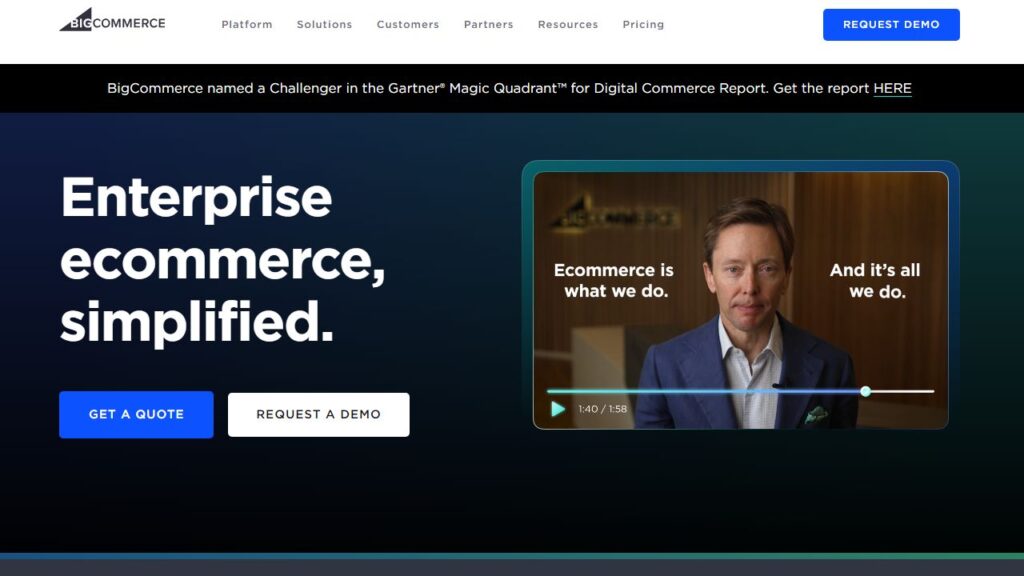
BigCommerce B2B Edition is one of the most balanced B2B ecommerce platforms out there—fast, API-friendly, and built for companies that want performance without sacrificing flexibility.
API-Driven Flexibility for Modern B2B Integrations
BigCommerce is an API-first platform, meaning nearly every function—from product creation to customer management—can be handled programmatically.
For developers, that means you can easily connect ERP, PIM, and CRM tools using REST APIs or GraphQL. In practice, I’ve seen companies link Salesforce CRM and Acumatica ERP seamlessly, syncing data both ways in real time.
UI path example: To generate API keys, go to Advanced Settings > API Accounts > Create API Account.
This flexibility makes it ideal for B2B businesses with evolving tech stacks or custom workflows.
Headless Commerce Options for Omnichannel Control
Headless commerce separates your front-end experience (what buyers see) from your back-end (where data lives). BigCommerce supports this natively.
You can use frameworks like Next.js or React to build lightning-fast front ends, while BigCommerce handles checkout, catalogs, and inventory in the background.
It’s perfect for enterprises wanting full creative control while maintaining centralized data management.
Streamlined Account Management for Large Buyer Networks
BigCommerce’s Customer Groups and Price Lists let you manage complex buyer hierarchies easily. You can assign pricing tiers, discounts, and access rules to specific business accounts.
Features include:
- Shared company accounts with multiple buyer roles
- Saved payment methods and purchase orders
- Custom catalogs per customer segment
From what I’ve seen, this structure helps distributors and wholesalers manage hundreds of B2B clients with minimal admin overhead.
Built-In Tools for SEO and Conversion Optimization
BigCommerce is well-known for its SEO-friendly structure. It automatically generates clean URLs, supports schema markup, and integrates with Google Merchant Center.
You can also use built-in tools like:
- Faceted search to improve product discovery
- Page Builder for fast, drag-and-drop landing pages
- Abandoned cart recovery emails that convert more repeat buyers
According to BuiltWith, BigCommerce stores have a 30% higher average page load speed compared to many other enterprise platforms—a small advantage that often translates into measurable sales growth.
4. Salesforce Agentforce Commerce: Data-Driven B2B Growth Engine

Salesforce Agentforce Commerce is one of those B2B ecommerce platforms that goes far beyond transactions. It’s designed for data-driven enterprises that want to unify their sales, service, and marketing into a single ecosystem.
I’ve noticed that teams using Salesforce tend to move faster because they can see their customers as one continuous relationship, not a series of disconnected purchases.
Unified Customer View Across Sales, Service, and Marketing
What makes Salesforce stand out is how it connects every customer interaction into one unified view. Using Salesforce Customer 360, you can see a client’s entire journey—from the first email open to their last reorder—inside a single dashboard.
Here’s how it plays out in real life: a wholesale distributor’s sales rep sees that a client opened a marketing email about a new product, visited the product page twice, and contacted support about pricing. The rep can then offer a personalized quote immediately, all within the same interface.
UI path example: In the Salesforce Agentforce Commerce console, go to Customer > Overview > Unified Profile to access a complete customer timeline.
This unified approach reduces data silos and improves responsiveness across teams. I suggest setting up automated syncs between Commerce, Sales Cloud, and Agentforce to keep all updates flowing in real time.
AI-Powered Personalization That Enhances Buyer Journeys
Salesforce’s AI tool, Einstein, is where the magic really happens. Einstein uses machine learning to predict what a buyer might want next, recommend products, and even personalize pricing.
- Personalized recommendations: Suggest products based on browsing behavior.
- Dynamic pricing: Adjust quotes automatically based on account value or purchase frequency.
- Predictive insights: Identify which leads are most likely to convert.
I’ve seen this feature increase upsell rates by as much as 25% for B2B clients who sell across multiple regions. It’s like having a data scientist baked right into your ecommerce engine.
Cloud-Native Scalability for Global Enterprise Expansion
Salesforce Agentforce Commerce runs entirely on the cloud, which means scalability isn’t an afterthought—it’s native. Whether you’re adding new markets, brands, or languages, the system adjusts automatically.
Global enterprises can deploy regional storefronts while maintaining shared product and customer data. For example, a European machinery manufacturer could launch a new Asia-Pacific storefront using the same backend infrastructure with localized pricing and currency.
The platform also handles large transaction volumes seamlessly, which is crucial for enterprises with multiple distribution centers or seasonal order spikes.
Deep Analytics for Predictive and Strategic Growth Decisions
Salesforce excels at turning data into actionable insights. Through Salesforce Tableau and Einstein Analytics, you can visualize performance trends, forecast demand, and identify your most profitable buyer segments.
Example metric to track: customer lifetime value (CLV) segmented by industry or region. You can spot which sectors are buying repeatedly and optimize marketing spend accordingly.
I recommend setting up automated reports that combine sales, marketing, and service metrics. This way, leadership can make decisions based on live data rather than quarterly snapshots.
5. SAP Commerce Cloud: Enterprise-Grade Platform for Complex B2B Ecosystems

SAP Commerce Cloud (formerly Hybris) is the heavyweight of B2B ecommerce platforms. It’s built for enterprises dealing with multi-layered product catalogs, global operations, and deep integration needs.
If your company already uses SAP ERP or S/4HANA, this platform fits like a glove.
Centralized Product and Catalog Management Across Channels
SAP Commerce Cloud’s Product Content Management (PCM) system allows you to control product data from one hub. You can push updates to multiple channels—web, mobile, or partner portals—without duplication.
A good example is an automotive parts supplier managing 20,000 SKUs. Instead of updating each regional store separately, they make one change in PCM, and it syncs everywhere.
UI path example: Navigate to Backoffice > Product Cockpit > Catalog Management to manage centralized product data.
This feature keeps catalogs consistent, especially for complex distributors with hundreds of localized versions.
Custom Pricing and Contract Support for Enterprise Buyers
B2B commerce often depends on negotiated pricing and long-term contracts. SAP handles this elegantly through Price Calculation Services and Contract Management.
- Custom price lists: Each buyer or group can see negotiated pricing.
- Contract terms: Automatically enforce discounts, rebates, or purchase thresholds.
- Tiered purchasing: Offer dynamic pricing based on volume or region.
I’ve seen manufacturers save thousands of admin hours per year by automating contract renewals and price adjustments through these modules.
Integration With ERP and Supply Chain Systems
This is where SAP shines—it integrates natively with SAP ERP and supply chain modules. Inventory, logistics, and financial data sync automatically, ensuring that what customers see online reflects real availability and accurate delivery timelines.
Example integration path: SAP Commerce Backoffice > Integration APIs > Connect to SAP ERP via SAP Cloud Connector.
This tight coupling between ecommerce and back-office operations helps prevent overselling, automates order fulfillment, and improves forecasting accuracy.
Enhanced Security and Governance for Large-Scale Operations
SAP Commerce Cloud is built for global compliance. It supports GDPR, role-based access control, and enterprise-grade encryption.
You can define granular user permissions—down to specific catalog sections or pricing tiers—which is critical when managing multiple subsidiaries.
I recommend enabling SAP Identity Authentication Service (IAS) to handle secure SSO (Single Sign-On) across your organization. It’s a small setup step that saves a lot of IT headaches later.
6. OroCommerce: Designed Exclusively for B2B Transactions

OroCommerce is unique—it’s one of the few B2B ecommerce platforms built entirely around business-to-business needs, not retrofitted from B2C systems.
Created by the same team behind Magento, it focuses on flexibility, access control, and CRM integration.
Built-In B2B Features for Manufacturers and Distributors
OroCommerce comes with wholesale-specific tools right out of the box: quote management, custom catalogs, tiered pricing, and multi-organization support.
For example, a manufacturing firm can allow resellers to log in, view distributor-specific prices, and request quotes directly from their portal.
UI path example: Admin > Customers > Price Lists lets you create unique pricing for each customer segment.
What I like most is that these B2B functions aren’t extensions—they’re core to the platform. That means fewer compatibility issues and smoother performance.
Advanced Access Controls and Customer Segmentation
In B2B commerce, not all buyers are equal—and OroCommerce handles that perfectly. You can create detailed roles and permissions for different users under the same corporate account.
Example setup:
- Buyer A: Can view prices and place orders.
- Manager B: Can approve quotes and manage payments.
- Admin C: Can edit users and assign permissions.
This structure helps companies enforce approval workflows and maintain control over purchasing processes without micromanaging.
Flexible Multi-Organization Support for Complex Structures
OroCommerce’s multi-org functionality is ideal for enterprises managing multiple brands or divisions. You can host several stores with independent settings, catalogs, and teams—all under one platform.
It’s perfect for manufacturers who serve both B2C and B2B audiences, or distributors operating in multiple regions.
Each organization can have unique workflows, currencies, and tax settings, which reduces operational friction across global teams.
Seamless CRM Integration for Relationship-Driven Selling
OroCommerce integrates natively with OroCRM, offering a full view of customer relationships. This allows sales and service teams to collaborate seamlessly within one ecosystem.
You can track order history, communication logs, and customer behavior from the same dashboard. This is especially powerful in industries like wholesale, where long-term relationships drive repeat sales.
Example UI path: Dashboard > CRM > Opportunities displays real-time lead activity and deal status.
I recommend setting up automated lead scoring to identify high-value customers based on their engagement and order volume. It helps your team focus on the relationships that truly drive revenue.
7. WooCommerce B2B: Cost-Effective Flexibility for Growing Businesses

WooCommerce B2B is one of the most budget-friendly B2B ecommerce platforms out there. It’s built on WordPress, which means you can start small, test ideas fast, and scale as you go.
I often recommend it to small and mid-sized businesses that want to enter the B2B space without the heavy upfront costs of enterprise platforms.
B2B Extensions That Add Wholesale and Custom Pricing Features
WooCommerce by itself is B2C-focused, but it becomes a B2B powerhouse with extensions. You can add wholesale functionality, dynamic pricing, and even role-based catalogs through simple plugins.
Some popular ones include:
- Wholesale Suite: Lets you create tiered pricing and minimum order quantities.
- B2BKing: Adds customer groups, quote requests, tax exemptions, and purchase lists.
- Dynamic Pricing & Discounts: Automates discounts based on order volume or customer role.
Example setup: Go to WooCommerce > Settings > B2BKing > Price Rules to define pricing tiers per customer group.
I believe these extensions give WooCommerce an edge because you can pick and combine exactly what your business needs—no bloat, no unnecessary costs.
Ease of Use With WordPress Integration
If you already use WordPress, WooCommerce feels natural. The interface is intuitive, and the setup is quick. You can launch a functional B2B store within days, not weeks.
I’ve seen teams without technical backgrounds manage everything—inventory updates, pricing changes, and content marketing—from one dashboard. That simplicity makes WooCommerce a solid entry point for first-time B2B sellers.
Plus, with plugins like Elementor or Divi, you can design custom product pages visually, without touching a line of code.
Ideal for SMBs Transitioning Into B2B Ecommerce
WooCommerce B2B shines for small-to-medium businesses (SMBs) that want to test digital sales before committing to a larger investment. It’s open-source, flexible, and integrates with CRMs and ERPs through REST APIs or middleware like Zapier.
Real example: A local food distributor used WooCommerce B2B to allow restaurants to log in, see wholesale pricing, and reorder supplies in bulk. They later integrated inventory with QuickBooks using Zapier—no developers needed.
That’s the beauty of it: scalability without complexity.
Open-Source Adaptability for Niche Market Requirements
Because WooCommerce is open-source, you can customize anything—from checkout flows to API connections. Developers can extend its functionality using hooks and filters to meet niche B2B needs.
For example, a manufacturer selling custom metal parts could add a “Request a Quote” button beside each product, linked to a workflow that emails the sales team directly.
You control your data, hosting, and design—which is rare at this price point. I’d say that makes WooCommerce one of the most flexible B2B ecommerce platforms for niche markets.
8. NetSuite SuiteCommerce: ERP-Integrated B2B Commerce Platform

NetSuite SuiteCommerce stands out because it combines ecommerce, ERP, and CRM into a single platform.
If you’re already running your business on NetSuite, adding ecommerce is seamless—it’s literally part of the same ecosystem.
Unified Back-End and Front-End Operations
What makes SuiteCommerce so efficient is its one-system architecture. Your ecommerce front end, order management, inventory, and accounting all live inside the same platform.
That means when a customer places an order, stock levels, billing, and shipping updates happen instantly—no third-party syncs required.
UI path example: Commerce > Configuration > Website Setup gives direct access to manage front-end features while tying into ERP modules.
This unification reduces data duplication and manual errors. I’ve seen businesses save hundreds of admin hours per quarter thanks to this built-in efficiency.
Intelligent Inventory and Supply Chain Synchronization
SuiteCommerce automates inventory and supply chain processes, making it easy to maintain accurate stock levels across warehouses and channels.
You can:
- Set automated reorder points for each SKU.
- Allocate inventory dynamically based on order priority.
- View stock and demand trends in real time.
For companies with multiple distribution centers, this visibility is crucial—it prevents overselling and improves delivery accuracy.
Personalized Buyer Portals and Self-Service Tools
SuiteCommerce’s Customer Center gives B2B buyers self-service access to their accounts, invoices, and order history. They can reorder products, download statements, or even track shipments—all without contacting your team.
I’ve found that this autonomy boosts buyer satisfaction while reducing support requests. It’s especially effective for high-volume distributors with repeat clients.
You can customize the buyer portal layout under Commerce > Site Management Tools > Themes.
Real-Time Data Visibility for Smarter Decision-Making
Because SuiteCommerce is fully integrated with NetSuite’s analytics engine, you get real-time visibility into performance metrics.
You can track revenue, profit margins, and customer lifetime value directly from your dashboard. The SuiteAnalytics Workbook feature allows you to build custom reports visually, combining ecommerce and financial data.
I recommend creating dashboards that show sales by channel, top customers, and inventory turnover. It’s an easy way to make smarter, faster business decisions.
Expert Tip: How to Choose the Right B2B Ecommerce Platform
Picking the right B2B ecommerce platform isn’t just about features—it’s about fit. I’ve seen companies struggle because they focused on cost or aesthetics instead of strategy. Here’s how to make a smarter choice.
Define Core Business Needs Before Comparing Platforms
Start by mapping your internal processes—sales workflows, order management, pricing structures, and integrations. This helps you see what truly matters.
Ask: Do we need deep ERP integration, or are we prioritizing front-end experience? The answer will narrow your platform options fast.
Prioritize Scalability and Integration Over Initial Cost
It’s tempting to pick the cheapest option, but I suggest thinking long-term. If your business will double in two years, choose a platform that can scale without replatforming.
Look for platforms with:
- API-first architecture.
- Proven ERP or CRM integrations.
- Multi-channel support (web, mobile, marketplace).
Evaluate Long-Term Vendor Support and Ecosystem Strength
Vendor stability matters more than most people realize. Check how active the platform’s community is, how often it updates, and whether it has certified partners in your region.
For example, Adobe and Salesforce offer robust partner ecosystems, while WooCommerce thrives through open-source developer communities.
Test User Experience From Both Buyer and Seller Perspectives
Before committing, run a pilot. Ask real customers and your internal teams to test workflows—product search, pricing visibility, and checkout.
From experience, platforms that balance buyer simplicity with backend control (like BigCommerce or Shopify Plus) tend to drive faster adoption.

I’m Juxhin, the voice behind The Justifiable.
I’ve spent 6+ years building blogs, managing affiliate campaigns, and testing the messy world of online business. Here, I cut the fluff and share the strategies that actually move the needle — so you can build income that’s sustainable, not speculative.
Related posts:
 How a Skilled B2B eCommerce Developer Adds Value
 B2B E Commerce Guide: How to Build and Scale Fast
 NetSuite Ecommerce Features That Drive Serious Growth
 B2B Ecommerce Guide: How to Sell Smarter Online
 How to Make Money Dropshipping: 7 Secrets to a $10K/Month
 What Is Headless Commerce and Why Does It Matter?