
Table of Contents
Some links on The Justifiable are affiliate links, meaning we may earn a small commission at no extra cost to you. Read full disclaimer.
When I first started exploring eCommerce, I quickly realized that choosing the best platform to sell online can make or break your growth. Some platforms look appealing but bury you in fees; others promise reach but limit your brand control.
If you want to grow fast and keep your profit margins healthy, the key lies in picking a platform that balances visibility, affordability, and scalability.
In this guide, we’ll break down the top options—comparing features, fees, and long-term growth potential—to help you choose the perfect fit for your online business.
Shopify – Best Platform to Sell Online for Fast Scaling
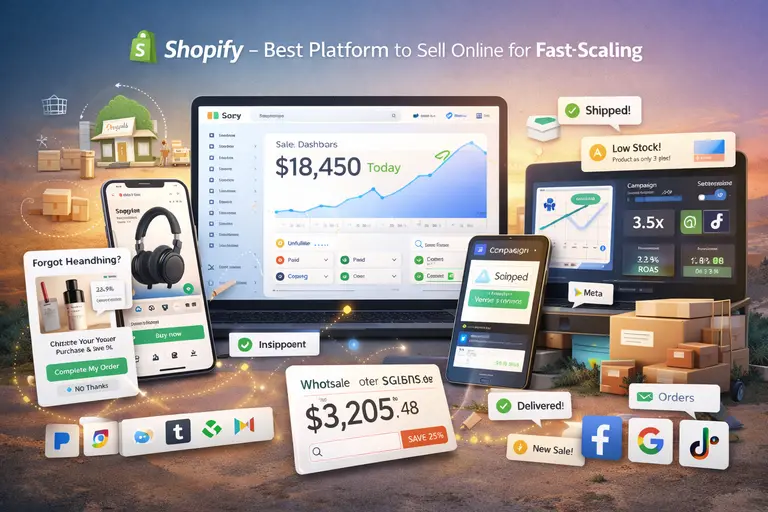
If you’re serious about growing your online store quickly, Shopify is one of the best platforms to sell online.
It’s built for entrepreneurs who want speed, simplicity, and scalability without needing to be tech-savvy.
Why Shopify Is Ideal for Fast-Growing Online Stores
Shopify’s biggest strength is how quickly you can go from idea to income. Within hours, you can set up a store, add products, connect payments, and start selling.
- Fast setup: Shopify handles hosting, security, and updates, so you can focus on sales, not tech headaches.
- Scalable infrastructure: Whether you sell 10 or 10,000 products, the platform can handle it.
- App ecosystem: With over 8,000 apps, you can automate inventory, manage ads, and improve conversions without coding.
In my experience, what sets Shopify apart is its ability to grow with you. You can start with a small starter plan, then expand into advanced features as sales climb — no migration stress or downtime.
Key Features That Drive Shopify’s Growth Potential
Shopify’s growth engine lies in its built-in optimization tools and integrations that reduce friction and increase sales.
- Integrated checkout: Shopify’s one-page checkout boosts conversions — up to 15% higher than industry averages, according to Shopify data.
- Mobile-first design: Every theme is responsive, which matters since over 70% of eCommerce traffic now comes from mobile.
- Omnichannel selling: You can sell directly on Facebook, Instagram, and TikTok using Shopify’s social integrations.
- Abandoned cart recovery: Automated emails help recover lost sales — a small feature that often adds 10–20% more revenue.
These features mean you can focus on marketing and brand growth, while Shopify takes care of the heavy lifting behind the scenes.
Shopify Fees and How to Minimize Them
Shopify’s pricing starts at around $39/month for the Basic plan, with transaction fees of 2.9% + 30¢ per sale if you use external payment gateways.
Here’s how to keep your costs lower:
- Use Shopify Payments: This eliminates extra transaction fees and simplifies accounting.
- Bundle apps: Instead of paying for multiple third-party apps, choose all-in-one tools like Vitals or Booster Apps.
- Start lean: Begin with essential features, then upgrade plans only when sales volume justifies it.
From what I’ve seen, sellers who monitor their app usage and payment methods can cut costs by 20–30% while still scaling fast.
Pros and Cons for Entrepreneurs Focused on Rapid Expansion
Pros:
- Lightning-fast setup and hosting
- Highly scalable with enterprise-ready infrastructure
- Large app marketplace and community support
Cons:
- Can become pricey as you add premium apps
- Limited design flexibility compared to open-source options
- Some dependency on Shopify Payments for lower fees
If your goal is rapid scaling without getting bogged down in code or server issues, Shopify is one of the smartest long-term bets.
Wix eCommerce – Best for Customization and Creative Control
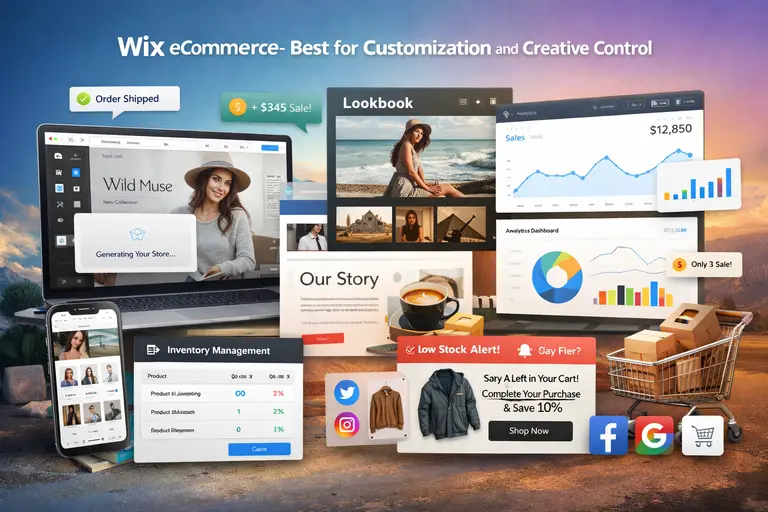
Wix is ideal if you want your online store to look and feel uniquely yours while still enjoying solid eCommerce functionality. It’s user-friendly but powerful enough to handle serious sales volume.
How Wix Helps You Build a Unique Online Brand
Wix’s drag-and-drop builder gives total creative control. You’re not boxed into rigid templates — you can design your storefront exactly as you imagine it.
- Visual freedom: Every layout, color, and product grid can be customized without coding.
- Brand storytelling: Wix makes it easy to integrate videos, blog posts, and lookbooks that showcase your brand’s personality.
- AI-assisted design: Wix ADI (Artificial Design Intelligence) can generate a professional store in minutes, ideal for beginners.
I’ve seen small brands use Wix to craft immersive, story-driven websites that feel boutique-level professional. It’s perfect if you value aesthetics as much as sales.
Essential eCommerce Tools That Support Quick Scaling
While Wix is often seen as a design tool, its eCommerce side has matured significantly.
- Inventory automation: Manage stock levels and get low-stock alerts automatically.
- Abandoned cart recovery: Send automated follow-ups to turn browsers into buyers.
- Multi-channel sales: Integrate with Instagram, Facebook, and Google Shopping easily.
- Analytics dashboard: Real-time tracking of traffic, conversion rates, and revenue.
If you’re selling fashion, digital art, or custom products, these tools help you scale without sacrificing visual identity.
Understanding Wix Pricing and Transaction Fees
Wix’s Business Basic plan starts at about $27/month, with no extra transaction fees beyond standard payment processor rates (like Stripe or PayPal).
Tips to optimize costs:
- Choose Business Unlimited only when you’re consistently hitting higher sales volumes.
- Use Wix Payments if available in your region — it integrates smoothly and keeps fees transparent.
- Audit apps regularly; some free versions can replace premium add-ons.
For creatives and small brands, Wix’s all-in-one structure keeps costs predictable and easy to manage.
When Wix Is (and Isn’t) the Right Choice for Sellers
Wix is best when:
- You prioritize design, content, and storytelling.
- You run a small to medium store with visual products.
- You prefer simplicity and don’t want to manage complex integrations.
Wix might not fit if:
- You need enterprise-grade scalability or deep backend customization.
- You plan to run a massive multi-store or wholesale operation.
For anyone focused on aesthetics and authenticity, Wix offers creative freedom with enough muscle to grow fast.
BigCommerce – Best for Businesses Planning Long-Term Growth
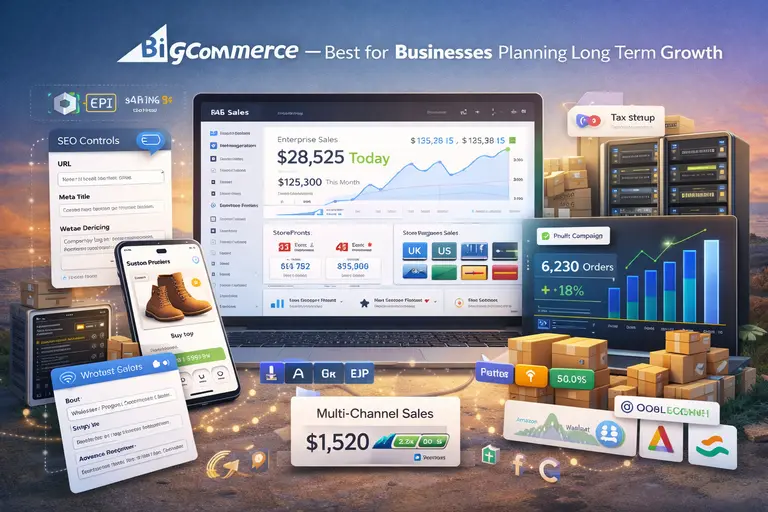
BigCommerce is built for sellers ready to move beyond beginner tools. If you’re aiming for sustainable, enterprise-level success, this is one of the best platforms to sell online for serious expansion.
How BigCommerce Supports Enterprise-Level Selling
BigCommerce is designed for brands that need powerful backend performance with less reliance on apps.
- Native enterprise tools: Multi-storefront, B2B support, and advanced API integrations are built in.
- High-performance hosting: Handles large catalogs and high-traffic surges effortlessly.
- International reach: Supports multiple currencies, languages, and localized tax setups.
What I like most is that BigCommerce grows with you — it’s the kind of platform you won’t outgrow.
Built-In SEO and Multi-Channel Features That Boost Visibility
BigCommerce excels in organic growth and channel diversification.
- Advanced SEO controls: You can edit URLs, meta tags, and schema markup easily — perfect for ranking product pages.
- Native integrations: Sell directly on Amazon, Walmart, and Facebook without third-party apps.
- Page speed optimization: Fast load times improve SEO and reduce bounce rates.
A 2024 study by BuiltWith found that BigCommerce stores typically see 15% faster load speeds than average eCommerce sites, which directly impacts conversion rates.
A Clear Breakdown of BigCommerce Costs and Plans
BigCommerce pricing starts at $39/month for the Standard plan, with no transaction fees. However, each plan caps annual sales volume before automatic upgrades:
- Standard: Up to $50K/year
- Plus: Up to $180K/year
- Pro: Up to $400K/year
To save money:
- Stay within your plan’s sales limit as long as possible.
- Use built-in features instead of paying for external apps (many tools like abandoned cart recovery are native).
This transparent pricing makes BigCommerce one of the fairest options for scaling brands.
Advantages and Limitations Compared to Shopify
Advantages:
- No transaction fees — even with third-party gateways.
- More built-in features, reducing reliance on paid apps.
- Better suited for multi-store and international sellers.
Limitations:
- Slightly steeper learning curve than Shopify.
- Fewer design themes and less intuitive setup.
- Less community support compared to Shopify’s ecosystem.
If Shopify is the fast track for startups, BigCommerce is the upgrade for established sellers ready to scale sustainably and globally.
Squarespace – Best Platform to Sell Online for Creatives
Squarespace is a favorite among artists, designers, and creators who want their store to look like an extension of their portfolio.
It’s one of the best platforms to sell online if you care as much about presentation as profit.
Why Squarespace Appeals to Designers and Artists
Squarespace is built with visual storytelling in mind. Every template feels like a clean gallery wall—your work takes center stage.
- Elegant design templates: Each one is crafted to highlight visual products like art, photography, or jewelry.
- Drag-and-drop editing: You can design your storefront exactly as you imagine it, without touching code.
- Brand-first experience: From custom fonts to video backgrounds, everything is built to make your brand feel intentional.
I’ve seen independent artists use Squarespace to turn simple product photos into immersive shopping experiences. It’s ideal if your work is your brand, and you want every detail to reflect your creative vision.
eCommerce Tools That Simplify Product Presentation
Squarespace goes beyond aesthetics—it includes solid eCommerce tools that help turn creativity into conversions.
- Integrated product galleries: Showcase multiple images, videos, or 360° views of a single product.
- Customizable checkout: Keep buyers on your site instead of redirecting them elsewhere, which helps with trust.
- Automatic inventory management: Updates your stock in real time to avoid overselling.
- Email marketing built-in: Squarespace Email Campaigns lets you send product updates directly from your dashboard.
If you’re selling handmade goods or art prints, these features let you focus on creating, while Squarespace handles the selling part seamlessly.
Squarespace Pricing and Fee Structure Explained
Squarespace pricing starts around $27/month for the Business Plan, which includes eCommerce functionality.
However, there’s a 3% transaction fee on that plan. The Basic Commerce Plan at $36/month removes that fee and unlocks more selling features.
A quick breakdown:
- Business Plan: Best for new sellers testing the waters.
- Basic Commerce: Ideal once you start selling consistently.
- Advanced Commerce: Includes advanced shipping, subscriptions, and abandoned cart recovery.
To keep costs low, I suggest starting on Basic Commerce once you’re ready for regular sales—it offers the best balance between affordability and growth tools.
Best Practices to Maximize Conversions on Squarespace
Squarespace sites already look beautiful, but design alone doesn’t guarantee sales.
Here’s what helps:
- Use storytelling product descriptions: Pair each product with a short narrative about how it’s made or its inspiration.
- Leverage product videos: A quick 10-second clip showing the product in use can boost conversions by up to 80%, according to Shopify’s 2024 eCommerce Report.
- Simplify navigation: Avoid clutter—limit your top menu to 5–6 essential links.
- Optimize for mobile: Test each page on your phone; over 70% of traffic comes from mobile users.
With a focus on clean visuals and simple UX, Squarespace can turn your creative passion into a professional online business.
WooCommerce – Best Low-Cost Option for WordPress Users
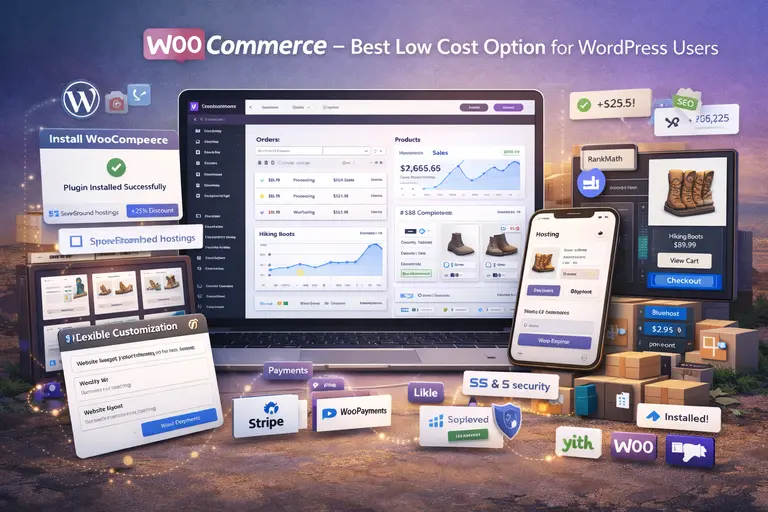
WooCommerce is perfect if you’re already using WordPress or want complete control over your online store without paying monthly platform fees.
It’s free to install, flexible, and incredibly powerful when configured correctly.
Why WooCommerce Is Perfect for Cost-Conscious Sellers
WooCommerce is open-source, meaning you don’t pay for the software itself. You only cover hosting, security, and optional add-ons.
- Full ownership: You control your site and data completely—no third-party platform restrictions.
- Scalable: Whether you sell digital downloads or thousands of physical products, WooCommerce grows with you.
- Flexible design: You can use any WordPress theme or plugin to customize your store’s look and functionality.
From what I’ve seen, it’s especially popular among small business owners who want freedom without recurring platform fees.
Step-by-Step Overview of Setting Up a WooCommerce Store
Setting up WooCommerce might sound technical, but once you do it once, it’s straightforward.
- Install WordPress: Choose a reliable host like Hostinger or Bluehost.
- Install WooCommerce: It’s a free plugin available in the WordPress Plugin Directory.
- Add products: Create categories, upload photos, and set pricing.
- Configure payments: Connect PayPal, Stripe, or WooPayments.
- Test checkout: Make sure the entire process—from cart to confirmation—flows smoothly.
Pro tip: Choose a WooCommerce-optimized theme like Storefront for a fast, responsive design right from the start.
Hidden Costs and How to Keep Expenses Low
WooCommerce itself is free, but there are hidden costs that can add up:
- Hosting: $5–$25/month depending on traffic.
- Premium plugins: Some cost $30–$100/year.
- SSL certificate: Often free with good hosting providers.
Ways to save:
- Use free plugins from reputable developers like YITH or WPForms Lite.
- Bundle hosting and domain plans for discounts.
- Avoid over-customizing early—start simple, then scale up.
If managed wisely, WooCommerce can remain under $200/year, far cheaper than most eCommerce platforms.
Advantages of WooCommerce’s Open-Source Flexibility
WooCommerce’s open-source nature means you can tweak every part of your store.
- SEO control: Integrate tools like Rank Math or Yoast SEO to improve rankings.
- Custom functionality: Add membership areas, subscription boxes, or appointment bookings.
- Community support: With thousands of developers and tutorials, help is always available.
This flexibility makes WooCommerce ideal for sellers who enjoy tinkering or want to build something truly unique over time.
Etsy – Best Platform to Sell Online for Handmade and Vintage Goods
Etsy remains the go-to marketplace for creators, crafters, and collectors. If your products have a personal, handmade touch or vintage charm, Etsy gives you instant access to millions of buyers who already love that kind of work.
Why Etsy Is Still a Top Choice for Niche Sellers
Etsy’s biggest advantage is its built-in audience. You don’t have to fight for visibility like you would on your own website.
- Massive community: Over 90 million active buyers as of 2024.
- Ease of use: You can list your first product in minutes—no coding, hosting, or design work.
- Trust factor: Buyers associate Etsy with authenticity and craftsmanship.
If you make jewelry, home décor, or personalized gifts, Etsy’s search algorithm naturally connects you with people looking for exactly those products.
Understanding Etsy’s Fee System and How It Affects Profits
Etsy’s pricing is simple but worth understanding.
- Listing fee: $0.20 per item listed (renewed every 4 months).
- Transaction fee: 6.5% on each sale.
- Payment processing: Around 3% + $0.25 depending on your region.
Tips to keep profits healthy:
- Bundle items to sell sets instead of singles (reduces listing renewals).
- Price strategically to cover fees without scaring off buyers.
- Offer free shipping for items over a certain amount—it boosts your search ranking.
With careful pricing, Etsy can still be very profitable even with its fees.
Strategies to Grow Quickly on Etsy Without Overspending
Growth on Etsy depends on visibility and engagement.
- Optimize your titles and tags: Use natural, descriptive keywords—think like a buyer.
- Use high-quality photography: Bright, natural light sells better than filters.
- Encourage reviews: Offer handwritten thank-you notes or discount codes to first-time buyers.
- Leverage Etsy Ads: Start small ($1–$3/day) and focus on high-performing listings.
In one of my clients’ stores, switching from plain photos to styled product shots doubled their conversion rate within a month.
When It’s Time to Move from Etsy to Your Own Website
Etsy is great for starting out—but not forever. You might consider moving when:
- You’ve built a loyal customer base and want to own their emails.
- You’re tired of competing in Etsy’s crowded marketplace.
- You want full control over branding and pricing.
Many sellers keep Etsy for discovery while running a separate Shopify or Squarespace site for repeat customers. It’s a powerful combination that keeps both visibility and brand control in balance.
Amazon – Best for Maximum Exposure and High Sales Volume
Amazon is where scale happens. If you’re looking for the best platform to sell online and want instant access to millions of ready-to-buy customers, Amazon is unmatched.
It’s not just a sales channel—it’s an entire ecosystem built to accelerate growth.
How Amazon’s Marketplace Accelerates Seller Growth
Amazon’s power lies in its built-in trust and reach. With over 300 million active customers, you’re stepping into a space where shoppers are already searching for what you sell.
- Instant traffic: You don’t need to build an audience from scratch—Amazon brings the audience to you.
- Prime visibility: Products eligible for Amazon Prime often see up to 50% more conversions, according to Statista’s 2024 marketplace report.
- FBA (Fulfillment by Amazon): Amazon stores, packs, and ships your products, letting you focus on sourcing and marketing instead of logistics.
I’ve seen small sellers go from a few sales a week to full-time income in under a year—mainly because Amazon removes most friction from reaching customers.
Detailed Look at Amazon’s Fees and Commission Rates
Amazon’s fees can seem confusing at first, but once you understand them, you can plan around them effectively.
Here’s a quick breakdown:
- Referral fee: Typically 8%–15% depending on category.
- FBA fees: Cover storage, packing, and delivery (varies by size and weight).
- Subscription: $39.99/month for a Professional seller account.
Ways to reduce costs:
- Optimize packaging: Keep sizes compact to reduce FBA shipping costs.
- Bundle products: Selling multi-packs can offset per-unit fees.
- Use FBM (Fulfilled by Merchant): For low-volume or bulky items, shipping yourself may be cheaper.
Think of Amazon’s fees as rent for high-traffic visibility—steep, yes, but often justified by the sales volume you gain.
Pros and Cons of Selling on Amazon as a Growing Brand
Pros:
- Unmatched customer base and visibility
- FBA handles logistics and customer service
- High conversion rates due to buyer trust
Cons:
- Competitive environment with potential for price wars
- Limited branding—your store often looks like others
- Fee structure can cut into margins
From my experience, Amazon works best as a growth accelerator, not your only storefront. It’s incredible for exposure but less ideal for brand building long term.
Tips to Build Brand Identity While Selling on Amazon
Even in Amazon’s uniform environment, you can still stand out.
- Invest in A+ Content: Use enhanced product pages with custom images and storytelling.
- Leverage Amazon Stores: Create a branded storefront with your own layout and product collections.
- Encourage off-platform engagement: Include inserts or packaging that guide customers to your website or social channels.
- Use consistent visuals: Product photos, tone, and copy should match your brand identity.
These small touches help you maintain brand control while enjoying Amazon’s massive scale.
eBay – Best for Sellers Wanting Global Reach Fast
eBay remains one of the best platforms to sell online if you want worldwide exposure quickly. It’s ideal for sellers who want flexibility—new, used, or rare items can all find a place there.
How eBay’s Platform Works for Rapid Online Expansion
eBay operates as a hybrid of auction-style and fixed-price sales, giving sellers more control over pricing and strategy.
- Global buyer base: Over 130 million active users, according to eBay’s 2024 Q3 report.
- Flexible selling options: Choose between “Buy It Now” listings or timed auctions.
- Low barrier to entry: You can list items immediately with minimal setup.
If you’re testing a product idea or liquidating inventory, eBay offers instant visibility without needing to build a brand first.
Understanding eBay Fees and How to Optimize Profit Margins
eBay’s fee system is straightforward but slightly different from other marketplaces.
- Insertion fee: First 250 listings per month are free, then about $0.35 per listing.
- Final value fee: Usually 10%–15% of the total sale price (including shipping).
- Optional upgrades: Promoted listings or international exposure add small costs.
To optimize margins:
- Bundle similar items: Reduces listing volume and boosts perceived value.
- Use eBay’s promoted listings sparingly: Start with organic traffic before paying for ads.
- Offer free shipping selectively: It boosts search visibility but use it strategically.
Most sellers find eBay’s cost structure fair, especially when scaling gradually.
Product Types That Sell Best on eBay
Certain products perform exceptionally well on eBay:
- Collectibles and vintage items
- Refurbished electronics and gadgets
- Auto parts and tools
- Niche fashion and sneakers
From what I’ve seen, eBay is especially effective for products that benefit from bidding or perceived scarcity—it’s where enthusiasts shop.
Scaling from Side Income to Full-Time eCommerce with eBay
If you treat eBay seriously, it can evolve from a side hustle into a reliable business.
Here’s how:
- Specialize in a category: Focus builds credibility and repeat buyers.
- Use eBay Store subscriptions: Unlock better branding and fee discounts.
- Automate shipping and inventory: Tools like ShipStation or eBay Seller Hub help streamline operations.
- Study data: Track sell-through rates and adjust listings based on what performs best.
Many sellers quietly make six figures on eBay by treating it like a real business, not just a resale site.
Ecwid – Best Platform to Sell Online Across Multiple Channels
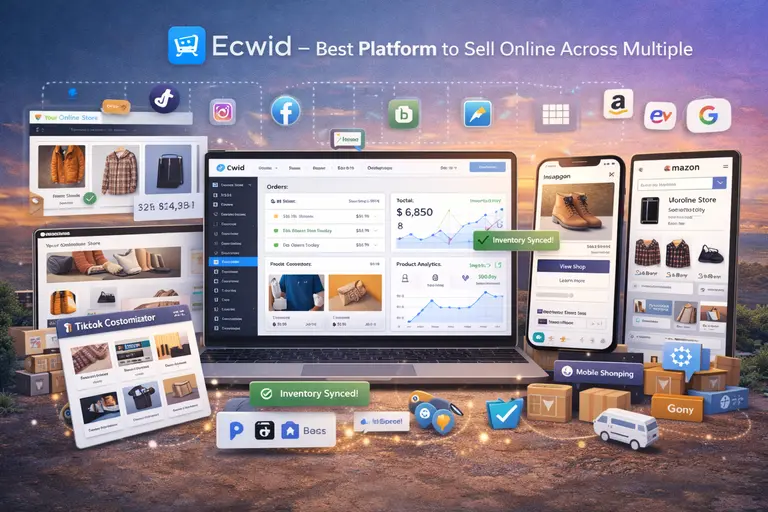
Ecwid is an underappreciated gem for multi-channel sellers. If you already have a website or social media presence and want to add eCommerce seamlessly, Ecwid does it beautifully.
Why Ecwid Excels in Multi-Channel Selling
Ecwid (short for “e-commerce widget”) lets you integrate a full online store into any platform—WordPress, Instagram, Facebook, or even TikTok.
- Unified inventory: Syncs across all channels automatically.
- Simple installation: Embed your store in minutes without coding.
- Sell anywhere: From your website to marketplaces to social media.
I often recommend Ecwid to small businesses that already have an audience but need a smarter way to sell across multiple touchpoints.
Tools That Help You Sell on Social Media and Marketplaces
Ecwid’s biggest draw is its channel integrations.
- Social selling: Sell directly through Instagram and Facebook Shops.
- Marketplace sync: Connect your catalog to Amazon, eBay, and Google Shopping.
- Mobile app: Manage orders, chat with customers, and update inventory from your phone.
- Automatic tax and shipping calculations: Saves hours of manual setup.
This multi-channel approach helps small sellers compete with bigger brands—without extra complexity.
Ecwid’s Pricing Model and What You Can Expect to Pay
Ecwid has a free tier (for up to five products), making it ideal for testing. Paid plans start at $19/month, scaling up to $99/month for advanced features like abandoned cart recovery and priority support.
Here’s a quick tip:
- Start with Venture Plan to unlock essential features like social selling.
- Upgrade to Business Plan once you’re active on multiple channels.
- Avoid unnecessary apps—Ecwid’s built-in tools cover most needs.
Compared to Shopify or BigCommerce, Ecwid’s pricing stays refreshingly affordable.
Ideal Use Cases for Ecwid and When to Upgrade
Ecwid works best when you:
- Already have a website but need eCommerce integration.
- Want to manage multiple channels from one dashboard.
- Are focused on simplicity and automation.
Consider upgrading when your sales volume justifies advanced analytics or marketing automation. Ecwid’s flexibility means you can grow without re-platforming, which saves huge effort in the long run.
Final Comparison – Choosing the Best Platform to Sell Online
Each platform shines in its own way—it really depends on your goals, budget, and brand vision.
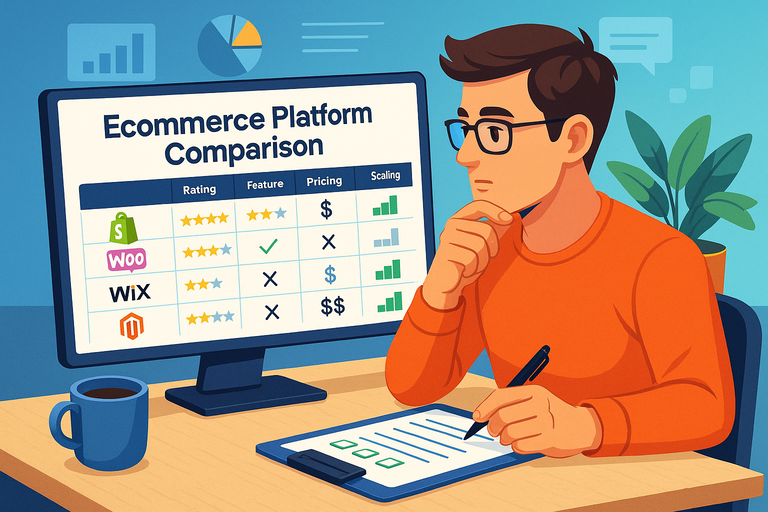
Side-by-Side Comparison: Fees, Features, and Growth Potential
| Platform | Best For | Monthly Starting Cost | Transaction Fees | Growth Strength |
| Shopify | Fast scaling and automation | $39 | 2.9% + 30¢ | High |
| Wix | Creative control and design | $27 | 0% (payment fees only) | Moderate |
| BigCommerce | Large-scale or enterprise selling | $39 | 0% | High |
| Squarespace | Creative businesses and portfolios | $27 | 3% (on Business plan) | Moderate |
| WooCommerce | Budget-friendly, full control | Free (hosting extra) | Varies | High |
| Etsy | Handmade and vintage goods | Free to start | 6.5% + 3% | Moderate |
| Amazon | High sales volume and reach | $39.99 | 8–15% | Very High |
| eBay | Global reach and resale | Free for 250 listings | 10–15% | Moderate |
| Ecwid | Multi-channel sellers | Free–$99 | 0% | High |
Best Platform for Beginners vs. Experienced Sellers
- Beginners: Shopify, Wix, or Etsy—they’re intuitive, low-risk, and quick to start.
- Experienced sellers: BigCommerce, WooCommerce, or Ecwid—these offer depth, flexibility, and control.
- High-volume sellers: Amazon and BigCommerce dominate when scale and automation matter most.
My Expert Recommendation for Fast, Sustainable eCommerce Growth
If you want speed, scalability, and low fees, start with Shopify or Ecwid. They balance simplicity and growth perfectly.
If your strength is creative branding, Squarespace or Wix will let your visuals shine.
And if you want to test markets quickly without risk, Etsy or eBay are fantastic entry points.
Here’s my personal take: Start where your audience already is—but plan for independence. Use platforms like Shopify or Ecwid as your long-term home, so you’re not forever renting your business space on someone else’s marketplace.
That’s how real, lasting eCommerce growth happens—one intentional platform choice at a time.

I’m Juxhin, the voice behind The Justifiable.
I’ve spent 6+ years building blogs, managing affiliate campaigns, and testing the messy world of online business. Here, I cut the fluff and share the strategies that actually move the needle — so you can build income that’s sustainable, not speculative.
Related posts:
 Discover 5 Best Dropshipping Sites: Boost Your Sales Now!
 How to Make Money Dropshipping: 7 Secrets to a $10K/Month
 How Do You Grow Online Business Without Big Marketing Budgets?
 How to Make Money Dropshipping Without Huge Upfront Costs
 Ecommerce Platform Comparison: Which One Fits Your Brand?
 Top Online Store Platforms for Building Income Streams