
Table of Contents
Some links on The Justifiable are affiliate links, meaning we may earn a small commission at no extra cost to you. Read full disclaimer.
If you’ve ever dreamed of starting a blog but worried about the costs, the good news is—you don’t need a big budget to begin.
Some of the best free blog sites to make money let you build, grow, and even monetize your blog without spending a dime upfront.
Whether you want to share your passions, build a personal brand, or earn passive income through affiliate marketing, these platforms give you the tools to start strong.
Let’s break down the top free blog sites that help beginners turn writing into real revenue.
WordPress.com – The Most Flexible Free Blog Platform
If you’re just starting out and want full creative control without paying upfront, WordPress.com is one of the best free blog sites to make money.
It’s flexible, beginner-friendly, and powerful enough to grow with you as your blogging income increases.
Why WordPress.com Is Perfect For Beginners
WordPress.com makes blogging easy for anyone — even if you’ve never touched a website builder before. You can launch a blog in minutes by choosing a theme, adding your posts, and publishing instantly.
What I love most is how it balances simplicity with scalability. You can start free, but when your traffic grows, you have the option to upgrade and unlock deeper customization, monetization tools, and domain control.
Quick benefits for beginners:
- Free hosting and subdomain (yourblog.wordpress.com)
- Dozens of beautiful templates to choose from
- Drag-and-drop editor with zero coding needed
- Built-in SEO basics and mobile optimization
It’s a fantastic sandbox for learning the ropes of online publishing while building a foundation for future income.
How To Monetize A Free WordPress Blog
Monetization on the free WordPress.com plan is a little limited, but it’s still possible to earn.
Here’s how you can get started:
- Affiliate marketing: Write honest reviews or helpful tutorials, and link to affiliate products that fit your niche.
- Sponsored content: As your traffic grows, brands may pay for placements or reviews.
- Promote your services: Use your blog to attract clients—like freelance writing, coaching, or design.
If you later upgrade to a paid plan, you’ll unlock direct ad revenue through WordAds (WordPress’s native advertising platform), which allows monetization similar to Google AdSense.
Essential Plugins And Features To Boost Earnings
On WordPress.com, plugins are only available with paid tiers, but free users still get solid features baked in.
To prepare your blog for future earnings, here’s what to focus on early:
- SEO Settings: Optimize titles, descriptions, and URLs for better Google rankings.
- Tags and Categories: Structure your content so readers and search engines can easily navigate.
- Email Subscriptions: Use the built-in “Follow” feature to build a subscriber base before moving to a newsletter tool later.
When you do upgrade, plugins like Jetpack (for analytics and backups) and Rank Math (for optimization) can dramatically boost your visibility and earnings.
Limitations To Consider Before Upgrading
While the free version of WordPress.com is generous, it does come with constraints:
- No third-party ad networks allowed (until upgrading)
- Limited control over themes and plugins
- Your site URL includes “.wordpress.com” which looks less professional
If your goal is to build a serious income-generating blog, I suggest starting free—but plan to move to a paid plan once you see consistent traffic or revenue opportunities.
Pro tip: Use the free plan to test your niche, refine your writing, and grow your audience before committing to expenses.
Blogger – The Simplest Way To Start Making Money Online
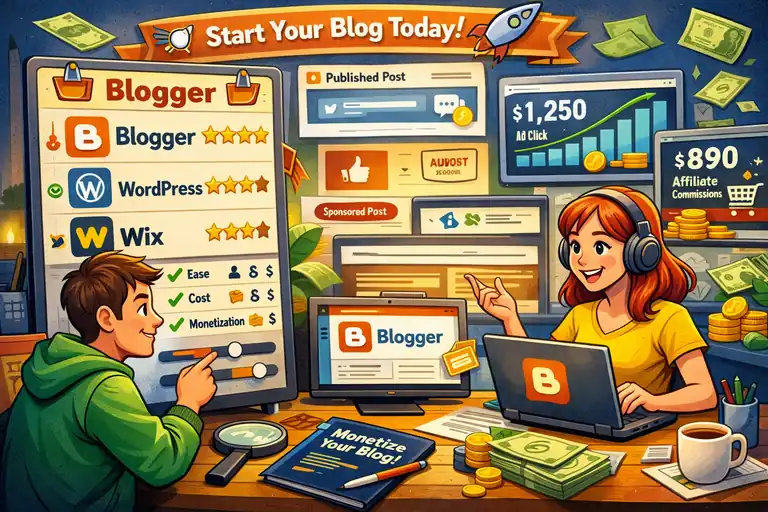
Blogger (by Google) has been around since 1999—and it’s still one of the most reliable free blogging platforms for earning online. If you’re after simplicity, it’s tough to beat.
How Blogger Helps You Monetize With Google AdSense
One of Blogger’s biggest perks is its direct integration with Google AdSense. Once your blog meets the eligibility requirements (original content, consistent traffic, etc.), you can apply to display ads and start earning automatically.
Here’s why it’s powerful:
- AdSense setup is built directly into Blogger’s dashboard
- Earnings are tracked in real-time via your Google account
- You can control ad placement and visibility
This makes Blogger ideal for beginners who want to test the waters of ad-based income without complicated setups.
Setting Up A Professional Blog On Blogger
Creating a blog on Blogger takes about 10 minutes. You just need a Google account, a name for your blog, and a simple theme.
To make your free site look professional:
- Choose a clean, mobile-friendly theme like Notable or Contempo
- Customize your header and add a simple logo using Canva
- Add essential pages like About, Contact, and Privacy Policy
Even though Blogger feels basic, small design touches can make it look like a paid website.
Customization Tips To Increase Reader Engagement
Engagement is key if you want to grow traffic and earnings. Blogger offers a few smart ways to keep readers coming back:
- Use labels to categorize content (like “DIY,” “Food,” or “Finance”)
- Enable comments and reply personally to build community
- Add internal links to guide visitors to more posts
- Embed social sharing buttons so readers can spread your content
Small tweaks like these can significantly boost session duration and audience trust—both of which help with long-term monetization.
Pros And Cons Of Using Blogger For Income
Pros:
- 100% free and hosted by Google
- Easy AdSense integration
- Simple and fast setup
Cons:
- Fewer customization options than WordPress
- Limited design flexibility
- No built-in email marketing tools
From my experience, Blogger is excellent if you want a low-effort blog that earns passive ad income, but it’s not ideal for long-term scaling or branding.
Expert tip: Start on Blogger to learn content creation basics, then transition to a more customizable platform like WordPress once your blog starts growing.
Medium – Best Platform For Writers Who Want Fast Exposure
If you’re a writer focused on storytelling or thought leadership rather than design or tech setup, Medium might be your perfect match.
It’s built entirely around writing and readership—not technical details.
How Medium’s Partner Program Pays Bloggers
Medium’s Partner Program rewards you based on how much time paying members spend reading your content. The more engaging your articles, the higher your earnings.
You don’t need to deal with ads or affiliate links—just write, publish, and get paid for attention.
Payment breakdown:
- Based on member reading time
- Paid monthly via Stripe
- Bonuses possible if articles get featured by Medium editors
It’s a refreshing model if you prefer earning from creativity instead of sales.
Writing Strategies To Maximize Medium Earnings
Success on Medium isn’t about quantity—it’s about connection. Here’s what I’ve found works best:
- Hook readers fast: Start with a story, not stats.
- Write about personal experiences: Authenticity outperforms generic advice.
- Use data sparingly but smartly: Support your insights without sounding robotic.
- Engage with the community: Comment on others’ posts to grow your visibility.
Medium’s algorithm rewards engagement and depth, so thoughtful writing always wins over keyword-heavy posts.
Building A Loyal Following On Medium
Building a following is simpler than on most platforms because Medium has a built-in audience.
To grow consistently:
- Publish consistently (at least once a week)
- Join and contribute to popular Medium publications
- Add a short bio with a call-to-action (like linking your newsletter)
- Respond to reader comments—Medium readers love genuine connection
Over time, consistent posting helps your articles get recommended across the platform, which can snowball your visibility and earnings.
Why Medium May Not Suit Every Monetization Goal
While Medium’s Partner Program can be lucrative, it’s not ideal for everyone.
Here’s why:
- You can’t place affiliate links or run ads freely
- You don’t own the platform—Medium controls visibility and rules
- You rely on their algorithm for income
If you’re looking to build a personal brand or sell products, you’ll likely outgrow Medium. However, it’s an incredible place to start—especially to hone your writing skills, build a reputation, and earn from your words right away.
Pro tip: Use Medium as a lead generator. Post your best insights there, then direct readers to your main blog or email list for long-term monetization.
Wix – A Drag-And-Drop Option For Visual Bloggers
Wix is one of the best free blog sites to make money if you’re a visual thinker who wants total creative control.
Its drag-and-drop editor makes it incredibly easy to design a professional-looking blog without touching a line of code.
Using Wix’s Free Plan To Launch Your Blog
Starting a blog on Wix is as simple as signing up and choosing a template that fits your style. The platform offers hundreds of customizable designs, which you can tweak in real time—move sections, change colors, or drag images wherever you want.
What I really like about Wix is that it gives you instant visual feedback. You see exactly how your blog will look as you edit, which helps beginners create polished sites fast.
Here’s how to get started:
- Sign up for a free Wix account.
- Choose a template (Wix even offers a quick “Wix ADI” setup that builds one for you).
- Add your pages and posts.
- Publish instantly with a free Wix domain (yourname.wixsite.com).
It’s one of the easiest ways to start blogging for free and learn design basics along the way.
Ways To Monetize A Wix Blog (Even On The Free Plan)
While Wix’s free plan limits some monetization tools, you can still earn income creatively.
Here are a few smart approaches:
- Affiliate Marketing: Write product roundups or tutorials with affiliate links.
- Sponsored Content: Partner with small brands to create promotional posts.
- Portfolio Promotion: Use your blog to showcase your work or services and attract clients.
If you later upgrade, you can unlock built-in payment tools and integrate apps like Wix Stores or Wix Bookings, which make it easier to sell digital products or services directly.
A personal tip: use free Wix blogs to test niches. For instance, you could run a “DIY decor” blog for a month and see if readers engage before investing in a premium plan.
SEO Settings That Help Your Blog Rank Faster
One area where Wix has improved massively is SEO. Even on the free plan, you can optimize posts for search engines.
To make the most of it:
- Customize your page titles and meta descriptions for every post.
- Use Wix’s built-in SEO Assistant—it gives you step-by-step optimization tips.
- Add alt text to your images so search engines understand your visuals.
- Enable mobile optimization (it’s automatic, but double-check layout).
From my experience, Wix blogs can rank surprisingly well when posts are well-written and updated regularly. Consistency is what moves the needle.
When To Upgrade From Free To Paid Plan
While the free version is great for beginners, you’ll eventually want to upgrade for full monetization control.
Here’s when it makes sense:
- When you’re ready to use your own domain name (it looks more professional).
- When you want to connect payment methods or ads.
- When your site traffic grows and you need more storage or bandwidth.
Upgrading removes Wix ads, unlocks eCommerce features, and improves SEO potential. It’s a natural next step once your blog starts gaining traction.
Expert tip: Don’t rush to pay—grow your audience first. Once your niche and voice are clear, investing in a paid Wix plan will feel strategic, not risky.
Weebly – Best For Bloggers Who Want An Online Store
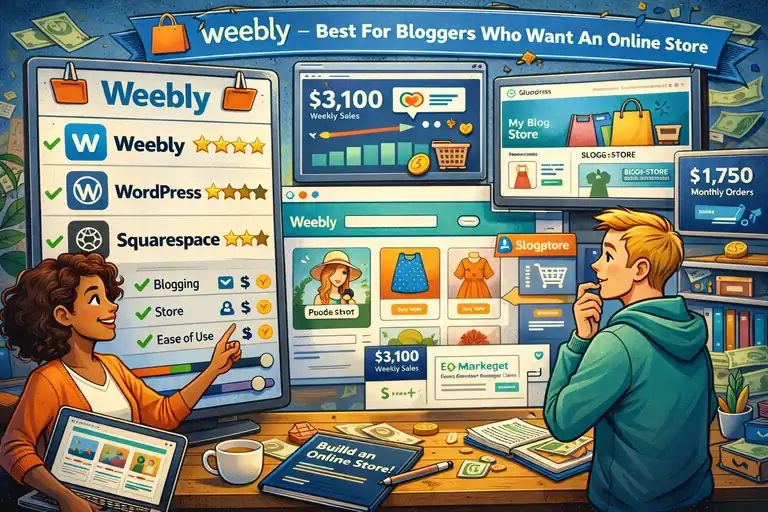
Weebly, now owned by Square, is an ideal blogging platform if you want to blend content creation with eCommerce.
It’s simple, functional, and designed for people who want to make money selling products or services alongside their blog.
How To Combine Blogging And E-Commerce On Weebly
What makes Weebly unique is how easily you can combine blog posts with product listings.
You can write an article about skincare routines, for example, and link directly to the products you sell in your store.
Steps to blend blogging and eCommerce:
- Create your free Weebly blog using the drag-and-drop builder.
- Add a “Shop” page and connect products to related posts.
- Use Square’s payment integration for smooth checkout.
- Highlight top-selling products in blog sidebars or footers.
It’s seamless and feels professional even on the free plan, which is why I often recommend it to creators who sell handmade items or digital downloads.
Simple Ways To Monetize A Free Weebly Blog
Even without upgrading, you can earn in a few smart ways.
Try these methods:
- Affiliate marketing: Embed affiliate links naturally in posts.
- Lead generation: Use Weebly forms to collect email addresses or service inquiries.
- Sponsored posts: Collaborate with brands related to your niche.
Once you move to a paid plan, you can directly accept payments and integrate more eCommerce tools. But even on the free version, Weebly gives you a solid foundation to test business ideas.
Design Flexibility And SEO Features Explained
Weebly’s design system is simpler than Wix’s but still lets you create clean, attractive layouts. You can rearrange sections, change colors, and adjust fonts in a few clicks.
For SEO, Weebly includes essential tools even in the free plan:
- Customizable titles and meta descriptions
- Image alt tags
- Sitemap generation
- SSL encryption for trust and ranking boosts
I’ve noticed Weebly sites often perform well in search results when paired with consistent publishing and keyword-focused content. It’s not flashy—but it’s dependable.
Drawbacks To Know Before Choosing Weebly
Weebly’s simplicity is both its strength and limitation.
What to keep in mind:
- Fewer design options compared to Wix or WordPress
- Some advanced SEO settings are locked behind paid plans
- Square branding appears on free sites
Still, for anyone wanting to test selling online while blogging, Weebly offers one of the smoothest setups.
Pro tip: Start by using Weebly as a hybrid—write helpful blog posts that subtly feature your products. You’ll build credibility before making your first sale.
Substack – Ideal For Email-Driven Blogging
Substack isn’t a traditional blogging platform—it’s part newsletter, part blog, and entirely focused on helping writers build direct relationships with their audience.
If you want to make money through subscriptions or reader support, it’s one of the most beginner-friendly ways to start.
How Substack Helps You Make Money Through Subscriptions
Substack’s main monetization model is subscriptions. You can publish free content to attract readers and offer paid tiers for exclusive posts, insights, or community access.
Here’s how it works:
- You set your monthly or annual price.
- Readers pay directly through Substack.
- Substack takes a small commission (currently around 10%).
It’s perfect for writers, coaches, or educators who want to earn directly from loyal audiences instead of relying on ads.
Growing Your Subscriber List With Engaging Content
The key to success on Substack isn’t quantity—it’s connection.
Strategies to grow your list:
- Publish consistently (once a week is plenty).
- Use personal storytelling to build emotional resonance.
- Offer free posts that tease your paid content.
- Share your Substack on social media and LinkedIn.
I’ve seen creators triple their readers by writing about niche topics in authentic, human ways—like “behind-the-scenes” stories or honest reflections. People subscribe when they feel seen.
Setting Up A Free Newsletter Blog On Substack
Creating your Substack is refreshingly simple.
Steps to launch:
- Go to Substack.com and create a free account.
- Choose a name and description for your newsletter.
- Import your email contacts (if you have them).
- Start writing and publishing directly from the dashboard.
You don’t need technical skills—Substack handles email delivery, formatting, and analytics automatically. Think of it as blogging meets email marketing, but without the complexity.
Pros And Cons Of Monetizing With Substack
Like every platform, Substack has trade-offs.
Pros:
- Built-in audience discovery tools
- Simple subscription setup
- No tech or hosting headaches
Cons:
- Limited design customization
- Platform fees reduce profit margins slightly
- You rely on Substack’s ecosystem (less control than a self-hosted blog)
Still, for many beginners, Substack is the fastest way to earn while writing authentically.
Expert tip: Focus your early posts on value and voice. Once readers trust your writing, paid subscriptions often follow naturally.
Ghost – A Free And Open-Source Platform For Serious Bloggers
Ghost is one of the most powerful and professional free blog sites to make money—especially if you’re serious about writing, publishing, and owning your audience.
It’s open-source, meaning you have full control over your content, design, and monetization.
Setting Up A Ghost Blog For Free
Unlike other free platforms that host everything for you, Ghost gives you two main options: using Ghost.org’s hosted version (paid) or self-hosting the free Ghost CMS (Content Management System).
If you’re comfortable with light tech setup, self-hosting is 100% free. You’ll need:
- A hosting provider that supports Node.js (many offer Ghost-specific plans).
- A domain name for your site.
- A quick installation of the Ghost CMS—done in minutes via one-click tools or manual setup.
Once installed, Ghost’s dashboard is clean and intuitive. You can create posts, manage subscribers, and customize your layout without distractions.
It feels minimal yet powerful—like a tool built for creators who take their craft seriously.
How Ghost Enables Direct Monetization Options
Ghost’s standout feature is built-in monetization. It lets you earn directly from your audience without relying on ads.
You can set up:
- Paid memberships: Readers subscribe to premium posts or newsletters.
- Tiered content: Offer exclusive insights or early access for higher-paying members.
- Email newsletters: Ghost integrates email natively, so every post can go straight to your subscribers’ inboxes.
It’s basically a hybrid of Substack and WordPress—but self-owned. You control your brand, data, and revenue.
From what I’ve seen, many independent writers and niche publishers use Ghost to build sustainable income streams through memberships and content subscriptions.
Why Ghost Appeals To Professional Writers
Ghost is tailor-made for professionals who care about writing, design, and independence.
Here’s why many serious creators choose it:
- Minimal, distraction-free editor focused on writing flow.
- Complete control over customization (CSS, themes, branding).
- SEO features built right in—no plugins needed.
- Open-source freedom—no third-party ads or algorithms dictating reach.
I think of Ghost as the “grown-up” version of blogging tools—it’s what you graduate to when you want a serious platform that belongs entirely to you.
Challenges Beginners Might Face With Ghost
Of course, Ghost isn’t for everyone. Beginners might find it a bit technical at first.
Main challenges:
- Requires some setup knowledge (hosting, domains).
- No built-in drag-and-drop editor.
- Limited free themes compared to Wix or WordPress.
Still, if you’re willing to learn a little tech setup—or use a Ghost-managed hosting plan—it’s an investment in creative freedom and long-term growth.
Pro tip: Start with a simple theme and basic publishing routine. Once you’re comfortable, add monetization or newsletters later. Ghost rewards consistency and patience.
LinkedIn Articles – Best For Professional And Business Bloggers
If your goal is to make money through visibility, networking, or authority—LinkedIn Articles are a surprisingly effective route.
It’s not a traditional “blog site,” but it can generate leads, collaborations, and clients faster than many standalone blogs.
How To Earn Indirect Income From LinkedIn Blogging
LinkedIn doesn’t pay you directly for posts or articles, but it can still help you make money through visibility-driven income.
Here’s how:
- Attract clients or consulting opportunities.
- Drive traffic to your paid services or products.
- Build authority that leads to speaking gigs or brand deals.
For example, one of my clients landed a $5,000 retainer deal after publishing a single, thoughtful post about her industry. The platform’s built-in audience of professionals makes it a powerful lead magnet.
Content Types That Perform Best On LinkedIn
Not all content thrives on LinkedIn. The platform favors conversational, professional storytelling over sales-heavy posts.
Best-performing content types include:
- Personal career lessons or leadership reflections.
- Industry insights with actionable takeaways.
- Case studies written in a relatable tone.
- Thoughtful opinion pieces backed by data.
Try to post articles that start with a hook (a relatable problem or story) and end with a lesson or question. That keeps readers commenting—and visibility high.
Tips To Grow Authority And Attract Clients
To use LinkedIn for growth, treat it like both a blog and a networking tool.
Simple growth tips:
- Publish at least once a week.
- Comment meaningfully on posts from people in your niche.
- Include a call-to-action at the end of your article (like “Learn more on my website”).
- Share snippets of your article as shorter posts to drive readers to your full content.
Over time, you’ll build recognition as a thought leader. That authority can translate into consulting projects, partnerships, or even job offers.
When To Transition From LinkedIn To Your Own Blog
LinkedIn is a great place to start building an audience—but not where you should stay forever.
Here’s why:
- You don’t fully own your content.
- Algorithm changes can hurt visibility.
- You can’t run ads or affiliate links easily.
Once your audience grows, start linking readers to your own blog or newsletter. That’s how you build long-term independence and real monetization potential.
Pro tip: Use LinkedIn as your top-of-funnel—publish insights there, then guide readers to your personal site or email list for deeper engagement.
Tumblr – Creative Blogging Platform For Visual Storytelling
Tumblr is a nostalgic favorite that’s evolved into a great space for creative bloggers.
If your content leans visual—like art, photography, fashion, or memes—it’s one of the easiest free blog sites to make money through community engagement and affiliate marketing.
How To Monetize A Tumblr Blog Through Ads And Affiliate Links
Tumblr allows some forms of monetization, even on free accounts.
Here are common ways to earn:
- Affiliate marketing: Share product links within your posts or image captions.
- Ad networks: Use Tumblr’s ad features or third-party integrations (depending on policy updates).
- Sponsored posts: Collaborate with small brands that fit your niche.
Because Tumblr’s audience loves authenticity, your best chance of earning comes from content that feels personal—not overly polished.
Building A Niche Community On Tumblr
Tumblr thrives on fandoms and communities. If you tap into a niche audience, engagement can skyrocket.
For example, a “vintage book aesthetic” blog can attract thousands of followers through consistent, themed posts.
Tips for community growth:
- Use popular hashtags in your niche.
- Reblog and interact with similar creators.
- Post regularly—visual content performs best.
- Respond to followers’ messages and feedback.
Building that connection is key. Tumblr readers often become true fans when they feel included in your creative journey.
Best Practices For Driving Traffic To Your Blog
To grow beyond Tumblr’s internal audience, you’ll need to share strategically.
Here’s what helps:
- Link Tumblr posts to your social profiles.
- Include relevant tags (Tumblr’s version of keywords).
- Optimize your blog description with short, searchable phrases.
- Post at consistent times—Tumblr users tend to be most active in evenings and weekends.
Even though Tumblr’s SEO isn’t its strongest feature, consistency and creative tagging can help you get discovered both on and off the platform.
Limitations Of Tumblr For Serious Monetization
Tumblr is fun, flexible, and creative—but not built for big business.
Drawbacks include:
- Limited analytics and SEO control.
- Few direct monetization tools.
- Ads and external links can sometimes feel clunky.
That said, Tumblr is a great launchpad for creativity. It helps you practice publishing regularly, build an aesthetic brand, and learn audience engagement—all valuable skills before moving to a more advanced platform.
Pro tip: Think of Tumblr as your creative playground. Once your audience grows, you can direct them to your main website or store.
Tips To Choose The Best Free Blog Site For You
Choosing the right blogging platform can make or break your motivation—and your income potential. The key is matching the platform to your goals, not just picking what’s “popular.”
Identifying Your Blogging Goals And Monetization Style
Ask yourself: What do I want from blogging?
- If it’s writing for passion, go with Medium or Substack.
- If it’s long-term income and control, WordPress or Ghost win.
- If it’s visual storytelling, Wix, Tumblr, or Weebly might suit you better.
Once you’re clear about your goals, your platform choice becomes obvious.
Evaluating Platform Features Against Your Needs
Here’s a quick decision snapshot:
- WordPress.com: Best overall for flexibility and scaling.
- Blogger: Perfect for simplicity and AdSense integration.
- Wix: Great for creative control and drag-and-drop freedom.
- Weebly: Ideal for blogging plus eCommerce.
- Substack: Focused on newsletters and reader subscriptions.
- Ghost: For professionals who want total ownership.
- LinkedIn: Best for authority building and networking.
- Tumblr: Best for creatives and niche communities.
Evaluate which platform fits your tech comfort level, monetization goals, and design preferences.
When It’s Worth Upgrading To A Paid Plan
Most free platforms will eventually feel limiting once you start earning or growing traffic.
Upgrade when:
- You want your own domain.
- You need ad or affiliate integration.
- You’re building an email list or online store.
The investment is small compared to the long-term value of owning your platform.
Expert Tip: Start Free, Then Scale Strategically
Here’s the approach I recommend after years of helping creators start blogs:
- Begin with a free platform to learn consistency and niche focus.
- Watch which posts or topics get the most traction.
- Once you find your audience, migrate to a paid or self-hosted version.
Starting free lets you experiment without pressure. Scaling later ensures your efforts turn into real income and long-term freedom.
In the end, the best free blog site to make money is the one that matches your voice, your goals, and your energy to keep creating.
FAQ
What are the best free blog sites to make money for beginners?
The best free blog sites to make money for beginners include WordPress.com, Blogger, Medium, Wix, and Substack. These platforms allow you to start for free and earn through ads, affiliate links, subscriptions, or indirect income without upfront costs.
Can you really make money with a free blog?
Yes, you can make money with a free blog by using methods like affiliate marketing, ads (where allowed), paid subscriptions, or promoting services. Free platforms are best for starting, testing niches, and building an audience before upgrading.
Which free blogging platform is best for long-term income?
WordPress.com and Ghost are the best options for long-term income because they scale well, support multiple monetization methods, and give you more control as your blog grows.

I’m Juxhin, the voice behind The Justifiable.
I’ve spent 6+ years building blogs, managing affiliate campaigns, and testing the messy world of online business. Here, I cut the fluff and share the strategies that actually move the needle — so you can build income that’s sustainable, not speculative.
Related posts:
 How to Create a Blog Site and Start Making Money
 How Do I Create My Own Blog and Get Paid Fast?
 How to Build an Easy Blog That Makes Real Income
 Setting Up a Blog Website That Earns From Day One
 Where Is the Best Place to Start a Blog and Make Money?
 Create a Blog Free and Start Earning With No Risk