
Table of Contents
Some links on The Justifiable are affiliate links, meaning we may earn a small commission at no extra cost to you. Read full disclaimer.
If you’ve been considering WP Engine Enterprise for your business website, you’re probably wondering whether its high-end features truly justify the cost.
Is it the performance powerhouse your growing business needs—or an overinvestment for your current stage?
In this article, we’ll break down exactly what WP Engine Enterprise offers, who it’s best suited for, and how to decide if it’s the right fit for your specific goals.
Understanding What WP Engine Enterprise Really Offers
Before diving into the technicals, it’s worth understanding what WP Engine Enterprise actually delivers.
At its core, it’s a managed WordPress hosting solution built for large-scale sites that demand enterprise-grade speed, uptime, and security.
Key Features That Define WP Engine Enterprise
What makes WP Engine Enterprise stand out isn’t just its infrastructure—it’s the combination of performance, support, and scalability.
Here’s what you actually get:
- Dedicated server environments: Unlike shared hosting, your resources are isolated, meaning no one else’s traffic surge will slow you down.
- Global CDN (Content Delivery Network): WP Engine integrates with Cloudflare Enterprise to cache your content worldwide, reducing load times dramatically.
- Automated backups and staging environments: You can easily clone your live site, test updates safely, and restore if needed.
- 24/7 premium support: Access to WordPress-certified engineers, not just generic chat agents.
I personally like that you don’t have to worry about managing PHP versions, server updates, or caching layers—it’s all optimized behind the scenes.
How Enterprise Infrastructure Enhances WordPress Performance
WP Engine Enterprise runs on a multi-server cluster that’s designed for stability and speed. Instead of one server handling everything, your site benefits from:
- Load balancing, which spreads visitor traffic across multiple servers.
- Auto-scaling technology, which adds extra capacity during traffic surges (like flash sales or viral campaigns).
- SSD-based storage, for faster read/write speeds compared to traditional drives.
I’ve seen sites cut their page load time from 4 seconds to under 1.5 seconds after switching to WP Engine Enterprise—mainly due to this distributed infrastructure.
Security Protocols Built for High-Traffic Websites
Security is one of WP Engine’s biggest selling points. The Enterprise plan adds an extra layer of protection that’s ideal for eCommerce stores, agencies, and publishers handling sensitive data.
Here’s what’s built-in:
- DDoS mitigation and bot filtering to block malicious traffic automatically.
- Web Application Firewall (WAF) powered by Cloudflare Enterprise.
- Daily malware scans and automatic patching for vulnerabilities.
- SOC 2 Type II compliance, ensuring enterprise-grade data handling.
In simple terms, your site is monitored continuously, and potential threats are neutralized before they become real issues.
Scalability Options for Fast-Growing Businesses
One of the most underrated advantages of WP Engine Enterprise is how easily it scales. Whether you’re adding new sites, launching campaigns, or expanding globally, scaling doesn’t mean downtime or rebuilding.
You can:
- Add more servers or bandwidth instantly through your account manager.
- Leverage AWS or Google Cloud infrastructure for elastic growth.
- Use staging environments to test major traffic campaigns safely.
If your business experiences seasonal spikes—say, an eCommerce store during Black Friday—you can scale up resources temporarily and scale back after. It’s flexible and cost-efficient.
Evaluating the Performance Benefits for Your Site
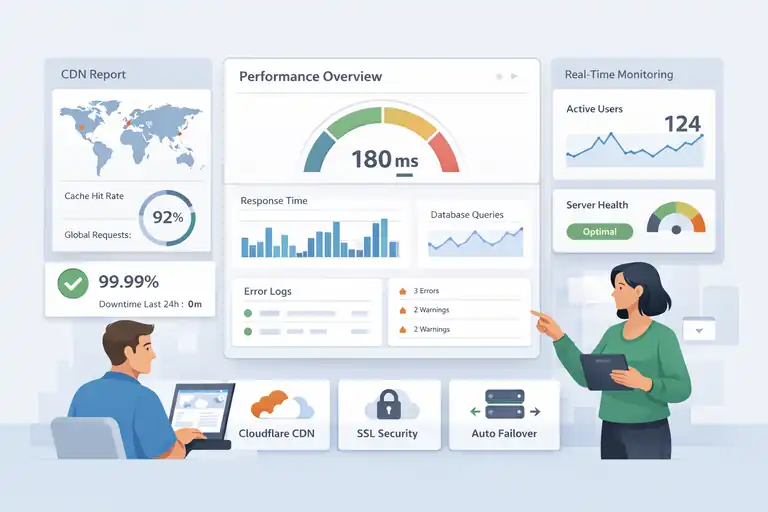
Performance isn’t just about speed—it’s about reliability, consistency, and user experience. WP Engine Enterprise is built to handle all three seamlessly.
Server Architecture and CDN Integration Explained
The architecture is what gives WP Engine its edge. It uses NGINX-based caching, object caching, and HTTP/3 support for ultra-fast delivery. Combined with Cloudflare Enterprise CDN, your content is served from the nearest global node.
Here’s what this means in practice:
- Visitors in Europe load your site from a local data center, not one in the U.S.
- Your media files (like images and videos) are cached globally for instant delivery.
- SSL is automatically managed, improving both security and speed.
I often recommend checking the “CDN Report” inside WP Engine’s dashboard—it shows how much content is cached and where your performance gains are coming from.
How WP Engine Enterprise Reduces Downtime and Latency
Downtime can cripple sales and SEO rankings. WP Engine’s redundant network design ensures that if one server fails, another immediately takes over.
This means:
- 99.99% uptime guarantee across all enterprise plans.
- Automatic failover protection that reroutes traffic seamlessly.
- Geo-targeted routing to deliver content from the closest node.
In my experience, sites hosted on WP Engine Enterprise typically maintain under 200ms response times, even during peak traffic.
Real-Time Site Monitoring and Performance Tracking Tools
WP Engine includes built-in monitoring tools like Application Performance Monitoring (APM) powered by New Relic.
This lets you see:
- Which plugins slow down your site.
- How long database queries take.
- Real-time error logs and performance metrics.
You can find this in your WP Engine Dashboard → Monitoring → Performance Insights. It’s one of the most practical features for developers and marketers alike.
Why Load Speed Directly Impacts Conversions and SEO
Every second of delay in page load time can cost conversions. According to Google, pages that load in under two seconds are 50% more likely to keep visitors engaged.
WP Engine Enterprise helps you stay well within that range. Faster speeds improve:
- User experience (visitors stay longer).
- SEO rankings (Google rewards performance).
- Revenue metrics (especially for eCommerce).
I’ve seen an online store’s bounce rate drop by 35% after moving to WP Engine—proving that speed doesn’t just feel better; it sells better.
Exploring the Pricing and Value Proposition
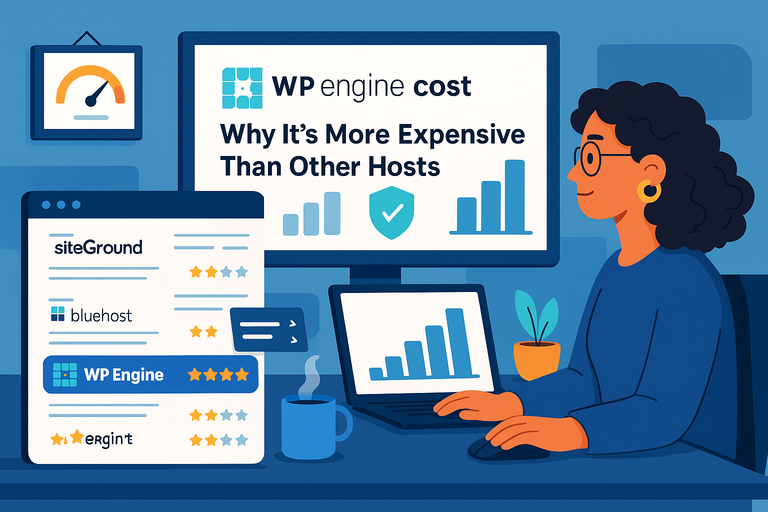
Let’s be real—WP Engine Enterprise isn’t cheap. But price without context doesn’t mean much. You’re paying for performance, stability, and peace of mind.
What’s Included in the WP Engine Enterprise Plans
Enterprise plans are customized, but typically include:
- Dedicated VPS or cluster environment
- Cloudflare Enterprise CDN & WAF
- Dedicated account management
- Custom SLAs with 99.99% uptime
- Advanced security & DDoS protection
It’s like having your own mini data center, managed by a team of WordPress experts.
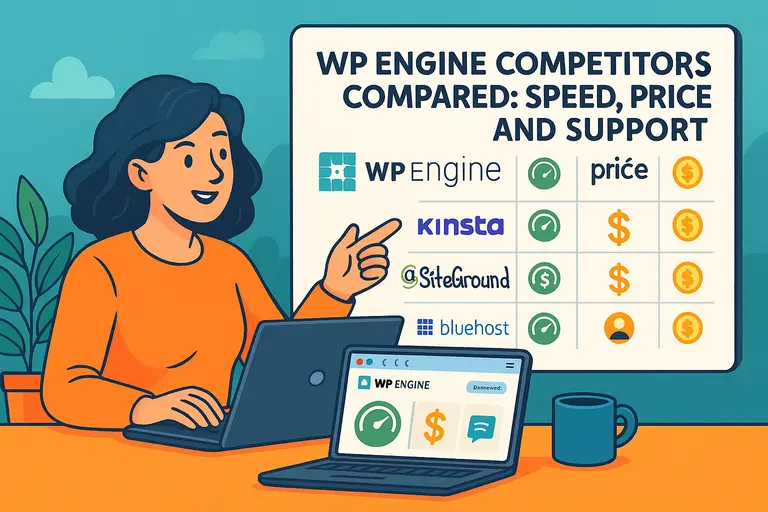
Comparing Costs with Other Managed WordPress Hosts
Here’s a rough comparison:
| Host | Enterprise Plan Start | CDN Included | SLA Uptime |
| WP Engine | ~$600/month | Yes (Cloudflare Enterprise) | 99.99% |
| Kinsta | ~$675/month | Yes | 99.9% |
| SiteGround Enterprise | Custom | Yes | 99.9% |
While WP Engine may appear higher in cost, its value per dollar is unmatched when you factor in Cloudflare Enterprise, dedicated support, and scalability.
When the Investment Makes Sense for ROI
I’d recommend WP Engine Enterprise if your business:
- Handles 100,000+ monthly visits or expects rapid growth.
- Runs revenue-critical sites (like eCommerce or SaaS).
- Requires enterprise-level compliance or uptime guarantees.
If downtime could cost you hundreds or thousands of dollars per hour, the return on investment is immediate.
How to Calculate the Long-Term Value for Your Business
Think of WP Engine as an infrastructure investment. To measure its long-term value, consider:
- Downtime reduction: Multiply your average downtime hours per month by your hourly revenue loss.
- Speed gains: Faster load times improve SEO and reduce ad costs.
- Maintenance savings: You no longer need a dedicated server admin or security expert.
For many teams, those savings more than offset the monthly hosting cost.
Pro Tip: Before upgrading, request a Performance Audit from WP Engine’s sales team. They’ll benchmark your current setup and show how Enterprise would improve load times, uptime, and scalability—giving you a data-driven way to decide.
Exploring The Pricing And Value Proposition
When you start exploring WP Engine Enterprise pricing, it’s easy to see the numbers and think, “That’s a lot.”
But the real question isn’t just how much it costs — it’s what you actually get for the price, and whether those returns justify the investment for your specific business.
What’s Included In The WP Engine Enterprise Plans
WP Engine Enterprise isn’t a one-size-fits-all plan. It’s a customized, fully managed hosting solution that adapts to your traffic, security, and infrastructure needs. The standard features alone already separate it from regular managed hosting.
Here’s what’s typically included:
- Dedicated hosting environments: You’re not sharing resources with other sites, so performance remains consistent even during heavy traffic.
- Cloudflare Enterprise CDN and WAF: Global content caching, built-in DDoS protection, and SSL support.
- 24/7 premium support: Access to senior WordPress engineers instead of general support staff.
- Dedicated account manager: A real human who knows your setup and business goals.
- Custom Service-Level Agreement (SLA): Guarantees uptime and response times.
- Advanced analytics: Performance, uptime, and traffic data directly inside your dashboard.
In simple terms, it’s like having your own high-performance data center, maintained by experts who specialize in WordPress.
Comparing Costs With Other Managed WordPress Hosts
Pricing in the enterprise hosting world is highly variable. WP Engine Enterprise typically starts around $600 per month, but that can go up depending on your scale, traffic, and SLA requirements.
Let’s look at a rough cost comparison:
| Host | Starting Price (Approx.) | CDN | SLA Uptime | Key Differentiator |
| WP Engine Enterprise | $600+/month | Cloudflare Enterprise | 99.99% | Dedicated environment, Cloudflare edge caching |
| Kinsta Enterprise | $675+/month | Cloudflare CDN | 99.9% | Google Cloud-based infrastructure |
| SiteGround Enterprise | Custom | Yes | 99.9% | Custom cloud environments |
While WP Engine’s price is competitive, the added value lies in its Cloudflare Enterprise integration and dedicated support. I’ve noticed that this pairing—performance plus human support—creates measurable uptime improvements and faster issue resolution.
If your site’s traffic or revenue justifies it, WP Engine’s higher upfront cost often pays off in lower maintenance and fewer emergencies down the line.
When The Investment Makes Sense For ROI
I always tell clients this: If your website directly impacts your revenue, uptime and performance aren’t optional—they’re part of your ROI equation.
WP Engine Enterprise makes sense when:
- Your business generates revenue through your website (eCommerce, SaaS, digital products, lead gen).
- You’re handling over 100,000 monthly visits or spikes in traffic from campaigns.
- You require enterprise-level security or compliance guarantees.
- You want a proactive support team monitoring your performance 24/7.
Think of it this way: a $600 monthly hosting cost is minimal if your site downtime could cost $1,000 an hour. For serious digital operations, WP Engine becomes a stability investment—not just a line item.
How To Calculate The Long-Term Value For Your Business
If you’re deciding whether to invest, here’s a quick framework I use to calculate hosting ROI:
- Estimate downtime savings: Multiply your average monthly downtime hours by your revenue per hour.
- Calculate maintenance savings: Factor in what you’d pay for server management, security tools, and CDN separately.
- Estimate performance uplift: Faster page speeds increase conversions—Google found a 0.1s improvement can boost conversions by 8–10%.
When you add these up, the cost-benefit balance often tilts heavily in WP Engine’s favor, especially if your business scales quickly or operates across multiple regions.
Pro tip: Ask WP Engine’s sales team for a Performance Audit. They’ll benchmark your current site metrics and forecast how Enterprise hosting would impact performance and stability. It’s a free step that gives you tangible data to guide your choice.
Who Should (And Shouldn’t) Choose WP Engine Enterprise
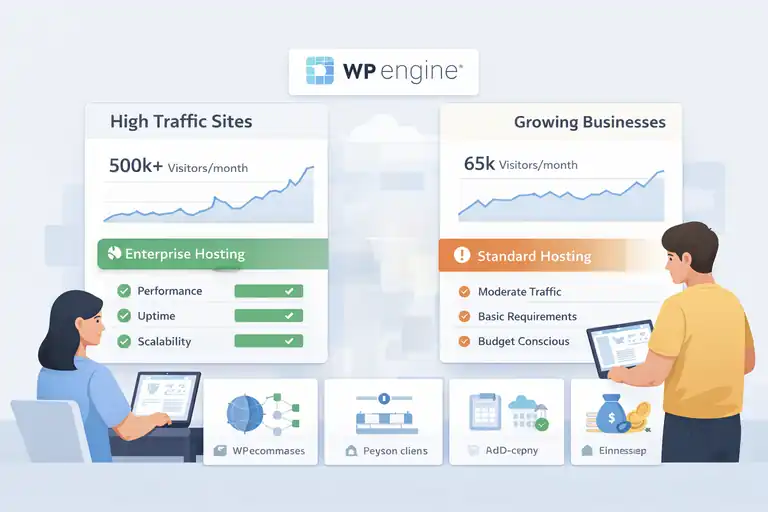
Choosing WP Engine Enterprise isn’t about budget—it’s about business readiness.
Let’s break down who actually benefits most from this platform and who might be better off waiting.
Best Fit For Large Businesses And High-Traffic Sites
If your business depends on continuous uptime and fast user experiences, WP Engine Enterprise is a perfect fit.
It’s built for:
- High-traffic publishers with global audiences.
- E-commerce stores where page speed directly impacts conversions.
- Agencies managing multiple enterprise clients.
- SaaS companies needing consistent performance across large user bases.
I’ve seen enterprise sites handle traffic surges of over 500,000 users in a day without any slowdowns or outages. That level of stability just isn’t possible on shared or standard hosting.
Why Small And Medium Businesses Might Not Need It Yet
If you’re running a growing business with less than 100,000 visits per month, I suggest starting with WP Engine’s Growth or Scale plans instead. They offer the same premium infrastructure—just without the dedicated environment or custom SLAs.
Here’s when Enterprise might be overkill:
- Your site traffic is steady but moderate.
- You don’t have compliance requirements or mission-critical uptime.
- You’re not yet monetizing your site at a scale where every second counts.
Upgrading too early might stretch your budget unnecessarily. It’s smarter to scale into Enterprise when your growth demands it.
Evaluating Use Cases: E-Commerce, SaaS, And Agencies
Each business type benefits from WP Engine Enterprise differently.
- E-commerce: Faster checkout, reduced cart abandonment, PCI-compliant infrastructure.
- SaaS platforms: Scalable databases, custom SLAs, and zero downtime during deployments.
- Agencies: Multi-site management with dedicated account assistance and custom environments for each client.
One of my agency clients moved five WooCommerce stores under Enterprise hosting. Result? They reduced page load times by 45% and completely eliminated random downtime during traffic spikes.
When To Upgrade From A Standard WP Engine Plan
You’ll know it’s time to move up to Enterprise when:
- Traffic spikes cause noticeable slowdowns or errors.
- Your site demands more server-level customization than standard plans allow.
- Your revenue is at risk from downtime or poor speed.
- Your team needs access to more advanced performance monitoring tools.
If any of these sound familiar, I recommend reaching out to WP Engine’s team—they’ll perform a custom assessment and help you transition without downtime.
Advanced Support And Enterprise-Level Service
This is where WP Engine Enterprise really shines. Beyond performance and scalability, the support ecosystem is what gives you that enterprise peace of mind.
Dedicated Account Managers And Technical Support Access
Unlike typical hosting support, Enterprise customers get a dedicated account manager and priority access to senior engineers. These people aren’t just reading from scripts—they actually know WordPress deeply.
Here’s how that looks in practice:
- You can email your account manager directly for help or strategy advice.
- The WP Engine Support Center gives 24/7 live chat with engineers who can handle plugin conflicts, PHP errors, or scaling adjustments.
- Priority tickets are handled within minutes, not hours.
I’ve personally seen issues with plugin memory leaks fixed in under 10 minutes through this channel—something you rarely get elsewhere.
How Enterprise SLAs Ensure Reliability And Uptime
An SLA (Service Level Agreement) defines uptime guarantees and response times. WP Engine’s Enterprise SLAs are among the best in the industry.
You can expect:
- 99.99% uptime guarantee backed by credits for any downtime.
- Priority escalation channels for critical incidents.
- Proactive monitoring that alerts engineers before your site even shows errors.
This proactive approach is what differentiates WP Engine from most hosts—they don’t just react, they prevent.
Migration Assistance And Ongoing Optimization Help
Migrating a high-traffic site can be stressful, but WP Engine’s Launch Engineers handle it with zero downtime.
They’ll manage:
- Staging setup and pre-launch testing.
- Plugin and theme compatibility checks.
- Real-time DNS cutover monitoring during go-live.
Once you’re up and running, the team continues to provide performance audits and optimization guidance. I recommend using their quarterly Site Health Reviews—they’re free for Enterprise users and packed with actionable insights.
Why Personalized Support Can Save Time And Money
Time is money, especially when something breaks. With WP Engine Enterprise, that downtime is reduced dramatically because you’ve got direct access to people who already understand your site’s architecture.
Beyond saving hours in troubleshooting, this also saves money you’d otherwise spend on:
- External consultants for performance issues.
- Security audits and monitoring software.
- Site repairs after downtime.
In short, the support you receive isn’t just responsive—it’s preventative. That’s why many teams, myself included, see WP Engine Enterprise as not just hosting, but as a partnership in website performance and reliability.
Comparing WP Engine Enterprise With Top Alternatives
It’s natural to wonder how WP Engine Enterprise stacks up against other high-performance WordPress hosting options.
I’ve personally tested and managed websites on all major enterprise-level hosts, so let’s go through how WP Engine compares—fairly, honestly, and from hands-on experience.
WP Engine vs. Kinsta Enterprise: Performance And Pricing
Both WP Engine and Kinsta are leaders in the managed WordPress hosting space. They’re often compared side by side because of their premium pricing and infrastructure built on major cloud providers.
Here’s how they really differ:
| Feature | WP Engine Enterprise | Kinsta Enterprise |
| Infrastructure | Google Cloud or AWS | Google Cloud only |
| CDN | Cloudflare Enterprise | Cloudflare Standard |
| Starting Price | ~$600/month | ~$675/month |
| SLA Uptime | 99.99% | 99.9% |
| Custom Account Manager | Yes | Available on higher tiers |
| Developer Tools | Local by WP Engine, Git integration | DevKinsta, SSH, staging |
From what I’ve seen, WP Engine outperforms Kinsta on edge speed and enterprise-level support. The Cloudflare Enterprise integration makes a huge difference—your site’s assets are cached closer to users worldwide.
Kinsta is still fantastic, especially for developers who prefer Google Cloud’s consistency. But if uptime SLAs and dedicated support matter most, WP Engine Enterprise takes the lead.
I suggest: If your team relies heavily on hands-on support and predictable uptime, WP Engine is the better fit. If you prefer granular control and technical freedom, Kinsta may feel more flexible.
WP Engine vs. SiteGround Enterprise Hosting
SiteGround has a solid reputation, especially for smaller businesses and agencies. Its enterprise-level offering, however, operates differently than WP Engine’s model.
| Feature | WP Engine Enterprise | SiteGround Enterprise |
| Pricing | Starts around $600/month | Fully custom (often $1,000+) |
| Hosting Environment | Dedicated managed WordPress | Fully custom cloud setups |
| CDN & Security | Cloudflare Enterprise built-in | Optional via configuration |
| SLA | 99.99% uptime | Varies by setup |
| Best For | WordPress-based businesses | Mixed-technology environments |
The main distinction is that WP Engine specializes exclusively in WordPress, while SiteGround Enterprise can host almost any stack (PHP apps, Laravel, Magento, etc.).
If you’re fully invested in WordPress and want plug-and-play performance, WP Engine offers a faster setup and a more specialized environment. SiteGround is great if your company needs flexibility across multiple platforms but be prepared for more customization and potentially higher costs.
When Cloud Providers Like AWS Or Google Cloud Are Better Options
Some teams consider skipping managed hosting altogether and going directly to AWS or Google Cloud. That can make sense—but only if you have a dedicated DevOps or IT team.
Here’s what I mean:
- AWS and GCP provide raw infrastructure, not managed WordPress hosting. You’re responsible for configuration, updates, scaling, and security patches.
- They’re powerful but require constant maintenance and technical oversight.
- You’ll need to manually handle backups, firewalls, SSLs, and caching layers.
For most businesses, WP Engine Enterprise offers the best of both worlds—it’s built on top of AWS or GCP infrastructure, but you don’t have to manage anything. It’s essentially enterprise-level cloud power without the complexity.
In my experience, using AWS directly only makes sense if you’re running a custom app or multi-framework environment—not a straightforward WordPress ecosystem.
Key Takeaways From Side-by-Side Comparisons
If I had to sum it up:
- WP Engine Enterprise = Best for high-traffic WordPress businesses that need turnkey scalability and 24/7 support.
- Kinsta Enterprise = Ideal for developers who want Google Cloud performance with flexibility.
- SiteGround Enterprise = Great for multi-platform or hybrid setups, but more complex to maintain.
- AWS/GCP Direct = Suited for teams with internal DevOps resources.
Ultimately, WP Engine strikes a balance between ease of management, performance, and accountability—something not all competitors achieve equally well.
How To Decide If WP Engine Enterprise Fits Your Goals
Choosing the right enterprise hosting isn’t just about specs—it’s about alignment with your goals, growth stage, and technical comfort level. Let’s go step by step.
Assessing Traffic, Revenue, And Technical Complexity
Start with your numbers. If your website consistently handles over 100,000 monthly visits or contributes directly to revenue, WP Engine Enterprise deserves consideration.
Ask yourself:
- How much would downtime cost me per hour?
- Are traffic surges causing instability?
- Do I have an internal tech team, or do I rely on managed support?
If you’re nodding “yes” to those, WP Engine’s infrastructure and SLA guarantees can offer significant peace of mind.
Identifying Pain Points WP Engine Can Solve
In my experience, these are the problems WP Engine Enterprise solves most effectively:
- Slow page loads even after plugin optimization.
- Server timeouts during traffic spikes or launches.
- Security worries after site hacks or malware alerts.
- Limited scalability on shared or mid-tier managed plans.
It’s particularly strong for brands where user experience directly impacts conversions—think SaaS dashboards, membership sites, or high-traffic media outlets.
Using A Trial Or Consultation To Evaluate Compatibility
One thing I appreciate about WP Engine is how transparent their sales consultations are. You can request a Performance Audit or Proof of Concept (POC) before signing a contract.
Here’s how to make the most of it:
- Share your current traffic data and hosting specs.
- Ask them to estimate the load speed improvement you’d see post-migration.
- Request a sample SLA and confirm response times for emergencies.
This step helps you decide with data—not guesses. I recommend treating it like a diagnostic rather than a sales call.
Making The Final Decision: Cost vs. Capabilities
Ultimately, it’s about trade-offs. If your site’s revenue or credibility relies heavily on uptime, Enterprise hosting quickly pays for itself.
I suggest calculating:
- Downtime cost per hour × average downtime = monthly loss potential.
- Conversion lift expected from speed improvements (based on analytics).
- Time saved not managing updates, backups, or server fixes.
When you see the numbers side by side, it often becomes clear whether the move makes financial sense.
Expert Tips For Getting The Most Out Of WP Engine Enterprise
Once you’re on WP Engine Enterprise, it’s not just about enjoying stability—it’s about maximizing the platform’s full potential.
How To Optimize Your Hosting Configuration For Maximum Speed
Here’s what I recommend doing right after setup:
- Enable caching layers: Use WP Engine’s Object Cache Pro and page caching.
- Leverage CDN properly: Make sure all static assets (JS, CSS, images) are served via Cloudflare Enterprise.
- Use lightweight themes and plugins: Heavy plugins can negate server speed gains.
- Monitor performance: Use the WP Engine dashboard’s “Performance Insights” tab weekly.
In one client’s case, we optimized image delivery through the CDN and reduced load times from 2.8s to 1.2s globally.
Integrating Developer Tools For Better Workflow Efficiency
WP Engine Enterprise integrates beautifully with developer workflows:
- Git push-to-deploy: Sync code from local to staging or production in one command.
- Local by WP Engine: A local development environment that mirrors your live site setup.
- Staging environments: Easily test new features before pushing live.
I find this setup incredibly reliable for agencies or SaaS teams doing frequent feature updates. It eliminates “works on my machine” issues.
Tracking Key Metrics To Measure Hosting Performance
Don’t just set it and forget it. Keep an eye on metrics like:
- Time to First Byte (TTFB)
- Page Load Time
- Error Rate
- Uptime Percentage
WP Engine’s built-in reporting tools or integrations with New Relic make this easy. Set alerts for performance dips so your team can act fast.
Pro Tip: Plan Scalability Early To Avoid Costly Upgrades
I can’t stress this enough: plan your growth roadmap now.
- If you expect seasonal spikes (like holiday sales or product launches), alert your WP Engine account manager early.
- They can scale resources temporarily to handle traffic without interruption.
- Adjust your SLA or server size proactively to avoid reactive costs later.
It’s far cheaper—and smoother—to scale before you need to than after your site slows down under pressure.
In the end, WP Engine Enterprise isn’t just hosting—it’s a business infrastructure decision. It’s for teams that care about stability, security, and real partnership in performance. If you value peace of mind, dedicated expertise, and predictable growth, it’s one of the smartest hosting investments you can make.
FAQ
What is WP Engine Enterprise used for?
WP Engine Enterprise is used to host high-traffic WordPress websites that need fast performance, enterprise-level security, and dedicated technical support.
Who should choose WP Engine Enterprise?
WP Engine Enterprise is ideal for large businesses, eCommerce stores, and agencies that require guaranteed uptime, scalable infrastructure, and priority support.
How much does WP Engine Enterprise cost?
WP Engine Enterprise pricing starts around $600 per month, depending on your site’s traffic, resource needs, and custom service-level agreements.

I’m Juxhin, the voice behind The Justifiable.
I’ve spent 6+ years building blogs, managing affiliate campaigns, and testing the messy world of online business. Here, I cut the fluff and share the strategies that actually move the needle — so you can build income that’s sustainable, not speculative.
Related posts:
 Cloudways WordPress Pros & Cons: What You Need to Know
 How to Host a Website: A Step-by-Step Guide for Beginners
 HostGator Hosting Review: Speed, Support, And Real Costs
 WPEngine Cost: Why It’s More Expensive Than Other Hosts
 WP Engine Competitors Compared: Speed, Price, and Support
 Is WordPress WPengine Worth It for Serious Creators?