
Table of Contents
Some links on The Justifiable are affiliate links, meaning we may earn a small commission at no extra cost to you. Read full disclaimer.
How to use Omnisend for ecommerce email marketing starts with one simple idea: let your store data do the heavy lifting.
If you already have products, customers, and orders flowing through Shopify, WooCommerce, or another ecommerce platform, Omnisend can turn that data into campaigns, popups, and automations that feel personal instead of pushy.
I’ve found that most stores do not struggle because email is complicated. They struggle because their setup is messy.
This guide walks you through the full system, from first connection to advanced optimization, so you can build email marketing that actually converts.
What Omnisend Does And Why It Fits Ecommerce
Omnisend is built around ecommerce events, not just newsletter sending, which is why it feels different from a generic email platform.
The real advantage is that it connects products, contacts, orders, and on-site behavior so you can send messages based on what shoppers actually do.
How Omnisend Differs From A Basic Email Tool
If you have only used a standard email sender before, Omnisend’s value is that it is event-driven. In plain English, that means a person can trigger an email by subscribing, viewing products, abandoning a cart, or placing an order. That is much more useful for an ecommerce store than sending the same broadcast to everyone.
A generic email tool can send a promotion. Omnisend can send a welcome series with a discount, a cart recovery email with the exact products left behind, and a post-purchase follow-up based on order behavior. That changes email from a calendar task into a revenue system.
I believe this is where many brands finally see momentum. Instead of asking, “What should I send this week?” you start asking, “What should happen automatically when someone takes this action?” That mindset shift is what makes ecommerce email marketing scalable.
A practical example: Imagine you run a skincare store. One new visitor joins your list through a popup, gets a welcome sequence, buys a cleanser, and then receives a follow-up featuring moisturizer recommendations and reorder timing. That is far more relevant than a generic monthly email blast.
Why Email Still Matters For Ecommerce Growth
Email remains one of the strongest owned marketing channels because you are not renting attention from an algorithm.
Omnisend says its customers see $79 for every $1 spent on email, and broader ecommerce email benchmarks still show email significantly outperforming many paid channels on ROI.
Litmus also reported strong email ROI in its 2025 State of Email data.
That does not mean every email program prints money. It means email gives you a better chance to convert when the setup is thoughtful. In my experience, the biggest wins usually come from three places: welcome flows, cart recovery, and post-purchase follow-up.
HubSpot also cites email as one of the most effective conversion channels for B2C brands, with a 2.8% conversion rate benchmark. That matters because ecommerce owners often obsess over open rates when they should be tracking clicks, orders, and revenue per recipient.
So yes, newsletters matter. But the real reason to learn how to use Omnisend for ecommerce email marketing is that it helps you connect list growth, personalization, automation, and revenue tracking in one place.
Set Up Omnisend The Right Way From Day One
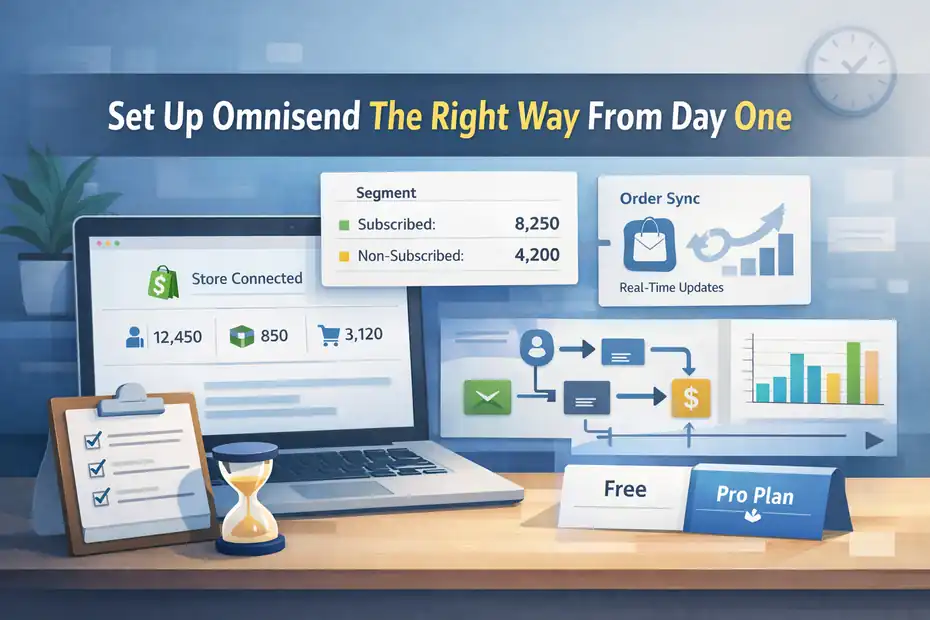
Before you write a single campaign, you need clean data and the right integration.
This is the part people rush through, and it is also the part that decides whether your automations work properly later.
Connect Your Store And Understand What Syncs
Omnisend integrates with ecommerce platforms like Shopify and syncs customers, products, and orders automatically.
For Shopify specifically, Omnisend describes the integration as two-way for contact data, with customer activity and automation triggers updating in real time.
When you connect your store, do not be surprised if more contacts appear than you expected.
Omnisend states that store sync can include historical contacts such as customers who placed orders or abandoned carts, even if they are not subscribed to marketing, because some may still receive transactional messages.
Those contacts can affect billing.
This matters for two reasons. First, your audience count may jump quickly. Second, your segments need to separate subscribed contacts from non-subscribed ones so you do not accidentally build campaigns around the wrong audience.
A simple setup checklist looks like this:
- Step 1: Connect your ecommerce platform and wait for initial sync to finish. Omnisend says sync timing varies by platform and store size.
- Step 2: Confirm products, orders, and contacts are appearing correctly in your account.
- Step 3: Review subscriber status before planning campaigns.
If you run a custom store, Omnisend says frontend integration unlocks forms, browse abandonment, visitor tracking, and campaigns, while backend integration unlocks abandoned cart, transactional use cases, advanced segmentation, and revenue reporting.
That split is important. Without backend data, you can still do some marketing, but not the high-value ecommerce workflows most stores want.
Choose The Right Plan Before You Build Too Much
Omnisend’s pricing page says the Free plan includes all features with up to 500 emails per month, while paid plans start at $16 per month. That is generous for learning the system, but not enough volume for a growing store.
I suggest treating the free plan as a testing environment, not your long-term operating plan. You can still set up forms, automations, segmentation, and campaigns, which makes it useful for validating your approach. But if you are serious about revenue from email, you will outgrow 500 emails quickly.
A realistic example: If you have 1,000 subscribers and send one weekly campaign, you are already beyond the free monthly send limit before counting any automations. That means your effective email strategy gets capped just when it starts working.
The better question is not “How cheap can I keep this?” but “At what list size does better automation pay for itself?” For most ecommerce stores, one recovered cart or one successful welcome sequence can cover a low-tier plan.
Build A Clean Audience Before You Send Campaigns
Strong email results start with audience quality, not list size.
Omnisend gives you imports, signup forms, contact management, and segmentation, but you still need a plan for how people enter your database and how you organize them.
Import Existing Subscribers Carefully
Omnisend allows you to import existing subscribers through the Contacts or Imports flow, which is useful when moving from another platform or bringing in legacy data.
The mistake I see often is importing everyone and hoping to clean it up later. That usually creates poor engagement, confusing segments, and deliverability problems. A better move is to import only people you have permission to email and label them clearly.
Use a compact structure:
- Segment 1: Current subscribers who have engaged recently.
- Segment 2: Past customers who are marketable under your consent rules.
- Segment 3: Cold or uncertain contacts you may need to suppress or treat differently.
This is not just administrative work. It affects performance. Litmus reported that data quality remains one of the major email marketing challenges in 2025, and that lines up with what many operators feel in practice: bad list hygiene makes every report harder to trust.
I recommend being ruthless here. A smaller, cleaner list usually converts better than a bloated list full of people who forgot you months ago.
Use Signup Forms To Collect Better Leads
Omnisend supports signup forms and offers use cases like exit-intent popups for capturing email addresses, promoting discounts, and recovering abandoning visitors. Omnisend also added more flexible form reporting options like custom date ranges in forms reports.
This is where many stores either help or hurt themselves. A popup is not automatically good. A popup with the wrong timing, weak offer, or irrelevant copy can tank the user experience.
I suggest matching the form to the page intent:
- Homepage popup: Offer a welcome incentive or early access.
- Product page popup: Offer product education, bundle guidance, or a discount.
- Exit-intent popup: Recover abandoning traffic with urgency or reassurance.
Imagine you sell premium coffee. A generic “Join Our Newsletter” form will underperform. A better version is: “Get 10% off your first order and our espresso brewing guide.” Same slot, much stronger perceived value.
One more point that matters: not every form should chase email only. Omnisend’s ecosystem and updates show support for broader capture and targeting options, but even when you collect more than email, keep the friction low.
For most stores, the first conversion is getting the address. The second conversion is earning the click.
Create Segments That Match Buying Behavior
Segmentation is one of Omnisend’s strongest ecommerce advantages because it lets you target based on behavior, purchase history, engagement, and synced store data.
If you skip this, your campaigns will feel broad and your automations will miss easy wins.
Start With Four Core Segments
You do not need 27 segments to start. In fact, too many segments early on just creates confusion. I usually recommend beginning with four groups that map directly to ecommerce intent.
- New Subscribers: People who joined recently and have not purchased yet.
- Engaged Non-Buyers: People who open or click but have not converted.
- Recent Customers: People who purchased in the last 30 to 60 days.
- At-Risk Customers: People who bought before but have gone quiet.
This framework keeps your messaging aligned with where the shopper is in the lifecycle. A new subscriber needs trust and a first-order reason. A recent customer needs onboarding, education, or cross-sell support. An at-risk customer needs a winback angle.
Omnisend also supports segmentation using synced Shopify Markets data such as country and language-related information, which is especially useful if you sell internationally.
A realistic scenario: If your store sells in the US and Canada, sending one generic campaign can create awkward currency, shipping, or seasonal mismatches. Segmenting by market helps the email feel native to the buyer.
Use Purchase Data And Engagement Together
The best segments are not built from one condition. They combine action and value. Omnisend explicitly supports segmentation by behavior, purchase history, and engagement, which means you can mix rules to identify your highest-opportunity audiences.
For example, a useful high-intent segment might be “clicked in the last 30 days but no purchase in 45 days.” That group is warm enough to market to, but still needs a stronger offer or clearer product fit.
Another smart segment is “purchased Product A but not Product B.” This works well for replenishment, accessory, or routine-based stores. If someone bought a camera body but not a lens filter or memory card, you already know what to recommend next.
I like this approach because it makes campaigns feel helpful rather than random. You are not guessing what people want. You are responding to signals they already gave you.
Build Campaigns That People Actually Click
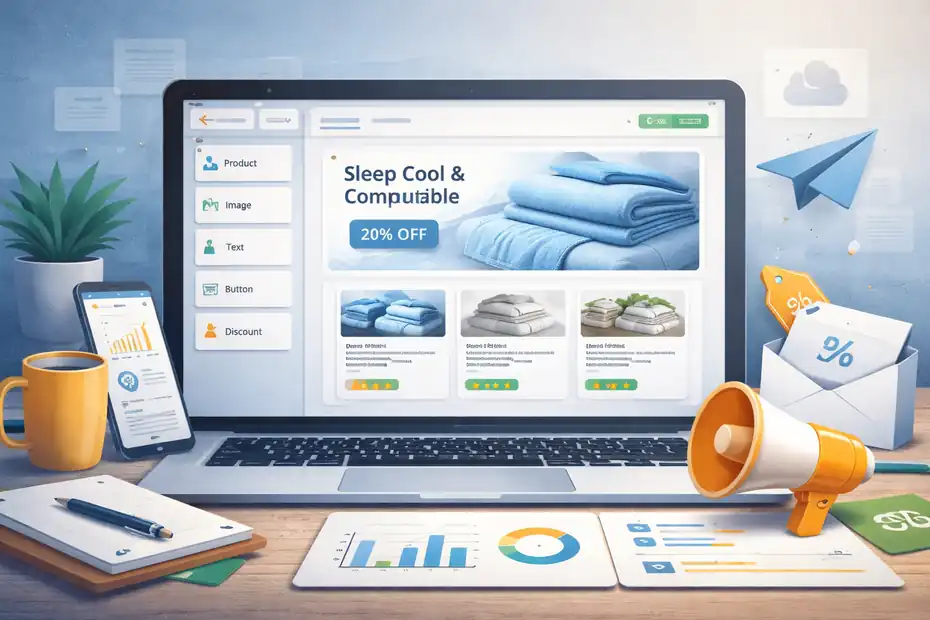
Campaigns are your scheduled sends: promotions, launches, seasonal pushes, content emails, and newsletters.
Omnisend’s campaign builder supports templates, drag-and-drop items, segmentation, scheduling, and performance tracking.
Create A Simple High-Converting Campaign Structure
Omnisend’s email builder includes mobile-first templates and content items for text, images, products, discount codes, and more. That is helpful, but a good template does not fix weak strategy.
A reliable campaign layout for ecommerce usually looks like this:
- Section 1: Clear headline tied to one offer or one message.
- Section 2: Short supporting copy that explains the benefit.
- Section 3: Product block or featured collection.
- Section 4: Strong call to action.
- Section 5: Optional trust element like reviews, guarantees, or shipping info.
The biggest mistake is cramming five promotions into one send. That often lowers clicks because the reader has to work too hard to decide. One email should usually have one dominant goal.
Imagine a bedding brand launching cooling sheets. A cluttered email that also pushes robes, towels, and candles will feel noisy. A cleaner email focused on hot-sleeper pain points, one hero product, and one collection CTA will almost always convert better.
Use Product Blocks And Personalization Intelligently
Omnisend supports product listing items and product recommendation items in the email builder. Product listings can pull from your store catalog, and recommendations use co-occurrence and purchase history logic to personalize suggestions. Dynamic preview lets you preview personalized content with real contact data before sending.
That gives you a real ecommerce advantage. Instead of manually dropping products into every email, you can build smarter blocks around buyer behavior.
Here is where I think personalization gets practical, not gimmicky:
- Welcome campaign: Show bestsellers or starter bundles.
- Category campaign: Show top products from one collection.
- Customer campaign: Show complementary products based on past purchase.
The caution is simple: do not over-personalize before you have enough data. A broad bestseller block often beats a “smart” recommendation engine on a tiny list with limited purchase history. Test it instead of assuming more sophistication equals better conversion.
Set Up The Automations That Drive Most Revenue
For many ecommerce stores, automation is where Omnisend earns its keep.
The platform supports workflows for welcome, abandoned cart, post-purchase, and more, with triggers, filters, delays, tags, and multi-step message paths.
Launch These Three Workflows First
If you are wondering how to use Omnisend for ecommerce email marketing without getting overwhelmed, start with only three automations. These cover the highest-value lifecycle moments for most stores.
- Workflow 1: Welcome series for new subscribers.
- Workflow 2: Abandoned cart recovery.
- Workflow 3: Post-purchase follow-up.
Your welcome series should introduce the brand, explain the offer, reduce buying friction, and direct people to a first purchase. Your cart recovery sequence should remind, reassure, and then escalate gently. Your post-purchase flow should confirm value, educate, and create the next buying moment.
A simple example for a supplement store:
- Email 1: Welcome and first-order incentive.
- Email 2: Bestsellers and ingredient trust points.
- Email 3: FAQs and social proof.
For cart recovery:
- Email 1: Friendly reminder with cart items.
- Email 2: Benefits and objections.
- Email 3: Incentive or urgency if margin allows.
You do not need ten emails to make this work. You need the right timing and the right message.
Understand Triggers, Filters, And Delays
Omnisend explains that workflow triggers decide when the automation starts, while trigger filters control who qualifies. You can also configure delays, tags, and message steps in the workflow settings.
This is one of the most important parts of the platform, and one of the least understood. A trigger is the event. A filter is the gatekeeper. A delay is the pacing.
For example:
- Trigger: Contact subscribed.
- Filter: Only if source equals popup discount form.
- Delay: Wait 1 day before the second email.
That level of control matters because not every subscriber should get the same sequence. Someone who joined through a VIP waitlist should not receive the exact same follow-up as someone who grabbed a generic homepage discount.
In my experience, most automation problems are logic problems, not design problems. The email looked fine. The wrong person got it, or the right person got it too late.
Write Email Content That Converts Without Sounding Desperate
Good ecommerce email copy is not about sounding clever. It is about making the next action easy.
Omnisend gives you the technical ability to send smarter emails, but the copy still has to carry the click.
Focus On One Job Per Email
Every email should have one primary conversion goal. Not five. Not “kind of” two. One.
That goal might be:
- Goal 1: Get the first order.
- Goal 2: Recover the cart.
- Goal 3: Drive a repeat purchase.
- Goal 4: Re-engage a quiet customer.
Once you know the job, the copy gets easier. Your subject line earns the open. Your opening line frames the problem or opportunity. Your body explains why the product matters. Your CTA gives the next step.
A weak email often sounds like this: “Check out our latest collection and follow us on Instagram and read our blog.” That is too many asks.
A stronger email sounds like this: “Your cart is still waiting. Here’s why customers keep coming back for this formula.” Then you support the claim and give one click path.
I suggest writing like a human sales assistant, not like a brand deck. Be specific. Use product language, but explain it in simple words. If you mention “cold-processed soap,” explain the benefit. If you mention “750-fill down,” explain why it feels warmer or lighter.
Use Discounts Strategically, Not Automatically
A lot of brands train customers to wait for a coupon. I think that is one of the fastest ways to quietly erode margin.
Yes, discounts can work. They are useful in welcome flows, cart recovery, or seasonal pushes. But they should support the strategy, not become the strategy.
A better sequence is often:
- Message 1: Product value.
- Message 2: Social proof and objections.
- Message 3: Incentive only if needed.
This matters especially in Omnisend because automations make it easy to attach discounts everywhere. Just because the builder can drop in a discount code item does not mean every workflow should use one.
In many stores, shipping clarity, a stronger bundle, or more convincing product education will outperform a blanket discount. That is particularly true for higher-margin, brand-sensitive products.
Measure The Metrics That Actually Matter
Omnisend provides campaign and automation reports with metrics like opens, clicks, sales, trends, and revenue attribution, including more detailed link activity reporting in workflows and certain campaign types.
Track Revenue, Not Just Opens
Open rate is not useless, but it is not the metric that pays your bills. Omnisend’s reporting is built to show sales conversion and attributed revenue, which is where ecommerce teams should spend most of their attention.
The KPIs I would watch first are:
- Metric 1: Revenue per campaign or workflow.
- Metric 2: Click-through rate.
- Metric 3: Conversion rate.
- Metric 4: Revenue per recipient.
- Metric 5: Unsubscribe rate.
Klaviyo’s published ecommerce benchmarks, while not Omnisend-specific, put average ecommerce click rate at 1.47% and revenue per recipient at $0.11 across its benchmark set. These are useful as broad directional references, not hard targets.
The reason I like revenue per recipient is that it reveals efficiency. An email with a smaller audience and fewer opens can still be your best send if the audience was highly aligned.
Review Workflow Reports Separately From Campaign Reports
Campaigns and automations behave differently, so do not mash them into one evaluation bucket. Omnisend’s reporting treats them separately, which is the right approach.
A newsletter might produce a quick burst of revenue. A welcome flow might quietly outperform it over time because it runs every day. If you only look at raw totals, you may undervalue automation.
This is where link-level reporting can help. Omnisend’s updates note link activity reporting for workflows and other sends, so you can see which buttons or links people actually use.
That is incredibly useful. Sometimes the issue is not the email. It is that your secondary CTA is stealing attention from the main CTA, or your hero image is getting clicks while the product button is ignored.
Avoid The Mistakes That Kill Performance Early
Most stores do not fail with Omnisend because the platform is too limited. They fail because they set it up halfway, send too broadly, or optimize the wrong things.
The Most Common Omnisend Setup Mistakes
Here are the ones I see most often:
- Mistake 1: Connecting the store but never checking whether products, orders, and contacts synced correctly.
- Mistake 2: Building campaigns before cleaning subscriber status and segments.
- Mistake 3: Turning on automations with weak logic, so people get irrelevant messages.
- Mistake 4: Treating every popup as a discount form instead of matching it to page intent.
- Mistake 5: Judging success by opens instead of revenue and clicks.
None of these are glamorous fixes, but they are the fixes that matter.
A small example: A store launches abandoned cart emails but has incomplete backend integration on a custom platform. The emails trigger inconsistently and revenue attribution looks weak. The owner assumes Omnisend is the problem. In reality, the data layer is the problem.
What To Optimize Before Buying More Traffic
A lot of brands want more traffic when they really need better email conversion from the traffic they already have.
Before increasing spend elsewhere, tighten these areas:
- Priority 1: Improve form offer and placement.
- Priority 2: Fix the welcome series.
- Priority 3: Strengthen abandoned cart timing and copy.
- Priority 4: Segment repeat buyers from first-time buyers.
- Priority 5: Review top-clicked links and underperforming emails.
I have seen this play out again and again. The store does not need another ad campaign first. It needs a welcome flow that stops wasting new subscriber intent.
Scale Your Omnisend System Once The Basics Work
Once the core engine is working, you can expand intelligently. This is where Omnisend becomes more than an email tool.
It becomes a lifecycle marketing system for different customer types, markets, and product journeys.
Add Smarter Personalization And Market Targeting
Omnisend supports dynamic content, product recommendations, and market-related segmentation for Shopify data, which gives you more room to personalize by behavior, geography, and product history.
Once your basic flows are healthy, expand into more tailored journeys such as:
- Advanced Flow 1: Replenishment reminders for consumables.
- Advanced Flow 2: Cross-sell sequences by previous purchase.
- Advanced Flow 3: Winback flows for customers at risk of churn.
- Advanced Flow 4: Regional campaigns by country or market.
Omnisend’s own 2026 content references brands using automation, segmentation, and localization to improve relevance. That is the right direction for scaling: not more noise, but more fit.
A good rule is this: Only add a more advanced flow when you can explain its commercial purpose in one sentence.
Create A Repeatable Optimization Cycle
The stores that get the most from Omnisend usually do not reinvent their email strategy every month. They run a simple cycle:
- Step 1: Review top-performing campaigns and workflows.
- Step 2: Identify one variable to improve.
- Step 3: Adjust audience, timing, offer, or email structure.
- Step 4: Measure revenue impact.
- Step 5: Keep what works and archive what does not.
That sounds obvious, but it prevents the classic ecommerce habit of changing six things at once and learning nothing.
If I were setting this up for a mid-sized store today, I would rather have six strong automations and a disciplined campaign calendar than 20 half-built workflows nobody reviews. More assets do not automatically mean more revenue. Better alignment usually does.
Final Thoughts
If you want to learn how to use Omnisend for ecommerce email marketing in a way that actually converts, focus less on flashy templates and more on system design.
Connect the store correctly, clean the audience, build only the most important segments, launch the three core automations, and judge success by revenue rather than vanity metrics.
Omnisend gives you the infrastructure for that, but the wins come from relevance, timing, and clarity. When those pieces line up, email stops feeling like another marketing chore and starts acting like a dependable sales channel.
FAQ
What is Omnisend and how does it help ecommerce email marketing?
Omnisend is an ecommerce-focused email marketing platform that uses customer behavior, purchase data, and automation to send targeted messages. It helps store owners increase conversions by triggering emails based on actions like signups, cart abandonment, and purchases instead of relying only on manual campaigns.
How do I set up Omnisend for my ecommerce store?
To set up Omnisend, connect your ecommerce platform, allow data to sync, and verify products, customers, and orders are imported correctly. Then create signup forms, basic segments, and key automations like welcome emails and cart recovery to start generating revenue from your email list.
What are the best automations to use in Omnisend?
The most effective automations in Omnisend include welcome series, abandoned cart recovery, and post-purchase follow-ups. These workflows target key moments in the customer journey, helping convert new subscribers, recover lost sales, and encourage repeat purchases with minimal manual effort.
How can I improve email conversions using Omnisend?
You can improve conversions by segmenting your audience based on behavior, sending relevant product recommendations, and focusing each email on a single goal. Testing subject lines, timing, and offers while tracking revenue per email helps identify what drives the most sales.
Is Omnisend better than other email marketing tools for ecommerce?
Omnisend is often better for ecommerce because it is built around store data and automation workflows. Unlike general email tools, it integrates directly with products, orders, and customer actions, making it easier to create personalized campaigns that drive measurable revenue.

I’m Juxhin, the voice behind The Justifiable.
I’ve spent 6+ years building blogs, managing affiliate campaigns, and testing the messy world of online business. Here, I cut the fluff and share the strategies that actually move the needle — so you can build income that’s sustainable, not speculative.
Related posts:
 Email Marketing Tips: Improve Email Marketing Results
 Target Audience: How to Effectively Leverage It for Email Marketing
 10 Email Marketing Best Practices to Convert More Leads
 How To Use Email Marketing For Small Business
 How To Design An Email Marketing Campaign
 Omnisend Marketing Automation That Actually Increases Revenue