
Table of Contents
Some links on The Justifiable are affiliate links, meaning we may earn a small commission at no extra cost to you. Read full disclaimer.
If you’re searching for how to use Quillbot for paraphrasing without accidentally changing the meaning of your sentences, you’re probably worried about one thing: sounding different without sounding wrong. I get it.
Whether you’re a blogger trying to avoid duplicate content, a student refining an essay, or a freelancer rewriting client drafts, the real challenge isn’t just rewriting—it’s preserving intent, tone, and clarity.
This guide is for bloggers, content creators, students, and freelance writers who want to use Quillbot strategically—not blindly.
I’ll walk you through exactly how to paraphrase with Quillbot step-by-step while protecting the original meaning of your text.
Understand How Quillbot Paraphrasing Modes Work
If you really want to master how to use Quillbot for paraphrasing without losing meaning, you need to understand its modes first.
Each mode changes sentence structure differently — and choosing the wrong one is usually where meaning starts to drift.
Let me break them down in plain English.
Standard Mode For Natural Sentence Rewrites
This is Quillbot’s default setting — and honestly, it’s the safest place to start.
What it does: Standard Mode rewrites sentences while keeping the structure fairly close to the original. It swaps words with context-aware synonyms and slightly adjusts phrasing.
When to use it:
- Blog content updates
- Light content refresh
- Avoiding duplication issues
- Rewriting AI-generated drafts
In my experience, Standard Mode preserves meaning about 80–90% of the time with minimal distortion. It’s ideal when you don’t want dramatic structural changes.
Example:
- Original: Content marketing helps businesses build long-term audience trust.
- Standard Rewrite: Content marketing enables businesses to develop lasting audience trust.
Notice what happened:
- “Helps” → “Enables”
- “Build long-term” → “Develop lasting”
The meaning is intact. That’s what you want.
Fluency Mode For Grammar And Clarity Fixes
Fluency Mode focuses less on creative rewriting and more on improving readability and grammar.
Think of it like Grammarly + light paraphrasing combined.
Best for:
- Non-native English drafts
- Fixing awkward AI sentences
- Cleaning up rushed writing
If your original sentence is messy, Fluency Mode tightens it up instead of reinventing it.
- Original: There is many marketers who struggle in understanding SEO properly.
- Fluency Rewrite: Many marketers struggle to properly understand SEO.
See what happened? It corrected grammar and simplified structure without changing intent.
If your priority is clarity over creativity, this is often safer than Creative Mode.
Creative Mode For Deep Structural Changes
Now we’re entering risky territory.
Creative Mode aggressively rewrites sentences. It changes structure, tone, and vocabulary more dramatically.
This can be powerful — but also dangerous if you’re not careful.
When it’s useful:
- Transforming robotic AI content
- Avoiding high similarity scores
- Generating alternate phrasing ideas
But here’s the reality check: Creative Mode is where meaning can shift subtly.
- Original: SEO requires patience and consistent effort.
- Creative Rewrite: Achieving SEO success demands sustained commitment and strategic persistence.
The idea is similar — but notice how “patience” turned into “strategic persistence.” That adds nuance that wasn’t originally there.
My advice? Use Creative Mode in short sections and always compare side-by-side.
If you’re serious about how to use Quillbot for paraphrasing correctly, never trust Creative Mode without manual review.
Formal Mode For Academic And Business Writing
Formal Mode adjusts tone to sound more professional or academic.
It’s especially useful for:
- Research papers
- Business proposals
- Client deliverables
- LinkedIn articles
- Original: Businesses need good marketing if they want to grow fast.
- Formal Rewrite: Organizations require effective marketing strategies to achieve accelerated growth.
Notice the tone shift:
- “Businesses” → “Organizations”
- “Grow fast” → “Achieve accelerated growth”
It elevates vocabulary but keeps the meaning stable.
If you’re writing whitepapers, academic essays, or client-facing content, this mode helps polish language without sounding overly robotic.
Simple Mode For Easy-To-Read Content
Simple Mode reduces sentence complexity.
It’s incredibly useful for:
- Beginner audiences
- Email newsletters
- Explainer content
- Reducing readability score
- Original: Implementing comprehensive digital strategies can significantly enhance brand visibility across competitive markets.
- Simple Rewrite: Using strong digital strategies can help your brand stand out in competitive markets.
Same idea. Less jargon.
If your audience includes beginners, Simple Mode helps you avoid overcomplicating things — which is often where writers accidentally distort meaning.
Quick Comparison Of Quillbot Modes
Here’s a clear side-by-side breakdown:
| Mode | Best For | Meaning Risk | Structural Change | Ideal Use Case |
| Standard | Light rewrites | Low | Mild | Blog updates |
| Fluency | Grammar fixes | Very Low | Minimal | Cleaning drafts |
| Creative | Deep rewrites | Medium-High | Strong | Content transformation |
| Formal | Professional tone | Low-Medium | Moderate | Academic/business |
| Simple | Easier readability | Low | Mild | Beginner content |
If you’re focused on how to use Quillbot for paraphrasing without losing meaning, start with Standard or Fluency 80% of the time.
Prepare Your Original Text Before Using Quillbot

This is the part most people skip.
And it’s exactly why they end up saying, “Quillbot changed my meaning.”
Here’s the truth: Quillbot amplifies whatever you feed it.
If your original writing is unclear, the paraphrased version will be unclear — just in different words.
Let me show you how to prepare properly.
Clarify The Core Message Before Rewriting
Before pasting anything into Quillbot, ask yourself:
What is this sentence actually trying to say?
If you can’t summarize it in one simple line, it’s not ready to be paraphrased.
For example:
- Weak original: There are various strategies that might potentially be helpful for businesses in improving their online presence.
- Core meaning: Businesses can improve their online presence using specific strategies.
Now rewrite the weak sentence yourself before using Quillbot.
Why?
Because paraphrasing unclear content creates polished confusion.
In my experience, spending 2 minutes clarifying intent saves 10 minutes of fixing distorted rewrites.
Remove Ambiguous Or Weak Sentences First
AI tools struggle with vague language.
Words like:
- “Some”
- “Various”
- “Many”
- “Things”
- “Stuff”
- “It”
These weaken clarity and increase meaning distortion.
- Instead of: Many things can help improve SEO.
- Rewrite first: Internal linking and keyword optimization improve SEO performance.
Now Quillbot has something concrete to work with.
When learning how to use Quillbot for paraphrasing effectively, clarity before automation is your secret weapon.
Break Long Paragraphs Into Logical Sections
Quillbot performs better on smaller chunks.
If you paste 300 words at once, it may:
- Blend ideas together
- Restructure paragraph flow
- Shift emphasis unintentionally
Instead:
- Break long paragraphs into 2–3 sentence blocks.
- Paraphrase each section individually.
- Review meaning after each rewrite.
This gives you tighter control.
I personally never paraphrase more than 3–4 sentences at a time. It reduces distortion dramatically.
Highlight Key Terms That Must Stay Intact
If you’re writing for SEO, this part is critical.
Let’s say your target keyword is:
- “Email marketing automation”
- “How to use Quillbot for paraphrasing”
- “On-page SEO optimization”
You don’t want Quillbot replacing them with loose variations.
Before paraphrasing:
- Identify primary keywords
- Identify brand names
- Identify technical terms
- Identify statistics or data
Quillbot allows you to freeze words (in premium plans) so they don’t change. If you’re on the free plan, manually restore them after rewriting.
Because here’s the reality: SEO meaning isn’t just semantic — it’s strategic.
If Quillbot turns “email marketing automation” into “automated email processes,” you may lose search intent alignment.
That’s how rankings quietly drop.
Step-By-Step Process To Paraphrase Correctly
This is the workflow I use when I want Quillbot to help without letting it “drive the car.”
The goal is simple: change the wording, keep the meaning, and stay in control the whole time.
Paste Small Sections Instead Of Entire Articles
Quillbot gets noticeably more accurate when you feed it smaller chunks. When you paste a whole article, it starts “helpfully” smoothing transitions and rebalancing emphasis — which is exactly how meaning drifts.
What I do instead:
- Paste 2–4 sentences max (or one paragraph if it’s short).
- Paraphrase.
- Review and fix meaning.
- Move to the next chunk.
Here’s why this matters in real life:
- If you paste a full blog post, Quillbot may rewrite a sentence in Paragraph 2 in a way that contradicts Paragraph 6.
- If you paste small sections, you can catch meaning shifts before they spread.
Quick rule I follow: If the text includes a claim, a statistic, a definition, or a “do this, not that” instruction, I keep it to 1–2 sentences per pass.
Choose The Right Mode Based On Content Type
People get tripped up here because they pick a mode based on what sounds nice, not what their content needs.
Here’s a practical “match-the-task” cheat sheet I actually use:
| Content Type | Best Quillbot Mode | Why It Works | Biggest Watch-Out |
| Blog refresh / SEO updates | Standard | Keeps meaning stable with light rewrites | Might feel “too similar” if your original is already polished |
| Fixing awkward phrasing | Fluency | Improves grammar and flow without over-rewriting | Can remove personality if your tone is casual |
| Academic / client docs | Formal | Raises tone and structure | Can inflate simple points into stiff wording |
| Beginner guides / emails | Simple | Lowers reading complexity | Can flatten nuance and remove needed detail |
| “Make it sound different” | Creative (carefully) | Strong structural changes | Meaning drift is more likely—review line by line |
My personal opinion: Standard + Fluency solves most paraphrasing needs. Creative is like hot sauce—use it when the meal is bland, not on everything.
Adjust The Synonym Slider Strategically
The synonym slider is where people accidentally break meaning.
In plain English: Higher slider = Quillbot swaps more words. More swaps = higher risk it replaces a precise term with a “close enough” term that isn’t actually close enough.
Here’s a simple way to think about it:
- Low synonym level: Safer meaning, smaller changes
- Medium: Good balance for most content
- High: Can create new meaning by accident
A practical slider guide:
| Use Case | Suggested Synonym Level | Why |
| Technical content (SEO, legal, medical, finance) | Low | Precision matters more than variety |
| Blog content with a clear message | Low–Medium | Keeps intent steady while refreshing phrasing |
| Marketing copy / landing pages | Medium | Helps variation without rewriting your promise |
| Heavy rewriting to reduce similarity | Medium–High (with review) | Needs manual checking for drift |
| Academic paraphrasing | Low–Medium | Reduces the risk of misstating sources |
Reality check: If you’re rewriting anything where “one word changes the claim,” keep the slider low. “Can” vs “Will” vs “May” can quietly wreck accuracy.
Compare Original And Paraphrased Side By Side
This is the easiest way to stop meaning loss before it becomes a mess.
I like to run a simple “meaning checklist” after each chunk:
- Claim check: Did the paraphrase strengthen or weaken the claim?
- Scope check: Did it add or remove limits? (e.g., “often,” “sometimes,” “only”)
- Tone check: Did it become more confident, more casual, more negative?
- Subject check: Is it still about the same thing, or did it shift focus?
Here’s a tiny example of a sneaky change:
- Original: Quillbot can improve clarity, but it still needs human review.
- Paraphrased (problem): Quillbot improves clarity and reduces the need for human review.
That rewrite didn’t just reword — it flipped the advice. Side-by-side comparison makes this jump out instantly.
What I do in practice: I keep the original text in a doc and paste Quillbot’s version under it, then I read both like I’m a picky editor who got underpaid.
Manually Restore Important Phrases Or Keywords
This is the “SEO and accuracy” step most people ignore until rankings or credibility slip.
There are two kinds of phrases you should protect:
- Meaning-critical phrases (definitions, constraints, cause/effect language)
- Search-critical phrases (target keywords, product names, feature terms)
If Quillbot swaps a key phrase, don’t fight it—just put it back.
Examples of phrases worth restoring:
- Your exact focus keyword (used naturally, not spammed)
- Product names like “QuillBot Paraphraser,” “Grammar Checker,” “Plagiarism Checker”
- Specific terms like “search intent,” “on-page SEO,” “brand voice,” “reading level”
- Numbers, dates, stats, or source-based claims
A simple “restore list” I keep beside me:
- Core keyword
- 2–4 supporting terms
- Any must-keep definitions
That way, even if Quillbot rewrites creatively, your content still matches what people are actually searching for.
Preserve Meaning While Improving Clarity
Paraphrasing isn’t just “make it different.” The real win is making it cleaner without changing what you meant.
This is where Quillbot can be genuinely helpful—if you treat it like a draft assistant, not an author.
Protect Technical Terms And Industry Language
Technical words are not “synonyms.” They’re labels for specific concepts.
If you’re writing about SEO, examples of “do not swap casually” terms include:
- “Crawl budget”
- “Canonical tag”
- “Search intent”
- “Internal linking”
- “E-E-A-T”
Quillbot might replace these with friendlier phrases that sound okay but aren’t the same thing.
What I do:
- Keep technical terms unchanged.
- Let Quillbot rewrite the surrounding sentence for readability.
Example:
- Original: A canonical tag tells Google which URL is the preferred version.
- Safer paraphrase approach: Keep “canonical tag” intact, rewrite the rest.
A canonical tag helps Google understand which URL is the preferred version.
Same meaning. Cleaner flow. No concept drift.
Keep Brand Voice And Tone Consistent
Quillbot doesn’t know your “voice.” It guesses.
If your brand tone is:
- playful, it may turn you formal
- confident, it may soften you
- straightforward, it may become fluffy
A quick way to lock tone:
- Keep your signature phrases (how you normally talk)
- Re-add your rhythm (short punchy lines, rhetorical questions, etc.)
- Watch for “corporate creep” (words like “utilize,” “facilitate,” “moreover”)
Tiny tone fix trick I use: After paraphrasing, I do one pass where I rewrite only the first sentence of each paragraph so it sounds like me again. It makes the whole section feel human.
Avoid Over-Simplifying Complex Ideas
Simple Mode is great—until it removes the why.
Over-simplifying usually happens when:
- Quillbot strips qualifiers (“often,” “in most cases,” “depends”)
- It turns nuanced advice into a rule
- It removes examples that anchor meaning
Here’s a mini scenario:
- You write: Keyword density isn’t a ranking factor by itself, but unnatural repetition can hurt readability and user trust.
- A too-simple rewrite can become: Keyword density doesn’t matter.
That’s not just simpler. It’s misleading.
What I suggest:
- Simplify sentence structure, not the actual logic.
- Keep qualifiers if they change accuracy.
- Add one quick example if the concept is easy to misread.
Check Sentence Intent After Every Rewrite
This sounds nerdy, but it’s the fastest way to spot meaning loss.
After each paraphrase, ask:
“What is this sentence trying to make the reader believe or do?”
If the answer changed, the meaning changed.
I also watch for these “intent flip” words:
- can → will
- may → must
- helps → guarantees
- some → all
- typically → always
If you’re paraphrasing advice, those tiny shifts can accidentally turn a helpful tip into a wrong promise.
Avoid Common Quillbot Paraphrasing Mistakes
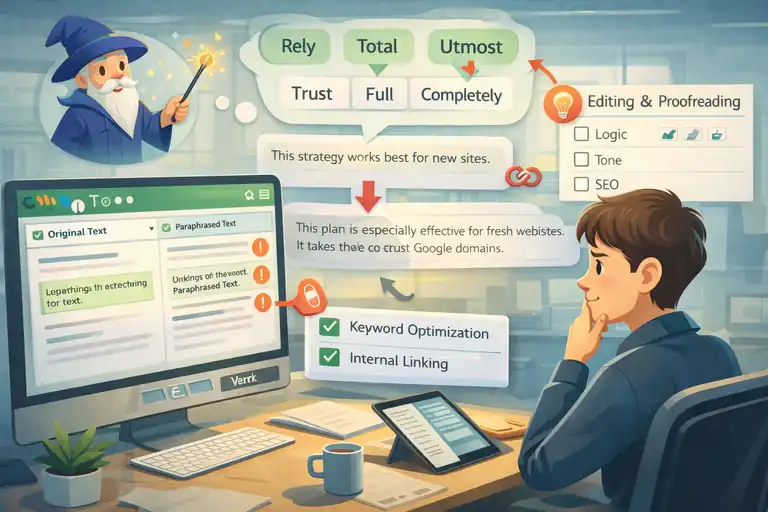
Most Quillbot “failures” aren’t Quillbot being broken. It’s people using it like a magic button. This section is basically the list of mistakes I made so you don’t have to.
Relying Completely On Automation
If you accept Quillbot output as “done,” you’ll eventually publish something that’s technically fluent but logically off.
A good mental model:
- Quillbot is a rewriting assistant
- You’re the meaning editor
If you want a simple routine that prevents this:
- Paraphrase.
- Read the paraphrase without looking at the original.
- Ask: “Would I feel safe attaching my name to this claim?”
If the answer is “ehhhh,” edit it.
Using High Synonym Levels Without Review
High synonym levels can:
- swap precise words for vague ones
- introduce “almost the same” terms
- change the emotional tone (especially in persuasive writing)
It’s like letting a stranger replace ingredients in your recipe because they’re “kind of similar.”
If you need stronger changes, my safer approach is:
- Use Standard Mode
- Keep synonym level medium
- Then manually rewrite the most similar-looking sentence yourself
That gives you uniqueness without letting Quillbot freestyle your meaning.
Ignoring Context In Multi-Sentence Paragraphs
Some sentences only make sense because of the sentence before them.
Quillbot can rewrite a sentence in a way that breaks the connection.
Example:
Original: This strategy works best for new sites. That’s because Google needs time to trust fresh domains.
If Quillbot rewrites the second sentence too loosely, the “That’s because…” may refer to the wrong idea.
A simple fix:
- Paraphrase two connected sentences together if they depend on each other.
- Or rewrite transitional phrases manually (“That’s because,” “However,” “For example,” “In other words”).
Those little connectors are meaning glue. Don’t let them get peeled off.
Skipping A Final Human Editing Pass
This is the difference between “paraphrased” and “publishable.”
My final pass is quick but strict:
- Read for logic: Does every claim still hold?
- Read for tone: Does it sound like one person speaking?
- Read for precision: Did any key term get watered down?
- Read for SEO alignment: Did the main topic stay obvious?
A tiny mini-metric I use (not scientific, just practical): If I have to “mentally translate” a sentence twice, I rewrite it. If it reads clean on the first pass, it’s ready.
Because the real goal isn’t to sound rewritten. It’s to sound clear.
Optimize Paraphrased Content For SEO
Once you understand how to use Quillbot for paraphrasing, the next challenge is SEO. Because here’s the truth: You can rewrite something beautifully and still quietly damage its rankings.
This section is about protecting traffic while improving clarity.
Maintain Primary Keywords Naturally
When paraphrasing for SEO, your primary keyword is not just a phrase — it’s your alignment with search intent.
If your focus keyword is how to use Quillbot for paraphrasing, and Quillbot replaces it with:
- “Using Quillbot to rewrite content”
- “How to rephrase text with Quillbot”
- “Using an AI paraphrasing tool”
You may accidentally weaken topical focus.
Now, semantic variations are good. But your exact keyword should still appear naturally in:
- Introduction
- One or two body sections
- At least one relevant subheading (if appropriate)
Here’s how I handle it:
- Paraphrase normally.
- Scan for keyword replacements.
- Restore the primary keyword where it makes strategic sense.
Think of it like anchor points. You don’t need to repeat it constantly — you just need to signal clearly what the page is about.
Preserve Search Intent In Rewritten Sections
Search intent is what the reader wants to achieve, not just what they typed.
If someone searches:
how to use Quillbot for paraphrasing
They’re likely asking:
- How do I use it properly?
- How do I avoid plagiarism?
- How do I keep meaning intact?
- What settings should I choose?
If your paraphrasing shifts tone from “step-by-step help” to “general discussion,” you’ve changed intent alignment.
Example of intent drift:
- Original: Here’s the exact step-by-step workflow to paraphrase correctly.
- Weak rewrite: There are different methods people use when paraphrasing content.
That’s more vague. Less actionable. Lower intent match.
Quick intent check after paraphrasing:
- Is the content still instructional?
- Is it still solving the same problem?
- Does it still answer the user’s question clearly?
If not, edit it back.
Avoid Keyword Dilution During Rewrites
Keyword dilution happens when:
- You replace specific terms with broad ones.
- You remove supporting semantic terms.
- You generalize technical language.
For example:
- Original: Quillbot’s synonym slider controls how aggressively the tool replaces words.
- Diluted rewrite: The tool lets you change how it edits text.
That version loses:
- “Synonym slider” (product-specific feature)
- “Replaces words” (clear action)
- Precision
Here’s a quick SEO safety method I use: Create a must-keep term list before paraphrasing.
Example for this topic:
- how to use Quillbot for paraphrasing
- Quillbot Paraphraser
- synonym slider
- paraphrasing modes
- plagiarism checker
- search intent
- technical terms
After rewriting, scan the page. If too many of these disappeared, restore them.
You’re not keyword stuffing. You’re maintaining topical authority.
Ensure Headings Still Match User Queries
This is subtle but important.
If a heading originally matched a search query like: How To Avoid Losing Meaning When Paraphrasing
And Quillbot rewrites it to: Improving Clarity Through Text Modification
You just lost direct search alignment.
Headings should:
- Mirror how people phrase questions
- Include clear problem-solving language
- Stay specific
I personally never let Quillbot rewrite H2 headings without manual review. They’re too important for SEO structure.
Quick heading audit checklist:
- Does it sound like something someone would Google?
- Does it clearly describe what the section delivers?
- Is it specific enough to compete?
If not, fix it manually.
Edit And Proofread For Accuracy And Flow
This is where most people stop too early. They paraphrase, skim, and publish.
But editing is what turns “AI-assisted writing” into professional content.
Read The Text Out Loud For Natural Rhythm
This sounds simple. It works insanely well.
When you read paraphrased content out loud, you’ll instantly hear:
- Robotic phrasing
- Awkward sentence transitions
- Repetitive structures
- Tone inconsistencies
If you stumble while reading, your reader will too.
I follow one rule: If I wouldn’t say it in conversation, I rewrite it.
Paraphrasing tools are great at structure. Humans are great at rhythm.
Use Grammar Checker After Paraphrasing
Even though Quillbot improves grammar, it’s not perfect.
I recommend running the final draft through:
- Grammarly (clarity suggestions)
- LanguageTool (alternative grammar engine)
- Hemingway App (readability analysis)
Here’s a quick comparison:
| Tool | Best For | Strength | Weakness |
| Grammarly | Clarity & tone | Great for business writing | Can over-suggest |
| LanguageTool | Grammar accuracy | Strong multi-language support | Interface less polished |
| Hemingway | Readability | Highlights complex sentences | No grammar depth |
I don’t accept every suggestion. I review them.
Because remember: Tools assist. You decide.
Verify Facts And Data Remain Accurate
Paraphrasing can subtly change claims.
Example:
- Original: According to HubSpot, 70% of marketers actively invest in content marketing.
- Rewritten incorrectly: Most marketers prioritize content marketing strategies.
That loses:
- The specific statistic
- The source
- The credibility
Whenever your content includes:
- Numbers
- Dates
- Research claims
- Tool features
- Pricing
Double-check them after paraphrasing.
Accuracy builds trust. Trust builds authority.
Run Plagiarism Checks For Extra Safety
If you’re rewriting:
- Academic content
- Research summaries
- AI-generated drafts
- Guest posts
A plagiarism check is smart.
Quillbot has a built-in Plagiarism Checker (Premium feature), but you can also use:
- Copyscape
- Grammarly Premium
- Originality.ai (popular among SEO publishers)
This is especially important if you’re monetizing content through ads, affiliate marketing, or client work.
Because similarity issues can affect:
- Academic integrity
- Search rankings
- Client trust
When To Use Quillbot And When Not To
Let’s be honest. Quillbot is powerful — but it’s not always the right move.
Knowing when not to use it is part of mastering how to use Quillbot for paraphrasing responsibly.
Ideal Scenarios For Paraphrasing With Quillbot
Quillbot works best when:
- You’re refreshing outdated blog posts.
- You’re rewriting AI-generated drafts.
- You want to simplify complex paragraphs.
- You need variation for similar landing pages.
- You’re cleaning up rough first drafts.
Mini example:
You wrote a 2,000-word guide two years ago. It’s solid but sounds stiff.
Instead of rewriting from scratch:
- Paraphrase section by section.
- Improve flow.
- Restore key SEO terms.
- Update statistics.
You save hours.
Situations Where Manual Rewriting Is Better
There are moments where automation isn’t smart.
Avoid relying on Quillbot when:
- You’re writing legal disclaimers.
- You’re paraphrasing scientific research.
- You’re editing emotionally sensitive content.
- You’re crafting persuasive sales copy.
- You’re defining technical processes precisely.
In high-stakes content, a single word matters.
And sometimes, manual rewriting is simply more accurate.
Combining AI Assistance With Human Judgment
The sweet spot is not AI vs human.
It’s AI-assisted human editing.
Here’s the mindset shift:
- Quillbot generates variation.
- You validate meaning.
- You control tone.
- You protect SEO structure.
That’s how you avoid losing meaning while still benefiting from speed.
Building A Personal Editing Workflow That Works
Let me give you a simple, repeatable workflow you can use every time:
- Step 1: Clarify your original message.
- Step 2: Paraphrase small sections.
- Step 3: Use Standard or Fluency mode first.
- Step 4: Keep synonym level moderate.
- Step 5: Compare side by side.
- Step 6: Restore key terms and SEO phrases.
- Step 7: Read aloud.
- Step 8: Run grammar and plagiarism checks.
- Step 9: Final human polish.
That’s it.
It’s not complicated. It’s disciplined.
And once you apply this consistently, you won’t just know how to use Quillbot for paraphrasing — you’ll know how to use it without ever sacrificing clarity, credibility, or search visibility.
That’s the real skill.
FAQ
How To Use Quillbot For Paraphrasing Without Losing Meaning?
To use Quillbot for paraphrasing without losing meaning, follow this process:
Paste 2–4 sentences at a time instead of full articles.
Start with Standard or Fluency mode for safer rewrites.
Keep the synonym slider low to medium to avoid word distortion.
Compare the original and rewritten text side by side.
Manually restore important keywords, technical terms, and key phrases.
The key is simple: Use Quillbot as an assistant, not an automatic replacement for editing.Which Quillbot Mode Is Best For Preserving Meaning?
Standard Mode is best for preserving meaning in most cases.
Standard Mode: Balanced rewriting with minimal structural change.
Fluency Mode: Best for grammar corrections and clarity improvements.
Creative Mode: Strong changes, higher risk of meaning shift.
If your goal is accuracy, avoid high synonym settings and use Standard Mode first.Can Quillbot Change The Meaning Of A Sentence?
Yes, Quillbot can change meaning if:
The synonym slider is set too high.
Creative Mode is used without review.
Technical terms are replaced.
You don’t compare the original and paraphrased versions.
To prevent this, always review each sentence and ensure the intent, tone, and key claims remain the same after rewriting.

I’m Juxhin, the voice behind The Justifiable.
I’ve spent 6+ years building blogs, managing affiliate campaigns, and testing the messy world of online business. Here, I cut the fluff and share the strategies that actually move the needle — so you can build income that’s sustainable, not speculative.
Related posts:
 How to Use QuillBot Paraphrasing Tool Effectively
 How to Paraphrase in QuillBot: Step-by-Step SEO Guide
 How Long Is the Quillbot Trial? Full Details & Limitations
 7 Proven Ways to Use Quillbot Paraphrase Tool Effectively
 QuillBot Turnitin Compatibility Explained For Students
 QuillBot AI Paraphrasing Tool: Rewrite Smarter, Faster