
Table of Contents
Some links on The Justifiable are affiliate links, meaning we may earn a small commission at no extra cost to you. Read full disclaimer.
Ecommerce customer service is one of those things you don’t fully appreciate until your store starts getting daily orders, questions, complaints, and “where’s my order?” emails at scale.
I’ve seen stores with great products lose repeat customers simply because support was slow, messy, or inconsistent.
This guide is for ecommerce store owners, marketers, and operators who want to know which ecommerce customer service tools are actually worth using today—and which platforms genuinely help you respond faster, stay organized, and keep customers coming back.
By the end, you’ll have a clear answer to which tools fit different ecommerce support needs and growth stages.
Gorgias Ecommerce Customer Support Platform for Online Stores
If you run a Shopify-based store (or plan to), Gorgias is one of those ecommerce customer service tools that immediately feels built for how online stores actually operate.
In my experience, it shines when speed, context, and automation matter more than enterprise complexity.
Centralized Inbox for Email, Chat, Social, and SMS
One of Gorgias’ biggest strengths is how it pulls every customer conversation into a single inbox—email, live chat, Instagram DMs, Facebook messages, and even SMS.
Why this matters in real life: When orders scale, messages come from everywhere. Without a centralized inbox, you end up missing DMs or replying twice to the same issue.
What stands out in practice:
- One-thread conversations: Every channel is merged into a single timeline per customer.
- Channel switching without friction: You can reply via email or social without jumping tools.
- Internal notes: Agents can leave private context without cluttering the customer reply.
I’ve seen small ecommerce teams cut response times in half just by eliminating channel chaos.
Shopify, WooCommerce, and Adobe Commerce Deep Integrations
Gorgias isn’t just “connected” to ecommerce platforms—it’s deeply embedded into them.
What deep integration actually means:
- Order details appear inside the ticket
- Refunds can be issued without leaving Gorgias
- Shipping status, fulfillment, and tags are visible instantly
Example scenario: A customer emails “Where’s my order?” Instead of logging into Shopify, copying an order number, and checking tracking, the agent sees everything in one screen—and replies in under 30 seconds.
For ecommerce customer service, that kind of speed directly impacts repeat purchases.
Automation Rules for Order, Refund, and Shipping Issues
This is where Gorgias quietly saves teams hundreds of hours.
Automation rules you can realistically use:
- Auto-respond to “Where is my order?” emails with tracking info
- Tag and prioritize refund requests automatically
- Route VIP or high-order-value customers to senior agents
Personal take: I suggest starting with just three automations—order status, refund policy, and shipping delays. Even that small setup can handle 30–40% of inbound tickets without human involvement.
Customer Context View With Order and History Data
Every ticket in Gorgias includes a full customer profile.
What agents see instantly:
- Total orders and lifetime value
- Previous conversations and complaints
- Tags like “VIP,” “Subscription,” or “High Refund Risk”
This context changes how agents respond. You don’t treat a first-time buyer and a $5,000 lifetime customer the same—and Gorgias makes that distinction obvious without extra clicks.
AI-Powered Suggested Replies for Faster Resolutions
Gorgias’ AI features aren’t flashy, but they’re practical.
How AI suggestions help day-to-day:
- Drafts replies based on past tickets
- Adapts tone to match brand voice
- Reduces repetitive typing for agents
From what I’ve seen, AI replies don’t replace human agents—but they accelerate them. New hires ramp faster, and experienced agents burn out less.
Zendesk Support Suite for Scalable Ecommerce Teams
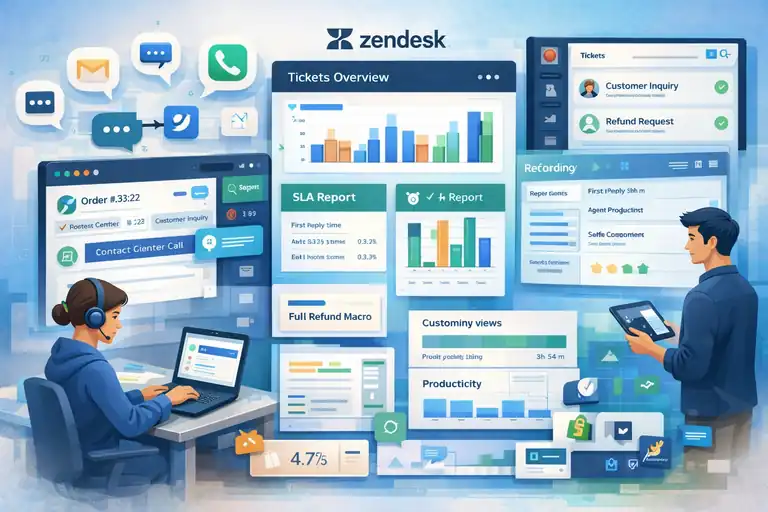
Zendesk is often seen as “too big” for ecommerce, but that’s not entirely fair.
For larger or fast-growing stores, it can be a powerhouse ecommerce customer service platform—if set up correctly.
Omnichannel Support Across Email, Chat, Voice, and Social
Zendesk offers true omnichannel support, meaning all channels work together instead of sitting in silos.
Channels Zendesk handles well:
- Email and help desk tickets
- Live chat and messaging
- Phone and call center support
- Social media conversations
When this matters most: If your ecommerce brand supports phone orders, wholesale accounts, or B2B buyers, Zendesk’s voice + ticketing combo is hard to beat.
Advanced Ticket Routing and SLA Management
Zendesk excels at controlling who gets what ticket and when.
Powerful routing options include:
- Skill-based assignment (billing vs tech vs shipping)
- Priority routing for VIP or urgent tickets
- SLA timers that track first reply and resolution time
Real-world impact: Teams using SLAs often improve first-response times by 20–40%, simply because agents know exactly what needs attention now.
Custom Views and Macros for High-Volume Stores
If your store handles hundreds or thousands of tickets per week, Zendesk’s views and macros become essential.
How these tools reduce workload:
- Views: Custom dashboards for refunds, chargebacks, or shipping delays
- Macros: One-click responses with pre-filled text and actions
Instead of typing the same explanation 50 times a day, agents focus on edge cases that actually need human judgment.
Robust Reporting for Customer Service Performance
Zendesk’s reporting is one of its strongest selling points.
Metrics you can track easily:
- First response time
- Full resolution time
- Agent productivity
- Ticket backlog trends
For ecommerce brands serious about CX, these metrics connect directly to retention and revenue. According to industry data, improving response time by even one hour can significantly increase repeat purchase likelihood.
Marketplace Apps for Ecommerce Platform Extensions
Zendesk’s app marketplace fills many ecommerce-specific gaps.
Useful ecommerce-focused extensions include:
- Shopify and BigCommerce integrations
- Loyalty program widgets
- Order lookup and CRM sync tools
My honest take: Zendesk isn’t plug-and-play like Gorgias. It rewards teams willing to configure workflows properly. But once dialed in, it can support massive scale without breaking.
Freshdesk Omnichannel for Ecommerce Customer Support
Freshdesk sits in a sweet spot for ecommerce customer service teams that have outgrown basic help desks but don’t want the overhead of enterprise-heavy tools.
I usually recommend it to growing stores that need structure, automation, and global reach—without hiring a full ops team to manage it.
Unified Ticketing System for Growing Ecommerce Brands
Freshdesk brings email, chat, social messages, and phone tickets into one unified dashboard.
Why this matters as volume increases: When ticket counts climb past a few hundred per week, things break fast if conversations live in silos.
What Freshdesk gets right:
- Single customer timeline: All conversations are visible in one place.
- Status clarity: Open, pending, resolved, and closed tickets are easy to spot.
- Team ownership: Every ticket has a clear assignee, which prevents “I thought you replied” moments.
For ecommerce teams in growth mode, this alone can restore sanity.
Automated Workflows and Scenario-Based Rules
Freshdesk’s automation engine is more powerful than many people expect.
Scenario-based rules explained simply: They’re “If this happens, do that” instructions for tickets.
Practical ecommerce automations I’ve seen work well:
- Auto-assign refund requests to finance-trained agents
- Escalate delivery issues after 48 hours with no reply
- Send instant acknowledgment emails during peak sales periods
Personal insight: I suggest starting with time-based automations before complexity. They quietly improve response speed without over-engineering your setup.
Self-Service Portal and Knowledge Base Creation
Freshdesk makes it surprisingly easy to build a customer-facing help center.
What you can publish quickly:
- Order tracking guides
- Refund and return policies
- Shipping timelines by region
Why this helps ecommerce customer service: Studies consistently show that over 60% of customers prefer self-service for simple questions. Every answered FAQ is one less ticket your team has to touch.
I’ve seen stores deflect 20–30% of inbound requests just by publishing clear, searchable articles.
Multilingual Support for Global Ecommerce Stores
If you sell internationally, this feature becomes a quiet lifesaver.
Multilingual capabilities include:
- Knowledge bases in multiple languages
- Agent-side translation tools
- Language-based ticket routing
Real-world scenario: A European customer submits a ticket in Spanish. Freshdesk routes it to a Spanish-speaking agent—or translates it—without slowing down resolution time.
That kind of experience builds trust fast.
Built-In Analytics for Agent Productivity Tracking
Freshdesk’s analytics focus on clarity rather than overload.
Key metrics you’ll actually use:
- Average first response time
- Ticket resolution time
- Agent workload balance
From what I’ve seen, teams that check these metrics weekly—not obsessively—tend to improve faster and burn out less.
Help Scout Customer Support Tool for Lean Ecommerce Teams
Help Scout is a personal favorite for smaller ecommerce teams that value human conversations over heavy automation.
If your brand voice matters and you want support to feel like a real person—not a ticket number—this tool fits beautifully.
Shared Inbox Designed for Personal Customer Conversations
Help Scout’s shared inbox looks more like Gmail than a traditional help desk.
Why this changes behavior: Agents write more thoughtful, human replies because the interface encourages conversation—not ticket processing.
What stands out:
- Emails feel one-to-one, not templated
- No visible ticket numbers to customers
- Internal notes stay private and clean
For ecommerce brands focused on loyalty, this subtle difference matters.
Collision Detection to Prevent Duplicate Replies
Collision detection sounds technical, but it solves a very real problem.
What it does: If two agents open the same conversation, Help Scout alerts them before both reply.
Why this helps:
- Prevents double responses
- Avoids customer confusion
- Reduces internal friction
It’s a small feature that saves embarrassment—and time—every single week.
Beacon Widget for In-Store Help and Documentation
Beacon is Help Scout’s on-site help widget that lives directly on your store.
How ecommerce brands use it well:
- Surface FAQs on product and checkout pages
- Offer live chat only when needed
- Suggest articles before a ticket is created
Example scenario: A customer hesitates at checkout. Beacon shows a shipping FAQ, answers the concern, and the purchase goes through—no ticket created.
That’s customer service quietly supporting conversions.
Customer Profiles With Purchase and Conversation History
Help Scout builds lightweight customer profiles automatically.
What agents see at a glance:
- Past conversations
- Notes from teammates
- Key customer details
While it’s not as ecommerce-native as Gorgias, pairing Help Scout with basic order lookups still gives agents enough context to respond confidently and empathetically.
Simple Reporting Focused on Customer Happiness
Help Scout’s reporting doesn’t overwhelm—it guides.
Metrics that actually matter:
- Response time
- Resolution time
- Customer satisfaction scores
My honest take: If your goal is to nurture long-term relationships instead of optimizing every second, these reports keep your team aligned with what customers feel—not just what dashboards show.
Tidio Live Chat and AI Chatbots for Ecommerce Stores
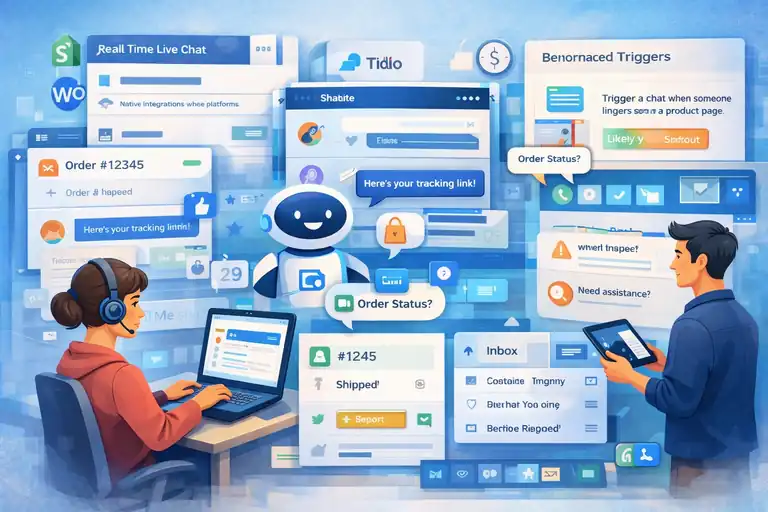
Tidio is one of those ecommerce customer service tools that feels deceptively simple—until you realize how much work it quietly takes off your plate.
I usually point smaller to mid-sized stores to Tidio when they want faster responses now, without hiring more support agents.
Real-Time Live Chat for Pre-Sale and Post-Sale Support
Tidio’s live chat widget sits neatly on your store and opens the door to real-time conversations.
Where this shines most:
- Answering product questions before checkout
- Reassuring hesitant buyers on shipping or returns
- Handling quick post-purchase follow-ups
Personal observation: I’ve seen live chat increase conversion rates by 10–20% on product-heavy pages, simply because customers get immediate clarity instead of bouncing.
AI Chatbots for Order Status and Common Questions
Tidio’s AI chatbot is built to handle repetitive ecommerce questions automatically.
What it does well:
- Responds instantly to “Where is my order?”
- Shares return and refund policy links
- Handles basic sizing, pricing, and shipping questions
Why this matters: Most ecommerce customer service tickets are repetitive. Letting bots handle the easy stuff frees your human team to focus on edge cases that actually need judgment.
Shopify and WooCommerce Native Integrations
Tidio integrates natively with Shopify and WooCommerce, which means minimal setup and real ecommerce context.
What agents can see instantly:
- Order status and history
- Customer contact details
- Basic purchase behavior
This eliminates the back-and-forth between tools and keeps responses fast, especially during peak sales periods.
Automated Triggers Based on Customer Behavior
Behavior-based triggers are where Tidio quietly boosts revenue.
Examples that work in practice:
- Trigger a chat when someone lingers on a product page
- Offer help when a customer pauses at checkout
- Show shipping FAQs after cart abandonment
My take: Use triggers sparingly. One well-timed message helps. Three pop-ups just annoy people.
Inbox Management for Chat, Email, and Messenger
Tidio combines chat, email, and Facebook Messenger into one inbox.
Why this matters for small teams:
- No missed messages
- Faster internal handoffs
- Clear conversation ownership
For lean ecommerce teams, this unified inbox keeps customer service manageable without extra tools.
Intercom Messaging Platform for Ecommerce Customer Engagement
Intercom is less about traditional ticket support and more about ongoing customer conversations.
For ecommerce brands focused on engagement, retention, and lifecycle messaging, it’s a powerful—but premium—option.
Proactive In-App and Website Messaging
Intercom lets you message customers before they even ask for help.
Common ecommerce use cases:
- Notify users about shipping delays proactively
- Highlight new features or restocks
- Guide first-time buyers through checkout
Why this works: Proactive support reduces inbound tickets and builds trust by showing you’re paying attention.
Automated Customer Journeys for Support and Retention
Intercom’s automated journeys guide customers based on actions they take.
Examples of smart automation:
- Onboarding messages for first-time buyers
- Follow-ups after support interactions
- Retention nudges for inactive customers
From what I’ve seen, brands using journeys well often see higher repeat purchase rates without increasing support load.
AI Chat for Instant Answers to Ecommerce Questions
Intercom’s AI chat handles common ecommerce questions instantly.
What makes it effective:
- Pulls answers from your help center
- Escalates to humans when needed
- Learns from past conversations
This keeps response times low while maintaining a consistent brand voice.
Advanced Segmentation Based on User Behavior
Segmentation is where Intercom becomes strategic.
You can segment by:
- Purchase history
- Page visits
- Cart activity
- Support interactions
Example: A returning customer with multiple purchases gets priority support, while first-time visitors receive guided help.
Help Center and Ticketing in One Platform
Intercom combines live chat, ticketing, and help documentation in one system.
Why this matters:
- Fewer tools to manage
- Consistent customer experience
- Cleaner internal workflows
Honest perspective: Intercom isn’t cheap, and it’s not for everyone. But if your ecommerce customer service strategy includes proactive engagement and retention, it can pay for itself quickly.
FAQ
What Are The Best Ecommerce Customer Service Tools Right Now?
The best ecommerce customer service tools depend on your store size and support volume. Gorgias works best for Shopify-focused stores, Zendesk suits high-volume or complex support teams, and tools like Tidio or Help Scout are ideal for lean teams that value speed and personal communication.
Why Is Ecommerce Customer Service Important For Online Stores?
Ecommerce customer service directly impacts repeat purchases, brand trust, and revenue. Fast, accurate support reduces refunds and chargebacks while increasing customer lifetime value, especially when support tools provide order context and automation.
How Do I Choose The Right Ecommerce Customer Service Software?
Choose ecommerce customer service software based on sales volume, support channels, and team size. Look for native ecommerce integrations, automation for common issues, and reporting that tracks response time and resolution quality—not just ticket volume.

I’m Juxhin, the voice behind The Justifiable.
I’ve spent 6+ years building blogs, managing affiliate campaigns, and testing the messy world of online business. Here, I cut the fluff and share the strategies that actually move the needle — so you can build income that’s sustainable, not speculative.
Related posts:
 Top Ecommerce Platforms That Make Selling Simple
 How to Make Money Dropshipping: 7 Secrets to a $10K/Month
 How To Start A Dropshipping Business With No Money
 Dropshipping Business Model Success: Tips for Long-Term Growth
 Viral Launch Chrome Extension: The Ultimate Tool for Sellers
 How to Use Dsers Shopify for Seamless Dropshipping