
Table of Contents
Some links on The Justifiable are affiliate links, meaning we may earn a small commission at no extra cost to you. Read full disclaimer.
Here’s something I’ve noticed over the years: most people don’t struggle with products or ideas — they struggle with choosing the top ecommerce platforms that won’t make selling feel overwhelming.
I’ve been there too, comparing features, pricing, and promises, just wanting a platform that actually makes selling simple instead of complicated.
Shopify For Fast Store Setup And Scalable Online Growth
If someone asked me which of the top ecommerce platforms is easiest to launch without feeling lost, Shopify is usually my first answer.
It’s built to remove friction at every stage, especially when you’re new or short on time, while still giving you room to grow into something much bigger.
Why Shopify Is Built For Non-Technical Sellers
Designed for humans, not developers. That’s the simplest way I can put it.
Shopify abstracts away most of the technical decisions that trip people up early on. Hosting, security updates, and performance tuning are handled in the background, so you’re not Googling error messages at midnight.
A big reason this works is Shopify’s SaaS model, meaning the software is hosted and maintained for you. You log in through a browser and manage everything from one dashboard.
No servers. No manual updates. No breaking your store by clicking the wrong setting.
From what I’ve seen, first-time sellers typically get a basic store live in a weekend. Shopify itself reports that millions of businesses use the platform globally, largely because of that low technical barrier.
Key advantages for non-technical users:
- Clear admin layout with plain-language labels
- Sensible defaults that work out of the box
- Built-in guidance during setup, not buried docs
If you’re the type who wants to focus on products and marketing, not infrastructure, this matters a lot.
Store Setup Workflow That Reduces Launch Friction
Shopify’s onboarding flow is one of its most underrated strengths.
Instead of dumping you into an empty dashboard, it walks you through a logical sequence: products, design, payments, then launch. Each step builds momentum, which sounds small, but psychologically it keeps you moving forward.
I’ve watched people stall for weeks on other platforms just trying to “set things up right.” Shopify’s workflow reduces that paralysis by making progress visible.
A typical setup flow looks like:
- Add your first product with guided fields
- Choose a theme that’s already conversion-optimized
- Connect payments and shipping in a single pass
- Preview and publish without manual deployment
According to Shopify data, stores that complete onboarding tasks faster are significantly more likely to make their first sale within 30 days. That lines up with what I’ve seen in practice.
Less friction early on means more energy left for actually selling.
Built-In Ecommerce Features That Support Daily Sales
One reason Shopify ranks consistently among the top ecommerce platforms is how much functionality is native, not bolted on.
You get essentials like product management, inventory tracking, discount creation, and order processing without needing external add-ons. That reduces complexity and ongoing maintenance.
What’s especially useful is how these features are connected. Inventory updates automatically when an order comes in.
Discounts apply cleanly across products and collections. Taxes and shipping rules are centralized instead of scattered.
Daily sales features sellers rely on:
- Real-time inventory syncing
- Automated order confirmations
- Abandoned checkout recovery
- Simple refund and return handling
In my experience, this tight integration reduces operational mistakes. Fewer missed orders. Fewer oversold products. Fewer “why didn’t this apply?” moments with customers.
Scaling From First Sale To High-Volume Operations
Shopify isn’t just for beginners, and this is where some people underestimate it.
I’ve seen stores go from a few orders a week to thousands a day without changing platforms. Shopify’s infrastructure scales automatically, so traffic spikes don’t require emergency upgrades.
For example, during major sales events, Shopify merchants collectively process tens of thousands of checkouts per minute. That kind of load tolerance isn’t accidental.
What enables smooth scaling:
- Automatic server scaling during traffic surges
- Stable checkout performance under load
- Centralized analytics for revenue and conversion tracking
The key thing I like is that scaling doesn’t add complexity. You don’t suddenly need to understand caching layers or load balancing. Growth feels incremental, not disruptive.
Customization Options Without Developer Dependence
Customization is often where “simple” platforms fall apart. Shopify handles this surprisingly well.
Themes are modular, meaning you can adjust layouts, colors, and sections visually. You’re not editing code unless you want to. For most stores, that’s enough to create a distinct brand.
When customization goes deeper, Shopify still keeps a safety net. You can add features incrementally instead of redesigning your entire store.
Common customization wins:
- Section-based page building
- Flexible product page layouts
- Brand styling without touching code
My personal rule of thumb is this: if you can describe what you want in plain English, Shopify usually lets you build it without hiring a developer.
WooCommerce For Full Control And WordPress Flexibility
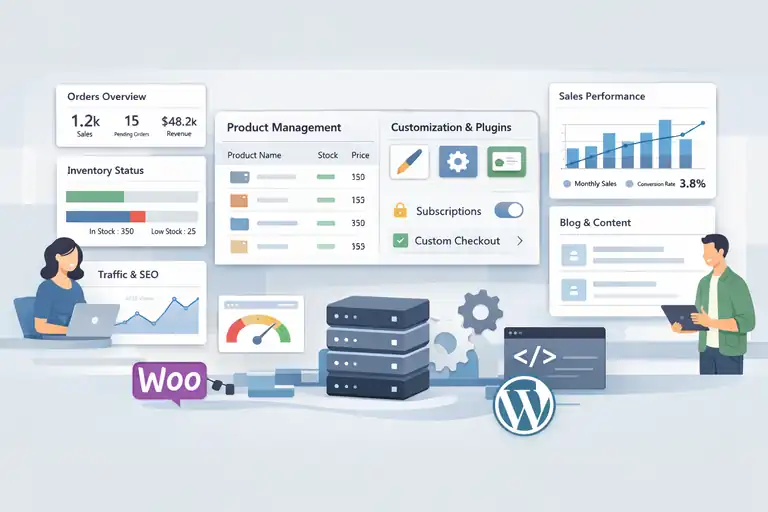
WooCommerce earns its place among the top ecommerce platforms for a very different reason: control.
It’s not the easiest path, but it’s one of the most flexible if you’re willing to manage more pieces.
Owning Your Store Data And Customization Freedom
With WooCommerce, your store lives on your own website, using WordPress as the foundation. That means you own the data, files, and structure outright.
There’s no platform lock-in. You’re free to move hosts, change designs, or modify functionality without asking permission. For some businesses, that autonomy is non-negotiable.
In practice, this matters when:
- You need custom data structures
- You want full control over checkout logic
- You’re building around content, not just products
I’ve worked with content-heavy brands where ecommerce was just one part of a larger ecosystem. WooCommerce fit naturally because it didn’t force ecommerce-first constraints.
Extending Store Functionality With Plugins And Themes
WooCommerce’s real power comes from its extension ecosystem.
Because it’s built on WordPress, you can extend almost any behavior. Subscriptions, memberships, custom product types, and complex pricing rules are all achievable.
That said, flexibility comes with responsibility. Each plugin adds maintenance overhead. Updates, compatibility checks, and performance tuning become part of the job.
A practical way to approach extensions:
- Start with essentials only
- Add functionality based on revenue needs
- Audit plugins quarterly to remove bloat
From what I’ve seen, stores with fewer, well-chosen plugins outperform bloated setups in both speed and stability.
Managing Products And Inventory At Any Scale
WooCommerce handles simple and complex catalogs well, but the experience depends heavily on how you structure it.
For small catalogs, management is straightforward. For large inventories, planning becomes critical. Product attributes, categories, and variations need consistent naming and logic.
Successful large stores usually:
- Standardize attribute naming early
- Limit unnecessary product variations
- Use bulk editing workflows carefully
I’ve seen stores with tens of thousands of SKUs run smoothly, but only when inventory architecture was designed upfront instead of patched together later.
SEO And Content Advantages For Organic Traffic Growth
This is where WooCommerce shines.
Because it runs on WordPress, content and commerce blend seamlessly. Blog posts, guides, and product pages can interlink naturally, strengthening topical authority.
In competitive niches, this matters. Organic traffic compounds over time, and content-led ecommerce strategies often outperform ad-only approaches long term.
Why this works so well:
- Full control over URLs and site structure
- Deep internal linking opportunities
- Content-first workflows built into WordPress
In my experience, brands investing in educational content alongside products tend to see lower customer acquisition costs over time.
Cost Control And Hosting Considerations For Sellers
WooCommerce itself is free, but it’s not “cheap by default.”
Costs depend on hosting quality, extensions, and maintenance. Low-cost hosting often leads to slow stores and lost sales, which is a false economy.
Typical cost factors include:
- Hosting and performance optimization
- Paid extensions for advanced features
- Ongoing maintenance and updates
I usually tell people this: WooCommerce gives you control, not convenience. If you value flexibility and long-term ownership, it’s worth it. If you want simplicity, it may feel heavy.
BigCommerce For High-Volume And B2B Ecommerce Needs
When I talk with sellers who’ve outgrown “simple” setups, BigCommerce usually enters the conversation fast.
Among the top ecommerce platforms, it’s built for businesses that already have momentum and need structure, not shortcuts, to keep scaling without things breaking behind the scenes.
Native Features Designed For Growing Product Catalogs
One thing BigCommerce gets right is scale by default.
It’s designed to handle large catalogs without forcing workarounds. You can manage thousands of SKUs, variants, and categories without the admin slowing to a crawl.
That matters more than people realize once a catalog grows past a few hundred products.
What stands out is how much functionality is native, meaning built into the platform rather than added later.
Key strengths for large catalogs:
- Bulk product imports and edits
- Advanced product filtering and attributes
- Built-in support for complex variant logic
I’ve seen brands migrate to BigCommerce after hitting performance walls elsewhere, only to realize the platform itself removed entire layers of operational stress.
If your product catalog keeps expanding every quarter, this kind of foundation quietly saves you time and money.
Handling Complex Pricing And Wholesale Structures
This is where BigCommerce really separates itself.
Many platforms struggle once you introduce wholesale pricing, tiered discounts, or customer-specific price lists. BigCommerce was built with these use cases in mind, especially for B2B sellers.
You can define different pricing rules based on:
- Customer groups
- Order volume thresholds
- Contract-based pricing
In practical terms, that means a retail customer and a wholesale buyer can see completely different pricing without maintaining separate stores.
From what I’ve seen, B2B sellers using native pricing rules reduce manual order adjustments dramatically. Fewer invoices fixed by hand. Fewer “that’s not my price” emails.
Performance And Security For Large Transaction Volumes
Performance stops being a “nice to have” once traffic spikes become normal.
BigCommerce is optimized for high transaction volumes, meaning checkout performance stays stable even during promotions or seasonal peaks. That’s critical because every second of delay can hurt conversions.
Industry research consistently shows that a one-second delay in page load time can reduce conversions by around 7%. BigCommerce’s infrastructure is designed to avoid that risk as volume increases.
Built-in advantages include:
- Automatic scaling during traffic surges
- Strong security standards for payments and data
- Consistent uptime without manual tuning
I’ve seen stores run major campaigns without worrying whether the site will survive the traffic. That peace of mind has real value.
Multi-Channel Selling Without Heavy Custom Builds
Selling today isn’t just about one storefront.
BigCommerce supports selling across multiple channels from a centralized system. That includes marketplaces and social channels, without requiring heavy custom development.
The practical win here is operational clarity. Inventory, pricing, and orders stay synchronized instead of living in disconnected systems.
This matters most when:
- You sell on multiple channels daily
- Inventory accuracy impacts fulfillment
- Reporting needs to stay clean
In my experience, brands that centralize multi-channel selling earlier avoid painful operational cleanups later.
When BigCommerce Makes More Sense Than Other Platforms
BigCommerce isn’t for everyone, and that’s okay.
It shines when complexity is unavoidable. If your business model includes wholesale, large catalogs, or international selling, BigCommerce often makes more sense than platforms optimized for speed and simplicity.
Choose BigCommerce if:
- You already have steady sales volume
- Your pricing structure isn’t simple
- Operational stability matters more than quick setup
If you’re early-stage, it may feel like overkill. But for mature stores, it often feels like relief.
Wix Ecommerce For Beginners Who Want Design Control
Wix Ecommerce appeals to a very specific type of seller: someone who wants things to look right without learning design or development.
Among the top ecommerce platforms, it’s one of the most approachable visually.
Visual Store Building With Drag-And-Drop Simplicity
Wix’s drag-and-drop builder is genuinely intuitive.
You move elements visually, exactly where you want them. No grids to decode. No layout rules to memorize. What you see is very close to what customers get.
This works especially well for:
- Creators selling a small number of products
- Local businesses moving online
- First-time sellers testing an idea
I’ve watched people build presentable stores in a single afternoon. That kind of speed builds confidence, which is underrated when you’re just starting out.
Ecommerce Tools Tailored For Small Product Lines
Wix Ecommerce is clearly optimized for simplicity over scale.
Product management is straightforward, clean, and unintimidating. You won’t find deep inventory logic or advanced catalog rules, but for small product lines, that’s a feature, not a bug.
It works best when:
- You sell under 50 products
- Variations are minimal
- Fulfillment is simple
For many beginners, this removes decision fatigue and keeps focus on selling, not configuring.
Custom Branding Without Design Experience
This is where Wix really shines.
Templates are modern and flexible, and customization doesn’t require design knowledge. Fonts, colors, spacing, and imagery can all be adjusted visually.
What I like is how forgiving the system is. You can experiment without worrying about breaking layouts or responsiveness.
Branding advantages include:
- Strong visual templates out of the box
- Easy customization for non-designers
- Consistent mobile presentation
If brand aesthetics matter early on, Wix lowers the barrier significantly.
Managing Payments, Shipping, And Taxes Easily
Wix keeps operational settings simple and centralized.
Payments, shipping rules, and tax settings are handled through guided interfaces. You’re not buried in nested settings or technical terminology.
This is ideal if:
- You sell domestically
- Shipping rules are basic
- Tax scenarios are straightforward
I’ve noticed beginners make fewer configuration mistakes here compared to more complex platforms.
Limitations To Consider As Your Store Grows
Wix Ecommerce does have ceilings, and it’s important to be honest about them.
As product counts grow or workflows become complex, limitations start to surface. Advanced inventory logic, complex pricing rules, and large-scale automation aren’t its strengths.
Common growth pain points:
- Limited scalability for large catalogs
- Fewer advanced ecommerce controls
- Migration complexity later on
My advice is simple: Wix is great for starting and validating an idea. If growth accelerates, be mentally prepared to move to a more robust platform later.
Squarespace Commerce For Creative And Brand-First Stores

Squarespace Commerce tends to resonate with people who care deeply about how their store looks and feels.
Among the top ecommerce platforms, it’s often chosen by creatives who want their brand story to come through clearly without wrestling with technical complexity.
Clean Storefront Design For Visual Products
If your products rely heavily on visuals, presentation isn’t optional. It’s the product.
Squarespace’s layouts are built around spacing, typography, and imagery, which makes it especially effective for artists, photographers, designers, and lifestyle brands. Instead of fighting templates, you’re guided toward designs that already look polished.
What I’ve noticed is that visual products perform better when the storefront feels calm and intentional. Squarespace supports that by default.
Design strengths that matter in practice:
- Image-forward layouts that don’t feel cluttered
- Consistent typography across pages
- Mobile views that stay visually intact
I’ve seen creators increase engagement simply by switching to a cleaner layout where products could breathe. Sometimes less really does sell more.
Simple Product Management For Small Businesses
Squarespace keeps product management intentionally simple.
You can add products, set prices, upload images, and organize collections without digging through layers of settings. For small businesses, this keeps daily operations light and manageable.
This simplicity works best when:
- You sell a limited number of products
- Variations are minimal
- Inventory doesn’t change constantly
In my experience, sellers who value simplicity over flexibility feel less mental load here. You spend more time refining your offering and less time maintaining the backend.
Content And Commerce Working Together Seamlessly
One of Squarespace’s quiet strengths is how content and commerce live side by side.
Blog posts, galleries, landing pages, and product pages all use the same editing experience. That makes storytelling feel natural instead of bolted on.
This is especially useful if:
- Your brand relies on education or storytelling
- You sell based on trust and aesthetics
- Content plays a role in conversion
I’ve seen creators weave blog posts directly into product journeys, guiding readers from inspiration to purchase without feeling salesy. That flow is hard to achieve when content and commerce are separated.
Selling Digital And Physical Products In One Platform
Squarespace handles both digital and physical products without forcing you into separate systems.
You can sell downloads, services, or physical goods from the same storefront, using the same design language and checkout experience.
This is practical for:
- Creators selling presets, courses, or prints
- Coaches offering digital products alongside merch
- Small brands testing different product types
Having everything in one place reduces friction, especially early on when you’re still experimenting with what sells.
Trade-Offs Between Simplicity And Advanced Features
Squarespace’s biggest strength is also its limitation.
As your business grows, you may start wanting more advanced ecommerce controls. Complex inventory rules, detailed pricing logic, or large catalogs can feel constrained.
Common trade-offs to be aware of:
- Limited flexibility for complex workflows
- Fewer advanced ecommerce features
- Less room for deep customization later
My honest take is this: Squarespace is excellent when brand and simplicity come first. If operations start driving decisions, it may be time to graduate to something more robust.
Adobe Commerce For Enterprise-Level Ecommerce Operations
Adobe Commerce sits at the opposite end of the spectrum.
Among the top ecommerce platforms, it’s built for organizations where complexity is unavoidable and scale is already a given.
Custom Architecture For Complex Business Models
Adobe Commerce is designed for businesses that don’t fit into standard ecommerce molds.
If your pricing, fulfillment, or customer structure is highly customized, this platform gives you the architectural freedom to model those realities accurately.
It’s often used when:
- Business logic can’t be simplified
- Multiple customer types need different experiences
- Ecommerce is deeply integrated into operations
From what I’ve seen, Adobe Commerce works best when there’s already clarity around processes. It’s powerful, but it expects you to know what you’re building.
Handling Large Inventories And Global Storefronts
Large inventories introduce complexity fast, especially when selling globally.
Adobe Commerce supports massive catalogs, multiple storefronts, and region-specific experiences from a single system. That means different languages, currencies, and catalogs can coexist without duplication.
This matters for:
- International brands
- Multi-brand organizations
- Businesses with region-specific rules
I’ve worked with teams managing hundreds of thousands of SKUs where this level of control wasn’t optional. It was survival.
Advanced Customization With Developer Resources
Adobe Commerce is not a plug-and-play solution.
It’s built for teams with access to developers or technical partners. That’s not a drawback, just a reality check.
Customization possibilities include:
- Fully custom checkout experiences
- Deep system integrations
- Tailored admin workflows
In practice, this allows businesses to remove operational bottlenecks rather than work around them. But it also means higher upfront investment.
Performance, Security, And Compliance At Scale
At enterprise scale, performance and compliance stop being technical details and become business risks.
Adobe Commerce is designed with enterprise requirements in mind, supporting strict security standards and high-performance environments.
Why this matters:
- Downtime impacts revenue immediately
- Security issues damage brand trust
- Compliance failures carry legal risk
I’ve seen companies choose Adobe Commerce specifically because leadership needed confidence, not just features.
When Enterprise Sellers Should Choose Adobe Commerce
Adobe Commerce is not about speed or simplicity. It’s about control at scale.
It makes sense when:
- Ecommerce is mission-critical
- Custom workflows drive revenue
- Long-term scalability outweighs setup effort
My candid advice is this: if you don’t already feel the pain of complexity, Adobe Commerce may be too much. But if complexity is already costing you money, it can be the right foundation to grow without breaking.

I’m Juxhin, the voice behind The Justifiable.
I’ve spent 6+ years building blogs, managing affiliate campaigns, and testing the messy world of online business. Here, I cut the fluff and share the strategies that actually move the needle — so you can build income that’s sustainable, not speculative.
Related posts:
 How the Salehoo Catalog Helps You Spot Winning Items Quickly
 How the Salehoo App Works and Why It Speeds Up Product Research
 Salehoo Stores Review: Are These Stores Worth It?
 Is SaleHoo Legit? What Real Sellers Actually Discover
 Viral Launch Chrome Extension: The Ultimate Tool for Sellers
 Salehoo Directory Free: What You Can Access Without Paying