
Table of Contents
Some links on The Justifiable are affiliate links, meaning we may earn a small commission at no extra cost to you. Read full disclaimer.
Brevo pricing worth it for small business is a question many founders ask the moment they start comparing email marketing tools. When you’re running a small business, every subscription matters—especially when tools like Brevo promise automation, segmentation, SMS marketing, and CRM features in one platform.
At first glance, Brevo looks affordable compared to alternatives like Mailchimp or ActiveCampaign. But pricing alone doesn’t determine value. What matters is whether the features actually solve the problems small businesses face: limited budget, small email lists, simple automation needs, and growth scalability.
In this guide, we’ll break down Brevo’s pricing plans, what you really get at each tier, hidden costs, and whether the platform is truly worth it for small businesses—or if it’s overrated compared to other tools in 2026.
Brevo Pricing Plans Breakdown For Small Businesses
Understanding how Brevo structures its pricing is the first step in deciding whether brevo pricing worth it for small business is actually true or just marketing hype. The platform uses a unique pricing model compared to many email tools: you pay based on email volume rather than contact list size.
That one difference alone can dramatically reduce costs for small businesses that maintain large lists but send emails less frequently.
Free Plan: What Small Businesses Actually Get
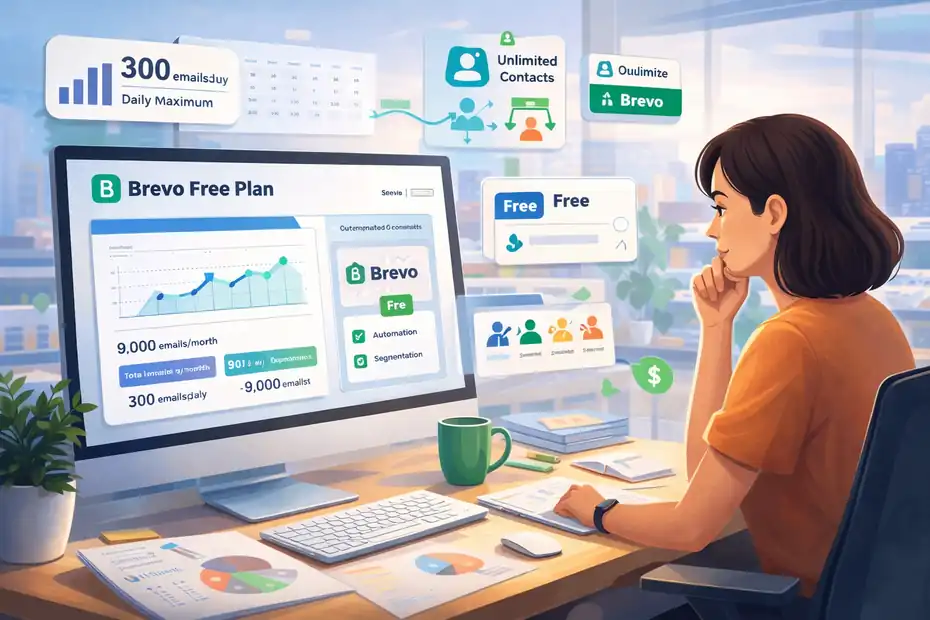
The Brevo Free Plan is designed for individuals, freelancers, and very small businesses testing email marketing for the first time. If you’re starting from scratch, it offers enough functionality to launch real campaigns without spending anything.
Here’s what you actually get:
- Email sending: Up to 300 emails per day
- Contacts: Unlimited contacts stored
- Email editor: Drag-and-drop builder
- Templates: Pre-designed email templates
- Segmentation: Basic list segmentation
- Reporting: Basic open and click tracking
- Forms: Simple signup forms for lead capture
The unlimited contacts feature surprises many people. Most email marketing platforms charge based on list size. Brevo instead limits daily sending.
Imagine you run a small local bakery and collect 2,000 emails through your website. On many platforms, you’d immediately pay a monthly fee for storing those contacts. With Brevo, you can keep them all on the free plan — you just can’t email them all in a single day.
The main limitation is the 300 emails per day cap, which equals roughly 9,000 emails per month if you send daily.
That sounds decent until your list grows. If you have 5,000 subscribers and want to send a weekly newsletter, the limit becomes restrictive very quickly.
From my experience, the free plan works best for:
- Early-stage bloggers
- Freelancers building a list
- Local businesses testing email marketing
- Side hustlers validating an audience
Once you start sending regular newsletters or promotions, you’ll likely outgrow it.
Starter Plan Pricing And Core Features Explained
The Starter plan is Brevo’s first paid tier and is usually where most small businesses begin once they move beyond the free limitations.
The typical pricing starts around $8–$9 per month for 5,000 emails monthly depending on billing cycles.
Instead of charging for contacts, Brevo charges for monthly email volume, which means:
| Plan | Monthly Emails | Starting Price |
|---|---|---|
| Free | 9,000 monthly (300/day) | $0 |
| Starter | 5,000 emails/month | ~$8 |
| Higher tiers | 20k–100k+ emails | scalable pricing |
The Starter plan removes one major restriction: the daily sending limit disappears.
This means you could send all 5,000 emails in a single campaign.
Core features included:
- Unlimited contacts
- Drag-and-drop email builder
- Email templates
- Basic segmentation
- Campaign analytics
- Email support
- AI email content generator
However, there is one catch that often surprises new users.
The Brevo logo still appears in your emails unless you pay extra to remove it. That branding removal typically costs around $10/month add-on, which almost doubles the Starter plan cost.
From what I’ve seen working with small businesses, the Starter plan is ideal when:
- You have 1,000–5,000 subscribers
- You send 1–4 campaigns per month
- You want a reliable low-cost email platform
But if automation is important to your marketing strategy, the Starter plan might feel limited.
Standard Plan Automation And Marketing Capabilities
The Standard plan is where Brevo starts to become a serious marketing platform rather than just an email sender.
Pricing usually begins around $16–$18 per month for smaller email volumes and scales based on how many emails you send monthly.
What makes this plan interesting is the addition of marketing automation and advanced analytics, which can significantly improve campaign performance.
Key features unlocked:
- Marketing automation workflows
- A/B testing
- Advanced reporting
- Click heatmaps
- AI send-time optimization
- Web tracking
- Landing page builder
- Removal of Brevo branding
Automation is the biggest upgrade here.
For example, imagine you run an online store. With automation you could create flows like:
- Automation 1: Send welcome email immediately after signup.
- Automation 2: Send a discount code if no purchase happens in 3 days.
- Automation 3: Send product recommendations after purchase.
These automated sequences generate revenue without manually sending campaigns.
According to industry benchmarks, automated emails generate 320% more revenue than standard promotional emails (Campaign Monitor).
Another valuable feature is A/B testing, which lets you test different subject lines or email content to see what drives higher open rates.
For growing businesses trying to increase email marketing ROI, the Standard plan is often where the real value begins.
Professional Plan Features And Enterprise-Level Tools
The Professional plan targets larger businesses or companies running complex multi-channel marketing strategies.
Pricing jumps significantly compared to lower tiers, often starting around $400+ per month, depending on email volume and features.
This plan unlocks advanced capabilities designed for teams and data-driven marketing.
Key upgrades include:
- Multi-user team access
- Contact scoring
- AI-powered segmentation
- Advanced ecommerce tracking
- Phone support
- Deliverability specialists
- Multi-channel messaging (WhatsApp, push notifications)
Contact scoring is particularly powerful.
It allows you to assign points to subscriber actions. For example:
- Email open: +5 points
- Link click: +10 points
- Product page visit: +20 points
Once a subscriber reaches a certain score, you can trigger sales outreach or special offers.
This system helps businesses focus marketing efforts on high-intent leads, which improves conversions.
In my opinion, most small businesses won’t need this level of complexity. But companies managing multiple products, funnels, and marketing teams can benefit from it.
Enterprise Plan Custom Pricing And When It Makes Sense
The Enterprise plan is designed for large companies with massive contact databases and complex marketing infrastructure.
Pricing is custom, meaning businesses must speak directly with the Brevo sales team.
Enterprise features typically include:
- Dedicated IP address
- Custom integrations
- Advanced data segmentation
- Multi-account management
- SSO (single sign-on)
- Dedicated onboarding support
- Custom loyalty systems
One of the most important upgrades is the dedicated IP address.
With a dedicated IP, your email deliverability depends only on your own sending reputation — not other users sharing the platform.
This matters when sending hundreds of thousands or millions of emails monthly, where deliverability directly impacts revenue.
For most small businesses, however, this plan is unnecessary.
It only makes sense if you:
- Manage very large contact databases
- Send massive campaign volumes
- Need enterprise-level integrations
- Require advanced data infrastructure
For everyone else, the Free, Starter, or Standard plans will cover nearly all needs.
Brevo Free Plan Value For New Small Businesses
For many entrepreneurs exploring email marketing for the first time, the free plan determines whether brevo pricing worth it for small business is even worth considering.
The truth is, Brevo’s free tier is unusually generous compared to many competitors because it allows unlimited contacts and real marketing features without requiring a credit card.
However, understanding its practical limitations helps you decide whether it can support your business long-term.
Email Sending Limits And Daily Restrictions Explained
The biggest limitation of the Brevo free plan is the 300 emails per day sending cap.
While this may seem restrictive at first glance, the way it works can still support small audiences effectively.
Here’s what that looks like in practice:
| Daily Limit | Monthly Potential |
|---|---|
| 300 emails/day | ~9,000 emails/month |
For example, imagine you run a blog with 500 subscribers and send one weekly newsletter.
Your monthly email usage would be: 500 subscribers × 4 newsletters = 2,000 emails
That fits comfortably within the free plan.
But the limitation becomes clear when your list grows.
Let’s say your list grows to 5,000 subscribers and you want to send a weekly campaign.
Your usage becomes: 5,000 × 4 emails = 20,000 emails/month
Now the daily sending limit becomes a serious bottleneck.
You’d have to spread campaigns across multiple days, which can break marketing timing — especially for promotions or launches.
From what I’ve seen, the free plan works best when:
- Your list is under 1,000 subscribers
- You send 1–2 campaigns weekly
- You’re testing email marketing strategies
Once email becomes a consistent revenue channel, the sending cap starts getting in the way.
Brevo Branding And How It Impacts Professional Image
One detail many small businesses overlook is the Brevo branding included in free plan emails.
Every email you send includes a small footer that says the email was sent via Brevo.
For some businesses, this isn’t a big deal. But for others, it can affect brand perception.
Imagine you’re running a consulting business or selling premium digital products. Seeing another company’s branding in your emails may make your marketing look less polished.
This becomes especially important when sending emails like:
- Client onboarding sequences
- Sales promotions
- Paid course announcements
- Ecommerce campaigns
In most industries, customers rarely notice email platform branding.
But if your brand positioning relies heavily on professionalism or authority, removing it may matter.
Upgrading to a paid plan removes that branding automatically (or through a small add-on on lower tiers).
For early-stage businesses, however, I usually suggest ignoring the branding until email revenue starts coming in.
Your audience cares far more about the value of your content than the small logo at the bottom.
Contact Storage Limits Compared With Competitors
One of Brevo’s biggest advantages is its unlimited contact storage, even on the free plan.
This is very different from platforms like Mailchimp or Kit, which charge based on subscriber count.
Here’s a simplified comparison:
Why this matters:
Many businesses collect emails faster than they send campaigns.
For example:
- Lead magnets
- Website signup forms
- Webinar registrations
- Giveaway entries
Your list can grow quickly even if you only send occasional emails.
With Brevo, you can build a large subscriber database without worrying about paying for storage immediately.
That’s a major cost advantage for small businesses focused on long-term audience building.
Free Automation And Segmentation Capabilities
Even on the free plan, Brevo includes basic automation and segmentation tools, which many platforms lock behind paid plans.
Automation allows you to trigger emails automatically when a subscriber takes action.
Example automation flows include:
- Automation 1: Welcome email sent immediately after signup.
- Automation 2: Follow-up email 3 days later with useful resources.
- Automation 3: Product recommendation email after a purchase.
These simple sequences dramatically improve engagement.
According to research from Omnisend, automated welcome emails see up to 63% higher open rates compared to regular newsletters.
Segmentation is another valuable feature.
It allows you to divide subscribers based on behavior or characteristics, such as:
- New subscribers
- Past customers
- Website visitors
- Location or demographics
Segmented emails typically generate higher click-through rates and conversions because they feel more relevant to the reader.
For a free plan, this level of functionality is surprisingly powerful.
When The Free Plan Stops Being Practical For Growth
The Brevo free plan is excellent for getting started, but eventually most businesses hit a growth ceiling.
From what I’ve observed working with email marketing strategies, the free plan becomes restrictive in three main situations.
Situation 1: Your email list grows beyond 1,500–2,000 subscribers
At this point the daily sending limit makes it difficult to send full-list campaigns.
Situation 2: You begin using email for revenue
If your campaigns include promotions, launches, or ecommerce offers, timing becomes critical. Waiting multiple days to send emails can reduce conversion rates.
Situation 3: You want deeper automation
While the free plan offers simple workflows, advanced automation requires upgrading.
The transition point usually happens when email marketing becomes a reliable traffic or sales channel.
Once that happens, upgrading to a paid plan is less about cost and more about unlocking growth.
Starter Plan Value For Budget-Conscious Businesses
The Starter plan is the first paid upgrade many businesses consider when evaluating whether brevo pricing worth it for small business holds up beyond the free tier.
It removes several restrictions from the free plan while keeping pricing relatively affordable for early-stage companies.
For many small businesses, this plan represents the sweet spot between cost and functionality.
Starter Plan Monthly Cost Versus Email Volume
One thing that makes Brevo’s pricing structure different is that cost depends on the number of emails sent, not how many contacts you store.
This can significantly reduce costs compared to platforms that charge based on subscriber count.
Here’s a simplified example of typical Starter pricing ranges:
| Monthly Emails | Approximate Price |
|---|---|
| 5,000 emails | ~$8/month |
| 20,000 emails | ~$15/month |
| 50,000 emails | ~$35/month |
Now imagine two different businesses:
- Scenario A: A blogger with 10,000 subscribers who sends only two emails per month.
- Total emails sent: 10,000 × 2 = 20,000 emails
- Scenario B: A store with 2,000 subscribers sending daily promotions.
- Total emails sent: 2,000 × 30 = 60,000 emails
In many platforms, the blogger would pay more because of the larger list. With Brevo, the store pays more because they send more emails.
This model tends to benefit businesses that:
- Grow email lists quickly
- Send campaigns less frequently
- Focus on quality newsletters rather than daily promotions
For small businesses focused on audience growth, the cost advantage can be significant.
Core Email Marketing Tools Included In Starter Plan
Although the Starter plan is the most affordable paid tier, it still includes a surprisingly strong set of email marketing features.
These tools allow small businesses to run professional campaigns without complex marketing infrastructure.
Key tools available include:
- Drag-and-drop email builder
- Pre-designed email templates
- Contact segmentation
- Campaign analytics and reports
- AI email content generator
- Unlimited contact storage
- No daily sending limit
The drag-and-drop editor deserves special mention.
It allows you to design professional emails without coding skills by simply moving blocks such as:
- Images
- Buttons
- Text sections
- Product displays
- Social media icons
For example, imagine you’re running a small ecommerce shop announcing a new product.
Your campaign might include:
- Hero image of the product
- Short description
- “Shop Now” button
- Customer testimonial
- Discount code section
All of this can be assembled visually within minutes.
This simplicity makes the Starter plan ideal for business owners who want to run email marketing themselves rather than hiring a developer.
Removing Brevo Branding And Additional Cost Impact
One of the most debated aspects of Brevo’s Starter plan is the branding removal fee.
Even after upgrading from the free plan, emails may still include a small Brevo logo in the footer unless you pay an additional fee to remove it.
The add-on typically costs around $10 per month.
Let’s break down what that means financially.
Example:
- Starter plan: $8/month
- Branding removal add-on: $10/month
- Total cost: $18/month
That nearly doubles the base price.
Now, is removing the branding actually necessary?
From my experience, it depends on the type of business.
For example:
- Freelancers or bloggers: Branding usually doesn’t matter much.
- Ecommerce stores: Customers rarely notice email platform branding.
- Agencies or consultants: Removing branding may help maintain professional presentation.
In most early-stage businesses, I suggest focusing on growth first and aesthetics later.
Once email marketing becomes a core revenue channel, upgrading for branding removal becomes easier to justify.
Who The Starter Plan Works Best For In Real Scenarios
The Starter plan is best suited for businesses that have outgrown the free plan but don’t yet need advanced automation.
Let me share a few realistic scenarios where it works well.
Example 1: A niche blog growing its audience
Imagine a personal finance blog with 3,000 subscribers sending a weekly newsletter.
Monthly emails: 3,000 × 4 = 12,000 emails
The Starter plan easily covers this while maintaining low cost.
Example 2: A local service business
A dental clinic sends:
- Monthly promotions
- Appointment reminders
- Seasonal offers
Because emails are sent infrequently, the pricing remains low.
Example 3: A small ecommerce brand
A boutique clothing store sends:
- New product announcements
- Occasional sales promotions
Even with several thousand subscribers, email volume may stay within lower pricing tiers.
In each case, the business benefits from:
- Unlimited contacts
- Professional email campaigns
- Low monthly cost
Without needing complex marketing automation.
Hidden Limitations Small Businesses Should Know
While the Starter plan is affordable, there are a few limitations that become noticeable as your marketing strategy evolves.
Understanding these early can help prevent frustration later.
Limitation 1: Limited marketing automation
Advanced automated workflows are not fully available until the Standard plan.
If your marketing strategy depends on complex customer journeys, upgrading may become necessary.
Limitation 2: No advanced analytics
Starter reporting focuses on basic metrics like:
- Open rates
- Click-through rates
- Bounce rates
More detailed insights like click heatmaps and behavioral tracking require higher plans.
Limitation 3: Add-on costs
Some features require additional fees, including:
- Branding removal
- SMS messaging credits
- Sales CRM upgrades
While these are optional, they can increase the effective monthly cost.
Standard Plan Features That Justify The Price
The Standard plan is where Brevo starts feeling less like a basic newsletter tool and more like a proper growth platform for a small business.
This is usually the tier where the answer to brevo pricing worth it for small business shifts from “maybe” to “yes, if you’ll actually use the extra features.”
Marketing Automation Workflows For Lead Nurturing
Brevo’s Standard plan adds marketing automation, which is one of the biggest reasons many small businesses upgrade. On the official pricing page, Brevo lists marketing automation as a core Standard feature, alongside web tracking and landing pages.
In plain English, automation means you stop manually sending every follow-up email. Instead, you build a sequence once, then let it run based on subscriber behavior. That matters when you’re short on time and don’t want leads going cold.
Here’s a simple lead nurturing setup I’d recommend for a service business or small ecommerce brand:
- Step 1: Send a welcome email right after signup.
- Step 2: Wait 2 days, then send your best educational content.
- Step 3: If the subscriber clicks a product or service page, send a relevant offer.
- Step 4: If they do not engage, send a lighter re-engagement email instead.
That sounds basic, but it fixes a very real problem. Most small businesses collect leads and then do almost nothing with them. The list just sits there like expensive digital wallpaper.
A realistic example: Imagine you run a local skincare brand. Someone downloads your “routine guide” but does not buy. With automation, you can send a short sequence that explains product fit, skin type matching, and a first-order incentive. That is far more effective than blasting the same campaign to everyone.
From what I’ve seen, Standard is worth it when your email list is no longer just a list. It is becoming part of your sales process. If all you do is send one newsletter a month, this feature alone may not justify the upgrade. But if you need leads warmed up automatically, it often does.
A/B Testing Tools For Campaign Optimization
Brevo includes A/B testing on the Standard plan, and this is one of those features that sounds “advanced” until you realize it solves a very simple problem: you do not always know which email version will perform better.
According to Brevo’s help documentation, you can test either subject lines or email content, choose a sample size, set the winner by open rate or click rate, and then automatically send the winning version to the rest of your audience. Brevo also notes that subject lines matter a lot, citing research that 68% of people open an email based on the subject line alone.
That is practical, not theoretical.
Let me break it down with a realistic scenario. Say you run a small online furniture store and want to promote a weekend sale.
- Version A: “Weekend Sale: 15% Off Bestsellers”
- Version B: “Your Living Room Upgrade Starts Today”
You send both to a test sample. If Version A gets better opens, Brevo can push that version to the rest of your list. That means you are not guessing your way through a campaign.
There are two small catches worth knowing. Brevo says A/B tests work on subject lines or content, and for more statistically relevant results, they recommend sending to at least 5,000 recipients. They also note that A/B test campaigns cannot use the “Send at best time” option at the same time.
My view: A/B testing is not mandatory for every small business, but once you send frequent offers, launches, or promotions, it becomes a quiet profit lever. Even a modest lift in open rate or click rate can compound over months.
Advanced Email Reporting And Performance Tracking
The Standard plan also unlocks more advanced reporting. Brevo specifically lists advanced email reporting, click heatmaps, and geography and device reports on this tier.
This is where many small businesses stop looking at vanity numbers and start seeing what is actually happening inside their campaigns.
Basic reporting tells you things like opens and clicks. Advanced reporting helps answer better questions:
- Which links get the most clicks?
- Are people opening on mobile or desktop?
- Which countries or regions engage most?
- Which part of the email gets ignored?
Click heatmaps are especially useful because they show where subscribers actually clicked inside the email. I like this because it immediately exposes design problems. Sometimes a business thinks the main call-to-action is obvious, but the heatmap shows users clicking the header image or secondary link instead.
Imagine you send a product launch email with three featured items. The heatmap shows 70% of clicks go to one category. That tells you something important: your audience is signaling interest. You can use that insight in your next campaign, landing page, or even paid ads.
Device reporting matters too. If most of your audience opens on mobile, long intros and oversized image stacks can quietly crush performance. You do not need enterprise analytics to fix that. You just need enough data to stop designing emails for yourself and start designing for the reader.
In my experience, this is one of the underrated reasons the Standard plan can be worth the price. Better reporting helps you make fewer “I think this worked” decisions and more “the data clearly says this worked” decisions.
AI Send-Time Optimization And Engagement Gains
Brevo’s Standard plan includes AI send-time optimization, which it calls “Send at best time.” According to Brevo, the feature is powered by its AI assistant Aura, which analyzes engagement data to determine the optimal send time for each contact. Brevo says recipients receive the email within 24 hours of the chosen date.
That might sound like a small convenience feature, but it can matter more than people think.
Most small businesses send campaigns when it suits their own schedule. That is understandable. You finish writing the email at 4 p.m., so you send it at 4:05 p.m. The problem is your audience may not be most active then.
Send-time optimization tries to fix that by shifting delivery toward when each contact is more likely to engage. For a mixed audience across time zones, work schedules, and buying habits, that is genuinely useful.
Here is where I think it makes the most sense:
- A store sending launches to customers in multiple countries.
- A B2B company emailing leads during workweek cycles.
- A content brand trying to improve newsletter engagement without increasing send volume.
Brevo also notes a limitation: you cannot use “Send at best time” on A/B test campaigns, and some settings such as anonymous tracking or dedicated IP warm-up can make the feature unavailable.
My honest take is this: AI send-time optimization is not magic. It will not rescue a weak offer or boring email. But if your emails are already decent, it can help squeeze more engagement out of the same list without extra effort. That is one of the cleaner forms of ROI a small business can get.
Landing Pages And Web Tracking For Conversion Data
Brevo includes one landing page and web plus event tracking on the Standard plan. That combination matters because it lets you connect email clicks to real on-site behavior, not just inbox activity.
A landing page is simply a focused page built for one action, such as downloading a guide, joining a waitlist, or claiming an offer. Web tracking records what people do after they click through, such as viewing a product page, starting checkout, or abandoning a signup.
This closes a big gap for small businesses. Without that tracking, you may know an email got clicks, but you do not know whether those clicks led to useful behavior.
Imagine you run a coaching business and promote a free workshop by email. With a landing page and web tracking in place, you can see:
- How many contacts clicked.
- How many actually reached the registration page.
- How many signed up.
- Which email segment converted best.
That helps you optimize the entire path, not just the email itself.
I also like this feature for list-building campaigns. If you create a lead magnet landing page and pair it with tracking, you can identify not only who opted in, but also which pages or campaigns drove the highest-quality leads.
For many small businesses, the Standard plan becomes worthwhile right here. You are no longer just sending emails. You are building a measurable funnel. And once you can measure the funnel, you can improve it much faster.
Professional Plan And Enterprise Pricing Reality

The Professional and Enterprise tiers are where Brevo starts aiming at larger teams, more channels, and more operational complexity.
For a typical small business, these plans are not the default recommendation, but they become relevant when you move from “email marketing” into “customer engagement infrastructure.”
Multi-Channel Marketing Features Explained
Brevo’s Professional plan adds more marketing channels beyond email. On the official pricing page, Brevo lists WhatsApp, popups, mobile push, and web push as included additional marketing channels on Professional.
This matters because customer attention is fragmented. Many people will ignore an email but respond to a push notification or WhatsApp reminder. That does not mean you should message people everywhere all the time. That is how you become annoying fast. But it does mean a multi-channel setup can improve reach when used carefully.
Here is a smart example for an ecommerce brand:
- Email: Send the launch announcement.
- Web push: Remind site visitors about limited stock.
- Popup: Capture abandoning visitors before they leave.
- WhatsApp: Send order or back-in-stock updates where appropriate.
The advantage is not just more channels. It is message sequencing. You can support one campaign across different touchpoints instead of relying entirely on the inbox.
That said, I would not push most small businesses toward Professional just because multi-channel sounds impressive. If you are not already running a disciplined email strategy, adding more channels usually creates more noise, not more results.
In my view, Professional starts making sense when your business has enough traffic, enough repeat customer activity, and enough operational maturity to coordinate campaigns across more than one channel. Otherwise, Standard is often the more rational buy.
AI Segmentation And Advanced Data Insights
Professional also adds AI segmentation and an AI Data Analyst, alongside contact scoring and advanced ecommerce features. These are meant for teams that want better targeting and deeper decision-making from customer data.
Let me simplify what that means.
Segmentation is the act of grouping contacts based on behavior, interest, or value. AI segmentation tries to make that process faster and smarter by surfacing patterns you may not manually build yourself. Contact scoring, meanwhile, helps rank leads based on how engaged or sales-ready they appear.
A practical scenario: Imagine you sell supplements online. Instead of emailing the same campaign to everyone, you could build groups around repeat buyers, first-time buyers, highly engaged browsers, and inactive leads. AI-assisted segmentation helps you organize those audiences more efficiently, while scoring helps you prioritize high-intent contacts.
The AI Data Analyst angle is also interesting for teams drowning in reporting dashboards. Not every business owner wants to manually translate campaign data into next actions. If a system can help identify patterns faster, that saves time.
My reality check is simple: These features are valuable only if you have enough traffic, enough customer data, and enough campaigns running to make the analysis meaningful. A business with 1,500 subscribers and one newsletter a week probably does not need this. A brand with multiple funnels, seasonal launches, and ecommerce behavior data might.
Multi-User Access For Growing Marketing Teams
Brevo includes multi-user access on Professional, with 10 seats included. It also allows additional marketing seats on Standard as an add-on, up to 3 users, at $9 per month per extra seat. Enterprise offers unlimited seats.
This is one of those features that sounds boring until your team starts stepping on each other’s work.
For a solo founder, one login is fine. But once you have a marketer, designer, assistant, sales rep, or agency involved, shared access starts mattering a lot. You want people to collaborate without passing passwords around like it is 2012.
A realistic use case looks like this:
- The marketer builds campaigns.
- The designer updates templates and visuals.
- The sales rep reviews lead activity.
- The founder checks reporting and approvals.
That is where multi-user access becomes operationally useful, not just a “nice to have.”
I think this is one of the strongest arguments for Professional if your business is no longer run by one person. Teams move faster when roles are separated cleanly, and you lower the risk of accidental edits, lost context, or bottlenecks around one admin account.
Still, there is a pricing reality here. If you only need one or two more users, paying for a Standard plan plus extra seats may be more cost-effective than jumping to Professional. If you need broader collaboration and more advanced features at the same time, Professional starts making more sense.
Dedicated Deliverability Support And Phone Support
Professional includes phone support and deliverability specialist support, according to Brevo’s pricing page. That is a serious upgrade from the usual self-serve support experience on lower tiers.
Deliverability sounds technical, but the idea is simple: it is about whether your emails actually reach the inbox instead of bouncing, going to spam, or disappearing into the promotions abyss.
For small businesses sending modest campaign volume, basic deliverability practices usually go a long way. But once you scale into high-volume promotions, transactional messaging, or more aggressive automations, deliverability becomes a revenue issue. A tiny drop in inbox placement can quietly damage campaign performance.
This is where specialist support helps. You are not just asking, “Why is my email open rate down?” You are getting guidance on sender reputation, warm-up behavior, authentication, and sending patterns.
Phone support matters too. When something is broken during a launch, waiting on back-and-forth tickets feels terrible. Direct support is not glamorous, but it can be the difference between a quick fix and a stressful campaign miss.
My opinion: Most small businesses do not need Professional purely for support. But if you are sending at scale or managing important sales periods, better support becomes easier to justify. It is not a flashy feature, though it may save more money than the flashy ones.
Enterprise Customization And Data Integration Options
Brevo’s Enterprise plan is custom-priced and positioned for companies with 1 million or more contacts that need custom solutions and fuller data control. Enterprise adds multi-account management, custom objects, custom data integrations, dedicated IP, SSO and SAML, tailored onboarding, and customer success manager support.
This is less about “more features” and more about system fit.
Custom objects allow businesses to track data beyond standard contact fields. Custom integrations help connect Brevo more deeply into internal systems. Multi-account management is useful for brands, business units, or regions operating under one larger structure.
A dedicated IP gives more direct control over sender reputation, and SSO/SAML improves enterprise access security. Brevo’s help center also states that one dedicated IP is included in Enterprise by default.
For a small business, this is usually overkill. Honestly, it is not even close to necessary in most cases.
But if you are evaluating a move from SMB to mid-market operations, Enterprise becomes relevant when your marketing stack starts requiring heavy integration, governance, and support. Think large contact databases, multiple teams, compliance demands, or loyalty systems that go far beyond basic email campaigns.
My rule of thumb is simple: if you have to ask whether you need Enterprise, you probably do not. Businesses that truly need it usually already feel the pain points very clearly.
Hidden Costs In Brevo Pricing Small Businesses Miss
Brevo’s headline pricing can look very reasonable at first glance, especially for small businesses comparing it to contact-based pricing models.
But the real cost depends on what you actually need, and that is where hidden or optional charges can start stacking up.
Remove Brevo Logo Add-On Pricing Breakdown
One of the easiest hidden costs to miss is the “Remove Brevo logo” add-on on the Starter plan. Brevo’s help center says this add-on is available on Starter and costs $9 per month, while the logo is not displayed on Standard, Professional, and Enterprise.
In the screenshots you shared, the Starter plan also shows a separate logo-removal charge, which suggests the exact displayed amount can vary by billing view or account context.
This matters because the base Starter price can look cheap until you realize the cleaner white-label look may cost extra.
Here is the practical math:
- Starter base plan: Low entry price.
- Remove logo add-on: Extra monthly fee.
- Effective Starter cost: Higher than the headline number.
For some businesses, that extra fee is worth paying. If you are an agency, consultant, or premium brand, the “Sent with Brevo” footer can feel a bit off-brand. For others, it is mostly cosmetic.
I usually suggest a simple test: if your audience is buying because of trust, presentation, and perceived professionalism, removing branding is easier to justify. If you are still validating offers and just need an affordable way to send campaigns, keep the logo and invest elsewhere first.
The bigger lesson here is not really about the logo. It is about how entry pricing can look lower than your real monthly cost once you add the version you actually want.
SMS Marketing Credits And Cost Per Message
Brevo supports SMS marketing, but SMS costs are not bundled in the main plan price the way some new users assume.
On Brevo’s help documentation, SMS campaigns are treated as add-ons, and pricing varies depending on recipient country and volume. Brevo directs users to the pricing page or in-account estimates for exact rates.
This is important because SMS can be effective, but it is not cheap in the same way email is cheap.
Email usually has a low marginal cost once you are on a plan. SMS is more like paid media. Every message has a direct per-send cost, and those costs can change by geography. That means a campaign to customers in one country may cost noticeably more than the same-sized campaign somewhere else.
A small business can get caught off guard here. Imagine you run a retail store and decide to send:
- A flash sale message.
- A cart reminder.
- A shipping update.
- A loyalty promo.
Those costs can build fast if you treat SMS like email.
My suggestion is to use SMS selectively. It works best for messages that truly benefit from immediacy, such as appointment reminders, urgent sale windows, or transactional updates. For lower-intent communication, email is usually the more economical channel.
So yes, Brevo’s SMS support adds value. But it also adds variable cost, and that cost is easy to underestimate if you only look at the plan page headline.
Sales CRM Packages And Extra Monthly Fees
Brevo includes free sales features by default, but more advanced sales functionality comes through paid add-ons. According to Brevo’s help center, Sales Essentials is available on Starter, Standard, Professional, and Enterprise and costs $31 per month. Sales Advanced is available on Professional and Enterprise.
Brevo says the default sales features already include 50 open deals, 1 sales pipeline, automated meeting scheduling, live chat, forecasting, reports, one connected calendar and mailbox, and other baseline tools.
That is decent for light use. But once you need unlimited open deals, more pipeline flexibility, sales automation workflows, chatbot scenarios, saved replies, and AI enrichment, the paid sales layer comes into play.
This is where cost creep can happen.
A small business owner may choose Brevo because it appears to bundle marketing and CRM in one place. Then later they realize the specific sales features they actually need live behind another monthly add-on.
A realistic example: a small B2B agency wants email campaigns, pipeline management, chat, and better rep workflow automation. The base marketing plan may not fully cover that. Add the sales package, and suddenly the platform cost is no longer “cheap email software.” It is becoming a broader customer platform subscription.
I am not saying that is bad value. In some cases it is still cheaper and simpler than stitching together multiple tools. But it does mean you should price Brevo based on your real workflow, not the lowest advertised entry point.
Email Volume Scaling And Unexpected Price Jumps
Brevo prices its marketing plans by email volume, not just by access tier. Starter begins from 5,000 emails per month, while Professional begins from 150,000 emails per month, according to Brevo’s pricing page. That model can be great for list-heavy, low-frequency senders, but it also means your bill rises as your send volume climbs.
This is where small businesses sometimes misread the economics.
At first, volume-based pricing feels friendly because you can store a lot of contacts without paying for every subscriber. But if your marketing gets more sophisticated, your email count often rises faster than you expect.
Here is a common path:
- Newsletter once a week.
- Welcome sequence added.
- Cart abandonment emails added.
- Product launch emails added.
- Re-engagement flow added.
Same business, same list, much higher send volume.
Imagine a store with 8,000 contacts. If it sends four campaigns a month, that is manageable. Add automations, browse abandonment, transactional nudges, and post-purchase flows, and your monthly sends can multiply quickly.
The cost jump is not necessarily sudden in the interface, but it feels sudden in the budget when you realize your “affordable” plan no longer reflects your actual activity.
I think this is the fairest criticism of Brevo pricing for small businesses. It can look lean at the beginning, then get more expensive as your email program matures.
That does not make it overpriced. It just means you need to model future send volume, not current send volume, before deciding whether it is the right long-term fit.
Deliverability Tools That Require Higher Plans
Some of Brevo’s more serious deliverability controls and support options sit on higher plans or as add-ons. Brevo’s help center says dedicated IPs are only available as add-ons on Professional and Enterprise, with one dedicated IP included in Enterprise by default.
The same help documentation lists Deliverability Specialist support and phone support on Professional, while Enterprise adds tailored onboarding and customer success support.
Brevo also states that a dedicated IP add-on costs $251 per year, and SAML SSO costs $324 per month on Professional if needed. Additional marketing seats on Standard cost $9 per month each.
These are not beginner costs, but they matter once email becomes operationally important.
A dedicated IP is useful when you want tighter control over sender reputation. Better support matters during deliverability problems, migrations, or high-volume sending periods.
Extra seats matter once multiple people need access. None of this is essential for a small business just starting out. But if you scale, these “advanced” needs can become very real.
My advice is simple: do not judge Brevo only by the cheapest plan you can technically buy today. Judge it by the setup you will probably need 6 to 12 months from now. That is how you avoid the unpleasant surprise of realizing your low-cost email platform became a more serious monthly line item the moment your business started growing.
Brevo Pricing Compared With Popular Email Platforms
If you are still asking whether brevo pricing worth it for small business, the fastest way to get clarity is to compare it against the tools people actually cross-shop.
The tricky part is that Brevo prices by email volume, while several competitors price by subscriber count, so the “cheapest” platform depends a lot on how you send, not just how many contacts you have.
Brevo Vs Mailchimp Pricing For Small Businesses
Brevo and Mailchimp look similar on the surface, but their pricing logic is different. Brevo’s Starter plan begins with 5,000 emails per month, while Mailchimp’s paid marketing plans start from Essentials at $13 per month and Standard at $20 per month on the official pricing page, with billing tied to contact and send limits rather than just volume. Mailchimp also notes that overages can apply if contact or email send limits are exceeded.
That difference matters more than most people expect. Imagine you run a local business with 8,000 subscribers but only send two campaigns a month. Brevo can be cost-efficient in that scenario because you are not punished just for storing a bigger list.
Mailchimp, on the other hand, often becomes more attractive when you want a more mainstream all-in-one interface and do not mind contact-based pricing. Mailchimp also claims customers see up to 24x ROI on Standard, but that is its own platform marketing claim, so I would treat it as directional rather than a universal outcome.
Here is the practical takeaway I would use. Brevo usually wins on raw cost efficiency for list-heavy businesses that send selectively. Mailchimp usually wins when you value its ecosystem and you are comfortable paying more as your contact database grows.
If your list is expanding faster than your send frequency, Brevo is often the better value. If you want the more familiar brand and can tolerate overage risk, Mailchimp can still make sense.
| Platform | Entry Point | Main Pricing Logic | Best Fit |
|---|---|---|---|
| Brevo | Starter from 5,000 emails/month | Email volume | Growing lists, lighter send frequency |
| Mailchimp | Essentials from $13, Standard from $20 | Contacts plus send limits | SMBs wanting a familiar all-in-one tool |
Brevo Vs ActiveCampaign Automation Value Comparison
This comparison is less about cheap pricing and more about what you get once automation becomes central to your revenue. ActiveCampaign’s entry pricing starts at $15 per month for fewer than 1,000 contacts, and its public comparison pages show Plus at $49 and Pro at $79 for 1,000 contacts. It positions itself heavily around automation depth, segmentation, attribution, and CRM workflows.
Brevo’s Standard plan includes marketing automation, A/B testing, advanced reporting, landing pages, and web tracking. That is strong for a small business that wants practical automation without jumping into a more expensive automation-first stack. ActiveCampaign, though, goes deeper if you care about more advanced segmentation, broader automation actions, attribution, and CRM-led orchestration.
In plain language, I would frame it like this. Brevo gives you “good enough automation plus lower friction pricing” for many small businesses. ActiveCampaign gives you “more serious automation infrastructure” once lifecycle marketing becomes complex. Imagine you run a B2B service business with lead scoring, pipeline stages, and multiple nurture paths.
ActiveCampaign often has the stronger automation value there. But if you just need welcome flows, abandoned cart follow-up, and segmentation without turning your marketing stack into a science project, Brevo is easier to justify financially.
My honest read is this: ActiveCampaign is usually the better automation platform, but not always the better small-business buy. If your team will only use 40% of the advanced features, paying more for theoretical power is not great ROI.
Brevo Vs Kit Pricing For Creator-Based Businesses
Kit is built very differently from Brevo. Its official pricing page shows a free Newsletter plan with up to 10,000 subscribers, a Creator plan at $33 per month for up to 1,000 subscribers, and Pro at $66 per month for up to 1,000 subscribers. Kit also includes creator-specific features like unlimited landing pages and forms on free, digital product selling, paid subscriptions, and free migrations.
This is why creator businesses often feel a stronger pull toward Kit than Brevo. If you are a newsletter operator, blogger, coach, author, or educator, Kit is clearly optimized around audience building and monetization. It is not just sending emails. It is helping creators run subscriptions, recommendations, forms, and product sales inside a creator-focused workflow. Kit also lists transaction fees of 3.5% + 30c for digital products or subscriptions on its pricing page.
Brevo can absolutely work for creators, but it is not as creator-native. I would choose Brevo over Kit only when the business is moving beyond “creator brand” into “small business with email, CRM, and possibly SMS in one place.”
If your whole business revolves around newsletters, audience growth, and digital product monetization, Kit usually feels more natural even when the sticker price is higher. If your business is broader than content, Brevo starts looking stronger.
A simple rule I like here is this: Choose Kit for creator monetization, choose Brevo for broader SMB operations. That is the real fork in the road for most buyers.
Brevo Vs MailerLite Cost Efficiency For Startups
MailerLite is probably the platform that gives Brevo the most uncomfortable competition on pure value. MailerLite’s free plan covers up to 500 subscribers and 12,000 monthly emails, while its paid plans start at $10 per month for Growing Business and $20 per month for Advanced.
MailerLite also highlights unlimited monthly emails on paid plans and includes automation, forms, landing pages, and websites in its broader platform positioning.
For startups, that matters because cost efficiency is not just “lowest monthly fee.” It is the total combination of email sending, templates, automations, landing pages, and ease of use. Brevo’s edge is still its email-volume model and built-in CRM flavor.
MailerLite’s edge is transparency and simplicity. If you want a clean newsletter-and-landing-page setup without a lot of add-ons, MailerLite can feel more predictable. Brevo can sometimes look cheaper at first and then become less straightforward once you add branding removal, extra capabilities, or growing send volume.
I would break it down this way. A startup focused on audience building, lead capture, and simple automation often gets excellent cost efficiency from MailerLite. A startup that wants email plus CRM-style contact handling and possibly SMS in the same ecosystem may get better long-term value from Brevo. One is cleaner. The other is broader.
Which Platform Offers The Best ROI In 2026
There is no single winner for everyone, and I think pretending otherwise is how people end up in painful migrations later. The best ROI depends on your business model, your list behavior, and whether you are buying for today or for the next 12 months.
The official pricing structures make that clear: Brevo emphasizes volume, Mailchimp mixes contacts and sends, ActiveCampaign scales with contact count and feature depth, Kit is creator-centric, and MailerLite keeps a lower-friction pricing ladder for smaller senders.
My verdict for ROI in 2026 looks like this:
- Brevo: Best ROI for small businesses with growing lists, moderate send frequency, and a need for email plus CRM or SMS flexibility.
- ActiveCampaign: Best ROI for businesses where automation sophistication directly drives revenue.
- Kit: Best ROI for creators monetizing newsletters, subscriptions, and digital products.
- MailerLite: Best ROI for lean startups wanting simple, affordable growth tools.
- Mailchimp: Best ROI mainly for brands that specifically want its ecosystem and are willing to pay for it.
If I had to summarize it in one sentence, I would say Brevo often delivers the best small-business ROI when you sit in the middle ground: not just a creator, not yet an enterprise, but definitely beyond basic newsletter sending.
When Brevo Pricing Is Actually Worth It
Brevo is not automatically a bargain just because the entry pricing looks low. It becomes worth it when your business profile matches the way Brevo charges and the way its platform is structured.
Small Businesses With Growing Email Lists
Brevo pricing is often worth it for small businesses whose subscriber counts are growing faster than their campaign frequency. This is the sweet spot for Brevo’s volume-based model. You can store unlimited contacts, then pay according to how many emails you actually send each month. That is materially different from platforms that increase cost mainly because your list got bigger.
Imagine you run a local service business, a niche blog, or a consulting brand. You might collect leads steadily through forms, guides, or consultations, but only send one newsletter and one promotional campaign per month. In that setup, you are building a meaningful list without hammering the whole database every few days. Brevo rewards that pattern better than most contact-priced tools.
This is one reason I think many small businesses underrate Brevo initially. They compare plan names instead of comparing send behavior. If your email list is an asset you are growing carefully, not a machine you blast daily, Brevo’s pricing can be very sensible. That is especially true once your list passes the point where contact-based competitors start charging you more just for existing.
Businesses Needing Email And SMS In One Platform
Brevo also becomes more worthwhile when you genuinely need email and SMS inside one platform. Its pricing and plan structure support email marketing alongside SMS as an add-on, rather than forcing you to stitch together separate systems from day one. That reduces operational mess even though SMS itself is usage-based and country-dependent.
This matters for businesses where timing is part of the offer. Think appointment-based services, local retail promotions, order updates, or urgent reminders. Email is still the cheaper workhorse for regular marketing, but SMS can handle the high-immediacy moments better. When both live in one environment, your team gets a simpler workflow and a cleaner customer timeline.
I would not call this a reason to upgrade on its own if you only send occasional text messages. But if your business routinely depends on both channels, Brevo starts pulling ahead as a practical operations choice. It may not be the absolute cheapest in every line item, yet it can be the cheaper decision overall when it replaces multiple disconnected tools.
Ecommerce Brands Using Automation And Segmentation
Brevo pricing is often worth it for ecommerce brands once segmentation and automation stop being optional. On Standard, Brevo includes marketing automation, A/B testing, advanced reporting, web tracking, and landing pages. On higher plans, it adds richer data features and ecommerce-oriented capabilities.
For an ecommerce business, that bundle matters because revenue usually does not come from newsletters alone. It comes from sequences and behavior-based messaging. Welcome emails, abandoned cart flows, post-purchase follow-up, win-back campaigns, and targeted promotions all become easier to justify when they are helping drive repeat orders.
Email benchmarks vary by industry, but ecommerce click and open performance still depends heavily on relevance and timing, which is exactly where segmentation and automation help.
Here is the practical scenario. Imagine your store has 6,000 customers and subscribers. If you only send one generic sale email to everyone, many people will ignore it.
But if you segment buyers by product interest, purchase recency, or engagement, the same list becomes more profitable. In that case, Brevo’s Standard pricing can feel fair because you are paying for better lifecycle marketing, not just for “more emails.”
Startups That Need Built-In CRM Features
Brevo also makes sense for startups that want email marketing and basic CRM-style functionality under one roof. Its pricing page groups marketing and sales offerings together, and even the broader platform positioning leans toward centralizing customer communication instead of treating email as a standalone tool.
That matters because many startups do not just need newsletters. They need contact records, deal views, email communication, forms, and a light sales process without buying five tools before product-market fit is even clear. If your team is trying to keep customer data and campaigns connected, Brevo’s value improves. You may not need a heavyweight CRM yet, but you probably do need something more than a newsletter app.
In my experience, this is one of the clearest “worth it” cases. If you are choosing between a cheap email-only platform plus a separate CRM, Brevo can be more economical in both cost and complexity. Not perfect, not magical, but very practical. That is often enough to make the pricing feel justified.
Agencies Managing Multiple Marketing Channels
Brevo pricing can also be worth it for agencies or service providers managing campaigns across email and other communication channels. Once you move into team use, multi-user access, extra marketing channels, and client communication workflows, the platform starts offering value beyond the headline email plan.
Professional also includes added channels like WhatsApp, popups, mobile push, and web push, while Enterprise layers on account management and custom integration options.
For an agency, breadth matters. You are usually not just sending a newsletter. You are coordinating campaigns, managing segments, tracking results, and sometimes juggling multiple stakeholders. That makes a broader engagement platform more appealing than a simpler solo-operator email tool.
I would still be careful here. A tiny freelance operation may not need all that complexity. But once an agency has repeatable client workflows and a team involved, Brevo’s pricing can feel more reasonable because it is solving a bigger operational problem. The more client communication moves into one place, the easier it becomes to justify the spend.
Situations Where Brevo Pricing Feels Overrated
Brevo is not overpriced in every sense, but there are definitely cases where it can feel overrated. Usually that happens when you pay for breadth you do not need, or when the add-ons and upgrade path outrun the simplicity your business actually wants.
Businesses Only Sending Basic Email Campaigns
If your business only sends occasional newsletters or simple promotions, Brevo can start to feel like more platform than you need. Yes, the free and Starter tiers exist, but the real value of Brevo usually kicks in when you use automation, reporting, segmentation, and channel expansion. If you are not touching those features, the platform’s wider positioning matters a lot less.
This is where some small businesses accidentally overspend. They buy for imagined future complexity instead of present reality. A local business sending one monthly update and one holiday offer does not necessarily need a broader customer platform. It may only need reliable templates, decent deliverability, and a clean sending workflow. In that case, a simpler email-first tool can feel more satisfying.
I believe this is one of the most common mismatches in email software. People do not outgrow simple tools emotionally. They outgrow them operationally. If your operation is still simple, Brevo may be useful, but not uniquely valuable.
Small Lists That Don’t Need Automation Yet
Brevo pricing can also feel overrated when your list is still small and you do not yet need real automation. A tiny audience can often be served perfectly well with a free plan or a lighter platform, especially if you are still validating content, offers, or audience fit.
Brevo’s free plan is generous in some ways, but once you start thinking about paid upgrades, you should ask whether your list has earned that complexity yet.
Imagine you have 300 subscribers and send one weekly email. At that stage, your bottleneck is usually not software capability. It is offer clarity, consistency, and list growth. Paying for better automation before you even know which emails resonate can be a classic “tool before strategy” mistake.
In that phase, I would rather see a business keep costs low and learn what the audience responds to. Once the list grows and simple campaigns stop being enough, Brevo becomes more interesting. Before then, it can absolutely feel like buying a bigger toolbox than the job requires.
Creators Who Prefer Simpler Email Tools
For creators, Brevo can feel overrated simply because it is not optimized around the same workflow. Kit’s pricing and features are built around newsletters, audience growth, digital products, paid subscriptions, recommendations, and creator monetization. That is a different center of gravity than Brevo’s broader SMB stack.
If you are a solo creator writing a newsletter, selling a course, or building a personal brand, there is a good chance you care more about form simplicity, creator monetization, and publishing flow than CRM-adjacent features. In that case, Brevo may not feel bad, but it may feel slightly off. Like wearing hiking boots to a coffee shop. Technically fine, emotionally strange.
That is why I would not recommend Brevo as the default choice for creators unless they are growing into a more traditional business model with broader operational needs. For a pure creator business, the pricing question is not just “how much does it cost?” It is “does the product think the way I work?” Very often, Kit is the better answer there.
Companies That Need Advanced CRM Integrations
Brevo can also feel overrated for companies that already know they need advanced CRM integrations, deep sales process control, or more specialized enterprise data architecture. While Brevo does offer sales features and Enterprise customization, businesses with heavy integration requirements often move quickly into a more complex evaluation set where Brevo is no longer obviously the best fit.
This is not me saying Brevo cannot handle serious use cases. It can, especially on higher tiers. But if your business already depends on multi-system orchestration, custom objects, advanced permissions, enterprise identity controls, or deep CRM specialization, then the “small business value” story gets weaker. At that point you are not really shopping for a budget-friendly email platform anymore. You are shopping for infrastructure.
So if your company is already asking detailed questions about custom data flows, complex sales ops, and enterprise integration depth, Brevo may feel less like a bargain and more like a compromise. That does not make it bad. It just means the original value proposition has shifted.
Businesses Sensitive To Add-On Feature Costs
Brevo pricing can feel overrated when you are highly sensitive to add-on costs and pricing layers. This is especially true if the plan headline is what attracted you, but the real setup you want includes branding removal, extra channels, more seats, sales add-ons, or scaling send volume. Those extras are not hidden exactly, but they do change the real monthly cost.
This is where some cheaper-looking plans lose their shine. A business owner sees a low entry number and mentally locks onto it. Then reality shows up with, “Actually, I also want the branding gone, I need more users, and I want a cleaner reporting setup.” The platform did not trick you, but it definitely did not stop you from daydreaming.
If your budget is extremely tight and you value predictable all-in pricing over flexibility, simpler competitors can sometimes feel less stressful. Brevo is strongest when you use enough of the broader platform to justify the moving parts. If you hate variable or layered pricing, that strength can feel more like friction.
Final Verdict: Is Brevo Pricing Worth It For Small Business
At this point, the honest answer is not a universal yes or no. Brevo pricing worth it for small business depends on whether your business matches Brevo’s strongest use case: growing contact lists, moderate send frequency, practical automation needs, and some benefit from having email, CRM-style features, and optional SMS in one platform.
Cost Versus Features Evaluation For Small Teams
For small teams, Brevo usually offers good value when you need more than newsletter sending but less than enterprise-grade complexity.
The platform gives you a path from free email marketing into automation, testing, tracking, landing pages, and broader customer communication. That is a useful middle ground, and frankly, that middle ground is where a lot of real small businesses live.
The catch is that Brevo becomes less compelling if you never move past the basics. If you only need a clean editor and occasional campaigns, you may not feel the value of the more advanced layers.
On the other hand, once you start building funnels, capturing leads, segmenting contacts, and using lifecycle emails, the feature set becomes easier to justify against the price.
Realistic Budget Scenarios For Different Businesses
I think budget decisions get easier when you stop asking “what is the cheapest plan?” and start asking “what am I actually trying to do each month?” The platform that feels expensive in one business can be the efficient choice in another.
Here is how I would think about it:
- Solo creator with a newsletter-first model: Kit or MailerLite may feel like a cleaner fit, especially if monetization and simplicity matter most.
- Local business building a list and sending occasional campaigns: Brevo can be excellent because of unlimited contacts and volume-based pricing.
- Ecommerce store with segmentation and automations: Brevo Standard often becomes much easier to justify.
- B2B company with complex automation and sales workflows: ActiveCampaign may deliver better value despite higher pricing.
- Lean startup wanting simple, transparent email growth tools: MailerLite is often the calmer option.
That is why I do not love blanket recommendations. The best budget decision is the one that matches your business shape, not the one with the most attractive homepage number.
Best Brevo Plan Based On Business Growth Stage
Brevo becomes easier to evaluate when you map plans to growth stage instead of features alone. On the official pricing page, the structure is basically Free, Starter, Standard, Professional, and Enterprise, each aimed at a more advanced level of usage.
Here is the version I would recommend:
| Growth Stage | Best Brevo Plan | Why It Fits |
|---|---|---|
| New business testing email | Free | Good for learning and early list building |
| Small business sending regular campaigns | Starter | Better for consistent sending without daily cap pressure |
| Growth-stage SMB using funnels | Standard | Best balance of automation, testing, and tracking |
| Larger team using more channels | Professional | Better for team access and broader engagement |
| High-scale business with custom needs | Enterprise | Only when integration and governance needs are obvious |
If you want my plain opinion, Standard is usually the tipping point where Brevo starts feeling truly worth it for a serious small business. Starter is useful, but Standard is where the platform’s growth value becomes clearer.
Free is for testing, Professional is for teams, and Enterprise is for organizations that already know they need it.
Alternatives Worth Considering Before Choosing Brevo
Before choosing Brevo, I think it is smart to test whether your business is truly a Brevo-type business. That sounds obvious, but it saves a lot of future migration pain. The main alternatives each serve a slightly different buyer profile.
Here is the short version I would use:
- Mailchimp: Worth considering if you want a widely recognized SMB platform and do not mind contact-based scaling and overage rules.
- ActiveCampaign: Worth considering if sophisticated automation and CRM-led workflows are central to revenue.
- Kit: Worth considering if you are a creator-first business focused on newsletters, subscriptions, and digital products.
- MailerLite: Worth considering if you want lower-friction pricing, a strong free tier, and a simpler growth stack.
My final verdict is this: Brevo is worth it for many small businesses, but not all of them. It is best for businesses growing into real lifecycle marketing, not businesses that just need to send occasional emails. If that sounds like you, Brevo is usually a smart buy. If not, it may feel broader, pricier, or fussier than you really need.
FAQ
Is brevo pricing worth it for small business?
Brevo pricing is worth it for small businesses that want email marketing, automation, and CRM features in one platform. It offers strong value for growing lists because pricing is based on email volume instead of contact count, which can lower costs for businesses that do not email too often.
Which Brevo plan is best for a small business?
The best Brevo plan for a small business is usually Standard if you need automation, A/B testing, and better reporting. Starter works well for basic campaigns, but Standard gives more room to grow once email starts driving leads, sales, or repeat customer engagement.
Is Brevo cheaper than Mailchimp for small businesses?
Brevo can be cheaper than Mailchimp for small businesses with large contact lists and moderate sending frequency. Since Brevo charges by email volume rather than stored contacts, it often becomes more cost-effective for businesses focused on list growth without sending daily campaigns.
What are the hidden costs in Brevo pricing?
The main hidden costs in Brevo pricing include SMS credits, extra sales packages, branding removal on lower plans, and higher pricing as monthly email volume increases. Small businesses should check add-ons carefully so the real monthly cost matches their actual marketing needs.
When is Brevo pricing not worth it?
Brevo pricing may not be worth it for businesses with very small lists, simple newsletter needs, or no use for automation. In those cases, a simpler email platform may offer better value because you are not paying for features you will barely use.

I’m Juxhin, the voice behind The Justifiable.
I’ve spent 6+ years building blogs, managing affiliate campaigns, and testing the messy world of online business. Here, I cut the fluff and share the strategies that actually move the needle — so you can build income that’s sustainable, not speculative.
Related posts:
 What is Getresponse: A Brief Introduction
 How Do I Create An Email Newsletter And What Should It Include?
 How to Advertise Your Business: Utilizing Email Marketing Strategies
 Aweber CRM Explained: How It Works with Email
 Omnisend for WooCommerce: Boost Store Sales Instantly
 12 Best Email Marketing Affiliate Programs with High Payouts