Table of Contents
Some links on The Justifiable are affiliate links, meaning we may earn a small commission at no extra cost to you. Read full disclaimer.
Klaviyo emails going to spam is one of those problems that looks technical on the surface, but in most stores, it comes down to a few fixable issues: weak authentication, poor list hygiene, bad sending habits, or damaged sender reputation.
I’ve seen brands blame templates or subject lines when the real issue was that they were emailing too many unengaged people too fast.
This guide walks you through what is actually happening, how Klaviyo fits into it, and the practical steps you can take to recover inbox placement before abandoned carts, launches, and campaigns keep missing buyers.
Why Klaviyo emails go to spam in the first place
This is the part most people skip, and it is exactly why they keep guessing. Inbox placement is not decided by Klaviyo alone.
It is decided by mailbox providers like Gmail and Yahoo, and they care much more about trust signals than your design quality.
Sender reputation matters more than almost everything else
When your Klaviyo emails go to spam, the first place I look is sender reputation. In simple terms, this is the trust score mailbox providers attach to your domain and sending infrastructure.
Klaviyo’s own help docs explain that inbox providers weigh who you send to, how they engage, your sending habits, and your content when deciding inbox vs. spam placement.
That means even a beautiful campaign can land in spam if your recent behavior tells Gmail you send to too many people who ignore you. This is why brands often get confused.
They say, “But the email looks great.” The inbox provider is thinking, “Your audience doesn’t seem to want it.”
A realistic example: imagine you have a 45,000-person list, but only 6,000 have clicked in the last 90 days. If you blast all 45,000 with a promotion, the silent majority drags down engagement, increases complaints, and tells providers your mail is risky.
The result is not just one bad campaign. It can damage future campaigns too.
In my experience, this is where the money leak starts. You think your sale underperformed because of the offer, when the real issue is that too many people never saw the email in the inbox.
Spam complaints are a bigger problem than most brands realize
Mailbox providers pay very close attention to spam complaints. Google says bulk senders should keep the spam rate reported in Postmaster Tools below 0.3%, and Yahoo says to keep complaint rates below 0.3% as well.
Google also notes that senders can become ineligible for mitigation when user-reported spam rates go above 0.3%, and must stay below that threshold for seven consecutive days to regain eligibility.
That threshold is not generous. At 10,000 sends, 0.3% is 30 complaints. That is it.
This is why sending “one extra campaign” to a cold segment can be so expensive. A small complaint spike can push you over the line.
I usually suggest treating 0.1% as a comfort zone and 0.3% as the red-alert ceiling. The official requirement centers on 0.3%, but lower is better if you want margin for mistakes.
A lot of stores hurt themselves with totally normal-looking behavior:
- Old list reactivation blast: Sending a sale to subscribers who have not clicked in 8 to 12 months.
- Too many pop-up leads: Capturing weak-intent signups and mailing them aggressively.
- Frequency jumps: Sending once a week, then suddenly emailing daily during a launch.
None of that looks dramatic inside Klaviyo. But mailbox providers notice.
Authentication problems quietly wreck deliverability
Authentication is one of those terms that sounds more complex than it is. It simply proves your email is really coming from your brand and not a spoofed version of it.
Klaviyo’s documentation points to SPF, DKIM, and DMARC as the main standards involved, and explains that DMARC tells receiving servers whether to quarantine or reject unauthenticated mail.
Yahoo also requires bulk senders to authenticate mail, and Google’s requirements for bulk senders include proper email authentication.
If your authentication is incomplete or misaligned, you can get filtered even before engagement becomes the main issue.
One Klaviyo-specific detail matters here: Klaviyo notes that SPF on the Return-Path will pass, but reports can still show SPF alignment issues if the Return-Path domain does not match the From domain. Klaviyo says this is especially relevant if you set DMARC without aligning DKIM with your sending domain.
That is why I usually tell people not to stop at “SPF passed.” You want proper domain alignment, not just a checkbox.
The fastest way to diagnose the real problem
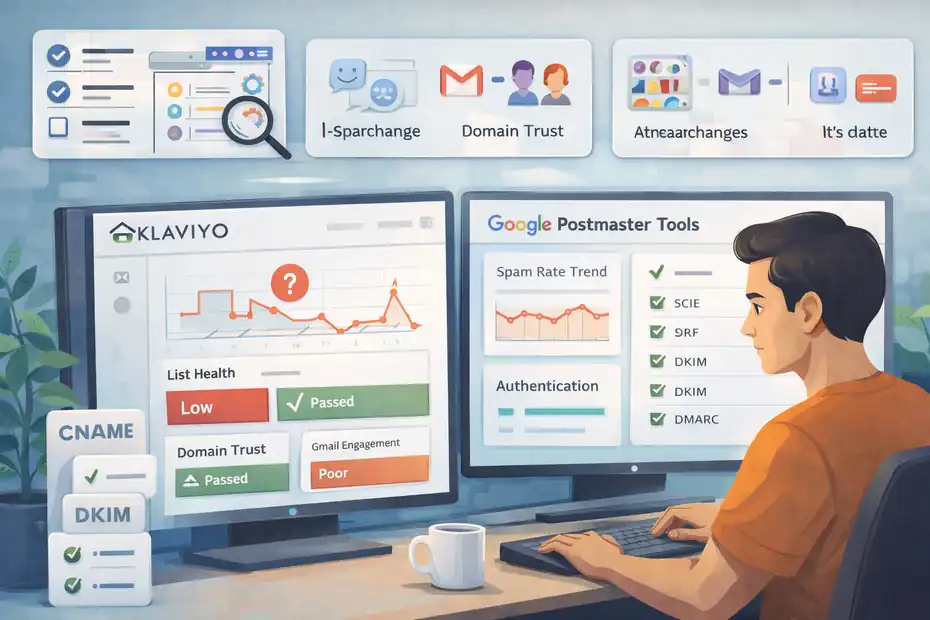
Before you change templates, subject lines, or your whole strategy, you need to isolate what is actually wrong. Otherwise you end up fixing the wrong layer.
Check whether the issue is list quality, domain trust, or sudden sending behavior
The easiest way to diagnose spam placement is to ask three blunt questions.
First, did this start after a major change? Klaviyo says warming is essential when you move to a new ESP, change sending infrastructure, or rename a sending domain because inbox providers treat that setup as new.
Second, are you sending too broadly? Klaviyo’s deliverability guidance stresses that who you send to and how they engage are core drivers of inbox placement. It also warns that sending too often to unengaged profiles hurts sender reputation.
Third, is the problem universal or provider-specific? If Gmail is weak but Yahoo looks normal, you may have a domain-specific reputation issue rather than a system-wide one.
Klaviyo even has separate guidance for strengthening sender reputation for specific inbox providers or domains, which tells you this pattern is common.
A practical mini-check:
- Review your last 30 to 60 days of campaigns.
- Identify any frequency jump, list expansion, or old segment send.
- Compare engaged vs. unengaged recipients included in those sends.
- Look for provider-specific patterns, especially Gmail.
That alone often reveals the cause faster than endless template tweaking.
Verify authentication before you touch anything else
If you have not confirmed your domain setup recently, do that before making content changes. Klaviyo’s authentication guide explains that DMARC works on top of SPF and DKIM, and the policy can quarantine failing mail to spam or reject it outright.
Here is the order I recommend:
- Step 1: Confirm your sending domain is authenticated in Klaviyo.
- Step 2: Make sure DKIM is aligned with your sending domain.
- Step 3: Check whether you have a DMARC record at all.
- Step 4: Review whether your From domain, DKIM domain, and DMARC alignment make sense together.
This matters because some brands accidentally create mixed signals. For example, they send from one brand domain, authenticate another, and then wonder why Gmail is suspicious.
Klaviyo also notes that with a dedicated sending domain, the required SPF and DKIM records are automatically applied once the correct CNAME records are added and the subdomain is delegated to Klaviyo. That helps, but only if setup was completed correctly.
I would not overcomplicate this. If your DNS is messy, clean it up first. Deliverability work built on broken authentication is shaky from day one.
Use Google Postmaster Tools if Gmail is the main problem
If a large share of your customers use Gmail, Google Postmaster Tools can be one of the most useful reality checks you have. Google’s sender guidance ties compliance to the spam rate shown there and updates those data points daily for eligible senders.
What I look for first:
- Spam rate trend: Is it stable, climbing, or spiking after specific campaigns?
- Reputation movement: Are you seeing a drop tied to recent broad sends?
- Timing: Did issues begin after a migration, domain change, or seasonal ramp-up?
A simple scenario: your normal campaigns sit around a safe complaint level, then a “win-back” campaign to six-month inactive subscribers causes a spam spike.
Even if one campaign generated revenue, the inbox damage can suppress future revenue from your best buyers. That is the hidden cost many brands miss.
If Gmail is your biggest revenue source, Postmaster data should influence your campaign calendar. Not control it completely, but absolutely influence it.
Fix your Klaviyo setup before you send another big campaign
This is where you stop the bleeding. If your account has technical or structural weaknesses, sending more volume usually makes the problem worse.
Authenticate your sending domain properly
Klaviyo’s current guidance is clear that authentication underpins both deliverability and security. SPF and DKIM are the core standards, while DMARC adds policy and reporting around authentication failures.
Yahoo requires authentication for bulk senders, and Google requires bulk senders to meet authentication standards as well.
For most brands, the cleanest setup is:
- From domain: Your branded sending domain or subdomain.
- DKIM: Properly aligned with that sending domain.
- DMARC: Published at the root domain with a policy you actively monitor.
A lot of people ask whether DMARC alone fixes spam. No. I believe of it more as a trust framework than a magic switch. It helps receivers evaluate legitimacy, but it does not erase poor engagement or a reckless send strategy.
Still, it is non-negotiable now for serious senders. If your domain is not fully authenticated, you are trying to win a trust game while skipping the identity check.
Warm up if you changed platforms, domains, or infrastructure
Klaviyo says any new sender should warm their sending infrastructure when moving to a new ESP, and also notes that warming is required after renaming a sending domain because mailbox providers treat each new domain as a separate entity.
Klaviyo also offers guided warming for qualifying accounts and publishes guidance on choosing the right warming process.
Warming simply means sending first to your most engaged subscribers, then gradually expanding volume. It teaches mailbox providers that recipients want your mail.
A practical warm-up mindset:
- Start with recent clickers and buyers.
- Increase volume gradually, not in giant jumps.
- Keep cadence consistent during the warm-up window.
- Pause any broad win-back or “everyone gets this” sends.
Imagine you migrate to Klaviyo and immediately send a 100,000-contact sale announcement. Even if the list was decent before, providers now see a new setup pushing huge volume without a trust history. That is exactly the kind of pattern warming is meant to avoid.
In my opinion, warming feels slow only to the marketer. To the inbox provider, it looks responsible.
Match your sending identity to your brand
This sounds small, but it matters. If your brand name, From address, and website domain feel disconnected, trust drops. People complain more when mail looks unfamiliar, even if they technically subscribed.
Use a recognizable From name. Keep your sending domain visually tied to your brand. Make sure the footer and preference controls are clear. Those are not just branding details. They reduce confusion, and confusion creates spam complaints.
I have seen stores improve performance simply by replacing a generic or founder-only sender identity with a consistent brand sender. Not because the algorithm loves branding in theory, but because real people recognize the message faster and are less likely to mark it as spam.
Clean your list like revenue depends on it, because it does
This is where most recoveries are won. Bad lists ruin good deliverability. Strong lists make average campaigns profitable.
Stop sending to unengaged subscribers by default
Klaviyo’s deliverability guidance emphasizes that recipient engagement is a major factor in reputation. Its list-cleaning documentation even provides a practical example segment: can receive email, received at least five emails over all time, and opened zero times in the last 90 days and clicked zero times in the last 90 days.
Klaviyo also notes that a sunset flow can re-engage inactive profiles and then suppress those who remain unresponsive.
That should tell you something important: unengaged subscribers are not a harmless audience bucket. They are a deliverability liability.
A useful approach is to create three tiers:
- Highly engaged: Clicked or purchased recently.
- At risk: Opened but not clicked, or lightly engaged.
- Unengaged: No meaningful activity for your chosen window.
Then send differently to each group.
If you run a fashion brand with frequent launches, maybe 60 to 90 days of no clicks is enough to tighten sends. If you sell mattresses or high-ticket furniture, your cycle might be longer. Klaviyo’s glossary notes that dormant timing can vary by sales cycle, though 3 to 6 months is a common general range.
The big shift is this: stop thinking of list size as an asset by itself. A bloated list can lower revenue if it kills inbox placement for your best subscribers.
Build a sunset flow instead of clinging to dead contacts
Klaviyo explicitly recommends sunset flows as a final effort to engage inactive profiles before suppression. It also explains that these profiles often show a long, sustained period of inactivity and are unlikely to engage again.
I strongly recommend this because it gives you structure. Instead of randomly deciding when someone is “too cold,” you create a system.
A simple sunset flow could look like this:
- Trigger when someone enters your unengaged segment.
- Send a “Still want emails?” message with a clear benefit.
- Send one final incentive or preference-update email.
- Suppress non-responders after the sequence.
That last step is where many brands hesitate. They worry about losing future buyers. But keeping silent contacts active costs you twice: worse deliverability and higher Klaviyo billing exposure, which Klaviyo also points out.
A realistic scenario: you suppress 18,000 cold profiles and your active audience drops sharply. It feels scary for one week. Then your click rate improves, complaints fall, and inbox placement recovers enough to lift revenue from the remaining engaged audience. I have seen that trade work far more often than brands expect.
Review how subscribers entered your list
Not all subscribers are created equal. Someone who joined through a checkout opt-in is usually different from someone who entered a giveaway six months ago for a chance to win a free item.
If your Klaviyo emails are going to spam, I would review acquisition sources before obsessing over content. Weak-intent acquisition often produces weak engagement, and weak engagement hurts reputation.
Look at:
- Pop-up source quality: Was the offer relevant, or just broad discount bait?
- Checkout consent quality: Was the opt-in clear and intentional?
- Imported lists: These are often where deliverability problems start.
- Lead magnet alignment: Did people subscribe for your actual products, or just a one-time freebie?
Klaviyo’s academy and help content also point to double opt-in as a best practice when troubleshooting deliverability. That extra step reduces fake signups, typos, and low-intent addresses.
I know double opt-in can reduce raw list growth. But I would take a smaller, cleaner list over a larger weak one almost every time.
Change the way you send campaigns and flows
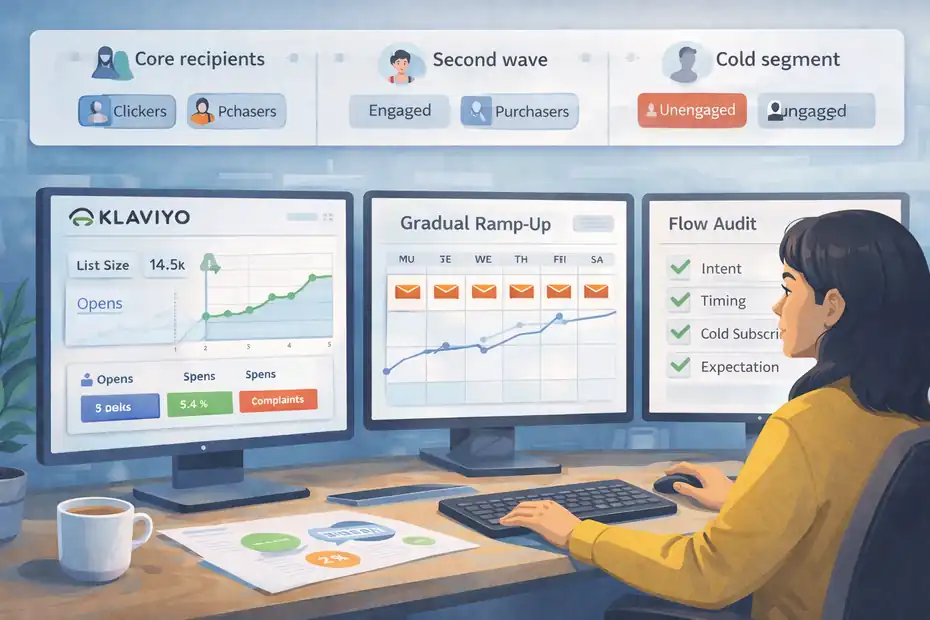
Once setup and list quality are under control, your actual sending behavior becomes the next lever.
This is where many brands quietly sabotage deliverability without realizing it.
Segment by engagement before every major campaign
Klaviyo recommends creating sending schedules based on customer engagement and warns that sending too often to unengaged profiles hurts sender reputation.
So instead of asking, “Who can I send this to?” ask, “Who is most likely to want this right now?”
A simple campaign structure:
- Core send: Recent clickers, recent purchasers, active browsers.
- Second wave: Moderately engaged subscribers if metrics stay healthy.
- Holdout: Cold segments excluded unless part of a specific re-engagement plan.
This does two things. First, it protects reputation. Second, it improves signal quality. Mailbox providers see stronger engagement from your early sends, which helps later sends perform better too.
A launch example: if you are dropping a new product, start with 30-day clickers and 60-day buyers. If performance is healthy, expand. Do not begin with the whole database just because it feels more efficient.
I believe segmentation is one of the most underrated deliverability tools because it improves both revenue and trust at the same time.
Keep cadence consistent and avoid volume spikes
Klaviyo highlights sending habits as a deliverability factor, and warming documentation repeatedly stresses gradual ramps instead of sudden jumps.
Mailbox providers like predictability. Huge spikes can look risky even when your content is legitimate.
Common mistakes I see:
- Sending one campaign per week, then switching to two per day during a sale.
- Hitting the entire list after weeks of inactivity.
- Launching a new automated flow and forgetting it stacks on top of campaign volume.
You do not need a perfectly flat cadence, but you do want controlled ramps.
Here is a simple rule I like: if you plan to increase frequency, increase audience quality first. In other words, email your most engaged people more often before you email more people less selectively.
That order matters. It lets you gather positive engagement signals before introducing more risk.
Fix flows that quietly generate complaints
Campaigns get most of the blame, but flows can do damage too. A poorly timed welcome flow, browse abandonment flow, or win-back sequence can produce spam complaints because people feel surprised by the message.
I suggest auditing:
- Whether the trigger reflects real intent.
- Whether timing is too aggressive.
- Whether the series continues after someone has gone cold.
- Whether every email still feels expected.
Imagine a subscriber enters a list for a 10% discount, ignores the first email, and then gets five more generic messages in four days. That is not nurturing. That is pressure. Pressure creates complaints.
Flows should feel like timely follow-up, not automated persistence. That difference is subtle in strategy documents and very obvious in inbox behavior.
Content changes that help, without blaming content for everything
Content is rarely the only reason mail goes to spam, but it can amplify existing trust issues. Think of content as a multiplier.
Good content helps good reputation. Reckless content makes weak reputation worse.
Reduce spam signals in subject lines and creative
Klaviyo notes that inbox providers use spam filters to evaluate content, including images, links, and subject lines.
That does not mean every promotional phrase is forbidden. It means you should avoid patterns that look manipulative or deceptive.
Watch for:
- Overhyped subject lines: Too many caps, urgency marks, or gimmicks.
- Mismatched promises: Subject line says one thing, email delivers another.
- Too many links: Especially if several are tracked through mixed domains.
- Image-only emails: Thin text content can reduce clarity and trust.
A better subject line usually sounds like something a real brand would actually say. “Early access to our spring drop” is cleaner than “OPEN NOW!!! LAST CHANCE INSANE DEALS!!!”
You do not need sterile copy. You need believable copy.
Make the email obviously wanted and easy to control
One of the easiest ways to reduce complaints is to make it easy for subscribers to understand why they got the email and how to manage preferences.
Google’s bulk sender rules also require one-click unsubscribe for qualifying senders, which reinforces a broader lesson: making exit easy is part of good deliverability, not a threat to it.
I usually recommend:
- A clear brand identifier in the header.
- A footer that says why they are receiving the email.
- A visible unsubscribe or preferences link.
- Preference options that reduce frequency instead of forcing all-or-nothing.
Many subscribers do not hate your brand. They just do not want four emails a week. If the only easy action is “mark as spam,” some of them will take it.
Send content that matches subscriber intent
This sounds obvious, but it is where strategy meets deliverability. If someone subscribed for educational content and you send nonstop promotions, engagement drops. If someone joined at checkout and you only send lifestyle newsletters, they may ignore you.
Relevance matters because engagement is a trust signal.
A simple alignment framework:
- New lead: Welcome, value, first-offer clarity.
- Recent buyer: Product education, cross-sell, support, replenishment timing.
- Engaged non-buyer: Social proof, category education, low-friction offers.
- Inactive subscriber: Preference reset or final re-engagement.
In my experience, relevance beats cleverness. A plain email that arrives at the right moment for the right person will usually outperform a flashy email sent to the wrong audience.
The metrics and tools that actually help you fix this
This is one area where tools matter because they let you measure whether your fixes are working. Still, you do not need a complicated stack. You need a useful one.
Watch these deliverability metrics first
Not every metric deserves equal attention. If I were diagnosing a store with Klaviyo emails going to spam, I would prioritize these:
| Metric | Why it matters | Warning sign |
|---|---|---|
| Spam complaint rate | Direct trust signal to mailbox providers | Approaching 0.3% |
| Click rate | Better engagement signal than opens alone | Falling despite stable traffic |
| Revenue per recipient | Shows whether list pruning improves efficiency | Drops after broad sends |
| Bounce rate | Can indicate bad acquisition or stale data | Spikes after imports |
| Inbox-provider pattern | Reveals Gmail-only or Yahoo-only issues | One provider collapses first |
Google says bulk senders should keep spam rates below 0.3%, and Yahoo gives the same complaint-rate threshold guidance.
I pay special attention to clicks because open tracking has become less reliable over time. Clicks are not perfect, but they are usually a stronger sign of real interest.
Use Klaviyo and Google Postmaster Tools together
Klaviyo tells you what you sent and how subscribers behaved. Google Postmaster Tools tells you how Gmail is interpreting your reputation. Put together, they are much more useful than either one alone.
A good weekly review looks like this:
- In Klaviyo, identify campaigns with weak clicks, high unsubscribes, or unusual audience expansion.
- In Postmaster, check whether those dates line up with spam-rate or reputation changes.
- If they do, adjust future audience rules before the next send.
This kind of review is not glamorous, but it is how real recoveries happen. Not with one magic setting. With disciplined pattern matching.
Know when dedicated infrastructure is relevant
Klaviyo’s glossary explains that a dedicated IP gives you exclusive control over your IP reputation, unlike shared infrastructure.
That said, I do not recommend jumping to a dedicated IP just because you have a spam problem. For many brands, the real issue is audience quality and sending strategy, not shared infrastructure.
A dedicated IP can make sense when:
- Your volume is consistently high.
- You have strong list hygiene.
- You want tighter control over reputation.
- You can support proper warm-up and monitoring.
If those conditions are not true, a dedicated IP can simply give you more ways to hurt yourself faster.
Advanced fixes when basic cleanup is not enough
Once the obvious issues are handled, you can move into optimization. This is where stronger operators create a lasting edge.
Create a reputation-protection sending model
I like building a simple rule set around engagement tiers and campaign priority. It sounds boring, but it prevents emotional sending decisions.
A practical version:
- Tier 1: Recent clickers and buyers get all core campaigns.
- Tier 2: Moderately engaged subscribers get selected campaigns.
- Tier 3: Unengaged subscribers only receive reactivation or sunset messaging.
- Override rule: No large list expansion within 7 days of a complaint spike.
Google’s daily spam-rate updates and mitigation rules make this kind of discipline even more valuable.
This creates a governor on your own excitement. Big sale coming? Great. You still do not torch deliverability by emailing everyone with a pulse.
Improve trust signals around the brand
Yahoo highlights BIMI as a way to display brand logos tied to authenticated mail, and it specifically notes BIMI builds on DMARC.
BIMI is not a first-step fix, but it is a useful later-stage trust enhancer once authentication is strong. I would think of it as polish after fundamentals, not before fundamentals.
Other trust improvements include:
- Consistent sender identity
- Predictable templates
- Stable sending domain usage
- Clear branding between inbox and landing page
These details reduce the “Who is this?” reaction that often drives complaints even among legitimate subscribers.
Prepare for seasonal spikes before they happen
Klaviyo recommends beginning sunset work well before peak periods like BFCM, and deliverability strategists there advise starting that process months ahead because unengaged contacts hurt inbox placement during high-volume seasons.
That advice is easy to ignore until November destroys your metrics.
My seasonal checklist is simple:
- Tighten engaged segments 6 to 8 weeks before peak.
- Launch sunset or re-engagement programs early.
- Avoid major domain or infrastructure changes near promotions.
- Increase send frequency gradually, not overnight.
- Watch complaint rates daily during peak windows.
The stores that handle peak best usually do less panic sending, not more.
Common mistakes that keep Klaviyo emails in spam
This section is blunt on purpose. These mistakes show up again and again.
Mistake 1: Blasting the whole list because revenue is down
This is probably the most expensive deliverability mistake in ecommerce. Revenue drops, so the team sends to everyone to make up the gap. But broad sending to cold subscribers often creates more complaints, worse inbox placement, and weaker future revenue.
It feels proactive. It is usually destructive.
Mistake 2: Treating opens as proof of health
Opens can still be directionally useful, but they are not enough. I suggest leaning more on clicks, complaints, unsubscribes, and provider-specific reputation patterns. A campaign with decent opens but weak clicks and elevated complaints is not healthy.
Mistake 3: Migrating or changing domains without warming
Klaviyo repeatedly emphasizes warming after major sending changes. Ignoring that advice is one of the quickest ways to create spam-placement issues from an otherwise decent list.
Mistake 4: Keeping dead subscribers for vanity
Big lists look impressive in meetings. They do not impress Gmail.
Mistake 5: Over-focusing on design tweaks
Yes, content matters. But if your authentication is weak and your audience is cold, changing button color or rewriting one subject line will not solve the real issue.
A practical 14-day recovery plan
If you want a simple path forward, this is the one I would use.
Days 1 to 3: Stabilize the account
Pause broad campaigns. Confirm domain authentication, including DKIM alignment and DMARC presence. Review whether any recent domain or infrastructure change happened without proper warming.
Days 4 to 6: Clean and segment the list
Build engaged and unengaged segments. Exclude subscribers with no meaningful engagement from regular campaigns. Set up or tighten a sunset flow.
Days 7 to 10: Send only to your strongest audience
Send campaigns to recent clickers, recent buyers, and active browsers. Keep cadence controlled. Monitor complaints and clicks closely.
Days 11 to 14: Reassess and expand carefully
Check Gmail reputation data if available. If metrics are stable, expand one layer outward to moderately engaged subscribers. Do not jump straight back to full-list sending.
That is not flashy, but it is how you rebuild trust without creating another setback.
Final thoughts
When Klaviyo emails are going to spam, the fix is usually less about “hacking” the inbox and more about becoming the kind of sender inbox providers trust.
That means proper authentication, careful warming, clean lists, controlled frequency, and messages that people actually expect and want. Klaviyo gives you the tools to do this, but it will not override poor sending behavior for you.
If I had to simplify the whole guide into one line, it would be this: send less broadly, send more intentionally, and earn your way back into the inbox with consistency.
FAQ
Why are my Klaviyo emails going to spam?
Klaviyo emails go to spam mainly due to low sender reputation, poor list quality, or missing authentication. If you send to unengaged subscribers or have high spam complaints, inbox providers like Gmail may filter your emails. Fixing list hygiene and domain setup usually improves placement.
How do I stop Klaviyo emails from going to spam?
To stop Klaviyo emails from going to spam, focus on sending to engaged subscribers, authenticating your domain, and maintaining consistent sending patterns. Avoid sudden volume spikes and remove inactive contacts. Gradually rebuilding trust with inbox providers is key to improving deliverability.
Does domain authentication affect Klaviyo deliverability?
Yes, domain authentication plays a major role in Klaviyo deliverability. Properly setting up SPF, DKIM, and DMARC helps verify your identity as a sender. Without authentication, mailbox providers may treat your emails as suspicious, increasing the likelihood of landing in spam folders.
Can sending too many emails cause spam issues in Klaviyo?
Yes, sending too many emails, especially to unengaged subscribers, can damage your sender reputation. High frequency combined with low engagement signals tells inbox providers your emails are unwanted. This often leads to increased spam filtering and reduced inbox placement over time.
How long does it take to fix Klaviyo emails going to spam?
Fixing Klaviyo emails going to spam usually takes a few days to a few weeks, depending on the severity of the issue. Improving list quality, reducing complaints, and sending to engaged users can gradually rebuild your sender reputation and restore inbox placement.

I’m Juxhin, the voice behind The Justifiable.
I’ve spent 6+ years building blogs, managing affiliate campaigns, and testing the messy world of online business. Here, I cut the fluff and share the strategies that actually move the needle — so you can build income that’s sustainable, not speculative.