
Table of Contents
Some links on The Justifiable are affiliate links, meaning we may earn a small commission at no extra cost to you. Read full disclaimer.
If you’re trying to figure out how to improve email deliverability in GetResponse, the good news is that most inbox problems are fixable once you know where to look.
I’ve seen a lot of senders blame subject lines or templates first, but in most cases the real issues are simpler: poor domain authentication, weak list hygiene, inconsistent sending patterns, and emails that don’t match what subscribers expected when they signed up.
Why deliverability matters more than open rate
Email deliverability is the foundation of every campaign you send from GetResponse.
Before you worry about clicks, conversions, or automation logic, you need to make sure your emails are actually landing in the inbox.
What email deliverability really means in GetResponse
Deliverability is not the same as delivery. That distinction matters more than most people realize.
When GetResponse shows an email as delivered, it usually means the receiving server accepted it. That does not automatically mean the message landed in the primary inbox. It may still go to spam, promotions, or another filtered tab.
Google and Yahoo both place strong emphasis on authentication, spam rate, and unsubscribe usability, especially for bulk senders. Google says bulk senders should use SPF, DKIM, and DMARC, and defines bulk sending at around 5,000 messages to personal Gmail accounts in a day.
In practical terms, good deliverability in GetResponse means your setup, sending behavior, and list quality are aligned well enough that mailbox providers trust you. That trust is built over time. It comes from sending wanted email to real people at a consistent pace from a properly authenticated domain.
I think this is the mindset shift that helps most: stop treating deliverability like a one-time setting. It behaves more like a reputation system. Every campaign either strengthens that reputation or weakens it.
The two reputations that shape your inbox placement
GetResponse sending success is influenced by both domain reputation and IP reputation. Your domain reputation is tied to the domain in your From address and DKIM signature. Your IP reputation is tied to the server address used to send the message.
For most GetResponse users on standard plans, shared infrastructure is normal. That means you benefit from the platform’s managed sending environment, but your own domain behavior still matters a lot.
For higher-volume senders, GetResponse MAX includes at least one dedicated IP and deliverability support, which gives more control but also more responsibility. GetResponse says dedicated IPs are best for high-volume, consistent senders and require proper warmup.
Here is the practical takeaway:
- Domain reputation affects long-term trust in your brand.
- IP reputation affects how mailbox providers judge the source of your mail.
- Engagement signals like opens, clicks, replies, deletions, and complaints influence both.
If you run a small newsletter, your domain setup and list quality will usually matter more than obsessing over IP details. If you send large daily volumes, then IP strategy starts to matter much more.
Start with domain authentication first
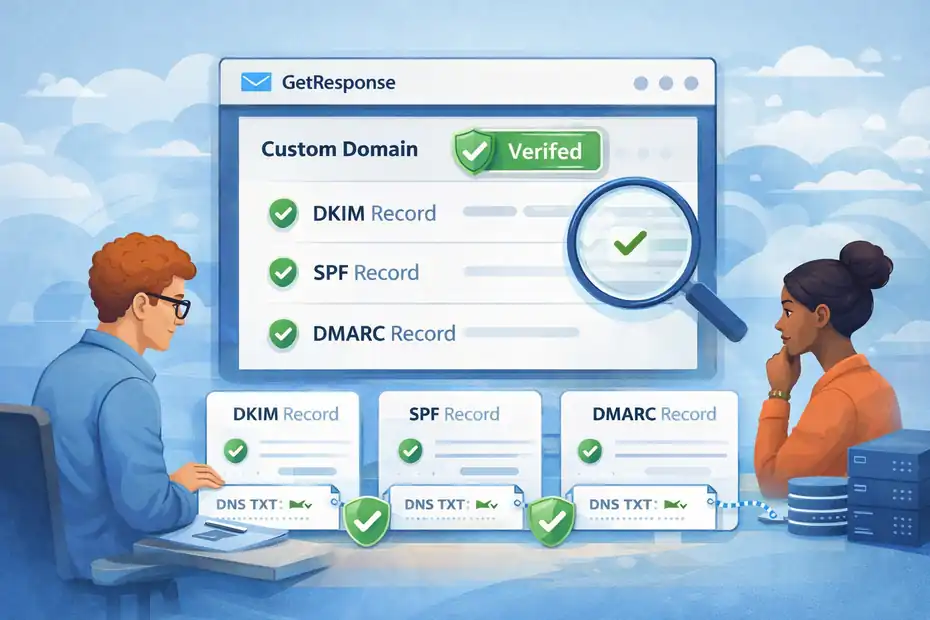
If your authentication is weak, everything else gets harder. This is the first place I would look in any GetResponse account that struggles with inbox placement.
Set up DKIM, SPF, and DMARC correctly
GetResponse officially recommends authenticating your domain. Its help center notes that custom DKIM can give you a strong deliverability boost, and if you do not set it up, some recipients may see your sender shown as “via GetResponse-mail.com.”
GetResponse also recommends SPF, while noting SPF alone is not strictly required to send.
The best setup is straightforward:
- Step 1: Add your sending domain in GetResponse.
- Step 2: Publish the DKIM record GetResponse gives you.
- Step 3: Publish the SPF record for your domain if needed.
- Step 4: Add a DMARC record so mailbox providers know how to evaluate mail claiming to come from your domain.
- Step 5: Verify the domain status inside GetResponse.
This matters even more after Gmail and Yahoo tightened bulk sender requirements. Google explicitly recommends SPF, DKIM, and DMARC for better delivery, and unauthenticated mail can be rejected or routed to spam. Yahoo also recommends separating email streams by IP or DKIM domain and using opt-in methods.
My advice is simple: Do not stop at “it technically sends.” Aim for full authentication and alignment. That is the difference between basic sending and credible sending.
Avoid free From addresses and mismatched sending identities
One of the fastest ways to weaken trust is using a free email address as your visible sender while trying to send marketing mail through GetResponse.
GetResponse explicitly warns that Gmail, Yahoo, and other free domains should not be used for sending, and its help content says switching to a custom domain and authenticating it improves deliverability.
A clean identity setup usually looks like this:
- Example: newsletters@yourdomain.com for regular campaigns
- Example: support@yourdomain.com for customer communication
- Example: orders@yourdomain.com for transactional mail
That separation helps because mailbox providers can more clearly understand the purpose of each stream. It also makes your brand look legitimate to subscribers.
Imagine you run a skincare store. If abandoned cart emails, weekly promos, and support follow-ups all come from different free addresses, trust drops immediately.
If they all come from consistent branded addresses on your own domain, your setup looks more stable both to recipients and to mailbox providers.
Check your tracking domain and link branding
A lot of senders focus on sender authentication and forget that links inside the email also shape trust. If your message is from your domain but the click-tracking links look unrelated, filters can become more cautious.
This does not mean every tracked link hurts deliverability. It means branded consistency helps. Your From domain, DKIM domain, visible brand, and tracked links should feel like they belong together.
When your branding is fragmented, the email can feel stitched together from different systems. That’s a small trust leak, but small leaks add up.
In my experience, this is one of those details that rarely saves a bad campaign by itself, yet often helps a good program become more stable.
Clean your list before you send more emails
A dirty list can ruin deliverability faster than almost anything else. If you remember one thing from this guide, remember this: sending less to better people usually outperforms sending more to the wrong people.
Remove inactive subscribers on a schedule
GetResponse’s own list hygiene guidance recommends regularly removing inactive contacts who have not engaged for more than 3 to 6 months.
That recommendation is more powerful than it sounds. Inactive subscribers hurt you in several ways at once:
- They lower engagement rates.
- They increase the odds of spam complaints.
- Some old addresses may turn into recycled spam traps over time.
- They create false confidence because your list size looks bigger than its real value.
A practical cleanup workflow looks like this:
- Month 3: Segment subscribers who have not opened or clicked in 90 days.
- Month 4: Send a re-engagement campaign.
- Month 5: Suppress anyone still inactive.
- Month 6: Remove or archive them unless there is a strong business reason not to.
I recommend being even stricter if you send often. A daily sender cannot keep dead weight for six months without consequences. A monthly sender has a little more room, but not much.
Use confirmed opt-in where quality matters most
Yahoo explicitly recommends opt-in methods, and confirmed opt-in is one of the safest ways to improve list quality.
Confirmed opt-in means a subscriber fills in a form, then clicks a confirmation email before they start receiving campaigns. Yes, it slows growth a bit. But the people who stay are usually more real, more engaged, and less likely to complain.
This is especially useful when:
- You generate leads from giveaways
- You run paid traffic to signup forms
- You collect leads at events
- You notice a pattern of fake or mistyped emails
I know some marketers worry that double confirmation reduces conversions. That can happen. But if your current list is attracting low-intent or fake signups, confirmed opt-in often improves revenue quality even when raw volume drops.
Never buy, scrape, or “borrow” a list
This should be obvious, yet it still causes endless deliverability problems. Bought lists produce poor engagement, more bounces, and more complaints. They also increase the risk of hitting spam traps.
Let me be blunt here: a purchased list is not a growth shortcut. It is usually a reputation shortcut in the wrong direction.
A list of 5,000 people who asked to hear from you will almost always beat a list of 50,000 strangers. And in GetResponse, where long-term sender trust matters, that difference compounds fast.
Fix the sending patterns that trigger filters
Mailbox providers pay attention to behavior over time. Even if your domain is authenticated and your list is clean, chaotic sending habits can still damage inbox placement.
Keep volume steady instead of sending in random spikes
A sudden jump in volume is one of the classic ways to trigger extra filtering. If you normally send 10,000 emails a week and then blast 120,000 after three quiet months, filters notice.
This is where many businesses accidentally hurt themselves. A launch happens, a seasonal campaign arrives, or a founder says, “Let’s email the whole database.” On paper it feels efficient. In practice it looks risky.
A better approach is to ramp volume gradually:
- Week 1: Send to your most engaged segment first
- Week 2: Expand to moderately engaged contacts
- Week 3: Add colder but still permission-based segments
- Week 4: Evaluate complaint and bounce trends before scaling further
GetResponse notes that IP warmup is important when you start with a new ESP, use a new IP, restart after a break, or begin sending from a new domain. Even if you are not on a dedicated IP, the principle still applies: warm your reputation gradually.
Separate marketing and transactional email when possible
Yahoo recommends segregating email by function, and that is smart advice. Promotional newsletters behave differently from receipts, password resets, or account alerts.
If you mix everything together, your most important messages can suffer because your marketing stream drags down trust. This matters a lot in ecommerce and SaaS.
For example:
- Transactional email: order confirmations, password resets, account alerts
- Marketing email: newsletters, promotions, win-back campaigns, product announcements
If your business is growing and email is mission-critical, this is one of the clearest moments to evaluate more advanced sending architecture.
Respect frequency and subscriber expectations
Sometimes deliverability problems are really expectation problems.
If someone signed up for a weekly newsletter and gets five campaigns in three days, complaints rise. If someone requested a coupon and then receives generic content for weeks, disengagement rises. Mailbox providers notice both.
I suggest matching frequency to signup context:
- Newsletter signup: 1 to 4 emails per month unless clearly stated otherwise
- Ecommerce promotional list: 1 to 3 per week for engaged buyers, less for cold leads
- Onboarding sequence: Short burst is fine if the subscriber expects it
- Re-engagement: Limited, time-bound series
The rule is simple: send as often as your audience still finds you useful.
Improve engagement signals inside your campaigns
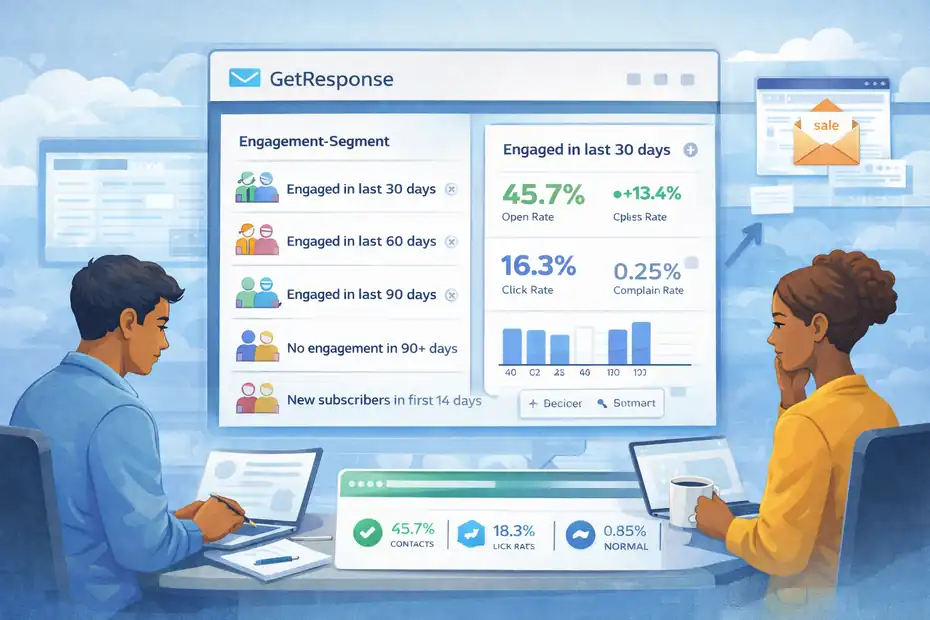
Better engagement is one of the most reliable ways to improve deliverability in GetResponse. Inbox providers want proof that recipients value your messages.
Segment by engagement, not just demographics
Many senders build segments based on broad traits like country, gender, or lead source. Those can help, but engagement-based segmentation usually improves deliverability faster.
Start with simple groups:
- Engaged in last 30 days
- Engaged in last 60 days
- Engaged in last 90 days
- No engagement in 90+ days
- New subscribers in first 14 days
Then send your best campaigns to the warmest segment first. This improves click and open signals early, which can help the rest of your program.
Imagine two brands sending the same spring sale. Brand A emails the full database of 200,000 contacts. Brand B sends first to 40,000 recent openers, then expands only if complaint rates stay low. Brand B usually wins on inbox placement, not because the offer is better, but because the audience quality is better.
Write for clicks, replies, and saves, not just opens
Open rate still has value, but it is not enough on its own. Apple’s Mail Privacy Protection changed how reliable opens are, and mailbox providers care about broader engagement anyway.
Focus on actions that show real interest:
- Clicks on relevant links
- Replies to the email
- Moving the message out of promotions or spam
- Adding your address to contacts
- Reading without deleting immediately
A practical content shift helps here. Instead of writing vague newsletters with five competing calls to action, send one email with one clear purpose.
Example: If you are a course creator, an email titled “Three mistakes I made launching my first paid workshop” will often outperform a generic “March newsletter” because it is more specific, more human, and more worth opening.
Make unsubscribing easy before people mark you as spam
This one is not glamorous, but it matters. Google and Yahoo require easy unsubscribing for bulk senders, and one-click unsubscribe has become a baseline expectation. Google’s bulk sender guidance and related industry implementation summaries both point to this clearly.
A hidden unsubscribe link does not protect your list. It usually does the opposite. If people cannot leave easily, they hit spam.
I believe a visible unsubscribe is a deliverability tool, not a loss-prevention problem. The people who want out are not helping your metrics anyway. Let them go cleanly and protect your reputation.
Optimize your content so filters trust it
Content alone will not fix a broken sender reputation, but weak content can definitely make things worse.
Match the email promise to the signup source
Relevance begins before the email is sent. If a subscriber joined to get a discount, send the discount or follow-up content closely related to it. If they joined for a webinar, send webinar-related value first.
The biggest mismatch I see is when a business uses one form to collect many types of leads, then dumps everyone into the same newsletter. That creates confusion fast.
A better structure is:
- Lead magnet form: deliver the resource, then a short related nurture sequence
- Product interest form: send product education and case studies
- Blog newsletter form: send editorial content first, promotions later
That alignment improves clicks and reduces complaints because the subscriber feels understood.
Avoid spammy structure, not just spammy words
Deliverability is rarely ruined by a single “bad word.” Modern filtering is more sophisticated than that. What hurts more often is the overall pattern of a low-trust email.
Common red flags include:
- Too many links for the amount of copy
- Image-only emails with little text
- Misleading subject lines
- Excessive urgency
- Poor mobile formatting
- Obvious bait-and-switch offers
Instead of asking, “Which words send me to spam?” ask, “Does this email look and behave like something a real subscriber would appreciate?”
That is a much better filter.
Keep design clean and mobile-friendly
An overdesigned email can reduce readability, especially on mobile. If subscribers struggle to understand your email quickly, engagement drops.
I usually recommend:
- One main idea per email
- Clear hierarchy
- One primary call to action
- Enough plain text to support the visuals
- Fast-loading images
- Real alt text where relevant
Fancy email design is not automatically bad. But if your campaign looks like a banner ad with ten buttons, it often underperforms a cleaner message that feels more personal.
Use GetResponse features in ways that help deliverability
Tools matter when they directly support implementation. In GetResponse, there are a few platform-specific areas that can genuinely improve inbox placement when used well.
Build automation around engagement and suppression
Automation becomes helpful when it reduces bad sends. One of the best uses of GetResponse automation is not sending more email. It is stopping email to the wrong people at the right time.
Useful automations include:
- New subscriber welcome sequence
- Re-engagement flow after 60 to 90 days of inactivity
- Suppression path after no action in a defined window
- Frequency reduction for low-engagement contacts
- Post-purchase segmentation for more relevant future campaigns
This is where deliverability and conversion usually align. Better targeting means fewer wasted sends, higher click rates, and a healthier reputation.
For example, a store could automatically move customers who clicked but did not purchase into a smaller product-education sequence, while suppressing people who have ignored six straight campaigns. That is smarter than sending both groups the same weekend discount blast.
Watch domain status and authentication status inside the account
GetResponse provides domain and sender status information in its email and domain settings, and its help content explains that using a custom authenticated domain improves deliverability.
This sounds basic, but basic checks prevent embarrassing mistakes. I have seen senders assume their DNS was correct for months only to realize a record was broken after a provider change or migration.
Get into the habit of checking:
- Authentication status
- From domain status
- Recent bounce patterns
- Complaint trends
- Sudden drops in campaign reach
A ten-minute audit once a month can save weeks of damage.
Know when a dedicated IP is worth considering
For most smaller senders, a shared environment is fine. But for high-volume, consistent sending, a dedicated IP can make sense because it gives you more direct control over reputation.
GetResponse positions dedicated IPs and related deliverability support within MAX, especially for senders with large lists and more advanced needs.
A dedicated IP is usually worth considering when:
- You send large daily volumes consistently
- You want separate reputation control
- You send both marketing and transactional email at scale
- You have the discipline to warm and manage it properly
It is not magic. A dedicated IP with bad sending habits performs worse than a shared environment with good habits. But at scale, the control can be valuable.
Troubleshoot the most common deliverability problems
When performance drops, do not guess. Work through the likely causes in order.
High bounce rate: what to check first
If bounce rates climb, the most likely causes are bad data, stale contacts, or a technical configuration issue.
Start with this sequence:
- Step 1: Review recent import sources
- Step 2: Remove hard bounces immediately
- Step 3: Check whether a signup form is collecting fake addresses
- Step 4: Confirm domain authentication still passes
- Step 5: Pause cold segments until the bounce pattern settles
GetResponse’s list hygiene guidance also warns against sending multiple copies of the same message to one subscriber and recommends blocking undesirable addresses or domains where appropriate.
Low opens but normal delivery: what it usually means
If reported delivery looks normal but opens and clicks drop sharply, look at inbox placement and relevance before anything else.
Common causes include:
- Subject lines that overpromise
- Sending to too many inactive subscribers
- Promotions tab placement for weak campaigns
- Frequency fatigue
- A damaged domain reputation after complaints
This is where segment-first testing helps. Send the next campaign to your most engaged 30-day audience only. If performance rebounds, the issue is probably not your template. It is likely list quality or audience mismatch.
Sudden spam foldering after a migration or domain change
A new sending setup often needs a trust-building period. GetResponse notes that warmup is recommended when starting with a new ESP, new IP, or new domain setup.
If you recently migrated, do this:
- Send first to your warmest engaged audience
- Keep volume predictable
- Avoid large promotions immediately
- Confirm DNS records again
- Watch complaint and bounce rates daily during the early phase
I have seen good businesses panic here and overcorrect by blasting more email to “test things.” That usually makes the problem worse.
Advanced strategies for scaling without hurting reputation
Once the basics are stable, your next goal is growth without chaos. This is where thoughtful structure starts paying off.
Create separate sending paths for different audience temperatures
Not every subscriber should get the same treatment. One of the best advanced moves is to separate sends by temperature:
- Hot audience: clicked or purchased recently
- Warm audience: opened recently but has not acted
- Cold audience: old, low-engagement contacts
- At-risk audience: subscribers nearing suppression threshold
Each group should receive different frequency, messaging, and reactivation logic.
This matters because mailbox providers are effectively scoring your sends on aggregate behavior. When you isolate your best audience, you protect your best signals. When you dump everyone together, cold segments dilute warm performance.
Use re-engagement campaigns as a filter, not a rescue fantasy
A re-engagement campaign is useful, but only if you treat it honestly. Its job is to identify people who still want your emails. It is not supposed to magically revive every dead contact.
A strong re-engagement sequence usually includes:
- One reminder of the value they signed up for
- One incentive or best-performing resource
- One final permission email asking whether they want to stay
If they do not respond, suppress them.
I know that can feel painful when list size is tied to ego or internal reporting. But a smaller responsive list is healthier, cheaper, and more profitable than a bloated one.
Align deliverability metrics with revenue metrics
This is where experienced teams usually outperform beginners. They do not look at deliverability in isolation. They connect it to business outcomes.
Track relationships like:
- Complaint rate vs. campaign revenue
- 90-day engaged audience size vs. inbox placement
- Bounce rate vs. lead source quality
- Unsubscribe rate vs. send frequency
- Click rate by segment vs. conversion rate
A useful benchmark mindset comes from complaint thresholds. Industry guidance around Gmail and Yahoo commonly points to keeping complaint rates well below 0.3%, with many senders aiming below 0.1% for safety.
Once you see those relationships clearly, better decisions become obvious. You stop asking, “How do we send more?” and start asking, “Which sends create trust and revenue together?”
A practical action plan you can follow this week
Improving deliverability does not need to become a huge technical project. In most GetResponse accounts, a focused cleanup produces noticeable gains.
Your 7-day deliverability reset in GetResponse
Here is the order I would use:
- Day 1: Verify your custom domain, DKIM, SPF, and DMARC.
- Day 2: Stop using any free From address.
- Day 3: Segment active subscribers by 30, 60, and 90 days.
- Day 4: Suppress the oldest inactive contacts and remove obvious bad data.
- Day 5: Send a campaign only to your most engaged segment.
- Day 6: Review complaints, bounces, clicks, and unsubscribes.
- Day 7: Build a basic re-engagement and suppression workflow.
This sequence works because it fixes trust before scale.
The mistakes I would avoid immediately
Some problems are so common that they are worth calling out directly:
- Mistake 1: Sending to your full list after months of silence
- Mistake 2: Using a Gmail or Yahoo From address for marketing mail
- Mistake 3: Chasing list growth while ignoring inactivity
- Mistake 4: Hiding the unsubscribe link
- Mistake 5: Changing too many variables at once and then guessing what helped
If I had to choose only one improvement for most senders, I would start with audience quality. Authentication is essential, but list quality is what keeps your reputation healthy over time.
Final thoughts
Learning how to improve email deliverability in GetResponse usually comes down to doing a few foundational things very well: authenticate your domain, send to people who actually want your emails, keep your volume predictable, and make every campaign more relevant than the last one.
That may sound less exciting than hunting for a secret spam-filter trick, but honestly, that is why it works.
Deliverability improves when your setup looks trustworthy, your audience behaves like they know you, and your emails consistently feel worth receiving. Do that long enough, and inbox placement tends to follow.
FAQ
What is the fastest way to improve email deliverability in GetResponse?
The fastest way to improve email deliverability in GetResponse is to authenticate your domain with DKIM, SPF, and DMARC, then send campaigns only to engaged subscribers. Removing inactive contacts and avoiding sudden volume spikes can quickly improve inbox placement and reduce spam filtering.
Why are my GetResponse emails going to spam?
GetResponse emails often go to spam due to poor domain authentication, low engagement rates, or sending to inactive or unverified contacts. Using a free sender email, inconsistent sending patterns, or misleading content can also signal low trust to mailbox providers.
How often should I clean my email list in GetResponse?
You should clean your email list in GetResponse every 3 to 6 months, depending on how often you send emails. Regularly removing inactive subscribers helps maintain strong engagement rates and protects your sender reputation from being negatively affected.
Does using a custom domain improve deliverability in GetResponse?
Yes, using a custom domain significantly improves deliverability in GetResponse. It builds trust with email providers, especially when combined with proper authentication. Emails sent from branded domains are less likely to be flagged as spam compared to free email addresses.
What is a good email complaint rate for deliverability?
A good email complaint rate is typically below 0.1%, with anything above 0.3% considered risky. Keeping complaint rates low signals to mailbox providers that your emails are wanted, which helps maintain strong deliverability and inbox placement.

I’m Juxhin, the voice behind The Justifiable.
I’ve spent 6+ years building blogs, managing affiliate campaigns, and testing the messy world of online business. Here, I cut the fluff and share the strategies that actually move the needle — so you can build income that’s sustainable, not speculative.
Related posts:
 Email Marketing Tips: Improve Email Marketing Results
 The Ultimate Guide to Using Templates for Email Marketing
 Lead Generation Magic: 6 Steps to Double Your Sales
 Boost Sales with Automated Email Marketing: 10 Proven Strategies
 How To Use Email Marketing For Small Business
 How To Create An Email Marketing Campaign