
Table of Contents
Some links on The Justifiable are affiliate links, meaning we may earn a small commission at no extra cost to you. Read full disclaimer.
A real squirrly seo plugin review should do more than repeat feature lists. You probably want to know whether this plugin can actually help you rank, whether it is easier than Yoast or Rank Math, and whether its “AI SEO assistant” claims are useful or just clever packaging.
After digging through Squirrly’s current plugin listing, pricing details, and user feedback, I think the answer is more nuanced than most reviews make it sound.
For the right user, Squirrly can feel like a guided SEO operating system. For the wrong user, it can feel busy and slightly overengineered.
What Squirrly SEO Actually Is
Squirrly is not trying to be just another metadata plugin. Its real pitch is guided SEO execution, which is why your experience with it will feel very different from simpler tools.
What Makes Squirrly Different From Typical SEO Plugins
Most WordPress SEO plugins focus on settings first. You install them, configure titles, sitemaps, schema, redirects, and maybe content scoring. Squirrly does those things too, but its stronger angle is that it tries to tell you what to do next.
That matters more than it sounds. A lot of site owners do not fail because they forgot to edit a meta title. They fail because they never build momentum. They publish a few posts, install an SEO plugin, and then stop because they are not sure what the next best action is.
Squirrly’s Daily SEO Goals, Focus Pages, and Next SEO Goals are designed to solve that exact problem. On the official plugin page and pricing pages, Squirrly positions these features as the core of its guided approach, not just extra add-ons. It also says its “Chance to Rank” system uses more than 113 ranking factors for page guidance.
In plain English, Squirrly is trying to act like a checklist-driven SEO coach inside WordPress. I think that is the secret behind why some users love it. They are not buying a plugin. They are buying direction.
Who This Plugin Is Best For
In my view, Squirrly makes the most sense for three groups.
First, beginners who want a clearer roadmap. If SEO still feels fuzzy to you, the guided tasks can reduce decision fatigue.
Second, content-heavy sites that need page-level priorities. Focus Pages is useful when you already have dozens of URLs and need to decide which ones deserve the most effort.
Third, freelancers or small agencies who want something more process-driven than a basic SEO settings plugin. Squirrly also offers higher-tier plans and agency-oriented packages through its Web Dev Kit setup.
Where I would be more careful is if you are a very experienced SEO who already has a clean workflow across separate tools. In that case, Squirrly’s hand-holding may feel helpful at first, but eventually a little crowded.
That does not make it bad. It just means the plugin is built for guided action, not minimalism.
Core Features That Matter In a Real Squirrly SEO Plugin Review
This is the part most reviews rush through. I do not think that helps. Features only matter when you understand how they change your workflow.
Daily SEO Goals And Next SEO Goals
This is one of Squirrly’s biggest differentiators. The plugin page highlights Daily SEO Goals, and the pricing page expands that idea with Next SEO Goals, which gives step-by-step to-dos tied to rankings. Squirrly describes this as AI guidance aimed at helping users improve rankings with less guesswork.
Here is why that matters in practice.
Many plugins tell you whether a page is “optimized.” That is useful, but incomplete. Squirrly goes a layer deeper by trying to answer, “What should I do next across the whole site?” That is a smarter question for most real businesses.
Imagine you run a small niche store selling ergonomic office gear. You already have product pages, a few blog posts, and category pages. A normal plugin helps you edit metadata. Squirrly tries to tell you which pages deserve attention first and what actions are most likely to move the needle.
I like that because SEO is rarely won by random improvements. It is won by prioritization.
The catch is that guidance-heavy systems only work if you are willing to follow them consistently. If you ignore the tasks, the plugin becomes much less special.
Focus Pages And Chance To Rank Scoring
Focus Pages is where Squirrly starts to feel more strategic than many competitors. The pricing page shows page limits by plan and explains that Focus Pages are tied to page-specific, high-priority tasks. It also says Chance to Rank scoring is calculated using more than 113 ranking factors.
That sounds flashy, so let me translate it.
Instead of treating every page equally, Squirrly wants you to identify the URLs that matter most. Then it gives those pages a deeper review, not just a surface-level SEO score.
I think this is valuable because not every page deserves full optimization energy. On a 100-page site, maybe only 10 to 15 URLs are truly revenue-critical. Squirrly’s Focus Pages feature lines up well with that reality.
A practical example: If you have one service page that already ranks around positions 11 to 18, improving that page could bring faster wins than polishing a blog post ranking on page six. Focus Pages nudges you toward those kinds of decisions.
No score should be treated as magic, of course. I would never optimize just to “turn the dashboard green.” But as a prioritization engine, this feature is one of Squirrly’s strongest hidden advantages.
Live Assistant, Keyword Research, And Content Optimization
Squirrly also includes content-side tools, including Live Assistant and keyword research functionality. The plugin listing notes that its keyword research uses fresher data rather than long caching periods, and Squirrly positions the assistant as something you can use while writing.
This matters because many users want one workflow: research a keyword, write the content, optimize the content, and then track the page.
Squirrly clearly wants to be part of that whole chain.
In my experience, content optimization assistants are most useful when they stop you from missing basics like weak keyword targeting, missing semantic relevance, or poor on-page structure. They are least useful when they push robotic over-optimization.
From what I can see, Squirrly is strongest when you use it as a directional editor, not as a rigid rule engine. You still need common sense. If the plugin wants another keyword mention but the sentence already sounds unnatural, trust the reader over the meter.
That is true for every SEO writing tool, and Squirrly is no exception.
Setup Experience And Ease Of Use
Squirrly tries to be beginner-friendly, but beginner-friendly does not always mean simple. Those are different things.
Installation, Compatibility, And First-Time Setup
The plugin is currently listed at 40,000+ active installations on WordPress.org, with version 12.4.16, updated recently, tested up to WordPress 6.9.4, and requiring WordPress 5.3+ and PHP 7.0+. Squirrly also states that it can be used alongside other SEO plugins in compatibility mode.
That last point is important.
For many site owners, the biggest fear is migration pain. They worry that trying a new SEO plugin means breaking titles, schema, sitemaps, or index settings. Squirrly’s compatibility positioning lowers that barrier because it suggests you can test some of its unique features without fully replacing your existing setup right away.
I think that is one of the smartest parts of its adoption strategy.
During initial setup, though, you should expect more moving pieces than with lighter plugins. Squirrly is not only configuring metadata settings. It is also trying to connect you to a broader system of goals, audits, keyword tracking, and page prioritization.
That makes the onboarding feel richer, but it can also feel more crowded. If you like a plugin that stays mostly invisible, Squirrly may not be your favorite. If you like guided dashboards, you may find it energizing.
Is It Beginner Friendly Or Slightly Overwhelming?
This is where a balanced review matters.
Squirrly markets itself heavily toward non-experts, and many users clearly appreciate that. But the WordPress review section also shows recurring complaints about confusion, UX friction, and the plugin feeling less intuitive than advertised, even while the overall average remains 4.6 out of 5 across 676 reviews.
That tells me two things.
First, the plugin is doing something valuable, because the rating is strong.
Second, the learning curve is real, because the negative reviews cluster around usability, not around the idea of SEO itself.
I believe both can be true at the same time.
Squirrly is beginner-oriented in the sense that it explains what to work on. But it is not always beginner-light in interface design. There are enough modules, suggestions, and dashboards that some users will need a few sessions before the system clicks.
My honest take is this: Squirrly is easier to learn SEO from than many plugins, but not always easier to navigate instantly.
That distinction matters more than marketing copy.
Pricing, Plans, And Real Value For Money
Price only makes sense when you match it to the type of site you run. A cheap tool can be expensive if it wastes time, and a pricier tool can be cheap if it replaces several disconnected steps.
Current Plans And What You Get
According to Squirrly’s current pricing page, the plans are Free at $0 per month, PRO at $9.99 per month, Web Dev Kit at $51.20 per month, and Business at $71.99 per month.
The page also outlines usage limits, including 1 site on Free, 5 on PRO, 10 on Web Dev Kit, and 7 on Business. Focus Pages, keyword research volume, and audit limits rise by plan.
Here is the quick view:
| Plan | Monthly Price | Site Limit | Focus Pages | Keyword Research / Month | Audit Pages / Month |
|---|---|---|---|---|---|
| Free | $0 | 1 | 1 | 5 | 1 |
| PRO | $9.99 | 5 | 25 | 50 | 100 |
| Web Dev Kit | $51.20 | 10 | 70 | 300 | 300 |
| Business | $71.99 | 7 | 70 | 300 | 300 |
I actually think the PRO tier is the most interesting one. At that price, it is low enough for solo site owners to test seriously, but not so stripped down that it feels like a toy.
The free plan is good for getting a feel for the interface, but the limits are tight. One Focus Page and five keyword researches per month is enough to sample the system, not enough to run a meaningful SEO process.
Is Squirrly Worth Paying For?
My answer is yes, but only under the right conditions.
It is worth paying for if you need structure, page prioritization, and consistent nudges to keep your SEO moving. That is where Squirrly earns its keep.
It is probably not worth paying for if your workflow already lives comfortably across separate specialist tools and you only want a lightweight WordPress plugin for technical settings.
One of Squirrly’s own pricing arguments is that it combines plugin and SaaS-style benefits, including analytics and support across different plans. It also offers cloud-app positioning for non-WordPress use cases.
That broader ecosystem can create value, but only if you actually use it.
I suggest thinking about cost in one practical way: if Squirrly helps you improve even one commercial page that starts bringing qualified traffic, the PRO plan is easy to justify. If it just sits installed while you ignore the dashboards, it becomes another forgotten subscription.
Real Strengths, Weaknesses, And Hidden Ranking Power
This is the heart of the review. Not the feature checklist, but the actual tradeoff.
The Biggest Strengths Most Reviews Miss
The hidden ranking power in Squirrly is not that it has an SEO score. Plenty of plugins have scores.
Its real strength is that it tries to bridge the gap between analysis and execution.
That sounds small, but it is huge. Most site owners do not lose because they lack data. They lose because they do not turn data into a weekly action plan. Squirrly’s combination of Focus Pages, Next SEO Goals, rank tracking language, and guided task systems is built around that gap.
I also like that the plugin does not force a full replacement decision on day one. Its compatibility messaging means you can test some of the workflow without immediately ripping out your existing SEO setup.
Another underrated strength is that Squirrly seems designed for people who need momentum. The “gamification” language on the pricing page may sound cheesy, but there is truth inside it. Turning red issues into green wins can keep people engaged long enough to improve their site.
And honestly, consistency beats brilliance in SEO more often than people admit.
The Main Weaknesses You Should Know Before Installing
The biggest weakness is interface density.
Squirrly wants to help with a lot of things, and that can make the product feel heavier than minimalist users expect. The mixed WordPress review feedback reflects that reality: strong overall satisfaction, but repeated notes about confusion, support expectations, and UX friction.
A second weakness is that guided systems can create false confidence if used lazily. You can start chasing plugin scores instead of real outcomes like impressions, clicks, rankings, conversions, and page-level engagement.
I recommend treating Squirrly as an advisor, not as an oracle.
A third limitation is plan-based usage. Some of the most compelling features become more practical only when you have enough Focus Pages, audits, and keyword research credits to work at scale. The free plan is not really a full operating environment. It is more of a preview.
None of these are deal-breakers. But they are real, and I think you deserve to know them before installing.
How To Get The Best Results From Squirrly SEO
A plugin does not rank pages for you. A workflow does. This is where I think many users leave results on the table.
A Simple Workflow That Makes Squirrly More Effective
If you install Squirrly, I would use it in this order:
- Pick your revenue pages first. Do not start with random blog posts.
- Add those URLs as Focus Pages.
- Follow the highest-priority page recommendations before touching minor issues.
- Use the writing assistant only when updating or creating content that already has search potential.
- Review progress weekly, not obsessively every day.
That structure matters because the plugin becomes much more useful when it is connected to business priorities.
Imagine you have a local service site with 25 pages. Five pages drive 80% of your future revenue potential. Those are the pages that deserve your first Focus Page slots, your title rewrites, your internal links, and your content depth improvements.
I have seen too many site owners spend hours optimizing low-value pages because dashboards make all issues look equally urgent. Squirrly is better than most at showing priority, but you still need to think commercially.
That is the real shortcut: pair the plugin’s prioritization with your own revenue logic.
Common Mistakes That Reduce Squirrly’s Impact
The first mistake is trying to optimize every page at once. That spreads your effort too thin.
The second is taking every recommendation literally. SEO tools are best when they guide judgment, not replace it. A human still has to decide whether an extra keyword mention improves the page or makes it worse.
The third is ignoring search intent. You can have a technically clean page that still fails because it does not answer the real question behind the keyword.
The fourth is expecting instant movement. Even if Squirrly helps you make the right fixes, Google still needs time to crawl, interpret, and re-rank pages.
The fifth is treating technical health as the whole game. Metadata, schema, and audits matter, but they do not overcome weak content, poor page experience, or zero topical authority.
So yes, use the plugin. But use it inside a bigger SEO mindset.
Final Verdict: Should You Use Squirrly SEO In 2026?
If you want the short honest answer, here it is: Squirrly is one of the more interesting SEO plugins for people who want guided execution, not just settings.
My Final Recommendation
I think Squirrly is genuinely worth considering if you fit one of these profiles:
- You are newer to SEO and want the plugin to tell you what matters next.
- You manage a growing content site and need page-level prioritization.
- You like systems, workflows, and structured checklists more than minimalist dashboards.
- You want to test unique features without necessarily abandoning your current plugin immediately.
I would be less excited about it if your top priority is a super-clean interface with as little dashboard complexity as possible.
The strongest proof point is not flashy copy. It is the combination of current adoption and user sentiment: 40,000+ active installs and a 4.6-star average on WordPress.org, even with visible UX complaints mixed in. That usually signals a tool that delivers enough value for users to forgive some rough edges.
My verdict for this squirrly seo plugin review is simple: Squirrly has real ranking power, but the “secret” is not hidden code or magic AI. The secret is guided prioritization. If you will follow the workflow, it can be a smart buy. If you want a quiet plugin that stays in the background, there are simpler options.
Final Score And Best Use Case
My overall score: 8.3/10.
Here is how I would break that down:
- Ease of use: 7/10
- Strategic guidance: 9/10
- Feature depth: 8.5/10
- Beginner value: 8/10
- Clean UX: 6.8/10
- Value on PRO plan: 8.7/10
That is not a scientific formula. It is my practical reading of the product based on how it is positioned, what it currently offers, and what users seem to praise or struggle with.
Best use case: A site owner who wants an SEO plugin that doubles as a decision-making assistant.
Worst use case: An advanced user who already has a polished SEO stack and hates interface noise.
If I had to sum it up in one line, I would say this: Squirrly is less about “set it and forget it” SEO, and more about “follow the roadmap and improve faster.”
That difference is exactly why some users will love it.
FAQ
What is Squirrly SEO plugin and how does it work?
Squirrly SEO is a WordPress plugin that guides you through SEO tasks using real-time suggestions, keyword research, and page-level recommendations. It focuses on helping you prioritize actions through features like Focus Pages and Daily SEO Goals, making SEO more structured and easier to follow for beginners and growing sites.
Is Squirrly SEO better than other SEO plugins?
Squirrly SEO is better for users who want step-by-step guidance rather than just technical settings. Unlike traditional plugins, it focuses on task-based SEO workflows. However, advanced users who prefer simplicity or already have established systems may find it slightly more complex than alternatives.
Does Squirrly SEO help improve rankings?
Yes, Squirrly SEO can help improve rankings by guiding you toward high-impact SEO actions like optimizing priority pages, improving content relevance, and fixing technical issues. Its real strength lies in helping users focus on the right pages and tasks consistently rather than guessing what to do next.
Is Squirrly SEO free or paid?
Squirrly SEO offers a free plan with limited features, including basic keyword research and one Focus Page. Paid plans unlock more advanced tools like multiple Focus Pages, detailed audits, and higher keyword limits, making them more suitable for serious SEO efforts and growing websites.
Who should use Squirrly SEO plugin?
Squirrly SEO is best for beginners, bloggers, and small business owners who want clear SEO guidance without needing deep technical knowledge. It is also useful for content-heavy websites that need help prioritizing which pages to optimize for better traffic and conversions.

I’m Juxhin, the voice behind The Justifiable.
I’ve spent 6+ years building blogs, managing affiliate campaigns, and testing the messy world of online business. Here, I cut the fluff and share the strategies that actually move the needle — so you can build income that’s sustainable, not speculative.
Related posts:
 Squirrly SEO Review: Real Results or Smart Marketing?
 Squirrly SEO – The Ultimate WordPress SEO Plugin for Boosting Your Website’s Rankings
 Is the Squirrly SEO WordPress Plugin Enough to Rank?
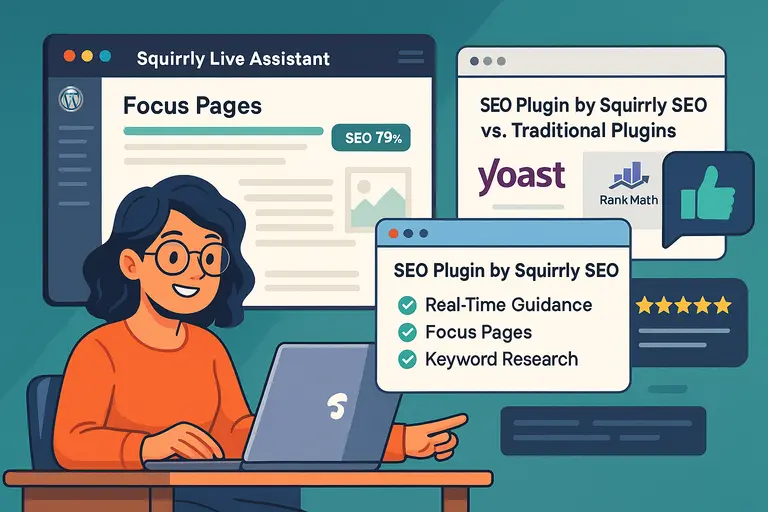 SEO Plugin by Squirrly SEO: What Makes It Different?
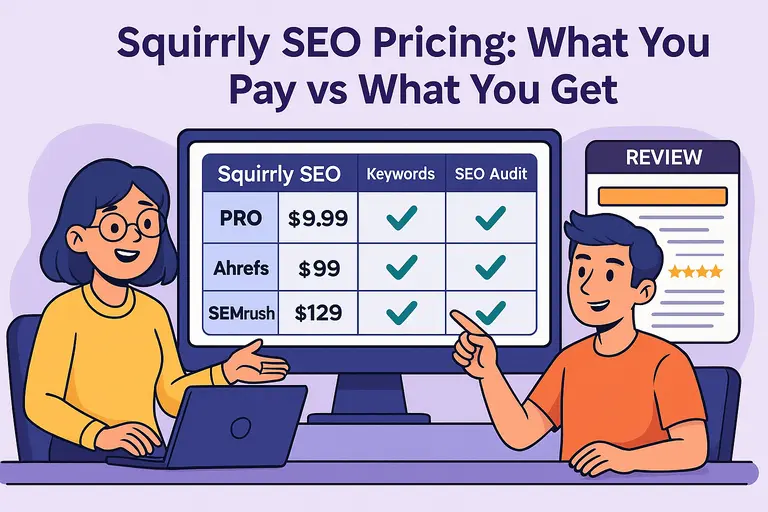 Squirrly SEO Pricing: What You Pay vs What You Get
 Semrush Review Honest Pros And Cons You Should Know