
Table of Contents
Some links on The Justifiable are affiliate links, meaning we may earn a small commission at no extra cost to you. Read full disclaimer.
MailerLite low email open rate fix usually starts with one simple truth: your problem is not always the subject line. In many cases, low opens come from a mix of weak segmentation, sending habits, list quality, and misleading reporting.
That is especially true now that Apple Mail Privacy Protection can inflate opens for some subscribers and make open-rate data less reliable on its own.
MailerLite itself has highlighted that open tracking is affected by Apple Mail preloading, so you need to read opens alongside clicks, unsubscribes, and engagement trends.
What A Low Open Rate In MailerLite Actually Means
Before you start changing campaigns, you need to know whether your open rate is truly low or just being measured in a messy way.
This is the part many people skip, and it leads to random fixes that do not solve the real issue.
Benchmark Your Results The Right Way
A “bad” open rate depends on your industry, audience quality, and email type. MailerLite’s 2026 benchmark report says the median open rate across 3.6 million campaigns was 43.46%, with industries ranging from 30.1% to 55.71%.
Another MailerLite data point from 2024 put the median around 42.35%, which tells you that many healthy lists still live in the low-40% range rather than some fantasy 70% average you see in social posts.
So if you are sitting at 18%, that is a warning sign. If you are at 32%, it might be weak for a warm creator list but normal for colder ecommerce traffic. Context matters.
I suggest looking at three things together before judging performance:
- Campaign Type: Newsletters usually open differently from flash sales, onboarding emails, or resend campaigns.
- Audience Temperature: A list built from buyers, webinar registrants, or a lead magnet usually behaves better than a purchased or stale import.
- Source Quality: Organic signups from your site often outperform giveaway, contest, or broad social traffic.
In practice, I like to compare the last 10 to 20 sends instead of obsessing over one campaign. One weak Tuesday email does not prove you have a system problem. A three-month downward trend does.
Understand Why Open Rate Is An Imperfect Metric
Open rate sounds simple, but it is not clean anymore. Apple Mail Privacy Protection preloads email content, which can trigger opens even when the subscriber never actively read your email. MailerLite explicitly warns that this makes open-rate metrics less reliable for subscribers using Apple Mail.
That means two things can be true at once. Your open rate can look healthy while your emails are underperforming. Or your open rate can look weak while clicks and replies tell a better story.
Here is how I recommend using open data in MailerLite:
- Use Opens For Trends: Compare pattern shifts, not absolute truth.
- Use Clicks For Intent: Clicks tell you who actually engaged.
- Use Unsubscribes And Spam Complaints For Fit: These numbers show whether your message matched expectations.
- Use Revenue Or Leads When Available: The real goal is not “opens.” It is outcomes.
Imagine you send a campaign with a 39% open rate, 0.4% click rate, and above-normal unsubscribes. That is not a subject-line win. It is a message-match failure. The inbox got attention, but the email did not earn interest.
Identify Whether The Problem Is Deliverability Or Engagement
This is one of the most important distinctions in any MailerLite low email open rate fix. Low opens usually come from one of two buckets: people did not see the email, or they saw it and ignored it.
Deliverability problems show up when emails land in spam, promotions, or get filtered before the subscriber notices them. Engagement problems show up when the email gets delivered but your subject line, sender identity, timing, or audience match is weak.
A quick diagnosis looks like this:
- Likely Deliverability Issue: Sharp drop across nearly all campaigns, rising bounce issues, weak domain setup, old imported list, or sudden changes in sending volume.
- Likely Engagement Issue: Deliverability is stable, but certain topics, segments, or formats consistently underperform.
- Likely Reporting Noise: Opens fluctuate strangely, but clicks and conversions stay steady.
In my experience, most MailerLite users assume the issue is copy first. Often it is not. Sometimes the real fix is list cleanup, authentication, or sending to smaller engaged groups before scaling volume again.
Fix The Foundation Before You Touch Subject Lines

If the technical and list-quality basics are weak, even great copy will struggle.
This is where you protect your sender reputation and give every campaign a fair chance to be seen.
Authenticate Your Sending Domain
MailerLite’s own deliverability help center strongly emphasizes domain authentication, and that makes sense. Authentication helps mailbox providers trust that your emails are genuinely from you.
MailerLite provides guidance for verifying and authenticating your domain, and it also recommends domain alignment to strengthen brand recognition and deliverability.
In simple terms, authentication tells inbox providers, “Yes, this sender is allowed to send from this domain.”
Your checklist is straightforward:
- Step 1: Verify your sending domain inside MailerLite.
- Step 2: Add the DNS records MailerLite requests.
- Step 3: Confirm authentication is active before sending important campaigns.
- Step 4: Use a branded sender email, not a random free inbox.
I believe this is one of the highest-leverage fixes because it solves trust at the infrastructure level. You do not “feel” the improvement right away, but it compounds over time.
A realistic example: If a small ecommerce store sends from a generic address on a loosely configured domain, mailbox providers have less trust. Switch that store to an authenticated branded domain, keep list hygiene clean, and suddenly the same campaign can gain better inbox placement without changing a single word in the subject line.
Clean Your List More Aggressively Than Feels Comfortable
This part hurts emotionally because nobody likes deleting subscribers. But dead weight lowers your average engagement and can quietly damage deliverability.
MailerLite’s deliverability guidance recommends validating your list, importing only active subscribers, and removing inactive subscribers. It also notes that old databases, especially lists older than two years, are vulnerable to hard bounces and poor performance.
The practical move is to define inactive subscribers clearly. For example:
- Cold Segment: No opens or clicks in 60 to 90 days for frequent senders.
- Very Cold Segment: No opens or clicks in 120 to 180 days.
- Sunset Segment: People who fail a re-engagement sequence.
I usually recommend tracking clicks more heavily than opens because of Apple privacy changes. Someone who clicked recently is still valuable even if their open history looks weird.
A lot of creators keep inactive contacts because they are afraid smaller lists will look worse. The opposite is usually true. A smaller, sharper list often gets higher opens, stronger clicks, better deliverability, and lower costs.
Warm Up Slowly If Your Sending Pattern Has Been Inconsistent
A sudden jump in send volume can spook mailbox providers. MailerLite’s deliverability guidance recommends sending small volumes first to your most engaged subscribers and then gradually increasing over time. It also notes that if you use a dedicated IP through MailerLite, warming is part of the process.
This matters if:
- You have barely emailed for months.
- You migrated to MailerLite recently.
- You imported a new list.
- Your campaign volume suddenly doubled or tripled.
Think of reputation like a credit score. If you disappear for a while and come back blasting 100,000 contacts, you look risky.
A simple warm-up sequence might be:
- Send first to your most engaged 10% to 20%.
- Watch clicks, unsubscribes, and bounce behavior.
- Expand to the next warm segment.
- Only then send to the broader active list.
This is boring advice, but it works. I have seen people spend hours rewriting subject lines for a campaign that was doomed because the sending pattern itself looked suspicious.
Use Smarter Targeting Inside MailerLite
Once the foundation is healthy, the next big lever is relevance. The fastest way to raise open rates is often to stop emailing everyone the same thing.
Segment By Behavior, Not Just Demographics
A lot of MailerLite accounts are under-segmented. People create a few groups, maybe based on form signup source or customer type, and then stop there. But behavior usually predicts opens better than profile data.
Better segmentation options include:
- Recent Clickers: Subscribers who clicked in the last 30 days.
- Recent Buyers: Customers who purchased a specific category.
- Content Interest: People who clicked a topic like SEO, email, or ecommerce.
- Lifecycle Stage: New lead, active reader, buyer, repeat buyer, dormant contact.
This matters because inbox decisions happen fast. People open emails that feel obviously relevant. They ignore emails that feel generic.
Imagine two subscribers on the same list. One clicked three times on automation content. The other only clicks on pricing and product-update emails. Sending both the same broad newsletter lowers your average open rate. Sending targeted emails raises the chance that each person recognizes the message as “for me.”
I suggest starting with just three active segments rather than building twenty complicated ones. Keep it usable.
Build Resend Logic For Non-Openers Carefully
Resending to non-openers is one of the simplest MailerLite low email open rate fix tactics, but it only works when you do it with restraint.
The idea is easy: send the campaign once, wait, then resend a variation to people who did not open the first one. But there are two traps. First, Apple privacy changes can muddy who really opened. Second, resending too often trains subscribers to ignore you.
A smart resend system looks like this:
- Wait 24 To 72 Hours: Give the first send enough time.
- Change The Subject Line: Do not just repeat the same line.
- Adjust The Preview Text: This often matters more than people think.
- Send To A Relevant Active Segment: Skip your coldest contacts.
I prefer softer curiosity on the resend, not louder urgency. For example, if the first email used “Your March Email Audit Checklist,” the resend might use “A Quick Way To Spot What’s Hurting Your Opens.”
This tactic often gives you an easy lift, but I would not use it on every campaign. Save it for stronger offers, important education pieces, launches, or emails that historically convert.
Separate New Subscribers From Long-Term Subscribers
New subscribers behave differently. They are warmer, more curious, and usually more likely to open if the first few emails match what they expected when they signed up.
Long-term subscribers need a different rhythm. They already know you. Their opens depend more on consistency, topic fit, and how often you email.
That is why I strongly recommend separating:
- New leads in the first 7 to 14 days
- Established active readers
- Subscribers drifting toward inactivity
This lets you tailor:
- Subject-line style
- Email frequency
- Offer intensity
- Education versus promotion balance
A welcome sequence should usually outperform your regular broadcast emails. If it does not, that is a signal that your opt-in promise and onboarding flow are weak. And if your broadcast list is dragging down performance, isolating newer subscribers protects your averages while you repair the rest.
Improve The Parts People Actually See In The Inbox
Once targeting is tighter, you can optimize the inbox-facing elements: sender name, subject line, and preview text.
These are your first impression, and they need to work together.
Make Your Sender Name Instantly Recognizable
A surprisingly common problem is poor sender identity. The subscriber sees the email, but they do not immediately trust or recognize who it is from.
Your sender name should answer one question instantly: “Do I know this person or brand?”
Usually, the best options are:
- Your brand name
- Your personal name
- A hybrid like “Jess From StoreName”
What I would avoid is a vague department-style sender name unless your audience expects it. “Marketing Team” or “Updates” often feels cold and forgettable.
A recognizable sender name improves opens because it reduces hesitation. People scan fast. Familiarity wins.
If you are a creator, consultant, or founder-led brand, the hybrid approach often works well because it blends authority with personality. If you are a larger store, brand-first is often cleaner.
I have seen brands over-focus on subject lines while sending from a forgettable name. That is like polishing the headline on a letter nobody recognizes.
Write Subject Lines That Promise A Clear Benefit
Subject lines do not need to be clever. They need to make sense fast.
The highest-performing subject lines usually do one of four things:
- Promise a useful result
- Create specific curiosity
- Signal urgency without hype
- Match the subscriber’s current goal
Here are examples of stronger angles:
- “3 Fixes For Your Low Open Rate”
- “Why Your Welcome Emails Underperform”
- “A Faster Way To Segment In MailerLite”
- “Before You Send Your Next Campaign”
And here are weaker versions:
- “Big News”
- “Quick Update”
- “You’ll Want To See This”
- “Newsletter #18”
The weak versions make the subscriber do extra work. The stronger versions explain the value.
I suggest testing these variables one at a time:
- Length
- Specificity
- Curiosity versus clarity
- Number-led versus plain language
- Benefit-led versus problem-led framing
In my experience, “specific and useful” beats “mysterious and cute” for most business lists.
Stop Wasting Preview Text
Preview text is one of the easiest wins in email marketing because so many people leave it messy. Instead of reinforcing the subject line, they let inboxes pull random text like “View in browser” or footer junk.
That is a waste of valuable attention.
Your preview text should do one of these jobs:
- Expand on the subject line
- Clarify the payoff
- Add a second hook
- Remove ambiguity
For example:
- Subject line: “Your Q2 Email Cleanup Plan”
- Preview text: “Use this simple 20-minute process to lift engagement before your next launch.”
That pairing works because the subject line sets the theme and the preview text gives the benefit.
I recommend treating subject line and preview text as a matched set, not separate tasks. A mediocre subject line can improve with strong preview text. A decent subject line can become much more clickable when the preview text answers, “Why should I care right now?”
Fix Timing, Frequency, And Audience Expectations
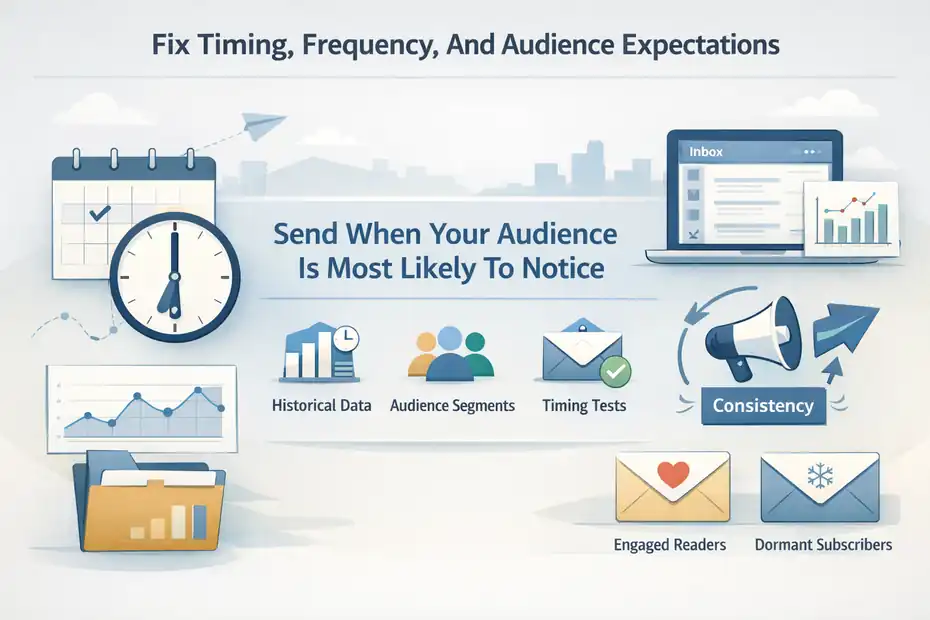
Even a great email can get ignored if it lands at the wrong moment or arrives with the wrong cadence. This is where consistency matters more than most people realize.
Send When Your Audience Is Most Likely To Notice
MailerLite’s 2026 timing analysis found that peak average open rates were clustered in the high 48% to 49% range, with Friday at 6 PM leading their weekly data at 49.7%, while several other day-and-time combinations performed similarly well. That tells you timing matters, but not in a magical one-size-fits-all way.
I would use “best time” advice as a starting point, not a rule.
A practical process looks like this:
- Start With Historical Data: Look at your last 10 to 20 campaigns.
- Group By Audience Type: B2B and creator audiences often behave differently from ecommerce lists.
- Test One Window Repeatedly: Do not randomize every send.
- Judge By Click Quality Too: Opens alone can mislead.
For many audiences, consistency matters almost as much as timing. When readers get used to hearing from you on a certain day, recognition improves. That repeated pattern can lift opens because your email becomes expected rather than surprising.
Match Frequency To Relationship Strength
Too many emails can suppress opens. Too few can do the same because people forget who you are.
This is why there is no perfect universal frequency. The right cadence depends on how close your relationship is with the list and how valuable the emails feel.
A simple framework:
- Warm New Leads: More frequent at the start is often fine.
- Active Engaged Readers: Weekly or twice weekly can work well if content quality is strong.
- Dormant Or Cold Segments: Reduce frequency or re-engage separately.
If you suddenly increase frequency without increasing relevance, open rates usually slide. But if you send rarely and randomly, recognition drops and opens can also fall.
Imagine a course creator who emails once every five weeks. Even with good content, subscribers may barely remember signing up. That creator often gets better opens by moving to a predictable weekly schedule with shorter, more focused emails.
Align Every Email With The Promise Of The Signup
This sounds obvious, but it is one of the biggest hidden reasons open rates fall. People signed up for one thing and got something else.
If your lead magnet promised practical MailerLite tutorials, and now you send vague personal updates plus broad sales pitches, your open rate will drop. Not because the audience is bad, but because the expectation broke.
I like to ask one blunt question: “Would this email make sense to the version of the subscriber who joined my list?”
If the answer is no, the mismatch will show up in the data.
A healthy list has narrative consistency. The opt-in promise, welcome sequence, regular broadcasts, and offers should feel connected. That continuity builds trust. And trust is what gets the next open.
Design Emails That Encourage Future Opens
Open rate is not just an inbox problem. The email experience itself shapes whether someone opens the next campaign. If the inside experience disappoints, future opens drop.
Deliver A Fast Win Early In The Email
People remember whether your emails feel useful. If the first few lines ramble, they train subscribers to ignore you next time.
I recommend placing a quick win near the top:
- A clear takeaway
- A short insight
- A simple checklist
- A direct answer to the promised problem
For example, if your subject line promises a fix for low opens, do not spend five paragraphs warming up. Lead with the fix, then explain.
This is where many newsletters lose momentum. The email earns the open, then wastes it. Over time, subscribers learn that opening is not worth the effort.
A fast win creates a positive loop: open, get value, trust the next email more.
Make Your Emails Easier To Scan
Dense email blocks reduce engagement, especially on mobile. If readers feel the message is hard to process, they are less likely to keep opening future campaigns.
Cleaner formatting helps:
- Short paragraphs
- Clear hierarchy
- One primary call to action
- Minimal clutter near the top
- Enough white space to breathe
I believe email writing should feel lighter than blog writing. The inbox is a fast environment. People are triaging, not studying.
A practical rule I use: if the email looks tiring on a phone, it probably needs editing.
This is not just about clicks. Better readability improves the overall experience, which supports future opens through habit and trust.
Train Your Audience To Engage
Subscribers who click, reply, save, and forward are more valuable than passive openers. Engagement sends strong signals to mailbox providers and strengthens the relationship with your brand.
Simple ways to encourage this:
- Ask a one-line reply question
- Offer a single useful link
- Invite a quick vote or preference click
- Use concise calls to action instead of five competing links
The goal is not just “higher opens.” The goal is active audience behavior. Once people start interacting with your emails, future opens become easier because your messages feel worth noticing.
Track The Right Metrics In MailerLite
If you optimize the wrong numbers, you can accidentally make performance worse. This is the stage where you turn MailerLite reporting into better decisions.
Use A Practical Open-Rate Dashboard
You do not need a complicated analytics stack to diagnose open-rate issues. You need a repeatable review process.
For each campaign, track:
- Open rate trend
- Click rate
- Click-to-open relationship
- Unsubscribe rate
- Spam complaints if visible
- Revenue or lead generation if relevant
MailerLite also offers analytics and comparative reporting in its current platform positioning, which makes it easier to spot patterns across campaigns rather than looking at each send in isolation.
I recommend reviewing data in weekly or monthly batches, not emotionally after every send. Patterns matter more than one-off results.
Compare Segments, Not Just Campaigns
One of the most useful habits is segment comparison. Instead of asking, “Did this campaign do well?” ask, “Who responded best?”
Compare:
- New versus established subscribers
- Buyers versus non-buyers
- Recent clickers versus passive readers
- Topic-interest segments against your full list
This shows whether the problem is message quality or audience fit. If one segment opens at 48% and another at 17%, your fix is probably not a universal subject-line rewrite. It is segmentation and lifecycle strategy.
Run Controlled Tests Instead Of Random Changes
Testing works when it is disciplined. Randomly changing five things at once teaches you nothing.
A cleaner process:
- Pick one variable.
- Test it across similar sends.
- Keep audience and offer as stable as possible.
- Measure opens and downstream engagement.
- Roll the winner into future sends.
The best variables to test first are usually:
- Sender name
- Subject-line angle
- Preview text
- send time
- segment size
- resend strategy
I suggest keeping a simple test log. It sounds basic, but it saves you from repeating ideas that already failed.
Advanced MailerLite Open Rate Strategies That Compound Over Time
Once your basics are solid, the next gains come from systems, not hacks. These are the moves that make future campaigns easier to win.
Build A Re-Engagement And Sunset Flow
Not every subscriber should stay on your list forever. A re-engagement system gives cold contacts one last chance before you reduce or remove them.
A good sequence usually includes:
- A reminder of why they joined
- A useful best-of resource
- A preference update option
- A clear final stay-or-leave message
If they still do not engage, sunset them. That means reducing sends or removing them entirely.
This protects deliverability, improves averages, and lowers wasted volume. It also makes your active list more honest.
Use Brand Signals To Improve Trust
Brand recognition matters in the inbox. MailerLite has also discussed BIMI, which can display a verified brand logo in supporting inboxes, and notes that stronger visual trust signals can support engagement.
You do not need every advanced trust signal on day one, but the broader lesson matters: recognizable branding increases the chance that people feel safe opening your emails.
That includes:
- Consistent sender identity
- Familiar tone
- Clear list expectations
- Reliable design patterns
- Recognizable domain usage
Focus On Opens As A Leading Indicator, Not The Final Goal
I will end with the mindset shift that matters most. Open rate is useful, but it is not the finish line.
A campaign with slightly lower opens and much stronger clicks, replies, or revenue can be the better email. Sometimes the best open-rate fix is not “make more people curious.” It is “send more relevant emails to better-matched people with cleaner infrastructure and clearer expectations.”
That is the real long-term win.
The 9 Proven Ways To Boost Opens, Summed Up
If you want the simplest version of this entire guide, here it is:
- Authenticate your domain fully.
- Clean inactive subscribers aggressively.
- Warm up slowly after inconsistent sending.
- Segment by behavior, not just broad audience type.
- Resend strategically to relevant non-openers.
- Improve sender-name recognition.
- Write benefit-led subject lines and stronger preview text.
- Match timing and frequency to audience behavior.
- Track clicks, engagement, and segment patterns alongside opens.
That is the full MailerLite low email open rate fix framework I would use in real life. Not because it sounds clever, but because it attacks the actual reasons opens fall: trust, relevance, consistency, and list health.
If your open rate is low right now, start with the foundation. Then tighten targeting. Then optimize the inbox experience. Most of the time, that order beats chasing endless subject-line tricks.
FAQ
What is a good open rate in MailerLite?
A good MailerLite open rate typically ranges between 35% and 45%, depending on your industry and audience quality. Higher rates are common with engaged lists, while colder or older lists may perform below average.
Why is my MailerLite open rate so low?
Low open rates usually come from poor deliverability, weak segmentation, inconsistent sending, or irrelevant content. It can also result from inactive subscribers or lack of trust in your sender name and domain setup.
How can I improve my MailerLite open rate fast?
You can improve open rates quickly by cleaning your email list, segmenting engaged subscribers, improving subject lines, and resending campaigns to non-openers with a new angle within 24–72 hours.
Does domain authentication affect email open rates?
Yes, domain authentication improves deliverability, which directly impacts open rates. Authenticated domains are more trusted by inbox providers, increasing the chances your emails land in the inbox instead of spam.
Should I remove inactive subscribers to boost open rates?
Yes, removing inactive subscribers helps improve engagement metrics and sender reputation. A smaller, more active list typically results in higher open rates, better deliverability, and lower email marketing costs.

I’m Juxhin, the voice behind The Justifiable.
I’ve spent 6+ years building blogs, managing affiliate campaigns, and testing the messy world of online business. Here, I cut the fluff and share the strategies that actually move the needle — so you can build income that’s sustainable, not speculative.
Related posts:
 The Top 10 Email Marketing Tools to Enhance Your Campaigns
 What is Getresponse: A Brief Introduction
 How to Advertise Your Business: Utilizing Email Marketing Strategies
 Email Platform: 12 Proven Strategies for Higher ROI
 What Is MailerLite Used For? Powerful Features Explained
 MailerLite Email List Growth Strategy: 9 Proven Ways To Explode Subscribers