
Table of Contents
Some links on The Justifiable are affiliate links, meaning we may earn a small commission at no extra cost to you. Read full disclaimer.
How to track SEO rankings using Squirrly is one of those topics that sounds simple until you actually open the dashboard and realize there are several moving parts behind a “ranking.” You are not just checking whether a keyword went up or down.
You are building a repeatable system for choosing the right keywords, sending them into Squirrly’s tracking workflow, connecting the data sources correctly, and then acting on the changes you see. That is where most people get stuck.
Let me walk you through the process in a practical way, so you can track rankings accurately and use the data to improve real pages instead of just collecting numbers.
Understand What Squirrly Is Actually Tracking
Before you start adding keywords, it helps to know what Squirrly means by rankings.
This matters because a lot of confusion comes from comparing one type of rank data with another.
What Counts As A Ranking Inside Squirrly
Squirrly’s Rankings or SERP Checker feature is designed to help you monitor keyword positions, and it can also show related performance data such as clicks, impressions, and social shares. According to Squirrly’s documentation, ranking data can come from different sources depending on your account level.
Free and Pro accounts rely on Google Search Console average position for synchronized keywords, while Business accounts can use Squirrly’s daily Google API-based checks.
That distinction is a big deal. Google Search Console gives you an average position, which is useful but messy. It blends devices, locations, and impression history. Daily rank checks are cleaner for trend tracking because they are more direct and more frequent.
In plain English, here is the difference. Search Console tells you roughly how Google has shown your page over time. A rank tracker tells you where the keyword stands in a more focused way on a specific check. If you do not understand that difference, you may think Squirrly is “wrong” when it is really showing a different kind of ranking input.
My advice is simple: treat Search Console-based ranking as directional, and treat daily rank checks as operational. One helps you see broad movement. The other helps you make faster decisions.
Why Squirrly Focuses On Keyword-Specific Performance
One thing Squirrly does well is narrow your attention. Its Focus Pages system is built around the idea that one page should be evaluated against one main keyword, instead of giving you a vague sitewide impression.
Squirrly’s own documentation explains that Focus Pages show how a page performs for a particular keyword, using data pulled from Google Search Console after the proper connection is made.
That may sound obvious, but it solves a real SEO problem. Many site owners check rankings too broadly. They look at “organic traffic” and think a page is healthy, even though the target keyword is slipping. Squirrly’s keyword-first approach helps you avoid that blind spot.
Imagine you run a small skincare store and have one page optimized for “niacinamide serum for oily skin.” The page might still get traffic from branded searches or unrelated long-tail terms. That does not mean you are winning for your target phrase.
Squirrly tries to isolate that main keyword so you can make decisions that match the actual search intent.
The Accuracy Problem Most Users Create Themselves
In my experience, most rank tracking problems are self-inflicted. Not because the tool is broken, but because the setup is loose.
Usually it happens in one of these ways:
- You track keywords you never truly optimized for.
- You assign the wrong primary keyword to a page.
- You compare Search Console averages to exact daily checks.
- You expect local rank behavior from a generic national view.
- You keep changing page titles and headings every week, which resets your baseline.
Squirrly can show you useful signals, but it cannot fix a sloppy keyword strategy. Accurate tracking starts before the keyword enters the tool.
That is why the rest of this guide is not just “click here, then click there.” I believe the real value is in building a clean workflow, because rank tracking is only accurate when the keyword, the page, and the measurement method all line up.
Set Up Squirrly Correctly Before You Track Anything
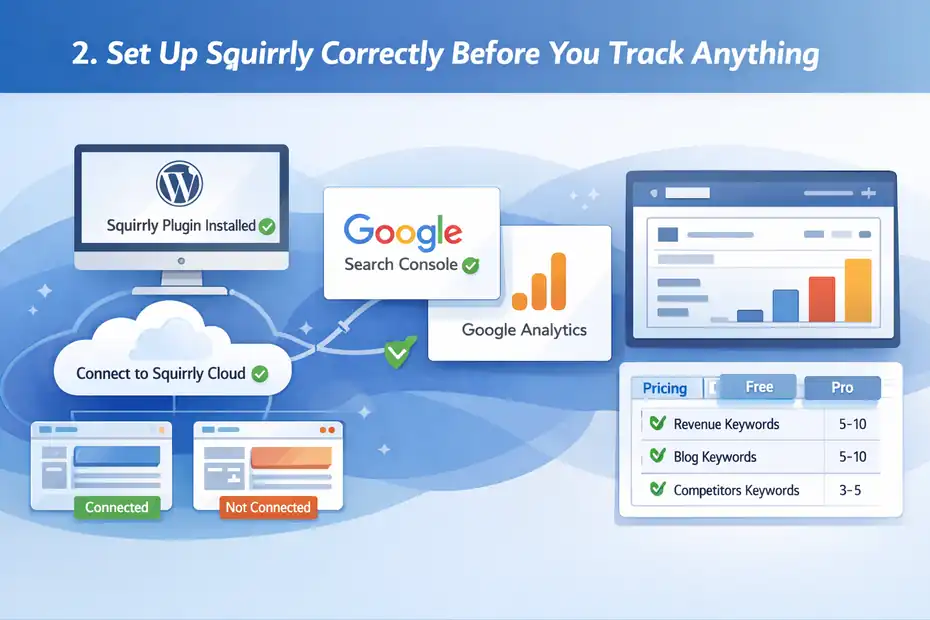
You can save yourself a lot of frustration by treating setup as part of ranking accuracy, not as a boring admin task.
Install The Plugin And Connect The Cloud Account
Squirrly works through its WordPress plugin and cloud-connected environment. The official setup flow includes installing the plugin, connecting it to Squirrly Cloud, and then using the related features from the WordPress dashboard or cloud interface.
Squirrly’s documentation also notes that some features, especially Focus Pages, require the WordPress plugin and are not fully available in the cloud-only experience for non-WordPress sites.
This is your first checkpoint. If you are trying to track SEO rankings using Squirrly on a WordPress site, you should not skip the plugin-based workflow. That is where the strongest tracking and page-level optimization loops happen.
I suggest checking three things right away: the plugin is active, the cloud account is connected, and your domain is associated with the right project. A surprising number of reporting issues come from tracking the wrong environment, especially on staging sites.
If you have a live site and a dev site, be careful. Tracking on the wrong domain is an easy way to waste weeks.
Connect Google Search Console And Analytics
For Focus Pages metrics like clicks, impressions, and CTR, Squirrly requires a connection to Google Search Console. The documentation is explicit about this. You need a verified Search Console property, and then you connect Squirrly so the relevant page and keyword data can flow into Focus Pages.
This step matters for two reasons. First, without it, your reporting will be incomplete. Second, once connected, you can compare position changes with actual search visibility signals such as impressions and CTR.
That comparison is where the real insights happen. A keyword can move from position 11 to 8 and still generate weak traffic if the snippet is poor. On the other hand, a keyword sitting in position 6 with a strong CTR may be worth protecting before you chase new terms.
I like to think of this as the difference between “rank tracking” and “search performance tracking.” Squirrly becomes more useful when you use both.
Confirm Your Plan Limits Before Building A Workflow
Squirrly’s pricing page shows clear differences across plan levels. Free plans have very limited Focus Pages usage, Pro plans raise those limits, and Business includes higher limits plus SERP Checker credits for more advanced tracking.
Squirrly also states that the SERP Cloud Checker is not included in Free and Pro plans, while higher tiers receive credits for ranking checks.
This is important because you need to build a process that matches your plan. If you are on a limited plan, you cannot behave like an agency tracking hundreds of keywords every day.
A smarter approach is to start with a small tracking set:
- 5 to 10 revenue keywords
- 5 to 10 high-intent blog keywords
- 3 to 5 branded terms
- 3 to 5 competitor-sensitive terms
That gives you enough signal to act without burning through capacity or drowning in noise.
Build A Clean Keyword Portfolio In Briefcase
This is where Squirrly becomes much more strategic. The tool does not just want you to stuff in random keywords. It wants you to organize them first.
Use Briefcase As Your Keyword Control Center
Squirrly’s Briefcase feature is built to store your chosen keyword opportunities in one place. From there, you can label them, use them in the SEO Live Assistant, and send them to Rank Checker. The knowledge base lists actions such as assigning labels, viewing keyword information, optimizing with SLA, and sending keywords directly to rankings.
This is one of the better parts of the Squirrly ecosystem because it forces discipline. Instead of checking rankings for every phrase you have ever thought about, you maintain a portfolio of keywords that actually matter.
I recommend labeling your Briefcase with intent and page type. For example:
- Buyer intent: best crm for freelancers
- Informational: how to track seo rankings using squirrly
- Branded: your brand name review
- Comparison: squirrly vs rank math
- Local: seo consultant chicago
That one step makes reporting cleaner later. When rankings move, you will know whether the movement affects traffic growth, conversions, or brand protection.
Choose Keywords That Can Be Tracked Meaningfully
Not every keyword deserves a spot in your tracker. This is where many SEO dashboards get bloated and useless.
A good tracking keyword usually has these traits:
- It maps to one clear page.
- It reflects a real search intent.
- It has enough impressions or business value to matter.
- You are actively optimizing the page behind it.
- You can tell whether movement would change traffic or conversions.
A bad tracking keyword is vague, too broad, duplicated across several pages, or something you are not realistically targeting.
Let me give you a simple scenario. Say you sell accounting software for freelancers. Tracking “accounting” is almost pointless unless you are a giant brand. Tracking “best accounting software for freelancers” or “simple bookkeeping app for self-employed” is much more actionable. Those are keywords where page-level optimization and rank changes actually mean something.
That is how you keep your Squirrly data accurate: by tracking terms with a real page-match, not vanity terms.
Send Only Finalized Keywords To Rank Checker
Squirrly allows you to send keywords from Briefcase into the Rankings section using the “Send to Rank Checker” action. It also supports bulk actions for Briefcase keywords, including sending them to Rankings, assigning labels, and deleting them.
I strongly suggest treating this as a publishing step, not a testing step.
In other words, do your keyword research first. Narrow the list. Label the terms. Match each keyword to a specific URL. Then send only your finalized set into rank tracking.
That keeps the tracker focused and helps you avoid the classic problem of watching 80 keywords move around when only 12 are tied to real business goals.
Add Keywords To Rankings The Right Way
Now we are at the tactical part people usually search for. But this works best when the earlier groundwork is done.
Navigate To The Rankings Section
Squirrly’s documentation says you can access ranking data from WordPress by going to Squirrly SEO > Google Rankings, or from the cloud through Ranking > Rankings.
It also notes that you can add as many keywords as you want to the Rankings section for tracking, subject to your plan and available credits.
Inside that area, your job is not just to load keywords. Your job is to create a measurement environment you can trust.
My recommendation is to add keywords in batches. Do not upload fifty unrelated phrases in one go. Start with one content cluster or one category at a time.
For example:
- Batch 1: homepage and core service terms
- Batch 2: category pages
- Batch 3: top blog content
- Batch 4: branded and comparison terms
That makes later diagnosis easier because you can see which part of the site is moving.
Match Each Keyword To Its Intended Landing Page
This may be the most important operational rule in the entire article.
A keyword without an intended URL is just trivia.
Before you track anything, document this:
- Keyword
- Intended page
- Search intent
- Funnel stage
- Last optimization date
- Primary metric to watch
That tiny system changes everything. Now when a keyword falls, you know exactly which asset to review. You are not hunting through the site asking, “Which page was this supposed to rank with?”
If you skip this step, Squirrly can still track the keyword, but your decisions will be slower and sloppier.
I like spreadsheets for this, even if the tool already stores part of the data. Sometimes the simplest external control sheet is the difference between “nice dashboard” and “real SEO process.”
Separate Benchmark Keywords From Growth Keywords
This is a strategy layer that most tutorials miss.
Your rankings list should include two buckets:
- Benchmark keywords: the terms already bringing you relevant traffic or leads
- Growth keywords: the terms you are trying to move from page 2 or 3 into page 1
Benchmark keywords tell you whether you are protecting what already works. Growth keywords tell you whether your optimization efforts are creating momentum.
If you mix them all together, your reporting becomes emotionally noisy. One drop on a benchmark keyword can look scary, while one improvement on a growth keyword can look more meaningful than it really is.
I believe this is one of the easiest ways to make Squirrly feel smarter: not by changing the tool, but by changing how you segment what goes into it.
Use Focus Pages To Interpret Rankings More Accurately
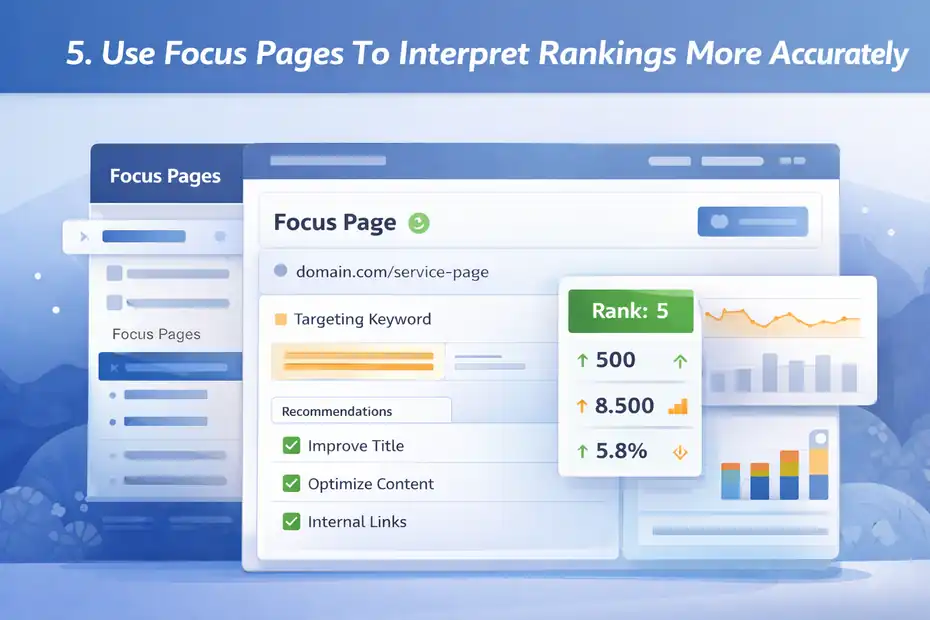
This is where Squirrly becomes more than a rank checker. It starts connecting ranking performance with page-level SEO work.
Turn Important URLs Into Focus Pages
Squirrly’s pricing and product pages emphasize Focus Pages as a core feature, and the documentation explains that a Focus Page helps you evaluate how well one page performs for one main keyword. You can also change the main keyword later if needed from the Focus Pages interface.
Use this feature for pages that matter, not every page on the site.
A good Focus Page candidate is usually one of these:
- Your homepage
- A core service page
- A high-converting category page
- A strategic landing page
- A blog post targeting a valuable long-tail keyword
The reason is simple. Focus Pages are where Squirrly helps you connect ranking potential with action steps. That is much more useful on priority pages than on random archive content.
Read Clicks, Impressions, CTR, And Ranking Together
Squirrly’s Focus Pages surface clicks, impressions, and CTR tied to the main keyword after Search Console is connected. The documentation even gives a practical CTR example and notes that a CTR above 5% is considered good in that context.
This combination is much more valuable than rank alone.
Here is how I would read it:
- High impressions + low CTR: Your snippet probably needs work.
- Better rank + flat clicks: The keyword may be lower intent than expected, or the SERP is crowded.
- Flat rank + rising impressions: Google may be testing your page for more searches.
- Falling rank + falling CTR: Time to audit on-page relevance and competitors.
- Good rank + weak conversions: Your keyword may be attracting the wrong audience.
This is the real secret to accurate tracking. You do not judge ranking in isolation. You judge what the ranking is doing in context.
Use Focus Pages As A Prioritization Tool, Not Just A Report
I think this is the most underrated mindset shift with Squirrly.
A lot of users treat Focus Pages like a dashboard they peek at once a week. That leaves value on the table.
Instead, use each Focus Page as a work queue. If a page is important and underperforming, the page should trigger action: title improvement, better internal links, stronger supporting content, intent alignment, richer snippet language, or refreshed copy.
Squirrly describes Focus Pages as a customized route to better rankings, and that framing is actually useful. The point is not to admire the score. The point is to use the guidance to move the page.
Read Ranking Changes Without Misdiagnosing Them
This is the part where SEO gets emotional. Rankings move, people panic, and bad decisions follow.
Know The Difference Between Noise And A Real Trend
Not every fluctuation matters. Small ranking movement happens all the time because of device mix, location, personalization, SERP features, freshness signals, and competitor changes.
What matters is pattern plus impact.
A real trend usually looks like this:
- The keyword moves in the same direction for multiple checks.
- Related metrics such as impressions or clicks also shift.
- Competing pages in the same cluster begin changing too.
- The page has not been updated recently, or a competitor has improved theirs.
If a keyword moves from 7 to 8 for two days and then comes back, that is probably noise. If it slides from 7 to 12 over three weeks while impressions weaken, that is a signal.
In my experience, the biggest SEO mistakes happen when people optimize for one wobble instead of one trend.
Compare Rankings By Page Cluster, Not Just Keyword By Keyword
A smarter way to use Squirrly is to compare groups of related pages.
For example, if three blog posts about local SEO all drop slightly at the same time, that may indicate a broader content relevance issue or internal linking weakness. If one page alone drops while the others stay stable, the problem is probably page-specific.
This is where your earlier Briefcase labels become useful. A category label, topic label, or funnel-stage label helps you see whether one drop is isolated or systemic.
That is much closer to how real SEO teams think. They do not just ask, “Did keyword X drop?” They ask, “What system produced the drop?”
Watch For CTR Mismatch Before Rewriting Content
One trap I see often is people rewriting entire pages because the rank feels disappointing, when the actual issue is the snippet.
Remember, Squirrly’s Focus Pages can surface CTR alongside impressions and clicks for the target keyword. If rank is decent but CTR is weak, the first fix might be:
- Better title wording
- Cleaner meta description
- Stronger value proposition
- More obvious intent match
- Less generic SERP language
For many pages, improving click appeal is faster than rebuilding the content body.
That is why ranking accuracy is not just about reading positions correctly. It is also about identifying the right lever to pull next.
Common Mistakes That Make Squirrly Tracking Feel Inaccurate
A lot of people blame the tool for problems caused by process.
Tracking Keywords With No Real Content Match
This is the biggest one. If your page barely covers the keyword, or if several pages could rank for it, the data will feel unstable because your targeting is unstable.
Fix this by choosing one primary page for one primary keyword. Then support it with related secondary terms.
You can still track multiple variations, but the main term needs a clear home.
Ignoring Search Intent Drift
A page can be “optimized” and still lose rankings because the SERP intent changed.
For example, maybe a keyword used to reward list posts, but now Google prefers product pages or comparison guides. If you keep tweaking headings and keyword density while the intent is mismatched, rankings will stay volatile.
Squirrly can tell you the page is not performing well. It cannot magically force the SERP to want the wrong format. You still need to read the search results like a human.
Checking Too Many Keywords Too Early
This is classic beginner behavior, and honestly, many experienced marketers do it too.
They track everything:
- Head terms
- Variants
- Plurals
- Questions
- Brand terms
- Cities
- Competitor names
Then they cannot tell what matters.
I recommend starting with fewer keywords and more discipline. Ten sharply chosen keywords tracked well are better than one hundred tracked badly.
Failing To Record What Changed On The Page
This one hurts more than people realize.
If you update a title, add schema, change internal links, refresh copy, merge content, or adjust the H1, write it down with a date. Otherwise you will see a ranking change in Squirrly and have no clue what caused it.
That makes the data feel random even when it is actually useful.
Optimize What You See In Squirrly
Tracking only matters if it changes behavior.
Improve On-Page Relevance With The Main Keyword In Mind
Once a keyword is underperforming, review the page for intent fit first, then relevance signals.
Look at:
- Title tag
- H1
- Intro paragraph
- subhead coverage
- internal links
- image context
- FAQ or supporting sections
- outdated examples or stats
This is where many people overdo “SEO writing.” Do not shove the keyword everywhere. Make the page genuinely more useful for the query.
For a keyword like how to track seo rankings using squirrly, the page should naturally cover setup, ranking reports, Focus Pages, Search Console connection, interpretation, and common errors. If it only talks about “SEO tools” in general, it will struggle.
Strengthen Internal Links To Priority Pages
Squirrly’s pricing page highlights internal linking support and even mentions automatic internal links to Focus Pages as part of its capabilities. That matters because internal links often move rankings faster than people expect, especially for mid-authority sites.
If a Focus Page is important, feed it context from related pages.
A simple rule I use is this: every strategic page should receive internal links from pages that are topically adjacent and already indexed. Not random footer links. Contextual links from useful paragraphs.
This helps search engines understand which page is the main answer for the topic.
Refresh Content Based On What The Rankings Suggest
Use ranking data to decide which pages deserve a refresh.
A practical framework:
- Positions 1 to 3: protect and improve CTR
- Positions 4 to 10: expand depth and strengthen internal links
- Positions 11 to 20: rework intent, structure, and page quality
- Positions 21+: reconsider keyword-page fit entirely
That framework keeps you from spending your best effort on the wrong pages.
I suggest refreshing pages in small, testable rounds rather than massive rewrites. Change the headline stack, improve the intro, add missing subtopics, update examples, and then monitor. That makes it easier to connect action with outcome inside Squirrly.
Build A Repeatable Weekly Ranking Workflow
The easiest way to make Squirrly useful long term is to stop treating it like a one-off checkup.
A Simple Weekly Routine
Here is a workflow I would actually use:
- Review ranking movers: Check biggest gains and drops.
- Check Focus Pages: Look at clicks, impressions, CTR, and main keyword status.
- Compare by label: Review topic clusters, not only isolated phrases.
- Log page changes: Record what was edited last week.
- Choose top actions: Pick 3 to 5 page improvements for the next cycle.
- Recheck after updates: Watch whether the pages stabilize, improve, or stall.
That rhythm is simple enough for a solo site owner and structured enough for a marketing team.
A Small Example Of What Good Tracking Looks Like
Imagine you run a SaaS site with a landing page targeting “proposal software for freelancers.”
- Week 1: The page sits at position 12 with 1,100 impressions and weak CTR.
- Week 2: You rewrite the title, tighten the intro, add two comparison sections, and add internal links from three blog posts.
- Week 3: The page climbs to position 9. Impressions rise. CTR improves from 2.1% to 3.8%.
- Week 4: You add customer-proof language and FAQ content. The page reaches position 7.
That is what accurate tracking is supposed to feel like. Not magic. Not chaos. Just a clear link between page improvements and measurable movement.
When To Scale Your Tracking Setup
Once the system works, then scale it.
Good signs you are ready:
- You already act on ranking changes consistently.
- Your main pages are mapped to clear keywords.
- You have labels or clusters organized in Briefcase.
- You understand your plan limits and tracking method.
- You can explain why each tracked keyword matters.
At that point, add more topic clusters, more commercial pages, and more benchmark terms.
Until then, bigger tracking setups usually create more confusion, not more insight.
Advanced Tips To Track SEO Rankings Using Squirrly More Accurately
This is where you move from “using the feature” to “using the system well.”
Track One Primary Keyword And A Few Support Terms Per Page
Do not overload a page with ten equally important targets.
Squirrly works best when a page has one clear main keyword in Focus Pages, while your broader strategy recognizes closely related variants. That keeps interpretation cleaner and reduces cannibalization confusion.
A page can rank for many terms, but it should still have one central promise.
Treat Rankings As Leading Indicators, Not Final Goals
A higher rank is good, but it is not the finish line.
A page at position 4 that drives qualified leads is better than a page at position 2 that attracts the wrong visitors. Use Squirrly to monitor visibility, but tie your decisions back to business value whenever possible.
That is especially true for service sites and ecommerce stores, where intent quality matters more than raw traffic.
Keep A Manual Reality Check
Even with Squirrly in place, I still believe in occasional manual SERP review.
Why? Because dashboards can show you movement, but only the real search results show you context:
- Are there more ads now?
- Did AI Overviews appear?
- Are forums taking over?
- Is video crowding the top results?
- Did Google shift the intent format?
This is the human side of rank tracking, and it is still important in 2026.
Final Thoughts
How to track SEO rankings using Squirrly accurately comes down to one core idea: the tool works best when your keyword strategy is clean, your setup is connected properly, and your reporting leads to action. Squirrly gives you a useful ecosystem for that, especially through Briefcase, Rankings, and Focus Pages.
Its documentation confirms that rankings can come from different data sources depending on plan level, that Focus Pages center on one page and one main keyword, and that proper Search Console connection is essential for metrics like clicks, impressions, and CTR.
If I were simplifying this into one sentence, it would be this: Do not just track more keywords, track the right keywords with the right page and the right interpretation. That is how you turn Squirrly from a dashboard into a decision-making tool.
FAQ
How does Squirrly track SEO rankings?
Squirrly tracks SEO rankings by monitoring keyword positions using either Google Search Console data or daily SERP checks, depending on your plan. It connects keywords to specific pages and provides insights like impressions, clicks, and ranking trends to help you evaluate performance accurately.
Is Squirrly ranking data accurate?
Squirrly ranking data is accurate when properly set up, especially if you connect Google Search Console and assign correct keywords to pages. Accuracy improves when using consistent keyword targeting and understanding the difference between average position data and daily rank tracking.
How often should I check rankings in Squirrly?
You should check rankings in Squirrly at least once per week to identify trends without reacting to daily fluctuations. Frequent checks can help with short-term analysis, but weekly reviews provide a clearer picture of performance and allow time to measure the impact of optimizations.
What is a Focus Page in Squirrly?
A Focus Page in Squirrly is a feature that evaluates how well a specific page performs for a chosen keyword. It combines ranking data with metrics like clicks, impressions, and SEO signals to guide improvements and help increase visibility in search results.
Why are my rankings different from Google results?
Rankings may differ from what you see in Google because of personalization, location, device differences, and data sources. Squirrly may use average position data or specific tracking methods, while your manual search results are influenced by your browsing history and settings.

I’m Juxhin, the voice behind The Justifiable.
I’ve spent 6+ years building blogs, managing affiliate campaigns, and testing the messy world of online business. Here, I cut the fluff and share the strategies that actually move the needle — so you can build income that’s sustainable, not speculative.
Related posts:
 Squirrly SEO – The Ultimate WordPress SEO Plugin for Boosting Your Website’s Rankings
 Boost Your Keyword Rankings: 5 Proven Strategies Unveiled
 Drive Organic Traffic: Increase Visits by 200% with 4 Tips
 Link Assistant: 6 Quick Fixes for Immediate Results
 How Good Is My Website SEO? Find Out Instantly!
 What Is Content Marketing in SEO? The Key to More Leads