
Table of Contents
Some links on The Justifiable are affiliate links, meaning we may earn a small commission at no extra cost to you. Read full disclaimer.
WP Engine vs Kinsta comparison gets interesting the moment you stop asking which host is “best” and start asking which one is faster for your kind of site.
That is the real question. Both are premium managed WordPress hosts, both are built for serious performance, and both include features that cheaper hosting usually leaves to plugins or paid add-ons. But they are not the same product wearing different logos.
In my experience, Kinsta usually feels faster in raw day-to-day WordPress performance, while WP Engine often feels stronger in workflow maturity, bundled extras, and enterprise-style guardrails.
Let’s break down where each one actually wins.
What This Comparison Is Really Measuring
If you searched for a WP Engine Vs Kinsta Comparison: Which Wins Speed?, you probably do not just want a feature checklist.
You want to know which host will make your site feel faster, stay stable under pressure, and justify a premium monthly bill.
Speed Is Bigger Than “Load Time”
When most people say speed, they mean “my page loads quickly.” That matters, but hosting performance is a stack of smaller things working together: server response time, caching, CDN delivery, PHP processing, database speed, and how gracefully the platform behaves during traffic spikes.
I think this is where a lot of comparison articles go wrong. They reduce everything to one homepage test, and that is rarely enough. A brochure site, WooCommerce store, membership site, and content-heavy blog all stress hosting in different ways.
A host that looks amazing on a simple cached page can still struggle when carts, logged-in users, search filters, or plugin-heavy pages enter the picture.
So throughout this article, I am judging speed in four practical ways:
- Raw page delivery: How fast cached pages reach visitors.
- Dynamic performance: How well the platform handles uncached requests.
- Traffic resilience: What happens when more visitors arrive at once.
- Operational speed: How quickly you can troubleshoot, restore, stage, and optimize.
That last one matters more than people admit. A host is not “fast” if your team loses hours every time something slows down.
Why WP Engine And Kinsta Keep Showing Up Together
These two hosts keep getting compared because they sit in the same premium managed WordPress category. WP Engine’s current Essential plans start at $30 per month for Startup, then $55, $109, and $276 for Professional, Growth, and Scale.
The Startup plan includes 1 site, 25,000 visits, 10 GB storage, and 75 GB bandwidth. Kinsta’s single-site plans currently start at $35 per month, with an annual equivalent of $30 per month on its entry tier, and it also offers multi-site and agency plans.
That means this is not really a “budget vs premium” decision. It is a premium vs premium decision. You are choosing between two polished ecosystems with different performance philosophies.
Core Platform Differences That Affect Speed
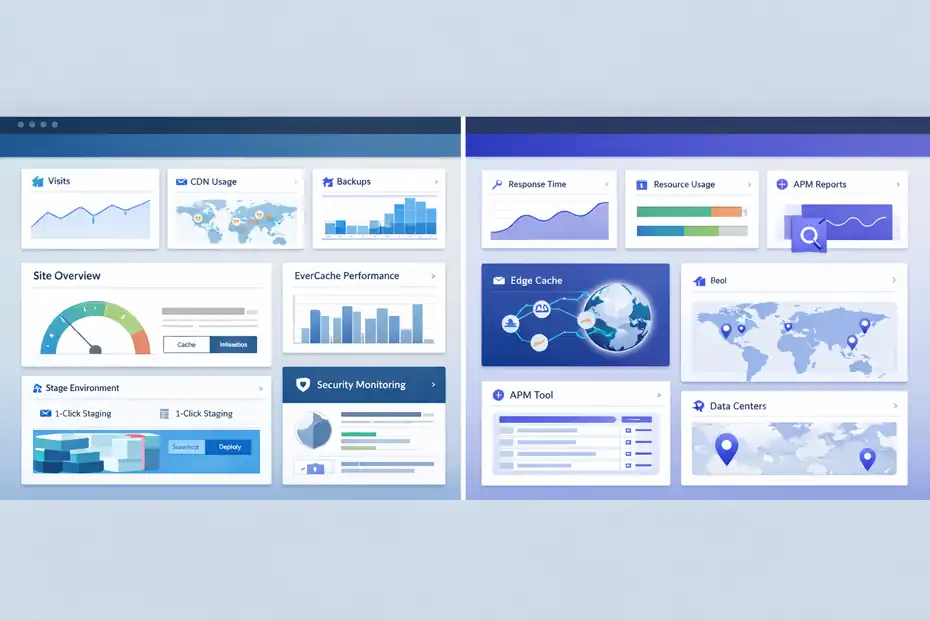
Before we talk winners, you need to understand how these platforms are built.
Hosting speed is mostly the result of infrastructure design, not marketing copy.
WP Engine Leans Into A Managed WordPress Platform Model
WP Engine positions itself as a managed WordPress platform with WordPress-optimized caching, Cloudflare-powered global CDN, automatic backups, staging and development environments, and optional higher-end add-ons like application performance monitoring and advanced security.
On its pricing page, it highlights EverCache, Cloudflare CDN, daily and on-demand backups with reverts up to 40 days, and 1-click staging and development environments.
In plain English, WP Engine is trying to give you a structured, controlled WordPress environment. That is great for teams that value process. It is also part of why agencies and larger organizations often stay with WP Engine for years. The platform feels opinionated in a useful way.
Where this affects speed is consistency. WP Engine’s stack is designed to reduce careless mistakes, push users toward best practices, and keep caching and delivery efficient.
Its proprietary EverCache layer is a major part of that story, and the company describes it as a front-end system built for scalable performance.
Kinsta Leans Into Infrastructure Efficiency And Clean Operations
Kinsta’s speed story is more infrastructure-forward. It emphasizes isolated containers for each site, Cloudflare integration, HTTP/3 CDN, edge caching, and a built-in APM tool for diagnosing slow WordPress code and database queries.
Kinsta also lets customers choose from 27 managed WordPress data centers, and its docs say edge caching can push cached pages to Cloudflare’s global network of 300+ data centers.
This creates a different feel. Kinsta often comes across as the host for people who care deeply about performance architecture and clean tooling. You can feel that in MyKinsta, in the APM workflow, and in the way Kinsta talks about site isolation and performance monitoring.
From what I have seen, that matters most for plugin-heavy sites, WooCommerce stores, and websites where slow PHP execution is the real problem.
Kinsta gives you better built-in visibility into those bottlenecks without immediately pushing you into a paid monitoring add-on.
Its APM is included for hosted WordPress sites, while WP Engine’s Application Performance is positioned as a premium solution tied to higher-end plans.
Speed Features Side By Side
This is the section most readers want, so let me make it practical.
Caching And CDN: Both Are Strong, But Not Identical
WP Engine includes EverCache and a Cloudflare-powered global CDN on its managed hosting plans. Kinsta includes Cloudflare integration too, along with HTTP/3 CDN and edge caching.
Kinsta’s edge caching docs say cached responses can be delivered from Cloudflare’s global network and can improve performance by up to 40%, while WP Engine describes EverCache as proprietary WordPress-optimized caching and includes Cloudflare CDN access in plan features.
Here is my honest take: for a mostly cached marketing site, both can be extremely fast. If your homepage, landing pages, and blog posts are your main concern, you are unlikely to see a huge life-changing difference after basic optimization. On clean builds, both are fast enough that the site build itself often matters more than the host.
Where Kinsta tends to feel ahead is in the way edge caching and Cloudflare integration are packaged into the product story. It feels simpler and more performance-native. Where WP Engine feels ahead is in the maturity of its caching ecosystem for teams already operating in a structured agency or enterprise workflow.
Monitoring And Troubleshooting: Kinsta Has The Friendlier Speed Toolkit
Kinsta’s built-in APM tool is one of the most useful speed features in this whole comparison. Its documentation says the tool identifies slow PHP code and MySQL queries, provides transaction traces, and helps debug issues without installing Query Monitor or paying for New Relic.
That matters because the biggest performance issues on real WordPress sites are often not “hosting is slow.” They are things like:
- A search plugin generating heavy queries
- A WooCommerce extension hitting admin-ajax too often
- A page builder module loading too much dynamic content
- A cron task or API call blocking requests
Kinsta helps you catch those faster. I value that a lot.
WP Engine does offer Application Performance, powered by New Relic, but it is not as universally available across lower tiers.
For many buyers, that means Kinsta gives you faster diagnosis on day one, while WP Engine gives you stronger observability once you move into premium territory.
Staging And Development Workflow: WP Engine Has A Slight Edge
Both hosts support staging. WP Engine supports Production, Staging, and Development environments inside a site grouping. Kinsta offers one-click staging, cloning, pushing between environments, and backup restores to staging.
I would call this a narrow WP Engine win for structured teams. Its production-staging-development model feels especially polished for agencies, handoffs, and multi-step release processes. If you have developers, marketers, and clients all touching the same web property, WP Engine’s workflow design is excellent.
That said, Kinsta’s staging is very good too, and in some cases easier for solo site owners to understand quickly.
Pricing, Limits, And Value For Speed
Speed is never just about speed. It is also about what you had to pay to get it.
Entry Pricing Is Close, But The Bundles Differ
WP Engine’s Startup plan starts at $30 per month and includes 1 site, 25,000 visits, 10 GB storage, 75 GB bandwidth, chat-only support at that tier, daily backups, EverCache, Cloudflare CDN, and staging/dev tools.
Kinsta’s single-site entry plan starts at $35 per month, or $30 per month billed annually, with select plans offering the first month free and a 30-day money-back guarantee. Kinsta also includes free migrations, malware removal, CDN and edge caching, and 24/7 chat support.
This is where the buying decision becomes less about the sticker price and more about bundled value.
My view is simple:
- WP Engine often looks slightly cheaper at entry.
- Kinsta often includes more performance-adjacent value in the base experience.
That difference can matter more than $5 per month. If Kinsta’s built-in APM or included malware cleanup saves you one support ticket or one paid tool, the price gap disappears fast.
The Real Cost Is Hidden In What Your Site Needs Next
Imagine two scenarios.
Scenario one: You run a fast, simple content site with a light theme, smart image compression, and modest traffic. WP Engine’s lower starting price may be enough, and you may never notice a meaningful speed disadvantage.
Scenario two: You run WooCommerce with 35 plugins, custom checkout logic, search filters, and logged-in users. Suddenly, visibility into slow transactions matters more than plan price.
That is where Kinsta starts looking like the better value, because performance debugging becomes part of the product rather than an afterthought.
This is why I usually tell people not to buy premium hosting based only on entry pricing. Buy it based on the cost of future friction.
Real-World Use Cases: Which Host Feels Faster For Different Sites?
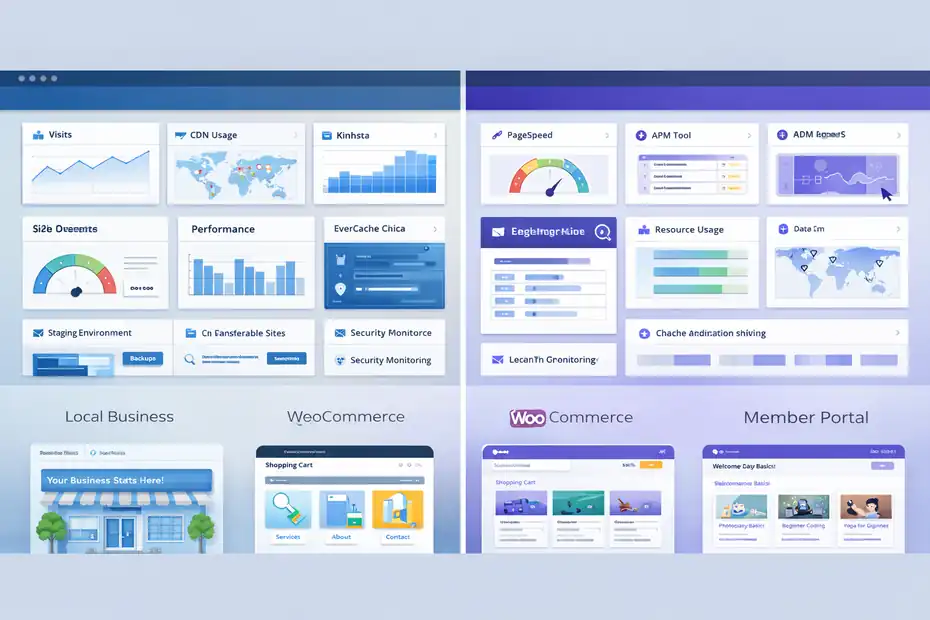
This is where I think the answer gets honest. There is no universal winner. There is a likely winner for your use case.
For Simple Business Sites And Content Sites
If you run a brochure site, local business site, SaaS marketing site, or editorial blog with good caching, both hosts are more than capable. WP Engine’s EverCache, Cloudflare CDN, staging workflow, and polished managed environment make it a very safe choice.
Kinsta’s edge caching, Cloudflare stack, and clean dashboard make it equally attractive.
For this category, I would not choose purely on speed. I would choose on user experience and support preference.
My personal lean: Kinsta feels cleaner and more intuitive. WP Engine feels more platform-like.
If you want the host that “just feels modern” inside the dashboard, Kinsta often wins that emotional test. If you want the host that feels built for a more process-driven business setup, WP Engine often wins that one.
For WooCommerce, Membership, And Dynamic Sites
This is where Kinsta becomes much more compelling.
Dynamic WordPress sites do not live or die on cached blog pages. They live or die on uncached requests, plugin conflicts, slow database queries, and background tasks.
Kinsta’s APM makes those issues easier to trace, and its platform messaging around isolated containers and Cloudflare-backed performance aligns well with demanding WordPress applications.
I would not say WP Engine is weak here. It is not. In fact, WP Engine has WooCommerce-specific positioning and has expanded EverCache behavior for WooCommerce.
But if your question is “Which host helps me identify why my store feels slow?” I think Kinsta is easier to love.
That is a subtle but important difference. One host can be good at performance. Another can be good at making performance easier to manage.
For Agencies And Teams Managing Multiple Workflows
This is the category where WP Engine pushes back hard.
Its platform includes strong environment management, transferable sites for client handoff, development workflows, and premium ecosystem extras such as Genesis tools and StudioPress-related assets.
It also offers phone support on higher tiers, while Startup is chat-only. Kinsta support is 24/7, but delivered exclusively through chat in MyKinsta.
I think many agencies will still prefer Kinsta for overall usability, but WP Engine deserves real credit here. If your agency works with approvals, pre-launch checks, formal handoff processes, and layered environments, WP Engine can feel faster operationally even when raw site speed is similar.
That matters because “team speed” is still speed.
Support, Backups, And Recovery Speed
A host is not only tested when things are going well. It is tested when the site breaks on a Tuesday afternoon and your client is refreshing Slack every 20 seconds.
Support Style Changes The Experience More Than Most Buyers Expect
WP Engine offers 24/7 support, with chat-only on Startup and chat plus phone on higher Essential plans. Kinsta offers 24/7 support through its integrated chat system in MyKinsta.
This is not automatically a phone-versus-chat debate. In technical hosting support, chat is often more efficient because agents can share commands, logs, and screenshots. Still, some buyers really value phone access when pressure is high.
My experience-based opinion is this: Kinsta’s chat-only model works well if you are comfortable with a modern dashboard workflow. WP Engine’s broader support structure may feel better to organizations that want more traditional escalation paths.
Backup And Restore Can Quietly Become A Speed Advantage
WP Engine includes daily and on-demand backups and says you can revert to backups up to 40 days, with the last 40 backups available in the portal and support access to backups for the last 60 days.
Kinsta includes daily automatic backups, manual backups, system-generated backups, and add-ons for more frequent backup intervals such as 6-hour and hourly backups.
That creates an interesting split:
- WP Engine wins on standard retention length.
- Kinsta wins on flexibility and workflow convenience.
For sites that change constantly, like ecommerce or memberships, backup frequency can matter more than raw retention length. For sites where rollback confidence matters, WP Engine’s longer retention is a genuine advantage.
I would call this one a draw with different strengths.
Side-By-Side Comparison Table
This is the quick-reference version if you want the answer fast.
| Category | WP Engine | Kinsta | My Take |
|---|---|---|---|
| Entry Price | Starts at $30/mo | Starts at $35/mo, or $30/mo annually on entry tier | WP Engine is slightly cheaper to start |
| Core Caching | EverCache proprietary caching | Server caching + edge caching | Both strong; Kinsta feels more edge-performance-focused |
| CDN | Cloudflare-powered global CDN | Cloudflare integration with HTTP/3 CDN | Both strong |
| Monitoring | Application Performance available as premium solution | Built-in APM for hosted WordPress sites | Kinsta wins for most buyers |
| Staging/Dev | Production, Staging, Development environments | One-click staging and push workflows | WP Engine has a slight workflow edge |
| Support | 24/7; Startup chat-only, higher tiers chat + phone | 24/7 chat in MyKinsta | Depends on support preference |
| Backups | Daily/on-demand, revert up to 40 days | Daily backups, manual/system backups, optional higher frequency | Tie, with different strengths |
| Data Centers | Shared plans default on Google Cloud nearest region | 27 managed WordPress data centers | Kinsta has clearer location choice advantage |
| Best Fit | Agencies, structured teams, workflow-heavy setups | Performance-focused site owners, WooCommerce, modern UX | Different winners |
Sources for pricing and platform features:
Common Mistakes People Make In This Comparison
A lot of bad buying decisions happen because the comparison is framed the wrong way.
Mistake 1: Choosing Based On A Homepage Speed Test Alone
A homepage test usually measures a mostly cached page with predictable assets. That can tell you something, but not enough. It does not show what happens inside a plugin-heavy checkout, a logged-in course dashboard, or a faceted product filter.
I recommend treating any single speed score as a clue, not a verdict.
Mistake 2: Ignoring Workflow Performance
Let me put this simply. If one host saves your developer two hours every month, that host is faster for your business. Staging, backup restore, query monitoring, and support efficiency all count.
This is why I hesitate when people ask for a one-word answer. Kinsta often wins pure performance feel. WP Engine often wins operational maturity for certain teams. Both can be true at once.
Mistake 3: Buying For Today’s Traffic Instead Of Next Year’s Complexity
Many sites outgrow their original stack not because traffic explodes, but because functionality grows. More forms, more plugins, more scripts, more automation, more API calls.
When that happens, Kinsta’s built-in diagnostics become more valuable. WP Engine’s structured platform also becomes more valuable. The wrong choice is usually the one that looked cheapest before complexity showed up.
My Verdict: Which Wins Speed?
Here is the direct answer.
Kinsta Usually Wins Raw Speed For Most Modern WordPress Builds
If your question is purely “Which one feels faster on a modern WordPress site, especially one with dynamic behavior, plugin load, or WooCommerce complexity?” my answer is usually Kinsta.
The reasons are straightforward:
- Built-in APM makes bottlenecks easier to find.
- Edge caching is clearly integrated into the platform.
- Isolated-container positioning and performance tooling feel tightly aligned.
- The dashboard experience makes optimization less painful.
That does not mean every Kinsta site will beat every WP Engine site. Site build quality still matters massively. But as a platform experience built around practical performance work, Kinsta gets my nod.
WP Engine Wins For Certain Kinds Of Speed That Buyers Undervalue
WP Engine is still excellent. For agency workflows, client handoff, environment structure, longer backup retention, and teams that value more formal support options on higher tiers, WP Engine can absolutely be the better purchase.
And here is the part I think is underrated: sometimes the best-performing host is the one your team uses correctly. WP Engine’s managed guardrails can reduce mistakes. Fewer mistakes often means better uptime, fewer broken deployments, and steadier real-world performance.
So if you ask me who wins speed in the broadest practical sense, my answer is:
- Kinsta wins raw performance and performance visibility.
- WP Engine wins structured workflow speed for some agencies and organizations.
The Fastest Choice For You Depends On Your Site Type
I would summarize it this way:
- Choose Kinsta if you care most about raw WordPress speed, simpler performance troubleshooting, and a cleaner modern hosting experience.
- Choose WP Engine if you care most about team workflow, mature platform processes, backup retention, and a host that feels built for managed WordPress operations at scale.
If I had to pick one for the average serious site owner today, I would lean Kinsta. If I were advising an agency with formal deployment workflow and multi-role collaboration, I would take a harder look at WP Engine.
Final Recommendation Before You Buy
After all the technical details, here is the practical advice I would actually give a friend.
Pick The Host That Matches Your Bottleneck
If your main pain point is “my site feels slow and I need better visibility into why,” Kinsta is the smarter bet.
If your main pain point is “my team needs a safer, more structured managed WordPress platform,” WP Engine may be the better fit.
That sounds simple, but it is the question that saves the most money.
Do Not Expect Hosting To Fix A Poor Build Alone
I need to say this because premium hosting gets blamed and praised too dramatically. Even the best platform cannot fully rescue:
- bloated themes
- unmanaged third-party scripts
- oversized images
- bad plugins
- uncached dynamic elements everywhere
- messy databases
Hosting sets the ceiling. Your build determines how close you get to it.
My Bottom Line
For a pure wp engine vs kinsta comparison centered on speed, I believe Kinsta wins more often for most modern WordPress users. It is the host I would usually recommend when performance troubleshooting, WooCommerce complexity, and day-to-day usability matter most.
WP Engine is not far behind, though. It remains one of the strongest managed WordPress platforms on the market, and in some agency or enterprise workflows, it may still be the more strategic choice.
That is why the best answer is not “WP Engine bad, Kinsta good” or the other way around. The best answer is this: Kinsta is usually the better speed-first choice, while WP Engine is usually the better process-first choice.
FAQ
What is the main difference between WP Engine and Kinsta?
The main difference between WP Engine and Kinsta is how they approach performance and workflow. Kinsta focuses on infrastructure efficiency and built-in performance tools, while WP Engine emphasizes a structured managed WordPress platform with strong workflow features and enterprise-level controls.
Which is faster: WP Engine or Kinsta?
Kinsta is generally faster for modern WordPress sites, especially those with dynamic content or heavy plugin usage. Its edge caching and built-in APM help optimize performance more effectively, while WP Engine delivers strong speeds but relies more on structured caching and platform management.
Is Kinsta better for WooCommerce than WP Engine?
Kinsta is often better for WooCommerce because it handles dynamic requests efficiently and provides built-in performance monitoring. This makes it easier to identify slow queries and plugin issues, which are common in ecommerce stores that rely heavily on real-time data processing.
Is WP Engine worth it compared to Kinsta?
WP Engine is worth it if you value structured workflows, advanced staging environments, and a more traditional managed hosting experience. It is especially useful for agencies or teams that need organized deployment processes and strong platform stability.
Which hosting is better for beginners: WP Engine or Kinsta?
Kinsta is usually better for beginners because of its clean dashboard and built-in performance tools that simplify optimization. WP Engine can feel more complex due to its structured environment, but it becomes powerful once you understand its workflow system.

I’m Juxhin, the voice behind The Justifiable.
I’ve spent 6+ years building blogs, managing affiliate campaigns, and testing the messy world of online business. Here, I cut the fluff and share the strategies that actually move the needle — so you can build income that’s sustainable, not speculative.
Related posts:
 Cloudways WordPress Pros & Cons: What You Need to Know
 How WP Engine Data Centers Improve Your Site Load Time
 How to Host a Website: A Step-by-Step Guide for Beginners
 WP Engine Account Setup for Faster Site Performance
 WP Engine Website Slow Loading Troubleshooting Guide
 WP Engine Vs SiteGround Comparison: Speed And Uptime