
Table of Contents
Some links on The Justifiable are affiliate links, meaning we may earn a small commission at no extra cost to you. Read full disclaimer.
MailerLite email marketing review is a search phrase I understand well, because this is exactly the kind of tool many people overlook at first. It does not scream “enterprise powerhouse,” and that is honestly part of its appeal.
If you want an email platform that feels clean, affordable, and easier to use than many bigger names, MailerLite deserves a serious look.
In this review, I’ll walk you through what it does well, where it falls short, who it fits best, and whether it is genuinely a hidden gem or simply a basic beginner tool.
What MailerLite Is Really Trying To Be
MailerLite is not trying to win by being the most complex automation suite on the market. Its positioning is much more practical: email marketing, automations, landing pages, signup forms, and even websites in one simpler package.
On its homepage and feature pages, the company leans heavily into ease of use, list growth, and revenue support rather than enterprise-grade complexity.
A Simple Platform With A Broader Scope
When people first hear “MailerLite,” they often assume it is just a lightweight newsletter sender. That is outdated. Today, the platform includes email campaigns, automation workflows, landing pages, signup forms, websites, reporting, and e-commerce features tied to stores like Shopify and WooCommerce.
That matters because the real value is not only sending emails. It is being able to collect leads, nurture them, and track outcomes without stitching together too many separate tools.
From what I’ve seen, this is one of MailerLite’s strongest angles. A small creator, coach, indie publisher, nonprofit, or small online store usually does not need five different platforms on day one. They need one system that feels manageable. MailerLite clearly understands that use case.
The hidden gem part starts here. A lot of “simple” tools are simple because they are missing essential pieces. MailerLite is simpler mainly because the interface is less overwhelming, not because the platform is empty. That is an important distinction.
Who MailerLite Is Best For
I would put MailerLite in the sweet spot for four types of users. First, beginners who want to start email marketing without fighting the software. Second, creators and publishers who need landing pages, forms, and newsletters in one place.
Third, small businesses that want automations but do not need extremely advanced branching logic. Fourth, e-commerce brands that want core flows like abandoned cart and product-based email campaigns without jumping straight to a more expensive stack.
I would be more cautious if you run a very large B2B sales operation, need deep CRM orchestration, or depend on highly customized reporting and enterprise governance.
Capterra review summaries specifically mention strong value and ease of use, but also note that advanced customization and very complex automation can feel limited.
That matches the product’s personality. It feels focused, not bloated. For many of us, that is a feature. For high-complexity teams, it may become a ceiling.
MailerLite’s Core Features And How They Hold Up
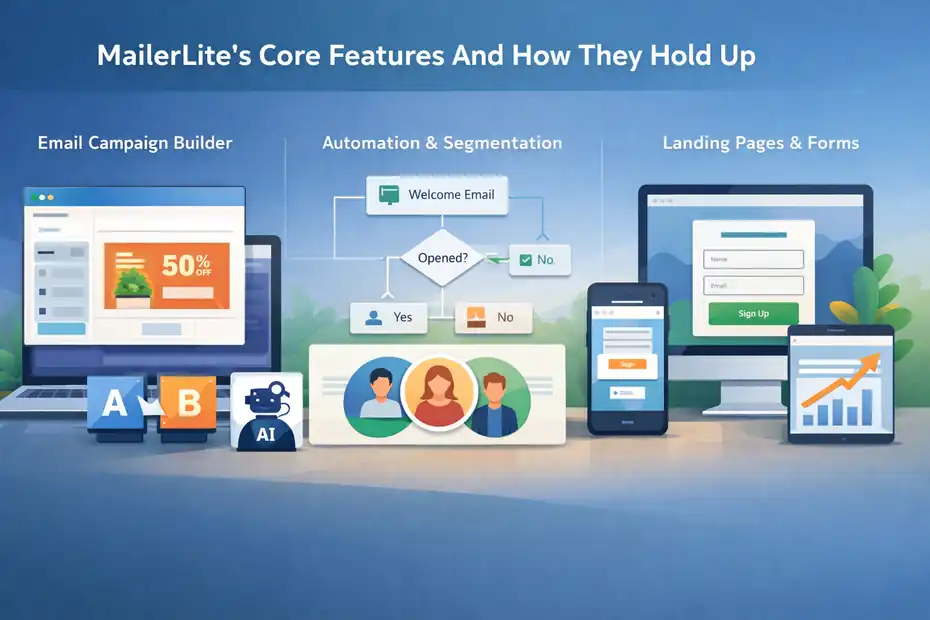
The feature set is broader than many people expect, and that is why this review is more positive than the “simple tool” label suggests.
You are not just buying a newsletter sender. You are getting a lightweight growth system.
Email Campaign Builder And Everyday Usability
The campaign side of MailerLite is built for speed. You can create newsletters, announcements, promotions, and updates, and the platform emphasizes drag-and-drop creation rather than technical setup.
Official feature pages also highlight A/B testing and AI email generation among the sending tools.
In practical terms, this means you can move from idea to send fairly quickly. That matters more than people admit. A platform can have brilliant features, but if you dread opening it, your email program slows down.
User reviews on Capterra repeatedly mention ease of use, quick learning curve, and straightforward campaign setup as key advantages.
I think this is one reason MailerLite performs so well with smaller teams. Imagine you run a two-person ecommerce shop or a solo newsletter. You do not want a six-step approval process just to change a CTA button. You want to build, schedule, and send. MailerLite feels designed for that reality.
The tradeoff is that advanced design and highly bespoke control are not its strongest selling point. If you are obsessed with every micro-detail of dynamic personalization and custom workflow behavior, you may outgrow it faster than you expect.
Automation, Segmentation, And Behavioral Triggers
MailerLite includes automation workflows, and new accounts get a 14-day premium trial to explore those features.
The platform describes automations as pre-built sequences of emails and actions triggered by subscriber behavior, while its e-commerce integrations add purchase-based automations such as abandoned cart and product-focused flows.
This is where the product gets more interesting. For a “lite” tool, it covers a meaningful share of what most businesses actually use. You can build welcome sequences, lead magnet delivery, onboarding emails, cart recovery, and re-engagement campaigns without needing a separate specialist platform.
I would describe the automation depth as good enough for most SMB workflows, but not ideal for power users who want deeply layered conditional logic across many data sources. That is not me being harsh. It is the honest middle ground. Even Capterra’s pros-and-cons summary points to automation feeling basic for very complex use cases.
For many readers, though, “not overbuilt” is exactly what makes it attractive. I have seen plenty of businesses stall because their automation platform was theoretically powerful but practically intimidating. MailerLite gives you enough room to automate revenue-generating sequences without making everyday maintenance miserable.
Landing Pages, Forms, And Website Tools
One of the most underrated parts of this mailerlite email marketing review is how much lead generation functionality is bundled into the platform.
MailerLite includes landing pages, signup forms, pop-ups, and website-building features, and even its free plan includes a website plus up to 10 landing pages. Paid tiers remove branding and expand what you can create.
That combination is a real advantage for beginners and lean teams. Let’s say you are launching a free guide, webinar, or waitlist. You can build the page, connect the form, deliver the email sequence, and track the campaign without paying for a separate landing page tool right away.
I think this is where MailerLite starts looking more like a hidden gem than a stripped-down option. Plenty of low-cost email tools force you to bolt on extra software for pages and forms. MailerLite’s “all in one, but not too heavy” approach is genuinely useful.
For advanced marketers, the question is not whether these tools exist, but whether they are robust enough to replace dedicated conversion software.
In many smaller campaigns, yes. In aggressive CRO-heavy environments, maybe not. Still, for the typical business owner, having them native inside the platform is a huge quality-of-life win.
Pricing, Free Plan Value, And Overall Cost
Pricing is one of the biggest reasons MailerLite keeps showing up in conversations. It is one thing to be easy to use. It is another to be easy to justify financially.
What The Plans Actually Include
MailerLite currently lists four plan options: Free, Growing Business, Advanced, and Enterprise. The Free plan includes up to 500 subscribers, campaign creation, automations, a website, and up to 10 landing pages.
The Growing Business plan starts at $10 per month and adds features such as RSS campaigns, AutoResend, more templates, logo removal, and unlimited websites and landing pages.
The Advanced plan starts at $20 per month and adds unlimited users, a custom HTML editor, unsubscribe page builder, and advanced website features like password protection and custom code injection.
That is a strong starting point, especially the free tier. A lot of platforms treat the free plan like a demo with training wheels. MailerLite’s free option is more usable than that, especially if you are just validating an offer, building your first list, or creating a small newsletter operation.
New members also get a 14-day free trial of premium features, which helps you test more advanced capabilities before deciding whether the paid tiers are worth it. I like this approach because it shortens the gap between “this seems promising” and “I can actually see my workflow inside it.”
Is MailerLite Good Value For Money?
In my view, yes. And the review data backs that up. Capterra reviews repeatedly highlight cost, value for money, and usability. G2 shows MailerLite with a 4.6 out of 5 average rating across 1,105 reviews on the seller page, which is a strong trust signal even though ratings alone never tell the full story.
Where the value becomes obvious is when you compare outcome per dollar, not feature count alone. If a cheaper tool lets you build pages, forms, welcome emails, sales sequences, and basic e-commerce automations in one place, your effective software spend can stay lower for longer.
Here is the honest caveat: Cheap is not automatically cheap if the platform cannot scale with you. If your strategy depends on highly advanced segmentation, large-team collaboration, or deep reporting customization, a “value” tool can become expensive through workarounds.
Still, for creators and small businesses, MailerLite’s pricing looks genuinely competitive rather than deceptively limited.
Setup Experience, Approval, And Deliverability Basics
This is the part many reviews skip, even though it matters a lot. Great features do not help much if setup is frustrating or deliverability basics are confusing.
MailerLite handles this fairly well, but there are a few things you should know upfront.
Account Approval And What New Users Should Expect
MailerLite does not simply let anyone start blasting emails instantly forever. New users sign up, provide information about who they are and how they plan to use the platform, verify their email address, and go through an approval process.
Its Terms of Service state that users must complete their profile and request approval, and approval depends on compliance with the platform’s rules.
I actually think this is a good sign for deliverability, even if it occasionally feels inconvenient. Platforms that protect their sending reputation tend to be more careful about who gets approved.
The downside, of course, is that some users on public review sites complain about account issues or terminations, which is something you should take seriously if your business operates in a gray-area niche or if your list collection practices are messy.
My advice is simple: Be transparent during setup, use clear opt-in practices, and keep documentation for your list sources. If your business is legitimate and your list hygiene is solid, the approval process is more of a speed bump than a roadblock.
Domain Authentication And Sender Requirements
MailerLite’s help docs state that domain authentication is required for custom-domain sending in light of Google and Yahoo sender requirements, though new accounts can send first campaigns during the 14-day trial without authenticating a domain.
The platform provides automatic domain authentication for many providers and manual options for DKIM, SPF, and TXT record setup when needed.
This is one of those technical steps that sounds scarier than it is. In plain English, authentication tells inbox providers that MailerLite is allowed to send on behalf of your domain. Without it, your deliverability can suffer, and in many cases you simply should not be mailing seriously at all.
I recommend doing this as early as possible, not at the last minute before a launch.
A realistic scenario: You build your funnel, import your contacts, finish your welcome sequence, and then realize your DNS records still are not verified. That is a painful and avoidable delay.
For beginners, this is also where MailerLite benefits from being a modern platform. The help center gives a clear step-by-step process rather than assuming you already speak fluent DNS.
Reporting, Analytics, And Performance Visibility
A lot of affordable tools are decent at sending and weak at explaining what happened next.
MailerLite is better than that, though not radically advanced.
What You Can Actually Measure
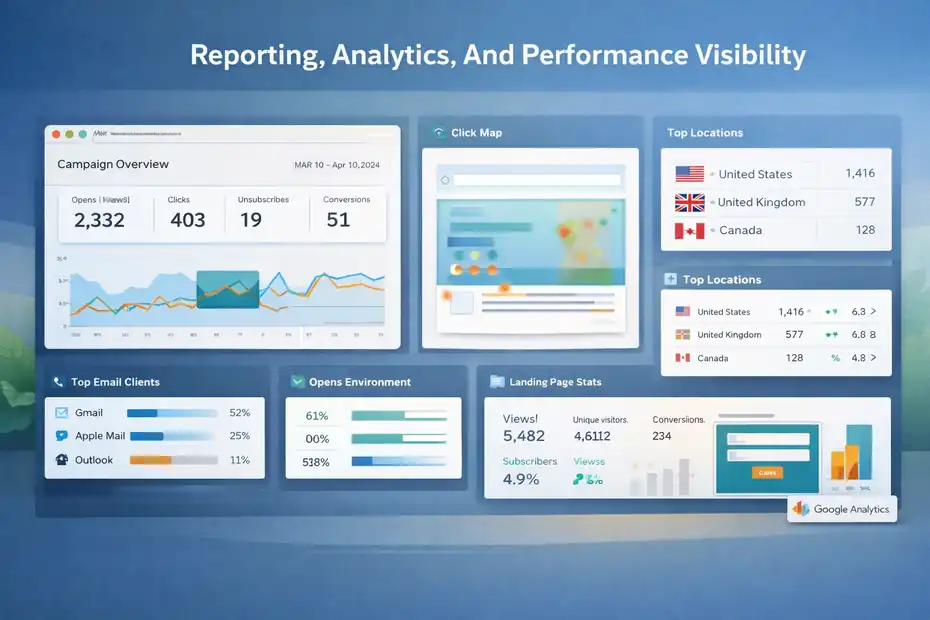
MailerLite’s reporting includes campaign performance details plus bonus tools such as click maps, reading environment, top email clients, and opens by location.
For landing pages and websites, the platform shows views, unique visitors, subscribers collected, and conversion rate, and it supports Google Analytics integration for deeper analysis.
That is a healthy set of analytics for the audience this tool serves. If you are a solo creator or small team, you usually do not need a dashboard that looks like a spaceship control room.
You need to know what was opened, what got clicked, what page converted, and which campaign moved people closer to a purchase or signup. MailerLite gives you most of that without clutter.
The click map feature is especially useful in practice. It shows where people clicked within the email, which makes layout decisions less guessy. If readers keep hitting an image but ignoring a button, that is a design lesson you can use immediately.
Where Analytics May Feel Limited
This is not a platform I would choose purely for analytics sophistication.
The built-in reporting is good for execution and optimization, but not the deepest option for teams that want heavily customized attribution views, advanced cohort analysis, or enterprise BI-style reporting. Capterra’s summary also notes that highly bespoke reporting is not MailerLite’s ideal use case.
Still, I think many businesses overestimate the analytics they need and underestimate the analytics they will actually use. If your current habit is checking opens, clicks, conversions, and page performance, MailerLite likely covers the essentials.
My rule of thumb is this: If your bottleneck is sending better campaigns consistently, MailerLite’s reporting is enough. If your bottleneck is executive-level attribution complexity, look higher up the market.
E-Commerce, Integrations, And Real-World Use Cases
MailerLite is more commerce-friendly than many people expect.
That does not make it the default choice for every serious store, but it absolutely makes it more than “just a newsletter tool.”
Shopify And WooCommerce Workflows
MailerLite’s Shopify integration supports targeted campaigns, segmentation, and automated e-commerce campaigns to promote products, recover sales, and encourage repeat business.
Its WooCommerce integration allows automatic customer syncing, direct product importing into emails, abandoned cart emails, and purchase tracking.
That means a smaller store can do a lot without a more expensive stack. Think about a shop selling handmade candles, digital templates, or niche fitness accessories.
With MailerLite, the owner can collect email signups, segment customers, send product launches, trigger cart recovery, and track purchases from one environment.
I would not call it the final answer for every advanced e-commerce brand. Large stores with complex retention programs may still want deeper lifecycle features elsewhere.
But for small to mid-sized stores, the built-in commerce capability is much stronger than the brand’s minimalist image suggests.
Best Use Cases Where MailerLite Shines
In my experience, MailerLite looks best in these scenarios:
- Creator newsletter business: You need forms, landing pages, weekly emails, welcome automations, and maybe paid content support without a huge monthly bill.
- Service business lead generation: You want a simple page plus lead magnet delivery and a short nurture sequence.
- Small e-commerce brand: You need product sync, segmentation, campaign sending, and abandoned cart basics.
- Non-technical teams: You care more about speed and clarity than advanced martech architecture. User reviews repeatedly highlight ease of use and quick onboarding.
That last point is not glamorous, but it matters. A tool people actually use beats a more powerful tool that sits half-configured for months.
The Biggest Strengths And Weaknesses
By this point, the platform’s identity is pretty clear. It is not trying to be everything. The question is whether what it does best matches what you need most.
What MailerLite Does Better Than People Expect
First, it offers more than basic newsletters. The combination of campaigns, automations, landing pages, forms, websites, and e-commerce integrations gives it more depth than its branding implies.
Second, the free plan is genuinely usable. Up to 500 subscribers, automations, a website, and 10 landing pages is not a throwaway bundle. That can support a real early-stage email program.
Third, value for money is a recurring theme in public review data. Capterra reviews and summaries repeatedly mention sensible pricing, easy setup, reliable day-to-day use, and strong support experiences.
Fourth, support access improves on paid plans, with 24/7 email support on Growing Business and Advanced, and 24/7 live chat on Advanced. For small teams, that kind of support availability can be more useful than a dozen extra niche features.
Where MailerLite Can Frustrate Advanced Users
The biggest weakness is ceiling, not quality. If your business needs extremely advanced automation logic, deep custom reporting, or enterprise-grade operational complexity, MailerLite can start feeling too light. Capterra’s summary says as much in plainer words.
Another possible friction point is approval and compliance. This is not necessarily a flaw, but it can feel harsh if your setup is incomplete or your practices raise flags.
Some G2 reviews include strong complaints around account termination and refunds, so it is fair to say that compliance sensitivity is part of the platform experience.
Support is also tier-dependent. The homepage promotes 24/7 support, but the help docs clarify that email and chat access are tied to paid plans, with live chat specifically on Advanced.
Free users largely rely on self-service resources and community support outside the trial window.
Final Verdict: Simple Tool Or Hidden Gem?
MailerLite is both, and that is why it works. It is a simple tool in the sense that the interface is approachable, the feature set is easier to understand, and the pricing stays accessible.
But it is also a hidden gem because it quietly includes enough email, automation, form, landing page, website, and e-commerce functionality to cover a very large percentage of what smaller businesses and creators actually need.
If you are a beginner, I think MailerLite is one of the easier serious email platforms to recommend. If you are a creator or small business owner, I believe it hits a very practical balance between capability and simplicity.
If you are an advanced marketer with demanding workflow logic or bespoke reporting needs, I would treat it more as a strong lightweight option than a forever platform.
So, my honest answer to this mailerlite email marketing review question is this: It is not secretly an enterprise giant wearing minimalist clothes. It is something more useful than that.
It is a well-priced, well-reviewed, genuinely capable platform that can carry a lot of real businesses further than they expect. For the right user, that absolutely counts as a hidden gem.
FAQ
What is MailerLite and how does it work?
MailerLite is an email marketing platform that helps you create campaigns, automate emails, and build landing pages. It works by collecting subscriber data through forms, then sending targeted emails or automated sequences based on user behavior, making it easier to grow and engage your audience.
Is MailerLite good for beginners?
Yes, MailerLite is widely considered beginner-friendly due to its clean interface and simple workflow. Most users can create campaigns, set up automations, and build landing pages without technical skills, making it a strong option for those starting with email marketing.
How much does MailerLite cost?
MailerLite offers a free plan for up to 500 subscribers, including core features like email campaigns and automations. Paid plans start at a low monthly cost and unlock advanced features such as unlimited landing pages, custom branding, and enhanced support options.
What are the main features of MailerLite?
MailerLite includes email campaigns, automation workflows, landing pages, signup forms, and basic website building tools. It also offers analytics, segmentation, and integrations with e-commerce platforms, allowing users to manage lead generation and email marketing in one place.
Is MailerLite better than other email marketing tools?
MailerLite is better for users who want simplicity, affordability, and essential features in one platform. While it may lack advanced customization found in enterprise tools, it delivers strong value for small businesses, creators, and beginners focused on ease of use.

I’m Juxhin, the voice behind The Justifiable.
I’ve spent 6+ years building blogs, managing affiliate campaigns, and testing the messy world of online business. Here, I cut the fluff and share the strategies that actually move the needle — so you can build income that’s sustainable, not speculative.
Related posts:
 How to Successfully Run a Online Marketing Campaign: Email Marketing Expert
 Best Email Marketing Services
 GetResponse Vs MailerLite: Best Automation And Pricing Value
 Target Audience: How to Effectively Leverage It for Email Marketing
 Top 10 Email Service Providers: Powerful Tools for Businesses
 Constant Contact Pricing: Which Plan Is Right for You?