Table of Contents
Some links on The Justifiable are affiliate links, meaning we may earn a small commission at no extra cost to you. Read full disclaimer.
Freshworks pricing explained sounds simple at first glance, but it gets messy the moment you realize Freshworks is not one product.
It sells separate tools for customer support, omnichannel support, IT service management, CRM, calling, chat, and marketing automation, each with its own pricing logic, feature limits, and upgrade triggers. That is exactly where buyers get burned.
In this guide, I’ll walk you through the real costs, where the traps usually hide, and how to choose the right Freshworks plan without overpaying for features you may never use.
Why Freshworks Pricing Feels More Confusing Than It Should
Freshworks pricing is confusing because the brand umbrella is bigger than many buyers expect.
When someone searches for “Freshworks pricing,” they might actually mean Freshdesk, Freshdesk Omni, Freshservice, Freshsales, Freshchat, Freshcaller, or Freshmarketer.
Those products serve different teams and use different billing units such as agent, user, monthly marketing contacts, or usage-based call charges.
What You Are Really Buying Inside Freshworks
Before you compare numbers, you need to know which product family you are pricing.
- Freshdesk: Standard ticketing-focused customer support software with plans from $19, $55, and $89 per agent per month billed annually, plus a limited free program for 1 to 2 agents for 6 months.
- Freshdesk Omni: The broader omnichannel support product with Growth at $29, Pro at $79, and Enterprise at $119 per agent per month billed annually.
- Freshservice: IT service management with Starter at $19, Growth at $49, Pro at $99, and Enterprise as custom pricing.
- Freshsales: CRM pricing starts at $9 for Growth, $39 for Pro, $59 for Enterprise, plus a free plan for 3 users.
- Freshchat: Messaging software with a free tier for up to 10 agents, then $19, $49, and $79 per agent per month billed annually.
- Freshcaller: Calling software with a free plan, then $15, $39, and higher tiers with per-minute charges layered on top.
- Freshmarketer: Marketing automation with a free plan and an Enterprise plan starting at $15 per month including 500 marketing contacts, with extra contacts available as an add-on.
This matters because I see a common mistake: a buyer compares Freshsales pricing to HubSpot CRM, then later realizes they also need chat, calling, or marketing automation and the real monthly bill becomes a bundle, not a single SKU.
That is not dishonest on Freshworks’ side, but it does mean the sticker price you first notice is often not your final operating cost.
The First Trap: Searching For “Freshworks Pricing” Instead Of Product Pricing
The biggest pricing trap is not knowing which Freshworks product matches your use case.
If you run customer support through email and tickets, Freshdesk may be enough. If you need messaging, SMS, social channels, and AI agents in one support stack, Freshdesk Omni is the more relevant comparison.
If you manage internal IT requests, devices, workflows, and service management, you are in Freshservice territory, not Freshdesk. If your goal is sales pipeline management, lead scoring, and rep productivity, you are looking at Freshsales instead.
I suggest treating Freshworks like a mall, not a single store. The brand is one sign outside the building, but inside you are choosing different shops, each with its own pricing rules. That one mindset shift will save you from most budget surprises.
Freshdesk Pricing Explained
Freshdesk is the plan most people mean when they want help desk software pricing.
It is the cleaner, more traditional support product in the Freshworks lineup.
Freshdesk Plans And What They Actually Cost
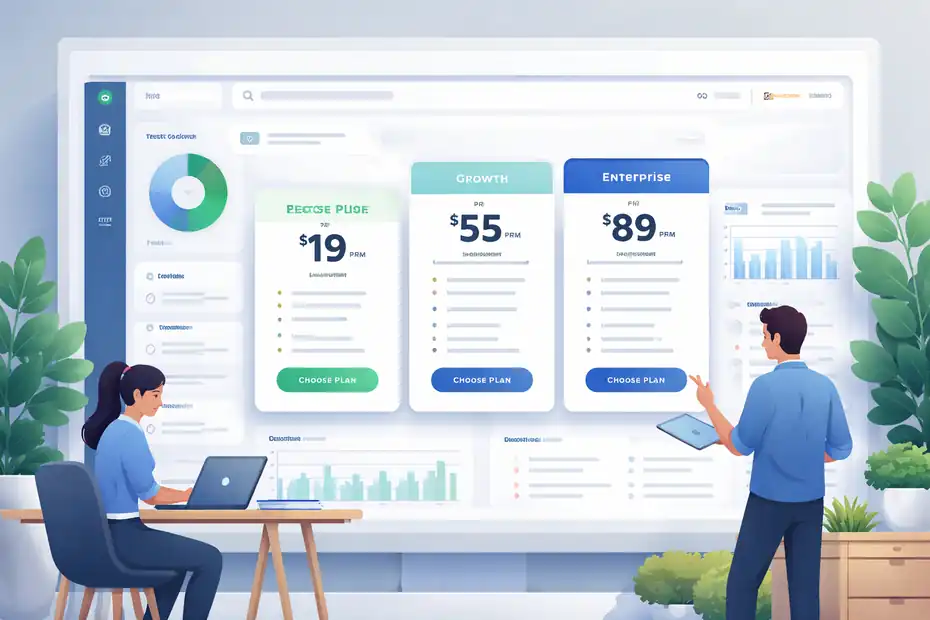
Freshdesk offers a free program for 1 to 2 agents for 6 months. Its paid plans are Growth at $19, Pro at $55, and Enterprise at $89 per agent per month when billed annually.
The plan descriptions position Growth for smaller teams, Pro for more advanced routing and reporting, and Enterprise for stronger governance and security.
Here is the practical read on those tiers:
- Growth: Good for small teams that mainly need ticketing, customer portal access, and reporting.
- Pro: Usually where serious support teams land because it adds customized portals, custom objects, advanced ticketing, custom reporting, and more routing options.
- Enterprise: Mostly for teams that care about audit logs, approval workflows, skills-based assignment, and additional control features.
In real buying terms, Freshdesk Growth looks inexpensive until you realize that many teams outgrow it fast. The moment you need more tailored workflows, stronger routing, or more advanced reporting, you are usually stepping into Pro.
For a 15-agent team, that jump moves you from about $285 per month annually billed pricing to about $825 before any add-ons. That is the moment where “cheap help desk” turns into a much more serious line item.
Where Freshdesk Costs Usually Rise Faster Than Expected
The hidden issue is not always the base license. It is the feature gate.
Freshdesk explicitly notes that the first 500 email AI agent sessions are included, then additional Email AI Agent sessions are priced at $49 per 100 sessions. It also says AI agent trial sessions are offered with Pro and Enterprise, not the lower paid tier.
Freshdesk further allows Freddy AI Copilot to be purchased and assigned only to selected agents, which is good flexibility, but it also means your effective cost depends on how much AI assistance you actually want in day-to-day operations.
That creates a classic trap for growing teams. You pick Pro because the core feature set makes sense, then your support volume rises, AI sessions rise, and suddenly you are managing a second usage-based budget line.
I do not think that makes Freshdesk a bad value. I just believe buyers should model support volume before they trust the base seat price.
Who Freshdesk Usually Fits Best
Freshdesk makes the most sense for teams that want classic help desk structure without paying for a broader omnichannel suite they may not use.
A simple scenario: Imagine a B2B SaaS company with 8 support agents, mostly handling email and portal tickets, with light automation needs. Freshdesk Growth might work during early scale.
But if that same company wants segmented portals for multiple customer groups, stronger workflow control, or advanced analytics for a support leader, Pro becomes the more realistic long-term choice.
My view is simple: choose Freshdesk when your service model is ticket-first. If your support model is channel-first, conversation-first, or AI-bot-first, keep reading, because Freshdesk Omni may be the version you actually need.
Freshdesk Omni Pricing Explained
Freshdesk Omni is Freshworks’ broader customer service platform. It bundles ticketing with broader omnichannel engagement and AI-oriented support capabilities.
Freshdesk Omni Plans And The Real Upgrade Path
Freshdesk Omni starts at $29 per agent per month billed annually for Growth, then rises to $79 for Pro and $119 for Enterprise.
Freshworks describes Growth as covering omnichannel engagement, AI agents, and robust ticketing across web, SMS, messaging, and email.
Pro adds customized portals, custom objects, advanced ticketing, and custom reporting, while Enterprise adds audit logs, approval workflows, skills-based assignments, and more security features.
This is where many support leaders misread the market. They compare Freshdesk Growth at $19 to a rival omnichannel plan and think Freshworks is cheaper, but the more apples-to-apples comparison is often Freshdesk Omni Growth at $29 or Pro at $79.
That is still competitive in many cases, but it is a very different budget conversation.
The AI Session Trap Inside Freshdesk Omni
Freshdesk Omni includes 500 free Freddy AI Agent sessions on Growth, Pro, and Enterprise, limited once per account. After that, you need to buy additional session packs, and the validity follows your billing cycle.
Freshworks defines a session as a unique interaction between an end user and an AI agent, and for email AI agents each AI response counts as one session, while chat interactions are counted within a 24-hour session window.
That sounds harmless until you model real traffic. A support team handling thousands of chat or email AI interactions every month can burn through trial sessions quickly.
In my experience, this is one of the easiest SaaS cost traps to miss because demo accounts make AI feel “included,” while production usage makes AI feel metered. Those are two very different financial realities.
When Freshdesk Omni Is Worth The Premium
Freshdesk Omni is worth paying for when your team truly uses multiple support channels and wants one environment rather than stitching together separate tools.
A realistic example: an e-commerce brand runs website chat, email support, WhatsApp inquiries, and seasonal SMS interactions.
In that case, paying more for Omni can be cheaper than buying a ticketing system, a separate chat tool, and extra integration work.
Freshworks positions Omni as modern omnichannel customer service software with AI agents and real-time insights, and that packaging is exactly where the value case appears.
I would not buy Omni just because it sounds more advanced. I would buy it only when your team can clearly point to the channels it will consolidate.
Freshservice Pricing Explained
Freshservice is a different animal entirely. It is built for IT and employee service management, not customer support.
Freshservice Tier Breakdown
Freshservice pricing starts at $19 per agent per month billed annually for Starter, then $49 for Growth, $99 for Pro, while Enterprise is custom-priced.
Freshworks frames Starter for small teams moving beyond shared inboxes, Growth for teams building foundational service practices, and Pro for teams unifying service management across functions. Enterprise includes Freddy AI and requires a quote.
That structure tells you something important: Freshservice is designed to get expensive only when your operational complexity gets serious.
The big jump is from Growth to Pro, because that is where many IT teams transition from “we need a ticket queue” to “we need a managed service operation.”
The Cost Trap In ITSM: You Usually Need More Than Starter
Starter looks attractive, but most internal IT teams that care about SLAs, workflows, approvals, service catalog maturity, or broader service management processes usually land above the entry tier over time.
That is not unique to Freshservice. It is true of nearly every ITSM platform.
Freshservice Enterprise also includes 1,200 Freddy AI Agent sessions per license per year, with sessions measured as unique user interactions within a 24-hour period.
That is a useful included allotment, but again, it reinforces the same pattern across Freshworks: AI is valuable, but usage logic matters, and you should forecast it before rollout.
Who Should Consider Freshservice
Freshservice is for internal support and IT operations teams, not external customer support teams pretending IT use cases are “close enough.”
Imagine a 25-person company with one IT generalist and mostly simple internal requests. Starter or Growth could work. Now imagine a 1,000-person company running onboarding, offboarding, asset control, cross-functional requests, and service governance.
That team should budget around Pro or custom Enterprise discussions from the start. The mistake is assuming internal service management can stay on a cheap support stack forever. It usually cannot.
Freshsales Pricing Explained
Freshsales is the CRM branch of Freshworks, and on first impression it is one of the more affordable parts of the portfolio.
Freshsales Pricing By Plan
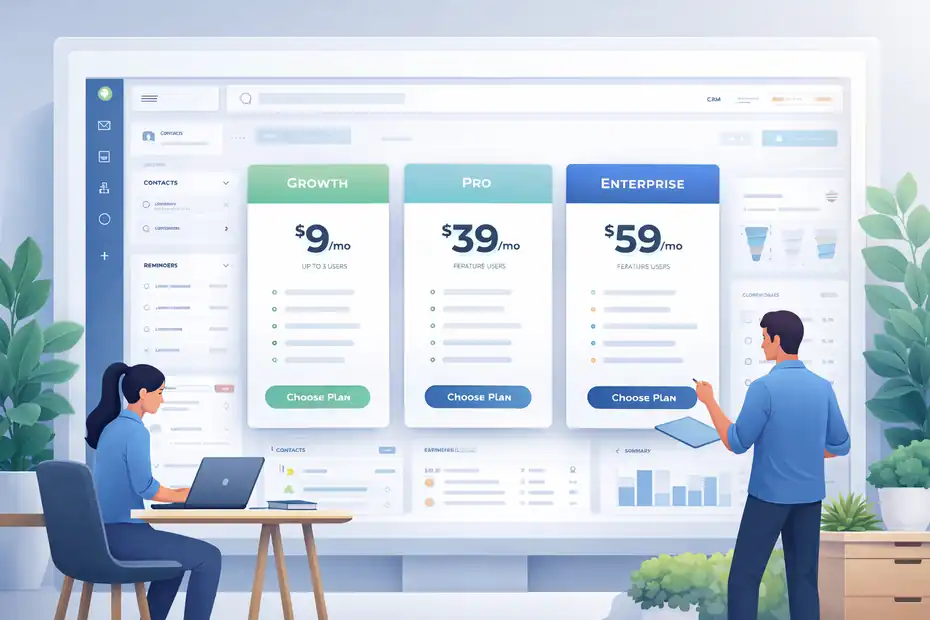
Freshsales has a free plan for up to 3 users. Its paid CRM plans are Growth at $9 per user per month billed annually, Pro at $39, and Enterprise at $59.
Freshworks positions Growth for startups and SMBs, Pro for growing businesses needing AI assistance and stronger automation, and Enterprise for larger businesses needing customization and governance.
A few included features matter a lot here. Growth includes built-in chat, email, and phone, plus basic workflows, curated reports, marketplace access, and one CPQ license.
Pro adds AI-driven contact scoring, sales sequences, multiple pipelines, advanced workflows, custom reports, and more AI writing and deal insight features.
That makes Freshsales look very attractive for small revenue teams. Honestly, for basic pipeline management, $9 per user is hard to ignore.
The Trap In Freshsales: Cheap CRM, Pricier Real Usage
The danger is assuming the $9 plan reflects your true sales operations needs. In many teams, the features that make CRM actually useful at scale live in Pro.
Auto-assignment rules, territory management, multiple pipelines, advanced workflows, custom reports, and AI scoring are exactly the things that growing teams end up needing.
So the real decision is often not “Can I afford Freshsales at $9?” It is “Will I be forced into $39 per user once I need actual operational discipline?” For a 20-user sales team, that is the difference between roughly $180 and $780 per month on annual billing before adjacent tools or add-ons.
Freshsales Add-Ons Buyers Miss
Freshsales also highlights add-ons such as Configure, Price, Quote and additional Freddy AI Agent session packs. The platform offers 500 chatbot trial sessions with paid plans, limited once per account.
Freshmarketer and Freshsales Suite are also presented alongside CRM, which can pull buyers toward a broader stack.
I would keep the buying logic disciplined here. Start with the sales process, not the product catalog. If all you need is deal tracking and rep basics, Freshsales Growth may be enough.
If you need AI, routing, pipeline complexity, and reporting discipline, budget Pro immediately instead of “hoping to stay cheap.”
Freshchat, Freshcaller, And Freshmarketer: The Smaller Costs That Become Bigger
These products are often not the first thing a buyer prices, but they are frequently the products that expand the monthly bill later.
Freshchat Pricing And Its Common Surprise Costs
Freshchat includes a free tier for up to 10 agents. Paid plans are $19, $49, and $79 per agent per month billed annually for Growth, Pro, and Enterprise. Growth adds channels like WhatsApp and Facebook Messenger, Pro adds custom dashboards and stronger routing, and Enterprise adds skills-based assignments and more security features.
Paid plans also include 500 free Freddy AI Agent sessions once per account, and paid plans get 500 campaign contacts per account per month.
The trap here is channel expansion. A team starts with web chat, then adds WhatsApp, then wants better routing, then wants stronger governance. That path usually means leaving free, then leaving Growth, and sometimes ending up in Pro faster than expected.
Freshcaller Pricing And Why “Free” Is Not Really Free
Freshcaller’s free plan is not zero-cost telephony in the way some buyers assume. The free tier is $0 per agent per month, but per-minute call rates still apply. Growth is $15 per agent per month plus pay-per-minute charges and includes up to 2,000 minutes per month per account. Pro is $39 per agent per month plus pay-per-minute charges and includes up to 3,000 minutes per month per account. Freshcaller also sells local and toll-free numbers, and includes “Day Passes” for adding extra agents for a day.
This is one of the clearest Freshworks traps: voice pricing is partly seat-based and partly usage-based. So your headcount forecast is not enough. You also need a call-volume forecast.
Freshmarketer Pricing And The Contact Limit Trap
Freshmarketer has a free plan with 100 marketing contacts and an Enterprise plan starting at $15 per month with 500 marketing contacts, billed annually. Freshworks states that additional marketing contacts can be purchased through an add-on.
The paid plan also includes multichannel features like WhatsApp and SMS marketing, automated customer journeys, attribution reporting, and more advanced segmentation.
This is familiar SaaS pricing behavior: The base plan looks modest, but contact growth becomes the monetization engine. If your database scales fast, the contact add-on math matters much more than the entry price.
The Real Cost Traps Most Buyers Miss
This is the part I think matters most. Base pricing is easy to read. Real operating cost is where the mistakes happen.
Trap 1: Feature Gates Push You Upmarket
Freshworks does a good job of segmenting plans, but that also means some of the most valuable workflow, reporting, routing, and governance features live in higher tiers.
You might start on a lower plan and still get forced upward once your team needs structure rather than just access. That pattern shows up across Freshdesk, Freshdesk Omni, Freshservice, Freshsales, Freshchat, and Freshcaller.
My rule is simple: if a plan barely fits today, it probably does not fit your next 12 months.
Trap 2: AI Usage Is Not The Same As AI Inclusion
Several Freshworks products include limited Freddy AI trial sessions, but those sessions are not unlimited and often apply once per account.
Freshdesk, Freshdesk Omni, Freshchat, and Freshsales mention 500 trial sessions on relevant paid plans, while Freshservice Enterprise includes 1,200 sessions per license per year.
Session definitions also differ slightly by context, especially between chat and email.
That means you should never hear “AI included” and stop asking questions. You should ask how it is counted, how long it lasts, and what happens after the included threshold.
Trap 3: Usage-Based Charges Sit On Top Of Seat Costs
Freshcaller is the clearest example because it layers pay-per-minute calling on top of seat subscriptions. Freshmarketer does something similar through contact expansion. Freshdesk and Freshchat create a softer version of this with AI session packs.
For budgeting, that means your total cost of ownership is driven by three moving parts, not one: seats, usage, and add-ons.
Trap 4: Annual Pricing Looks Better Than Monthly Reality
Freshworks pricing pages prominently show annual billing rates on the official pages cited above. That is common SaaS practice, but buyers should notice it. Annual pricing is useful, but it is also the lowest presented figure in many comparisons.
I always recommend building your internal budget on worst-case realistic usage, not on the prettiest “starts at” number on the page.
How To Estimate Your Actual Freshworks Monthly Cost
This is where you protect yourself.
Build Your Budget In Four Layers
Use this simple model:
- Step 1: Core seats. Multiply the likely plan by the actual number of agents or users who need paid access.
- Step 2: Usage. Estimate calls, AI sessions, or marketing contacts.
- Step 3: Growth triggers. Note the features that would force an upgrade in the next 6 to 12 months.
- Step 4: Adjacent products. Decide whether chat, calling, CRM, or marketing will stay separate or join the stack.
That method works because Freshworks is broad. A support leader might begin with Freshdesk but later add Freshcaller or Freshchat.
A revenue team might start with Freshsales and later want Freshmarketer. Your true cost is the roadmap, not just the opening move.
A Quick Reality Check Scenario
Let’s say you run a 12-agent support team.
- Scenario A: Freshdesk Growth at $19 annually billed looks like about $228 per month before add-ons.
- Scenario B: Freshdesk Pro at $55 lifts that to about $660.
- Scenario C: Freshdesk Omni Pro at $79 lifts that to about $948.
- Scenario D: Add voice, AI overages, or another adjacent product, and the working total rises again.
None of those numbers are “bad.” They just solve different problems. The trap is comparing Scenario A pricing to Scenario C functionality.
Which Freshworks Product Gives The Best Value
There is no single best-value Freshworks product. The best value depends on what problem you are actually solving.
Best Value By Use Case
- Best for basic support: Freshdesk Growth, if you truly only need classic help desk workflows.
- Best for omnichannel service: Freshdesk Omni Growth or Pro, depending on reporting and governance needs.
- Best for internal IT teams: Freshservice Growth or Pro, depending on process maturity.
- Best for small sales teams: Freshsales Growth because the entry price is low and the included sales basics are solid.
- Best for voice-heavy teams: Freshcaller only if you model call volume carefully.
- Best for lightweight marketing automation: Freshmarketer can be compelling at entry level, but contact scaling matters fast.
If I had to give one blunt recommendation, it would be this: buy the product that matches your current operating model, then price the next likely upgrade today instead of treating it as tomorrow’s problem.
Final Verdict On Freshworks Pricing
Freshworks pricing explained in plain English looks like this: the company offers strong entry points, but the real bill depends on which product line you choose, which features are locked behind higher tiers, and how much usage-based cost you trigger through AI, telephony, or contact growth.
The pricing is not unusually deceptive by SaaS standards, but it is easy to underestimate if you only look at entry-level numbers.
My honest advice is to ignore the lowest advertised plan for a minute and ask three questions instead: what product do we actually need, what feature will force our first upgrade, and what usage metric could quietly inflate the bill?
If you answer those before signing, Freshworks can be a very sensible buy. If you skip them, the “real costs and traps” part of this title becomes your finance team’s problem.
FAQ
What is Freshworks pricing and how does it work?
Freshworks pricing is based on multiple products like Freshdesk, Freshsales, and Freshservice, each with its own plans. Costs are typically charged per user or agent per month, with additional fees for usage such as AI sessions, calls, or marketing contacts depending on the product.
Why is Freshworks pricing confusing for new users?
Freshworks pricing can feel confusing because it is not a single tool but a suite of products. Each product has separate pricing tiers, features, and billing models, which means users often underestimate the total cost when combining multiple tools.
What are the hidden costs in Freshworks pricing?
Hidden costs in Freshworks pricing often come from usage-based charges like AI sessions, call minutes, or marketing contacts. Many advanced features are also locked behind higher-tier plans, which can force upgrades as your business grows.
Which Freshworks product is the most affordable?
Freshsales is usually the most affordable Freshworks product, starting with a free plan and low-cost paid tiers. However, the real cost depends on your needs, as additional features, automation, and integrations often require upgrading to higher plans.
How can I reduce my Freshworks costs?
You can reduce Freshworks costs by choosing only the products you actually need, estimating usage in advance, and avoiding unnecessary upgrades. It is also helpful to plan for future growth so you select a plan that fits both current and near-term requirements.

I’m Juxhin, the voice behind The Justifiable.
I’ve spent 6+ years building blogs, managing affiliate campaigns, and testing the messy world of online business. Here, I cut the fluff and share the strategies that actually move the needle — so you can build income that’s sustainable, not speculative.