
Table of Contents
Some links on The Justifiable are affiliate links, meaning we may earn a small commission at no extra cost to you. Read full disclaimer.
MailerLite pros and cons for marketers become a lot clearer once you stop looking at feature lists and start asking a simpler question: will this platform make your day easier or create new bottlenecks? I think that is the right lens.
MailerLite has built a strong reputation by being simpler and cheaper than many email tools, while still covering newsletters, automations, forms, landing pages, websites, and even digital product workflows in one place.
But that does not automatically make it the right fit for every marketing team.
This guide breaks down where MailerLite genuinely shines, where it falls short, and how to decide without the hype.
What MailerLite Actually Is For Marketers
Before you weigh the good and bad, it helps to understand what MailerLite is trying to be. It is not just an email sender anymore.
It positions itself as a broader marketing platform with email campaigns, automations, signup forms, pop-ups, landing pages, websites, blogs, digital products, appointment booking, and paid newsletter features under one roof.
MailerLite also says it is used by more than 1 million businesses, which tells you it is built for broad accessibility rather than only advanced enterprise teams.
Where MailerLite Fits In The Marketing Stack
For many marketers, MailerLite sits in the “do more with less” category. You use it when you want one platform to capture leads, nurture them, and publish simple conversion assets without bolting together five extra tools. That is a huge part of its appeal.
What I like here is the practical setup. A solo creator can build a landing page, connect a form, send a welcome sequence, and publish a newsletter without touching code. A small business can run list growth and email promotions without buying a separate landing page builder.
MailerLite’s own feature pages emphasize email marketing, automation, landing pages, signup forms, websites, blogs, and revenue tools like digital products and bookings, so the product clearly leans into this all-in-one role.
The tradeoff is also obvious once you think like a serious operator. Platforms that try to cover many jobs often feel lighter in specialized areas. So if your team needs deep CRM logic, very advanced sales automation, or heavy multichannel orchestration, MailerLite may feel more like a smart starter system than a full marketing operating system.
In my experience, this is exactly why MailerLite gets both loyal fans and frustrated users. The same simplicity that helps smaller teams move faster can feel limiting for marketers managing more stakeholders, more data, and more nuanced customer journeys.
Who Usually Gets The Best Results From It
MailerLite tends to work best for a specific group of marketers, and knowing that saves a lot of wasted time. If you are a creator, consultant, coach, newsletter publisher, blogger, nonprofit, or lean e-commerce brand, the platform makes a lot of sense.
It gives you enough automation and lead generation power without the overhead that comes with heavier tools.
The free plan is a big part of that appeal. MailerLite says the free tier supports up to 500 subscribers and up to 12,000 monthly emails, plus core features like the drag-and-drop editor, automation builder, pop-ups, websites, and up to 10 landing pages.
For a beginner or budget-conscious team, that is a meaningful runway. Paid plans start at $10 per month for Growing Business and $20 per month for Advanced, with Enterprise positioned for businesses above 100,000 subscribers.
That pricing model matters because many marketers do not fail from lack of strategy. They fail because their stack gets too expensive too early. MailerLite lowers that risk.
I would not call it the best tool for every marketer. I would call it one of the easier tools to grow into if your list, workflows, and team structure are still fairly lean.
The Biggest MailerLite Pros For Marketers

This is where MailerLite earns its reputation. The pros are not just “it has features.” Plenty of tools have features.
The real benefit is that MailerLite packages useful marketing capabilities in a way that feels approachable and cost-efficient. That combination is more valuable than many reviews admit.
Pro 1: It Is Genuinely Easy To Use Without Feeling Toy-Like
A lot of platforms say they are easy to use, but what they really mean is stripped down. MailerLite is a little different. It is simpler than many competitors, yet still gives you a real automation builder, form tools, reports, landing pages, websites, and email editors.
That matters because usability is not a “nice to have” for marketers. It affects campaign speed. If building a form, email, or automation takes half the time, you test more ideas.
You publish more often. You improve faster. MailerLite’s feature stack is clearly built around that promise of ease, with drag-and-drop editors and guided creation paths across campaigns, pages, and forms.
I think this is one of the strongest arguments in favor of MailerLite. Most marketers do not need more complexity. They need fewer points of friction between idea and launch.
A realistic example: Imagine you run a weekly newsletter for a niche coaching business. You want a lead magnet page, an embedded opt-in form, a three-email welcome series, and one weekly campaign. In MailerLite, that workflow feels close to the product’s sweet spot. You are not fighting the system. You are just shipping.
That is where “easy to use” becomes a business advantage rather than a review cliché.
Pro 2: The Pricing Is One Of Its Strongest Competitive Advantages
If you compare marketing software long enough, you notice a pattern: many tools charge premium prices for capabilities that smaller teams barely use. MailerLite takes the opposite angle. It leads with affordability and transparency, and its current pricing still reflects that.
MailerLite’s free plan covers up to 500 subscribers and 12,000 monthly emails. The Growing Business plan starts at $10 per month and adds features like unlimited websites and landing pages, template access, RSS and AutoResend campaigns, and logo removal.
The Advanced plan starts at $20 per month and adds things like enhanced automations, AI writing assistant, preference center, custom HTML editor, promotion pop-ups, and more seats than the free plan.
For marketers, that pricing structure changes decision-making. It means you can afford to test email seriously before email becomes a line item that creates pressure. That is especially helpful for creators, local businesses, and early-stage brands.
I also think the value is stronger because MailerLite bundles adjacent tools. If one platform covers forms, pages, automations, and newsletters, you avoid stacking separate subscriptions. That does not show up in a simple “starting at” comparison, but it absolutely shows up in your monthly software spend.
Price alone should never decide your stack. But when a lower-cost tool is also easier to use and good enough for your actual workflow, that becomes a very real pro.
Pro 3: Built-In Landing Pages, Forms, And Websites Reduce Tool Sprawl
This is one of the most underrated MailerLite benefits. Many marketers only evaluate it as an email platform, when the bigger value often comes from reducing tool sprawl.
MailerLite includes landing pages, signup forms, pop-ups, websites, and blogs alongside email marketing. Its landing page builder supports reusable blocks, templates on paid plans, custom domains, free hosting, SSL, custom code injection, and integrations with analytics and tracking snippets like Meta Pixel.
The platform also says free accounts can publish up to 10 landing pages, while paid plans unlock unlimited pages.
That means a marketer can go from traffic to lead capture to nurture sequence without switching systems. For small teams, that is a serious operational win.
Here is where I think this matters most: campaign velocity. When your page builder, form tool, and email platform live together, publishing gets easier. You are less likely to delay a launch because a plugin broke, a connector failed, or a designer is waiting on a separate tool.
Of course, there is a ceiling. A built-in landing page builder is not always equal to a specialized conversion platform. But for many real-world use cases, “good and fast” beats “perfect and delayed.”
If your current setup feels messy, MailerLite’s all-in-one positioning can save more time than one extra automation feature ever would.
Pro 4: It Gives Smaller Teams Enough Automation To Be Useful
Automation is where many lightweight platforms fall apart. They either oversimplify it or gate too much behind higher plans. MailerLite does a better job than that, especially for marketers who need functional, everyday automation rather than enterprise-grade complexity.
The platform includes an email automation builder on the free plan, and paid tiers expand what you can do with advanced features. MailerLite also highlights automation templates, behavior-driven email notifications, preference management, and enhanced automation tools on higher tiers.
In plain English, that means you can run the automations most marketers actually need:
- Welcome sequences
- Lead magnet delivery
- Basic nurture series
- Re-engagement flows
- Product interest follow-up
- Segment-specific broadcasts
For a solo marketer or small team, that is often enough to drive measurable revenue.
I would frame this honestly, though. MailerLite automation is strong for straightforward lifecycle marketing. It is not the platform I would choose first for extremely layered branching, complex CRM-based orchestration, or sophisticated sales handoff logic. But many teams overestimate how much of that they really need.
If your current goal is to automate lead follow-up consistently, not build a labyrinth, MailerLite is more capable than its “lite” branding might suggest.
The Biggest MailerLite Cons For Marketers
This is the part many fluffy reviews rush through, but it is the section that actually saves you money. MailerLite has real drawbacks, and some of them are serious depending on your business model.
These are not deal-breakers for everyone, but they are absolutely worth knowing upfront.
Con 1: The Approval Process Can Slow You Down
One of the clearest MailerLite cons for marketers is that you do not just sign up and immediately blast campaigns. The company requires account validation and approval before full sending access.
Its terms say users must complete their profile and request approval, and help documentation explains that verification is part of getting started.
Official guidance also notes that before approval, sending can be restricted, and approval may require more information depending on the use case.
From a deliverability standpoint, I understand why this exists. Good platforms have to protect their sending reputation. But from a marketer’s standpoint, it can be frustrating.
This is especially painful if you are switching tools mid-campaign, trying to launch quickly, or setting up an account for a client who expects instant readiness. Imagine promising a webinar registration sequence by Friday, then discovering your new account still needs review. That is not a catastrophic problem, but it is a very real operational risk.
My advice is simple: Never migrate to MailerLite at the last minute. Build in a buffer. Set up your domain, profile, business details, and website first. Treat approval as part of the onboarding timeline, not a surprise.
I think marketers tolerate this better when they know about it upfront. The issue is less the rule itself and more the mismatch between expectation and reality.
Con 2: It Can Feel Limited For Advanced Teams Or Complex Stacks
MailerLite covers a lot, but there is a point where “clean and simple” becomes “not flexible enough.” Advanced teams usually hit that point in one of three places: deeper CRM logic, more complex attribution needs, or more granular collaboration requirements.
The platform does support multiple seats depending on plan, and the Advanced plan adds custom permissions, enhanced automations, custom HTML editing, and more advanced site options.
But its own pricing and feature pages still position Enterprise separately for businesses with 100,000-plus subscribers and needs like a dedicated success manager or dedicated IP. That tells you something important: MailerLite knows there is a ceiling.
If your team includes multiple marketers, designers, analysts, and lifecycle specialists all working inside one system, you may find the collaboration layer lighter than you want. If your customer journey spans lots of sales stages and data touchpoints, you may start wanting a more powerful CRM-first setup.
I do not say that as a knock. Every tool has an ideal customer. The mistake is buying a lean tool and expecting enterprise orchestration from it.
In practice, MailerLite is excellent when simplicity is the point. It becomes less ideal when your marketing operation depends on heavy process, heavy data, and heavy customization.
Con 3: Some “All-In-One” Features Are Convenient, Not Best-In-Class
This is a subtle but important con. MailerLite’s built-in pages, sites, blogs, bookings, and digital product features are useful. But useful is not always the same as best-in-class.
For example, its landing page builder offers fast creation, reusable blocks, templates, custom code, and integrations. That is great. But if your business lives and dies by landing page experimentation, deep CRO workflows, or complex design systems, you may still prefer a more specialized tool.
The same goes for websites or digital products. Built-in convenience is valuable, but advanced operators sometimes outgrow convenience before they outgrow MailerLite email itself.
I think this is where a lot of marketers misjudge platform value. They hear “all-in-one” and assume they should force everything into one tool. That is not always smart.
A better way to think about it is this: MailerLite’s extra tools are strongest when they remove unnecessary software for straightforward use cases. They are weaker when you need the deepest possible functionality in a specific category.
So yes, those extras are a pro. They are also a potential con if you buy the platform expecting each add-on feature to match a dedicated specialist product.
How To Set Up MailerLite The Right Way As A Marketer
A lot of success with MailerLite comes down to setup quality. The platform is simple enough that people rush through onboarding, then blame the tool later for weak results.
Usually the problem is not the software. It is a shaky foundation. Here is the smarter way to approach setup.
Step 1: Handle Approval, Domain Setup, And Basic Account Hygiene First
Your first job is not designing emails. It is making the account trustworthy. MailerLite requires validation and approval, and it provides domain authentication guidance for sending domains.
Its help center also emphasizes authentication and deliverability best practices, especially after industry-wide authentication changes were enforced in February 2024.
Here is the practical order I recommend:
- Create the account with a real business domain, not a throwaway address.
- Complete the business profile honestly and fully.
- Add and authenticate your sending domain.
- Make sure your website is live and clearly explains what you do.
- Import only clean, permission-based contacts.
That setup work is not glamorous, but it protects everything that comes after it.
I believe this is where marketers make one of the biggest avoidable mistakes: treating deliverability as a later problem. It is not.
Deliverability starts with identity, domain alignment, and list quality. If you rush those parts, your first campaigns can underperform before your strategy even gets a fair chance.
Think of this stage as laying track before the train starts moving.
Step 2: Build Your Core Audience Structure Before You Write A Single Campaign
Once the account is ready, set up your audience logically. This matters more than most people realize. A messy list structure makes every automation and campaign harder later.
Start with the fewest moving parts possible. I suggest organizing around audience intent, not random tags.
For example, you might create segments for newsletter readers, warm leads, customers, and inactive subscribers. Then use fields or tags only when they unlock something useful, like content preference, product interest, or signup source.
MailerLite supports unlimited audiences and segmentation-related features across plans, plus preference center functionality on Advanced. Even without going deep into platform mechanics, the bigger lesson is simple: structure your list around how you plan to message people.
A realistic scenario: imagine you run an online course business. If everyone enters one giant list with no distinction between freebie subscribers, webinar attendees, buyers, and refund requests, your email strategy gets sloppy fast. But if you separate intent cleanly, your automations stay relevant and your broadcasts stop sounding generic.
Good email performance usually begins with relevance. Relevance begins with structure.
Step 3: Launch A Simple Welcome Flow Before Anything Fancy
Many marketers jump straight to complex automation. I would not. The first automation you should build in MailerLite is a clean welcome sequence.
Why? Because it immediately improves the experience for every new subscriber, and it gives you a controlled place to test deliverability, click behavior, and conversion messaging. MailerLite includes an automation builder even on the free plan, which makes this an easy early win.
A strong starter sequence often looks like this:
- Email 1: Deliver the promised lead magnet or welcome message.
- Email 2: Share the core problem you help solve and your best beginner resource.
- Email 3: Build trust with a case example, lesson, or quick win.
- Email 4: Present the next step, whether that is a product, consultation, or key content page.
Keep it simple. Keep it relevant. Keep it tied to the subscriber’s reason for joining.
In my experience, this one sequence tells you a lot about whether a platform fits your workflow. If building and editing it feels smooth, that is a good sign. If even this feels awkward, the relationship usually gets worse, not better.
For many marketers, a strong welcome flow produces more value than ten prettier newsletters ever will.
How To Get Better Results Inside MailerLite
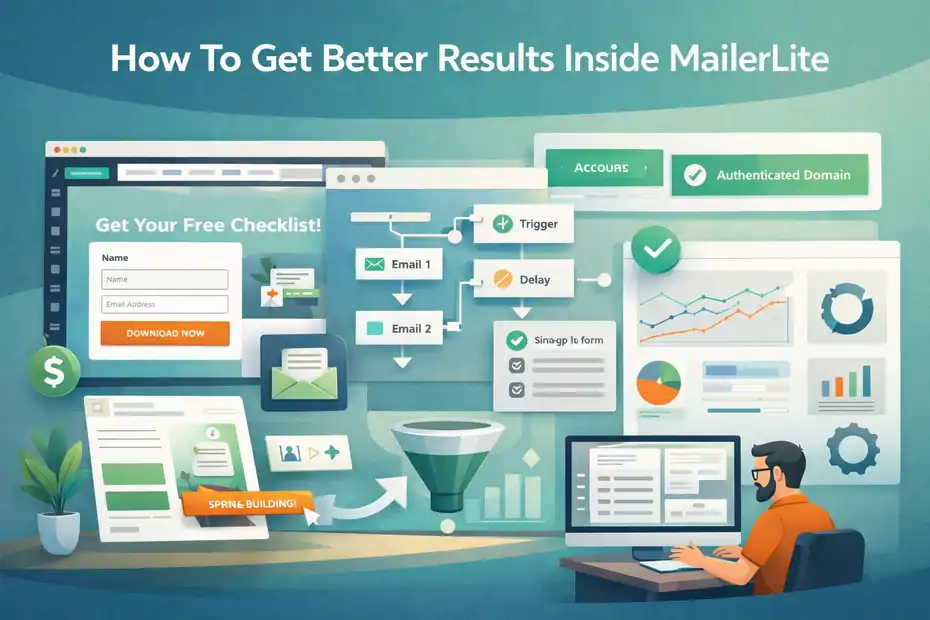
Once the basics are live, the question shifts from “Can MailerLite do the job?” to “How do I get more from it?”
This is where marketers can separate average outcomes from strong outcomes. The platform gives you enough leverage, but only if you use it deliberately.
Use Landing Pages And Forms As Part Of One Conversion System
MailerLite’s forms, pop-ups, and landing pages work best when you stop thinking of them as separate assets. They should operate as one conversion system.
The platform includes signup forms, pop-ups, and landing pages with tracking-friendly customization, templates on paid tiers, and custom code support for analytics tools. That means you can actually build a coherent funnel instead of isolated pieces.
Here is a straightforward framework I recommend:
- Drive traffic to one focused landing page.
- Offer one clear benefit, not five competing messages.
- Collect only the information you genuinely need.
- Send subscribers into a matching welcome sequence.
- Measure conversion rate before redesigning anything.
Imagine you are promoting a downloadable checklist for local service businesses. Your page should promise one concrete outcome, your form should ask for as little friction as possible, and your follow-up emails should continue the same conversation. That continuity matters more than clever design tricks.
A lot of marketers get weak results because their form promise, page copy, and email sequence do not match. MailerLite gives you enough built-in control to fix that. Use it to make the journey feel intentional from click to inbox.
Treat Deliverability As An Ongoing Marketing Discipline
Deliverability is one of those topics people ignore until something goes wrong. I would do the opposite. MailerLite has help resources around authentication, domain alignment, list cleaning, and email verifier tools because deliverability is not a side issue. It is the channel.
From what I have seen, the most practical deliverability habits are not fancy:
- Authenticate your domain correctly.
- Remove disengaged or invalid contacts regularly.
- Avoid importing cold or questionable lists.
- Start with smaller sends if the account is new.
- Watch open, click, bounce, and complaint patterns over time.
MailerLite also offers an email verifier and deliverability-focused guidance, which is helpful because smaller marketers often neglect list hygiene until performance drops.
Here is the blunt truth: A cheap platform with strong list hygiene usually beats an expensive platform with sloppy sending habits. Marketers love tools, but inbox placement responds to behavior.
If you want MailerLite to work well, do not just ask whether the platform is good. Ask whether your sending practices deserve good results.
Use Reporting To Improve Relevance, Not Just Admire Metrics
Most marketers do not need more reports. They need clearer decisions. MailerLite includes reporting capabilities such as comparative reporting and campaign performance analysis, and that is enough for most teams if they use it with discipline.
The mistake is staring at dashboards without turning them into actions. A better reporting rhythm looks like this:
- Compare subject lines across similar campaigns.
- Review clicks by topic or offer type.
- Watch which signup source produces the best downstream engagement.
- Identify segments with falling activity and adjust messaging.
- Track whether automations outperform one-off campaigns for the same goal.
For example, say two lead magnets both collect subscribers, but one group clicks product links at double the rate. That tells you something important about buyer intent. You do not need advanced attribution software to act on that. You just need to notice the pattern and send smarter follow-up.
I think that is where MailerLite fits well for practical marketers. It gives you enough data to improve without burying you in analysis paralysis. If you are the type who actually uses reports to sharpen relevance, that is a real advantage.
When MailerLite Is A Great Fit And When It Is Not
This is the decision section most readers are really here for. Features matter, pricing matters, and setup matters. But the honest answer usually comes down to fit.
MailerLite can be a smart choice or a frustrating one depending on the kind of marketer you are.
Best For: Creators, Small Businesses, Nonprofits, And Lean Teams
MailerLite is strongest when simplicity, speed, and cost control matter more than deep complexity. That makes it especially attractive for creators, consultants, coaches, bloggers, local businesses, nonprofits, and smaller e-commerce brands.
The platform’s current positioning supports that view. It offers low-friction entry pricing, core automation, landing pages, websites, forms, and revenue-related tools like digital products, bookings, and paid subscriptions. Nonprofits also receive dedicated positioning around budget savings.
If that sounds like your business, the platform can be a very efficient home base. You get enough functionality to run lead generation and email marketing well without the admin load of a heavier stack.
A simple example: If you publish a weekly newsletter, sell a digital download, and occasionally run a webinar, MailerLite is probably closer to ideal than excessive. You are likely to use a meaningful chunk of the product without paying for a bunch of enterprise-grade capabilities you do not need.
I recommend it most confidently when the marketer values momentum. MailerLite is good at helping smaller teams move from idea to live campaign without much ceremony.
Not Ideal For: Heavy CRM Workflows, Advanced Sales Ops, Or Enterprise Complexity
There is also a clear line where MailerLite becomes less attractive. If your marketing strategy depends on deep CRM integration, sales pipeline orchestration, complex branching logic, dedicated deliverability infrastructure, or large-scale team collaboration, you may outgrow it.
MailerLite’s own pricing structure hints at this with its Enterprise tier for larger databases and add-ons like dedicated success support and dedicated IP. That is useful, but it also signals that higher-complexity use cases may require a different level of service or architecture.
Transactional email is also handled through MailerSend rather than as a native all-in-one function inside the core email product, which can matter if your lifecycle and product messaging are tightly intertwined.
I would be careful if you are an agency managing many client environments with very custom processes, or a SaaS company that needs event-triggered messaging tightly connected to product behavior and backend systems.
That does not mean MailerLite cannot work. It means it may stop being the easiest answer once your marketing operation becomes system-heavy rather than campaign-heavy.
A Practical Decision Framework For Marketers
If you are still undecided, here is the simplest way I know to make the choice. Do not ask whether MailerLite is “good.”
Ask whether it matches your current stage, your team shape, and your marketing priorities. That usually reveals the answer much faster than comparing endless feature checklists.
Choose MailerLite If These Priorities Sound Like You
MailerLite is probably the right move if your top priorities are ease of use, affordability, faster launch cycles, and fewer moving parts.
The platform’s free plan, low starting paid tiers, built-in forms and landing pages, automation builder, and multi-use marketing features all support that kind of workflow.
You are a strong fit if most of these feel true:
- You want one platform to handle list growth and email execution.
- You do not want to overspend before revenue grows.
- You mainly need practical automation, not enterprise orchestration.
- You value speed and clarity more than endless customization.
- Your team is small enough that simplicity is an asset.
I think many marketers underestimate how much progress comes from removing friction. A platform does not need to be the most powerful on earth to be the smartest choice. It needs to help you execute consistently.
If MailerLite helps you publish more campaigns, build more lead magnets, and maintain cleaner systems, that advantage compounds.
Skip MailerLite If These Red Flags Apply
MailerLite is probably the wrong fit if you already know your operation needs advanced workflow depth, wider team governance, or specialized systems that a lighter all-in-one platform will not match.
Be cautious if any of these apply:
- You need very advanced multi-step automation branching.
- Your sales and marketing process depends on a deep CRM-first workflow.
- You require highly specialized landing page testing or design control.
- You cannot tolerate onboarding or approval delays.
- Your lifecycle messaging heavily depends on product events and transactional infrastructure.
The last point is worth repeating. MailerLite offers transactional email via MailerSend, which is useful, but it introduces another layer if your setup needs tightly connected marketing and transactional messaging.
I believe this is where honest self-awareness matters more than software reviews. A tool can be excellent for its audience and still be a poor choice for you.
Final Verdict: Is MailerLite Worth It For Marketers?
Yes, for the right marketer, MailerLite is worth it. I think its biggest strengths are still the same ones that made people notice it in the first place: strong value, approachable design, practical automation, and enough built-in conversion tools to reduce software clutter.
Current pricing remains attractive, the free plan is generous enough to test seriously, and the platform now covers much more than newsletters alone.
But the honest breakdown would be incomplete without the other side. The approval process can slow onboarding. Some built-in features are more convenient than best-in-class. And once your marketing operation becomes deeply complex, MailerLite may feel too light in the places that matter most.
So here is my bottom line.
MailerLite is a smart choice when you want to grow without overcomplicating your stack. It is especially good for creators, small businesses, nonprofits, and lean teams that need to capture leads, send campaigns, automate follow-up, and publish pages quickly.
It is a weaker fit when your environment is already mature, process-heavy, and deeply integrated.
If you judge it by that standard instead of by hype, the pros and cons become much easier to trust.
FAQ
What are the main MailerLite pros and cons for marketers?
MailerLite offers strong ease of use, affordable pricing, and built-in tools like landing pages and automation. However, marketers may face limitations with advanced workflows, team collaboration, and an approval process that can delay setup. It works best for smaller teams rather than complex enterprise environments.
Is MailerLite good for beginners in email marketing?
Yes, MailerLite is one of the most beginner-friendly email marketing platforms. Its clean interface, drag-and-drop editors, and free plan make it easy to start. Most beginners can quickly build campaigns, forms, and automations without technical skills, making it ideal for learning and early growth.
How does MailerLite compare to other email marketing tools?
MailerLite stands out for its simplicity and affordability compared to competitors. While it may lack some advanced features found in premium tools, it covers essential marketing needs effectively. It is a strong option for marketers who prioritize ease of use and cost efficiency over complex customization.
Does MailerLite have any limitations for advanced marketers?
Yes, advanced marketers may find MailerLite limiting in areas like complex automation, CRM integration, and deep analytics. While it handles basic and mid-level workflows well, larger teams or data-driven businesses may outgrow its capabilities and require more robust marketing platforms.
Is MailerLite worth it for small businesses and creators?
MailerLite is highly worth it for small businesses and creators due to its low cost and all-in-one functionality. It allows users to manage email marketing, landing pages, and lead generation in one platform, helping reduce costs and simplify workflows while still delivering strong results.

I’m Juxhin, the voice behind The Justifiable.
I’ve spent 6+ years building blogs, managing affiliate campaigns, and testing the messy world of online business. Here, I cut the fluff and share the strategies that actually move the needle — so you can build income that’s sustainable, not speculative.
Related posts:
 What Is Aweber Communications
 How to Create an Email Marketing Campaign That Drives Results
 How to Master AWeber Email Marketing in Just a Few Steps
 How Affordable Is MailerLite? Honest Breakdown & Pricing Tips
 MailerLite Landing Page: Step-By-Step Setup for Beginners
 Constant Contact Pricing: Which Plan Is Right for You?