
Table of Contents
Some links on The Justifiable are affiliate links, meaning we may earn a small commission at no extra cost to you. Read full disclaimer.
If you’re wondering whether is surveymonkey good for email list building is really the right question, I think the better one is this: can SurveyMonkey help you collect better subscribers, not just more of them?
In my experience, yes, but only when you use it as a qualification and segmentation tool rather than your entire email growth engine.
SurveyMonkey can collect email addresses, send survey invitations, track responses, and connect with other tools, but it is not a purpose-built email marketing platform
That difference matters a lot when you care about conversions, deliverability, and long-term list quality.
What SurveyMonkey Is Actually Good At For Email List Building
SurveyMonkey can absolutely play a role in list growth, but it works best when you understand its lane.
It is strongest at collecting intent, preferences, and qualifying details before someone enters your main email system.
SurveyMonkey Works Best As A Lead Qualification Layer
A lot of people approach list building the wrong way. They ask whether a survey tool can replace an email platform. Usually, that leads to frustration.
Here is the more useful frame: SurveyMonkey is good at helping you understand who is joining your list and why they are joining. It lets you add email address fields, name fields, phone fields, and other contact questions directly into a survey or form.
SurveyMonkey’s help documentation confirms that newer surveys can use dedicated fields like Name, Email Address, Phone, and Address rather than the older combined contact information question.
That matters because most email lists do not fail from lack of volume. They fail from lack of fit. You may have 5,000 subscribers, but if nobody actually wants your offer, your open rates and sales will stay weak.
Imagine you run a skincare brand. A normal popup might collect an email with a vague promise like “get updates.” A SurveyMonkey flow could ask one more useful question: “What is your biggest skincare challenge right now?” Now your list is no longer just bigger. It is segmented. You can send one welcome path for acne, one for dryness, and one for sensitive skin.
That is the hidden strategy. SurveyMonkey is not the machine that grows your list fastest. It is the filter that can make every new subscriber more valuable.
It Is Better For Intent-Rich Subscribers Than Passive Signups
In many cases, the highest-value subscribers are not the ones who type an email address into the first box they see. They are the ones willing to answer two or three smart questions first.
SurveyMonkey’s web link collector gives you a shareable survey URL or QR code you can place in email, social media, or other channels. Its email invitation option also supports customized invitations, follow-ups, reminders, and response tracking when you send through SurveyMonkey’s own collector.
That combination is useful when your goal is not just “capture email,” but “capture engaged email.” For example, a coach could offer a “Find Your Growth Bottleneck” quiz. A SaaS founder could offer a short self-assessment. A B2B consultant could use a readiness survey before booking strategy calls.
I believe this is where SurveyMonkey becomes underrated. It helps you create a mini commitment step. And commitment changes the quality of your lead.
Someone who answers even three thoughtful questions is often more serious than someone who grabbed a random 10% discount code.
This will not outperform aggressive popup software on raw volume. But it can outperform it on relevance, conversion quality, and downstream segmentation, especially when paired with a real email platform.
Where SurveyMonkey Falls Short As A Pure Email List Building Tool
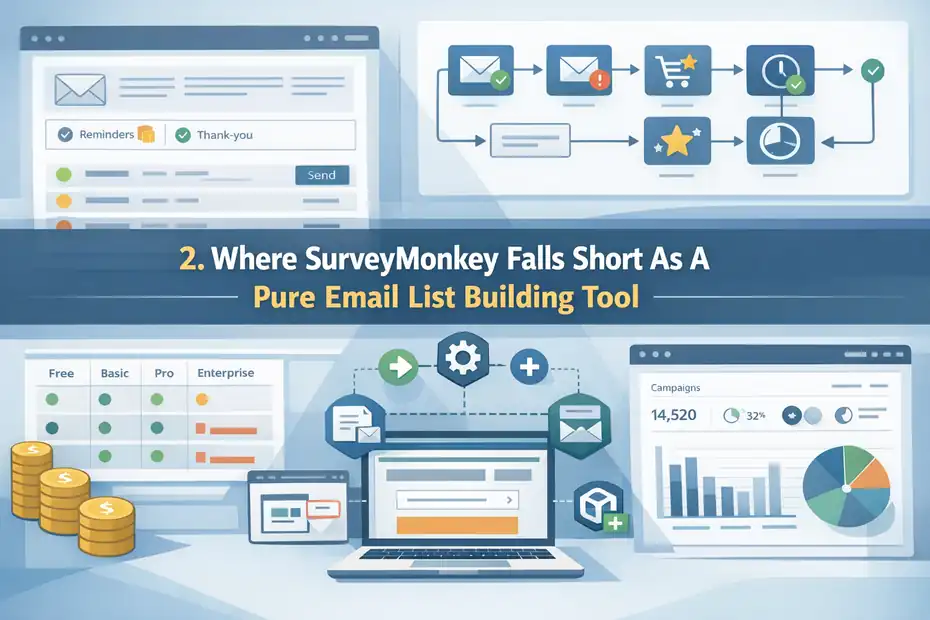
This is the part many reviews gloss over. SurveyMonkey can help with list building, but it is not built to be your main subscriber acquisition platform.
It Is Not A Full Email Marketing System
SurveyMonkey allows you to send survey invitations by email and manage contacts for those invitations, but that is very different from running a full email marketing program.
Its Email Invitation collector is designed for distributing surveys, sending reminders or thank-you emails, and tracking survey response status.
It is not positioned as a full newsletter, campaign automation, or lifecycle marketing tool.
That distinction matters more than it sounds.
If you want to do things like:
- Build automated welcome sequences
- Trigger abandoned cart flows
- Score leads based on behavior across multiple campaigns
- Run advanced broadcast campaigns
- Manage ongoing suppression, deliverability, and subscriber health
You will still need a proper email marketing platform.
This is why I would not recommend SurveyMonkey as your only list-building tool unless your email strategy is extremely simple. It can collect the lead, but it is not where the relationship should really live.
Think of it like this: SurveyMonkey is good at the front door conversation. Your email platform is where the house actually is.
Cost And Feature Friction Can Sneak Up On You
SurveyMonkey offers a free plan, but its more advanced sending, analytics, and integration workflows live behind paid plans.
Official pricing pages show plan differences, response limits, and features such as integrations, advanced logic, and email invitations depending on tier. SurveyMonkey also notes response caps and overage details on some plans.
This creates a practical issue for list builders. What begins as a simple survey experiment can become a stack cost. You may end up paying for:
- SurveyMonkey
- Your email service provider
- An automation connector or integration layer
- Possibly landing page or popup software too
For some businesses, that is completely worth it. For others, it is overkill.
I usually suggest being honest about your model. If you just need a lead magnet page with one email field, SurveyMonkey is probably too indirect. If you need richer segmentation before the lead enters your funnel, the extra cost can make sense.
The platform is powerful, but you should buy it for data quality and workflow logic, not because you expect it to replace your whole email stack.
The Hidden Strategy: Use SurveyMonkey To Build A Better List, Not Just A Bigger One
This is the real opportunity. SurveyMonkey shines when you stop treating list building like a numbers game and start treating it like audience design.
Use Surveys To Segment Before The Welcome Sequence Starts
Most welcome sequences are generic because the signup form gives you almost no context. You get an email address, maybe a first name, and that is it.
SurveyMonkey changes that because you can ask one or two meaningful questions at the point of signup. SurveyMonkey supports dedicated Email Address questions and allows logic, collector options, and customizable survey experiences depending on plan.
It also supports privacy notices or consent statements, including logic that can route out respondents who do not agree.
This means you can build a flow like this:
- Question 1: What best describes you right now?
- Question 2: What is your biggest challenge?
- Question 3: Where should I send your tailored resource?
Now your first email does not have to guess.
A creator could separate beginners from advanced users. A fitness business could separate people focused on fat loss, strength, or mobility. A local service company could ask whether the lead needs help this week or is only researching options.
That is powerful because segmentation usually improves relevance, and relevance tends to improve clicks and conversions. Even if your total opt-in count drops a little, the quality of the list can rise sharply.
I have seen this tradeoff work well in practice: fewer leads in, more useful leads out.
Turn Boring Opt-Ins Into Self-Selection Funnels
One of the best list-building moves is letting people reveal what they want instead of forcing them into one generic offer.
SurveyMonkey’s templates and form-oriented use cases make it easier to frame your opt-in around diagnosis, feedback, event registration, or self-assessment rather than a plain “join our newsletter” form. The company also promotes use cases around forms, event registration, and contact information collection.
Here is a simple example.
Instead of: “Subscribe for updates.”
Try: “Answer 5 quick questions and I’ll send you the best next step based on your answers.”
That shift does two things:
- It makes the offer feel more personal.
- It attracts people who care enough to engage.
For many niches, that is a better growth lever than chasing cheap top-of-funnel volume.
This is especially useful for:
- Consultants
- Coaches
- B2B service providers
- Agencies
- Course creators
- Higher-ticket ecommerce brands
These businesses do not just need traffic. They need context.
SurveyMonkey can help you capture that context before the first nurture email ever goes out, which is exactly why it can be good for email list building when used strategically.
The Best SurveyMonkey Use Cases For Growing An Email List
Not every business should use SurveyMonkey the same way. The best use cases are the ones where qualification improves revenue.
Lead Magnets That Need Personalization
Some lead magnets work fine as simple downloads. Others perform better when the result feels customized.
SurveyMonkey is a strong fit for:
- Assessments
- Readiness quizzes
- Product recommendation surveys
- “Find your type” funnels
- Event registration plus follow-up segmentation
Because you can collect an email address inside the flow and ask supporting questions around it, the lead magnet can feel tailored instead of generic. SurveyMonkey also offers web link distribution and email invitation options, which gives you flexibility in how you place the asset across channels.
Imagine you sell financial coaching. Rather than offering a static budgeting PDF, you could offer a “What Is Your Budgeting Personality?” survey. At the end, the lead gets a result and joins the most relevant onboarding path.
That small shift can make your emails feel less like a broadcast and more like a conversation.
In my opinion, this is where SurveyMonkey beats many plain forms. It helps transform signup into interaction.
Customer Research Funnels That Also Grow Your List
This is an overlooked play. You can use a survey to learn from your audience and grow your list at the same time.
For example, a founder might run a survey called: “What Is Your Biggest Challenge With Team Onboarding?”
The survey itself generates market research. Then the email field lets you send the follow-up guide, insights, or webinar replay to interested respondents.
This works because the offer is naturally tied to curiosity and self-interest. People answer because they want to be heard or helped. You get:
- Better customer language
- Better messaging ideas
- Better segmentation
- New subscribers
SurveyMonkey is built for collecting structured feedback and analyzing responses, so this use case fits the product naturally. The company positions itself around surveys, forms, and insight collection, and notes AI-assisted creation plus analysis-oriented workflows.
If you sell anything complex, this can be one of the smartest ways to build a list without relying on shallow incentives.
How To Set Up SurveyMonkey For Email List Building The Right Way
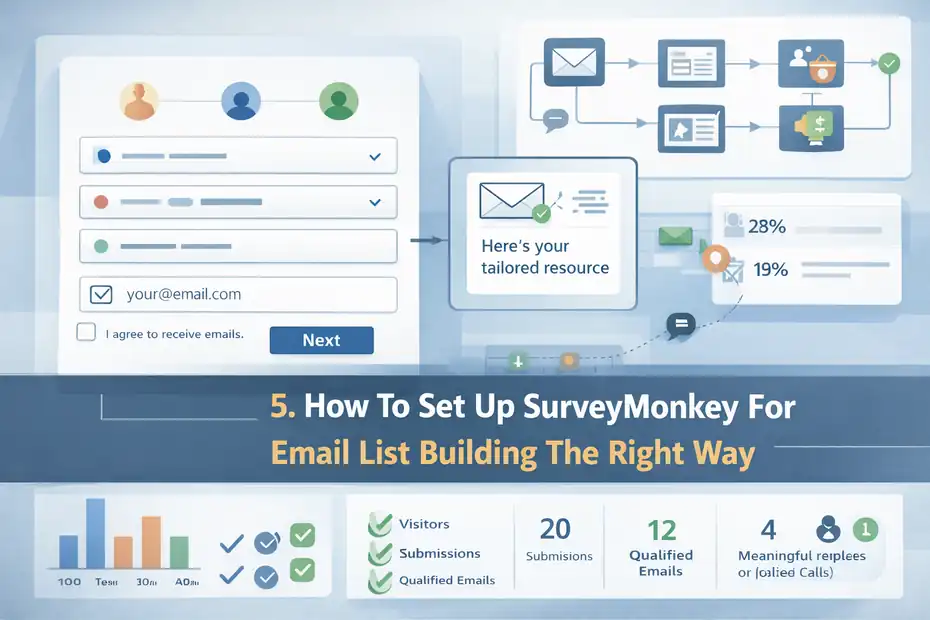
The setup is where most results are won or lost. A messy survey kills conversions.
A focused one can quietly become one of your highest-quality lead sources.
Step 1: Build A Short, Intent-Driven Entry Survey
The biggest mistake is making the survey too long. For list building, your goal is not deep research on the first touch. Your goal is just enough information to personalize follow-up.
Here is a structure I recommend:
- Question 1: One qualifier question tied to the reader’s situation
- Question 2: One challenge or goal question
- Question 3: Email address field
- Question 4: Optional consent checkbox or privacy acknowledgment if needed
SurveyMonkey supports Email Address questions directly, and it also supports adding consent statements or privacy notices, which can be especially useful for compliance-minded list collection.
Keep it tight. Three to five total inputs is often enough.
A simple rule I use: Every question must earn its place. If you are not going to segment, personalize, or act on the answer, do not ask it.
That one rule protects your conversion rate.
Step 2: Match The Survey Promise To The First Email
A lot of survey-based opt-ins underperform because the user finishes the survey and then receives a generic welcome email that ignores everything they just shared.
That is a trust leak.
If your survey asked about someone’s goal, your first email should reflect that goal. If your survey promised a tailored recommendation, give one. If it promised results, deliver them immediately.
SurveyMonkey does the data collection part well, but the experience after collection is on you and your connected email system. That is why the strategy works best when SurveyMonkey feeds a segmented follow-up in your ESP rather than acting alone.
SurveyMonkey also supports integrations broadly, with official pages highlighting 200+ integrations and a Mailchimp connection for sending surveys through Mailchimp.
If you do this right, the lead feels understood from email one.
If you do it wrong, the survey feels like friction with no reward.
Step 3: Use One Distribution Channel At A Time First
SurveyMonkey gives you a web link collector and email invitation options, which is useful, but I suggest starting with one acquisition source before spreading everywhere.
For example:
- Put the survey on one landing page
- Or use it in one email campaign to existing traffic
- Or run one paid social test to it
- Or use it after a webinar registration
Why start narrow? Because you need clean learning.
If you launch the same survey on your homepage, Instagram bio, paid ads, and onboarding emails all at once, you will not know which channel is producing the best subscribers.
A simple first test is enough:
- 100 visitors
- 20 submissions
- 12 qualified emails
- 4 meaningful replies or booked calls
That kind of data tells you much more than vanity impressions.
I always recommend optimizing clarity before scaling traffic.
Tools, Integrations, And Workflow Options That Matter
This is the part where tools actually matter, so it makes sense to talk platforms here. SurveyMonkey becomes much stronger when it sits inside a simple workflow.
SurveyMonkey Needs An Email Platform Beside It
SurveyMonkey can collect and send survey invitations, but your long-term email list should still live in a dedicated email platform.
SurveyMonkey’s integration pages highlight a Mailchimp integration for distributing surveys through Mailchimp, while its broader integrations page says the platform supports 200+ integrations.
That means the smart workflow usually looks like this:
- Traffic source sends people to survey
- SurveyMonkey collects answers and email
- Answers get passed into your email platform
- Email platform triggers the right sequence
This setup lets you preserve the value of the survey instead of dumping every lead into the same general list.
Here is a practical comparison:
| Need | SurveyMonkey Alone | SurveyMonkey + Email Platform |
|---|---|---|
| Collect email addresses | Good | Good |
| Ask qualification questions | Strong | Strong |
| Segment by survey answers | Limited on its own | Much better |
| Send automated nurture sequences | Weak | Strong |
| Manage long-term campaigns | Weak | Strong |
| Optimize lifecycle marketing | Weak | Strong |
I would not overcomplicate this. Even a basic integration can create a much better list-building engine than using SurveyMonkey in isolation.
Pricing And Operational Tradeoffs To Watch
Official SurveyMonkey pricing pages show plan-based limits, paid features, response allowances, and differences between monthly and annual plans. The Email Invitation collector is explicitly marked as a paid feature in help documentation.
So before you commit, ask three practical questions:
- How many responses will you realistically collect? Response caps matter more than people expect.
- Do you need advanced logic or just a simple form? If simple, another tool may be cheaper.
- Will the extra segmentation increase sales enough to justify the setup? This is the real question.
For a high-ticket service, the answer is often yes. One extra qualified consultation can cover the tool cost.
For a low-margin newsletter monetized by ads, maybe not.
The lesson is simple: SurveyMonkey is rarely the cheapest path to more emails, but it can be a profitable path to better subscribers.
Common Mistakes People Make With SurveyMonkey And Email Growth
This is where good strategies quietly fall apart. The tool is not usually the problem. The setup is.
Mistake 1: Asking Too Many Questions Before The Opt-In
People love the idea of “better data,” so they ask for it all at once:
- Job title
- Company size
- Budget
- Timeline
- Team size
- Industry
- Goals
- Preferences
- Phone number
And then they wonder why the completion rate tanks.
SurveyMonkey makes it easy to build robust surveys, but that does not mean your opt-in should feel like an application form. For list building, shorter usually wins unless your offer is high intent by nature.
I suggest using a ladder:
- First interaction: collect email plus 1–2 valuable qualifiers
- Second interaction: learn more through email click behavior or a follow-up form
- Third interaction: ask deeper questions only when the lead shows interest
This respects attention. It also keeps your conversion path human.
Remember, list building is not market research at full depth. It is the start of a relationship.
Mistake 2: Ignoring Consent And Privacy Clarity
If you are collecting emails through a survey, especially in regulated markets or professional settings, you need to make your consent language clear.
SurveyMonkey provides options to add consent statements or privacy notices and even use logic to remove people who do not agree.
Its privacy materials also explain that imported address book information is used to help you invite people at your direction.
This matters for trust as much as compliance.
A weak setup says: “Enter your email.”
A stronger setup says: “Enter your email and I’ll send your personalized result plus occasional related updates. You can unsubscribe anytime.”
That kind of clarity can improve both trust and conversion quality. People know what they are signing up for.
I believe this is one of those unglamorous improvements that pays off quietly over time.
Mistake 3: Treating Every New Lead The Same
This is probably the biggest wasted opportunity.
If your survey asks meaningful questions but your follow-up ignores the answers, you are throwing away the advantage of using SurveyMonkey in the first place.
A segmented list is not valuable by default. It becomes valuable only when your emails change because of what you learned.
For example:
- Leads who say “I’m just exploring” should get educational emails.
- Leads who say “I need help this month” should get a stronger call to action.
- Leads who choose one product category should not get a welcome sequence about another.
The beauty of a survey-based opt-in is that your subscriber has already done the hard work of telling you who they are.
Use it.
Optimization Strategies That Make SurveyMonkey Work Better
Once the basic setup works, small tweaks can improve results fast. This is where thoughtful optimization matters more than flashy hacks.
Improve Completion Rate By Reducing Cognitive Load
Survey conversions are often lost because the first screen feels mentally heavy. Even if the survey only has four questions, it can look like work.
A few practical fixes help:
- Put the easiest question first
- Save the most sensitive field, like phone number, for last or remove it
- Use plain language instead of internal jargon
- Make the payoff obvious before the user starts
SurveyMonkey’s survey and form structure gives you room to shape the respondent experience, and collector options let you control parts of how the survey is accessed and completed.
A simple example: Bad opener: “Complete our growth framework intake form.” Better opener: “Answer 3 quick questions and I’ll point you to the best next step.”
Same funnel. Very different feel.
In my experience, reducing mental friction often lifts completion rate faster than redesigning the whole page.
Optimize For Subscriber Quality, Not Just Opt-In Rate
This is the hidden metric most people miss.
A survey opt-in might convert at 18% while a plain popup converts at 34%. At first glance, the popup wins.
But what if:
- The popup subscribers open at 15%
- The survey subscribers open at 42%
- The popup subscribers buy at 0.4%
- The survey subscribers buy at 2.1%
Then the lower opt-in rate may actually be the better list-building system.
SurveyMonkey is useful precisely because it can introduce healthy friction. Not all friction is bad. Bad friction is confusion. Good friction is qualification.
Track at least these metrics:
- Survey completion rate
- Email confirmation or delivery rate
- Welcome email open rate
- Click rate by segment
- Conversion rate by segment
- Unsubscribe rate after first 3 emails
That is how you judge whether SurveyMonkey is good for email list building in your business, not by raw leads alone.
Advanced Strategies For Scaling Survey-Based List Building
Once you have proof that the system works, you can scale it without losing the personal feel that made it work.
Build Multiple Survey Entry Points For Different Intent Levels
One survey is good. Several intent-based entry points can be much better.
Here is a smart scaling model:
- Top-of-funnel survey: Broad quiz or assessment for cold traffic
- Mid-funnel survey: Problem diagnosis for people reading service or product pages
- Bottom-funnel survey: Readiness or fit form for people close to booking or buying
SurveyMonkey’s flexible distribution options, including web links and email invitations, make it possible to place different surveys at different stages of the journey.
This lets you match the depth of questions to the reader’s intent.
For example, cold traffic should not see a 10-question consultation form. But someone comparing solutions may welcome a short recommendation survey if it helps them choose faster.
This layered approach gives you cleaner segmentation and better conversion paths without forcing one form to do everything.
Use Response Data To Improve The Entire Funnel
The smartest thing about SurveyMonkey is not just that it helps collect leads. It also helps reveal patterns you can use across your messaging.
If a large share of new leads choose the same pain point, that should influence:
- Your landing page headline
- Your welcome email angle
- Your ad copy
- Your lead magnet title
- Your sales call framing
SurveyMonkey is designed for insight gathering and analysis, which is why it can create a feedback loop between acquisition and messaging.
This is where the tool becomes more strategic than a basic form builder.
Over time, your survey data can tell you:
- Which audience segment converts fastest
- Which promise gets the strongest response
- Which pain point deserves its own offer
- Which leads are not a fit and should not be chased
That is a serious advantage if you use it well.
Final Verdict: Is SurveyMonkey Good For Email List Building?
Yes, SurveyMonkey is good for email list building, but not in the way most people assume. It is not the best tool for collecting the maximum number of email addresses as cheaply and quickly as possible.
It is much better as a qualification, segmentation, and insight tool that improves the quality of the subscribers you collect.
SurveyMonkey supports email collection fields, survey distribution by web link or email invitation, privacy notices, and a wide integration ecosystem, but full lifecycle email marketing still belongs in a dedicated ESP.
So my honest answer is this:
Use SurveyMonkey when:
- You need to understand each lead before emailing them
- You sell higher-consideration products or services
- You want to segment from the first interaction
- You care more about subscriber quality than raw signup volume
Do not use it as your main list-building engine when:
- You only need a simple one-field opt-in
- Your budget is tight
- You do not plan to personalize follow-up
- You expect it to replace a real email platform
The hidden strategy is simple: Use SurveyMonkey to ask smarter questions at the moment of signup, then pass those answers into your email system and let personalization do the heavy lifting.
That is when SurveyMonkey stops being “just a survey tool” and starts becoming a real growth asset.
FAQ
What is SurveyMonkey used for in email list building?
SurveyMonkey is mainly used to collect email addresses through surveys while also gathering useful data like preferences and intent. It works best as a qualification tool, helping you understand subscribers before adding them to your email list for more targeted and relevant follow-up campaigns.
Is SurveyMonkey better than email marketing tools for list building?
SurveyMonkey is not better than email marketing tools for full list building because it lacks automation and campaign features. However, it complements them by collecting deeper insights about subscribers, which can improve segmentation, personalization, and overall email performance when used together.
Can you collect emails directly in SurveyMonkey?
Yes, SurveyMonkey allows you to collect email addresses by adding dedicated email fields within your survey. You can also include consent checkboxes and privacy notices, making it suitable for compliant email collection when building a permission-based subscriber list.
Is SurveyMonkey good for growing a large email list?
SurveyMonkey is not ideal for rapidly growing a large email list because surveys create more friction than simple opt-in forms. However, it excels at attracting higher-quality subscribers who are more engaged and more likely to convert due to the added qualification step.
How do you use SurveyMonkey to improve email conversions?
You can use SurveyMonkey to ask key questions before collecting emails, then segment subscribers based on their responses. This allows you to send more personalized emails, which often leads to higher open rates, better engagement, and increased conversions compared to generic email campaigns.

I’m Juxhin, the voice behind The Justifiable.
I’ve spent 6+ years building blogs, managing affiliate campaigns, and testing the messy world of online business. Here, I cut the fluff and share the strategies that actually move the needle — so you can build income that’s sustainable, not speculative.
Related posts:
 How to Build an Email Marketing List: Paid & Free
 The Top 10 Email Marketing Tools to Enhance Your Campaigns
 How to Get More Leads: 5 Proven Strategies to Boost Sales Now
 B2C Email Marketing Best Practices You Can’t Afford to Ignore
 SurveyMonkey Honest Review For Bloggers Collecting Emails: Smart Or Risky?
 SurveyMonkey Review For Small Business Surveys: Worth It Or Waste?