
Table of Contents
Some links on The Justifiable are affiliate links, meaning we may earn a small commission at no extra cost to you. Read full disclaimer.
SurveyMonkey results for audience research can tell you a lot more than “people liked option A.” When you read them well, they show you what your audience values, what confuses them, which segments behave differently, and where your assumptions are probably wrong.
I’ve seen many teams collect decent survey data and still miss the real insight because they stop at top-line percentages.
This guide walks you through what SurveyMonkey results actually reveal, how to interpret them without fooling yourself, and how to turn raw responses into decisions you can defend.
What SurveyMonkey Results For Audience Research Actually Mean
Survey data only becomes useful when you connect responses to a business question. This is the step where many people either create clarity or create noise.
What Counts As A Useful Audience Research Result
A useful result is not just a chart. It is a finding that helps you understand who your audience is, what they need, how they think, or what they are likely to do next.
When you open SurveyMonkey’s Analyze Results section, you can view summary data, individual responses, dynamic charts, filters, compare rules, and exports. That matters because audience research is rarely about one percentage on one question. It is about patterns across questions and across groups.
In practice, audience research usually answers five things. First, it tells you who is responding. Second, it shows how different groups think. Third, it helps you spot demand, friction, and confusion.
Fourth, it gives you language straight from the audience. Fifth, it helps you estimate whether a decision is safe enough to make now or whether you need more data.
I believe this is the simplest way to frame SurveyMonkey results: you are not collecting opinions for decoration. You are collecting decision-support evidence. If the result does not help you improve messaging, offer design, positioning, content, pricing, or product direction, it is probably not yet interpreted deeply enough.
The Difference Between Data, Findings, And Decisions
This distinction is where the real skill lives.
Data is the raw input. For example, 46% of respondents say they would choose Feature A over Feature B. Findings are the interpreted patterns. For example, younger buyers prefer speed-focused features, while older buyers care more about reliability and support. Decisions are what you do because of those findings.
For example, you reposition the landing page headline toward ease and support for one segment and performance for another.
SurveyMonkey results make it easy to see response summaries quickly, but speed can trick you into acting too early. The platform is designed to help you dig deeper with filters, compare rules, crosstabs, and exports, and that is where audience research becomes genuinely strategic.
Imagine you run a small skincare brand. Your topline data says “hydration” is the most important purchase factor. Great. But once you compare by age and skin concern, you might learn that one segment means “hydration without irritation,” while another means “hydration that works under makeup.” Same word, very different buying intent.
That is the real value of surveymonkey results for audience research: they let you move from surface agreement to segment-specific meaning.
How SurveyMonkey Collects The Kind Of Audience Insight You Can Use
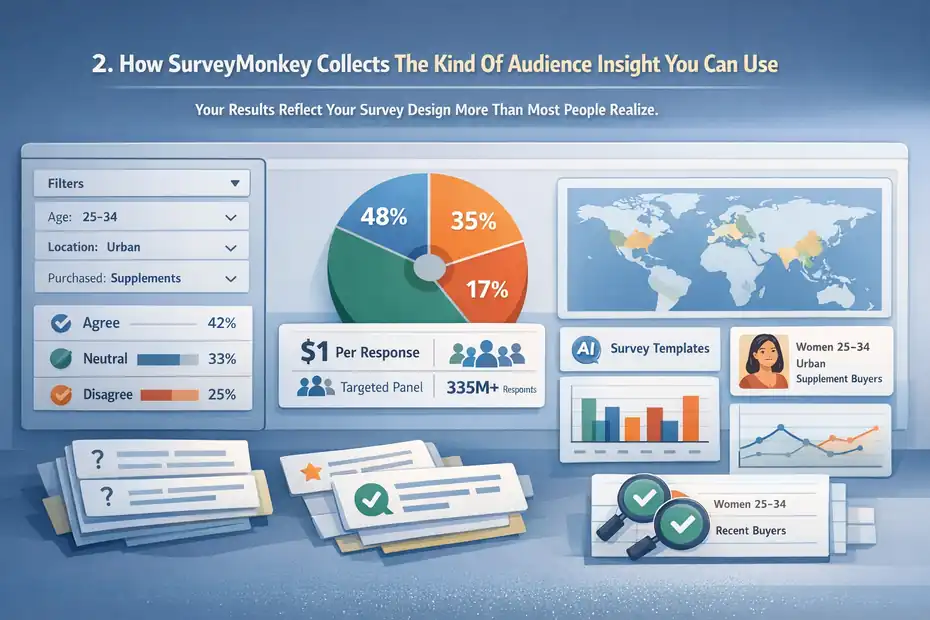
Before you analyze anything, it helps to understand why some results are useful and some are messy from the start.
Your Results Reflect Your Survey Design More Than Most People Realize
Survey results are only as good as the questions, targeting, and sampling behind them. That is not a glamorous truth, but it is an important one.
If you ask vague questions, you get vague insight. If you ask leading questions, you get flattering nonsense. If you survey the wrong people, you learn about the wrong audience. This is why audience research starts before the first response arrives.
SurveyMonkey offers templates, AI-assisted survey creation, and market research solutions, but the responsibility for relevance still sits with you. The platform can help you field and analyze a survey quickly, yet it cannot rescue a poorly framed research goal.
I suggest defining one primary learning question before you build the survey. For example: “What prevents first-time buyers from trusting our product enough to purchase?” That single question keeps your survey from turning into a random list of curiosities.
When I look at weak audience research, the issue is often not too little data. It is too many unrelated questions competing for attention.
SurveyMonkey Audience Can Help When You Do Not Already Have Respondents
One major reason people use SurveyMonkey for audience research is that it is not only a survey builder. It also offers SurveyMonkey Audience, a built-in global panel for recruiting targeted respondents.
SurveyMonkey says you can reach targeted respondents quickly, often starting at $1 per response, and its broader platform highlights access to a global panel of 335M+ people across 130+ countries.
For market research, that matters because many businesses do not yet have an email list, customer base, or community large enough to survey credibly.
That said, panel access is not magic. If your target is “everyone,” your findings will be weak. If your target is “women aged 25–34 in urban areas who bought supplements in the last 90 days,” now you are learning something you can actually use.
Here is the practical lesson: audience research quality comes from match quality. Better targeting usually beats bigger sample size when your goal is actionable insight.
What You Can Learn From Topline Results First
The first screen of results can be useful. You just should not stop there.
Topline Results Show Demand Signals, Not Full Explanations
Your top-line summary tells you what the audience says overall. This is where you spot broad patterns fast.
SurveyMonkey automatically generates charts and lets you monitor responses in real time, which makes it easy to see whether one answer is clearly outperforming another. These summary views are excellent for identifying early demand signals, major objections, or obvious preference gaps.
For example, maybe 62% of respondents say they would be more likely to buy if free shipping were included. That is a valid signal. But it is not yet enough to rewrite your entire offer. You still need to know whether that preference is consistent across customer segments, how strongly it affects intent, and whether “free shipping” is actually a proxy for price sensitivity.
I think topline results are best used as a starting map. They point you toward where to look next. They do not give you the final answer.
A good habit is to write your topline findings in pencil, not pen. Treat them as provisional until you break them down.
The Best First-Pass Questions To Review
Some question types produce especially useful first-pass insight.
Look first at purchase intent, problem severity, current solution usage, decision factors, awareness, and message preference. These questions usually tell you whether there is enough signal to justify a deeper analysis.
Here is a compact way to think about it:
| Question Type | What It Helps You Learn | Why It Matters |
|---|---|---|
| Purchase intent | How likely someone is to act | Shows commercial potential |
| Problem severity | How painful the issue feels | Reveals urgency |
| Current solution | What people already use | Helps with positioning |
| Decision criteria | What matters most in choice | Shapes messaging and offers |
| Message preference | Which wording resonates | Improves ads and landing pages |
| Open-ended feedback | Why people answered that way | Adds meaning behind numbers |
A realistic example: If respondents say they care most about “ease of use,” that sounds helpful. But the open-ended response might reveal they really mean “I do not want a long setup process.” That tells you exactly what to fix in your onboarding or landing page.
How To Segment Results So They Become Actionable
This is where audience research starts earning its keep.
Filters Help You Focus On The People Who Matter Most
SurveyMonkey allows filter rules so you can break down results by question/answer, completeness, collector, time frame, and other conditions. In plain English, filters help you stop averaging unlike people together.
That matters because “average audience behavior” can be dangerously misleading. Your best buyers may not think like your casual browsers. New customers may not think like repeat customers. People who understand your category may interpret your questions differently from people who are brand new.
A simple example: Suppose your overall results show moderate interest in a premium offer. Once you filter by income or role, you might discover the offer is highly attractive to decision-makers and almost irrelevant to everyone else. That is not a weak result. That is a targeting insight.
I recommend filtering around variables that are strategically meaningful, not just available. Good filter dimensions often include age band, experience level, customer status, use case, budget, region, and purchase stage.
The best question to ask here is: “Whose answer would change our decision?” Filter for those people first.
Compare Rules Reveal Where Segments Disagree
SurveyMonkey’s compare rules are especially useful when you want side-by-side views of how different groups answered. This is one of the fastest ways to uncover hidden audience differences without exporting data into another tool first.
This is powerful because disagreement is usually where strategy lives.
If two groups answer similarly, your messaging can stay broad. If they answer very differently, you may need segmented campaigns, different content angles, or even separate offers.
Imagine you survey potential buyers of an online course. Beginners choose “clear step-by-step teaching” as the top priority. Experienced users choose “advanced strategies and templates.” If you market one generic promise to both groups, you will underperform with both. Compare rules show you where one-size-fits-all communication breaks down.
From what I’ve seen, this is where many marketers finally realize they do not have one audience. They have multiple decision contexts hiding inside one dataset.
What Crosstabs Tell You That Basic Charts Cannot
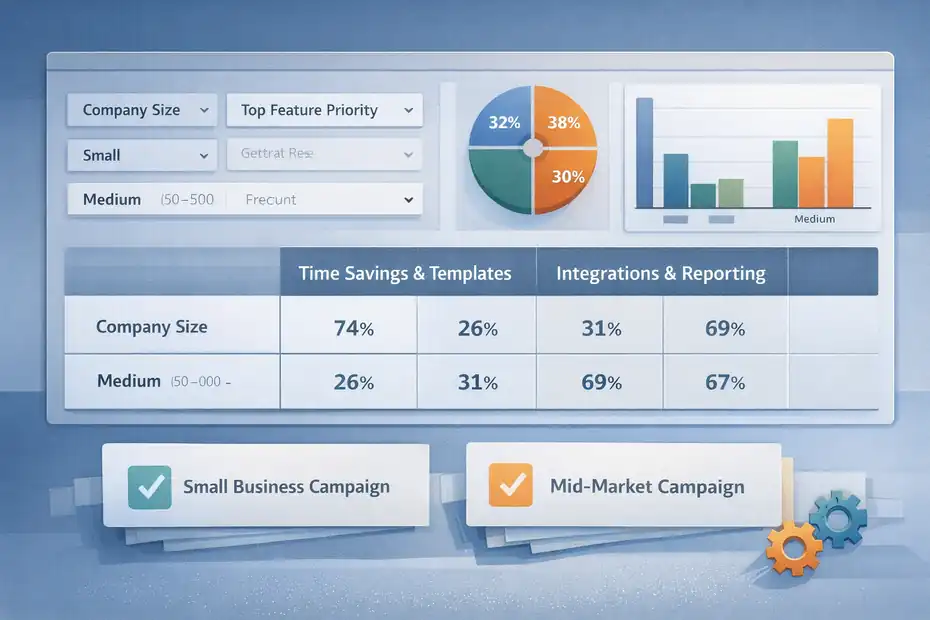
Crosstabs sound technical, but the idea is simple: compare one variable against another in a structured table.
Crosstabs Help You Find Relationships Between Variables
SurveyMonkey offers crosstab reporting so you can analyze how different groups answer across questions and uncover patterns that are hard to see in summary charts alone.
SurveyMonkey describes crosstabs as a way to slice results by segment, channel, and more, and its educational materials define cross-tabulation as showing the relationship between two or more categorical variables.
This is extremely useful in audience research because audiences are made of interacting traits, not isolated answers.
For example, you might cross-tabulate age group against preferred buying channel. Or experience level against willingness to pay. Or job title against biggest implementation fear. Now you are not just asking what people think. You are seeing which traits travel together.
That is a big shift. Instead of saying, “People want simplicity,” you can say, “Newer users in smaller teams value simplicity most because they expect limited support capacity.” That is stronger, more defensible insight.
I believe crosstabs are one of the quickest ways to turn a survey from “interesting” into “strategically sharp.”
When Crosstabs Change The Direction Of Your Strategy
A good crosstab can save you from expensive mistakes.
Let’s say an ecommerce tool brand plans to market “automation” as its lead benefit. Overall survey responses look positive. But your cross-tab of company size versus top feature priority shows something surprising: small businesses prefer time savings and templates, while larger teams care more about integrations and reporting.
Now your strategy changes. You stop pushing one broad message. Instead, you create a small-business campaign around speed and simplicity, and a mid-market campaign around workflow integration and control.
That one shift can improve click-throughs, lead quality, and sales conversations because your message now matches actual segment priorities.
The point is not that crosstabs are fancy. The point is that they reduce lazy interpretation.
What Open-Ended Responses Reveal About Real Audience Motivation
Numbers tell you what happened. Open text often tells you why.
Open Responses Give You Voice-Of-Customer Language
SurveyMonkey supports viewing and categorizing open-ended responses in Analyze, and its AI analysis tools also focus on themes and sentiment in open text. That makes open-ended answers one of the richest parts of surveymonkey results for audience research.
This is where you find phrases your audience uses naturally. Those phrases are gold for copywriting, offer framing, product messaging, FAQ content, ad hooks, and sales scripts.
Let me give you a realistic example. Suppose your respondents say they want a “simple dashboard.” That sounds generic. But an open response might say, “I need to know what matters in 30 seconds without clicking through five reports.”
That sentence is far more useful. Now you know the real desired outcome is immediate clarity, not abstract simplicity.
I often tell people this: Your audience rarely gives you polished marketing language, but they give you honest language. Honest language usually performs better.
Collect those phrases. Group them by theme. Then look for repeated emotional cues such as frustration, overwhelm, mistrust, confusion, or urgency.
How To Code Open-Ended Responses Without Overcomplicating It
You do not need to turn into a full-time qualitative researcher to get value here.
Start by reading 25 to 50 responses manually. Highlight repeated themes. Create a simple coding list such as price concerns, setup anxiety, trust signals, missing features, switching friction, and desired outcomes. Then categorize the rest.
If you have a lot of responses, SurveyMonkey’s AI analysis tools can help identify themes and sentiment faster, but I still recommend reading a meaningful sample yourself. AI can summarize patterns. It cannot replace your judgment about what matters commercially.
A smart shortcut is to pull out three types of quotes:
- Problem language: How people describe the pain.
- Outcome language: How they describe success.
- Objection language: Why they hesitate.
That framework alone can improve your audience understanding dramatically. It is also one of the easiest ways to turn research into better conversion copy.
How To Judge Whether Your Results Are Actually Reliable
This is the part people skip when they are too eager to publish a slide deck.
Sample Size And Margin Of Error Matter More Than Confidence Theater
SurveyMonkey provides sample size and margin of error calculators, and its educational resources explain that lower margin of error means the results are likely closer to the true population value at a given confidence level.
It also gives a concrete example that for a population of 10,000, about 385 respondents yields a ±5% margin of error.
Here is the plain-English version: if only 27 people answered your survey, do not pretend you discovered a law of nature.
Small samples can still be useful for directional learning, especially in niche B2B research or early-stage product work. But you need to describe them honestly. Say “directional feedback from a small sample” rather than “the market clearly wants X.”
I suggest using this rough standard:
- Under 50 responses: exploratory only.
- 50 to 150 responses: useful for early patterns and message testing.
- 150 to 400+: more confidence for segmentation and prioritization.
- 385 around a 10,000 population: commonly cited benchmark for ±5% margin of error.
That does not mean 385 is always necessary. It means sample confidence should match decision risk.
Response Quality Is Just As Important As Response Quantity
A bigger sample is not automatically a better sample.
SurveyMonkey’s AI analysis materials mention filtering low-quality responses, and its analysis tools support filtering and segmentation. That matters because rushed, inattentive, duplicate, or poorly matched respondents can distort your conclusions.
In audience research, low-quality responses often show up as contradictions, straight-lining, nonsense open text, or impossible qualification combinations. For example, someone claims to be both a beginner and a power user, or selects every option in a way that makes no behavioral sense.
I recommend checking for three things before trusting your findings: completion quality, consistency, and relevance to the target segment. A smaller clean sample often beats a larger messy one.
That is one reason screening matters so much in panel-based research. Good audience research is not only about gathering answers. It is about gathering answers from the right humans.
How To Turn Results Into Messaging, Offers, And Positioning
This is the moment where research stops being interesting and starts making money.
Use Results To Improve What You Say, Not Just What You Know
SurveyMonkey results for audience research become valuable when they help you sharpen your market message.
If your respondents repeatedly mention speed, simplicity, trust, cost savings, or support quality, those are not just themes. They are positioning clues. If one benefit consistently outranks another, that is often a signal to lead with the stronger value proposition in your homepage, paid ads, or email sequence.
Imagine you are selling project management software. You assume “better collaboration” is your best angle. But the data shows your audience cares more about “less admin work” and “clearer deadlines.” Suddenly your messaging changes from aspirational teamwork to immediate operational relief.
In my experience, that kind of shift often lifts performance because it reflects what buyers actually care about, not what the team wishes they cared about.
A useful conversion shortcut is to map results into three buckets:
- Primary promise: The strongest audience-desired outcome.
- Supporting proof: The evidence or features that justify the promise.
- Objection handling: The fears or doubts you must answer.
Use Segments To Build More Than One Message
A single survey can support multiple campaign angles if you segment properly.
Let’s say your audience research identifies two strong segments. Segment A wants affordability and fast onboarding. Segment B wants control, customization, and advanced analytics. If you use one blended message, it may feel watered down to both groups.
Instead, create distinct value narratives. Segment A gets a message around “get started fast without extra complexity.” Segment B gets “deeper control and reporting for teams that need precision.”
That is how survey analysis supports real marketing performance. Not by producing a pretty dashboard, but by helping you say the right thing to the right people.
I believe this is one of the most underrated uses of SurveyMonkey. It is not just a feedback tool. Used properly, it becomes a positioning tool.
Which SurveyMonkey Features Matter Most During Analysis
Not every feature matters equally for audience research. These are the ones that usually do.
The Core Analysis Features Worth Paying Attention To
SurveyMonkey’s official help and product pages highlight several analysis functions that matter most for research: summary views, individual responses, dynamic charts, filters, compare rules, crosstabs, dashboards, and exports in formats including CSV, XLS, PDF, PPT, and in some plans SPSS.
Here is a practical comparison table:
| Feature | What It Does | Best Use In Audience Research |
|---|---|---|
| Summary Charts | Shows topline response distribution | Fast first-pass pattern spotting |
| Individual Responses | Lets you inspect each respondent | Quality checks and qualitative review |
| Filter Rules | Narrows results to subsets | Segment-specific analysis |
| Compare Rules | Shows groups side by side | Message and preference differences |
| Crosstabs | Maps relationships between variables | Deeper pattern discovery |
| Exports | Sends data to other formats | Reporting and advanced analysis |
| AI Analysis | Spots themes and sentiment faster | Speeding up open-text review |
The trick is not to use every feature. The trick is to use the right feature for the question you are trying to answer.
When To Stay Inside SurveyMonkey And When To Export
A lot of teams export too early.
If your questions are straightforward and your segmentation needs are moderate, SurveyMonkey’s native analysis tools are often enough. Filters, compare rules, crosstabs, dashboards, and question summaries can carry a surprising amount of the workload.
Export when you need one of these:
- More custom modeling or statistics.
- Broader internal reporting.
- Data joins with CRM, sales, or product behavior data.
- Offline analysis by another team.
SurveyMonkey supports exports to CSV, XLS, PDF, PPT, and SPSS options on relevant plans, and even stores certain export files for a limited period.
My advice is simple: Stay in the platform until the platform becomes the bottleneck. Many users leave too soon and create unnecessary spreadsheet chaos.
Common Mistakes People Make With SurveyMonkey Results
This section matters because bad interpretation can be worse than no research at all.
Mistake 1: Treating Percentages As Truth Instead Of Evidence
Percentages look authoritative. That is exactly why they are dangerous.
If 58% of respondents choose one option, that does not automatically mean you have a clear winner. You still need to ask who responded, how the question was framed, whether subgroups differ, and whether the sample is large enough to trust.
A common bad move is using one survey result as a universal audience belief. Real audiences are messy. Their priorities shift by context, price sensitivity, experience level, and purchase stage.
I recommend you always ask three follow-up questions after any “big” number:
- Which segments drove this result?
- What did open-ended responses say behind it?
- Is this strong enough to justify a decision?
That little discipline prevents a lot of fake certainty.
Mistake 2: Ignoring Contradictions In The Data
Contradictions are not failures. They are clues.
Suppose respondents say price matters most, but they also say they distrust low-cost providers. That tension is useful. It suggests the audience wants value, not cheapness. Your offer should probably emphasize ROI and confidence rather than discount language.
Or maybe people say they want more features, yet open-ended responses complain about complexity. Again, that is not a broken dataset. It is a segmentation signal. Some respondents want depth; others want simplicity.
The worst thing you can do is smooth contradictions away. The best thing you can do is investigate them.
In my experience, the strongest insights often come from results that initially look confusing.
How To Build A Simple Interpretation Framework That Works
You do not need a giant research department to get this right.
A Practical 5-Part Framework For Reading Results
Here is the interpretation framework I suggest for most audience research projects.
- Step 1: Identify the headline pattern. What broad result stands out first?
- Step 2: Segment the result. Does that pattern hold across meaningful groups?
- Step 3: Explain the pattern. What do open-ended responses or related questions suggest is driving it?
- Step 4: Judge confidence. Is the sample strong enough and clean enough to trust directionally or decisively?
- Step 5: Convert to action. What message, offer, product, or content change should happen next?
This framework keeps you from getting stuck in either extreme: oversimplifying the data or overanalyzing forever.
A mini scenario helps here. Say you survey SaaS buyers about implementation concerns. The headline pattern is “time to setup” wins. Segmenting shows small teams care most. Open-text review reveals they fear needing technical help. Confidence is solid because you have a clean sample of 220 targeted respondents. Action becomes obvious: lead with “launch fast without technical overhead.”
That is a research insight you can use.
What A Good Final Insight Statement Looks Like
A strong insight statement is specific, segment-aware, and action-ready.
Bad version: “People want easier software.”
Better version: “Among first-time buyers at companies under 20 employees, the biggest adoption barrier is fear of a time-consuming setup process, so messaging should emphasize speed, clarity, and low implementation effort.”
See the difference? One is vague. The other tells you what to do.
I think every survey project should end with 3 to 5 insight statements like that. Not 47 charts. Not a pile of exports. Just sharp conclusions tied to action.
Advanced Ways To Get More Value From Audience Research Over Time
One survey can help. A repeated research process helps much more.
Track Changes Instead Of Treating Research As A One-Time Event
SurveyMonkey’s platform emphasizes real-time results and continuous listening use cases, and its own trend content points toward feedback moving earlier and more continuously into decision-making. That is an important mindset shift.
If you only run audience research once, you get a snapshot. If you repeat key questions over time, you start seeing movement. That helps you detect changes in buyer priorities, awareness, trust, category education, and price sensitivity.
This is especially useful after:
- A repositioning change.
- A new offer launch.
- A major market shift.
- New competitor activity.
- Content or campaign updates.
For many of us, the best use of research is not proving one big idea. It is reducing decision blindness over time.
Combine Survey Results With Other Signals
Survey data gets even stronger when you compare it with actual behavior.
For example, you might notice survey respondents say they care most about ease of use, while analytics show demo page visitors spend most of their time on integration details. That mismatch is worth exploring. Sometimes people report aspirations while behavior reveals true decision weight.
You do not need to overengineer this. Even simple comparisons between survey themes and:
- Sales call objections
- On-site search terms
- Support tickets
- Ad click patterns
- Landing page conversion rates
can dramatically improve your understanding.
SurveyMonkey can export data for sharing and deeper analysis, which makes this combined approach practical once your research process matures.
The Real Answer: What You Actually Learn
At the end of the day, surveymonkey results for audience research do not just tell you what people clicked. They tell you how different audience segments think, what language they use, what outcomes they want, what objections slow them down, and how confident you should feel making a decision from the data.
That is the real payoff.
You learn whether your assumptions are right. You learn whether your audience is actually one audience or several. You learn which messages deserve to lead, which offers feel strongest, and which friction points are suppressing action. You also learn where your data is still too weak to justify certainty, and that is just as valuable.
If I had to sum it up simply, I’d say this: SurveyMonkey gives you the mechanics to collect and analyze responses, but the real insight comes from reading those results with discipline. Use topline charts to spot patterns, filters and compare rules to expose segment differences, crosstabs to find relationships, open-ended responses to understand meaning, and sample logic to keep yourself honest. That is how survey data turns into audience understanding.
FAQ
What are SurveyMonkey results for audience research?
SurveyMonkey results for audience research are collected responses that help you understand your audience’s preferences, behaviors, and motivations. They include quantitative data like percentages and qualitative insights from open-ended answers, allowing you to make informed decisions about messaging, products, and marketing strategies.
How do you analyze SurveyMonkey results effectively?
To analyze SurveyMonkey results effectively, start with topline data, then segment responses using filters and comparisons. Review open-ended answers for deeper meaning and validate patterns across different audience groups. This approach helps you move beyond surface-level data into actionable insights.
What can you learn from SurveyMonkey audience research data?
You can learn what your audience values, what problems they face, how they make decisions, and which messages resonate most. It also reveals differences between segments, helping you refine targeting, improve offers, and create more relevant marketing campaigns.
Are SurveyMonkey results reliable for decision-making?
SurveyMonkey results are reliable when you have a relevant audience, clear questions, and a sufficient sample size. Always check for response quality and consistency. Smaller samples can provide direction, but larger, well-targeted datasets offer stronger confidence for business decisions.
How do SurveyMonkey results improve marketing strategy?
SurveyMonkey results improve marketing by revealing real customer language, priorities, and objections. You can use these insights to refine messaging, optimize landing pages, personalize campaigns, and align your offers with what your audience actually wants.

I’m Juxhin, the voice behind The Justifiable.
I’ve spent 6+ years building blogs, managing affiliate campaigns, and testing the messy world of online business. Here, I cut the fluff and share the strategies that actually move the needle — so you can build income that’s sustainable, not speculative.
Related posts:
 Is SurveyMonkey Reliable For Business Decisions: Can You Trust It?
 Is SurveyMonkey Good For Customer Research: Real Insights Or Noise?
 Social Media Marketing for Small Business – Best Tips
 Methods for Marketing Affiliate Websites – Simple Ways
 Internet Marketing Ideas: Increase Your Marketing Efforts
 Monetizing a Website: Best Earning Money Practice