
Table of Contents
Some links on The Justifiable are affiliate links, meaning we may earn a small commission at no extra cost to you. Read full disclaimer.
If you’ve been asking, “is SurveyMonkey reliable for business decisions,” the honest answer is yes, but only when you use it in the right context.
SurveyMonkey is a mature survey platform with enterprise security controls, analysis tools, templates, integrations, and access to a large global audience panel, which makes it useful for customer feedback, employee listening, concept testing, and directional market research.
But reliability does not come from the software alone. It comes from your survey design, sample quality, response volume, and how carefully you interpret the results.
What SurveyMonkey Is Really Good At
SurveyMonkey is strongest when you need structured feedback quickly, want a low-friction way to collect responses, and need a platform your team can actually use without heavy training.
What The Platform Does Well
SurveyMonkey is built for creating surveys and forms, collecting responses, analyzing results, and sharing findings across a team. Its current product positioning leans hard into four things: fast survey creation, AI-assisted drafting, connected reporting, and integrations with other business tools.
It also offers more than 200 native integrations and team collaboration features, which matters if insights need to move beyond one person’s inbox and into sales, support, HR, or operations workflows.
From a business-use perspective, that combination is valuable because most survey projects fail for boring reasons, not glamorous ones. Teams delay launch, overcomplicate the questionnaire, forget to standardize reporting, or never share the results with decision-makers.
In my experience, a “reliable” tool is not just one with good security or nice charts. It is one that helps your team field a survey fast enough, consistently enough, and clearly enough that the data actually gets used. SurveyMonkey is very good at that operational side of insight gathering.
That is why the platform works especially well for customer satisfaction surveys, employee feedback, quick concept checks, event follow-ups, lead qualification forms, and recurring pulse surveys. These are areas where speed, repeatability, and decent segmentation matter more than advanced custom research architecture.
Where It Fits In A Business Decision Stack
The best way to think about SurveyMonkey is this: it is a decision-support tool, not a decision-substitute tool. That distinction matters.
A survey can surface customer pain points, test reactions to a product concept, compare packaging directions, or show whether a policy change upset employees. What it cannot do, by itself, is guarantee that your conclusion is correct.
Imagine you run a mid-sized ecommerce brand and want to know whether free shipping or faster shipping matters more to buyers. SurveyMonkey can help you ask the question, segment answers by customer type, and get directional evidence quickly. That is useful.
But it still should be paired with actual order data, cart abandonment trends, and margin analysis before you make a major pricing move. Survey data gives you voice-of-customer evidence. It does not replace behavioral or financial evidence.
I believe this is the healthiest way to judge reliability. If you expect SurveyMonkey to tell you the truth of the market in one click, you will be disappointed. If you use it to reduce uncertainty and validate assumptions before making a business call, it becomes much more trustworthy.
The Short Answer: Yes, But Not For Every Type Of Decision
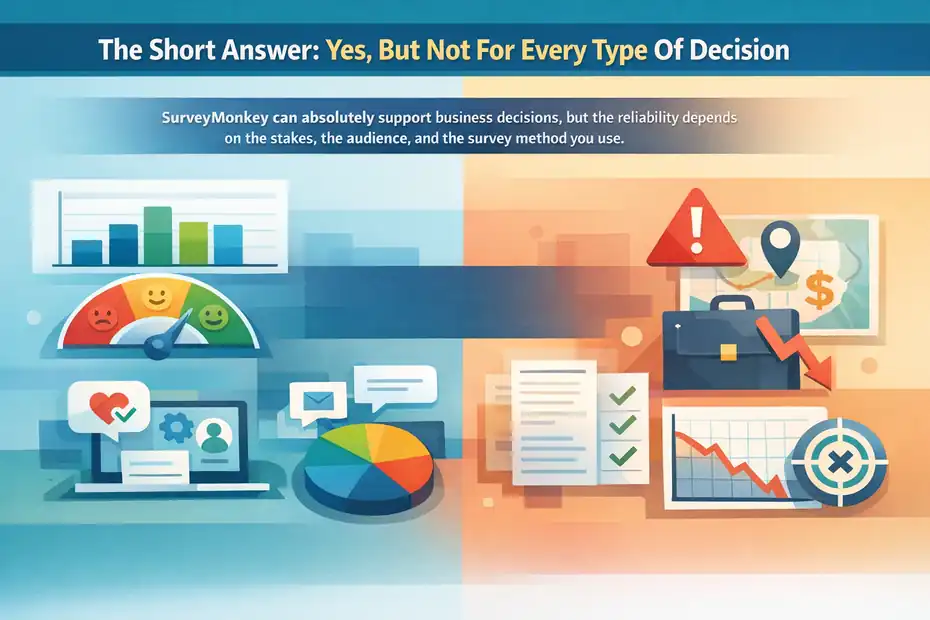
SurveyMonkey can absolutely support business decisions, but the reliability depends on the stakes, the audience, and the survey method you use.
Decisions It Is Reliable Enough To Inform
SurveyMonkey is reliable for what I would call directional and operational decisions. These are decisions where you need credible feedback, not courtroom-level certainty.
Small and mid-sized businesses often use it well for:
- Customer Experience Checks: NPS-style feedback, post-purchase surveys, support satisfaction, onboarding feedback.
- Employee Listening: Pulse surveys, manager feedback, remote work sentiment, engagement signals.
- Message Testing: Landing page copy preference, offer framing, ad concept reactions.
- Product Prioritization: Which feature requests show up most often, which pain points feel most urgent, which workflows frustrate users.
- Event And Community Feedback: What attendees liked, what confused them, and whether they would come back.
These use cases benefit from SurveyMonkey’s templates, audience collection options, logic features, and analysis tools like filters, comparisons, exports, and crosstabs.
A practical example: If 63% of your onboarding respondents say setup was confusing and the complaint clusters around one step, that is enough evidence to review that step. You do not need a perfect longitudinal research program to act on that. You need a clear signal and a reasonable sample. That is exactly the kind of business decision SurveyMonkey handles well.
Decisions It Should Not Own By Itself
Where teams get into trouble is when they ask SurveyMonkey to carry too much weight. It should not be the sole basis for high-risk decisions such as entering a new country, changing company-wide compensation structures, killing a major product line, or rewriting a brand position across a whole category.
That is not because SurveyMonkey is “bad.” It is because survey research has limits. Poorly written questions can distort answers. Nonprobability samples can create bias. Small samples can exaggerate swings. And respondents may say one thing but do another.
Pew notes that even accurate sampling can be undermined by weak question wording, which is a reminder that the instrument matters as much as the platform.
For larger strategic decisions, I suggest using SurveyMonkey as one input among several: analytics, CRM patterns, support transcripts, interviews, experiments, and revenue data. The tool is reliable enough to inform judgment. It is not reliable enough to replace judgment.
What Actually Determines Reliability
The platform matters less than most people think. The real drivers of reliability are survey design, sampling, response quality, and interpretation.
Question Quality Matters More Than The Logo On The Tool
A bad survey inside a good platform is still a bad survey. This is where many businesses go wrong. They ask leading questions, combine two ideas into one question, overload respondents with grids, or use vague wording like “How do you feel about our value?” without defining what value means.
Pew’s guidance on writing survey questions makes this point clearly: good measurement depends on clear, unbiased, well-ordered questions. In other words, the tool cannot rescue a weak questionnaire.
Let me make that concrete. Suppose you ask: “How satisfied are you with our fair pricing and fast delivery?” That is not one issue. It is two. A customer who loves your speed but dislikes your pricing has no clean answer path. You have just created noisy data.
A much better setup would separate the topics:
- Question 1: How satisfied are you with our pricing?
- Question 2: How satisfied are you with delivery speed?
- Question 3: Which matters more when choosing a supplier?
That simple change makes the survey more reliable than any fancy dashboard ever could.
Sample Quality And Sample Size Change Everything
The second big factor is who answers and how many of them answer. SurveyMonkey Audience gives users access to a large global panel, with the company saying it can target respondents across 130+ countries from a pool of 335M+ people and deliver feedback quickly, sometimes in as little as an hour.
SurveyMonkey also publishes information about how its research team tests panel quality and engagement.
That is useful, but sample quality still deserves caution. A targeted panel can be excellent for directional concept testing or message comparison. It is less ideal if you treat it as a perfect mirror of your exact customer base without checking fit, quotas, or screening logic.
Sample size matters too. AAPOR notes that the margin of sampling error falls a lot when moving from very small samples to around 1,000 responses, but improvements become more modest after that; doubling from 1,000 to 2,000 only trims error by about one percentage point.
For many business surveys, that means:
- Under 100 responses: Useful for spotting themes, risky for overconfident conclusions.
- Around 300 responses: Better for directional decisions within a defined group.
- Around 1,000 responses: Often enough for stronger broad estimates, depending on sampling quality.
- Segment cuts: Need enough responses in each subgroup, not just in the total sample.
I recommend treating small-sample results as signals, not verdicts.
SurveyMonkey Features That Improve Trustworthiness
Some of SurveyMonkey’s reliability comes from the platform itself. Not because software magically creates truth, but because certain features reduce avoidable mistakes.
Logic, Templates, And Analysis Tools
SurveyMonkey offers survey logic, templates, filtering, crosstabs, text analysis, charting, exports, and rules-based analysis views. Those features matter because they help you do three important things: ask relevant questions, avoid unnecessary respondent friction, and inspect answers by segment rather than just looking at a total average.
For example, logic lets you skip questions that do not apply to a respondent. That sounds small, but it improves data quality because irrelevant questions often cause people to rush, drop off, or answer carelessly.
The same goes for templates. A vetted template is not perfect, but it usually gives you a stronger starting point than writing every question from scratch.
I also like that SurveyMonkey lets teams move beyond summary charts into filtered and compared views. A total score can hide the real story. Your average customer satisfaction might look stable, while first-time buyers are suddenly struggling and long-time customers are fine. Segment-level analysis is where a lot of business value lives.
Security, Compliance, And Team Controls
Reliability is also about whether stakeholders trust the platform enough to use it for sensitive data collection. SurveyMonkey’s Trust Center states it maintains certifications and frameworks including SOC 2, ISO 27001, PCI DSS 3.2, and EU-U.S. Data Privacy Framework certification.
Its enterprise materials also describe secure HTTPS transmission, TLS-protected logins, and encryption at rest. Enterprise plans add features like SSO, admin controls, user permissions, and HIPAA-related capabilities.
For a business making decisions from employee feedback, patient experience, or customer sentiment, that matters. When security is sloppy, response honesty can drop and legal risk goes up. Trust in the collection environment is part of data quality, even if people rarely talk about it that way.
Here is a simple comparison of where SurveyMonkey tends to feel most reliable:
| Decision Context | Reliability Level | Why |
|---|---|---|
| Post-purchase customer feedback | High | Clear audience, fast collection, repeatable metrics |
| Employee pulse surveys | High | Good for recurring internal sentiment tracking |
| Product concept testing | Medium to High | Strong if targeting and screening are handled carefully |
| Brand positioning overhaul | Medium | Useful directionally, but should be paired with interviews and market data |
| Market sizing or major investment decisions | Low to Medium alone | Surveys can help, but should not be the only evidence |
The big takeaway is simple: SurveyMonkey’s feature set supports reliability, but the use case still determines whether that reliability is enough.
When SurveyMonkey Data Becomes Misleading

This is the section most buyers skip, and honestly, it is the section that matters most.
Common Mistakes That Damage Reliability
The first reliability killer is biased wording. If you ask people whether they agree with a flattering statement about your brand, do not be surprised when they “agree.” The second is poor audience targeting.
The third is survey fatigue. Research published in the medical literature reviewing questionnaire length and quality notes that length can affect response behavior and data quality, which lines up with what practitioners see in real survey work.
Here are the mistakes I see most often:
- Asking Too Many Questions: Long surveys increase drop-off and lower answer quality.
- Using Internal Jargon: Customers do not speak your roadmap language.
- Ignoring Response Bias: Angry users and superfans often respond at higher rates.
- Overreading Small Swings: A 3-point change is not always meaningful.
- Skipping Open Text Review: Numeric scores without comments can mislead you.
- Treating All Respondents As Equal: A new trial user and a five-year enterprise customer should not always carry the same decision weight.
One of the easiest traps is believing the dashboard because it looks polished. Clean charts create false confidence. Reliability comes from method, not aesthetics.
A Realistic Example Of Bad Interpretation
Imagine you send a pricing survey to your email list and 72% say your software is “too expensive.” That sounds dramatic. But who answered? Mostly inactive leads and light users who never adopted the product. Meanwhile, your highest-retention customers did not respond much at all.
If you cut pricing based on that survey alone, you may hurt revenue without improving retention. The issue was not that SurveyMonkey failed. The issue was that the sample was skewed and the team interpreted the result too literally.
This is why I suggest adding three checks before acting on survey findings:
- Compare respondent mix with your real customer mix.
- Review comments, not just scores.
- Cross-check the result against behavior data.
That three-step habit makes SurveyMonkey dramatically more reliable in real business use.
How To Use SurveyMonkey For Better Business Decisions
This is where the answer becomes practical. SurveyMonkey is reliable when you build a disciplined process around it.
Step-By-Step Setup For Decision-Ready Surveys
Here is the process I recommend for most teams.
- Step 1: Define The Decision First. Do not start with questions. Start with the business choice you are trying to make.
- Step 2: Define The Audience. Existing customers, churned users, leads, employees, or external market respondents are not interchangeable.
- Step 3: Pick The Minimum Useful Questions. Ask only what helps the decision.
- Step 4: Use Screening And Logic. Keep questions relevant to each respondent.
- Step 5: Pilot The Survey. Send it to a small internal or friendly segment first.
- Step 6: Set A Response Threshold Before Launch. Decide in advance what sample size feels actionable.
- Step 7: Analyze By Segment. New vs. long-term users, SMB vs. enterprise, region, plan type, or lifecycle stage.
- Step 8: Pair Survey Data With Another Source. Analytics, support data, interviews, or sales feedback.
This process aligns with solid research practice and with SurveyMonkey’s own emphasis on structured research workflows, analysis, and targeted collection.
The biggest mindset shift is this: Do not ask a survey to “discover everything.” Ask it to reduce one specific uncertainty.
How I’d Use It In Three Business Scenarios
Imagine three common cases.
First, a SaaS company wants to know why trial-to-paid conversion is weak. I would survey recent trial users, keep the survey under 10 questions, split respondents by activation status, and compare answers to product usage data.
The survey can reveal whether the issue is pricing perception, unclear setup, or missing features. But I would never use the survey alone.
Second, a retailer wants to test two new packaging designs. SurveyMonkey can work well here, especially with targeted audience recruitment. The result is not “proof” that one package will win in market, but it can quickly eliminate a weak concept before expensive rollout.
Third, an HR team wants to understand manager effectiveness after a reorg. SurveyMonkey is very strong for this kind of recurring internal listening because the audience is known, the questions can be standardized, and trends over time often matter more than one isolated score.
In all three scenarios, the tool is reliable because the question is clear and the decision is appropriately scoped.
Pricing, Plans, And Whether The Cost Matches The Value
A tool can be methodologically sound and still be the wrong choice if the economics do not fit your workflow.
What You Get At Different Plan Levels
SurveyMonkey currently advertises individual and team plans with varying response limits, collaboration features, analysis capabilities, and integrations.
Examples on its pricing pages include Standard Monthly at $99 per month with 1,000 responses per month, FLEX at $49 per month for analysis-focused access, Team Advantage starting at $30 per user per month billed annually, and Team Premier at $92 per user per month billed annually starting at three users.
The company also highlights 200+ integrations and higher-end enterprise controls on upper tiers.
That pricing structure matters for reliability in a practical way. If your plan limits responses, restricts advanced analysis, or makes collaboration clunky, your team may end up exporting partial data, creating manual workarounds, or running underpowered studies.
Here is the simple business test: If you run surveys occasionally and mainly need operational feedback, a lower-tier plan may be enough. If multiple departments rely on survey-driven decisions, team or enterprise plans usually make more sense because governance, shared assets, permissions, and standardized reporting reduce chaos.
Is It Worth Paying For?
I think SurveyMonkey is worth paying for when one of these is true:
- You run recurring surveys that affect actual business actions.
- Multiple people need access to build, review, and analyze surveys.
- You need integrations or stronger controls.
- You need targeted respondents instead of relying only on your own list.
It is less compelling if you only need a free tool for occasional informal polls. The value of SurveyMonkey is not just “sending surveys.” It is making survey work repeatable across a business.
Third-party review signals support the idea that users generally find it dependable and easy to use. G2 currently shows SurveyMonkey with a 4.4-star rating across more than 23,000 verified reviews, while recent Capterra listings also show broadly positive business-user sentiment.
Those are not proof of research quality, but they do suggest the platform is operationally trusted at scale.
Advanced Ways To Make SurveyMonkey More Reliable
Once the basics are handled, the difference between average and strong survey work is usually in how you validate and scale it.
Use SurveyMonkey As Part Of A Mixed-Method System
The most dependable teams do not treat surveys as a standalone truth machine. They create an insight stack.
A strong stack might look like this:
- SurveyMonkey: Quantifies patterns and captures structured feedback.
- Interviews: Explain the “why” behind the numbers.
- Product Analytics: Show what people actually did.
- Support Tickets: Surface recurring friction.
- CRM Or Revenue Data: Shows whether the issue affects valuable accounts or low-fit leads.
This blended approach is important because survey responses can reflect perception, memory, mood, or social desirability. Behavioral data grounds that in reality. The more expensive the decision, the more I would insist on this mix.
A simple example: if survey respondents say onboarding is too complex, watch session recordings or funnel data before redesigning the flow. You may learn the real issue is one broken integration, not the full experience.
Build Internal Rules For Evidence Thresholds
One smart way to improve trust in SurveyMonkey data is to create internal rules before the survey begins.
For example:
- Product changes under a certain cost threshold can be informed by 100 to 300 qualified responses.
- Messaging changes need both survey preference data and click-through evidence.
- Strategic pricing changes require survey feedback plus win-loss analysis and cohort revenue trends.
- Employee policy changes require both pulse survey results and manager-level qualitative review.
I really like this approach because it takes emotion out of interpretation. Teams stop asking, “Do we like this result?” and start asking, “Does this meet our evidence threshold?”
That is how SurveyMonkey becomes reliable in the real world: not as a magic answer generator, but as a consistent part of a disciplined decision framework.
Final Verdict: Can You Trust SurveyMonkey?
SurveyMonkey is reliable for business decisions when the decision is appropriately scoped, the audience is well chosen, the questions are written carefully, and the results are interpreted alongside other evidence.
Its current platform strengths, including analysis tools, templates, logic, integrations, enterprise controls, and access to a large audience panel, make it a credible option for many real-world business uses.
So, can you trust it? Yes, with conditions.
You can trust SurveyMonkey for customer feedback loops, employee sentiment tracking, concept validation, and directional market research. You should be more cautious when the stakes are high, the sample is weak, or the decision has major financial or strategic consequences. In those cases, use it as one layer of evidence, not the only layer.
If I had to sum it up in one sentence, it would be this: SurveyMonkey is reliable enough to improve business decisions, but not reliable enough to excuse sloppy research. And honestly, that is true of almost every survey platform on the market.
FAQ
Is SurveyMonkey reliable for business decisions?
SurveyMonkey is reliable for business decisions when used correctly. It provides structured feedback, but accuracy depends on survey design, sample quality, and analysis. It works best for directional insights like customer feedback or product testing, rather than high-risk strategic decisions that require multiple data sources.
Can SurveyMonkey data be trusted?
SurveyMonkey data can be trusted if the survey is well-designed and the audience is properly targeted. Poorly written questions or biased samples can reduce accuracy. To improve trust, combine survey results with analytics, customer behavior data, and qualitative feedback before making decisions.
What types of business decisions is SurveyMonkey best for?
SurveyMonkey is best for customer experience feedback, employee surveys, product validation, and marketing message testing. These decisions benefit from fast, structured insights. It is less suitable as the sole source for major financial, strategic, or market expansion decisions.
What are the limitations of SurveyMonkey?
SurveyMonkey’s limitations include response bias, small sample sizes, and reliance on self-reported data. Results may not reflect actual behavior. Without proper targeting and analysis, data can be misleading, which is why it should be used alongside other research methods.
How can I improve the accuracy of SurveyMonkey results?
You can improve accuracy by asking clear, unbiased questions, targeting the right audience, and keeping surveys concise. Ensure a sufficient sample size and analyze results by segments. Pair survey insights with real business data like sales or user behavior for better decision-making.

I’m Juxhin, the voice behind The Justifiable.
I’ve spent 6+ years building blogs, managing affiliate campaigns, and testing the messy world of online business. Here, I cut the fluff and share the strategies that actually move the needle — so you can build income that’s sustainable, not speculative.
Related posts:
 3 Sales Funnel Flaws Killing Your Business & How to Fix Them
 Is SurveyMonkey Good For Customer Research: Real Insights Or Noise?
 Inside Freshworks Inc: Products, Vision, and Growth Story
 Omnisend for WooCommerce: Boost Store Sales Instantly
 Why Businesses Love Freshworks Freshdesk for Service
 How Automated Marketing Solutions Save Time and Increase Revenue